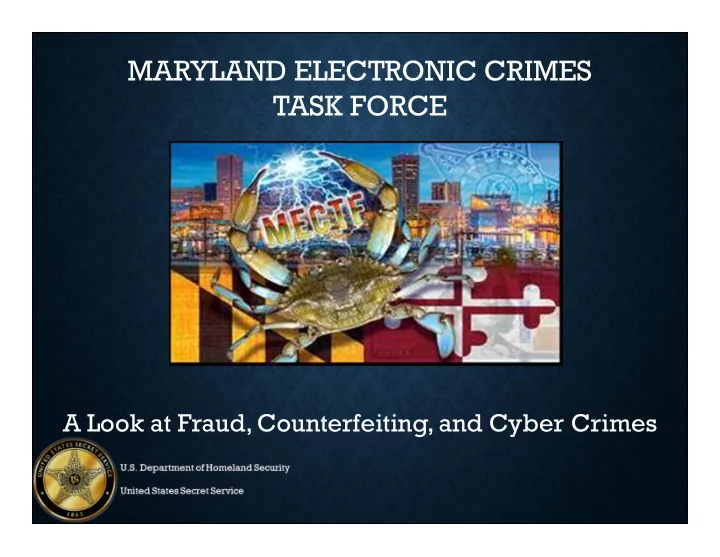
MARYLAND ELECTRONIC CRIMES TASK FORCE A Look at Fraud, - - PowerPoint PPT Presentation

maryland electronic crimes task force
SMART_READER_LITE
LIVE PREVIEW

MARYLAND ELECTRONIC CRIMES TASK FORCE A Look at Fraud, - - PowerPoint PPT Presentation

MARYLAND ELECTRONIC CRIMES TASK FORCE A Look at Fraud, Counterfeiting, and Cyber Crimes United States Secret Service History Legislation passed on April 14, 1865 to create Secret Service to suppress counterfeiting (was formed under the


slide-1
SLIDE 1

MARYLAND ELECTRONIC CRIMES TASK FORCE

A Look at Fraud, Counterfeiting, and Cyber Crimes

slide-2
SLIDE 2

United States Secret Service History

  • Legislation passed on April 14, 1865 to create Secret Service to suppress

counterfeiting (was formed under the Department of Treasury)

  • 1901 President William McKinley assassinated, Congress asks Secret Service to

begin protecting POTUS.

  • 1902 formal protection began at White House
  • 1908 Attorney General Bonaparte created the FBI from 10 Secret Service agents
  • 1951 Protection for President’s family and Vice-President
  • 1965 Protection of Former Presidents
  • 1971 Protection for Heads of State of foreign countries visiting United States
  • 1984 Laws expanded allowing Secret Service to investigative more types of

financial fraud

  • 2000 National Security Special Events
  • 2001 Patriot Act – Cyber Investigations born
  • 2002 removed from Treasury Department, placed under DHS
slide-3
SLIDE 3

United States Secret Service Dual Mission

Investigation

  • Financial Crimes
  • Identity Crimes
  • Check Fraud
  • Access Device Fraud
  • Bank Fraud
  • Mortgage Fraud
  • Counterfeit
  • Currency
  • Treasury Obligations
  • Electronic/Cyber Crimes
  • Telecommunications
  • Network Intrusions
  • Child Pornography
slide-4
SLIDE 4

Latest Threats in Financial Crimes

Identity Theft & Access Device Fraud

How Bank Account Numbers Are Obtained

  • Consumer Level:
  • Card skimming
  • Wireless skimming
  • Gas pump skimming
  • ATM skimming
  • Phishing
  • Industry Level:
  • Network Intrusions / Data Breaches
  • Collusive employees
  • Malware, Trojans, Worms
slide-5
SLIDE 5

Point-of-Sale Breach / Network Intrusion

  • Infiltration (malware/keyloggers/sniffers)
  • Aggregation
  • Exfiltration (email accounts/servers)

Data Flow

slide-6
SLIDE 6

What Do The Criminals Do Next?

  • Carding portals
  • Transactional Site (People Doing Business)
  • Stolen Credit Card Data
  • Stolen Databases of Personal Data
  • Knowledge Sharing
  • Technical vulnerabilities
  • Sensitive info. on how the financial system works
  • How to defeat security and anti-fraud measures
  • Criminal Infrastructure
  • Hacking services / custom malware development
  • Phishing services
  • Specialized equipment (card writers, embossers, blank

credit cards, holograms, etc.

slide-7
SLIDE 7

Carding Forums

slide-8
SLIDE 8

Counterfeit Card Lab

slide-9
SLIDE 9

Latest Threats in Electronic and Cyber Crimes

  • Examples of Internet-Related Investigations
  • Use of web browser to view websites and/or download files
  • Use of webmail or email client software, including newsgroup

readers

  • Online communication via IM, IRC and other chat applications
  • Peer-to-Peer file sharing
  • Social networking websites
  • YouTube and other online multimedia
  • Online auctions, gambling, pharmacies, stores, classifieds, etc.
  • Website defacement, hacking, compromised systems, botnets,

etc.

  • Spam, phishing, identity theft and other online scams
slide-10
SLIDE 10

Social Networks History

2007 2012

slide-11
SLIDE 11

Today

Social Networks History

slide-12
SLIDE 12

Positive Aspects to Social Media

  • Personal
  • Instantaneous constant contact with “friends”
  • Saves money and time by avoiding invitations by mail
  • Business
  • Eases logistical delays
  • Saves money by offering free online live communications

including video

slide-13
SLIDE 13
  • Business colleagues may view your profile and see the real you, good
  • r bad
  • Your data is only as secure as your friends and their friends, and their

friends, etc.

  • If a friends computer was infected and you open an attachment which

contains malware, you may be affected by trusting their emails

Vulnerabilities of Social Media

slide-14
SLIDE 14

Anything and Everything is Exploitable on your computer

  • Finances
  • Pictures of your computer
  • Personal letters/correspondence
  • Personal & Business address book
  • Vacation logistics, etc.
slide-15
SLIDE 15

Social Engineering

  • The act of manipulating people into performing actions or divulging

confidential information for the purpose of information gathering, fraud, or computer system access; in most cases the attacker never comes face-to-face with the victim

  • 85% of phishing attacks in the US

were directed towards social networking sites – Microsoft

  • Social networking sites are a

treasure trove of personal data

slide-16
SLIDE 16

Types of Social Engineering

  • The following are the few skills to exploit users to get access to your

system:

  • Impersonating staff
  • Playing on users’ sympathy
  • Intimidation tactics
  • Hoaxing
  • Creating confusion
  • Dumpster diving
  • Reverse social engineering
  • Mail
slide-17
SLIDE 17
slide-18
SLIDE 18
slide-19
SLIDE 19
slide-20
SLIDE 20
slide-21
SLIDE 21

Statistics

  • 172% increase in the reported number of

ransomware incidents for the first half of 2016.

  • $209 million worth of ransomware related

monetary losses for the first three months of 2016

  • 71% of ransomware delivered via spam; 18%

via exploit kits

slide-22
SLIDE 22

Business E-mail Compromise

Over 22,000 enterprises across the globe became victims of BEC during the first half of 2016 costing victims over $3 billion. The most targeted position in BEC scams are company CFO’s The most spoofed position in BEC related emails come from supposed CEO’s

slide-23
SLIDE 23

Protective Measures Against Cyber Crimes

  • Migrate to a modern operating system
  • Establish a secure baseline with a fresh operating system installation
  • Smart password management (8 or more characters using capitalization,

numbers, special characters); have different passwords for different accts.

  • Utilize the security protocols provided by the site
  • Stick with who you know
  • Limit the amount of personal information you post
  • Be skeptical
  • Use and maintain anti-virus software
slide-24
SLIDE 24

Protective Measures Against Cyber Crimes

  • Before submitting personal data, ensure that it is encrypted
  • Read the domain name carefully
  • Take advantage of your web browser’s ability to identify malicious sites
  • Take advantage of private browsing
  • Cookies and internet history will be automatically deleted
slide-25
SLIDE 25

Network Recommendations

  • Minimize use of public networks
  • Use cellular network
  • If forced to use wireless access point, avoid using credentials or

personal information

  • Implement WPA2 on wireless networks at home
  • Do not use WEP, it is not secure
  • Make your password long and change it frequently, every 90 days

is recommended

  • Use a separate personally owned routing device that connects to the

ISP provided router/cable modem

  • Disable SSID broadcast
  • Reduce the dynamic IP address pool or configure static IP addresses
slide-26
SLIDE 26

Special Agent Michael Dickson United States Secret Service Baltimore Field Office 443-263-1130 Duty Desk

U.S. Department of Homeland Security United States Secret Service

slide-27
SLIDE 27

Questions?