Log Manager Multiversion data History of data The log was - - PowerPoint PPT Presentation

log manager
SMART_READER_LITE
LIVE PREVIEW

Log Manager Multiversion data History of data The log was - - PowerPoint PPT Presentation

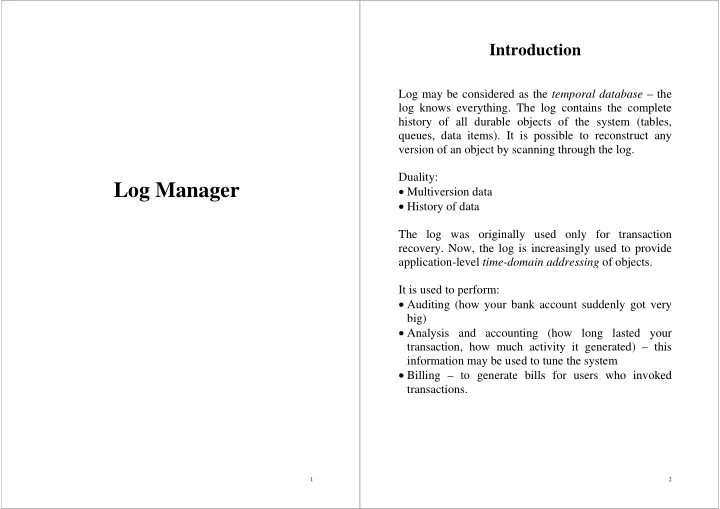
Introduction Log may be considered as the temporal database the log knows everything. The log contains the complete history of all durable objects of the system (tables, queues, data items). It is possible to reconstruct any version of an


slide-1
SLIDE 1

1

Log Manager

2

Introduction

Log may be considered as the temporal database – the log knows everything. The log contains the complete history of all durable objects of the system (tables, queues, data items). It is possible to reconstruct any version of an object by scanning through the log. Duality:

  • Multiversion data
  • History of data

The log was originally used only for transaction

  • recovery. Now, the log is increasingly used to provide

application-level time-domain addressing of objects. It is used to perform:

  • Auditing (how your bank account suddenly got very

big)

  • Analysis and accounting (how long lasted your

transaction, how much activity it generated) – this information may be used to tune the system

  • Billing – to generate bills for users who invoked

transactions.

slide-2
SLIDE 2

3

Log Manager Overview

  • the log manager provides an interface to the log,

which is a sequence of records

  • each record has a header that contains the names of

the resource manager and the transaction that wrote the record

  • the bulk of each record is a body containing UNDO-

REDO information generated by the resource manager that wrote the log record

  • the body of record is treated as a byte string
  • each record in the log table has a unique key, called

log sequence number (LSN)

  • the log table has its definition, expressed in SQL :

4

create domain LSN unsigned integer(64) - log sequence number (file#, rba) create domain RMID unsigned integer - resource manager identifier create domain TRID char(12) - transaction identifier create table log_table( lsn LSN,

  • the record’s LSN

prev_lsn LSN,

  • the lsn of the previous

record in log timestamp TIMESTAMP,

  • time log record was created

resource_manager RIMD, - r.m. that wrote this record trid TRID,

  • id of transaction that wrote

this record tran_prev_lsn LSN,

  • prev. Log record of this

transaction body varchar,

  • log data

primary key (lsn) foreign key (prev_lsn) references log_table(lsn), foreign key (tran_prev_lsn) references log_table(lsn), ) entry sequenced; The log apears to be an SQL table, so it can be queried using

  • rdinary SQL statements.

select * from a_log_table where resource_manager = :rmid

  • rder by lsn descending;
slide-3
SLIDE 3

5

The Log Manager’s Relationship to Other Services

The log manager provides read and write access to the log table for all the other resource managers and for the transaction manager. The log manager maps the log table onto a growing collection

  • f sequential files provided by the operating system, the file

system, and the archive system. The archive system is necessary because logs grow without

  • bound. Only recent records are kept online. Log records more

than a few hours old are stored in less-expensive tertiary storage (tape) managed by the archive system.

6

The interactions among the various resource managers from the perspective of the log manager. The arrows show

who calls whom.

Archive Manager SQL & Other Resource Managers Transaction Manager Lock Manager Log Manager File Manager Media Manager Buffer Manager Operating System File System

slide-4
SLIDE 4

7

Why have a Log Manager?

The log is an entry-sequenced SQL table, so it is convenient for applications and utilities to read the log using SQL operations. However, writing the log has several unique properties that give the log manager reason to exist.

  • Encapsulation. The log manager encapsulates log

record headers, assuring that these fields are filled

  • correctly. Historically, the log manager had only two

clients: the database manager and the queue manager. This allowed an unprotected call interface to the log

  • manager. Now, the log manager encasulates log

records and is the only one actually to write log records.

  • Startup. The log manager helps reconstruct the

durable system state at the system restart. At restart, almost nothing is functioning. The log manager must be able to find, read, and write the log without much help from the SQL system. The data can be stored in SQL format, but restart operations must be able to access it via record-at-a-time calls.

  • Careful writes. The log is generally duplexed, and it

is written using protocols (serial writes, Ping-Pong writes, and so on). This is done because the log is the

  • nly durable copy of committed transaction updates

until the data items are copied to disk.

8

Log Tables

  • simple systems have only a single log table
  • distributed systems have one or more logs per

network node

  • in systems with very high update rates, the bandwidth
  • f the log can become a bottleneck
  • such bottlenecks can be eliminated by creating

multiple logs and by directing the log records of different objects to different logs

  • in some situations, a particular resource manager

keeps its own log table – this is common for portable systems

  • occasionally, a log table may be dedicated to an
  • bject for the duration of a batch’ operation – during

such operations, a special log table is dedicated to the

  • bject so that standard log tables are no cluttered with

the traffic from the operation

  • when the operation completes, the object’s normal log

records are again sent to the main log

slide-5
SLIDE 5

9

Mapping the Log Table onto Files

The log is implemented using sequential files. Recently generated files (4 or 5) are kept online and filled one after

  • another. The files are usually duplexed, so that no single

storage failure can damage the log. The two physical file sequences are often stored in independent directory spaces (file servers) to minimize the risk of losing both directories The two log files use standard file names, ending with the patterns LOGA00000000 and LOGB00000000, where the zeros are filled in with the file’s index in the log directories. The log manager maintains a single record to describe each log: struct log_files ( filename a_prefix; directory for “a” log files filename b_prefix; directory for “b” log files long index; index of current log file );

  • this information is known as the log anchor
  • it is cached in main memory and is also recorded in at least

two places in durable storage – in two files, so that it can be found at restart

  • when the anchor is updated in these files, careful writes are

used to minimize the risk of destroying both copies of the anchor

10

The mapping of log tables to entry-sequenced files. Log record headers are maintained by the log manager. The header contains the log record’s sequence number (LSN), the name of the resource manager that wrote the record, and the name of the transaction that wrote the record. Each transaction’s log records are in a linked ‘tran_prev_lsn’ list to speed transaction backout. The log table is mapped to two sequences of files (the ‘a’ and ‘b’ series).

trid, max_lsn, min_lsn... lsn prev_lsn resource_mgr trid tran_prev_lsn body

A Files B Files Log Table Archive Log Anchor

slide-6
SLIDE 6

11

Log Sequence Numbers

  • each log record has a unique identifier, or key, called its log

sequence number (LSN)

  • the LSN is composed of the record’s file number and the

relative byte offset of the record within that file

  • LSNs

are unsigned, 8-byte integers that increase monotonically, so that if log record A for an object is created ‘after’ log record B for that object, then LSN(A)>LSN(B)

  • this monotonicity is used by the write-ahead log (WAL)

protocol

  • the first word of the LSN, lsn_file, gives the record’s file

index, NNN, which in turn implies the two file names : a_prefix.logNNN and b_prefix.logbNNN

Public Interface to the Log

  • two log read interfaces are provided :
  • the SQL ‘set-oriented’ interface, returning all

records that satisfy a given predicate

  • low-level, record-at-a-time interface, providing

direct access to the log, given the record’s LSN

12

Reading the Log Table

  • because the record is usually less than 100 bytes, the caller

reads the whole thing

  • occasionally, the log records are large (several MB), and the

caller may only want to read the log record header or a substring of the log record body

  • the log_read() routine copies a substring of the log record

body into the caller’s buffer; in addition, it returns the values of the fields in the log record header – this routine returns the number of bytes actually moved : typedef struct{ LSN lsn; LSN prev_lsn; TIMESTAMP timestamp; RMID rmid; TRID trid; LSN tran_prev_lsn; long length; char body[]; }log_recorder_header;

  • the

log_max_lsn(void) routine returns the current maximum lsn of the log table

  • these two routines are sufficient to read the log in either

direction

slide-7
SLIDE 7

13

Writing the Log Table

  • writing a log record is simple, once the table has been
  • pened for write access – the only parameter is the log

record body

  • the log manager allocates space for the record at the end of

the log – it then fills in the log record header and adds the record’s LSN, the transaction’s previous log record LSN, and the current timestamp

  • the log manager fills in the log record body by moving n

bytes from the passed record

  • new log records are buffered in volatile storage
  • if the system fails at this point, all or part of the log record

may be lost

  • when the resource manager wants to assure that the log

record is present in durable storage, it must call a second routine : log_flush()

  • log_flush() has a ‘lazy’ option to allow the log manager to

defer the log write

14

Summary

  • the log manager provides record-oriented read and insert-

flush interfaces to log tables

  • resource managers use these interfaces to record changes to

persistent objects

  • the transaction manager reads these records back to the

resource manager if the transaction must be undone or redone

  • record-oriented read and insert-flush interfaces approximate

the design of most logging systems :

  • Data copy. The interface requires data to be moved

between the caller;s data buffer and the log

  • Incremental insert. In many situations, the client

first builds the UNDO part of the record and then the REDO part. In these cases, some log systems allow the caller to allocate the log record and then incrementally read the body

  • SQL representation. It is about allowing SQL read
  • access. The more typical design dedicates a log

manager to a resource manager and treats the log as part of the resource manager’s data, which the resource manager can directly address

slide-8
SLIDE 8

15

Mapping of the log into main memory buffer pool. The last few pages of the log table reside in the disk buffer

  • pool. New records of a log table are inserted into these pages

in the standard way. Each page has the standard layout, which includes a few bytes of header and trailer. When log_flush()

  • f the current LSN is called, the pages indicated are written to

the two disks.

A File B File

Pages Written In Next Write Buffer Pool Durable Storage Log Page Header Empty Page in

Current End of Log

End of Durable Log Body Header Log Table Log Pages in Buffer Pool 16

Reading the Log

  • all but the last log record can be read without locking
  • the last record cannot be read while it is being update

– this update protects a semaphore

  • the log manager keeps a flag in each page to indicate

if the page is full

  • since the log is written sequentially, all pages but the

last should have the full flag set to true

  • the last page is buffered in memory most of the time
  • when reading a log page, if the full flag of the first

read is false, the log manager reads the other copy of the page

slide-9
SLIDE 9

17

Log Anchor

  • the log anchor describes the active status of the log

table

  • it contains the log table name, the array of open files,

and various LSNs described below

  • it also contains a semaphore that serializes log insert
  • perations
  • the anchor has the following structure :

typedef struct( filename tablename; name of log table struct log_files; A & B file prefix names xsemaphore lock; semaphore LSN prev_lsn ; LSN of most recent written record LSN lsn; LSN of next record LSN durable_lsn; max lsn recorded in durable storage LSN TM_anchor_lsn; struct ( long partno; partition number int

  • s_fnum;

OS file number ) part [MAXOPENS] ) log_anchor;

  • concurrent access to the end of the log is protected by

an exclusive semaphore called the log lock

  • the only locking needed is that which control access

to the end of the log

18

Log Insert

  • the pages must be allocated, fixed in the buffer pool,

formatted and filled in

  • when log_insert() fails to find enough space in a page, it

calls another routine to allocate new page(s) in the buffer pool and then adds the log record data to those pages

Allocate and Flush Log Daemons

  • allocating

a file is time-consuming and involves authorization, space allocation, and even disc I/O

  • a log manager daemon, an asynchronus process, allocates

files in advance

  • it wakes up periodically to see if the current file is half full

– if so, it allocates the next file

  • the daemon adds the file descriptor to the log_anchor and

updates the log_anchor in durable storage

  • it records this new partition in the SQL catalogs
  • in simple systems, the buffer manager performs all log

writes

  • high-performance systems appoint a separate process to

drive the buffer-manager write logic – the movement of data to durable storage is coordinated by an asynchronus process called the log flush daemon

  • this daemon is woken up by flush requests and by periodic

timer interrupts

  • its goal is to move recent log additions to disk in a way that

will not damage data already present in durable storage

slide-10
SLIDE 10

19

A typical shared-memory logging design. The mainline log functions of reading and writing the log are part of the application process, while asynchronus processes manage movement of data to disk and allocation of new log files.

Application Resource Managers Log Code Log Daemon to Flush (Carefully Write) Log Pages as Needed Log Daemon to Allocate New Log Files as Needed Log Data in Shared Memory and on Disk 20

Careful Writes : Serial or Ping-Pong

Duplexing the log table guards against most media

  • errors. However, the following scenario is possible.

Suppose the last log page on disk contains some usefull information but is only partially full. The next log record will be added to the partially full page. Writing the new page to disk will overwrite the old half-full version of that page on both disks. If there is a processor

  • r power failure during the transfer, both copies of the

last page could be damaged by the single write. Two solutions are feasible.

  • Serial writes. Write one copy, and, when that

complete write the second copy. Two exceptions. First, if the write to the page is the first write to that page, then serial writes are not necessary. In a system with intensive data accesses it is better to write full page rather than partial log page. This suggests to deferring log writes until a log page is full.

  • Ping-Pong algorithm. Supose the last page of the log

is not empty (call it page i). In that case, write its contents to page i+1 instead. This Ping-Pong algorithm avoids overwriting the most recent written log page and, in doing so, allows parallel writes of the two log files.

slide-11
SLIDE 11

21

Using Ping-Pong parallel writes to overwrite good pages on a duplexed disk. Duplex writes risk destroying data already safely stored in durable storage. Either serial writes or the Ping-Pong scheme can be used to avoid the problem.

Disk Page Disk Page Disk Page New Log Data Parallel Ping- Pong Writes

i: i+1: