
SLIDE 1
ip.buffer with HTTP
- New features!
- Great for Managed Services!
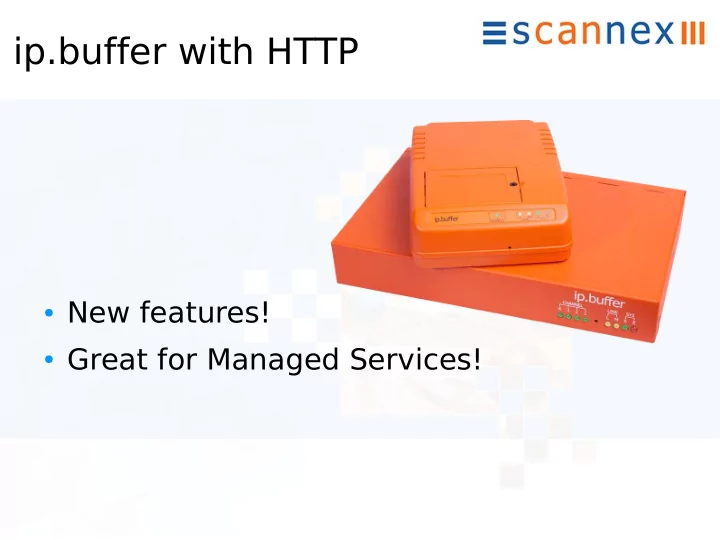
ip.buffer with HTTP New features! Great for Managed Services! - - PowerPoint PPT Presentation
ip.buffer with HTTP New features! Great for Managed Services! Legacy Out Firewall issues Server not easily scaled Non transactional Duplicate data on failure Legacy In Port forwarding VPN black holes
1
This short presentation outlines the HTTP/web delivery mechanism for the ip.buffer. The new HTTP features of firmware 2.50 are covered as well. Scannex have designed technology that makes it much easier for managed service companies to deploy and manage ip.buffers on site.
2
Using FTP-push, SFTP-push, etc will often result in firewall issues on site. IT departments are wary of FTP – perhaps thinking their files can be “leeched”. They are also cautious of email – requiring that all emails go through their own servers (which results in delays etc). At the server-end it is not easily scalable. Supporting 10x,
Finally, the servers are usually not transactional. That is, if a transfer fails half way through (because of a network/ADSL issue) the server will have duplicate data when the transfer succeeds. Adding transactional capabilities to the server is possible, but impractical.
3
T
requires a “port forwarding” rule to be added to the company firewall. IT departments are often unwilling to provide such port forwarding rules! Additionally, using standard inbound ports such as FTP, SSH, T elnet makes the firewall a “honey-trap” target for hackers who will try and hack their way in.
4
The ip.buffer adds a new delivery mechanism – HTTP-push. In this method there is a single out-bound socket (usually on port 80 or 443) that goes directly to the central system. For the customer's IT department the traffic is a known technology, and negotiating such traffic is easier. For the server, you can use an industry standard web- server – such as Microsoft IIS (even the version included in Windows XP Pro, etc)
5
The ip.buffer looks like a regular, ubiquitous, web-browser to the IT department's perimeter hardware. They can manage and monitor the traffic using their standard tools. Unlike a desktop PC, the ip.buffer uses a very tough
. Along with careful coding the ip.buffer is immune to viruses, phishing attacks, and malware. As a natural side effect of using HTTP along with a standard web-server the system is transactional. The script running at the web-server can ensure that no partial data is left when a transaction fails. Web-server scripting skills are commonly available – most CDR management software companies already use a web-server for delivery of reports. Consequently, extending the functionality is simple (more on this later).
6
Using HTTPS allows very strong encryption to be used – the same encryption technology used daily in online banking! All traffic between the ip.buffer and the central web-server is protected. No one can eavesdrop.
7
HTTPS also includes the use of SSL certificates. (Note: You do not have to purchase a commercial certificate. A 'self- signed' certificate is perfectly adequate, and free to do.) The ip.buffer can also be “locked” to your particular server(s). When the session starts, the ip.buffer will check the certificate's 'fingerprint' and shut the connection if the certificate is not an approved one. Consequently, it is not possible to intercept and redirect the encrypted traffic – the data cannot be delivered into the wrong hands! (Note: SSL features are available in the SSL-enabled
but not all countries freely allow the import/export/use of encryption technology!)
8
The HTTP protocol also includes powerful redirection
upgraded, scaled-up, or migrated to another site with ease. The ip.buffer is programmed with your main, “always-on” web server address. You can use the main web-server as a redirection tool. When the ip.buffer contacts your main site, the web-server checks the details of the buffer (name & serial number) and says “Don't talk to me. Please send a new request
The ip.buffer gets the redirection message and...
9
...can then connect directly to a static IP address on ADSL (for example). If you find you have to switch ISPs, you just set up your new server, reprogram the redirect on the main server and all the traffic will go to the new server! Additionally, if you find your business grows unexpectedly, you can shift your data web-server to a hosted environment (running directly on an Internet back-bone for example). Again, just reprogram the redirect on the main server and the new server “goes live” immediately – without reprogramming any ip.buffers!
10
The redirection mechanism can also be used to provide load-balancing or clustering arrangements. In this example, the main web server will redirect to more than one IP address, perhaps sequencing through the set in a “round-robin” fashion to split the load on the ADSL lines. Note: Other industry-standard HTTP clustering and load- balancing mechanisms can also be used as well!
11
The ip.buffer will be redirected to one of the many central web-servers. Since the main web-server receives the name and serial- number of the ip.buffer before it issues the redirect, you can implement several other techniques. For example, you could assign one physical server to handle traffic for just one customer. The main web- server can direct based on serial-number, or incoming URL. You can even provide redirection back into the customer's
customer's network. With the redirection mechanism you can easily switch their traffic to another server as needed – whether for maintenance or payment purposes!
12
Rather than using VPN or other in-bound accesses to manage the remote buffers, the ip.buffer uses the standard HTTP mechanism to obtain updates. Whenever the ip.buffer is powered up, and on a daily basis, the buffer will contact the central server and request any updates. (The check-on-power-up allows for someone on site to simply power cycle the buffer to get it to contact for an update check!) The script on the web-server can check against its file system, or against an SQL database and inform the buffer of any pending updates...
13
etc
...with the update itself being delivered back down the same HTTP socket! There are no port-forwarding rules required, no extra sockets, and no compromises to the firewall. The update process allows all programmable features of the ip.buffer to be changed – firmware, Lua scripts,
is also possible (with the buffer getting the UTC time then applying its local time zone and daylight savings rules). The central server can also request diagnostic information from the buffer through this same route.
14
As mentioned earlier, the whole system can be extended using the powerful scripting features of the web-server. For example, the ASP .NET script could be extended to provide email or SMS alerts for certain features (e.g. “911” call screening, or critical events). Data, alerts, logs, or other information can also be folded into an SQL database. Whatever authorisation, security, or auditing rules are required – all this can be implemented using server-side scripting over the HTTP protocol.
15
The package Scannex provides includes reference C# source code and technical documentation (other reference packages are being added – e.g. Java for Glassfish & T
is easily ported to other server-scripting environments (e.g. PHP, Python, JSP, etc) With the no-royalties distribution license you can embed the collection code directly in your application and deploy on your customer sites! Along with the reference source code, Scannex also provide direct developer-to-developer support to assist with any integration questions and issues. The support package can be extended with a maintenance contract – providing ongoing developer support and notification of updates and new features.