Introduction slide 109 Entity-Relationship - - PowerPoint PPT Presentation

introduction slide 109 entity relationship model
SMART_READER_LITE
LIVE PREVIEW

Introduction slide 109 Entity-Relationship - - PowerPoint PPT Presentation

Introduction slide 109 Entity-Relationship model slide 114 E/R relational mapping slide 119 Reverse engineering slide 131 slide 136


slide-1
SLIDE 1

DBMS Database Design - 1

  • Introduction

slide 109

Entity-Relationship model

slide 114

E/R relational mapping

slide 119

Reverse engineering

slide 131

Generalisation – specialisation

slide 136

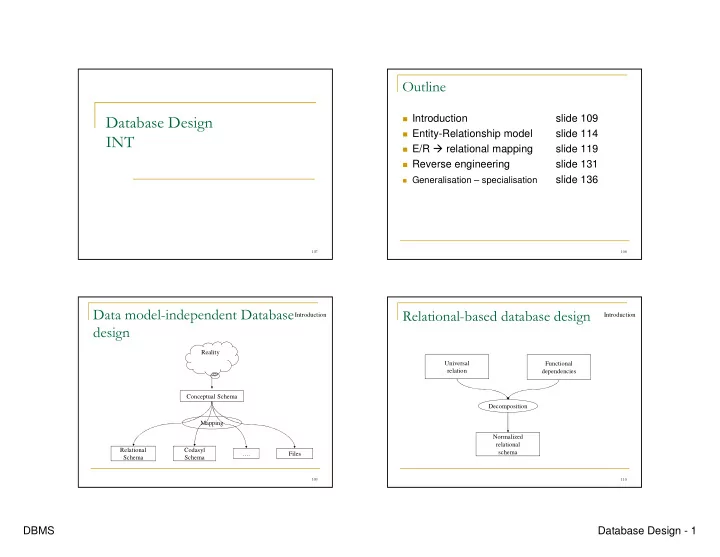
  • Reality

Conceptual Schema Relational Schema Codasyl Schema Files …. Mapping Introduction

  • Universal

relation Functional dependencies Decomposition Normalized relational schema Introduction

slide-2
SLIDE 2

DBMS Database Design - 2

  • Global conceptual

Schema Local Schema Local Schema …. Local Schema Program User … Introduction

  • !"

# $%

Integration Global schema Local schema Local schema Local schema Heterogeneous/homogeneous Introduction

&

Introduction MiniWorld Requirements collection and analysis Database requirements Conceptual design Conceptual schema (high level) Data model mapping Conceptual schema (of a specific DBMS) Physical design Internal schema (for the same DBMS) DBMS-independent DBMS-dependent

'

()$ *

defined in 1976 (Chen) Numerous extensions since 1976 Advantages:

Used in numerous design methods (MCD Merise,

UML Class diagram …)

Simple Graphical Ease discussion with users

E/R model

slide-3
SLIDE 3

DBMS Database Design - 3

+

E/R Model

Graphism 2 (AMCDesignor) Graphism 1 (E/R) Cardinality ratio Role Relationship type Key attributes Multivalued Attribute Composite Attribute Attribute Entity type

Name Type Entity T A A Ass Ass Role Role 0,n 1,n ,

!%

E/R Model

Graphism 2 Graphism 1 Derived attribute Identifying relationship Weak entity type

Ass (1,1)

  • ) (-

E/R Model

Employee name address SSN fname lname Dependent Project Department hours Dept_number deptname number Description name locations Dependents_of Manages Works_for Works_on controls startdate

0,n 1,n 0,1 0,n 1,1 1,1 1,1 1,n 1,1 0,n

Emp_nb supervision

supervisor 0,n supervisee 1,1

birthdate relationship

  • ) (-

.$

E/R Model

1,n 1,n 1,1 supervisee 0,n supervisor (1,1) 0,n 1,1 1,n 1,1 0,1 1,n 1,1

Employee Nssn Address fname lname Department Dept_number Dept_name Emp_nb Project number Description Dependent name birthdate relationship Works_for manages startdate controls Dependents_of Supervision Works_on hours locations
slide-4
SLIDE 4

DBMS Database Design - 4

  • * (-

Semantic is not completely preserved (we

have to add integrity constraints)

Rules can be automated (numerous

commercial tools exist, AMCDesignor for example)

Mapping is done in 7 steps Comparison of E/R concepts and relational

concepts: To do

Mapping

  • / 0mapping non weak entity

types

Entity type relation Atomic Attribute attribute Composite Attributes n attributes Key(s) Attribute(s) logical key

mapping

E K A E(K, A)

  • (#

mapping

Project(number, description) Atomic Attributes Project step 7 : emp_nb Derived Attributes step 6 : location Multivalued attributes Department(no_dept, libelle) Atomic Attributes Department Composite attributes are flatten loss of semantic Employee(ssn, address, fname, lname) Composite attributes Employee(ssn, address) Atomic Attributes Employee

  • / 0 "12

Weak entity type relation Atomic Attribute attribute Composite Attributes n attributes Key(s) Attribute(s) part of logical key Key Attributes from identifying entity part

  • f logical key

mapping

E K A E2 K2 A2

(1,1)

E2(K, K2, A2)

slide-5
SLIDE 5

DBMS Database Design - 5

&

(#

mapping

ssn: Foreign key on Employee + Part of Dependent key Dependent(name, ssn, birthdate, relationship) + Identifying entity key Dependent(name, birthdate, relationship) Atomic Attributes Entity dependent

'

/ &0 "3 ) $

Key associated to E1 attribute of E2 Attributes of relationship RS attributes of

E2

mapping

E1 K1 A1 E2 K2 A2

?,1

E2(K2, A2, K1, A3)

?,?

RS A3 Foreign key, but not key of E2

+

(# &

mapping

See step 2 Dependents_of Employee(ssn, address, fname, lname, deptnb, ssnsupervisor) ssnsuperrvisor foreign key of Employé on Employee Supervision Manages mono-valued in both directions other possible mapping Employee(ssn, address, fname, lname, deptnb, manageddeptnb, startdate) Cardinality (0,1), partial relationship null values Project(number, description, deptnum) Controls Department(dept_nb, dept_name, ssnmgr, startdate) Manages Employe(ssn, address, fname, lname, deptnb) Works_for

,

/ '0 3 ) $ !$ %

Creation of a new relation RS E1 key + E2 key RS key Attributes of RS Attributes of RS

mapping

E1 K1 A1 E2 K2 A2

?,n

RS(K1, K2, A3)

?,n

RS A3 Works_on(ssn, projectnumber, hours) Works_on

slide-6
SLIDE 6

DBMS Database Design - 6

  • / +0 ") $

!4%

like step 4 :

Creation of a new relation RS E1 key + E2 key + … En key RS key RS

Attributes RS Attributes

mapping

E1 K1 A1 E2 K2 A2 RS(K1, K2, K3, A4) RS A4 E3 K3 A3

  • / ,0 "3
  • Creation of a new relation R

Multivalued Attribute -> attribute Key of Associated entity type -> attribute key of the new relation: the whole schema

mapping

R A C R(A, C) Location (location, dept_nb) Locations in Department

  • / 0 "3

Derived attribute Associated query

mapping

Department(dept_nb, dept_name, ssnmgr, startdate) SELECT dept_nb, COUNT(*) FROM Employee GROUP BY dept_nb Query may be associated to a relational view Emp_nb in Department

&

(# )

Employee(ssn, address, fname, lname, deptnb, ssnsupervisor) Department(dept_nb, dept_name, ssnmgr, startdate) Project(number, description, deptnb) Dependent(name, ssn, birthdate, relationship) Works_on(ssn, projectnumber, hours) Location(location, dept_nb) SELECT deptnb, COUNT(*) FROM Employee GROUP BY deptnb

mapping

slide-7
SLIDE 7

DBMS Database Design - 7

&

3

Goal:

Map a relational schema to a entity-relationship schema

Why ?

Database design has not been done or is lost

how ?

Apply mapping steps « in reverse order »

Remark

There is not a unique solution (loss of information on the

relational schema compared to E/R schema)

Reverse engineering

&

3

Relation without a foreign key :

entity type

Relation with a foreign key outside

its key : entity type and monovalued relationship to the entity type corresponding to the foreign key Reverse of Step 1 Step 3

&&

3!%

Relation with a key

exclusively composed by foreign keys : multivalued relationship among entity types corresponding to foreign keys

Relation with a key

composed by a foreign key and a local key : weak entity type identifyed by entity type corresponding to the foreign key

Reverse of Step 4 and 5 Step 2

&'

*3 #

Movies(id, title, yr, score, votes, director) Directors(id, name) Actors(id, name) Castings(movieid, actorid, ord)

slide-8
SLIDE 8

DBMS Database Design - 8

&+

*3 # !%

0,n 1,1 0,n 0,n

Movies score id title yr score Actors idactor nameactor Directors iddirector namedirector Castings

  • rd

IsDirectedBy

&,

. -

Introduce in the E/R model, some concepts

from object-oriented languages

Allow to define an entity set related to

another one (take care, looks like weak entity set but is quite different)

&

/ " -

Sub entity set inherits from its super entity set A priori no multiple inheritence Specialisation may be:

total (all instances are specialised in at least one

sub class) or partial

a partition (an instance may be specialised in

more than one sub classes) or overlapping

&

(# " -

Entity Set A A1 A2 Entity Set B B1 Entity Set C C1 Entity Set D D1 D2 Super entity set A1 A2 B1 A1 A2 C1 A1 A2 D1 D2

T/P

A = B ∪ C ∪ D B ∩ C = ∅ C ∩ D = ∅

slide-9
SLIDE 9

DBMS Database Design - 9

&

(# " -

PERSON fname lname address STUDENT nostudent cycle EMPLOYEE salary T/O P = E ∪ S E ∩ S ≠ ∅ PRIVATE bonus PUBLIC grade T/P S = PR ∪ PU PR ∩ PU = ∅

'

"" .-/ !%

generalisation approach

leave: base table with a schema defined as union

  • f all attributes from root to leave

Non leave: view defined as SQL union of its

children nodes (projected on common attributes)

'

5

Non instances insertions on non leaves Low access cost to leaves Non leaves are accessed with union-projection

  • perators

A single instance can be specialised in several

nodes

No real « object identity" (so no shared values) Difficult to do schema evolution

'

"(#

CREATE TABLE STUDENT(fname, lname, address, nostudent, cycle) CREATE TABLE PRIVATE(fname, lname, address, salary, bonus) CREATE TABLE PUBLIC(fname, lname, address, salary, grade) CREATE VIEW EMPLOYEE AS

SELECT fname, lname, address, salary FROM PRIVE UNION SELECT fname, lname, address, salary FROM PUBLIC

CREATE VIEW PERSON AS

SELECT fname, lname, address FROM STUDENT UNION SELECT fname, lname, address FROM EMPLOYEE

slide-10
SLIDE 10

DBMS Database Design - 10

'&

"" .-/ !%

Specialisation approach

Each node: table with schema defined with

« local » attributes

Each table: addition of a oid (or surrogate) inheritence: add oid of mother’s table as foreign

key inside children’s table

''

5

instance insertions at any level within the

inheritence tree

High cost access to instances « far » from

root (reconstruction using joins)

Multiple inheritence is difficult Oids are supported (sharing of structure is

possible)

Multi-instanciation is possible Schema Evolution more easy

'+

"(#

CREATE TABLE ∆PERSON(idfP, fname, lname, address) CREATE TABLE ∆STUDENT(idfS, nostudent, cycle, idfP) CREATE TABLE ∆EMPLOYEE(idfE, salary, idfP) CREATE TABLE ∆PUBLIC(idfPU, grade, idfS) CREATE TABLE ∆PRIVATE(idfPR, bonus, idfS) CREATE VIEW PERSON AS SELECT fname, lname, address FROM ∆PERSON CREATE VIEW STUDENT AS SELECT P.fname, P.lname, P.address, S.nostudent, S.cycle FROM ∆ PERSON P, ∆ STUDENT S WHERE P.idfP = S.idfS ...