Introduction R-php is an open-source project for the realization of a - - PowerPoint PPT Presentation

introduction
SMART_READER_LITE
LIVE PREVIEW

Introduction R-php is an open-source project for the realization of a - - PowerPoint PPT Presentation

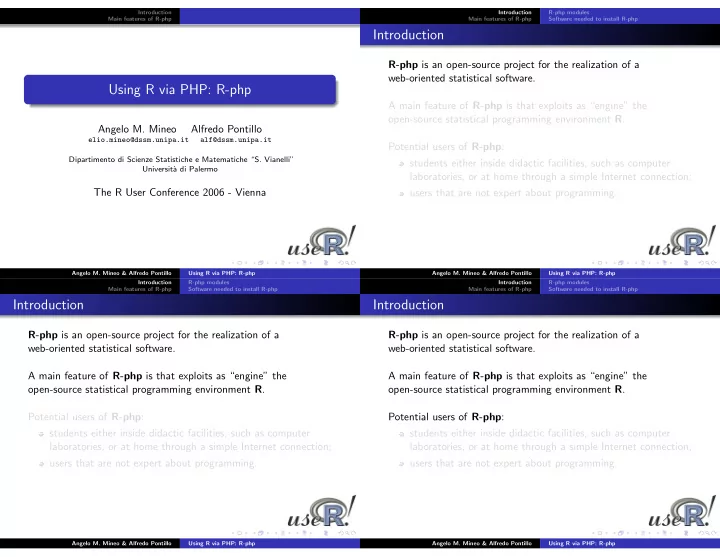
Introduction Introduction R-php modules Main features of R-php Main features of R-php Software needed to install R-php Introduction R-php is an open-source project for the realization of a web-oriented statistical software. Using R via PHP:


slide-1
SLIDE 1

Introduction Main features of R-php

Using R via PHP: R-php

Angelo M. Mineo Alfredo Pontillo

elio.mineo@dssm.unipa.it alf@dssm.unipa.it Dipartimento di Scienze Statistiche e Matematiche “S. Vianelli” Universit` a di Palermo

The R User Conference 2006 - Vienna

Angelo M. Mineo & Alfredo Pontillo Using R via PHP: R-php Introduction Main features of R-php R-php modules Software needed to install R-php

Introduction

R-php is an open-source project for the realization of a web-oriented statistical software. A main feature of R-php is that exploits as “engine” the

  • pen-source statistical programming environment R.

Potential users of R-php: students either inside didactic facilities, such as computer laboratories, or at home through a simple Internet connection; users that are not expert about programming.

Angelo M. Mineo & Alfredo Pontillo Using R via PHP: R-php Introduction Main features of R-php R-php modules Software needed to install R-php

Introduction

R-php is an open-source project for the realization of a web-oriented statistical software. A main feature of R-php is that exploits as “engine” the

  • pen-source statistical programming environment R.

Potential users of R-php: students either inside didactic facilities, such as computer laboratories, or at home through a simple Internet connection; users that are not expert about programming.

Angelo M. Mineo & Alfredo Pontillo Using R via PHP: R-php Introduction Main features of R-php R-php modules Software needed to install R-php

Introduction

R-php is an open-source project for the realization of a web-oriented statistical software. A main feature of R-php is that exploits as “engine” the

  • pen-source statistical programming environment R.

Potential users of R-php: students either inside didactic facilities, such as computer laboratories, or at home through a simple Internet connection; users that are not expert about programming.

Angelo M. Mineo & Alfredo Pontillo Using R via PHP: R-php

slide-2
SLIDE 2

Introduction Main features of R-php R-php modules Software needed to install R-php

Introduction

R-php is an open-source project for the realization of a web-oriented statistical software. A main feature of R-php is that exploits as “engine” the

  • pen-source statistical programming environment R.

Potential users of R-php: students either inside didactic facilities, such as computer laboratories, or at home through a simple Internet connection; users that are not expert about programming.

Angelo M. Mineo & Alfredo Pontillo Using R via PHP: R-php Introduction Main features of R-php R-php modules Software needed to install R-php

Introduction

R-php is an open-source project for the realization of a web-oriented statistical software. A main feature of R-php is that exploits as “engine” the

  • pen-source statistical programming environment R.

Potential users of R-php: students either inside didactic facilities, such as computer laboratories, or at home through a simple Internet connection; users that are not expert about programming.

Angelo M. Mineo & Alfredo Pontillo Using R via PHP: R-php Introduction Main features of R-php R-php modules Software needed to install R-php

R-php modules

R-php has two modules: R-php base and R-php point-and-click. R-php base allows the input of R code in a text area. R-php point-and-click is an interactive module that allows the following statistical analyses, so far: Descriptive Statistics Linear Regression Analysis of Variance Cluster Analysis Principal Component Analysis Metric Multidimensional Scaling Factor Analysis

Angelo M. Mineo & Alfredo Pontillo Using R via PHP: R-php Introduction Main features of R-php R-php modules Software needed to install R-php

R-php modules

R-php has two modules: R-php base and R-php point-and-click. R-php base allows the input of R code in a text area. R-php point-and-click is an interactive module that allows the following statistical analyses, so far: Descriptive Statistics Linear Regression Analysis of Variance Cluster Analysis Principal Component Analysis Metric Multidimensional Scaling Factor Analysis

Angelo M. Mineo & Alfredo Pontillo Using R via PHP: R-php

slide-3
SLIDE 3

Introduction Main features of R-php R-php modules Software needed to install R-php

R-php modules

R-php has two modules: R-php base and R-php point-and-click. R-php base allows the input of R code in a text area. R-php point-and-click is an interactive module that allows the following statistical analyses, so far: Descriptive Statistics Linear Regression Analysis of Variance Cluster Analysis Principal Component Analysis Metric Multidimensional Scaling Factor Analysis

Angelo M. Mineo & Alfredo Pontillo Using R via PHP: R-php Introduction Main features of R-php R-php modules Software needed to install R-php

R-php modules

R-php has two modules: R-php base and R-php point-and-click. R-php base allows the input of R code in a text area. R-php point-and-click is an interactive module that allows the following statistical analyses, so far: Descriptive Statistics Linear Regression Analysis of Variance Cluster Analysis Principal Component Analysis Metric Multidimensional Scaling Factor Analysis

Angelo M. Mineo & Alfredo Pontillo Using R via PHP: R-php Introduction Main features of R-php R-php modules Software needed to install R-php

Software needed to install R-php

Apache: web server; R: statistical language and environment; PHP: HTML-embedded scripting language; MySQL: relational database management system; ImageMagick: collection of tools and libraries to manipulate an image; htmldoc: generates indexed .html, Adobe PostScript, and .pdf files from .html ”source” files.

Angelo M. Mineo & Alfredo Pontillo Using R via PHP: R-php Introduction Main features of R-php Main features of R-php base Main features of R-php point-and-click

Main features of R-php base

It has been implemented a control structure that does not allow the use of a set of R commands we think are dangerous for the safety of the server. These commands are reported in a MySQL database, containing also a short description of what the banned command would do. Besides the possibility to insert data directly through the R commands, there is the possibility to import data from a text file. The output, with all the graphs, is visualized in a new window and can be saved in .pdf format.

Angelo M. Mineo & Alfredo Pontillo Using R via PHP: R-php

slide-4
SLIDE 4

Introduction Main features of R-php Main features of R-php base Main features of R-php point-and-click

Main features of R-php base

It has been implemented a control structure that does not allow the use of a set of R commands we think are dangerous for the safety of the server. These commands are reported in a MySQL database, containing also a short description of what the banned command would do. Besides the possibility to insert data directly through the R commands, there is the possibility to import data from a text file. The output, with all the graphs, is visualized in a new window and can be saved in .pdf format.

Angelo M. Mineo & Alfredo Pontillo Using R via PHP: R-php Introduction Main features of R-php Main features of R-php base Main features of R-php point-and-click

Main features of R-php base

It has been implemented a control structure that does not allow the use of a set of R commands we think are dangerous for the safety of the server. These commands are reported in a MySQL database, containing also a short description of what the banned command would do. Besides the possibility to insert data directly through the R commands, there is the possibility to import data from a text file. The output, with all the graphs, is visualized in a new window and can be saved in .pdf format.

Angelo M. Mineo & Alfredo Pontillo Using R via PHP: R-php Introduction Main features of R-php Main features of R-php base Main features of R-php point-and-click

Main features of R-php base

It has been implemented a control structure that does not allow the use of a set of R commands we think are dangerous for the safety of the server. These commands are reported in a MySQL database, containing also a short description of what the banned command would do. Besides the possibility to insert data directly through the R commands, there is the possibility to import data from a text file. The output, with all the graphs, is visualized in a new window and can be saved in .pdf format.

Angelo M. Mineo & Alfredo Pontillo Using R via PHP: R-php Introduction Main features of R-php Main features of R-php base Main features of R-php point-and-click

Main features of R-php point-and-click

The data input is done by loading an ASCII file from the user computer. The file content is visualized in a new page as a “spreadsheet”, managed by MySQL. In the “spreadsheet” it is possible to make some interactive operations. After loading the data set, it is possible to choose a GUI among those proposed. In the GUI are chosen the analysis options that the user wants to set up. These options are coded in R and this code is processed by the R programming environment.

Angelo M. Mineo & Alfredo Pontillo Using R via PHP: R-php

slide-5
SLIDE 5

Introduction Main features of R-php Main features of R-php base Main features of R-php point-and-click

Main features of R-php point-and-click

The data input is done by loading an ASCII file from the user computer. The file content is visualized in a new page as a “spreadsheet”, managed by MySQL. In the “spreadsheet” it is possible to make some interactive operations. After loading the data set, it is possible to choose a GUI among those proposed. In the GUI are chosen the analysis options that the user wants to set up. These options are coded in R and this code is processed by the R programming environment.

Angelo M. Mineo & Alfredo Pontillo Using R via PHP: R-php Introduction Main features of R-php Main features of R-php base Main features of R-php point-and-click

Main features of R-php point-and-click

The data input is done by loading an ASCII file from the user computer. The file content is visualized in a new page as a “spreadsheet”, managed by MySQL. In the “spreadsheet” it is possible to make some interactive operations. After loading the data set, it is possible to choose a GUI among those proposed. In the GUI are chosen the analysis options that the user wants to set up. These options are coded in R and this code is processed by the R programming environment.

Angelo M. Mineo & Alfredo Pontillo Using R via PHP: R-php Introduction Main features of R-php Main features of R-php base Main features of R-php point-and-click

Main features of R-php point-and-click

The data input is done by loading an ASCII file from the user computer. The file content is visualized in a new page as a “spreadsheet”, managed by MySQL. In the “spreadsheet” it is possible to make some interactive operations. After loading the data set, it is possible to choose a GUI among those proposed. In the GUI are chosen the analysis options that the user wants to set up. These options are coded in R and this code is processed by the R programming environment.

Angelo M. Mineo & Alfredo Pontillo Using R via PHP: R-php Introduction Main features of R-php Main features of R-php base Main features of R-php point-and-click

Description of R-php point-and-click

The output is visualized in a web page, containing the textual and graphical results of the performed analysis. The output page allows other interesting operations, such as: the output saving, including graphs, in .pdf format; the saving of each single graph by means of a simple click. the saving of the used R code. From a design point of view, the implemented code is formally the same for each GUI.

Angelo M. Mineo & Alfredo Pontillo Using R via PHP: R-php

slide-6
SLIDE 6

Introduction Main features of R-php Main features of R-php base Main features of R-php point-and-click

Description of R-php point-and-click

The output is visualized in a web page, containing the textual and graphical results of the performed analysis. The output page allows other interesting operations, such as: the output saving, including graphs, in .pdf format; the saving of each single graph by means of a simple click. the saving of the used R code. From a design point of view, the implemented code is formally the same for each GUI.

Angelo M. Mineo & Alfredo Pontillo Using R via PHP: R-php Introduction Main features of R-php Main features of R-php base Main features of R-php point-and-click

Description of R-php point-and-click

The output is visualized in a web page, containing the textual and graphical results of the performed analysis. The output page allows other interesting operations, such as: the output saving, including graphs, in .pdf format; the saving of each single graph by means of a simple click. the saving of the used R code. From a design point of view, the implemented code is formally the same for each GUI.

Angelo M. Mineo & Alfredo Pontillo Using R via PHP: R-php Introduction Main features of R-php Main features of R-php base Main features of R-php point-and-click

Description of R-php point-and-click

The output is visualized in a web page, containing the textual and graphical results of the performed analysis. The output page allows other interesting operations, such as: the output saving, including graphs, in .pdf format; the saving of each single graph by means of a simple click. the saving of the used R code. From a design point of view, the implemented code is formally the same for each GUI.

Angelo M. Mineo & Alfredo Pontillo Using R via PHP: R-php Introduction Main features of R-php Main features of R-php base Main features of R-php point-and-click

Description of R-php point-and-click

The output is visualized in a web page, containing the textual and graphical results of the performed analysis. The output page allows other interesting operations, such as: the output saving, including graphs, in .pdf format; the saving of each single graph by means of a simple click. the saving of the used R code. From a design point of view, the implemented code is formally the same for each GUI.

Angelo M. Mineo & Alfredo Pontillo Using R via PHP: R-php

slide-7
SLIDE 7

Introduction Main features of R-php Main features of R-php base Main features of R-php point-and-click

Description of R-php point-and-click

The output is visualized in a web page, containing the textual and graphical results of the performed analysis. The output page allows other interesting operations, such as: the output saving, including graphs, in .pdf format; the saving of each single graph by means of a simple click. the saving of the used R code. From a design point of view, the implemented code is formally the same for each GUI.

Angelo M. Mineo & Alfredo Pontillo Using R via PHP: R-php Introduction Main features of R-php Main features of R-php base Main features of R-php point-and-click

Home page of the R-php site (http://dssm.unipa.it/R-php)

Angelo M. Mineo & Alfredo Pontillo Using R via PHP: R-php