
SLIDE 1
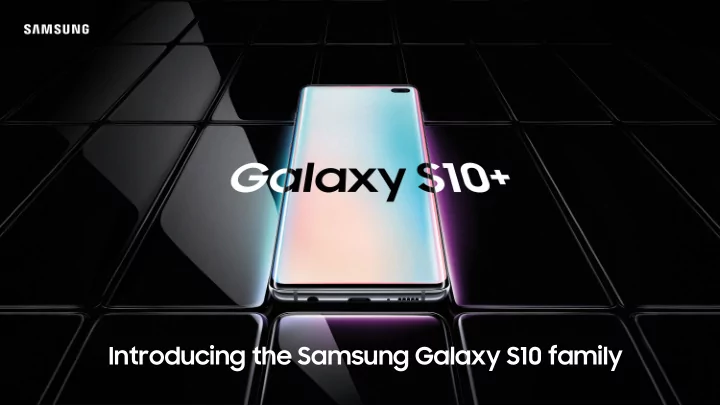
Introducing the Samsung Galaxy S10 family 10 years of innovation - - PowerPoint PPT Presentation
Introducing the Samsung Galaxy S10 family 10 years of innovation have brought 2010 2011 2012 2013 2014 2015 2016 2017 2018 First IP67 Re-imagined First Super HD Display FHD Display Glass-Metal Design Dual-Pixel Infinity
First Super AMOLED 4.0“ 58%
2010
First Dual-Core 4.3“ 63%
2011
HD Display Quad-Core 4.8“ 66%
2012
FHD Display Octa-Core 5.0“ 72%
2013
IP67 Innovative Camera 5.1“ 70%
2014
Glass-Metal Design Dual-Edge Design 5.1“ 72%
2015
Dual-Pixel 5.5“ 76%
2016
Infinity Display 5.8“/6.2“ 84%
2017
Re-imagined Camera 5.8“/6.2“ 84%
2018
The Samsung Galaxy S10 family of powerful smartphones is the culmination
with innovative features and tools to help you work seamlessly, wherever you go.
Available in three models:
Infinity-O Display
A bigger space for working
Wireless PowerShare
Power to share
Ultrasonic Fingerprint Scanner
Be ultra-confident with security at your fingertips
Samsung Knox
Defence-grade security from the chip up
Samsung DeX
It’s a phone and PC in one
Key Features
Your phone is one of your most valuable business tools. You use it for much more than checking emails and making calls - it’s your key device for capturing notes, accessing business apps, reviewing spreadsheets or preparing invoices on-the-go. With the Galaxy S10 family, there’s no need to wait until you’re in your office - everything you need to be productive is in the palm of your hand.
Get more done with a bigger display. Editing complex documents on the move is tricky with a small mobile
Galaxy S10+. The large, curved-edge display1 has no home button or receiver notch, giving you an uninterrupted viewing experience.
A bigger space for working.
Enjoy Samsung DeX by directly connecting the Galaxy S10 to a monitor with a single cable2 for a PC-like experience. Access a world of apps and documents optimised to let you work like you do on a PC. You can still use every feature of the Galaxy S10 while you’re connected to the big screen.
It’s a phone and PC in one.
All the business tools you need.
Get even more from your Samsung Galaxy smartphone with free-of-charge Samsung apps:
settings, photos and more to a new device. Mainstream business apps, such as Microsoft, Adobe, Goggle etc. are optimised for Samsung Dex2 with Microsoft productivity apps pre-installed on selected Samsung smartphones and tablets3 letting you view documents straight out of the box. So, whether you’re on the move or away from your desk, work doesn’t have to stop.
2 Source: https://www.samsung.com/global/galaxy/apps/samsung-dex/ 3 Preloaded with Microsoft Word, PowerPoint, Excel, OneDrive, OneNote, and Skype apps.
Capture every single detail.
HDR10+ Conventional
Take the bigger picture. Boasting 5 cameras4, including an ultra-wide angle lens, the Galaxy S10+ lets you capture the world as you see it. Take photos of documents, notes or presentations at meetings. Then share them instantly with colleagues at the office. Or if you’re on location, your shots won’t miss a single detail - even if it’s dark.
See only what you need. Find focus in what you’re doing. And use your phone in a way that feels like second nature. Our One UI interface works with the way you use your
We’ve even made it easier to use one-handed. Every small detail has been designed to make a big difference.
Designed around the way you use your phone.
Enjoy the freedom to go wherever work takes you. Inside, outside, dusty or wet, the Galaxy S10 is built to withstand whatever life throws at it5. So there’s no need to worry if you get caught in the rain.
Water and dust resistant. Built to withstand almost any business situation.
Easily switch between two phone numbers with the Galaxy S10’s hybrid SIM. Working abroad? Save time and money by making and receiving calls locally. Then switch back to your UK line when you touch down at home. Or you can boost your phone’s memory with a MicroSD card6, so you can keep more files at hand.
Carry two phones in one.
to store media (photos, video and music files), but not applications.
Your working life is busier than ever. You need to be always-on, able to react in an
at all times, wherever work takes you. The Galaxy S10 family is designed to keep up with even the busiest working day. So, you can work faster and get more out of every minute.
Key features
With the Galaxy S10, you can use PowerShare7 to bring a colleague’s drained phone back to life. You can also use it to charge your wearable. So, if you’re out of the office, or travelling for business, you carry fewer cables with you.
Power to share.
PowerShare on the move without being plugged into mains charge.
Power your phone, fast. If you forget to charge the Galaxy S10 overnight,
gets you back to full power quickly. Or if you only have a moment to plug in between meetings, you can top up super-quick with enough charge to get you through your next call or meeting.
The fast, easy way to charge your phone.
Work with confidence that your phone will keep up with you. If you’re spending the day fielding calls, updating spreadsheets and switching between business apps on your phone, the Galaxy S10’s powerful battery offers enough charge to keep you going when it matters most.
Stay in charge for longer.
Make every task quicker and smoother. When you’re running between meetings and signing off work from your phone, you can’t afford to be delayed by slow-loading apps and frozen screens. With the Galaxy S10’s fast processor, apps open in a flash and buffering is a distant memory. There’s less waiting, so you’re free to get more done.
Get work done faster.
The phone that understands you.
Work smarter with the intelligent phone. If you’re in the middle of a hectic day, the Galaxy S10 is there to help. Personalised Intelligence learns how you use your phone, then has apps ready in the background for when you need them. It helps streamline your day, so you can work more efficiently - and make time for life outside the office.
With 61% of SMEs reporting a cyberattack* it’s never been more important to keep your company data secure. With the Galaxy S10 family, your phone is protected from hacks, scams and cybercriminals. You can securely carry sensitive business information with you, and work wherever you are with complete
into the wrong hands.
Key features
* Computer Weekly SMEs more vulnerable than ever to cyber attacks 2017- https://www.computerweekly.com/news/450428246/SMEs-more-vulnerable-than-ever-to-cyber-attacks-survey-shows
Be ultra-confident with security at your fingertips.
The Ultrasonic Fingerprint Scanner1 is the newest way to keep your phone and information safe. It’s highly secure, reading every ridge and notch
And because it sits under the screen, your finger won’t accidentally smudge your rear camera ever again. It even performs in low temperatures and strong sunlight.
The Galaxy S10+ is protected by Samsung Knox, our defence- grade security platform built from the chip up. No matter where you go or what you do, you can be sure your business’ data stays secure with superior protection that’s easy to manage.
Defence-grade security from the chip up.
The Galaxy S10+’s facial recognition feature
even when you’re wearing gloves. Just a quick scan of your face and you’ll have access to your important documents.
Unlock your phone with your face.
Secure Folder lets you and your team keep work and personal information separate and protected on a single phone.
Keep work safe. keep life separate.
Clone your favorite apps Back up your files in the cloud Separate and secure confidential data Encrypt your data
If your teams lose or misplace their Samsung device, while working off- site, there’s never any need to panic, thanks to Find My Mobile.4 It helps locate missing devices, either on a map using GPS, or by making the phone ring for a minute
hear where it is. Plus, you can remotely lock devices, back-up data to Samsung Cloud, and erase all device data; so your teams never have to worry about losing sensitive data, or it falling into the wrong hands.4
4To use this service, you must be signed in to your Samsung Account on your device.
Canary Yellow
(S10e only)
Prism Green Prism White Prism Black
S10+ S10 S10e
Display
Camera
(F1.5/F2.4)—OIS
(F1.5/F2.4)—OIS
Ultra-Wide (F2.2)—123°
Dual Pixel (F1.5/F2.4)—OIS
Ultra-Wide (F2.2)—123°
Pixel (F1.9)
Memory
Battery
Battery charge above 30% required to PowerShare on the move without being plugged into mains charge.
S10+ S10 S10e
Power
Connectivity
(Wi-Fi 6) VHT80 MU-MIMO
(Wi-Fi 6) VHT80 MU-MIMO
(Wi-Fi 6) VHT80 MU-MIMO
Security
Colours
(512GB/1TB only)
and selfie angles (60’, 67’, 75’)
Financing offers you options for more value, newer devices and flexibility from Samsung.
include more devices over time
Start using the technology you want, today.
Over 100 authorised support centres across the UK, and Online Live Chat 8am - 9pm In-store help with devices and free ‘Smart Academy’ workshops for all abilities In-store help with device set up, software upgrades, trade ups, switches and tips For in-store service Monday to Friday | 9am - 6pm
24 month warranty B2B specialist UK call centres Next-day repair Smart Service in-store 1-2-1 tutorials Tech support
The Galaxy S10 family comes with a 24 month warranty, as standard