INTRO TO OOP FOR PROGRAMMING DATA SCIENCE BASICS PROF. JOHN GAUCH - - PDF document

intro to oop for programming data science basics
SMART_READER_LITE
LIVE PREVIEW

INTRO TO OOP FOR PROGRAMMING DATA SCIENCE BASICS PROF. JOHN GAUCH - - PDF document

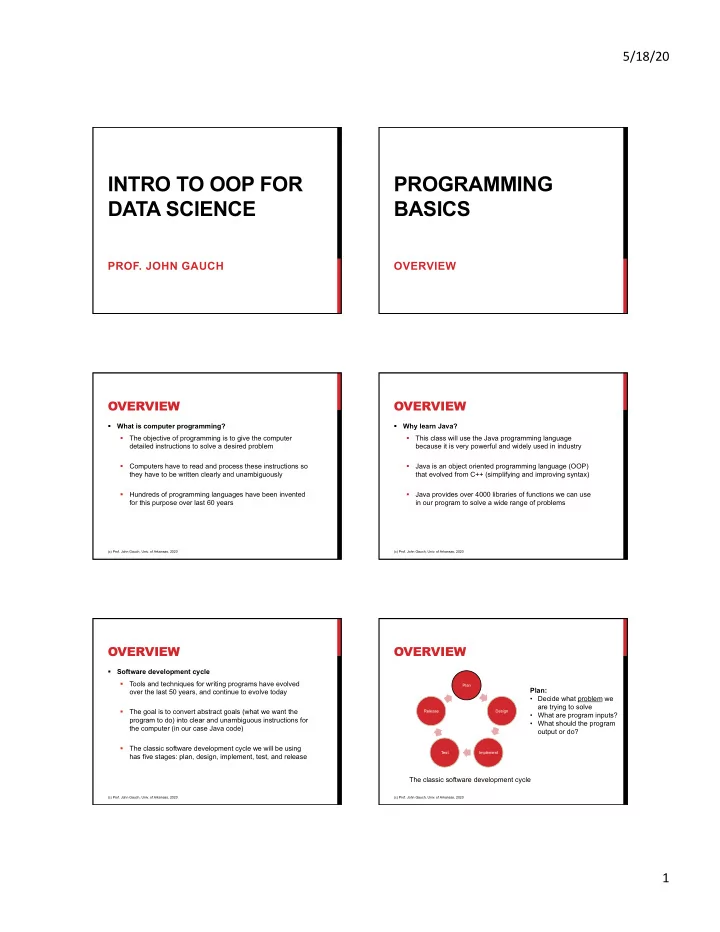
5/18/20 INTRO TO OOP FOR PROGRAMMING DATA SCIENCE BASICS PROF. JOHN GAUCH OVERVIEW OVERVIEW OVERVIEW What is computer programming? Why learn Java? The objective of programming is to give the computer This class will use the Java


slide-1
SLIDE 1

5/18/20 1

INTRO TO OOP FOR DATA SCIENCE

  • PROF. JOHN GAUCH

PROGRAMMING BASICS

OVERVIEW

OVERVIEW

§ What is computer programming? § The objective of programming is to give the computer detailed instructions to solve a desired problem § Computers have to read and process these instructions so they have to be written clearly and unambiguously § Hundreds of programming languages have been invented for this purpose over last 60 years

(c) Prof. John Gauch, Univ. of Arkansas, 2020

OVERVIEW

§ Why learn Java? § This class will use the Java programming language because it is very powerful and widely used in industry § Java is an object oriented programming language (OOP) that evolved from C++ (simplifying and improving syntax) § Java provides over 4000 libraries of functions we can use in our program to solve a wide range of problems

(c) Prof. John Gauch, Univ. of Arkansas, 2020

OVERVIEW

§ Software development cycle § Tools and techniques for writing programs have evolved

  • ver the last 50 years, and continue to evolve today

§ The goal is to convert abstract goals (what we want the program to do) into clear and unambiguous instructions for the computer (in our case Java code) § The classic software development cycle we will be using has five stages: plan, design, implement, test, and release

(c) Prof. John Gauch, Univ. of Arkansas, 2020

OVERVIEW

Plan Design Implement Test Release

(c) Prof. John Gauch, Univ. of Arkansas, 2020

The classic software development cycle Plan:

  • Decide what problem we

are trying to solve

  • What are program inputs?
  • What should the program
  • utput or do?
slide-2
SLIDE 2

5/18/20 2

OVERVIEW

Plan Design Implement Test Release

(c) Prof. John Gauch, Univ. of Arkansas, 2020

The classic software development cycle Design:

  • Break the problem into

smaller steps we know how to solve

  • Describe how these steps

should be combined to solve the problem

OVERVIEW

Plan Design Implement Test Release

(c) Prof. John Gauch, Univ. of Arkansas, 2020

The classic software development cycle Implement:

  • Write code that performs

the steps needed to solve the problem

  • Use existing code and

software libraries whenever possible

OVERVIEW

Plan Design Implement Test Release

(c) Prof. John Gauch, Univ. of Arkansas, 2020

The classic software development cycle Test:

  • Run the program with

normal inputs to see if it produces correct outputs

  • Run the program with

incorrect inputs to check the error handling

OVERVIEW

Plan Design Implement Test Release

(c) Prof. John Gauch, Univ. of Arkansas, 2020

The classic software development cycle Release:

  • Distribute the working

program to users

  • Collect user feedback to

identify problems to fix and new features to add

OVERVIEW

Plan Design Implement Test Release

(c) Prof. John Gauch, Univ. of Arkansas, 2020

The classic software development cycle Plan:

  • Decide what to do next

with the program

  • What new features to add
  • What problems/bugs to fix

OVERVIEW

§ There are many ways to create programs § Manager: Buy all or part of solution from someone else § Mimic: Extend or improve solution to similar problem § Inventor: Create new solution from scratch § We must be part manager, part mimic, part inventor § How can we become great programmers? § Learn programming tools by looking at libraries § Learn programming patterns by looking at examples § Learn programming skills by writing a lot of code

(c) Prof. John Gauch, Univ. of Arkansas, 2020

slide-3
SLIDE 3

5/18/20 3

OVERVIEW

§ How will we learn to program? § We will learn the syntax of the language

§ How to write instructions

§ We will learn semantics of the language

§ What the computer does with instructions

§ We will learn problem solving techniques

§ How to break problems into smaller pieces to solve

§ We will learn how to test and evaluate programs

§ How to find and fix bugs

(c) Prof. John Gauch, Univ. of Arkansas, 2020

OVERVIEW

§ Lesson objectives: § Learn the structure of Java programs § Learn how program input / output works § Learn about Java variables and data types § Study example program using programming basics § Complete programming project on programming basics

(c) Prof. John Gauch, Univ. of Arkansas, 2020

PROGRAMMING BASICS

PART 1 WHAT MAKES A PROGRAM?

WHAT MAKES A PROGRAM?

§ A program is a sequence of instructions to a computer § Every programming language has its own “rules” describing how these instructions should be written § These rules define the “syntax” of the language § When the program runs, it will execute your written instructions one line at a time § For us to understand what a program will do, we need to know the meaning or “semantics” of each instruction § In this section, we will focus on the basic layout of a Java program and fundamental Java instructions

(c) Prof. John Gauch, Univ. of Arkansas, 2020

WHAT MAKES A PROGRAM?

§ All Java programs have the following structure: § Comments – explain the purpose of program § Import commands – give access to existing function libraries § Classes and methods – used to decompose problem (later) § Main method – variables and statements for program § The following example Java program prints the message “Hello Mom” to the screen

(c) Prof. John Gauch, Univ. of Arkansas, 2020

WHAT MAKES A PROGRAM?

// This program prints a message import java.util.Scanner; public class Main { public static void main(String[] args) { System.out.println("Hello Mom"); } }

(c) Prof. John Gauch, Univ. of Arkansas, 2020

This Java comment starts with a // and describes the purpose

  • f the program
slide-4
SLIDE 4

5/18/20 4

WHAT MAKES A PROGRAM?

// This program prints a message import java.util.Scanner; public class Main { public static void main(String[] args) { System.out.println("Hello Mom"); } }

(c) Prof. John Gauch, Univ. of Arkansas, 2020

This command tells the Java compiler that we want to use Scanner library for user input

WHAT MAKES A PROGRAM?

// This program prints a message import java.util.Scanner; public class Main { public static void main(String[] args) { System.out.println("Hello Mom"); } }

(c) Prof. John Gauch, Univ. of Arkansas, 2020

The main method is where the Java program begins executing instructions This is the line of code that prints the “Hello Mom” message on the screen

SUMMARY

§ In this section we have studied what a program is and what the basic parts of a Java program are: § Comments describing the goals of the program § Import commands that let us use the input/output libraries § The main method containing the code we want to run § In the next section we will talk about variables, numerical calculations and program input/output

(c) Prof. John Gauch, Univ. of Arkansas, 2020

PROGRAMMING BASICS

PART 2 STORING DATA

VARIABLES AND DATA TYPES

§ The most common Java data types are: § byte – stores 8-bit integer values § short – stores 16-bit integer values § int – stores 32-bit integer values § long – stores 64-bit integer values § float – stores 32-bit floating point numbers § double – stores 64-bit floating point numbers § bool – stores Boolean values (true/false) § char – stores a single character like 'A' .. 'Z’ § String – stores sequences of characters like “hello mom”

(c) Prof. John Gauch, Univ. of Arkansas, 2020

VARIABLES AND DATA TYPES

§ Variables are used to store and manipulate data in a program § The amount of memory used depends on the data type § The syntax for variable declaration is: “data_type name;” § data_type: This specifies what kind of data can be stored § name: We refer to variables by name to perform operations § Example: int Age; // Can store age in years float Height; // Can store height in meters char Gender; // Can store 'M' or 'F' for gender String Name; // Can store “John” or “Susan” for name

(c) Prof. John Gauch, Univ. of Arkansas, 2020

slide-5
SLIDE 5

5/18/20 5

VARIABLES AND DATA TYPES

§ Syntax rules for variable names: § Names may contain upper or lower case characters § Names may also contain the digits 0..9 and the underscore character, but NO other characters are allowed § Names must start with an upper or lower case character § Incorrect variable declarations int float; // Can not use reserved word ‘float’ as a name float 2pi; // Can not start the name of a variable with digit int num // Semi-colon at end of line is missing

(c) Prof. John Gauch, Univ. of Arkansas, 2020

VARIABLES AND DATA TYPES

§ Make your variable names meaningful § “the_persons_middle_name” is a bit much to type § “n” is just to short to have any meaning § “per_mid_nme” is too cryptic § “middle_name” is about right § There are several programming conventions for variables with multi-part names § Use underscore characters: “person_age” § Use capital letters for each part: “PersonAge” § Use capital letters for all but first part: “personAge”

(c) Prof. John Gauch, Univ. of Arkansas, 2020

VARIABLES AND DATA TYPES

§ It is possible to save space in your program by declaring several variables of the same data type on one line § Generally these variables logically belong together § The syntax for this is: “type name1, name2, name3;” float x, y, z; // Coordinates of 3D point int height, length, width; // Dimensions of a box String first_name, last_name; // Student’s full name

(c) Prof. John Gauch, Univ. of Arkansas, 2020

VARIABLES AND DATA TYPES

§ It is a good programming practice to initialize all variables when they are declared § This way we know for sure what the variables contain § The syntax for this is: “data_type name = value;” int Answer = 42; // Answer to ultimate question float Height = 0.0; // Height in meters char Gender = ‘F’; // Gender of person string Name = “Susan”; // Name of person

(c) Prof. John Gauch, Univ. of Arkansas, 2020

CONSTANTS

§ Constants are like variables but they never change value § For example, the quantity PI = 3.14159265 should remain unchanged throughout the program § We define constants in Java by adding the reserved word “public static” before the variable declaration § We must provide the value of constant at declaration time § Constants can be of any variable data type

(c) Prof. John Gauch, Univ. of Arkansas, 2020

CONSTANTS

§ Example: public static int SILLY = 42; // My favorite number public static float PI = 3.14159; // My second favorite number public static char YES = 'Y'; // A character constant § Conventions when using constants: § Constant names are normally written in upper case § Constants are typically added just before the main method so they can be used by the whole program

(c) Prof. John Gauch, Univ. of Arkansas, 2020

slide-6
SLIDE 6

5/18/20 6

ASSIGNMENT STATEMENTS

§ The operator “=” is used to assign data into a variable § The Java syntax for assignment is: “name = value;” § name: the variable we wish to copy data into § value: the data we want to store in the variable § Be sure to put a semicolon at end of the statement

(c) Prof. John Gauch, Univ. of Arkansas, 2020

ASSIGNMENT STATEMENTS

§ Java will automatically convert data types if possible § If variable and value are same type – no conversion § If variable is more accurate – no data loss will occur § If variable is less accurate – conversion will lose data (most compilers will give you a warning message) § Example: int data1 = 42; // int value 42 is stored float data2 = 42; // float value 42.0 is stored int data3 = 4.2; // int value 4 is stored (0.2 is discarded) float data4 = 4.2; // float value 4.2 is stored int data5 = “hello”; // will not compile

(c) Prof. John Gauch, Univ. of Arkansas, 2020

ASSIGNMENT STATEMENTS

§ Example: int Value, Number; float Data; Data = 2.158; // Data variable now equals 2.158 Value = 17; // Value variable now equals 17 Number = Value; // Number variable now equals 17 Data = 42; // Data variable now equals 42.0 Number = 3.14159; // Number variable now equals 3

(c) Prof. John Gauch, Univ. of Arkansas, 2020

The floating point value will be truncated and the 0.14159 will be discarded

SUMMARY

§ In this section, we have studied how Java variables are declared and to store information § Basic data types of the language § Rules for choosing variable names § How to initialize variables § Then, we showed how Java constants can be created § Finally, we described the Java assignment statement § What happens if we store integer values in float variables § What happens if we store float values in integer variables

(c) Prof. John Gauch, Univ. of Arkansas, 2020

PROGRAMMING BASICS

PART 3 PROGRAM INPUT / OUTPUT

OVERVIEW

§ We need some way to get data in and out of program § Input commands read values entered on the keyboard § Output commands write values onto the screen

(c) Prof. John Gauch, Univ. of Arkansas, 2020

computer keyboard screen Input command Output command

slide-7
SLIDE 7

5/18/20 7

OVERVIEW

§ Many programs have the following pattern: § Print a message to the user with input instructions § Read the input typed by the user § Do some calculations based on user input § Print the results of the calculations § Next we will go over Java commands for input / output § System.in and Scanner commands for input § System.out commands for output § Formatted output with Java

(c) Prof. John Gauch, Univ. of Arkansas, 2020

PROGRAM INPUT

§ Java input is done using the following commands § System.in gives us access to a stream of characters that are typed in by the user § Scanner commands let us convert characters into Java data types (int, float, string, etc.) § How is this done? § Scanner will skip over spaces or return characters § Scanner will read characters from the keyboard § Scanner will convert characters to desired data type § Scanner will store this value in a variable § Read and convert steps will vary for different data types

(c) Prof. John Gauch, Univ. of Arkansas, 2020

PROGRAM INPUT

§ Java input is done using Scanner commands § First, we have to create a Scanner object called “scanner” Scanner scanner = new Scanner(System.in); § Then, we use the Scanner object scanner to read the sequence of characters that are typed by the user String input = scanner.next() § There are also ways to read into other data types

(c) Prof. John Gauch, Univ. of Arkansas, 2020

PROGRAM INPUT

§ Integer input example: Scanner scanner = new Scanner(System.in); int number1 = scanner.nextInt(); § The user types in a sequence of characters “123” § The Scanner skips over leading spaces or carriage returns § The Scanner reads all characters that are digits § The Scanner converts “123” into an integer 123 and stores this value in the variable number1

(c) Prof. John Gauch, Univ. of Arkansas, 2020

PROGRAM INPUT

§ Float input example: Scanner scanner = new Scanner(System.in); float number2 = scanner.nextFloat(); § The user types in a sequence of characters “3.14159” § The system skips over leading spaces or carriage returns § Then the system reads all characters that are digits then it reads the “.” then it reads more digit characters § Then the system converts “3.14159” into a float value 3.14159 and stores this value in the variable number2

(c) Prof. John Gauch, Univ. of Arkansas, 2020

PROGRAM INPUT

§ More on reading float variables… § The user can omit the digits after the decimal point and the Scanner command will assume they are 0 § User input “42.” will be treated like “42.0” § The user can omit the digits before the decimal point and the Scanner command will assume they are 0 § User input “.125” will be treated like “0.125”

(c) Prof. John Gauch, Univ. of Arkansas, 2020

slide-8
SLIDE 8

5/18/20 8

PROGRAM INPUT

§ String input example: Scanner scanner = new Scanner(System.in); String message = scanner.next(); § The user types in a sequence of characters “hello” § The system skips over leading spaces or carriage returns § Then the system reads sequence of characters “hello” § Then the system stores this string in the variable message

(c) Prof. John Gauch, Univ. of Arkansas, 2020

PROGRAM INPUT

§ Longer string input example: Scanner scanner = new Scanner(System.in); String str = scanner.nextLine(); § The user types in “hello mom please send money” § The system skips over leading spaces or carriage returns § Then the system reads “hello mom please send money” § Then the system stores this string in the variable str

(c) Prof. John Gauch, Univ. of Arkansas, 2020

PROGRAM INPUT

§ Example reading sequence input values: Scanner scanner = new Scanner(System.in); int number1 = scanner.nextInt(); float number2 = scanner.nextFloat(); String message = scanner.next(); § When user types in “42 3.14 hello” these three values will be stored in variables number1, number2 and message § User inputs can have any number of spaces, tabs or new line characters between them

(c) Prof. John Gauch, Univ. of Arkansas, 2020

PROGRAM OUTPUT

§ To output data in Java we use the following command System.out.println(output); § “System.out” is a built in Java library § “println” is the name of the output command § “output” is the variable (or message) to print § How is this done? § First, println will look at variable to get its value § Then, it will convert value to sequence of characters § Then, it will output these characters on the monitor § The conversion step will vary for different data types

(c) Prof. John Gauch, Univ. of Arkansas, 2020

PROGRAM OUTPUT

§ Integer output example: int number1 = 123; System.out.println(number1); § The system converts the integer value of the variable 123 to a sequence of ascii characters “123” § The system displays the characters “123” on the screen at the current cursor position

(c) Prof. John Gauch, Univ. of Arkansas, 2020

PROGRAM OUTPUT

§ Float output example: float number2 = 3.14; System.out.println(number2); § The system converts the float value of the variable 3.14 to a sequence of ascii characters “3.14” § The system displays the characters “3.14” on the screen at the current cursor position

(c) Prof. John Gauch, Univ. of Arkansas, 2020

slide-9
SLIDE 9

5/18/20 9

PROGRAM OUTPUT

§ String output example: String message = “hello mom”; System.out.println(message); § No conversion to ascii character is needed since the variable is already a sequence of ascii characters § The system displays the character “hello mom” on the screen at the current cursor position

(c) Prof. John Gauch, Univ. of Arkansas, 2020

PROGRAM OUTPUT

§ Java has two output commands: println and print. § System.out.println(output) will print the value of output and then go to the next line. The next print will start there. § System.out.print(output) will print the value of output and stop at that point. The next print will start there.

(c) Prof. John Gauch, Univ. of Arkansas, 2020

PROGRAM OUTPUT

§ Example of println: int num1 = 17; int num2 = 42; System.out.println(num1); System.out.println(num2);

  • This will print “17” on first line and “42” on next line

(c) Prof. John Gauch, Univ. of Arkansas, 2020

PROGRAM OUTPUT

§ Example of print: int num1 = 17; int num2 = 42; System.out.print(num1); System.out.print(num2);

  • This will print “1742” on one line.

(c) Prof. John Gauch, Univ. of Arkansas, 2020

PROGRAM OUTPUT

§ We can use the Java string concatenation operator “+” to

  • utput multiple values in one println command.

float value = 12.34; System.out.print(“value = ” + value); § This will print “value = 12.34” and go to the next line § This only works when print contains at least one string § System.out.println(12+34) will output “46”.

(c) Prof. John Gauch, Univ. of Arkansas, 2020

FORMATTED OUTPUT

§ In many applications, the program output must be in a specific format to users to read and understand. § Example: Bank statements showing dates, transactions and the current balance in separate columns § The System.out.print function can produce simple formatted output by printing spaces between data fields to get columns to line up correctly § This process is tedious and time consuming. § A better option is to print tabs to line up columns.

(c) Prof. John Gauch, Univ. of Arkansas, 2020

slide-10
SLIDE 10

5/18/20 10

FORMATTED OUTPUT

§ Java uses the following symbols to print tabs and other special characters inside a string

(c) Prof. John Gauch, Univ. of Arkansas, 2020

\n Carriage return \t Tab character \b Back space \f Form feed \a Bell sound \’ Single quote \” Double quote \\ Backslash character

FORMATTED OUTPUT

Example: String first = "John"; String last = "Smith"; int age = 42; double gpa = 3.14; System.out.println("First Name:\t” + first); System.out.println("Last Name:\t” + last); System.out.println("Age:\t\t” + age); System.out.println("GPA:\t\t” + gpa);

(c) Prof. John Gauch, Univ. of Arkansas, 2020

Here we print tab characters inside the message string

FORMATTED OUTPUT

Sample program output: First Name: John Last Name: Smith Age: 42 GPA: 3.14

(c) Prof. John Gauch, Univ. of Arkansas, 2020

Notice how all output is nicely aligned with each other

FORMATTED OUTPUT

§ Java also provides the System.out.printf function to print

  • ut data according to a “format” string.

§ This format string can contain textual information and format commands that specify how and where the variables should be displayed %d – print an integer %f – print a float %s – print a String § The width of the display field can be specified by putting integers between the % and the letter

(c) Prof. John Gauch, Univ. of Arkansas, 2020

FORMATTED OUTPUT

§ Example: String name = “John”; int age = 42; float GPA = 3.14; System.out.printf( “Name: %10s\n”, name ); System.out.printf( “Age: %10d\n”, age ); System.out.printf( “GPA: %10.2f\n”, GPA );

(c) Prof. John Gauch, Univ. of Arkansas, 2020

Format strings

FORMATTED OUTPUT

§ Example: String name = “John”; int age = 42; float GPA = 3.14; System.out.printf( “Name: %10s\n”, name ); System.out.printf( “Age: %10d\n”, age ); System.out.printf( “GPA: %10.2f\n”, GPA );

(c) Prof. John Gauch, Univ. of Arkansas, 2020

Variables to print

slide-11
SLIDE 11

5/18/20 11

FORMATTED OUTPUT

§ Example: String name = “John”; int age = 42; float GPA = 3.14; System.out.printf( “Name: %10s\n”, name ); System.out.printf( “Age: %10d\n”, age ); System.out.printf( “GPA: %10.2f\n”, GPA );

(c) Prof. John Gauch, Univ. of Arkansas, 2020

The string and integer are printed in fields 10 chars wide Float is printed in field 10 chars wide and 2 digits after decimal

FORMATTED OUTPUT

Sample program output: Name: John Age: 42 GPA: 3.14

(c) Prof. John Gauch, Univ. of Arkansas, 2020

Notice that all three data fields are right justified (which is ideal for columns of numbers)

CODE DEMO

Compile and run Name.java

(c) Prof. John Gauch, Univ. of Arkansas, 2020

COMMENTS

§ Comments are an essential part of all programs § Comments are used to explain the design and implementation of a program to other programmers § They are human readable and are ignored by the compiler § Programmers should write comments as the program is being written and when major changes are made § You should NOT “wait until the program is finished” to write your comments § Comments are there to help you write the program § In real life, programs are never “finished”, there are always security updates and new features added

(c) Prof. John Gauch, Univ. of Arkansas, 2020

COMMENTS

§ Java supports two types of comments in programs § C++ style comments are a single line long § These comments start with // and go to end of the line // Here is a new C++ style comment // This is the second line of the comment § C style comments can span multiple lines § These comments start with /* and end with */ /* Here is an old C style comment This is the second line of the comment */

(c) Prof. John Gauch, Univ. of Arkansas, 2020

SUMMARY

§ In this section we have shown how the “Scanner” object can be used to read and store information from users § We also shown how System.out” commands can be used to write variables and other information to the screen § Finally, have described how Java comments are formed and their importance in writing clear programs

(c) Prof. John Gauch, Univ. of Arkansas, 2020

slide-12
SLIDE 12

5/18/20 12

PROGRAMMING BASICS

PART 4 NUMERICAL CALCULATIONS

ARITHMETIC EXPRESSIONS

§ Arithmetic expressions are used to perform numerical calculations using variables and arithmetic operators § Once the values of arithmetic expressions are evaluated, they can be printed, or stored in variables using the assignment operator § The rules for arithmetic expressions in Java are very similar to the rules we learn in mathematics, but there are some subtle differences we will discuss below

(c) Prof. John Gauch, Univ. of Arkansas, 2020

ARITHMETIC EXPRESSIONS

§ What is the syntax for arithmetic expressions? § Arithmetic expressions consist of an alternating sequence

  • f values and arithmetic operators

§ Values can be numerical literals, variables, or constants § Arithmetic operators include

+ Addition

  • Subtraction

* Multiplication / Division % Modulo (remainder after integer division)

§ Parentheses ( ) can be used to control the order of evaluation of sub-expressions

(c) Prof. John Gauch, Univ. of Arkansas, 2020

ARITHMETIC EXPRESSIONS

§ Examples of valid arithmetic expressions: § 7 + 2 * 5 § 21 - num / 2 § (2 + 2 + 2) / (3 - 3 - 3) § Examples of invalid arithmetic expressions: § 17 * ß missing value after * operator § (num - 9 * 5 ß missing closing parenthesis § int + 42 ß int is not a valid variable name

(c) Prof. John Gauch, Univ. of Arkansas, 2020

ARITHMETIC EXPRESSIONS

§ How are expressions evaluated? § We follow the “natural” rules of mathematics § Multiplication, division, modulo have high precedence § Addition, subtraction have low precedence § The result of high precedence operations are calculated before low precedence operations (i.e. * before +) § Operations in the expression are calculated left to right at same precedence level § Parenthesized expressions ( ) are calculated first, and are evaluated from the inside out

(c) Prof. John Gauch, Univ. of Arkansas, 2020

ARITHMETIC EXPRESSIONS

§ Evaluation examples: § 7 + 2 * 5 = 7 + 10 ß perform multiplication = 17 ß perform addition § 21 - num / 2 = 21 - 10 / 2 ß substitute variable value = 21 - 5 ß perform division = 16 ß perform subtraction

(c) Prof. John Gauch, Univ. of Arkansas, 2020

slide-13
SLIDE 13

5/18/20 13

ARITHMETIC EXPRESSIONS

§ Evaluation examples: § (2 + 2 + 2) / (3 - 3 - 3) = (4 + 2) / (3 - 3 - 3) ß perform leftmost addition = 6 / (3 - 3 - 3) ß perform addition = 6 / (0 - 3) ß perform leftmost subtraction = 6 / -3 ß perform subtraction = -2 ß perform division

(c) Prof. John Gauch, Univ. of Arkansas, 2020

ARITHMETIC EXPRESSIONS

§ What happens if we mix data types in expressions? § Java will look at the data types and choose the most accurate data type for each arithmetic operation § The ordering of data types from least accurate to most accurate is: byte, short, int, long, float, double int OP int ß int result byte OP int ß int result int OP float ß float result float OP double ß double result

(c) Prof. John Gauch, Univ. of Arkansas, 2020

ARITHMETIC EXPRESSIONS

§ Mixed type examples: § 3 * 5 + 4.2 = 15 + 4.2 ß integer multiplication = 19.2 ß float addition § (16 - num) / 4.0 = (16 - 10) / 4.0 ß variable substitution = 6 / 4.0 ß integer subtraction = 1.5 ß float division

(c) Prof. John Gauch, Univ. of Arkansas, 2020

ARITHMETIC EXPRESSIONS

§ In Java there is an important difference between float division and integer division § Float division always returns a float result § 3.0 / 2.0 = 1.5 § Integer division always returns an integer result § 3 / 2 = 1 ß the 0.5 is discarded !!

(c) Prof. John Gauch, Univ. of Arkansas, 2020

ARITHMETIC EXPRESSIONS

§ Integer division examples: § (16 - num) / 4 = (16 - 10) / 4 ß variable substitution = 6 / 4 ß integer subtraction = 1 ß integer division (0.5 discarded) § (1 + 2) / (3 + 6) = 3 / (3 + 6) ß integer addition = 3 / 9 ß integer addition = 0 ß integer division (0.333 discarded)

(c) Prof. John Gauch, Univ. of Arkansas, 2020

ARITHMETIC EXPRESSIONS

§ In Java modulo operator % is used to calculate the value

  • f the remainder after an integer division

§ Both arguments to the % operator must be integers § If not the compiler will give error messages § Modulo operator examples: § 285 % 10 = 5 ß 285 / 10 = 28, remainder is 5 § 285 % 100 = 85 ß 285 / 100 = 2, remainder is 85

(c) Prof. John Gauch, Univ. of Arkansas, 2020

slide-14
SLIDE 14

5/18/20 14

TYPE CASTING

§ Java will do implicit type conversion in assignment statements if the value type does not match variable type § The value is converted to match the variable type § Sometimes compilers will warn of possible loss of data § Examples: § int num = 4.2; // value 4 is stored § float val = 17; // value 17.0 is stored § int sum = 1 + 2.0; // value 3 is stored § float total = num + sum; // value of 7.0 is stored

(c) Prof. John Gauch, Univ. of Arkansas, 2020

TYPE CASTING

§ Type casting in lets us convert a value from one data type to another in the middle of arithmetic expressions § This is very useful if we want to force the expression to use integer operations or float operations § We specify the desired data type before the variable or expression we want to convert § (data_type) value § Type casting has the highest precedence, so the type conversion is done before the next arithmetic operation

(c) Prof. John Gauch, Univ. of Arkansas, 2020

TYPE CASTING

§ Type casting examples: § 2 / 3 = 0 ß integer division § (float) 2 / 3 = 2.0 / 3 ß converts 2 value to float = 0.666 ß float division § 1 / (float) 3 = 1 / 3.0 ß converts 3 value to float = 0.333 ß float division

(c) Prof. John Gauch, Univ. of Arkansas, 2020

SPHERE EXAMPLE

§ Assume we want to calculate the volume and surface area

  • f a sphere of any size

§ How can we perform this calculation? § Look up formulas for sphere volume and surface area § How can we implement this? § Write a program to prompt user for sphere radius § Calculate sphere volume and surface area § Print the results of these calculations

(c) Prof. John Gauch, Univ. of Arkansas, 2020

SPHERE EXAMPLE

import java.util.Scanner; public class Sphere { public static void main(String[] args) { // Read sphere radius // Calculate volume // Calculate surface area // Print output } }

(c) Prof. John Gauch, Univ. of Arkansas, 2020

With the first version of the program we just type in comments to describe our approach

SPHERE EXAMPLE

… // Read sphere radius Scanner scanner = new Scanner(System.in); System.out.print("Enter sphere radius: "); double radius = scanner.nextDouble(); System.out.println("Radius = " + radius); …

(c) Prof. John Gauch, Univ. of Arkansas, 2020

It is always a good idea to print the values you have read from the user to verify input worked as expected

slide-15
SLIDE 15

5/18/20 15

SPHERE EXAMPLE

… // Calculate sphere volume Volume = (4.0 / 3.0) * Math.PI * Radius * Radius * Radius; // Calculate sphere surface area Area = 4.0 * Math.PI * Radius * Radius; …

(c) Prof. John Gauch, Univ. of Arkansas, 2020

Math.PI = 3.141592653 is a constant defined in the Math library We are using float literals here to force the result to be a float value (using 4/3 would produce incorrect result due to integer division)

SPHERE EXAMPLE

… // Print output System.out.println("Radius = " + radius); System.out.println("Volume = " + volume); System.out.println("Area = " + area);} …

(c) Prof. John Gauch, Univ. of Arkansas, 2020

Finally we add code to

  • utput our answers

SPHERE EXAMPLE

To compile on a Linux or MacOS system: javac Sphere.java To run on a Linux or MacOS system: java Sphere

(c) Prof. John Gauch, Univ. of Arkansas, 2020

SPHERE EXAMPLE

Sample program output: Enter sphere radius: 1.0 Radius = 1.0 Volume = 4.1887902047863905 Area = 12.566370614359172 Enter sphere radius: 10 Radius = 10.0 Volume = 4188.790204786391 Area = 1256.6370614359173

(c) Prof. John Gauch, Univ. of Arkansas, 2020

CODE DEMO

Compile and run Cube.java Compile and run Sphere.java Compile and run Temperature.java Compile and run Statistics.java

(c) Prof. John Gauch, Univ. of Arkansas, 2020

SOFTWARE ENGINEERING TIPS

§ Think about the problem you are trying to solve before you start writing your program § What data do you need to solve problem? § What formulas are you going to use? § Work out a few examples by hand to be sure you understand the process you are going to use § Start your program by writing your comments § Add your name and date at top of program § Describe steps in program in point form § Add code to your program a little at a time § Compile and test program incrementally

(c) Prof. John Gauch, Univ. of Arkansas, 2020

slide-16
SLIDE 16

5/18/20 16

SOFTWARE ENGINEERING TIPS

§ Top-down problem solving has the following steps: § Understand the problem to be solved § Decompose problem into smaller pieces you can solve § Write computer instructions for each piece § Combine pieces into a single program § Compile, test, and debug program § Use program to solve initial problem

(c) Prof. John Gauch, Univ. of Arkansas, 2020

SOFTWARE ENGINEERING TIPS

§ Bottom-up problem solving has the following steps: § Understand the problem to be solved § Look at similar problems to identify common components § Design and implement general purpose components § Combine components into a single program § Compile, test, and debug program § Use program to solve initial problem

(c) Prof. John Gauch, Univ. of Arkansas, 2020

SOFTWARE ENGINEERING TIPS

§ Make your program easy to read and understand § Pick variable names that are meaningful to you and others § Add blank lines and white space to separate calculations § Indent your code using a consistent convention § Make sure your program is running correctly § Initialize all variables before you use their values § Print out intermediate results as you debug code § Test with “normal” and “unexpected” input values § Document all known bugs/limitations in the code

(c) Prof. John Gauch, Univ. of Arkansas, 2020

SUMMARY

§ In this section we have studied the syntax and use of arithmetic expressions to do numerical calculations § We also showed an example program demonstrating the use of arithmetic expressions and input/output § Finally, have discussed several software engineering tips for creating and debugging programs

(c) Prof. John Gauch, Univ. of Arkansas, 2020