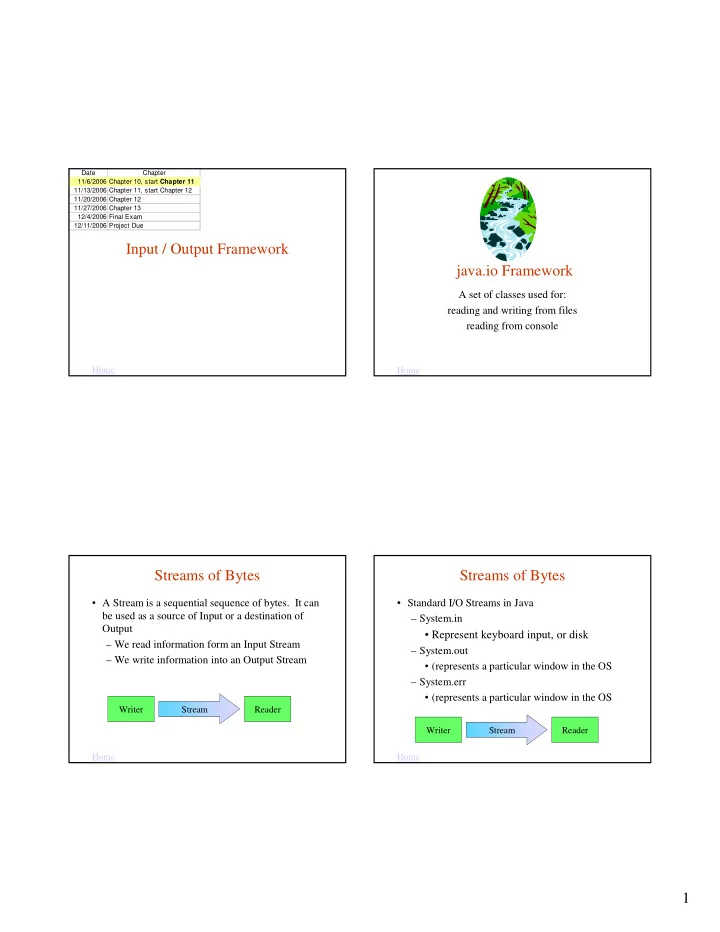
Input / Output Framework java.io Framework A set of classes used - - PDF document

input output framework java io framework
SMART_READER_LITE
LIVE PREVIEW

Input / Output Framework java.io Framework A set of classes used - - PDF document

Date Chapter 11/6/2006 Chapter 10, start Chapter 11 11/13/2006 Chapter 11, start Chapter 12 11/20/2006 Chapter 12 11/27/2006 Chapter 13 12/4/2006 Final Exam 12/11/2006 Project Due Input / Output Framework java.io Framework A set of classes


slide-1
SLIDE 1

1 Input / Output Framework

Date Chapter 11/6/2006 Chapter 10, start Chapter 11 11/13/2006 Chapter 11, start Chapter 12 11/20/2006 Chapter 12 11/27/2006 Chapter 13 12/4/2006 Final Exam 12/11/2006 Project Due

Home Home

java.io Framework

A set of classes used for: reading and writing from files reading from console

Home

Streams of Bytes

  • A Stream is a sequential sequence of bytes. It can

be used as a source of Input or a destination of Output – We read information form an Input Stream – We write information into an Output Stream

Reader Writer Stream Home

Streams of Bytes

  • Standard I/O Streams in Java

– System.in

  • Represent keyboard input, or disk

– System.out

  • (represents a particular window in the OS

– System.err

  • (represents a particular window in the OS

Reader Writer Stream

slide-2
SLIDE 2

2

Home

Streams of Bytes

  • The Java Class Library contains many classes for

defining I/O streams with various characteristics – Files – Memory – Strings – Objects – Characters – Raw Bytes – Buffering

Home

System.out

  • System is a class in java.lang package
  • out is a a static constant field, which is an object of class

PrintStream.

  • PrintStream is a class in java.io package
  • Since out is static we can refer to it using the class name

System.out

  • PrintStream Class has 2 methods for printing, print and

println that accept any argument type and print to the standard java console. System.out.print(“What’s Up?”); Home

Input Streams: System.in

  • System.in: the standard input stream

– By default, reads characters from the keyboard

  • Can use System.in many ways

– Directly (low-level access) – Through layers of abstraction (high-level access)

  • System.in

Home

System.in Object

Class BufferReader (returns String) Class InputStreamReader (returns unicode characters)

Object InputStream System.in Returns bytes BufferedReader inStream = new BufferedReader(new InputStreamReader(System.in));

slide-3
SLIDE 3

3 Selected Input Classes in the java.io Package

Input stream to read raw bytes of data from files

FileInputStream

Class to read character files

FileReader

Class to read/recover objects from a file written using ObjectOutputStream

ObjectInputStream

Class providing more efficient reading

  • f character files (Strings)

BufferedReader

Class to read input data streams of characters

InputStreamReader

Abstract superclass representing a stream of raw bytes

InputStream

Abstract superclass for input classes

Reader

Description Class Home

Hierarchy for Input Classes

Class to read character files

Class to read input data streams

Input stream to read raw bytes of data from files

Home

Selected java.io Output Classes

Class to write objects to a file

ObjectOutputStream

Output stream for writing raw bytes of data to files

FileOutputStream

Supports printing various data types conveniently

PrintStream

Prints basic data types, Strings, and objects

PrintWriter

More efficient writing to character files

BufferedWriter

Class for writing to character files

FileWriter

Abstract superclass representing an output stream of raw bytes

OutputStream

Class to write output data streams

OutputStreamWriter

Abstract superclass for output classes

Writer

Description Class Home

Hierarchy for Output Classes

Home

slide-4
SLIDE 4

4 Reading from the Java Console

  • System.in is the default standard input device,

which is tied to the Java Console.

  • We have read from the console by associating a

Scanner object with the standard input device:

Scanner scan = new Scanner( System.in );

  • We can also read from the console using these

subclasses of Reader:

– InputStreamReader – BufferedReader, uses buffering (read-ahead) for efficient reading

Opening an InputStream

  • When we construct an input stream or output

stream object, the JVM associates the file name, standard input stream, or standard output stream with our object. This is opening the file.

  • When we are finished with a file, we optionally

call the close method to release the resources associated with the file.

  • In contrast, the standard input stream (System.in),

the standard output stream (System.out), and the standard error stream (System.err) are open when the program begins. They are intended to stay

  • pen and should not be closed.

Home

Software Engineering Tip

Calling the close method is optional. When the program finishes executing, all the resources of any unclosed files are released. It is good practice to call the close method, especially if you will be opening a number of files (or opening the same file multiple times.) Do not close the standard input, output, or error devices, however. They are intended to remain

  • pen.

Home

Console Input Class Constructors

BufferedReader( Reader r )

constructs a BufferedReader object from a Reader object – here the Reader object will be an InputStreamReader object.

BufferedReader InputStreamReader( InputStream is )

constructs an InputStreamReader object from an InputStream object. For console input, the InputStream object is System.in.

InputStreamReader

Constructor Class Home

slide-5
SLIDE 5

5 Methods of the BufferedReader Class

  • Because an IOException is a checked exception,

we must call these methods within a try block.

close( )

releases resources associated with an open input stream. Throws an IOException.

void readLine( )

reads a line of text from the current InputStream object, and returns the text as a

  • String. Throws an IOException.

String

Method name and argument list Return value Home Home

Console Input Example

import java.io.InputStreamReader; import java.io.BufferedReader; import java.io.IOException;

public class ConsoleInput { public static void main( String [] args ) { String stringRead = ""; try { InputStreamReader isr = new InputStreamReader( System.in ); BufferedReader br = new BufferedReader( isr ); System.out.println( "Please enter a phrase or sentence > " ); stringRead = br.readLine( ); } catch( IOException ioe ) { System.out.println( ioe.getMessage( ) ); } System.out.println( "The string read was " + stringRead ); } }

Alternative Coding

  • This code:

InputStreamReader isr = new InputStreamReader( System.in ); BufferedReader br = new BufferedReader( isr );

can also be coded as one statement using an anonymous object:

BufferedReader br = new BufferedReader( new InputStreamReader( System.in ) );

because the object reference isr is used only once.

Home

Hiding the Complexity

  • We can hide the complexity by encapsulating try

and catch blocks into a UserInput class, which is similar in concept to the Scanner class.

  • We write our class so that the client program can

retrieve user input with just one line of code.

  • The UserInput class also validates that the user

enters only the appropriate data type and reprompts the user if invalid data is entered.

  • See Examples next slide

Home

slide-6
SLIDE 6

6

Home

Example

public class UserInput { public static int readInteger( String prompt ) { int result = 0; String message = ""; try { InputStreamReader isr = new InputStreamReader( System.in ); BufferedReader in = new BufferedReader( isr ); String str = ""; boolean validInt = false; do { System.out.print( message + prompt + " > " ); str = in.readLine( ); try { result = Integer.parseInt( str ); validInt = true; } catch( NumberFormatException nfe ) { message = "Invalid integer: "; } } while ( !validInt );

Home

User Input

catch( IOException ioe ) { System.out.println( ioe.getMessage( ) ); } return result; } } /** UserInputClient */ public class UserInputClient { public static void main( String [] args ) { int age = UserInput.readInteger( "Enter your age" ); System.out.println( "You entered " + age ); } }

Software Engineering Tip

Encapsulate complex code into a reusable class. This will simplify your applications and make the logic clearer.

Home

File Types

  • Java supports two types of files:

– text files: data is stored as characters – binary files: data is stored as raw bytes

  • The type of a file is determined by the classes used

to write to the file.

  • To read an existing file, you must know the file's

type in order to select the appropriate classes for reading the file.

Home

slide-7
SLIDE 7

7 Reading Text Files

  • A text file is treated as a stream of characters.
  • FileReader is designed to read character files.
  • A FileReader object does not use buffering, so we

will use the BufferedReader class and the readLine method to read more efficiently from a text file.

Home

Constructors for Reading Text Files

BufferedReader( Reader r )

constructs a BufferedReader object from a Reader object

BufferedReader FileReader( String filename )

constructs a FileReader object from a String representing the name of a file. Throws a FileNotFoundException.

FileReader

Constructor Class Home

Methods of the BufferedReader Class

  • See Example Next Slide

close( )

releases resources allocated to the BufferedReader object. Throws an IOException.

void readLine( )

reads a line of text from the current InputStream object, and returns the text as a

  • String. Returns a null String when the end of

the file is reached. Throws an IOException.

String

Method name and argument list Return value Home Home

Reading from a Text File Example

public class ReadTextFile { public static void main( String [] args ) { try { FileReader fr = new FileReader( "dataFile.txt" ); BufferedReader br = new BufferedReader( fr ); String stringRead = br.readLine( ); while( stringRead != null ) { System.out.println( stringRead ); stringRead = br.readLine( ); // read next line } br.close( ); } catch( FileNotFoundException fnfe ) { System.out.println( "Unable to find dataFile.txt, exiting" );} catch( IOException ioe ) { ioe.printStackTrace( );} } }

import java.io.FileReader; import java.io.BufferedReader; import java.io.IOException; import java.io.FileNotFoundException;

slide-8
SLIDE 8

8 Writing to Text Files

  • Several situations can exist:

– the file does not exist – the file exists and we want to replace the current contents – the file exists and we want to append to the current contents

  • We specify whether we want to replace the

contents or append to the current contents when we construct our FileWriter object.

Home

Constructors for Writing Text Files

BufferedWriter( Writer w )

constructs a BufferedWriter object from a Writer object

BufferedWriter FileWriter( String filename, boolean mode )

constructs a FileWriter object from a String representing the name of a file. If the file does not exist, it is created. If mode is false, the current contents of the file, if any, will be

  • replaced. If mode is true, writing will append

data to the end of the file. Throws an IOException.

FileWriter

Constructor Class Home

Methods of the BufferedWriter Class

  • See Examples Next Slide

newLine( )

writes a line separator. Throws an IOException.

void close( )

releases resources allocated to the BufferedWriter object. Throws an IOException.

void write( String s )

writes a String to the current OutputStream

  • bject. This method is inherited from the Writer
  • class. Throws an IOException.

void

Method name and argument list Return value Home Home

Writing to a file Example

public class WriteTextFile { public static void main( String [] args ) { try { FileWriter fw = new FileWriter( "output.txt", false ); BufferedWriter bw = new BufferedWriter( fw ); bw.write( "I never saw a purple cow," ); bw.newLine( ); bw.write( "I never hope to see one;" ); bw.newLine( ); bw.write( "But I can tell you, anyhow," ); bw.newLine( ); bw.write( "I'd rather see than be one!" ); bw.newLine( ); bw.close( ); System.out.println( "File written successfully" ); } catch( IOException ioe ) { ioe.printStackTrace( ); } } }

import java.io.FileWriter; import java.io.BufferedWriter; import java.io.IOException;

slide-9
SLIDE 9

9 Reading Structured Text Files

  • Some text files are organized into lines that

represent a record -- a set of data values containing information about an item.

  • The data values are separated by one or more

delimiters; that is, a special character or characters separate one value from the next.

  • As we read the file, we need to parse each line;

that is, separate the line into the individual data values called tokens.

Home

Example

  • An airline company could store data in a file

where each line represents a flight segment containing the following data:

– flight number – origin airport – destination airport – number of passengers – average ticket price

  • Such a file could contain the following data:

AA123,BWI,SFO,235,239.5 AA200,BOS,JFK,150,89.3 AA900,LAX,CHI,201,201.8 …

  • In this case, the delimiter is a comma.

Home

The StringTokenizer Class

  • The StringTokenizer class is designed to parse

Strings into tokens.

  • StringTokenizer is in the java.util package.
  • When we construct a StringTokenizer object, we

specify the delimiters that separate the data we want to tokenize. The default delimiters are the whitespace characters.

Home

Two StringTokenizer Constructors

StringTokenizer( String str, String delim )

constructs a StringTokenizer object for the specified String using delim as the delimiters

StringTokenizer( String str )

constructs a StringTokenizer object for the specified String using space, tab, carriage return, newline, and form feed as the default delimiters Constructor name and argument list Home

slide-10
SLIDE 10

10 Useful StringTokenizer Methods

nextToken( )

returns the next token

String hasMoreTokens( )

returns true if more tokens are available to be retrieved; returns false, otherwise.

boolean countTokens( )

returns the number of unretrieved tokens in this

  • bject; the count is decremented as tokens are

retrieved.

int

Method name and argument list Return value Home

Using StringTokenizer

import java.util.StringTokenizer; public class UsingStringTokenizer { public static void main( String [] args ) { String flightRecord1 = "AA123,BWI,SFO,235,239.5"; StringTokenizer stfr1 = new StringTokenizer( flightRecord1, "," ); // the delimiter is a comma while ( stfr1.hasMoreTokens( ) ) System.out.println( stfr1.nextToken( ) ); } }

  • See Example 11.14 UsingStringTokenizer.java

Home

Common Error Trap

Why didn't we use a for loop and the countTokens method?

for ( int i = 0; i < strfr1.countTokens( ); i++ ) System.out.println( stfr1.nextToken( ) );

This code won't work because the return value of countTokens is the number of tokens remaining to be retrieved. The body of the loop retrieves one token, so each time we evaluate the loop condition by calling the countTokens method, the return value is 1 fewer. The result is that we retrieve only half of the tokens. Home

Example Using StringTokenizer

  • The file flight.txt contains the following comma-

separated flight data on each line:

flight number, origin airport, destination airport, number of passengers, average ticket price

  • The FlightRecord class defines instance variables

for each flight data value

  • The ReadFlights class reads data from flights.txt,

instantiates FlightRecord objects, and adds them to an ArrayList.

  • See Examples 11.15 & 11.16

Home

slide-11
SLIDE 11

11 Writing Primitive Types to Text Files

  • FileOutputStream, a subclass of the

OutputStream class, is designed to write a stream of bytes to a file.

  • The PrintWriter class is designed for

converting primitive data types to characters and writing them to a text file. – print method, writes data to the file without a

newline

– println method, writes data to the file, then adds a

newline Home

Constructors for Writing Structured Text Files

PrintWriter( OutputStream os )

constructs a PrintWriter object from an OutputStream object

PrintWriter FileOutputStream( String filename, boolean mode )

constructs a FileOutputStream object from a String representing the name of a file. If the file does not exist, it is created. If mode is false, the current contents of the file, if any, will be replaced. If mode is true, writing will append data to the end of the file. Throws a FileNotFoundException.

FileOutputStream

Constructor Class Home

Useful PrintWriter Methods

  • The argument can be any primitive data type

(except byte or short), a char array, or an object.

  • See Example Next Slide

close( )

releases the resources associated with the PrintWriter object

void println( dataType argument )

writes a String representation of the argument to the file followed by a newline.

void print( dataType argument )

writes a String representation of the argument to the file.

void

Method name and argument list Return value Home Home

Writing Raw Data

public class WriteGradeFile { public static void main( String [] args ) {

try {

FileOutputStream fos = new FileOutputStream ( "grade.txt", false ); PrintWriter pw = new PrintWriter( fos );

pw.print( "Grade: " ); pw.println( 95 ); pw.print( "Letter grade: " ); pw.println( 'A'); pw.print( "Current GPA: " ); pw.println( 3.68 ); pw.print( "Successful student: " );pw.println( true ); pw.close( );

}

catch( FileNotFoundException fnfe ) { System.out.println( "Unable to find grade.txt" ); }

} }

slide-12
SLIDE 12

12 Reading and Writing Objects

  • Java also supports writing objects to a file and

reading them as objects.

  • This is convenient for two reasons:

– We can write these objects directly to a file without having to convert the objects to primitive data types or Strings. – We can read the objects directly from a file, without having to read Strings and convert these Strings to primitive data types in order to instantiate objects.

  • To read objects from a file, the objects must have

been written to that file as objects.

Home

Writing Objects to a File

  • To write an object to a file, its class must

implement the Serializable interface, which indicates that:

– the object can be converted to a byte stream to be written to a file – that byte stream can be converted back into a copy of the object when read from the file.

  • The Serializable interface has no methods to
  • implement. All we need to do is:

– import the java.io.Serializable interface – add implements Serializable to the class header Home

The ObjectOutputStream Class

  • The ObjectOutputStream class, coupled with

the FileOutputStream class, provides the functionality to write objects to a file.

  • The ObjectOutputStream class provides a

convenient way to write objects to a file.

– Its writeObject method takes one argument: the

  • bject to be written.

Home

Constructors for Writing Objects

ObjectOutputStream( OutputStream

  • ut )

creates an ObjectOutputStream that writes to the OutputStream out. Throws an IOException.

ObjectOutputStream FileOutputStream( String filename, boolean mode )

creates a FileOutputStream object from a String representing the name of a file. If the file does not exist, it is created. If mode is false, the current contents of the file, if any, will be replaced. If mode is true, writing will append data to the end of the file. Throws a FileNotFoundException.

FileOutputStream

Constructor Class Home

slide-13
SLIDE 13

13 The writeObject Method

  • See Examples Next Slides

writeObject( Object o )

writes the object argument to a file. That

  • bject must be an instance of a class that

implements the Serializable interface. Otherwise, a run-time exception will be

  • generated. Throws an IOException.

void

Method name and argument list Return value Home

Writing Objects

public class WritingObjects { public static void main( String [] args ) {

FlightRecord2 fr1 = new FlightRecord2( "AA31", "BWI", "SFO", 200, 235.9 ); FlightRecord2 fr2 = new FlightRecord2( "CO25", "LAX", "JFK", 225, 419.9 ); FlightRecord2 fr3 = new FlightRecord2( "US57", "IAD", "DEN", 175, 179.5 );

try { FileOutputStream fos = new FileOutputStream ( "objects", false ); ObjectOutputStream oos = new ObjectOutputStream( fos );

  • os.writeObject( fr1 ); oos.writeObject( fr2 );
  • os.writeObject( fr3 ); oos.close( );

} catch( FileNotFoundException fnfe ) { System.out.println( "Unable to write to objects" );} catch( IOException ioe ) { ioe.printStackTrace( ); } } }

import java.io.FileOutputStream; import java.io.ObjectOutputStream; import java.io.FileNotFoundException; import java.io.IOException;

Omitting Data from the File

  • The writeObject method does not write any object

fields declared to be static or transient.

  • You can declare a field as transient if you can

easily reproduce its value or if its value is 0.

– Syntax to declare a field as transient:

accessModifier transient dataType fieldName

– Example:

private transient double totalRevenue;

Home

Software Engineering Tip

To save disk space when writing to an object file, declare the class's fields as static or transient, where appropriate.

slide-14
SLIDE 14

14 Reading Objects from a File

  • The ObjectInputStream class, coupled with

FileInputStream, provides the functionality to read

  • bjects from a file.
  • The readObject method of the ObjectInputStream

class is designed to read objects from a file.

  • Because the readObject method returns a generic

Object, we must type cast the returned object to the appropriate class.

  • When the end of the file is reached, the

readObject method throws an EOFException, so we detect the end of the file when we catch that exception.

Home

Constructors for Reading Objects

ObjectInputStream( InputStream in )

creates an ObjectInputStream from the InputStream in. Throws an IOException.

ObjectInputStream FileInputStream( String filename )

constructs a FileInputStream object from a String representing the name of a file. Throws a FileNotFoundException.

FileInputStream

Constructor Class Home

The readObject Method

  • See Example 11.21 ReadingObjects.java

– Note that we use a finally block to close the file.

readObject( )

reads the next object and returns it. The

  • bject must be an instance of a class that

implements the Serializable interface. When the end of the file is reached, an EOFException is thrown. Also throws an IOException and ClassNotFoundException

Object

Method name and argument list Return value Home Home

Read Objects Example

public class ReadingObjects { public static void main( String [] args ) { try { FileInputStream fis = new FileInputStream( "objects " ); ObjectInputStream ois = new ObjectInputStream( fis ); try { while ( true ) { FlightRecord2 temp = ( FlightRecord2 ) ois.readObject( ); System.out.println( temp ); } } // end inner try block

import java.io.FileInputStream; import java.io.ObjectInputStream; import java.io.FileNotFoundException; import java.io.EOFException; import java.io.IOException;

slide-15
SLIDE 15

15

Home

Read Objects Example

catch( EOFException eofe ) { System.out.println( "End of the file reached" ); } catch( ClassNotFoundException cnfe ) { System.out.println( cnfe.getMessage( ) ); } finally { System.out.println( "Closing file" );

  • is.close( );

} } // end outer try block catch( FileNotFoundException fnfe ) { System.out.println( "Unable to find objects" ); } catch( IOException ioe ) { ioe.printStackTrace( ); } } }