Informatik I at the ITET departement of ETH Zrich. Place and time: - - PowerPoint PPT Presentation

informatik i
SMART_READER_LITE
LIVE PREVIEW

Informatik I at the ITET departement of ETH Zrich. Place and time: - - PowerPoint PPT Presentation

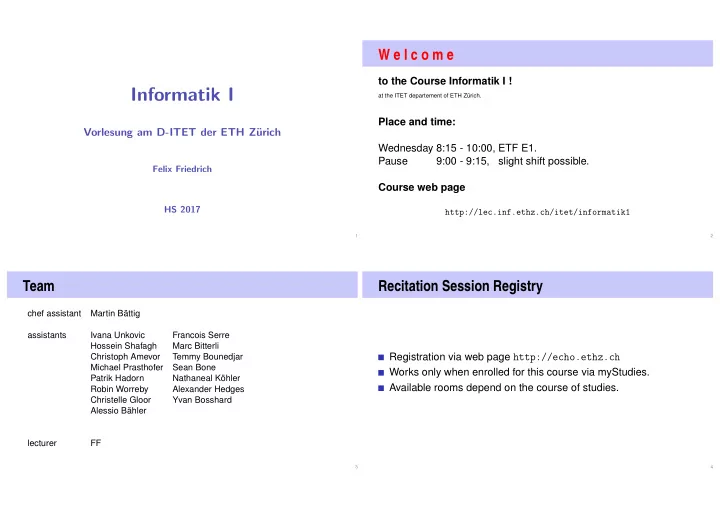
W e l c o m e to the Course Informatik I ! Informatik I at the ITET departement of ETH Zrich. Place and time: Vorlesung am D-ITET der ETH Z urich Wednesday 8:15 - 10:00, ETF E1. Pause 9:00 - 9:15, slight shift possible. Felix


slide-1
SLIDE 1

Informatik I

Vorlesung am D-ITET der ETH Z¨ urich

Felix Friedrich HS 2017

1

W e l c o m e

to the Course Informatik I !

at the ITET departement of ETH Zürich.

Place and time: Wednesday 8:15 - 10:00, ETF E1. Pause 9:00 - 9:15, slight shift possible. Course web page

http://lec.inf.ethz.ch/itet/informatik1

2

Team

chef assistant Martin Bättig assistants Ivana Unkovic Francois Serre Hossein Shafagh Marc Bitterli Christoph Amevor Temmy Bounedjar Michael Prasthofer Sean Bone Patrik Hadorn Nathaneal Köhler Robin Worreby Alexander Hedges Christelle Gloor Yvan Bosshard Alessio Bähler lecturer FF

3

Recitation Session Registry

Registration via web page http://echo.ethz.ch Works only when enrolled for this course via myStudies. Available rooms depend on the course of studies.

4

slide-2
SLIDE 2

Procedure

Mi Do Fr Sa So Mo Di Mi Do Fr Sa So Mo Issuance Preliminary Discussion Submission Discussion V Ü V Ü

Exercises availabe at lectures. Preliminary discussion in the following recitation session Solution of the exercise until the day before the next recitation session. Dicussion of the exercise in the next recitation session.

5

Exercises

At ETH an exercise certificate is not required in order to subscribe for the exams. The solution of the weekly exercises is thus voluntary but stronly recommended.

6

No lacking resources!

For the exercises we use an online development environment that requires only a browser, internet connection and your ETH login.

If you do not have access to a computer: there are a a lot of computers publicly accessible at ETH.

7

Online Tutorial

For a smooth course entry we provide an online C++ tutorial Goal: leveling of the different programming skills. Written mini test for your self assessment in the first recitation session.

8

slide-3
SLIDE 3

Exams

The exam (in examination period 2018) will cover Lectures content (lectures, handouts) Exercise content (exercise sessions, exercises). Written exam without any examination adds. We will test your practical skills (programming skills 1) and theoretical knowledge (background knowledge, systematics).

1as far as possible in a written exam 9

Offer

During the semester we offer weekly programming exercises that are graded. Points achieved will be taken as a bonus to the exam. The achieved grade bonus is proportional to the achieved points of all exercise series. Achieving all points corresponds to 1/4 grade.

10

Academic integrity

Rule: You submit solutions that you have written yourself and that you have understood. We check this (partially automatically) and reserve our rights to invite you to interviews. Should you be invited to an interview: don’t panic. Primary we presume your innocence and want to know if you understood what you have submitted.

11

Codeboard

Codeboard is an online IDE: programming in the browser!

Bring your laptop / tablet / . . . along, if available. You can try out examples in class without having to install any tools.

12

slide-4
SLIDE 4

Expert

Our exercise system consists of two independent systems that communicate with each other: The ETH submission system: Allows us to evaluate

your tasks.

The online IDE: The

programming environment User ETH submis- sion system

http://expert.ethz.ch Login with ETH Credentials

Codeboard.io

http://codeboard.io Login with Codeboard.io Credentials

13

Exercise Registration

Codeboard.io Registration Go to http://codeboard.io and create an account, stay logged in. Registration for exercises Go to http://expert.ethz.ch/ifee1y17e01t1 and inscribe for

  • ne of the exercise groups there.

14

Codeboard.io Registration

If you do not yet have an Codeboard.io account ... We use the online IDE Codeboard.io Create an account to store your progress and be able to review submissions later on Credentials can be chose arbitrarily Do not use the ETH password.

15

Codeboard.io Login

If you have an account, log in:

16

slide-5
SLIDE 5

Exercise group registration I

Visit http://expert.ethz.ch/ifee1y17e01t1 Log in with your nethz account.

17

Exercise group registration II

Register with this dialog for an exercise group.

18

The first exercise.

You are now registered and the first exercise is loaded. Follow the instructions in the yellow box.

19

The first exercise – codeboard.io login

Attention If you see this message, click on Sign in now and register with you codeboard.io account.

20

slide-6
SLIDE 6

The first exercise – store progress

Attention! Store your progress regularly. So you can continue working at any different location.

21

Literature

The course is designed to be self explanatory. Skript together with the course Informatik at the D-MATH/D-PHYS department. Recommended Literature

  • B. Stroustrup. Einführung in die Programmierung mit C++, Pearson

Studium, 2010.

  • B. Stroustrup, The C++ Programming Language (4th Edition)

Addison-Wesley, 2013.

  • A. Koenig, B.E. Moo, Accelerated C++, Adddison Wesley, 2000.
  • B. Stroustrup, The design and evolution of C++, Addison-Wesley, 1994.

22

Credits

Course structure developed together with Prof. Bernd Gärtner Skript from Prof. Bernd Gärtner.

Andere Quellen werden hier am Rand in dieser Form angegeben. 23

  • 1. Introduction

Computer Science: Definition and History, Algorithms, Turing Machine, Higher Level Programming Languages, Tools, The first

C++Program and its Syntactic and Semantic Ingredients

24

slide-7
SLIDE 7

What is Computer Science?

The science of systematic processing of informations,. . . . . . particularly the automatic processing using digital computers. (Wikipedia, according to “Duden Informatik”)

25

Informatics = Science of Computers

Computer science is not about machines, in the same way that astronomy is not about telescopes. Mike Fellows, US Computer Scientist (1991)

http://larc.unt.edu/ian/research/cseducation/fellows1991.pdf 26

Computer Science ⊆ Informatics

Computer science is also concerned with the development of fast computers and networks. . . . . . but not as an end in itself but for the systematic processing

  • f informations.

27

Computer Science = Computer Literacy

Computer literacy: user knowledge Handling a computer Working with computer programs for text processing, email, presentations . . . Computer Science Fundamental knowledge How does a computer work? How do you write a computer program?

28

slide-8
SLIDE 8

This course

Systematic problem solving with algorithms and the programming language C++. Hence: not only but also programming course.

29

Algorithm: Fundamental Notion of Computer Science

Algorithm: Instructions to solve a problem step by step Execution does not require any intelligence, but precision (even computers can do it) according to Muhammed al-Chwarizmi, author of an arabic computation textbook (about 825)

“Dixit algorizmi. . . ” (Latin translation) http://de.wikipedia.org/wiki/Algorithmus 30

Oldest Nontrivial Algorithm

Euclidean algorithm (from the elements from Euklid, 3. century B.C.) Input: integers a > 0, b > 0 Output: gcd of a und b While b = 0 If a > b then

a ← a − b

else:

b ← b − a

Result: a. a b a b a b a b

31

Live Demo: Turing Machine

32

slide-9
SLIDE 9

Euklid in the Box

[8] → L 1 [9] → R 2 L = 0? stop 3 R > L? springe zu 6 4 L − R → [8] 5 springe zu 0 6 R − L → [9] 7 springe zu 0 8

b

9

a

Speicher

Programmcode Daten Links

b

Rechts

a

Register

Daten

While b = 0 If a > b then a ← a − b else: b ← b − a Ergebnis: a.

33

Computers – Concept

A bright idea: universal Turing machine (Alan Turing, 1936)

Alan Turing http://en.wikipedia.org/wiki/Alan_Turing 34

Computer – Implementation

Z1 – Konrad Zuse (1938) ENIAC – John Von Neumann (1945)

Konrad Zuse John von Neumann http://www.hs.uni-hamburg.de/DE/GNT/hh/biogr/zuse.htm http://commons.wikimedia.org/wiki/File:John_von_Neumann.jpg 35

Computer

Ingredients of a Von Neumann Architecture Memory (RAM) for programs and data Processor (CPU) to process programs and data I/O components to communicate with the world

36

slide-10
SLIDE 10

Memory for data and program

Sequence of bits from {0, 1}. Program state: value of all bits. Aggregation of bits to memory cells (often: 8 Bits = 1 Byte) Every memory cell has an address. Random access: access time to the memory cell is (nearly) independent of its address.

37

Processor

The processor (CPU) executes instructions in machine language has an own "fast" memory (registers) can read from and write to main memory features a set of simplest operations = instructions (e.g. adding to register values)

38

Computing speed

In the time, onaverage, that the sound takes to travel from from my mouth to you ...

30 m = more than 100.000.000 instructions

a contemporary desktop PC can process more than 100 millions instructions 2

2Uniprocessor computer at 1 GHz. 39

Programming

With a programming language we issue commands to a computer such that it does exactly what we want. The sequence of instructions is the (computer) program

The Harvard Computers, human computers, ca.1890 http://en.wikipedia.org/wiki/Harvard_Computers 40

slide-11
SLIDE 11

Why programming?

Do I study computer science or what ... There are programs for everything ... I am not interested in programming ... because computer science is a mandatory subject here, unfortunately... . . .

41

Mathematics used to be the lingua franca of the natural sciences on all universities. Today this is computer science.

Lino Guzzella, president of ETH Zurich, NZZ Online, 1.9.2017

42

This is why programming!

Any understanding of modern technology requires knowledge about the fundamental operating principles of a computer. Programming (with the computer as a tool) is evolving a cultural technique like reading and writing (using the tools paper and pencil) Programming is the interface between engineering and computer science – the interdisciplinary area is growing constantly. Programming is fun!

43

Programming Languages

The language that the computer can understand (machine language) is very primitive. Simple operations have to be subdivided into many single steps The machine language varies between computers.

44

slide-12
SLIDE 12

Higher Programming Languages

can be represented as program text that can be understood by humans is independent of the computer model

→ Abstraction!

45

Programming langauges – classification

Differentiation into Compiled vs. interpreted languages

C++, C#, Pascal, Modula, Oberon, Java

vs. Python, Tcl, Matlab

Higher programming languages vs. Assembler Multi-purpose programming languages vs. single purpose programming languages Procedural, object oriented, functional and logical languages.

46

Why C++?

Other popular programming languages: Java, C#, Objective-C, Modula, Oberon, Python . . . General consensus: „The” programming language for systems programming: C C has a fundamental weakness: missing (type) safety

47

Why C++?

Over the years, C++’s greatest strength and its greatest weakness has been its C-Compatibility – B. Stroustrup

  • B. Stroustrup, Design and Evolution of C++, Kap. 4.5

48

slide-13
SLIDE 13

Why C++?

C++equips C with the power of the abstraction of a higher

programming language In this course: C++ introduced as high level language, not as better C Approach: traditionally procedural → object-oriented.

49

Deutsch vs. C++

Deutsch Es ist nicht genug zu wissen, man muss auch anwenden. (Johann Wolfgang von Goethe)

C++ // computation int b = a ∗ a; // b = a^2 b = b ∗ b; // b = a^4

50

Syntax and Semantics

Like our language, programs have to be formed according to certain rules.

Syntax: Connection rules for elementary symbols (characters) Semantics: interpretation rules for connected symbols.

Corresponding rules for a computer program are simpler but also more strict because computers are relatively stupid.

51

C++: Kinds of errors illustrated with German sentences

Das Auto fuhr zu schnell. DasAuto fuh r zu sxhnell. Rot das Auto ist. Man empfiehlt dem Dozenten nicht zu widersprechen Sie ist nicht gross und rothaarig. Die Auto ist rot. Das Fahrrad gallopiert schnell. Manche Tiere riechen gut.

Syntaktisch und semantisch korrekt. Syntaxfehler: Wortbildung. Syntaxfehler: Satzstellung. Syntaxfehler: Satzzeichen fehlen . Syntaktisch korrekt aber mehrdeutig. [kein Analogon] Syntaktisch korrekt, doch semantisch fehlerhaft: Falscher Artikel. [Typfehler] Syntaktisch und grammatikalisch korrekt! Semantisch

  • fehlerhaft. [Laufzeitfehler]

Syntaktisch und semantisch korrekt. Semantisch

  • mehrdeutig. [kein Analogon]

52

slide-14
SLIDE 14

Syntax and Semantics of C++

Syntax What is a C++ program? Is it grammatically correct? Semantics What does a program mean? What kind of algorithm does a program implement?

53

Syntax and semantics of C++

The ISO/IEC Standard 14822 (1998, 2011,...) is the “law” of C++ defines the grammar and meaning of C++programs contains new concepts for advanced programming . . . . . . which is why we will not go into details of such concepts

54

Programming Tools

Editor: Program to modify, edit and store C++program texts Compiler: program to translate a program text into machine language Computer: machine to execute machine language programs Operating System: program to organize all procedures such as file handling, editor-, compiler- and program execution.

55

Language constructs with an example

Comments/layout Include directive the main function Values effects Types and functionality literals variables constants identifiers, names

  • bjects

expressions L- and R- values

  • perators

statements

56

slide-15
SLIDE 15

The first C++ program Most important ingredients...

// Program: power8.cpp // Raise a number to the eighth power. #include <iostream> int main(){ // input std::cout << "Compute a^8 for a =? "; int a; std::cin >> a; // computation int b = a ∗ a; // b = a^2 b = b ∗ b; // b = a^4 // output b ∗ b, i.e., a^8 std::cout << a << "^8 = " << b ∗ b << "\n"; return 0; }

Statements: Do something (read in a)! Expressions: Compute a value (a2)!

57

Behavior of a Program

At compile time: program accepted by the compiler (syntactically correct) Compiler error During runtime: correct result incorrect result program crashes program does not terminate (endless loop)

58

“Accessories:” Comments

// Program: power8.cpp // Raise a number to the eighth power. #include <iostream> int main() { // input std::cout << "Compute a^8 for a =? "; int a; std::cin >> a; // computation int b = a ∗ a; // b = a^2 b = b ∗ b; // b = a^4 // output b ∗ b, i.e., a^8 std::cout << a << "^8 = " << b ∗ b << "\n"; return 0; }

comments

59

Comments and Layout

Comments are contained in every good program. document what and how a program does something and how it should be used, are ignored by the compiler Syntax: “double slash” // until the line ends. The compiler ignores additionally Empty lines, spaces, Indendations that should reflect the program logic

60

slide-16
SLIDE 16

Comments and Layout

The compiler does not care...

#include <iostream> int main(){std::cout << "Compute a^8 for a =? "; int a; std::cin >> a; int b = a * a; b = b * b; std::cout << a << "^8 = " << b*b << "\n";return 0;}

... but we do!

61

“Accessories:” Include and Main Function

// Program: power8.cpp // Raise a number to the eighth power. #include <iostream> int main() { // input std::cout << "Compute a^8 for a =? "; int a; std::cin >> a; // computation int b = a ∗ a; // b = a^2 b = b ∗ b; // b = a^4 // output b ∗ b, i.e., a^8 std::cout << a << "^8 = " << b ∗ b << "\n"; return 0; }

include directive declaration of the main function

62

Include Directives

C++ consists of

the core language standard library

in-/output (header iostream) mathematical functions (cmath) ...

#include <iostream>

makes in- and output available

63

The main Function

the main-function is provided in any C++ program is called by the operating system like a mathematical function ...

arguments return value

... but with an additional effect

Read a number and output the 8th power.

64

slide-17
SLIDE 17

Statements: Do something!

int main() { // input std::cout << "Compute a^8 for a =? "; int a; std::cin >> a; // computation int b = a ∗ a; // b = a^2 b = b ∗ b; // b = a^4 // output b ∗ b, i.e., a^8 std::cout << a << "^8 = " << b ∗ b << "\n"; return 0; }

expression statements return statement

65

Statements

building blocks of a C++ program are executed (sequentially) end with a semicolon Any statement has an effect (potentially)

66

Expression Statements

have the following form: expr; where expr is an expression Effect is the effect of expr, the value of expr is ignored. Example:

b = b*b;

67

Return Statements

do only occur in functions and are of the form

return expr;

where expr is an expression specify the return value of a function Example: return 0;

68

slide-18
SLIDE 18

Statements – Effects

int main() { // input std::cout << "Compute a^8 for a =? "; int a; std::cin >> a; // computation int b = a ∗ a; // b = a^2 b = b ∗ b; // b = a^4 // output b ∗ b, i.e., a^8 std::cout << a << "^8 = " << b ∗ b << "\n"; return 0; }

effect: output of the string Compute ... Effect: input of a number stored in a Effect: saving the computed value of a*a into b Effect: saving the computed value of b*b into b Effect: output of the value of a and the computed value of Effect: return the value 0

69

Values and Effects

determine what a program does, are purely semantical concepts:

Symbol 0 means Value 0 ∈ ❩

std::cin >> a; means effect "read in a number"

depend on the program state (memory content, inputs)

70

Statements – Variable Definitions

int main() { // input std::cout << "Compute a^8 for a =? "; int a; std::cin >> a; // computation int b = a ∗ a; // b = a^2 b = b ∗ b; // b = a^4 // output b ∗ b, i.e., a^8 std::cout << a << "^8 = " << b ∗ b << "\n"; return 0; }

declaration statement

type names

71

Declaration Statements

introduce new names in the program, consist of declaration and semicolon Example: int a; can initialize variables Example: int b = a * a;

72

slide-19
SLIDE 19

Types and Functionality

int: C++ integer type

corresponds to (❩, +, ×) in math In C++ each type has a name and a domain (e.g. integers) functionality (e.g. addition/multiplication)

73

Fundamental Types

C++ comprises fundamental types for

integers (int) natural numbers (unsigned int) real numbers (float, double) boolean values (bool) ...

74

Literals

represent constant values have a fixed type and value are "syntactical values". Examples:

0 has type int, value 0. 1.2e5 has type double, value 1.2 · 105.

75

Variables

represent (varying) values, have

name type value address

are "visible" in the program context.

Example

int a; defines a variable with

name: a type: int value: (initially) undefined Address: determined by compiler

76

slide-20
SLIDE 20

Objects

represent values in main memory have type, address and value (memory content at the address) can be named (variable) ... ... but also anonymous.

Remarks A program has a fixed number of variables. In order to be able to deal with a variable number of value, it requires "anonymous" addresses that can be address via temporary names.

77

Identifiers and Names

(Variable-)names are identifiers allowed: A,...,Z; a,...,z; 0,...,9;_ First symbol needs to be a character. There are more names:

std::cin (Qualified identifier)

78

Expressions: compute a value!

represent Computations are either primary (b)

  • r composed (b*b). . .

. . . from different expressions, using operators have a type and a value Analogy: building blocks

79

Expressions Building Blocks

// input std::cout << "Compute a^8 for a =? "; int a; std::cin >> a; // computation int b = a ∗ a; // b = a^2 b = b * b; // b = a^4 // output b ∗ b, i.e., a^8 std::cout << a<< "^8 = " << b * b << ".\ n"; return 0;

composite expression Two times composed expression Four times composed expression

80

slide-21
SLIDE 21

Expressions

represent computations are primary or composite (by other expressions and operations)

a * a

composed of variable name, operator symbol,variable name variable name: primary expression

can be put into parantheses

a * a is equivalent to (a * a)

81

Expressions

have type, value und effect (potentially).

Example a * a type: int (type of the operands) Value: product of a and a Effect: none. Example b = b * b type: int (Typ der Operanden) Value: product of b and b effect: assignment of the product value to b

The type of an expression is fixed but the value and effect are only determined by the evaluation of the expression

82

L-Values and R-Values

// input std::cout << "Compute a^8 for a =? "; int a; std::cin >> a; // computation int b = a ∗ a; // b = a^2 b = b * b; // b = a^4 // output b ∗ b, i.e., a^8 std::cout << a<< "^8 = " << b * b << ".\ n"; return 0;

L-value (expression + address) L-value (expression + address) R-Value (expression that is not an L-value) R-Value R-Value

83

L-Values and R-Values

L-Wert (“Left of the assignment operator”) Expression with address Value is the content at the memory location according to the type of the expression. L-Value can change its value (e.g. via assignment) Example: variable name

84

slide-22
SLIDE 22

L-Values and R-Values

R-Wert (“Right of the assignment operator”) Expression that is no L-value Example: literal 0 Any L-Value can be used as R-Value (but not the other way round) An R-Value cannot change its value

85

Operators and Operands Building Blocks

// input std::cout << "Compute a^8 for a =? "; int a; std::cin >> a; // computation int b = a ∗ a; // b = a^2 b = b ∗ b; // b = a^4 // output b ∗ b, i.e., a^8 std::cout << a << "^8 = " << b * b << "\n"; return 0;

left operand (output stream) right operand (string)

  • utput operator

left operand (input stream) right operand (variable name) input operator assignment operator multiplication operator

86

Operators

Operators combine expressions (operands) into new composed expressions specify for the operands and the result the types and if the have to be L- or R-values. have an arity

87

Multiplication Operator *

expects two R-values of the same type as operands (arity 2) "returns the product as R-value of the same type", that means formally:

The composite expression is an R-value; its value is the product of the value of the two operands

Examples: a * a and b * b

88

slide-23
SLIDE 23

Assignment Operator =

Left operand is L-value, Right operand is R-value of the same type. Assigns to the left operand the value of the right operand and returns the left operand as L-value Examples: b = b * b and a = b

Attention, Trap! The operator = corresponds to the assignment operator of mathematics (:=), not to the comparison operator (=).

89

Input Operator >>

left operand is L-Value (input stream) right operand is L-Value assigns to the right operand the next value read from the input stream, removing it from the input stream and returns the input stream as L-value

Example std::cin >> a (mostly keyboard input)

Input stream is being changed and must thus be an L-Value.

90

Output Operator <<

left operand is L-Value (output stream) right operand is R-Value

  • utputs the value of the right operand, appends it to the output

stream and returns the output stream as L-Value

Example: std::cout << a (mostly console output)

The output stream is being changed and must thus be an L-Value.

91

Output Operator <<

Why returning the output stream? allows bundling of output

std::cout << a << "^8 = " << b * b << "\n"

is parenthesized as follows

((((std::cout << a) << "^8 = ") << b * b) << "\n")

std::cout << a is the left hand operand of the next << and is

thus an L-Value that is no variable name

92

slide-24
SLIDE 24
  • 2. Integers

Evaluation of Arithmetic Expressions, Associativity and Precedence, Arithmetic Operators, Domain of Types int, unsigned int

93

Celsius to Fahrenheit

// Program: fahrenheit.cpp // Convert temperatures from Celsius to Fahrenheit. #include <iostream> int main() { // Input std::cout << "Temperature in degrees Celsius =? "; int celsius; std::cin >> celsius; // Computation and output std::cout << celsius << " degrees Celsius are " << 9 * celsius / 5 + 32 << " degrees Fahrenheit.\n"; return 0; }

94

9 * celsius / 5 + 32

Arithmetic expression, contains three literals, a variable, three operator symbols How to put the expression in parentheses?

95

Precedence

Multiplication/Division before Addition/Subtraction

9 * celsius / 5 + 32

bedeutet

(9 * celsius / 5) + 32

Rule 1: precedence Multiplicative operators (*, /, %) have a higher precedence ("bind more strongly") than additive operators (+, -)

96

slide-25
SLIDE 25

Associativity

From left to right

9 * celsius / 5 + 32

bedeutet

((9 * celsius) / 5) + 32

Rule 2: Associativity Arithmetic operators (*, /, %, +, -) are left associative: operators of same precedence evaluate from left to right

97

Arity

Rule 3: Arity Unary operators +, - first, then binary operators +, -.

  • 3 - 4

means

(-3) - 4

98

Parentheses

Any expression can be put in parentheses by means of associativities precedences arities (number of operands)

  • f the operands in an unambiguous way (Details in the lecture

notes).

99

Expression Trees

Parentheses yield the expression tree

(((9 * celsius) / 5) + 32)

+ / * 9 celsius 5 32

100

slide-26
SLIDE 26

Evaluation Order

"From top to bottom" in the expression tree

9 * celsius / 5 + 32

+ / * 9 celsius 5 32

101

Evaluation Order

Order is not determined uniquely:

9 * celsius / 5 + 32

+ / * 9 celsius 5 32

102

Expression Trees – Notation

Common notation: root on top

9 * celsius / 5 + 32

+ / * 9 celsius 5 32

103

Evaluation Order – more formally

Valid order: any node is evaluated after its children

E K1 K2

In C++, the valid order to be used is not defined.

"Good expression": any valid evaluation order leads to the same result. Example for a "bad expression": (a+b)*(a++)

104

slide-27
SLIDE 27

Evaluation order

Guideline Avoid modifying variables that are used in the same expression more than once.

105

Arithmetic operations

Symbol Arity Precedence Associativity Unary + + 1 16 right Negation

  • 1

16 right Multiplication * 2 14 left Division / 2 14 left Modulus % 2 14 links Addition + 2 13 left Subtraction

  • 2

13 left

All operators: [R-value ×] R-value → R-value

106

Assignment expression – in more detail

Already known: a = b means Assignment of b (R-value) to a (L-value). Returns: L-value What does a = b = c mean? Answer: assignment is right-associative

a = b = c ⇐ ⇒ a = (b = c)

Example multiple assignment:

a = b = 0 = ⇒ b=0; a=0

107

Division and Modulus

Operator / implements integer division

5 / 2 has value 2

In fahrenheit.cpp

9 * celsius / 5 + 32

15 degrees Celsius are 59 degrees Fahrenheit

Mathematically equivalent. . . but not in C++!

9 / 5 * celsius + 32

15 degrees Celsius are 47 degrees Fahrenheit

108

slide-28
SLIDE 28

Division and Modulus

Modulus-operator computes the rest of the integer division

5 / 2

has value 2,

5 % 2

has value 1. It holds that:

(a / b) * b + a % b

has the value of a.

109

Increment and decrement

Increment / Decrement a number by one is a frequent operation works like this for an L-value:

expr = expr + 1.

Disadvantages relatively long expr is evaluated twice (effects!)

110

In-/Decrement Operators

Post-Increment expr++ Value of expr is increased by one, the old value of expr is returned (as R-value) Pre-increment ++expr Value of expr is increased by one, the new value of expr is returned (as L-value) Post-Dekrement expr-- Value of expr is decreased by one, the old value of expr is returned (as R-value) Prä-Dekrement

  • -expr

Value of expr is increased by one, the new value of expr is returned (as L-value)

111

In-/decrement Operators

use arity prec assoz L-/R-value Post-increment expr++ 1 17 left L-value → R-value Pre-increment ++expr 1 16 right L-value → L-value Post-decrement expr-- 1 17 left L-value → R-value Pre-decrement

  • -expr

1 16 right L-value → L-value

112

slide-29
SLIDE 29

In-/Decrement Operators

Example

int a = 7; std::cout << ++a << "\n"; // 8 std::cout << a++ << "\n"; // 8 std::cout << a << "\n"; // 9

113

In-/Decrement Operators

Is the expression

++expr; ← we favour this

equivalent to

expr++;?

Yes, but Pre-increment can be more efficient (old value does not need to be saved) Post In-/Decrement are the only left-associative unary operators (not very intuitive)

114

C++ vs. ++C

Strictly speaking our language should be named ++C because it is an advancement of the language C while C++ returns the old C.

115

Arithmetic Assignments

a += b ⇔ a = a + b

analogously for -, *, / and %

116

slide-30
SLIDE 30

Arithmetic Assignments

Gebrauch Bedeutung

+= expr1 += expr2 expr1 = expr1 + expr2

  • =

expr1 -= expr2 expr1 = expr1 - expr2 *= expr1 *= expr2 expr1 = expr1 * expr2 /= expr1 /= expr2 expr1 = expr1 / expr2 %= expr1 %= expr2 expr1 = expr1 % expr2

Arithmetic expressions evaluate expr1 only once. Assignments have precedence 4 and are right-associative.

117

Binary Number Representations

Binary representation ("Bits" from {0, 1})

bnbn−1 . . . b1b0

corresponds to the number bn · 2n + · · · + b1 · 2 + b0 Example: 101011 corresponds to 43.

Most Significant Bit (MSB) Least Significant Bit (LSB)

118

Binary Numbers: Numbers of the Computer?

Truth: Computers calculate using binary numbers.

119

Binary Numbers: Numbers of the Computer?

Stereotype: computers are talking 0/1 gibberish

120

slide-31
SLIDE 31

Computing Tricks

Estimate the orders of magnitude of powers of two.3:

210 = 1024 = 1Ki ≈ 103. 220 = 1Mi ≈ 106, 230 = 1Gi ≈ 109, 232 = 4 · (1024)3 = 4Gi. 264 = 16Ei ≈ 16 · 1018.

3Decimal vs. binary units: MB - Megabyte vs. MiB - Megabibyte (etc.)

kilo (K, Ki) – mega (M, Mi) – giga (G, Gi) – tera(T, Ti) – peta(P , Pi) – exa (E, Ei)

121

Hexadecimal Numbers

Numbers with base 16

hnhn−1 . . . h1h0

corresponds to the number

hn · 16n + · · · + h1 · 16 + h0.

notation in C++: prefix 0x Example: 0xff corresponds to 255.

Hex Nibbles hex bin dec 0000 1 0001 1 2 0010 2 3 0011 3 4 0100 4 5 0101 5 6 0110 6 7 0111 7 8 1000 8 9 1001 9 a 1010 10 b 1011 11 c 1100 12 d 1101 13 e 1110 14 f 1111 15

122

Why Hexadecimal Numbers?

A Hex-Nibble requires exactly 4 bits. Numbers 1, 2, 4 and 8 represent bits 0, 1, 2 and 3. „compact representation of binary numbers”

32-bit numbers consist of eight hex-nibbles: 0x00000000 -- 0xffffffff .

0x400 = 1Ki = 1′024. 0x100000 = 1Mi = 1′048′576. 0x40000000 = 1Gi = 1′073.741, 824. 0x80000000: highest bit of a 32-bit number is set 0xffffffff: all bits of a 32-bit number are set

„0x8a20aaf0 is an address in the upper 2G of the 32-bit address space”

123

Example: Hex-Colors

#00FF00 r g b

124

slide-32
SLIDE 32

Why Hexadecimal Numbers?

“For programmers and technicians” (Excerpt of a user manual of the chess computers Mephisto II, 1981)

http://www.zanchetta.net/default.aspx?Categorie=ECHIQUIERS&Page=documentations 125

Why Hexadecimal Numbers?

The NZZ could have saved a lot of space ...

126

Domain of Type int

// Program: limits.cpp // Output the smallest and the largest value of type int. #include <iostream> #include <limits> int main() { std::cout << "Minimum int value is " << std::numeric_limits<int>::min() << ".\n" << "Maximum int value is " << std::numeric_limits<int>::max() << ".\n"; return 0; } For example Minimum int value is -2147483648. Maximum int value is 2147483647. Where do these numbers come from?

127

Domain of the Type int

Representation with B bits. Domain comprises the 2B integers:

{−2B−1, − 2B−1 + 1, . . . , −1, 0, 1, . . . , 2B−1 − 2, 2B−1 − 1}

On most platforms B = 32 For the type int C++ guarantees B ≥ 16 Background: Section 2.2.8 (Binary Representation) in the lecture notes. Where does this partitioning come from?

128

slide-33
SLIDE 33

Over- and Underflow

Arithmetic operations (+,-,*) can lead to numbers outside the valid domain. Results can be incorrect!

power8.cpp: 158 = −1732076671 power20.cpp: 320 = −808182895

There is no error message!

129

The Type unsigned int

Domain

{0, 1, . . . , 2B − 1}

All arithmetic operations exist also for unsigned int. Literals: 1u, 17u . . .

130

Mixed Expressions

Operators can have operands of different type (e.g. int and

unsigned int). 17 + 17u

Such mixed expressions are of the “more general” type

unsigned int. int-operands are converted to unsigned int.

131

Conversion

int Value

Sign

unsigned int Value x ≥ 0 x x < 0 x + 2B

Using two complements representation, nothing happens in- ternally

132

slide-34
SLIDE 34

Conversion “reversed”

The declaration

int a = 3u;

converts 3u to int. The value is preserved because it is in the domain of int; otherwise the result depends on the implementation.

133

Signed Number Representation

(Hopefully) clear by now: binary number representation without sign, e.g.

[b31b30 . . . b0]u

  • =

b31 · 231 + b30 · 230 + · · · + b0

Obviously required: use a bit for the sign. Looking for a consistent solution

The representation with sign should coincide with the unsigned solution as much as possible. Positive numbers should arithmetically be treated equal in both systems.

134

Computing with Binary Numbers (4 digits)

Simple Addition

2 0010 +3 +0011 5 0101

Simple Subtraction

5 0101 −3 −0011 2 0010

135

Computing with Binary Numbers (4 digits)

Addition with Overflow

7 0111 +9 +1001 16 (1)0000

Negative Numbers?

5 0101 +(−5) ???? (1)0000

136

slide-35
SLIDE 35

Computing with Binary Numbers (4 digits)

Simpler -1

1 0001 +(−1) 1111 (1)0000

Utilize this:

3 0011 +? +???? −1 1111

137

Computing with Binary Numbers (4 digits)

Invert!

3 0011 +(−4) +1100 −1 1111 = 2B − 1 a a +(−a − 1) ¯ a −1 1111 = 2B − 1

138

Computing with Binary Numbers (4 digits)

Negation: inversion and addition of 1

−a

  • =

¯ a + 1

Wrap around semantics (calculating modulo 2B

−a

  • =

2B − a

139

Why this works

Modulo arithmetics: Compute on a circle4

11 ≡ 23 ≡ −1 ≡ . . . mod 12

+

4 ≡ 16 ≡ . . . mod 12

=

3 ≡ 15 ≡ . . . mod 12

4The arithmetics also work with decimal numbers (and for multiplication). 140

slide-36
SLIDE 36

Negative Numbers (3 Digits)

a −a

000 000 1 001 111

  • 1

2 010 110

  • 2

3 011 101

  • 3

4 100 100

  • 4

5 101 6 110 7 111 The most significant bit decides about the sign.

141

Two’s Complement

Negation by bitwise negation and addition of 1

−2 = −[0010] = [1101] + [0001] = [1110]

Arithmetics of addition and subtraction identical to unsigned arithmetics

3 − 2 = 3 + (−2) = [0011] + [1110] = [0001]

Intuitive “wrap-around” conversion of negative numbers.

−n → 2B − n

Domain: −2B−1 . . . 2B−1 − 1

142

  • 3. Logical Values

Boolean Functions; the Type bool; logical and relational operators; shortcut evaluation

143

Our Goal

int a; std::cin >> a; if (a % 2 == 0) std::cout << "even"; else std::cout << "odd";

Behavior depends on the value of a Boolean expression

144

slide-37
SLIDE 37

Boolean Values in Mathematics

Boolean expressions can take on one of two values: 0 or 1 0 corresponds to “false” 1 corresponds to “true”

145

The Type bool in C++

represents logical values Literals false and true Domain {false, true}

bool b = true; // Variable with value true

146

Relational Operators

a < b

(smaller than)

a >= b

(greater than)

a == b

(equals)

a != b

(not equal)

arithmetic type × arithmetic type → bool R-value × R-value → R-value

147

Table of Relational Operators

Symbol Arity Precedence Associativity smaller < 2 11 left greater > 2 11 left smaller equal <= 2 11 left greater equal >= 2 11 left equal == 2 10 left unequal != 2 10 left

arithmetic type × arithmetic type → bool R-value × R-value → R-value

148

slide-38
SLIDE 38

Boolean Functions in Mathematics

Boolean function

f : {0, 1}2 → {0, 1} 0 corresponds to “false”. 1 corresponds to “true”.

149

AND(x, y) x ∧ y

“logical And”

f : {0, 1}2 → {0, 1} 0 corresponds to “false”.

corresponds to “true”.

x y AND(x, y)

1 1 1 1 1

150

Logical Operator &&

a && b

(logical and)

bool × bool → bool

R-value × R-value → R-value

int n = −1; int p = 3; bool b = (n < 0) && (0 < p); // b = true

151

OR(x, y) x ∨ y

“logical Or”

f : {0, 1}2 → {0, 1} 0 corresponds to “false”.

corresponds to “true”.

x y OR(x, y)

1 1 1 1 1 1 1

152

slide-39
SLIDE 39

Logical Operator ||

a || b

(logical or)

bool × bool → bool

R-value × R-value → R-value

int n = 1; int p = 0; bool b = (n < 0) || (0 < p); // b = false

153

NOT(x) ¬x

“logical Not”

f : {0, 1} → {0, 1} 0 corresponds to “false”.

corresponds to “true”.

x NOT(x)

1 1

154

Logical Operator !

!b

(logical not)

bool → bool

R-value → R-value

int n = 1; bool b = !(n < 0); // b = true

155

Precedences

!b && a

  • (!b) && a

a && b || c && d

  • (a && b) || (c && d)

a || b && c || d

  • a || (b && c) || d

156

slide-40
SLIDE 40

Table of Logical Operators

Symbol Arity Precedence Associativity Logical and (AND) && 2 6 left Logical or (OR) || 2 5 left Logical not (NOT) ! 1 16 right

157

Precedences

The unary logical operator ! binds more strongly than binary arithmetic operators. These bind more strongly than relational operators, and these bind more strongly than binary logical operators.

7 + x < y && y != 3 * z || ! b 7 + x < y && y != 3 * z || (!b)

158

Completeness

AND, OR and NOT are the boolean

functions available in C++. Any other binary boolean function can be generated from them.

x y XOR(x, y)

1 1 1 1 1 1

159

Completeness: XOR(x, y)

x ⊕ y

XOR(x, y) = AND(OR(x, y), NOT(AND(x, y))). x ⊕ y = (x ∨ y) ∧ ¬(x ∧ y). (x || y) && !(x && y)

160

slide-41
SLIDE 41

Completeness Proof

Identify binary boolean functions with their characteristic vector.

x y XOR(x, y)

1 1 1 1 1 1

characteristic vector: 0110

XOR = f0110

161

Completeness Proof

Step 1: generate the fundamental functions f0001, f0010, f0100, f1000

f0001 = AND(x, y) f0010 = AND(x, NOT(y)) f0100 = AND(y, NOT(x)) f1000 = NOT(OR(x, y))

162

Completeness Proof

Step 2: generate all functions by applying logical or

f1101 = OR(f1000, OR(f0100, f0001))

Step 3: generate f0000

f0000 = 0.

163

bool vs int: Conversion

bool can be used whenever int is expected

– and vice versa. Many existing programs use int instead of

bool

This is bad style originating from the language C .

bool → int

true

→ 1

false

→ 0 int → bool =0 → true → false bool b = 3; // b=true

164

slide-42
SLIDE 42

DeMorgan Rules

!(a && b) == (!a || !b) !(a || b) == (!a && !b)

! (rich and beautiful) == (poor or ugly)

165

Application: either ... or (XOR)

(x || y) && !(x && y)

x or y, and not both

(x || y) && (!x || !y)

x or y, and one of them not

!(!x && !y) && !(x && y)

not none and not both

!(!x && !y || x && y)

not: both or none

166

Short circuit Evaluation

Logical operators && and || evaluate the left operand first. If the result is then known, the right operand will not be evaluated.

x != 0 && z / x > y ⇒ No division by 0

167

Sources of Errors

Errors that the compiler can find: syntactical and some semantical errors Errors that the compiler cannot find: runtime errors (always semantical)

168

slide-43
SLIDE 43

Avoid Sources of Bugs

  • 1. Exact knowledge of the wanted program behavior

≫ It’s not a bug, it’s a feature !!≪

  • 2. Check at many places in the code if the program is still on track!
  • 3. Question the (seemingly) obvious, there could be a typo in the

code.

169

Against Runtime Errors: Assertions

assert(expr)

halts the program if the boolean expression expr is false requires #include <cassert> can be switched off

170

DeMorgan’s Rules

Question the obvious Question the seemingly obvious!

// Prog: assertion.cpp // use assertions to check De Morgan’s laws #include<cassert> int main() { bool x; // whatever x and y actually are, bool y; // De Morgan’s laws will hold: assert ( !(x && y) == (!x || !y) ); assert ( !(x || y) == (!x && !y) ); return 0; }

171

Switch off Assertions

// Prog: assertion2.cpp // use assertions to check De Morgan’s laws. To tell the // compiler to ignore them, #define NDEBUG ("no debugging") // at the beginning of the program, before the #includes #define NDEBUG #include<cassert> int main() { bool x; // whatever x and y actually are, bool y; // De Morgan’s laws will hold: assert ( !(x && y) == (!x || !y) ); // ignored by NDEBUG assert ( !(x || y) == (!x && !y) ); // ignored by NDEBUG return 0; }

172

slide-44
SLIDE 44

Div-Mod Identity

a/b * b + a%b == a

Check if the program is on track. . .

std::cout << "Dividend a =? "; int a; std::cin >> a; std::cout << "Divisor b =? "; int b; std::cin >> b; // check input assert (b != 0);

Input arguments for calcula- tion Precondition for the ongoing computation

173

Div-Mod identity

a/b * b + a%b == a

. . . and question the obvious!

// check input assert (b != 0); // compute result int div = a / b; int mod = a % b; // check result assert (div ∗ b + mod == a); ...

Precondition for the ongoing computation Div-Mod identity

174

  • 4. Control Structures I

Selection Statements, Iteration Statements, Termination, Blocks

175

Control Flow

up to now linear (from top to bottom) For interesting programs we need “branches” and “jumps” Computation of 1 + 2 + ... + n.

Input n i := 1; s := 0

i ≤ n?

s := s + i; i := i+ 1 Output s ja nein

176

slide-45
SLIDE 45

Selection Statements

implement branches

if statement if-else statement

177

if-Statement

if ( condition )

statement

int a; std::cin >> a; if (a % 2 == 0) std::cout << "even";

If condition is true then state- ment is executed statement: arbitrary statement (body of the

if-Statement)

condition: convertible to

bool

178

if-else-statement

if ( condition )

statement1 else statement2

int a; std::cin >> a; if (a % 2 == 0) std::cout << "even"; else std::cout << "odd";

If condition is true then state- ment1 is executed, otherwise statement2 is executed. condition: convertible to

bool.

statement1: body of the

if-branch

statement2: body of the

else-branch

179

Layout!

int a; std::cin >> a; if (a % 2 == 0) std::cout << "even"; else std::cout << "odd";

Indentation Indentation

180

slide-46
SLIDE 46

Iteration Statements

implement “loops”

for-statement while-statement do-statement

181

Compute 1 + 2 + ... + n

// Program: sum_n.cpp // Compute the sum of the first n natural numbers. #include <iostream> int main() { // input std::cout << "Compute the sum 1+...+n for n =? "; unsigned int n; std::cin >> n; // computation of sum_{i=1}^n i unsigned int s = 0; for (unsigned int i = 1; i <= n; ++i) s += i; // output std::cout << "1+...+" << n << " = " << s << ".\n"; return 0; }

182

for-Statement Example

for ( unsigned int i=1; i <= n ; ++i ) s += i;

Assumptions: n == 2, s == 0

i s i==1

wahr

s == 1 i==2

wahr

s == 3 i==3

falsch

s == 3

183

for-Statement: Syntax

for ( init statement condition ; expression )

statement init-statement: expression statement, declaration statement, null statement condition: convertible to bool expression: any expression statement : any statement (body of the for-statement)

184

slide-47
SLIDE 47

for-Statement: semantics

for ( init statement condition ; expression )

statement init-statement is executed condition is evaluated

true: Iteration starts

statement is executed expression is executed false: for-statement is ended.

185

Gauß as a Child (1777 - 1855)

Math-teacher wanted to keep the pupils busy with the following task: Compute the sum of numbers from 1 to 100 ! Gauß finished after one minute.

186

The Solution of Gauß

The requested number is

1 + 2 + 3 + · · · + 98 + 99 + 100.

This is half of

1 + 2 + · · · + 99 + 100 + 100 + 99 + · · · + 2 + 1 = 101 + 101 + · · · + 101 + 101

Answer: 100 · 101/2 = 5050

187

for-Statement: Termination

for (unsigned int i = 1; i <= n; ++i) s += i;

Here and in most cases: expression changes its value that appears in condition . After a finite number of iterations condition becomes false: Termination

188

slide-48
SLIDE 48

Infinite Loops

Infinite loops are easy to generate:

for ( ; ; ) ;

Die empty condition is true. Die empty expression has no effect. Die null statement has no effect.

... but can in general not be automatically detected.

for ( e; v; e) r;

189

Halting Problem

Undecidability of the Halting Problem There is no C++ program that can determine for each

C++-Program P and each input I if the program P terminates with

the input I. This means that the correctness of programs can in general not be automatically checked.5

5Alan Turing, 1936. Theoretical quesitons of this kind were the main motivation for Alan Turing to construct a computing

machine.

190

Example: Prime Number Test

Def.: a natural number n ≥ 2 is a prime number, if no

d ∈ {2, . . . , n − 1} divides n .

A loop that can test this:

unsigned int d; for (d=2; n%d != 0; ++d);

Observation 1: After the for-statement it holds that d ≤ n. Observation 2:

n is a prime number if and only if finally d = n.

191

Blocks

Blocks group a number of statements to a new statement

{statement1 statement2 ... statementN}

Example: body of the main function

int main() { ... }

Example: loop body

for (unsigned int i = 1; i <= n; ++i) { s += i; std::cout << "partial sum is " << s << "\n"; }

192

slide-49
SLIDE 49
  • 5. Control Statements II

Visibility, Local Variables, While Statement, Do Statement, Jump Statements

193

Visibility

Declaration in a block is not “visible” outside of the block.

int main () { { int i = 2; } std::cout << i; // Error: undeclared name return 0; }

block main block „Blickrichtung”

194

Control Statement defines Block

In this respect, statements behave like blocks.

int main() { for (unsigned int i = 0; i < 10; ++i) s += i; std::cout << i; // Error: undeclared name return 0; }

block

195

Scope of a Declaration

Potential scope: from declaration until end of the part that contains the declaration. in the block

{ int i = 2; ... }

in function body

int main() { int i = 2; ... return 0; }

in control statement

for ( int i = 0; i < 10; ++i) {s += i; ... }

scope scope scope

196

slide-50
SLIDE 50

Scope of a Declaration

Real scope = potential scope minus potential scopes of declarations of symbols with the same name

int main() { int i = 2; for (int i = 0; i < 5; ++i) // outputs 0,1,2,3,4 std::cout << i; // outputs 2 std::cout << i; return 0; }

i2 in for in main scope of i

197

Automatic Storage Duration

Local Variables (declaration in block) are (re-)created each time their declaration is reached

memory address is assigned (allocation) potential initialization is executed

are deallocated at the end of their declarative region (memory is released, address becomes invalid)

198

Local Variables

int main() { int i = 5; for (int j = 0; j < 5; ++j) { std::cout << ++i; // outputs 6, 7, 8, 9, 10 int k = 2; std::cout << −−k; // outputs 1, 1, 1, 1, 1 } }

Local variables (declaration in a block) have automatic storage duration.

199

while Statement

while ( condition )

statement statement: arbitrary statement, body of the while statement. condition: convertible to bool.

200

slide-51
SLIDE 51

while Statement

while ( condition )

statement is equivalent to

for ( ; condition ; )

statement

201

while-Statement: Semantics

while ( condition )

statement condition is evaluated

true: iteration starts

statement is executed

false: while-statement ends.

202

while-statement: why?

In a for-statement, the expression often provides the progress (“counting loop”)

for (unsigned int i = 1; i <= n; ++i) s += i;

If the progress is not as simple, while can be more readable.

203

Example: The Collatz-Sequence

(n ∈ ◆)

n0 = n ni = ni−1 2 , if ni−1 even 3ni−1 + 1 , if ni−1 odd , i ≥ 1.

n=5: 5, 16, 8, 4, 2, 1, 4, 2, 1, ... (repetition at 1)

204

slide-52
SLIDE 52

The Collatz Sequence in C++

// Program: collatz.cpp // Compute the Collatz sequence of a number n. #include <iostream> int main() { // Input std::cout << "Compute the Collatz sequence for n =? "; unsigned int n; std::cin >> n; // Iteration while (n > 1) { if (n % 2 == 0) n = n / 2; else n = 3 * n + 1; std::cout << n << " "; } std::cout << "\n"; return 0; }

205

The Collatz Sequence in C++

n = 27: 82, 41, 124, 62, 31, 94, 47, 142, 71, 214, 107, 322, 161, 484, 242, 121, 364, 182, 91, 274, 137, 412, 206, 103, 310, 155, 466, 233, 700, 350, 175, 526, 263, 790, 395, 1186, 593, 1780, 890, 445, 1336, 668, 334, 167, 502, 251, 754, 377, 1132, 566, 283, 850, 425, 1276, 638, 319, 958, 479, 1438, 719, 2158, 1079, 3238, 1619, 4858, 2429, 7288, 3644, 1822, 911, 2734, 1367, 4102, 2051, 6154, 3077, 9232, 4616, 2308, 1154, 577, 1732, 866, 433, 1300, 650, 325, 976, 488, 244, 122, 61, 184, 92, 46, 23, 70, 35, 106, 53, 160, 80, 40, 20, 10, 5, 16, 8, 4, 2, 1

206

The Collatz-Sequence

Does 1 occur for each n? It is conjectured, but nobody can prove it! If not, then the while-statement for computing the Collatz-sequence can theoretically be an endless loop for some

n.

207

do Statement

do

statement

while ( expression );

statement: arbitrary statement, body of the do statement. expression: convertible to bool.

208

slide-53
SLIDE 53

do Statement

do

statement

while ( expression );

is equivalent to statement

while ( expression )

statement

209

do-Statement: Semantics

do

statement

while ( expression );

Iteration starts

statement is executed.

expression is evaluated

true: iteration begins false: do-statement ends.

210

do-Statement: Example Calculator

Sum up integers (if 0 then stop):

int a; // next input value int s = 0; // sum of values so far do { std::cout << "next number =? "; std::cin >> a; s += a; std::cout << "sum = " << s << "\n"; } while (a != 0);

211

Conclusion

Selection (conditional branches)

if and if-else-statement

Iteration (conditional jumps)

for-statement while-statement do-statement

Blocks and scope of declarations

212

slide-54
SLIDE 54

Jump Statements

break; continue;

213

break-Statement

break;

Immediately leave the enclosing iteration statement. useful in order to be able to break a loop “in the middle” 6

6and indispensible for switch-statements. 214

Calculator with break

Sum up integers (if 0 then stop)

int a; int s = 0; do { std::cout << "next number =? "; std::cin >> a; // irrelevant in last iteration: s += a; std::cout << "sum = " << s << "\n"; } while (a != 0);

215

Calculator with break

Suppress irrelevant addition of 0:

int a; int s = 0; do { std::cout << "next number =? "; std::cin >> a; if (a == 0) break; // stop loop in the middle s += a; std::cout << "sum = " << s << "\n"; } while (a != 0)

216

slide-55
SLIDE 55

Calculator with break

Equivalent and yet more simple:

int a; int s = 0; for (;;) { std::cout << "next number =? "; std::cin >> a; if (a == 0) break; // stop loop in the middle s += a; std::cout << "sum = " << s << "\n"; }

217

Calculator with break

Version without break evaluates a twice and requires an additional block.

int a = 1; int s = 0; for (;a != 0;) { std::cout << "next number =? "; std::cin >> a; if (a != 0) { s += a; std::cout << "sum = " << s << "\n"; } }

218

continue-Statement

continue;

Jump over the rest of the body of the enclosing iteration statement Iteration statement is not left.

219

Calculator with continue

Ignore negative input:

for (;;) { std::cout << "next number =? "; std::cin >> a; if (a < 0) continue; // jump to } if (a == 0) break; s += a; std::cout << "sum = " << s << "\n"; }

220

slide-56
SLIDE 56

Equivalence of Iteration Statements

We have seen:

while and do can be simulated with for

It even holds:

Not so simple if a continue is used!

The three iteration statements provide the same “expressiveness” (lecture notes)

221

Control Flow

Order of the (repeated) execution of statements generally from top to bottom. . . . . . except in selection and iteration statements condition statement

true

false

if ( condition )

statement

222

Control Flow if else

condition statement1 statement2

true

false

if ( condition )

statement1 else statement2

223

Control Flow for

for ( init statement condition ; expression )

statement init-statement condition statement expression

true

false

224

slide-57
SLIDE 57

Control Flow break in for

init-statement condition statement expression break

226

Control Flow continue in for

init-statement condition statement expression continue

227

Control Flow while

condition statement

true

false

228

Control Flow do while

condition statement

false

true

229

slide-58
SLIDE 58

Control Flow: the Good old Times?

Observation Actually, we only need if and jumps to arbitrary places in the program (goto). Models: Machine Language Assembler (“higher” machine language) BASIC, the first prorgamming language for the general public (1964) if goto

230

BASIC and home computers...

...allowed a whole generation of young adults to program. Home-Computer Commodore C64 (1982)

http://de.wikipedia.org/wiki/Commodore_64 231

Spaghetti-Code with goto

Output of all prime numbers with BASIC true true

232

The “right” Iteration Statement

Goals: readability, conciseness, in particular few statements few lines of code simple control flow simple expressions Often not all goals can be achieved simultaneously.

233

slide-59
SLIDE 59

Odd Numbers in {0, . . . , 100}

First (correct) attempt:

for (unsigned int i = 0; i < 100; ++i) { if (i % 2 == 0) continue; std::cout << i << "\n"; }

234

Odd Numbers in {0, . . . , 100}

Less statements, less lines:

for (unsigned int i = 0; i < 100; ++i) { if (i % 2 != 0) std::cout << i << "\n"; }

235

Odd Numbers in {0, . . . , 100}

Less statements, simpler control flow:

for (unsigned int i = 1; i < 100; i += 2) std::cout << i << "\n";

This is the “right” iteration statement!

236

Jump Statements

implement unconditional jumps. are useful, such as while and do but not indispensible should be used with care: only where the control flow is simplified instead of making it more complicated

237

slide-60
SLIDE 60

The switch-Statement

switch (condition)

statement

condition: Expression, convertible to integral type statement : arbitrary statemet, in which case and default-lables are permitted, break has a special meaning.

int Note; ... switch (Note) { case 6: std::cout << "super!"; break; case 5: std::cout << "cool!"; break; case 4: std::cout << "ok."; break; default: std::cout << "hmm..."; }

238

Semantics of the switch-statement

switch (condition)

statement

condition is evaluated.

If statement contains a case-label with (constant) value of

condition, then jump there

  • therwise jump to the default-lable, if available. If not, jump over

statement.

The break statement ends the switch-statement.

239

Control Flow switch

switch statement

case case default break break

240

Control Flow switch in general

If break is missing, continue with the next case. 7: ??? 6: ok. 5: ok. 4: ok. 3: oops! 2: ooops! 1: oooops! 0: ???

switch (Note) { case 6: case 5: case 4: std::cout << "ok."; break; case 1: std::cout << "o"; case 2: std::cout << "o"; case 3: std::cout << "oops!"; break; default: std::cout << "???"; }

241

slide-61
SLIDE 61
  • 6. Floating-point Numbers I

Types float and double; Mixed Expressions and Conversion; Holes in the Value Range

242

“Proper Calculation”

// Program: fahrenheit_float.cpp // Convert temperatures from Celsius to Fahrenheit. #include <iostream> int main() { // Input std::cout << "Temperature in degrees Celsius =? "; float celsius; std::cin >> celsius; // Computation and output std::cout << celsius << " degrees Celsius are " << 9 * celsius / 5 + 32 << " degrees Fahrenheit.\n"; return 0; }

243

Fixed-point numbers

fixed number of integer places (e.g. 7) fixed number of decimal places (e.g. 3)

0.0824 = 0000000.082

Disadvantages Value range is getting even smaller than for integers. Representability depends on the position of the decimal point.

third place truncated

244

Floating-point numbers

fixed number of significant places (e.g. 10) plus position of the decimal point

82.4 = 824 · 10−1 0.0824 = 824 · 10−4

Number is Mantissa × 10Exponent

245

slide-62
SLIDE 62

Types float and double

are the fundamental C++ types for floating point numbers approximate the field of real numbers (❘, +, ×) from mathematics have a big value range, sufficient for many applications (double provides more places than float) are fast on many computers

246

Arithmetic Operators

Like with int, but . . . Division operator / models a “proper” division (real-valued, not integer) No modulo operators such as % or %=

247

Literals

are different from integers by providing decimal point

1.0 : type double, value 1 1.27f : type float, value 1.27

and / or exponent.

1e3 : type double, value 1000 1.23e-7 : type double, value 1.23 · 10−7 1.23e-7f : type float, value 1.23 · 10−7

1.23e-7f

integer part fractional part exponent

248

Computing with float: Example

Approximating the Euler-Number

e =

  • i=0

1 i! ≈ 2.71828 . . .

using the first 10 terms.

249

slide-63
SLIDE 63

Computing with float: Euler Number

// Program: euler.cpp // Approximate the Euler number e. #include <iostream> int main () { // values for term i, initialized for i = 0 float t = 1.0f; // 1/i! float e = 1.0f; // i-th approximation of e std::cout << "Approximating the Euler number...\n"; // steps 1,...,n for (unsigned int i = 1; i < 10; ++i) { t /= i; // 1/(i-1)! -> 1/i! e += t; std::cout << "Value after term " << i << ": " << e << "\n"; } return 0; }

250

Computing with float: Euler Number

Value after term 1: 2 Value after term 2: 2.5 Value after term 3: 2.66667 Value after term 4: 2.70833 Value after term 5: 2.71667 Value after term 6: 2.71806 Value after term 7: 2.71825 Value after term 8: 2.71828 Value after term 9: 2.71828

251

Mixed Expressions, Conversion

Floating point numbers are more general than integers. In mixed expressions integers are converted to floating point numbers.

9 * celsius / 5 + 32

252

Value range

Integer Types: Over- and Underflow relatively frequent, but ... the value range is contiguous (no “holes”): ❩ is “discrete”. Floating point types: Overflow and Underflow seldom, but ... there are holes: ❘ is “continuous”.

253

slide-64
SLIDE 64

Holes in the value range

float n1; std::cout << "First number =? "; std::cin >> n1; float n2; std::cout << "Second number =? "; std::cin >> n2; float d; std::cout << "Their difference =? "; std::cin >> d; std::cout << "Computed difference − input difference = " << n1 − n2 − d << "\n";

input 1.1 input 1.0 input 0.1

  • utput 2.23517e-8

What is going on here?

254

  • 7. Floating-point Numbers II

Floating-point Number Systems; IEEE Standard; Limits of Floating-point Arithmetics; Floating-point Guidelines; Harmonic Numbers

255

Floating-point Number Systems

A Floating-point number system is defined by the four natural numbers:

β ≥ 2, the base, p ≥ 1, the precision (number of places), emin, the smallest possible exponent, emax, the largest possible exponent.

Notation:

F(β, p, emin, emax)

256

Floating-point number Systems

F(β, p, emin, emax) contains the numbers ±

p−1

  • i=0

diβ−i · βe, di ∈ {0, . . . , β − 1}, e ∈ {emin, . . . , emax}.

represented in base β:

± d0•d1 . . . dp−1 × βe,

257

slide-65
SLIDE 65

Floating-point Number Systems

Example

β = 10

Representations of the decimal number 0.1

1.0 · 10−1, 0.1 · 100, 0.01 · 101, . . .

258

Normalized representation

Normalized number:

± d0•d1 . . . dp−1 × βe, d0 = 0

Remark 1 The normalized representation is unique and therefore prefered. Remark 2 The number 0 (and all numbers smaller than βemin) have no normalized representation (we will deal with this later)!

259

Set of Normalized Numbers

F ∗(β, p, emin, emax)

260

Normalized Representation

Example F ∗(2, 3, − 2, 2) (only positive numbers)

d0•d1d2 e = −2 e = −1 e = 0 e = 1 e = 2 1.002 0.25 0.5 1 2 4 1.012 0.3125 0.625 1.25 2.5 5 1.102 0.375 0.75 1.5 3 6 1.112 0.4375 0.875 1.75 3.5 7

8 1.00 · 2−2 = 1

4

1.11 · 22 = 7

261

slide-66
SLIDE 66

Binary and Decimal Systems

Internally the computer computes with β = 2 (binary system) Literals and inputs have β = 10 (decimal system) Inputs have to be converted!

262

Conversion Decimal → Binary

Assume, 0 < x < 2. Binary representation:

x =

  • i=−∞

bi2i = b0•b−1b−2b−3 . . . = b0 +

−1

  • i=−∞

bi2i = b0 +

  • i=−∞

bi−12i−1 = b0 +

  • i=−∞

bi−12i

  • x′=b−1•b−2b−3b−4

/2

265

Conversion Decimal → Binary

Assume 0 < x < 2. Hence: x′ = b−1•b−2b−3b−4 . . . = 2 · (x − b0) Step 1 (for x): Compute b0:

b0 =

  • 1, if x ≥ 1

0, otherwise

Step 2 (for x): Compute b−1, b−2, . . .: Go to step 1 (for x′ = 2 · (x − b0))

266

Binary representation of 1.1

x bi x − bi 2(x − bi) 1.1 b0 = 1 0.1 0.2 0.2 b−1 = 0 0.2 0.4 0.4 b−2 = 0 0.4 0.8 0.8 b−3 = 0 0.8 1.6 1.6 b−4 = 1 0.6 1.2 1.2 b−5 = 1 0.2 0.4 ⇒ 1.00011, periodic, not finite

267

slide-67
SLIDE 67

Binary Number Representations of 1.1 and 0.1

are not finite, hence there are errors when converting into a (finite) binary floating-point system.

1.1f and 0.1f do not equal 1.1 and 0.1, but are slightly inaccurate

approximation of these numbers. In diff.cpp: 1.1 − 1.0 = 0.1

268

Binary Number Representations of 1.1 and 0.1

  • n my computer:

1.1 = 1.1000000000000000888178 . . . 1.1f = 1.1000000238418 . . .

269

The Excel-2007-Bug

std::cout << 850 ∗ 77.1; // 65535 77.1 does not have a finite binary representation, we obtain 65534.9999999999927 . . .

For this and exactly 11 other “rare” numbers the output (and only the output) was wrong.

http://www.lomont.org/Math/Papers/2007/Excel2007/Excel2007Bug.pdf 270

Computing with Floating-point Numbers

Example (β = 2, p = 4):

1.111 · 2−2 + 1.011 · 2−1 = 1.001 · 20

  • 1. adjust exponents by denormalizing one number 2. binary addition of the

significands 3. renormalize 4. round to p significant places, if necessary

271

slide-68
SLIDE 68

The IEEE Standard 754

defines floating-point number systems and their rounding behavior is used nearly everywhere Single precision (float) numbers:

F ∗(2, 24, −126, 127)

plus 0, ∞, . . .

Double precision (double) numbers:

F ∗(2, 53, −1022, 1023)

plus 0, ∞, . . .

All arithmetic operations round the exact result to the next representable number

272

The IEEE Standard 754

Why

F ∗(2, 24, − 126, 127)?

1 sign bit 23 bit for the significand (leading bit is 1 and is not stored) 8 bit for the exponent (256 possible values)(254 possible exponents, 2 special values: 0, ∞,. . . )

⇒ 32 bit in total.

273

The IEEE Standard 754

Why

F ∗(2, 53, −1022, 1023)?

1 sign bit 52 bit for the significand (leading bit is 1 and is not stored) 11 bit for the exponent (2046 possible exponents, 2 special values: 0, ∞,. . . )

⇒ 64 bit in total.

274

Floating-point Rules Rule 1

Rule 1 Do not test rounded floating-point numbers for equality.

for (float i = 0.1; i != 1.0; i += 0.1) std::cout << i << "\n";

endless loop because i never becomes exactly 1

275

slide-69
SLIDE 69

Floating-point Rules Rule 2

Rule 2 Do not add two numbers of very different orders of magnitude!

1.000 · 25 +1.000 · 20 = 1.00001 · 25

“=” 1.000 · 25 (Rounding on 4 places)

Addition of 1 does not have any effect!

276

Harmonic Numbers Rule 2

The n-the harmonic number is

Hn =

n

  • i=1

1 i ≈ ln n.

This sum can be computed in forward or backward direction, which is mathematically clearly equivalent

277

Harmonic Numbers Rule 2

// Program: harmonic.cpp // Compute the n-th harmonic number in two ways. #include <iostream> int main() { // Input std::cout << "Compute H_n for n =? "; unsigned int n; std::cin >> n; // Forward sum float fs = 0; for (unsigned int i = 1; i <= n; ++i) fs += 1.0f / i; // Backward sum float bs = 0; for (unsigned int i = n; i >= 1; --i) bs += 1.0f / i; // Output std::cout << "Forward sum = " << fs << "\n" << "Backward sum = " << bs << "\n"; return 0; } 278

Harmonic Numbers Rule 2

Results:

Compute H_n for n =? 10000000 Forward sum = 15.4037 Backward sum = 16.686 Compute H_n for n =? 100000000 Forward sum = 15.4037 Backward sum = 18.8079

279

slide-70
SLIDE 70

Harmonic Numbers Rule 2

Observation: The forward sum stops growing at some point and is “really” wrong. The backward sum approximates Hn well. Explanation: For 1 + 1/2 + 1/3 + · · · , later terms are too small to actually contribute Problem similar to 25 + 1 “=” 25

280

Floating-point Guidelines Rule 3

Rule 4 Do not subtract two numbers with a very similar value. Cancellation problems, cf. lecture notes.

281

Literature

David Goldberg: What Every Computer Scientist Should Know About Floating-Point Arithmetic (1991)

Randy Glasbergen, 1996 282

  • 8. Functions I

Defining and Calling Functions, Evaluation of Function Calls, the Type void, Pre- and Post-Conditions

283

slide-71
SLIDE 71

Functions

encapsulate functionality that is frequently used (e.g. computing powers) and make it easily accessible structure a program: partitioning into small sub-tasks, each of which is implemented as a function

⇒ Procedural programming; procedure: a different word for function.

284

Example: Computing Powers

double a; int n; std::cin >> a; // Eingabe a std::cin >> n; // Eingabe n double result = 1.0; if (n < 0) { // a^n = (1/a)^(−n) a = 1.0/a; n = −n; } for (int i = 0; i < n; ++i) result ∗= a; std::cout << a << "^" << n << " = " << ✭✭✭✭ resultpow(a,n) << ".\n";

"Funktion pow"

285

Function to Compute Powers

// PRE: e >= 0 || b != 0.0 // POST: return value is b^e double pow(double b, int e) { double result = 1.0; if (e < 0) { // b^e = (1/b)^(−e) b = 1.0/b; e = −e; } for (int i = 0; i < e; ++i) result ∗= b; return result; }

286

Function to Compute Powers

// Prog: callpow.cpp // Define and call a function for computing powers. #include <iostream>

double pow(double b, int e){...}

int main() { std::cout << pow( 2.0, −2) << "\n"; // outputs 0.25 std::cout << pow( 1.5, 2) << "\n"; // outputs 2.25 std::cout << pow(−2.0, 9) << "\n"; // outputs −512 return 0; }

287

slide-72
SLIDE 72

Function Definitions

T fname (T1 pname1, T2 pname2, . . . ,TN pnameN) block

function name return type body formal arguments argument types

288

Defining Functions

may not occur locally, i.e. not in blocks, not in other functions and not within control statements can be written consecutively without separator in a program

double pow (double b, int e) { ... } int main () { ... }

289

Example: Xor

// post: returns l XOR r bool Xor(bool l, bool r) { return l && !r || !l && r; }

290

Example: Harmonic

// PRE: n >= 0 // POST: returns nth harmonic number // computed with backward sum float Harmonic(int n) { float res = 0; for (unsigned int i = n; i >= 1; −−i) res += 1.0f / i; return res; }

291

slide-73
SLIDE 73

Example: min

// POST: returns the minimum of a and b int min(int a, int b) { if (a<b) return a; else return b; }

292

Function Calls

fname ( expression1, expression2, . . . , expressionN) All call arguments must be convertible to the respective formal argument types. The function call is an expression of the return type of the

  • function. Value and effect as given in the postcondition of the

function fname. Example: pow(a,n): Expression of type double

293

Function Calls

For the types we know up to this point it holds that: Call arguments are R-values The function call is an R-value. fname: R-value × R-value × · · · × R-value −

→ R-value

294

Evaluation of a Function Call

Evaluation of the call arguments Initialization of the formal arguments with the resulting values Execution of the function body: formal arguments behave laike local variables Execution ends with

return expression;

Return value yiels the value of the function call.

295

slide-74
SLIDE 74

Example: Evaluation Function Call

double pow(double b, int e){ assert (e >= 0 || b != 0); double result = 1.0; if (e<0) { // b^e = (1/b)^(−e) b = 1.0/b; e = −e; } for (int i = 0; i < e ; ++i) result ∗ = b; return result; } ... pow (2.0, −2)

Call of pow Return

296

Formal arguments

Declarative region: function definition are invisible outside the function definition are allocated for each call of the function (automatic storage duration) modifications of their value do not have an effect to the values of the call arguments (call arguments are R-values)

297

Scope of Formal Arguments

double pow(double b, int e){ double r = 1.0; if (e<0) { b = 1.0/b; e = −e; } for (int i = 0; i < e ; ++i) r ∗ = b; return r; } int main(){ double b = 2.0; int e = −2; double z = pow(b, e); std::cout << z; // 0.25 std::cout << b; // 2 std::cout << e; // −2 return 0; }

Not the formal arguments b and e of pow but the variables defined here locally in the body of main

298

The type void

Fundamental type with empty value range Usage as a return type for functions that do only provide an effect

// POST: "(i, j)" has been written to // standard output void print_pair (int i, int j) { std::cout << "(" << i << ", " << j << ")\n"; } int main() { print_pair(3,4); // outputs (3, 4) return 0; }

299

slide-75
SLIDE 75

void-Functions

do not require return. execution ends when the end of the function body is reached or if

return; is reached

  • r

return expression; is reached.

Expression with type void (e.g. a call of a function with return type void

300

Pre- and Postconditions

characterize (as complete as possible) what a function does document the function for users and programmers (we or other people) make programs more readable: we do not have to understand how the function works are ignored by the compiler Pre and postconditions render statements about the correctness

  • f a program possible – provided they are correct.

301

Preconditions

precondition: what is required to hold when the function is called? defines the domain of the function

0e is undefined for e < 0 // PRE: e >= 0 || b != 0.0

302

Postconditions

postcondition: What is guaranteed to hold after the function call? Specifies value and effect of the function call. Here only value, no effect.

// POST: return value is b^e

303

slide-76
SLIDE 76

Pre- and Postconditions

should be correct: if the precondition holds when the function is called then also the postcondition holds after the call. Funktion pow: works for all numbers b = 0

304

Pre- and Postconditions

We do not make a statement about what happens if the precondition does not hold.

C++-standard-slang: „Undefined behavior”.

Function pow: division by 0

305

Pre- and Postconditions

pre-condition should be as weak as possible (largest possible domain) post-condition should be as strong as possible (most detailed information)

306

White Lies...

// PRE: e >= 0 || b != 0.0 // POST: return value is b^e

is formally incorrect: Overflow if e or b are too large

be potentially not representable as a double (holes in the value range!)

307

slide-77
SLIDE 77

White Lies are Allowed

// PRE: e >= 0 || b != 0.0 // POST: return value is b^e

The exact pre- and postconditions are platform-dependent and often complicated. We abstract away and provide the mathematical conditions. ⇒ compromise between formal correctness and lax practice.

308

Checking Preconditions...

Preconditions are only comments. How can we ensure that they hold when the function is called?

309

...with assertions

#include <cassert> ... // PRE: e >= 0 || b != 0.0 // POST: return value is b^e double pow(double b, int e) { assert (e >= 0 || b != 0); double result = 1.0; ... }

310

Postconditions with Asserts

The result of “complex” computations is often easy to check. Then the use of asserts for the postcondition is worthwhile.

// PRE: the discriminant p∗p/4 − q is nonnegative // POST: returns larger root of the polynomial x^2 + p x + q double root(double p, double q) { assert(p∗p/4 >= q); // precondition double x1 = − p/2 + sqrt(p∗p/4 − q); assert(equals(x1∗x1+p∗x1+q,0)); // postcondition return x1; }

311

slide-78
SLIDE 78

Exceptions

Assertions are a rough tool; if an assertions fails, the program is halted in a unrecoverable way.

C++provides more elegant means (exceptions) in order to deal

with such failures depending on the situation and potentially without halting the program Failsafe programs should only halt in emergency situations and therefore should work with exceptions. For this course, however, this goes too far.

312

  • 9. Functions II

Stepwise Refinement, Scope, Libraries and Standard Functions

313

Stepwise Refinement

A simple technique to solve complex problems

Niklaus Wirth. Program development by stepwise refinement. Commun. ACM 14, 4, 1971 314

Stepwise Refinement

Solve the problem step by step. Start with a coarse solution on a high level of abstraction (only comments and abstract function calls) At each step, comments are replaced by program text, and functions are implemented (using the same principle again) The refinement also refers to the development of data representation (more about this later). If the refinement is realized as far as possible by functions, then partial solutions emerge that might be used for other problems. Stepwise refinement supports (but does not replace) the structural understanding of a problem.

315

slide-79
SLIDE 79

Example Problem

Find out if two rectangles intersect!

316

Coarse Solution

(include directives omitted)

int main() { // input rectangles // intersection? // output solution return 0; }

318

Refinement 1: Input Rectangles

(x1, y1, w1, h1) (x2, y2, w2, h2)

(x1, y1) w1 h1 (x2, y2) w2 h2

x y

319

Refinement 1: Input Rectangles

Width w and height h may be negative.

(x, y, w, h)

(x, y) w < 0 h ≥ 0

320

slide-80
SLIDE 80

Refinement 1: Input Rectangles

int main() { std::cout << "Enter two rectangles [x y w h each] \n"; int x1, y1, w1, h1; std::cin >> x1 >> y1 >> w1 >> h1; int x2, y2, w2, h2; std::cin >> x2 >> y2 >> w2 >> h2; // intersection? // output solution return 0; }

321

Refinement 2: Intersection? and Output

int main() { input rectangles bool clash = rectangles_intersect (x1,y1,w1,h1,x2,y2,w2,h2); if (clash) std::cout << "intersection!\n"; else std::cout << "no intersection!\n"; return 0; }

322

Refinement 3: Intersection Function...

bool rectangles_intersect (int x1, int y1, int w1, int h1, int x2, int y2, int w2, int h2) { return false; // todo } int main() { input rectangles intersection?

  • utput solution

return 0; }

323

Refinement 3: Intersection Function...

bool rectangles_intersect (int x1, int y1, int w1, int h1, int x2, int y2, int w2, int h2) { return false; // todo } Function main

324

slide-81
SLIDE 81

Refinement 3: ...with PRE and POST

// PRE: (x1, y1, w1, h1), (x2, y2, w2, h2) are rectangles, // where w1, h1, w2, h2 may be negative. // POST: returns true if (x1, y1, w1, h1) and // (x2, y2, w2, h2) intersect bool rectangles_intersect (int x1, int y1, int w1, int h1, int x2, int y2, int w2, int h2) { return false; // todo }

325

Refinement 4: Interval Intersection

Two rectangles intersect if and only if their x and y-intervals intersect.

(x1, y1) w1 h1 (x2, y2) w2 h2 [x1, x1 + w1] [x2, x2 + w2] [y1, y1 + h1] [y2, y2 + h2]

326

Refinement 4: Interval Intersections

// PRE: (x1, y1, w1, h1), (x2, y2, w2, h2) are rectangles, where // w1, h1, w2, h2 may be negative. // POST: returns true if (x1, y1, w1, h1),(x2, y2, w2, h2) intersect bool rectangles_intersect (int x1, int y1, int w1, int h1, int x2, int y2, int w2, int h2) { return intervals_intersect (x1, x1 + w1, x2, x2 + w2) && intervals_intersect (y1, y1 + h1, y2, y2 + h2); }

327

Refinement 4: Interval Intersections

// PRE: [a1, b1], [a2, b2] are (generalized) intervals, // with [a,b] := [b,a] if a>b // POST: returns true if [a1, b1],[a2, b2] intersect bool intervals_intersect (int a1, int b1, int a2, int b2) { return false; // todo } Function rectangles_intersect Function main

328

slide-82
SLIDE 82

Refinement 5: Min and Max

// PRE: [a1, b1], [a2, b2] are (generalized) intervals, // with [a,b] := [b,a] if a>b // POST: returns true if [a1, b1],[a2, b2] intersect bool intervals_intersect (int a1, int b1, int a2, int b2) { return max(a1, b1) >= min(a2, b2) && min(a1, b1) <= max(a2, b2); }

329

Refinement 5: Min and Max

// POST: the maximum of x and y is returned int max (int x, int y){ if (x>y) return x; else return y; } // POST: the minimum of x and y is returned int min (int x, int y){ if (x<y) return x; else return y; }

Function intervals_intersect Function rectangles_intersect Function main

already exists in the standard library

330

Back to Intervals

// PRE: [a1, b1], [a2, h2] are (generalized) intervals, // with [a,b] := [b,a] if a>b // POST: returns true if [a1, b1],[a2, b2] intersect bool intervals_intersect (int a1, int b1, int a2, int b2) { return std::max(a1, b1) >= std::min(a2, b2) && std::min(a1, b1) <= std::max(a2, b2); }

331

Look what we have achieved step by step!

#include<iostream> #include<algorithm> // PRE: [a1, b1], [a2, h2] are (generalized) intervals, // with [a,b] := [b,a] if a>b // POST: returns true if [a1, b1],[a2, b2] intersect bool intervals_intersect (int a1, int b1, int a2, int b2) { return std::max(a1, b1) >= std::min(a2, b2) && std::min(a1, b1) <= std::max(a2, b2); } // PRE: (x1, y1, w1, h1), (x2, y2, w2, h2) are rectangles, where // w1, h1, w2, h2 may be negative. // POST: returns true if (x1, y1, w1, h1),(x2, y2, w2, h2) intersect bool rectangles_intersect (int x1, int y1, int w1, int h1, int x2, int y2, int w2, int h2) { return intervals_intersect (x1, x1 + w1, x2, x2 + w2) && intervals_intersect (y1, y1 + h1, y2, y2 + h2); } int main () { std::cout << "Enter two rectangles [x y w h each]\n"; int x1, y1, w1, h1; std::cin >> x1 >> y1 >> w1 >> h1; int x2, y2, w2, h2; std::cin >> x2 >> y2 >> w2 >> h2; bool clash = rectangles_intersect (x1,y1,w1,h1,x2,y2,w2,h2); if (clash) std::cout << "intersection!\n"; else std::cout << "no intersection!\n"; return 0; } 332

slide-83
SLIDE 83

Result

Clean solution of the problem Useful functions have been implemented

intervals_intersect rectangles_intersect

Intersection

333

Where can a Function be Used?

#include<iostream> int main() { std::cout << f(1); // Error: f undeclared return 0; } int f (int i) // Scope of f starts here { return i; }

Gültigkeit f

334

Scope of a Function

is the part of the program where a function can be called is defined as the union of all scopes of its declarations (there can be more than one) declaration of a function: like the definition but without {...}.

double pow (double b, int e);

335

This does not work...

#include<iostream> int main() { std::cout << f(1); // Error: f undeclared return 0; } int f (int i) // Scope of f starts here { return i; }

Gültigkeit f

336

slide-84
SLIDE 84

...but this works!

#include<iostream> int f (int i); // Gueltigkeitsbereich von f ab hier int main() { std::cout << f(1); return 0; } int f (int i) { return i; }

337

Forward Declarations, why?

Functions that mutually call each other:

int g(...); // forward declaration int f (...) // f valid from here { g(...) // ok } int g (...) { f(...) // ok }

Gültigkeit f Gültigkeit g

338

Reusability

Functions such as rectanges and pow are useful in many programs. “Solution”: copy-and-paste the source code Main disadvantage: when the function definition needs to be adapted, we have to change all programs that make use of the function

339

Level 1: Outsource the Function

// PRE: e >= 0 || b != 0.0 // POST: return value is b^e double pow(double b, int e) { double result = 1.0; if (e < 0) { // b^e = (1/b)^(−e) b = 1.0/b; e = −e; } for (int i = 0; i < e; ++i) result ∗= b; return result; }

340

slide-85
SLIDE 85

Level 1: Include the Function

// Prog: callpow2.cpp // Call a function for computing powers. #include <iostream> #include "math.cpp" int main() { std::cout << pow( 2.0, −2) << "\n"; std::cout << pow( 1.5, 2) << "\n"; std::cout << pow( 5.0, 1) << "\n"; std::cout << pow(−2.0, 9) << "\n"; return 0; }

file in working directory

341

Disadvantage of Including

#include copies the file (math.cpp) into the main program

(callpow2.cpp). The compiler has to (re)compile the function definition for each program This can take long for many and large functions.

342

Level 2: Separate Compilation

  • f math.cpp independent of the main program:

double pow(double b, int e) { ... }

math.cpp

001110101100101010 000101110101000111 000101000010111111 111100001101010001 111111101000111010 010101101011010001 100101111100101010

math.o Funktion pow

g++ -c math.cpp

343

Level 2: Separate Compilation

Declaration of all used symbols in so-called header file.

// PRE: e >= 0 || b != 0.0 // POST: return value is b^e double pow (double b, int e);

math.h

344

slide-86
SLIDE 86

Level 2: Separate Compilation

  • f the main program, independent of math.cpp, if a declaration of

math is included.

#include <iostream> #include "math.h" int main() { std::cout << pow(2,−2) << "\n"; return 0; }

callpow3.cpp

001110101100101010 000101110101000111 000101000010111111 111100001101010001 010101101011010001 100101111100101010 111111101000111010

callpow3.o Funktion main rufe "pow" auf!

345

The linker unites...

001110101100101010 000101110101000111 000101000010111111 111100001101010001 111111101000111010 010101101011010001 100101111100101010

math.o Funktion pow

+

001110101100101010 000101110101000111 000101000010111111 111100001101010001 010101101011010001 100101111100101010 111111101000111010

callpow3.o Funktion main rufe "pow" auf!

346

... what belongs together

001110101100101010 000101110101000111 000101000010111111 111100001101010001 111111101000111010 010101101011010001 100101111100101010

math.o Funktion pow

+

001110101100101010 000101110101000111 000101000010111111 111100001101010001 010101101011010001 100101111100101010 111111101000111010

callpow3.o Funktion main rufe "pow" auf!

=

001110101100101010 000101110101000111 000101000010111111 111100001101010001 111111101000111010 010101101011010001 100101111100101010 001110101100101010 000101110101000111 000101000010111111 111100001101010001 010101101011010001 100101111100101010 111111101000111010

Funktion pow Funktion main rufe addr auf! Executable callpow

347

Availability of Source Code?

Observation

math.cpp (source code) is not required any more when the math.o

(object code) is available. Many vendors of libraries do not provide source code. Header files then provide the only readable informations.

348

slide-87
SLIDE 87

,,Open Source” Software

Source code is generally available. Only this allows the continued development of code by users and dedicated “hackers”. Even in commercial domains, “open source” gains ground. Certain licenses force naming sources and open development. Example GPL (GNU Genereal Public License) Known open source software: Linux (operating system), Firefox (browser), Thunderbird (email program)...

349

Libraries

Logical grouping of similar functions

pow exp log sin math.h math.cpp

350

Name Spaces...

// ifeemath.h // A small library of mathematical functions namespace ifee { // PRE: e >= 0 || b != 0.0 // POST: return value is b^e double pow (double b, int e); .... double exp (double x); ... }

351

...Avoid Name Conflicts

#include <cmath> #include "ifeemath.h" int main() { double x = std::pow (2.0, −2); // <cmath> double y = ifee::pow (2.0, −2); // ifeemath.h }

352

slide-88
SLIDE 88

Name Spaces / Compilation Units

In C++ the concept of separate compilation is independent of the concept of name spaces In some other languages,e.g. Modula / Oberon (partially also for Java) the compilation unit can define a name space.

353

Functions from the Standard Library

help to avoid re-inventing the wheel (such as with ifee::pow); lead to interesting and efficient programs in a simple way; guarantee a quality standard that cannot easily be achieved with code written from scratch.

354

Prime Number Test with sqrt

n ≥ 2 is a prime number if and only if there is no d in {2, . . . , n − 1}

dividing n .

unsigned int d; for (d=2; n % d != 0; ++d);

355

Prime Number test with sqrt

n ≥ 2 is a prime number if and only if there is no d in {2, . . . , ⌊√n⌋}

dividing n .

unsigned int bound = std::sqrt(n); unsigned int d; for (d = 2; d <= bound && n % d != 0; ++d);

This works because std::sqrt rounds to the next representable double number (IEEE Standard 754). Other mathematical functions (std::pow,. . . ) are almost as exact in practice.

356

slide-89
SLIDE 89

Prime Number test with sqrt

// Test if a given natural number is prime. #include <iostream> #include <cassert> #include <cmath> int main () { // Input unsigned int n; std::cout << "Test if n>1 is prime for n =? "; std::cin >> n; assert (n > 1); // Computation: test possible divisors d up to sqrt(n) unsigned int bound = std::sqrt(n); unsigned int d; for (d = 2; d <= bound && n % d != 0; ++d);@ // Output if (d <= bound) // d is a divisor of n in {2,...,[sqrt(n)]} std::cout << n << " = " << d << " ∗ " << n / d << ".\n"; else // no proper divisor found std::cout << n << " is prime.\n"; return 0; } 357

Functions Should be More Capable! Swap ?

void swap (int x, int y) { int t = x; x = y; y = t; } int main(){ int a = 2; int b = 1; swap (a, b); assert (a==1 && b==2); // fail! }

358

Functions Should be More Capable! Swap ?

// POST: values of x and y are exchanged void swap (int& x, int& y) { int t = x; x = y; y = t; } int main(){ int a = 2; int b = 1; swap (a, b); assert (a==1 && b==2); // ok! }

359

Sneak Preview: Reference Types

We can enable functions to change the value of call arguments. Not a new concept for functions but rather a new class of types Ref

360

slide-90
SLIDE 90
  • 10. Reference Types

Reference Types: Definition and Initialization, Call By Value, Call by Reference, Temporary Objects, Constants, Const-References

361

Swap!

// POST: values of x and y are exchanged void swap (int& x, int& y) { int t = x; x = y; y = t; } int main(){ int a = 2; int b = 1; swap (a, b); assert (a == 1 && b == 2); // ok! }

362

Reference Types

We can make functions change the values of the call arguments no new concept for functions, but a new class of types Reference Types

363

Reference Types: Definition T&

underlying type read as „T-reference” T& has the same range of values and functionality as T, ... but initialization and assignment work differently.

364

slide-91
SLIDE 91

Anakin Skywalker alias Darth Vader

365

Anakin Skywalker alias Darth Vader

int anakin_skywalker = 9; int& darth_vader = anakin_skywalker; // alias int& lord_vader = darth_vader; // another alias darth_vader = 22; std::cout << anakin_skywalker; // 22

22

anakin_skywalker anakin_skywalker darth_vader darth_vader lord_vader

assignment to the L-value behind the alias

366

Reference Types: Intialization and Assignment

int& darth_vader = anakin_skywalker; darth_vader = 22; // anakin_skywalker = 22

A variable of reference type (a reference) can only be initialized with an L-Value . The variable is becoming an alias of the L-value (a different name for the referenced object). Assignment to the reference is to the object behind the alias.

367

Reference Types: Implementation

Internally, a value of type T& is represented by the address of an

  • bject of type T.

int& j; // Error: j must be an alias of something int& k = 5; // Error: the literal 5 has no address

368

slide-92
SLIDE 92

Call by Reference

Reference types make it possible that functions modify the value of the call arguments:

void increment (int& i) { // i becomes an alias of the call argument ++i; } ... int j = 5; increment (j); std::cout << j << "\n"; // 6

6

j i

initialization of the formal arguments

369

Call by Reference

Formal argument has reference type:

⇒ Call by Reference

Formal argument is (internally) initialized with the address of the call argument (L-value) and thus becomes an alias.

370

Call by Value

Formal argument does not have a reference type:

⇒ Call by Value

Formal argument is initialized with the value of the actual parameter (R-Value) and thus becomes a copy.

371

In Context: Assignment to References

// PRE: [a1, b1], [a2, b2] are (generalized) intervals, // POST: returns true if [a1, b1], [a2, b2] intersect, in which case // [l, h] contains the intersection of [a1, b1], [a2, b2] bool intervals_intersect (int& l, int& h, int a1, int b1, int a2, int b2) { sort (a1, b1); sort (a2, b2); l = std::max (a1, a2); a1 b1 a2 b2 h = std::min (b1, b2); return l <= h; } ... int lo = 0; int hi = 0; if (intervals_intersect (lo, hi, 0, 2, 1, 3)) std::cout << "[" << lo << "," << hi << "]" << "\n"; // [1,2]

372

slide-93
SLIDE 93

In Context: Initialization of References

// POST: a <= b void sort (int& a, int& b) { if (a > b) std::swap (a, b); // ’passing through’ of references a,b } bool intervals_intersect (int& l, int& h, int a1, int b1, int a2, int b2) { sort (a1, b1); // generates references to a1,b1 sort (a2, b2); // generates references to a2,b2 l = std::max (a1, a2); h = std::min (b1, b2); return l <= h; }

373

Return by Value / Reference

Even the return type of a function can be a reference type (return by reference) In this case the function call itself is an L-value

int& increment (int& i) { return ++i; }

exactly the semantics of the pre-increment

374

Temporary Objects

What is wrong here?

int& foo (int i) { return i; }

Return value of type int& be- comes an alias of the formal argu-

  • ment. But the memory lifetime of i

ends after the call!

int k = 3; int& j = foo (k); // j is an alias of a zombie std::cout << j << "\n"; // undefined behavior

375

The Reference Guidline

Reference Guideline When a reference is created, the object referred to must “stay alive” at least as long as the reference.

376

slide-94
SLIDE 94

The Compiler as Your Friend: Constants

Constants are variables with immutable value

const int speed_of_light = 299792458;

Usage: const before the definition

377

The Compiler as Your Friend: Constants

Compiler checks that the const-promise is kept

const int speed_of_light = 299792458; ... speed_of_light = 300000000;

compiler: error Tool to avoid errors: constants guarantee the promise :“value does not change”

378

Constants: Variables behind Glass

379

The const-guideline

const-guideline

For each variable, think about whether it will change its value in the lifetime of a program. If not, use the keyword const in order to make the variable a constant. A program that adheres to this guideline is called const-correct.

380

slide-95
SLIDE 95

Const-References

have type const T & (= const (T &)) can be initialized with R-Values (compiler generates a temporary

  • bject with sufficient lifetime)

const T& r = lvalue;

r is initialized with the address of lvalue (efficient)

const T& r = rvalue;

r is initialized with the address of a temporary object with the value

  • f the rvalue (flexible)

381

What exactly does Constant Mean?

Consider an L-value with type const T Case 1: T is no reference type

Then the L-value is a constant.

const int n = 5; int& i = n; // error: const-qualification is discarded i = 6;

The compiler detects our attempt to cheat

382

What exactly does Constant Mean?

Consider L-value of type const T Case 2: T is reference type.

Then the L-value is a read-only alias which cannot be used to change the value

int n = 5; const int& i = n;// i: read-only alias of n int& j = n; // j: read-write alias i = 6; // Error: i is a read-only alias j = 6; // ok: n takes on value 6

383

When const T& ?

Rule Argument type const T & (call by read-only reference) is used for efficiency reasons instead of T (call by value), if the type T requires large memory. For fundamental types (int, double,...) it does not pay off. Examples will follow later in the course

384

slide-96
SLIDE 96
  • 11. Arrays I

Array Types, Sieve of Erathostenes, Memory Layout, Iteration, Vectors, Characters and Texts, ASCII, UTF-8, Caesar-Code

385

Array: Motivation

Now we can iterate over numbers

for (int i=0; i<n ; ++i) ...

Often we have to iterate over data. (Example: find a cinema in Zurich that shows “C++ Runner 2049” today) Arrays allow to store homogeneous data (example: schedules of all cinemas in Zurich)

386

Arrays: a first Application

The Sieve of Erathostenes computes all prime numbers < n method: cross out all non-prime numbers

2 3 4 5 6 7 8 9 10 11 12 13 14 15 16 17 18 19 20 21 22 23 4 6 8 10 12 14 16 18 20 22 6 9 12 15 18 21 2 3 5 7 11 13 17 19 23

at the end of the crossing out process, only prime numbers remain. Question: how do we cross out numbers ?? Answer: with an array.

387

Sieve of Erathostenes: Initialization

const unsigned int n = 1000; bool crossed_out[n]; for (unsigned int i = 0; i < n; ++i) crossed_out[i] = false;

constant!

crossed_out[i] indicates if i has been crossed out.

388

slide-97
SLIDE 97

Sieve of Eratosthenes: Computation

for (unsigned int i = 2; i < n; ++i) if (!crossed_out[i] ){ // i is prime std::cout << i << " "; // cross out all proper multiples of i for (unsigned int m = 2∗i; m < n; m += i) crossed_out[m] = true; } }

The sieve: go to the next non-crossed out number i (this must be a prime number), output the number and cross out all proper multiples

  • f i

389

Arrays: Definition

Declaration of an array variable:

T a [expr]

base type variable of array type

constant integer expression value provides the length of the array value is known at compile time. e.g. literal, constant

type of a: „T[k]” values range of a: T k

Beispiel: bool crossed_out[n]

390

Memory Layout of an Array

An array occupies a contiguous memory area example: an array with 4 elements memory cells for a value of type T each

391

Random Access

The L-value

a [ expr ]

has type T and refers to the i-th element of the array a (counting from 0!)

value i

a[0] a[1] a[2] a[3]

392

slide-98
SLIDE 98

Random Access

a [ expr ]

The value i of expr is called array index.

[]: subscript operator

393

Random Access

Random access is very efficient:

s: memory consumption of T (in cells)

p: address of a

p + s · i: address of a[i]

a[i]

394

Array Initialization

int a[5];

The five elements of a remain uninitialized (values can be assigned later)

int a[5] = {4, 3, 5, 2, 1};

the 5 elements of a are initialized with an initialization list.

int a[] = {4, 3, 5, 2, 1};

also ok: the compiler will deduce the length

395

Arrays are Primitive

Accessing elements outside the valid bounds of the array leads to undefined behavior.

int arr[10]; for (int i=0; i<=10; ++i) arr[i] = 30; // runtime error: access to arr[10]!

396

slide-99
SLIDE 99

Arrays are Primitive

Array Bound Checks With no special compiler or runtime support it is the sole responsibility of the programmer to check the validity of element accesses.

397

Arrays are Primitive (II)

Arrays cannot be initialized and assigned to like other types

int a[5] = {4,3,5,2,1}; int b[5]; b = a; // Compiler error! int c[5] = a; // Compiler error!

Why?

398

Arrays are Primitive

Arrays are legacy from the language C and primitive from a modern viewpoint In C, arrays are very low level and efficient, but do not offer any luxury such as initialization or copying. Missing array bound checks have far reaching consequences. Code with non-permitted but possible index accesses has been exploited (far too) often for malware. the standard library offers comfortable alternatives

399

Vectors

Obvious disadvantage of static arrays: constant array length

const unsigned int n = 1000; bool crossed_out[n];

remedy: use the type Vector from the standard library

#include <vector> ... std::vector<bool> crossed_out (n, false);

element type in triangular brackets Initialization with n elements initial value false.

400

slide-100
SLIDE 100

Sieve of Erathostenes with Vectors

#include <iostream> #include <vector> // standard containers with array functionality int main() { // input std::cout << "Compute prime numbers in {2,...,n−1} for n =? "; unsigned int n; std::cin >> n; // definition and initialization: provides us with Booleans // crossed_out[0],..., crossed_out[n−1], initialized to false std::vector<bool> crossed_out (n, false); // computation and output std::cout << "Prime numbers in {2,...," << n−1 << "}:\n"; for (unsigned int i = 2; i < n; ++i) if (!crossed_out[i]) { // i is prime std::cout << i << " "; // cross out all proper multiples of i for (unsigned int m = 2∗i; m < n; m += i) crossed_out[m] = true; } std::cout << "\n"; return 0; }

403

Characters and Texts

We have seen texts before:

std::cout << "Prime numbers in {2,...,999}:\n";

String-Literal can we really work with texts? Yes: Character: Value of the fundamental type char Text: Array with base type char

404

The type char (“character”)

represents printable characters (e.g. ’a’) and control characters (e.g. ’\n’)

char c = ’a’

defines variable c of type

char with value ’a’

literal of type char

405

The type char (“character”)

is formally an integer type values convertible to int / unsigned int all arithmetic operators are available (with dubious use: what is

’a’/’b’ ?)

values typically occupy 8 Bit domain:

{−128, . . . , 127} or {0, . . . , 255}

406

slide-101
SLIDE 101

The ASCII-Code

defines concrete conversion rules

char − → int / unsigned int

is supported on nearly all platforms Zeichen −

→ {0, . . . , 127} ’A’, ’B’, ... , ’Z’ − → 65, 66, ..., 90 ’a’, ’b’, ... , ’z’ − → 97, 98, ..., 122 ’0’, ’1’, ... , ’9’ − → 48, 49, ..., 57 for (char c = ’a’; c <= ’z’; ++c) std::cout << c; abcdefghijklmnopqrstuvwxyz

407

Extension of ASCII: UTF-8

Internationalization of Software ⇒ large character sets required. Common today: unicode, 100 symbol sets, 110000 characters. ASCII can be encoded with 7 bits. An eighth bit can be used to indicate the appearance of further bits.

Bits Encoding 7

0xxxxxxx

11

110xxxxx 10xxxxxx

16

1110xxxx 10xxxxxx 10xxxxxx

21

11110xxx 10xxxxxx 10xxxxxx 10xxxxxx

26

111110xx 10xxxxxx 10xxxxxx 10xxxxxx 10xxxxxx

31

1111110x 10xxxxxx 10xxxxxx 10xxxxxx 10xxxxxx 10xxxxxx

Interesting property: for each byte you can decide if a new UTF8 character begins.

408

Einige Zeichen in UTF-8

Symbol Codierung (jeweils 16 Bit)

11100010 10011000 10100000 11100010 10011000 10000011 11100010 10001101 10101000 11100010 10011000 10011001 11100011 10000000 10100000 11101111 10101111 10111001

http://t-a-w.blogspot.ch/2008/12/funny-characters-in-unicode.html 409

Caesar-Code

Replace every printable character in a text by its pre-pre-predecessor. ’ ’ (32)

’|’ (124) ’!’ (33)

’}’ (125) ... ’D’ (68)

’A’ (65) ’E’ (69)

’B’ (66) ...

(126)

’{’ (123)

410

slide-102
SLIDE 102

Caesar-Code: Main Program

// Program: caesar_encrypt.cpp // encrypts a text by applying a cyclic shift of −3 #include<iostream> #include<cassert> #include<ios> // for std::noskipws // PRE: s < 95 && s > −95 // POST: if c is one of the 95 printable ASCII characters, c is // cyclically shifted s printable characters to the right void shift (char& c, int s);

spaces and newline char- acters shall not be ig- nored

411

Caesar-Code: Main Program

int main () { std::cin >> std::noskipws; // don’t skip whitespaces! // encryption loop char next; while (std::cin >> next) { shift (next, −3); std::cout << next; } return 0; }

Conversion to bool: re- turns false if and only if the input is empty. shifts

  • nly

printable characters.

412

Caesar-Code: shift-Function

// PRE: s < 95 && s > −95 // POST: if c is one of the 95 printable ASCII characters, c is // cyclically shifted s printable characters to the right void shift (char& c, int s) { assert (s < 95 && s > −95); if (c >= 32 && c <= 126) { if (c + s > 126) c += (s − 95); else if (c + s < 32) c += (s + 95); else c += s; } }

Call by reference! Overflow – 95 backwards! underflow – 95 forward! normal shift

413

./caesar encrypt < power8.cpp

„|Moldo^j7|mltbo5+‘mm „|O^fpb|^|krj_bo|ql|qeb|bfdeqe|mltbo+ fk‘irab|9flpqob^j;| fkq|j^fk%& x ||„|fkmrq ||pqa77‘lrq|99|~@ljmrqb|^[5|clo|^|:<|~8|| ||fkq|^8 ||pqa77‘fk|;;|^8 ||„|‘ljmrq^qflk ||fkq|_|:|^|’|^8|„|_|:|^[/ ||_|:|_|’|_8|||||„|_|:|^[1 ||„|lrqmrq|_|’|_)|f+b+)|^[5 ||pqa77‘lrq|99|^|99|~[5|:|~|99|_|’|_|99|~+Yk~8 ||obqrok|-8 z

Program = Moldoj

414

slide-103
SLIDE 103

Caesar-Code: Decryption

// decryption loop char next; while (std::cin >> next) { shift (next, 3); std::cout << next; }

Now: shift by 3 to right

An interesting way to output power8.cpp

./caesar_encrypt < power8.cpp | ./caeser_decrypt

415

  • 12. Arrays II

Strings, Lindenmayer Systems, Multidimensional Arrays, Vectors of Vectors, Shortest Paths, Arrays and Vectors as Function Arguments

416

Strings as Arrays

can be represented with underlying type char

char text[] = {’b’,’o’,’o’,’l’}

can also be defined as string-literals

char text[] = "bool"

can only be defined with constant size

417

Texts

can be represented with the type std::string from the standard library.

std::string text = "bool";

defines a string with length 4

A string is conceptually an array with base type char, plus additional functionality Requires #include <string>

418

slide-104
SLIDE 104

Strings: pimped char-Arrays

A std::string. . . knows its length

text.length()

returns its length as int (call of a member function; will be explained later

can be initialized with variable length

std::string text (n, ’a’)

text is filled with n ’a’s

“understands” comparisons

if (text1 == text2) ...

true if text1 and text2 match

419

Lindenmayer-Systems (L-Systems)

Fractals made from Strings and Turtles L-Systems have been invented by the Hungarian biologist Aristid Lindenmayer (1925 – 1989) to model the growth of plants.

420

Definition and Example

Alphabet Σ

Σ∗: all finite words over Σ

Production P : Σ → Σ∗ Initial word s0 ∈ Σ∗

{ F , + , − } c P(c) F F + F + + + − − F

Definition The triple L = (Σ, P, s0) is an L-System.

421

The Described Language

Words w0, w1, w2, . . . ∈ Σ∗:

P( F ) = F + F + w0 := s0 w1 := P(w0) w2 := P(w1)

. . .

w0 := F w1 := F + F + w2 := F + F + + F + F + +

. . . Definition

P(c1c2 . . . cn) := P(c1)P(c2) . . . P(cn) F F P( F ) P( F ) + + P( + ) P( + )

422

slide-105
SLIDE 105

Turtle-Graphics

Turtle with position and direction. Turtle understands 3 commands:

F :

  • ne step for-

ward

+ : turn by 90 de-

grees

− : turn by −90 de-

grees trace

423

Draw Words!

w1 = F + F +

424

lindenmayer.cpp:

Main Program

Words w0, w1, w2, . . . wn ∈ Σ∗:

std::string

... #include "turtle.h" ... std::cout << "Number of iterations =? "; unsigned int n; std::cin >> n; std::string w = "F"; for (unsigned int i = 0; i < n; ++i) w = next_word (w); draw_word (w); w = w0 = F w = wi → w = wi+1

draw w = wn!

425

lindenmayer.cpp: next word

// POST: replaces all symbols in word according to their // production and returns the result std::string next_word (std::string word) { std::string next; for (unsigned int k = 0; k < word.length(); ++k) next += production (word[k]); return next; } // POST: returns the production of c std::string production (char c) { switch (c) { case ’F’: return "F+F+"; default: return std::string (1, c); // trivial production c −> c } }

426

slide-106
SLIDE 106

lindenmayer.cpp: draw word

// POST: draws the turtle graphic interpretation of word void draw_word (std::string word) { for (unsigned int k = 0; k < word.length(); ++k) switch (word[k]) { case ’F’: turtle::forward(); break; case ’+’: turtle::left(90); break; case ’−’: turtle::right(90); } }

jump to the case that corresponds to word[k] .

forward! (function from our turtle library)

skip the remaining cases

turn by 90 degrees! (function from our turtle library) turn by -90 degrees (function from our turtle library)

427

L-Systems: Extensions

Additional symbols without graphical interpretation (dragon.cpp) Arbitrary angles (snowflake.cpp) Saving and restoring the turtle state → plants (bush.cpp)

428

L-System-Challenge:

amazing.cpp!

429

Multidimensional Arrays

are arrays of arrays can be used to store tables, matrices, ....

int a[2][3] a contains two elements and each of

them is an array of length 3 with base type int

430

slide-107
SLIDE 107

Multidimensional Arrays

In memory: flat

a[0][0] a[0][1] a[0][2] a[1][0] a[1][1] a[1][2]

a[0] a[1]

in our head: matrix

columns rows 1 2

a[0][0] a[0][1] a[0][2]

1

a[1][0] a[1][1] a[1][2]

431

Multidimensional Arrays

are arrays of arrays of arrays .... T a[expr1] ... [exprk]

a has expr1 elements and each of them is an array with

expr2 elements each of which is an array of expr3 ele- ments and ... constant expressions

432

Multidimensional Arrays

Initialization

int a[][3] = { {2,4,6},{1,3,5} }

2 4 6 1 3 5

First dimension can be omitted

433

Vectors of Vectors

How do we get multidimensional arrays with variable dimensions? Solution: vectors of vectors Example: vector of length n of vectors with length m:

std::vector<std::vector<int> > a (n, std::vector<int>(m));

434

slide-108
SLIDE 108

Application: Shortest Paths

Factory hall (n × m square cells)

S T

Starting position of the robot target position of the robot

  • bstacle

free cell Goal: find the shortest path

  • f the robot from S to T via

free cells.

435

Application: shortest paths

Solution

S T

436

This problem appears to be different

Find the lengths of the shortest paths to all possible targets.

4 5 6 7 8 9 15 16 17 18 19 3 9 10 14 15 16 17 18 2 1 10 11 12 13 14 15 16 17 3 2 1 11 12 13 17 18 4 3 2 10 11 12 20 19 18 19 5 4 3 9 10 11 21 20 19 20 6 5 4 8 9 10 22 21 20 21 7 6 5 6 7 8 9 23 22 21 22

This solves the original problem also: start in T; fol- low a path with decreasing lenghts starting position target position, shortest path: length 21 21 20 19 18

437

This problem appears to be different

Find the lengths of the shortest paths to all possible targets.

4 5 6 7 8 9 15 16 17 18 19 3 9 10 14 15 16 17 18 2 1 10 11 12 13 14 15 16 17 3 2 1 11 12 13 17 18 4 3 2 10 11 12 20 19 18 19 5 4 3 9 10 11 21 20 19 20 6 5 4 8 9 10 22 21 20 21 7 6 5 6 7 8 9 23 22 21 22

438

slide-109
SLIDE 109

Preparation: Input Format

8 12

  • -----X-----
  • XXX--X-----
  • -SX--------
  • --X---XXX--
  • --X---X----
  • --X---X----
  • --X---X-T--
  • ------X----

S T

rows columns start position target position

  • bstacle

free cell

439

Preparation: Sentinels

S T row 0, column 0 row 0, column m+1 row n, column 0 row n+1, column m+1

Surrounding sentinels to avoid special cases.

440

Preparation: Initial Marking

  • 1
  • 1
  • 1
  • 1
  • 1
  • 1
  • 1
  • 1
  • 1
  • 1
  • 1
  • 1
  • 1
  • 1
  • 1
  • 1
  • 1
  • 1
  • 1
  • 1
  • 1
  • 1
  • 1
  • 1
  • 1
  • 1
  • 1
  • 1
  • 1
  • 1
  • 1
  • 1
  • 1
  • 1
  • 1
  • 1
  • 1
  • 1
  • 1
  • 1
  • 1
  • 1
  • 1
  • 1
  • 1
  • 1
  • 1
  • 1
  • 1
  • 1
  • 1
  • 1
  • 1
  • 1
  • 1
  • 1
  • 1
  • 1
  • 1
  • 1
  • 1
  • 1
  • 1
  • 1
  • 1
  • 1
  • 1
  • 1
  • 1
  • 1
  • 1
  • 1
  • 1
  • 1
  • 1
  • 1
  • 1
  • 1
  • 2

start

441

The Shortest Path Program

Read in dimensions and provide a two dimensional array for the path lengths

#include<iostream> #include<vector> int main() { // read floor dimensions int n; std::cin >> n; // number of rows int m; std::cin >> m; // number of columns // define a two-dimensional // array of dimensions // (n+2) x (m+2) to hold the floor plus extra walls around std::vector<std::vector<int> > floor (n+2, std::vector<int>(m+2)); Sentinel

442

slide-110
SLIDE 110

The Shortest Path Program

Input the assignment of the hall and intialize the lengths

int tr = 0; int tc = 0; for (int r=1; r<n+1; ++r) for (int c=1; c<m+1; ++c) { char entry = ’-’; std::cin >> entry; if (entry == ’S’) floor[r][c] = 0; else if (entry == ’T’) floor[tr = r][tc = c] = -1; else if (entry == ’X’) floor[r][c] = -2; else if (entry == ’-’) floor[r][c] = -1; }

444

Das K¨ urzeste-Wege-Programm

Add the surrounding walls

for (int r=0; r<n+2; ++r) floor[r][0] = floor[r][m+1] = -2; for (int c=0; c<m+2; ++c) floor[0][c] = floor[n+1][c] = -2;

445

Mark all Cells with their Path Lengths

Step 2: all cells with path length 2

2 1 2 1 2

T

unmarked neighbours

  • f

cells with length 1

446

Main Loop

Find and mark all cells with path lengths i = 1, 2, 3...

for (int i=1;; ++i) { bool progress = false; for (int r=1; r<n+1; ++r) for (int c=1; c<m+1; ++c) { if (floor[r][c] != −1) continue; if (floor[r−1][c] == i−1 || floor[r+1][c] == i−1 || floor[r][c−1] == i−1 || floor[r][c+1] == i−1 ) { floor[r][c] = i; // label cell with i progress = true; } } if (!progress) break; }

447

slide-111
SLIDE 111

The Shortest Paths Program

Mark the shortest path by walking backwards from target to start.

int r = tr; int c = tc; while (floor[r][c] > 0) { const int d = floor[r][c] − 1; floor[r][c] = −3; if (floor[r−1][c] == d) −−r; else if (floor[r+1][c] == d) ++r; else if (floor[r][c−1] == d) −−c; else ++c; // (floor[r][c+1] == d) }

448

Finish

  • 3
  • 3
  • 3
  • 3
  • 3
  • 3

15 16 17 18 19

  • 3

9

  • 3

14 15 16 17 18

  • 3
  • 3

10

  • 3
  • 3
  • 3
  • 3
  • 3
  • 3

17 3 2 1 11 12 13

  • 3

18 4 3 2 10 11 12 20

  • 3
  • 3

19 5 4 3 9 10 11 21

  • 3

19 20 6 5 4 8 9 10 22

  • 3

20 21 7 6 5 6 7 8 9 23 22 21 22

449

The Shortest Path Program: output

Output

for (int r=1; r<n+1; ++r) { for (int c=1; c<m+1; ++c) if (floor[r][c] == 0) std::cout << ’S’; else if (r == tr && c == tc) std::cout << ’T’; else if (floor[r][c] == -3) std::cout << ’o’; else if (floor[r][c] == -2) std::cout << ’X’; else std::cout << ’-’; std::cout << "\n"; }

  • oooooX-----
  • XXX-oX-----
  • oSX-oooooo-
  • --X---XXXo-
  • --X---X-oo-
  • --X---X-o--
  • --X---X-T--
  • ------X----

450

The Shortest Paths Program

Algorithm: Breadth First Search The program can become pretty slow because for each i all cells are traversed Improvement: for marking with i, traverse only the neighbours of the cells marked with i − 1.

451

slide-112
SLIDE 112

Arrays as Function Arguments

Arrays can also be passed as reference arguments to a function. (here: const because v is read-only)

void print_vector(const int (&v)[3]) { for (int i = 0; i<3 ; ++i) { std::cout << v[i] << " "; } }

452

Arrays as Function Argumenbts

This also works for multidimensional arrays.

void print_matrix(const int (&m)[3][3]) { for (int i = 0; i<3 ; ++i) { print_vector (m[i]); std::cout << "\n"; } }

453

Vectors as Function Arguments

Vectors can be passed by value or by reference

void print_vector(const std::vector<int>& v) { for (int i = 0; i<v.size() ; ++i) { std::cout << v[i] << " "; } }

Here: call by reference is more efficient because the vector could be very long

454

Vectors as Function Arguments

This also works for multidimensional vectors.

void print_matrix(const std::vector<std::vector<int> >& m) { for (int i = 0; i<m.size() ; ++i) { print_vector (m[i]); std::cout << "\n"; } }

455

slide-113
SLIDE 113
  • 13. Pointers, Algorithms, Iterators and

Containers I

Pointers, Address operator, Dereference operator, Array-to-Pointer Conversion

456

Strange Things...

#include<iostream> #include<algorithm> int main(){ int a[] = {3, 2, 1, 5, 4, 6, 7}; // output the smallest element of a std::cout << *std::min_element (a, a + 7); return 0; }

??? ???

We have to undestand pointers first!

457

References: Where is Anakin?

int anakin_skywalker = 9; int& darth_vader = anakin_skywalker; darth_vader = 22; // anakin_skywalker = 22

“Search for Vader, and Anakin find you will”

458

Pointers: Where is Anakin?

int anakin_skywalker = 9; int* here = &anakin_skywalker; std::cout << here; // Address *here = 22; // anakin_skywalker = 22

“Anakins address is

0x7fff6bdd1b54.”

459

slide-114
SLIDE 114

Swap with Pointers

void swap(int∗ x, int∗ y){ int t = ∗x; ∗x = ∗y; ∗y = t; } ... int a = 2; int b = 1; swap(&a, &b); std::cout << "a= " << a << "\n"; // 1 std::cout << "b = " << b << "\n"; // 2

460

Pointer Types

T*

Pointer type to base type T. An expression of type T* is called pointer (to T).

461

Pointer Types

Value of a pointer to T is the address of an object of type T. Beispiele

int* p; Variable p is pointer to an int. float* q; Variable q is pointer to a float.

integer value p = adr adr

int* p = ...;

462

Address Operator

The expression

& lval

L-value of type T

provides, as R-value, a pointer of type T* to an object at the address

  • f lval

The operator & is called Address-Operator.

463

slide-115
SLIDE 115

Address Operator

Example

int i = 5; int* ip = &i; // ip initialized // with address of i.

i = 5 ip = &i

464

Dereference Operator

The expression

*rval

R-value of type T*

returns as L-value the value of the object at the address represented by rval. The operator * is called Derecerence Operator.

465

Dereference Operator

Beispiel

int i = 5; int* ip = &i; // ip initialized // with address of i. int j = *ip; // j == 5

*ip = i = 5 ip j = 5 Value

466

Address and Dereference Operators

pointer (R-value)

  • bject (L-value)

& *

467

slide-116
SLIDE 116

Pointer Types

Do not point with a double* to an int! Examples

int* i = ...;

// at address i “lives” an int...

double* j = i;

//...and at j lives a double: error!

468

Mnenmonic Trick

The declaration

T* p; p is of the type “pointer to T”

can be read as

T *p; *p is of type T

Although this is legal, we do not write it like this!

469

Pointer Arithemtics: Pointer plus int

ptr: Pointer to element a[k] of the array a with length n Value of expr: integer i with 0 ≤ k + i ≤ n

ptr + expr

is a pointer to a[k + i].

For k + i = n we get a past-the-end-pointer that must not be dereferenced.

470

Pointer Arithemtics: Pointer minus int

If ptr is a pointer to the element with index k in an array a with length n and the value of expr is an integer i, 0 ≤ k − i ≤ n, then the expression

ptr - expr

provides a pointer to an element of a with index k − i.

a (a[n]) ptr k i ptr-expr

471

slide-117
SLIDE 117

Conversion Array ⇒ Pointer

How do we get a pointer to the first element of an array? Static array of type T[n] is convertible to T*

Example

int a[5]; int* begin = a; // begin points to a[0]

Length information is lost („arrays are primitive”)

472

Iteration over an Array of Pointers

Example

int a[5] = {3, 4, 6, 1, 2}; for (int* p = a; p < a+5; ++p) std::cout << *p << ’ ’; // 3 4 6 1 2 a+5 is a pointer behind the end of the array (past-the-end) that

must not be dereferenced. The pointer comparison (p < a+5) refers to the order of the two addresses in memory.

473

  • 14. Pointers, Algorithms, Iterators and

Containers II

Iterations with Pointers, Arrays: Indices vs. Pointers, Arrays and Functions, Pointers and const, Algorithms, Container and Iteration, Vector-Iteration, Typdef, Sets, the Concept of Iterators

474

Recall: Pointers running over the Array

Beispiel

int a[5] = {3, 4, 6, 1, 2}; for (int∗ p = a; p < a+5; ++p) std::cout << ∗p << ’ ’; // 3 4 6 1 2

An array can be converted into a pointer to its first element. Pointers “know” arithmetics and comparisons. Pointers can be dereferenced.

⇒ Pointers can be used to operate on arrays.

475

slide-118
SLIDE 118

Arrays: Indices vs. Pointer

int a[n]; // Task: set all elements to 0 // Solution with indices is more readable for (int i = 0; i < n; ++i) a[i] = 0; // Solution with pointers is faster and more generic int* begin = a; // Pointer to the first element int* end = a+n; // Pointer past the end for (int* p = begin; p != end; ++p) *p = 0;

476

Arrays and Indices

// Set all elements to value for (int i = 0; i < n; ++i) a[i] = value;

Computational costs

s Adresse von a[0] = a + 0 · s address of a[n-1] = a + (n − 1) · s

⇒ One addition and one multiplication per element

477

The Truth about Random Access

The expression

a[i]

is equivalent to

*(a + i) a + i · s

478

Arrays and Pointers

// set all elements to value for (int* p = begin; p != end; ++p) ∗p = value;

Computational cost

begin end p p

⇒ one addition per element

479

slide-119
SLIDE 119

Reading a book ...with indices ...with pointers

Random Access

  • pen book on page 1

close book

  • pen book on pages 2-3

close book

  • pen book on pages 4-5

close book .... Sequential Access

  • pen book on page 1

turn the page turn the page turn the page turn the page turn the page ...

480

Array Arguments: Call by (const) reference

void print_vector (const int (&v)[3]) { for (int i = 0; i<3 ; ++i) { std::cout << v[i] << " "; } } void make_null_vector (int (&v)[3]) { for (int i = 0; i<3 ; ++i) { v[i] = 0; } }

481

Array Arguments: Call by value (not really ...)

void make_null_vector (int v[3]) { for (int i = 0; i<3 ; ++i) { v[i] = 0; } } ... int a[10]; make_null_vector (a); // only sets a[0], a[1], a[2] int∗ b; make_null_vector (b); // no array at b, crash!

482

Array Arguments: Call by value does not exist

Formal argument types T[n] or T[] (array over T) are equivalent to T* (pointer to T) For passing an array the pointer to its first element is passed length information is lost Function cannot work on a part of an array (example: search for an element in the second half of an array)

483

slide-120
SLIDE 120

Arrays in Functions

Covention of the standard library: pass an array (or a part of it) using two pointers

begin: pointer to the first element end: pointer behind the last element [begin, end) designates the elements of the part of the array

valid range means: there are array elements “available” here.

[begin, end) is empty if begin == end

484

Arrays in Functions:

fill

// PRE: [begin, end) is a valid range // POST: every element within [begin, end) will be set to value void fill (int* begin, int* end, int value) { for (int* p = begin; p != end; ++p) *p = value; } ... int a[5]; fill (a, a+5, 1); for (int i=0; i<5; ++i) std::cout << a[i] << " "; // 1 1 1 1 1

expects pointers to the first element of a range pass the address (of the first element)

  • f a

485

Pointers are not Integers!

Addresses can be interpreted as house numbers of the memory, that is, integers But integer and pointer arithmetics behave differently.

ptr + 1 is not the next house number but the s-next, where s is the memory

requirement of an object of the type behind the pointer ptr. Integers and pointers are not compatible

int* ptr = 5; // error: invalid conversion from int to int* int a = ptr; // error: invalid conversion from int* to int

486

Null-Pointer

special pointer value that signals that no object is pointed to represented b the integer number 0 (convertible to T*)

int* iptr = 0;

cannot be dereferenced (checked during runtime) to avoid undefined behavior

int* iptr; // iptr points into ‘‘nirvana’’ int j = *iptr; // illegal address in *

487

slide-121
SLIDE 121

Pointer Subtraction

If p1 and p2 point to elements of the same array a with length n and 0 ≤ k1, k2 ≤ n are the indices corresponding to p1 and p2, then p1 - p2 has value k1 - k2

Only valid if p1 and p2 point into the same array.

The pointer difference describes “how far away the elements are from each other”

488

Pointer Operators

Description Op Arity Precedence Associativity Assignment Subscript

[]

2 17 left R-value → L- value Dereference

*

1 16 right R-Wert

L-Wert Address

&

1 16 rechts L-value

R-value Precedences and associativities of +, -, ++ (etc.) like in chapter 2

489

Mutating Functions

Pointers can (like references) be used for functions with effect Beispiel

int a[5]; fill(a, a+5, 1); // modifies a

pass address of the first element of a pass address of the element past a

Such functions are called mutating

490

Const Correctness

There are also non-mutating functions that access elements of an array only in a read-only fashion

// PRE: [begin , end) is a valid and nonempty range // POST: the smallest value in [begin, end) is returned int min (const int∗ begin ,const int∗ end) { assert (begin != end); int m = ∗begin; // current minimum candidate for (const int∗ p = ++begin; p != end; ++p) if (∗p < m) m = ∗p; return m; }

mark with const: value of objects cannot be modified through such

const-pointers.

491

slide-122
SLIDE 122

Const and Pointers

Where does the const-modifier belong to? const T is equivalent to T const and can be written like this

const int a; ⇐ ⇒ int const a; const int* a; ⇐ ⇒ int const *a;

Read the declaration from right to left

int const a; a is a constant inteher int const* a; a is a pointer to a constant integer int* const a; a is a constant pointer to an integer int const* const a; a is a constant pointer to a constant integer

492

const is not absolute

The value at an address can change even if a const-pointer stores this address. beispiel

int a[5]; const int* begin1 = a; int* begin2 = a; *begin1 = 1; // error *begin1 is constt *begin2 = 1; // ok, although *begin will be modified

const is a promise from the point of view of the const-pointer, not

an absolute guarantee

493

Wow – Palindromes!

// PRE: [begin end) is a valid range of characters // POST: returns true if the range forms a palindrome bool is_palindrome (const char∗ begin, const char∗ end) { while (begin < end) if (*(begin++) != *(--end)) return false; return true; }

R O T O R begin end

494

Algorithms

For many problems there are prebuilt solutions in the standard library Example: filling an array

#include <algorithm> // needed for std::fill ... int a[5]; std::fill (a, a+5, 1); for (int i=0; i<5; ++i) std::cout << a[i] << " "; // 1 1 1 1 1

495

slide-123
SLIDE 123

Algorithms

Advantages of using the standard library simple programs less sources of errors good, efficient code code independent from the data type there are also algorithms for more complicated problems such as the efficient sorting of an array

496

Algorithms

The same prebuilt algorithms work for many different data types. Example: filling an array

#include <algorithm> // needed for std::fill ... char c[3]; std::fill (c, c+3, ’!’); for (int i=0; i<3; ++i) std::cout << c[i]; // !!!

497

Excursion: Templates

Templates permit the provision of a type as argument The compiler finds the matching type from the call arguments Example fill with templates

template <typename T> void fill (T∗ begin , T∗ end, T value) { for (T∗ p = begin; p != end; ++p) ∗p = value; } int a[5]; fill (a, a+5, 1); // 1 1 1 1 1 char c[3]; fill (c, c+3, ’!’); // !!!

The triangular brackets we already know from vectors. Vectors are also im- plemented as templates.

std::fill is also implemented as template!

498

Containers and Traversal

Container: Container (Array, Vector, . . . ) for elements Traversal: Going over all elements of a container

Initialization of all elements (fill) Find the smallest element (min) Check properties (is_palindrome)

· · ·

There are a lot of different containers (sets, lists, . . . )

499

slide-124
SLIDE 124

Iteration Tools

Arrays: indices (random access) or pointers (natural) Array algorithms (std::) use pointers

int a[5]; std::fill (a, a+5, 1); // 1 1 1 1 1

How do you traverse vectors and other containers?

std::vector<int> v (5, 0); // 0 0 0 0 0 std::fill (?, ?, 1); // 1 1 1 1 1

500

Vectors: too sexy for pointers

Our fill with templates does not work for vectors. . . . . . and std::fill also does not work in the following way:

std::vector<int> v (5, 0); std::fill (v, v+5, 1); // Compiler error message !

Vectors are snobby. . . they refuse to be converted to pointers,. . . . . . and cannot be traversed using pointers either. They consider this far too primitive.

501

Also in memory: Vector = Array

bool a[8] = {true, true, true, true, true, true, true, true};

true

8 Byte (Speicherzelle = 1 Byte = 8 Bit)

true

8 Byte (Speicherzelle = 1 Byte = 8 Bit)

true

8 Byte (Speicherzelle = 1 Byte = 8 Bit)

true

8 Byte (Speicherzelle = 1 Byte = 8 Bit)

true

8 Byte (Speicherzelle = 1 Byte = 8 Bit)

true

8 Byte (Speicherzelle = 1 Byte = 8 Bit)

true

8 Byte (Speicherzelle = 1 Byte = 8 Bit)

true

8 Byte (Speicherzelle = 1 Byte = 8 Bit)

std::vector<bool> v (8, true);

0b11111111 1 Byte

bool*-pointer does not fit here because

it runs byte-wise and not bit-wise

502

Vector-Iterators

Iterator: a “pointer” that fits to the container.

Example: fill a vector using std::fill – this works

#include <vector> #include <algorithm> // needed for std::fill ... std::vector<int> v(5, 0); std::fill (v.begin(), v.end(), 1); for (int i=0; i<5; ++i) std::cout << v[i] << " "; // 1 1 1 1 1

503

slide-125
SLIDE 125

Vector Iterators

For each vector there are two iterator types defined

std::vector<int>::const_iterator

for non-mutating access in analogy with const int* for arrays

std::vector<int>::iterator

for mutating access in analogy with int* for arrays

A vector-iterator it is no pointer, but it behaves like a pointer:

it points to a vector element and can be dereferenced (*it) it knows arithmetics and comparisons (++it, it+2, it < end,. . . )

504

Vector-Iterators: begin() and end()

v.begin() points to the first element of v v.end() points past the last element of v

We can traverse a vector using the iterator. . .

for (std::vector<int>::const_iterator it = v.begin(); it != v.end(); ++it) std::cout << ∗it << " ";

. . . or fill a vector.

std::fill (v.begin(), v.end(), 1);

505

Type names in C++ can become looooooong

std::vector<int>::const_iterator

The declaration of a type alias helps with

typedef Typ Name;

existing type Name that can now be used to access the type Examples

typedef std::vector<int> int_vec; typedef int_vec::const_iterator Cvit;

506

Vector Iterators work like Pointers

typedef std::vector<int>::const_iterator Cvit; std::vector<int> v(5, 0); // 0 0 0 0 0 // output all elements of a, using iteration for (Cvit it = v.begin(); it != v.end(); ++it) std::cout << *it << " ";

Vector element pointed to by it

507

slide-126
SLIDE 126

Vector Iterators work like Pointers

typedef std::vector<int>::iterator Vit; // manually set all elements to 1 for (Vit it = v.begin(); it != v.end(); ++it) ∗it = 1; // output all elements again, using random access for (int i=0; i<5; ++i) std::cout << v[i] << " ";

increment the iterator short term for

*(v.begin()+i)

508

Other Containers: Sets

A set is an unordered collection of elements, where each element is contained only once.

{1, 2, 1} = {1, 2} = {2, 1} C++: std::set<T> for a set with elements of type T

509

Sets: Example Application

Determine if a given text contains a question mark and output all pairwise different characters!

510

Letter Salad (1)

Consider a text as a set of characters.

#include<set> ... typedef std::set<char>::const_iterator Csit; ... std::string text = "What are the distinct characters in this string?"; std::set<char> s (text.begin(),text.end());

Set is initialized with String iterator range

[text.begin(), text.end())

511

slide-127
SLIDE 127

Letter Salad (2)

Determine if the text contains a question mark and output all characters

// check whether text contains a question mark if (std::find (s.begin(), s.end(), ’?’) != s.end()) std::cout << "Good question!\n"; // output all distinct characters for (Csit it = s.begin(); it != s.end(); ++it) std::cout << ∗it;

Search algorithm, can be called with arbitrary iterator range Ausgabe:

Good question! ?Wacdeghinrst

512

Sets and Indices?

Can you traverse a set using random access? No.

for (int i=0; i<s.size(); ++i) std::cout << s[i];

error message: no subscript operator

Sets are unordered.

There is no “ith element”. Iterator comparison it != s.end() works, but not it < s.end()!

513

The Concept of Iterators

C++knows different iterator types

Each container provides an associated iterator type. All iterators can dereference (*it) and traverse (++it) Some can do more, e.g. random access (it[k], or, equivalently

*(it + k)), traverse backwards (--it),. . .

514

The Concept of Iterators

Every container algorithm is generic, that means: The container is passed as an iterator-range The algorithm works for all containers that fulfil the requirements

  • f the algorihm

std::find only requires * and ++ , for instance

The implementation details of a container are irrelevant.

515

slide-128
SLIDE 128

Why Pointers and Iterators?

Would you not prefer the code

for (int i=0; i<n; ++i) a[i] = 0;

  • ver the following code?

for (int* ptr=a; ptr<a+n; ++ptr) *ptr = 0;

Maybe, but in order to use the generic std::fill(a, a+n, 0);, we have to work with pointers.

516

Why Pointers and Iterators?

In order to use the standard library, we have to know that: a static array a is a the same time a pointer to the first element of a

a+i is a pointer to the element with index i

Using the standard library with different containers: Pointers ⇒ Iterators

517

Why Pointers and Iterators?

Example: To search the smallest element of a container in the range

[begin, end) use the function call std::min_element(begin, end)

returns an iterator to the smallest element To read the smallest element, we need to dereference:

*std::min_element(begin, end)

518

That is Why: Pointers and Iterators

Even for non-programmers and “dumb” users of the standard library: expressions of the form

*std::min_element(begin, end)

cannot be understood without knowing pointers and iterators. Behind the scenes of the standard library: working with dynamic memory based on pointers is indispensible. More about this later in this course.

519

slide-129
SLIDE 129
  • 15. Recursion 1

Mathematical Recursion, Termination, Call Stack, Examples, Recursion vs. Iteration

520

Mathematical Recursion

Many mathematical functions can be naturally defined recursively. This means, the function appears in its own definition

n! =

  • 1,

if n ≤ 1 n · (n − 1)!,

  • therwise

521

Recursion in C++: In the same Way!

n! =

  • 1,

if n ≤ 1 n · (n − 1)!,

  • therwise

// POST: return value is n! unsigned int fac (unsigned int n) { if (n <= 1) return 1; else return n * fac (n-1); }

522

Infinite Recursion

is as bad as an infinite loop. . . . . . but even worse: it burns time and memory

void f() { f(); // f() -> f() -> ... stack overflow }

523

slide-130
SLIDE 130

Recursive Functions: Termination

As with loops we need progress towards termination

fac(n):

terminates immediately for n ≤ 1, otherwise the function is called recusively with < n .

„n is getting smaller for each call.”

524

Recursive Functions: Evaluation

Example: fac(4)

// POST: return value is n! unsigned int fac (unsigned int n) { if (n <= 1) return 1; return n * fac(n-1); // n > 1 }

Initialization of the formal argument: n = 4 recursive call with argument n − 1 == 3

525

The Call Stack

For each function call: push value of the call argument onto the stack always work with the top value at the end of the call the top value is removed from the stack

std:cout < < fac(4)

n = 4 n = 3 n = 2 n = 1 n = 1 1! = 1 n = 2 2 · 1! = 2 n = 3 3 · 2! = 6 n = 4 4 · 3! = 24 fac(4) fac(3) fac(2) fac(1)

1 2 6 24

526

Euclidean Algorithm

finds the greatest common divisor gcd(a, b) of two natural numbers a and b is based on the following mathematical recursion (proof in the lecture notes):

gcd(a, b) =

  • a,

if b = 0 gcd(b, a mod b),

  • therwise

527

slide-131
SLIDE 131

Euclidean Algorithm in C++

gcd(a, b) =

  • a,

if b = 0 gcd(b, a mod b),

  • therwise

unsigned int gcd (unsigned int a, unsigned int b) { if (b == 0) return a; else return gcd (b, a % b); }

Termination: a mod b < b, thus b gets smaller in each recursive call.

528

Fibonacci Numbers

Fn :=      0, if n = 0 1, if n = 1 Fn−1 + Fn−2, if n > 1 0, 1, 1, 2, 3, 5, 8, 13, 21, 34, 55, 89 . . .

529

Fibonacci Numbers in C++

Laufzeit

fib(50) takes “forever” because it computes F48 two times, F47 3 times, F46 5 times, F45 8 times, F44 13 times, F43 21 times ... F1 ca. 109 times (!) unsigned int fib (unsigned int n) { if (n == 0) return 0; if (n == 1) return 1; return fib (n-1) + fib (n-2); // n > 1 }

Correctness and termination are clear.

531

Fast Fibonacci Numbers

Idea: Compute each Fibonacci number only once, in the order

F0, F1, F2, . . . , Fn!

Memorize the most recent two numbers (variables a and b)! Compute the next number as a sum of a and b!

532

slide-132
SLIDE 132

Fast Fibonacci Numbers in C++

unsigned int fib (unsigned int n){ if (n == 0) return 0; if (n <= 2) return 1; unsigned int a = 1; // F_1 unsigned int b = 1; // F_2 for (unsigned int i = 3; i <= n; ++i){ unsigned int a_old = a; // F_i-2 a = b; // F_i-1 b += a_old; // F_i-1 += F_i-2 -> F_i } return b; }

(Fi−2, Fi−1) − → (Fi−1, Fi)

a b

very fast, also for fib(50)

533

Recursion and Iteration

Recursion can always be simulated by Iteration (loops) explicit “call stack” (e.g. array) Often recursive formulations are simpler, but sometimes also less efficient.

534

  • 16. Recursion 2

Building a Calculator, Streams, Formal Grammars, Extended Backus Naur Form (EBNF), Parsing Expressions

535

Motivation: Calculator

Goal: we build a command line calculator Example Input: 3 + 5 Output: 8 Input: 3 / 5 Output: 0.6 Input: 3 + 5 * 20 Output: 103 Input: (3 + 5) * 20 Output: 160 Input: -(3 + 5) + 20 Output: 12 binary Operators +, -, *, / and numbers floating point arithmetic precedences and associativities like in C++ parentheses unary operator -

536

slide-133
SLIDE 133

Naive Attempt (without Parentheses)

double lval; std::cin >> lval; char op; while (std::cin >> op && op != ’=’) { double rval; std::cin >> rval; if (op == ’+’) lval += rval; else if (op == ’∗’) lval ∗= rval; else ... } std::cout << "Ergebnis " << lval << "\n";

Input 2 + 3 * 3 = Result 15

537

Analyzing the Problem

Example Input:

13 + 4 ∗ (15 − 7∗ 3) =

Needs to be stored such that evaluation can be performed

“Understanding” expressions requires a lookahead to upcoming symbols! Example

538

As Preparation: Streams

A program takes inputs from a conceptually infinite input stream. So far: command line input stream std::cin

while (std::cin >> op && op != ’=’) { ... }

Consume

  • p

from

std::cin,

reading position advances.

In the future we also want to be able to read from files.

539

Example: BSD 16-bit Checksum

#include <iostream> int main () { char c; int checksum = 0; while (std::cin >> c) { checksum = checksum / 2 + checksum % 2 ∗ 0x8000 + c; checksum %= 0x10000; } std::cout << "checksum = " << std::hex << checksum << "\n"; }

Input:

Lorem ipsum dolor sit amet, consectetur adipiscing elit, sed do eiusmod tempor incididunt ut labore et dolore magna aliqua. Ut enim ad minim veniam, quis nostrud exercitation ullamco laboris nisi ut aliquip ex ea commodo

  • consequat. Duis aute irure dolor in reprehenderit in voluptate velit esse cillum

dolore eu fugiat nulla pariatur. Excepteur sint occaecat cupidatat non proident, sunt in culpa qui officia deserunt mollit anim id est laborum.

Output: 67fd

Requires a manual termination of the input at the console

7Ctrl-D(Unix) / Ctrl-Z(Windows) at the beginning of a line that is concluded with ENTER 540

slide-134
SLIDE 134

Example: BSD 16-bit Checksum with a File

#include <iostream> #include <fstream> int main () { std::ifstream fileStream ("loremispum.txt"); char c; int checksum = 0; while (fileStream >> c) { checksum = checksum / 2 + checksum % 2 ∗ 0x8000 + c; checksum %= 0x10000; } std::cout << "checksum = " << std::hex << checksum << "\n"; }

returns false when file end is reached.

  • utput: 67fd

541

Example: BSD 16-bit Checksum

Reuse of common functionality? Correct: with a function. But how?

542

Example: BSD 16-bit Checksum Generic!

#include <iostream> #include <fstream> int checksum (std::istream& is) { char c; int checksum = 0; while (is >> c) { checksum = checksum / 2 + checksum % 2 ∗ 0x8000 + c; checksum %= 0x10000; } return checksum; }

Reference required: we modify the stream.

543

Equal Rights for All!

#include <iostream> #include <fstream> int checksum (std::istream& is) { ... } int main () { std::ifstream fileStream("loremipsum.txt"); if (checksum (fileStream) == checksum (std::cin)) std::cout << "checksums match.\n"; else std::cout << "checksums differ.\n"; }

input: Lorem Yps with Gimmick

  • utput: checksums differ

544

slide-135
SLIDE 135

Why does that work?

std::cin is a variable of type std::istream. It represents an

input stream. Our variable fileStream is of type std::ifstream. It represents an input stream on a file. A std::ifstream is also a std::istream, with more features. Therefore fileStream can be used wherever a std::istream is required.

545

Again: Equal Rights for All!

#include <iostream> #include <fstream> #include <sstream> int checksum (std::istream& is) { ... } int main () { std::ifstream fileStream ("loremipsum.txt"); std::stringstream stringStream ("Lorem Yps mit Gimmick"); if (checksum (fileStream) == checksum (stringStream)) std::cout << "checksums match.\n"; else std::cout << "checksums differ.\n"; }

input from stringStream

  • utput: checksums differ

546

Back to Expressions

13 + 4 ∗ (15 − 7 ∗ 3)

“Understanding an expression requires lookahead to upcoming symbols! We will store symbols elegantly using recursion. We need a new formal tool (that is independent of C++).

547

Formal Grammars

Alphabet: finite set of symbols Σ Strings: finite sequences of symbols Σ∗ A formal grammar defines which strings are valid.

548

slide-136
SLIDE 136

Mountains

Alphabet: {/, \} Mountains M ⊂ {/, \}∗ (valid strings)

m′ = //\\///\\\

/\ /\ / \ / \/ \

549

Forbidden Mountains

Alphabet: {/, \} Mountains: M⊂{/, \}∗ (valid strings)

m′′′ = /\\//\ / ∈ M

/\ /\ \/

Both sides should have the same height. A mountain cannot fall below its starting height.

550

Mountains in Backus-Naur-Form (BNF)

mountain = "/\" | "/" mountain "\" | mountain mountain. Possible Mountains

1 /\ 2

/\/\ / \ ⇒ /\/\ / \ / \

3

/\/\ / \ /\ /\ / \ / \/ \ ⇒ /\ /\/\ /\ / \ / \/ \/ \

Rules alternatives nonterminal terminal

It is possible to prove that this BNF describes “our” mountains, which is not completely clear a priori.

551

Expressions

  • (3-(4-5))*(3+4*5)/6

What do we need in the BNF? Number , ( Expression )

  • Number, -( Expression )

Factor * Factor, Factor Factor * Factor / Factor , ... Term + Term, Term Term - Term, ... Factor Term Expression

552

slide-137
SLIDE 137

The BNF for Expressions

A factor is a number, an expression in parentheses or a negated factor.

factor = unsigned_number | "(" expression ")" | "−" factor.

553

The BNF for Expressions

A term is factor, factor * factor, factor / factor, factor * factor * factor, factor / factor * factor, ... ... We need repetition!

554

EBNF

Extended Backus Naur Form: extends the BNF by

  • ption [] and
  • ptional repetition {}

term = factor { "∗" factor | "/" factor }.

Remark: the EBNF is not more powerful than the BNF . But it allows a more compact representation. The construct from above can be written as follows:

term = factor | factor T. T = "∗" term | "+" term.

555

The EBNF for Expressions

factor = unsigned_number | "(" expression ")" | "−" factor. term = factor { "∗" factor | "/" factor }. expression = term { "+" term | "−" term }.

556

slide-138
SLIDE 138

Parsing

Parsing: Check if a string is valid according to the (E)BNF . Parser: A program for parsing. Useful: From the (E)BNF we can (nearly) automatically generate a parser:

Rules become functions Alternatives and options become if–statements. Nonterminial symbols on the right hand side become function calls Optional repetitions become while–statements

557

Functions (Parser with Evaluation)

Expression is read from an input stream.

// POST: extracts a factor from is // and returns its value double factor (std::istream& is); // POST: extracts a term from is // and returns its value double term (std::istream& is); // POST: extracts an expression from is // and returns its value double expression (std::istream& is);

558

One Character Lookahead...

. . . to find the right alternative.

// POST: leading whitespace characters are extracted // from is , and the first non−whitespace character // is returned (0 if there is no such character) char lookahead (std::istream& is) { if ( is .eof()) return 0; is >> std :: ws; // skip whitespaces if ( is .eof()) return 0; // end of stream return is .peek(); // next character in is }

559

Cherry-Picking

. . . to extract the desired character.

// POST: if ch matches the next lookahead then consume it // and return true; return false otherwise bool consume (std::istream& is, char ch) { if (lookahead(is) == ch){ is >> ch; return true; } return false ; }

560

slide-139
SLIDE 139

Evaluating Factors

double factor (std::istream& is) { double v; if (consume(is, ’(’)){ v = expression (is); consume(is, ’)’); } else if (consume(is, ’−’)) v = −factor (is); else is >> v; return v; }

factor = "(" expression ")" | "−" factor | unsigned_number.

561

Evaluating Terms

double term (std::istream& is) { double value = factor (is); while(true){ if (consume(is, ’∗’)) value ∗= factor (is); else if (consume(is, ’/’)) value /= factor(is) else return value; } }

term = factor { "∗" factor | "/" factor }

562

Evaluating Expressions

double expression (std::istream& is) { double value = term(is); while(true){ if (consume(is, ’+’)) value += term (is); else if (consume(is, ’−’)) value −= term(is) else return value; } }

expression = term { "+" term | "−" term }

563

Recursion!

Factor Term Expression

564

slide-140
SLIDE 140

EBNF — and it works!

EBNF (calculator.cpp, Evaluation from left to right):

factor = unsigned_number | "(" expression ")" | "−" factor. term = factor { "∗" factor | "/" factor }. expression = term { "+" term | "−" term }.

std::stringstream input ("1−2−3"); std::cout << expression (input) << "\n"; // −4

565

BNF — and it does not work!

BNF (calculator_r.cpp, Evaluation from right to left):

factor = unsigned_number | "(" expression ")" | "−" factor. term = factor | factor "∗" term | factor "/" term. expression = term | term "+" expression | term "−" expression.

std::stringstream input ("1−2−3"); std::cout << expression (input) << "\n"; // 2

566

Analysis: Repetition vs. Recursion

Simplification: sum and difference of numbers Examples

3, 3 − 5, 3 − 7 − 1

EBNF:

sum = value {"−" value | "+" value}.

BNF:

sum = value | value "−" sum | value "+" sum.

Both grammars permit the same kind of expressions.

567

value

double value (std::istream& is){ double val; is >> val; return val; }

568

slide-141
SLIDE 141

EBNF Variant

// sum = value {"−" value | "+" value}. double sum(std::istream& is) { double v = value(is); while(true){ if (consume(is, ’−’)) v −= value(is); else if (consume(is, ’+’)) v += value(is); else return v; } }

569

We test: EBNF Variant

input: 1-2

  • utput: -1

input: 1-2-3

  • utput: -4

570

BNF Variant

// sum = value | value "−" sum | value "+" sum. double sum(std::istream& is){ double v = value(is); if (consume(is, ’−’)) return v − sum(is); else if(consume(is, ’+’)) return v + sum(is); return v; }

571

We test: BNF Variant

input: 1-2

  • utput: -1

input: 1-2-3

  • utput: 2

572

slide-142
SLIDE 142

We Test

Is the BNF wrong?

sum = value | value "−" sum | value "+" sum.

No, it does only determine the validity of expressions, not their values! The evaluation we have put on top naively.

573

Getting to the Bottom of Things

double sum (std::istream& is){ double v = value (is); if (consume (is,’−’)) v -= sum (is); else if (consume (is,’+’)) v += sum(is); return v; } ... std::stringstream input ("1−2−3"); std::cout << sum (input) << "\n"; // 4

"1 - 2 - 3" 1 - "2 - 3" 2 - "3" 3 3

  • 1

2 2

574

What has gone wrong?

The BNF does officially not talk about values but it still suggests the wrong kind of evaluation order.

sum = value | value "−" sum | value "+" sum.

naturally leads to

1 − 2 − 3 = 1 − (2 − 3)

575

A Solution: Left-Recursion

sum = value | sum "−" value | sum "+" value.

Implementation pattern from before does not work any more. Left-recursion must be resolved to right-recursion. This is what it looks like:

sum = value | value s. s = "−" sum | "+" sum.

  • Cf. calculator_l.cpp

576

slide-143
SLIDE 143
  • 17. Structs and Classes I

Rational Numbers, Struct Definition, Overlading Functions and Operators, Const-References, Encapsulation

577

Calculating with Rational Numbers

Rational numbers (◗) are of the form n

d with n and d in ❩ C++does not provide a built-in type for rational numbers

Goal We build a C++-type for rational numbers ourselves!

578

Vision

How it could (will) look like

// input std::cout << "Rational number r =? "; rational r; std::cin >> r; std::cout << "Rational number s =? "; rational s; std::cin >> s; // computation and output std::cout << "Sum is " << r + s << ".\n";

579

A First Struct

struct rational { int n; int d; // INV: d != 0 };

member variable (numerator) member variable (denominator) Invariant: specifies valid value combinations (infor- mal).

struct defines a new type

formal range of values: cartesian product of the value ranges of existing types real range of values: rational int × int.

580

slide-144
SLIDE 144

Accessing Member Variables

struct rational { int n; int d; // INV: d != 0 }; rational add (rational a, rational b) { rational result; result.n = a.n ∗ b.d + a.d ∗ b.n; result.d = a.d ∗ b.d; return result; }

rn rd := an ad + bn bd = an · bd + ad · bn ad · bd

581

A First Struct: Functionality

// new type rational struct rational { int n; int d; // INV: d != 0 }; // POST: return value is the sum of a and b rational add (const rational a, const rational b) { rational result; result.n = a.n * b.d + a.d * b.n; result.d = a.d * b.d; return result; }

Meaning: every object of the new type is rep- resented by two objects of type int the ob- jects are called n and d . A struct defines a new type, not a variable! member access to the int objects of a.

582

Input

// Input r rational r; std::cout << "Rational number r:\n"; std::cout << " numerator =? "; std::cin >> r.n; std::cout << " denominator =? "; std::cin >> r.d; // Input s the same way rational s; ...

583

Vision comes within Reach ...

// computation const rational t = add (r, s); // output std::cout << "Sum is " << t.n << "/" << t.d << ".\n";

584

slide-145
SLIDE 145

Struct Definitions

struct T {

T1 name1 ; T2 name2 ; . . . . . . Tn namen ;

};

name of the new type (identifier) names of the underlying types names of the member variables

Range of Values of T: T1 × T2 × ... × Tn

585

Struct Defintions: Examples

struct rational_vector_3 { rational x; rational y; rational z; };

underlying types can be fundamental or user defined

586

Struct Definitions: Examples

struct extended_int { // represents value if is_positive==true // and −value otherwise unsigned int value; bool is_positive; };

the underlying types can be different

587

Structs: Accessing Members expr.namek

expression of struct-type T name of a member-variable of type T. member access operator . expression of type Tk; value is the value of the object designated by namek

588

slide-146
SLIDE 146

Structs: Initialization and Assignment

Default Initialization:

rational t;

Member variables of t are default-initialized for member variables of fundamental types nothing happens (values remain undefined)

589

Structs: Initialization and Assignment

Initialization:

rational t = {5, 1};

Member variables of t are initialized with the values of the list, according to the declaration order.

590

Structs: Initialization and Assignment

Assignment:

rational s; ... rational t = s;

The values of the member variables of s are assigned to the member variables of t.

591

Structs: Initialization and Assignment

Initialization:

rational t = add (r, s); t is initialized with the values of add(r, s)

t.n t.d = add (r, s) .n .d

;

592

slide-147
SLIDE 147

Structs: Initialization and Assignment

Assignment:

rational t; t = add (r, s); t is default-initialized

The value of add (r, s) is assigned to t

593

Structs: Initialization and Assignment

rational s; rational t = {1,5}; rational u = t; t = u; rational v = add (u,t);

member variables are uninitialized member-wise initialization:

t.n = 1, t.d = 5

member-wise copy member-wise copy member-wise copy

594

Comparing Structs?

For each fundamental type (int, double,...) there are comparison operators == and != , not so for structs! Why? member-wise comparison does not make sense in general... ...otherwise we had, for example, 2

3 = 4 6

595

Structs as Function Arguments

void increment(rational dest, const rational src) { dest = add (dest, src ); // modifies local copy only }

Call by Value !

rational a; rational b; a.d = 1; a.n = 2; b = a; increment (b, a); // no effect! std :: cout << b.n << "/" << b.d; // 1 / 2

596

slide-148
SLIDE 148

Structs as Function Arguments

void increment(rational & dest, const rational src) { dest = add (dest, src ); }

Call by Reference

rational a; rational b; a.d = 1; a.n = 2; b = a; increment (b, a); std :: cout << b.n << "/" << b.d; // 2 / 2

597

User Defined Operators

Instead of

rational t = add(r, s);

we would rather like to write

rational t = r + s;

This can be done with Operator Overloading.

598

Overloading Functions

Functions can be addressed by name in a scope It is even possible to declare and to defined several functions with the same name the “correct” version is chosen according to the signature of the function.

599

Function Overloading

A function is defined by name, types, number and order of arguments

double sq (double x) { ... } // f1 int sq (int x) { ... } // f2 int pow (int b, int e) { ... } // f3 int pow (int e) { return pow (2,e); } // f4

the compiler automatically chooses the function that fits “best” for a function call (we do not go into details)

std::cout << sq (3); // compiler chooses f2 std::cout << sq (1.414); // compiler chooses f1 std::cout << pow (2); // compiler chooses f4 std::cout << pow (3,3); // compiler chooses f3

600

slide-149
SLIDE 149

Operator Overloading

Operators are special functions and can be overloaded Name of the operator op:

  • peratorop

we already know that, for example, operator+ exists for different types

601

Adding rational Numbers – Before

// POST: return value is the sum of a and b rational add (rational a, rational b) { rational result; result.n = a.n ∗ b.d + a.d ∗ b.n; result.d = a.d ∗ b.d; return result; } ... const rational t = add (r, s);

602

Adding rational Numbers – After

// POST: return value is the sum of a and b rational operator+ (rational a, rational b) { rational result; result.n = a.n ∗ b.d + a.d ∗ b.n; result.d = a.d ∗ b.d; return result; } ... const rational t = r + s;

infix notation

603

Other Binary Operators for Rational Numbers

// POST: return value is difference of a and b rational operator− (rational a, rational b); // POST: return value is the product of a and b rational operator∗ ( rational a, rational b); // POST: return value is the quotient of a and b // PRE: b != 0 rational operator/ (rational a, rational b);

604

slide-150
SLIDE 150

Unary Minus

has the same symbol as the binary minus but only one argument:

// POST: return value is −a rational operator− (rational a) { a.n = −a.n; return a; }

605

Comparison Operators

are not built in for structs, but can be defined

// POST: returns true iff a == b bool operator== (rational a, rational b) { return a.n ∗ b.d == a.d ∗ b.n; }

2 3 = 4 6

  • 606

Arithmetic Assignment

We want to write

rational r; r.n = 1; r.d = 2; // 1/2 rational s; s.n = 1; s.d = 3; // 1/3 r += s; std::cout << r.n << "/" << r.d; // 5/6

607

Operator+= First Trial

rational operator+= (rational a, rational b) { a.n = a.n ∗ b.d + a.d ∗ b.n; a.d ∗= b.d; return a; }

does not work. Why?

The expression r += s has the desired value, but because the arguments are R-values (call by value!) it does not have the desired effect of modifying r. The result of r += s is, against the convention of C++ no L-value.

608

slide-151
SLIDE 151

Operator +=

rational& operator+= (rational& a, rational b) { a.n = a.n ∗ b.d + a.d ∗ b.n; a.d ∗= b.d; return a; }

this works The L-value a is increased by the value of b and returned as L-value

r += s; now has the desired effect.

609

In/Output Operators

can also be overloaded. Before:

std::cout << "Sum is " << t.n << "/" << t.d << "\n";

After (desired):

std::cout << "Sum is " << t << "\n";

610

In/Output Operators

can be overloaded as well:

// POST: r has been written to out std::ostream& operator<< (std::ostream& out, rational r) { return out << r.n << "/" << r.d; }

writes r to the output stream and returns the stream as L-value.

611

Input

// PRE: in starts with a rational number // of the form "n/d" // POST: r has been read from in std::istream& operator>> (std::istream& in, rational& r) { char c; // separating character ’/’ return in >> r.n >> c >> r.d; }

reads r from the input stream and returns the stream as L-value.

612

slide-152
SLIDE 152

Goal Attained!

// input std::cout << "Rational number r =? "; rational r; std::cin >> r; std::cout << "Rational number s =? "; rational s; std::cin >> s; // computation and output std::cout << "Sum is " << r + s << ".\n";

  • perator >>
  • perator +
  • perator<<

613

Recall: Large Objects ...

struct SimulatedCPU { unsigned int pc; int stack[16]; unsigned int stackPosition; unsigned int memory[65536]; }; void outputState (SimulatedCPU p) { std::cout << "pc=" << p.pc; std::cout << ", stack: "; for (unsigned int i = p.stackPosition; i != 0; −−i) std::cout << p.stack[i−1]; }

call by value: more than 256k get copied!

614

... are Better Passed as Const-Reference

struct SimulatedCPU { unsigned int pc; int stack[16]; unsigned int stackPosition; unsigned int memory[65536]; }; void outputState (const SimulatedCPU& p) { std::cout << "pc=" << p.pc; std::cout << ", stack: "; for (int i = p.stackPosition; i != 0; −−i) std::cout << p.stack[i−1]; }

call by reference: only the address gets copied.

615

A new Type with Functionality...

struct rational { int n; int d; // INV: d != 0 }; // POST: return value is the sum of a and b rational operator+ (rational a, rational b) { rational result; result.n = a.n * b.d + a.d * b.n; result.d = a.d * b.d; return result; } ...

616

slide-153
SLIDE 153

...should be in a Library!

rational.h:

Definition of a struct rational Function declarations

rational.cpp:

arithmetic operators (operator+, operator+=, ...) relational operators (operator==, operator>, ...) in/output (operator >>, operator <<, ...)

617

Thought Experiment

The three core missions of ETH: research education technology transfer We found a startup: RAT PACK! Selling the rational library to customers

  • ngoing development according to customer’s demands

618

The Customer is Happy

. . . and programs busily using rational.

  • utput as double-value (3

5 → 0.6)

// POST: double approximation of r double to_double (rational r) { double result = r.n; return result / r.d; }

619

The Customer Wants More

“Can we have rational numbers with an extended value range?” Sure, no problem, e.g.:

struct rational { int n; int d; }; ⇒ struct rational { unsigned int n; unsigned int d; bool is_positive; };

620

slide-154
SLIDE 154

New Version of RAT PACK

It sucks, nothing works any more! What is the problem?

−3

5 is sometimes 0.6, this cannot be true!

That is your fault. Your conversion to double is the problem, our library is correct. Up to now it worked, therefore the new version is to blame!

621

Liability Discussion

// POST: double approximation of r double to_double (rational r){ double result = r.n; return result / r.d; }

correct using. . .

struct rational { int n; int d; };

. . . not correct using

struct rational { unsigned int n; unsigned int d; bool is_positive; }; r.is_positive and result.is_positive

do not appear.

622

We are to Blame!!

Customer sees and uses our representation of rational numbers (initially r.n, r.d) When we change it (r.n, r.d, r.is_positive), the customer’s programs do not work anymore. No customer is willing to adapt the programs when the version of the library changes.

⇒ RAT PACK is history. . .

623

Idea of Encapsulation (Information Hiding)

A type is uniquely defined by its value range and its functionality The representation should not be visible.

⇒ The customer is not provided with representation but with

functionality!

str.length(), v.push_back(1),. . .

624

slide-155
SLIDE 155

Classes

provide the concept for encapsulation in C++ are a variant of structs are provided in many object oriented programming languages

625

Encapsulation: public / private

class rational { int n; int d; // INV: d != 0 };

  • nly difference

struct: by default nothing is hidden class : by default everything is hidden

is used instead of struct if anything at all shall be “hidden”

626

  • 18. Classes

Classes, Member Functions, Constructors, Stack, Linked List, Dynamic Memory, Copy-Constructor, Assignment Operator, Concept Dynamic Datatype

627

Encapsulation: public / private

class rational { int n; int d; // INV: d != 0 };

Application Code

rational r; r.n = 1; // error: n is private r.d = 2; // error: d is private int i = r.n; // error: n is private

Good news: r.d = 0 cannot happen any more by accident. Bad news: the customer cannot do any- thing any more . . . . . . and we can’t, either. (no operator+,. . . )

628

slide-156
SLIDE 156

Member Functions: Declaration

class rational { public: // POST: return value is the numerator of ∗this int numerator () const { return n; } // POST: return value is the denominator of ∗this int denominator () const { return d; } private: int n; int d; // INV: d!= 0 };

public area member function member functions have ac- cess to private data the scope of members in a class is the whole class, inde- pendent of the declaration or- der

629

Member Functions: Call

// Definition des Typs class rational { ... }; ... // Variable des Typs rational r; int n = r.numerator(); // Zaehler int d = r.denominator(); // Nenner

member access

630

Member Functions: Definition

// POST: returns numerator of *this int numerator () const { return n; }

A member function is called for an expression of the class. in the function,

*this is the name of this implicit argument. this itself is a pointer to it.

const refers to *this, i.e., it promises that the value associated with the implicit argument cannot be changed

n is the shortcut in the member function for (*this).n

631

Comparison

It would look like this...

class rational { int n; ... int numerator () const { return (*this).n; } }; rational r; ... std::cout << r.numerator();

... without member functions

struct bruch { int n; ... }; int numerator (const bruch∗ dieser) { return (∗dieser).n; } bruch r; .. std::cout << numerator(&r);

632

slide-157
SLIDE 157

Member-Definition: In-Class vs. Out-of-Class

class rational { int n; ... int numerator () const { return n; } .... };

No separation between declaration and definition (bad for libraries)

class rational { int n; ... int numerator () const; ... }; int rational::numerator () const { return n; }

This also works.

633

Constructors

are special member functions of a class that are named like the class can be overloaded like functions, i.e. can occur multiple times with varying signature are called like a function when a variable is declared. The compiler chooses the “closest” matching function. if there is no matching constructor, the compiler emits an error message.

634

Initialisation? Constructors!

class rational { public: rational (int num, int den) : n (num), d (den) { assert (den != 0); } ... }; ... rational r (2,3); // r = 2/3

Initialization of the member variables function body.

635

Constructors: Call

directly

rational r (1,2); // initialisiert r mit 1/2

indirectly (copy)

rational r = rational (1,2);

636

slide-158
SLIDE 158

Initialisation “rational = int”?

class rational { public: rational (int num) : n (num), d (1) {} ... }; ... rational r (2); // explicit initialization with 2 rational s = 2; // implicit conversion

empty function body

637

User Defined Conversions

are defined via constructors with exactly one argument

rational (int num) : n (num), d (1) {} rational r = 2; // implizite Konversion

User defined conversion from int to

  • rational. values of type int can now

be converted to rational.

638

The Default Constructor

class rational { public: ... rational () : n (0), d (1) {} ... }; ... rational r; // r = 0

empty list of arguments

⇒ There are no uninitiatlized variables of type rational any more!

639

The Default Constructor

is automatically called for declarations of the form

rational r;

is the unique constructor with empty argmument list (if existing) must exist, if rational r; is meant to compile if in a struct there are no constructors at all, the default constructor is automatically generated

640

slide-159
SLIDE 159

RAT PACK Reloaded ...

Customer’s program now looks like this:

// POST: double approximation of r double to_double (const rational r) { double result = r.numerator(); return result / r.denominator(); }

We can adapt the member functions together with the representation

641

RAT PACK Reloaded ...

before

class rational { ... private: int n; int d; }; int numerator () const { return n; }

after

class rational { ... private: unsigned int n; unsigned int d; bool is_positive; }; int numerator () const{ if (is_positive) return n; else { int result = n; return −result; } }

642

RAT PACK Reloaded ?

class rational { ... private: unsigned int n; unsigned int d; bool is_positive; }; int numerator () const { if (is_positive) return n; else { int result = n; return −result; } }

value range of nominator and denominator like before possible overflow in addition

643

Encapsulation still Incompleete

Customer’s point of view (rational.h):

class rational { public: // POST: returns numerator of ∗this int numerator () const; ... private: // none of my business };

We determined denominator and nominator type to be int Solution: encapsulate not only data but alsoe types.

644

slide-160
SLIDE 160

Fix: “our” type rational::integer

Customer’s point of view (rational.h):

public: typedef int integer; // might change // POST: returns numerator of ∗this integer numerator () const;

We provide an additional type! Determine only Functionality, e.g:

implicit conversion int → rational::integer function double to_double (rational::integer)

645

RAT PACK Revolutions

Finally, a customer program that remains stable

// POST: double approximation of r double to_double (const rational r) { rational::integer n = r.numerator(); rational::integer d = r.denominator(); return to_double (n) / to_double (d); }

646

Separate Declaration and Definition

class rational { public: rational (int num, int denum); typedef int integer; integer numerator () const; ... private: ... }; rational::rational (int num, int den): n (num), d (den) {} rational::integer rational::numerator () const { return n; }

rational.h rational.cpp

class name :: member name

647

Motivation: Stack

648

slide-161
SLIDE 161

Motivation: Stack ( push, pop, top, empty )

3 5 1 2 push(4) 4 3 5 1 2 pop() 3 5 1 2 pop() 5 1 2 push(1) 1 5 1 2 3 5 1 2 top() → 3 3 5 1 2 empty() → false Goal: we implement a stack class Question: how do we create space on the stack when push is called?

649

We Need a new Kind of Container

Our main container: Array (T[]) Contiguous area of memory, random access (to ith element) Simulation of a stack with an array? No, at some point the array will become “full”.

1 5 6 3 8 9 3 3 8 9 top 3 not possible to execute push(3) here!

650

Arrays are no all-rounders...

It is expensive to insert or delete elements “in the middle ”.

1 5 6 3 8 9 3 3 8 9

8 If we want to insert, we have to move ev- erything to the right (if there is space at all!)

1 5 6 3 8 9 3 3 8 9

651

Arrays are no all-rounders...

It is expensive to insert or delete elements “in the middle ”.

1 5 6 3 8 8 9 3 3 8 9

If we want to remove this el- ement, we have to move ev- erything to the right of it.

1 5 6 8 8 9 3 3 8 9

652

slide-162
SLIDE 162

The new Container: Linked List

No contiguous area of memory and no random access Each element “knows” its successor Insertion and deletion of arbitrary elements is simple, even at the beginning of the list

⇒ A stack can be implemented as linked list

1 5 6 3 8 8 9 pointer

653

Linked List: Zoom

1 5 6

element (type struct list_node) key (type int) next (type list_node*)

struct list_node { int key; list_node∗ next; // constructor list_node (int k, list_node∗ n) : key (k), next (n) {} };

654

Stack = Pointer to the Top Element

1 5 6

element (type struct list_node) key (type int) next (type list_node*)

class stack { public: void push (int value) {...} ... private: list_node∗ top_node; };

655

Sneak Preview: push(4)

void push (int value) { top_node = new list_node (value, top_node); } top_node

1 5 6 4

656

slide-163
SLIDE 163

Dynamic Memory

For dynamic data structures like lists we need dynamic memory Up to now we had to fix the memory sizes of variable at compile time Pointers allow to request memory at runtime Dynamic memory management in C++ with operators new and

delete

657

The new Expression

new T (...)

underlying type new-Operator type T* constructor arguments

Effect: new object of type T is allocated in memory . . . . . . and initialized by means of the matching constructor. Value: address of the new object

658

new for Arrays

new T [expr]

underlying type new-Operator type int, value n; expr not necessarily constant! expression of type T*

memory for an array with length n and underlying type T is allocated Value of the expression is the address of the first element of the array

659

The new Expression

push(4)

Effect: new object of type T is allocated in memory . . . . . . and intialized by means of the matching constructor Value: address of the new object

top_node = new list_node (value, top_node); top_node

1 5 6 4

660

slide-164
SLIDE 164

The delete Expression

Objects generated with new have dynamic storage duration: they “live” until they are explicitly deleted

delete expr

delete-Operator pointer of type T*, pointing to an object that had been created with new. type void

Effect: object is deleted and memory is released

661

delete for Arrays delete[] expr

delete-Operator pointer of type T*, that points to an array that previously had been allocated using

new

type void

Effect: array is deleted and memory is released

662

Carefult with new and delete!

rational* t = new rational; rational* s = t; delete s; int nominator = (*t).denominator();

memory for t is allocated

  • ther pointers may also point to the same object

... and used for releaseing the object error: memory already released! Dereferencing of „dangling pointers”

Pointer to released objects: dangling pointers Releasing an object more than once using delete is a similar severe error

delete can be easily forgotten: consequence are memory leaks. Can lead to

memory overflow in the long run.

663

Who is born must die...

Guideline “Dynamic Memory” For each new there is a matching delete! Non-compliance leads to memory leaks

  • ld objects that occupy memory. . .

. . . until it is full (heap overflow)

664

slide-165
SLIDE 165

Stack Continued:

pop()

void pop() { assert (!empty()); list_node* p = top_node; top_node = top_node->next; delete p; } top_node p

1 5 6

shortcut for (*top_node).next

665

Traverse the Stack

print()

void print (std::ostream& o) const { const list_node* p = top_node; while (p != 0) {

  • << p->key << " "; // 1 5 6

p = p->next; } } top_node p

1 5 6

666

Output Stack:

  • perator<<

class stack { public: void push (int value) {...} ... void print (std::ostream& o) const {...} private: list_node∗ top_node; }; // POST: s is written to o std::ostream& operator<< (std::ostream& o, const stack& s) { s.print (o); return o; }

667

Empty Stack , empty(), top()

stack() // default constructor : top_node (0) {} bool empty () const { return top_node == 0; } int top () const { assert (!empty()); return top_node−>key; }

668

slide-166
SLIDE 166

Stack Done? Obviously not...

stack s1; s1.push (1); s1.push (3); s1.push (2); std::cout << s1 << "\n"; // 2 3 1 stack s2 = s1; std::cout << s2 << "\n"; // 2 3 1 s1.pop (); std::cout << s1 << "\n"; // 3 1 s2.pop (); // Oops, crash!

669

What has gone wrong?

s1

2 3 1

s2

Pointer to “zombie”!

... stack s2 = s1; std::cout << s2 << "\n"; // 2 3 1 s1.pop (); std::cout << s1 << "\n"; // 3 1 s2.pop (); // Oops, crash!

member-wise initialization: copies the

top_node pointer only.

670

We need a real copy

s1

2 3 1

s2

2 3 1

... stack s2 = s1; std::cout << s2 << "\n"; // 2 3 1 s1.pop (); std::cout << s1 << "\n"; // 3 1 s2.pop (); // ok

671

The Copy Constructor

The copy constructor of a class T is the unique constructor with declaration T ( const T& x ); is automatically called when values of type T are initialized with values of type T

T x = t;

(t of type T)

T x (t);

If there is no copy-constructor declared then it is generated automatically (and initializes member-wise – reason for the problem above

672

slide-167
SLIDE 167

It works with a Copy Constructor

We use a copy function of the list_node:

// POST: ∗this is initialized with a copy of s stack (const stack& s) : top_node (0) { if (s.top_node != 0) top_node = s.top_node->copy(); }

s

2 3 1

*this

2 3 1

673

The (Recursive) Copy Function of list node

// POST: pointer to a copy of the list starting // at ∗this is returned list_node∗ copy () const { if (next != 0) return new list_node (key, next->copy()); else return new list_node (key, 0); }

*this (list_node)

2 3 1 2 3 1

674

Initialization = Assignment!

stack s1; s1.push (1); s1.push (3); s1.push (2); std::cout << s1 << "\n"; // 2 3 1 stack s2; s2 = s1; // Zuweisung s1.pop (); std::cout << s1 << "\n"; // 3 1 s2.pop (); // Oops, Crash!

675

The Assignment Operator

Overloading operator= as a member function Like the copy-constructor without initializer, but additionally

Releasing memory for the “old” value Check for self-assignment (s1=s1) that should not have an effect

If there is no assignment operator declared it is automatically generated (and assigns member-wise – reason for the problem above

676

slide-168
SLIDE 168

It works with an Assignment Operator!

Here a release function of the list_node is used:

// POST: ∗this (left operand) is getting a copy of s (right operand) stack& operator= (const stack& s) { if (top_node != s.top_node) { // keine Selbtszuweisung! if (top_node != 0) { top_node->clear(); // loesche Knoten in ∗this top_node = 0; } if (s.top_node != 0) top_node = s.top_node->copy(); // kopiere s nach ∗this } return *this; // Rueckgabe als L−Wert (Konvention) }

677

The (recursive) release function of list node

// POST: the list starting at ∗this is deleted void clear () { if (next != 0) next->clear(); delete this; }

*this

2 2 3 1

678

Zombie Elements

{ stack s1; // local variable s1.push (1); s1.push (3); s1.push (2); std::cout << s1 << "\n"; // 2 3 1 } // s1 has died (become invalid)...

. . . but the three elements of the stack s1 continue to live (memory leak)! They should be released together with s1.

679

The Destructor

The Destructor of class T is the unique member function with declaration ~T ( ); is automatically called when the memory duration of a class object ends If no destructor is declared, it is automatically generated and calls the destructors for the member variables (pointers top_node, no effect – reason for zombie elements

680

slide-169
SLIDE 169

Using a Destructor, it Works

// POST: the dynamic memory of ∗this is deleted ~stack() { if (top_node != 0) top_node−>clear(); }

automatically deletes all stack elements when the stack is being released Now our stack class follows the guideline “dynamic memory”

681

Dynamic Datatype

Type that manages dynamic memory (e.g. our class for a stack) Other Applications:

Lists (with insertion and deletion “in the middle”) Trees (next week) waiting queues graphs

Minimal Functionality:

Constructors Destructor Copy Constructor Assignment Operator Rule of Three: if a class defines at least

  • ne of them, it must define all three

682

  • 19. Inheritance and Polymorphism

Expression Trees, Inheritance, Code-Reuse, Virtual Functions, Polymorphism, Concepts of Object Oriented Programming

683

(Expression) Trees

  • (3-(4-5))*(3+4*5)/6

/ ∗ − − 3 − 4 5 + 3 ∗ 4 5 6

leaf fork fork bend root

684

slide-170
SLIDE 170

Nodes: Forks, Bends or Leaves

/ ∗ 6

node node

/ ⋆

* ⋆

= 6 ⋆ ⋆ tree_node

  • perator

Value left operand right operand

⋆: unused

685

Nodes (struct tree node)

  • p val left right

tree_node

struct tree_node { char op; // leaf node (op: ’=’) double val; // internal node ( op: ’+’, ’−’, ’∗’, ’/’) tree_node∗ left; // == 0 for unary minus tree_node∗ right; // constructor tree_node (char o, double v, tree_node∗ l, tree_node∗ r) : op (o), val (v), left (l), right (r) {} };

686

Nodes and Subtrees

/ ∗ − − 3 − 4 5 + 3 ∗ 4 5 6

node = root of a subtree

right subtree of

687

Count Nodes in Subtrees

struct tree_node { ... // POST: returns the size (number of nodes) of // the subtree with root ∗this int size () const { int s=1; if (left) // kurz für left != 0 s += left−>size(); if (right) s += right−>size(); return s; } };

  • p val left right

688

slide-171
SLIDE 171

Evaluate Subtrees

struct tree_node { ... // POST: evaluates the subtree with root ∗this double eval () const { if (op == ’=’) return val; double l = 0; if (left) l = left−>eval(); double r = right−>eval(); if (op == ’+’) return l + r; if (op == ’−’) return l − r; if (op == ’∗’) return l ∗ r; if (op == ’/’) return l / r; return 0; } };

  • p unary, or left branch
  • leaf. . .

. . . or fork: right branch

  • p val left right

689

Cloning Subtrees

struct tree_node { ... // POST: a copy of the subtree with root ∗this is // made, and a pointer to its root node is // returned tree_node∗ copy () const { tree_node∗ to = new tree_node (op, val, 0, 0); if (left) to−>left = left−>copy(); if (right) to−>right = right−>copy(); return to; } };

  • p val left right

690

Cloning Subtrees – more Compact Notation

struct tree_node { ... // POST: a copy of the subtree with root ∗this is // made, and a pointer to its root node is // returned tree_node∗ copy () const { return new tree_node (op, val, left ? left−>copy() : 0, right ? right−>copy() : 0); } };

  • p val left right

cond ? expr1 : expr 2 has value expr1, if cond holds, expr2

  • therwise

691

Felling Subtrees

struct tree_node { ... // POST: all nodes in the subtree with root // ∗this are deleted void clear() { if (left) { left−>clear(); } if (right) { right−>clear(); } delete this; } };

  • p val left right

∗ − − 3 − 4 5 + 3 ∗ 4 5

692

slide-172
SLIDE 172

Powerful Subtrees!

struct tree_node { ... // constructor tree_node (char o, tree_node∗ l, tree_node∗ r, double v) // functionality double eval () const; void print (std::ostream& o) const; int size () const; tree_node∗ copy () const; void clear (); };

693

Planting Trees

class texpression { private: tree_node∗ root; public: ... texpression (double d) : root (new tree_node (’=’, d, 0, 0)) {} ... };

creates a tree with

  • ne leaf

694

Letting Trees Grow

texpression& operator−= (const texpression& e) { assert (e.root); root = new tree_node (’−’, 0, root, e.root−>copy()); return ∗this; } *this root e e.root

e’ e.root->copy() root

*this

695

Raising Trees

texpression operator− (const texpression& l, const texpression& r) { texpression result = l; return result −= r; } texpression a = 3; texpression b = 4; texpression c = 5; texpression d = a−b−c;

− − 3 4 5

696

slide-173
SLIDE 173

Raising Trees

For texpression we also provide default constructor, copy constructor, assignment operator, destructor arithmetic assignments +=, *=, /= binary operators +, *, / the unary-

697

From Values to Trees!

typedef texpression result_type; // Typ-Alias

// term = factor { "∗" factor | "/" factor } result_type term (std::istream& is){ { result_type value = factor ( is ); while (true) { if (consume (is, ’∗’)) value ∗= factor ( is ); else if (consume (is, ’/’)) value /= factor ( is ); else return value; } }

double_calculator.cpp

(expression value)

→ texpression_calculator_l.cpp

(expression tree)

698

Motivation Inheritance: Previously

/ ∗ − − 3 − 4 5 + 3 ∗ 4 5 6

Knoten Knoten Knoten Knoten

= 5 ⋆ ⋆

Nodes: Forks, Leafs and Bends

⇒ unused member variables ⋆

699

Motivation Inheritance: The Idea

/ ∗

abs

− 3 − 4 5 + 3 ∗ 4 5 6

number binary multiplications binary division absolute value val left right right Everywhere only the necessary member variables Extension of “operator zoo” with new species!

700

slide-174
SLIDE 174

Inheritance – The Hack, First...

Scenario: extension of the expression tree by mathematical functions abs, sin, cos: extension of the class tree_node by even more member variables

struct tree_node{ char op; // neu: op = ’f’ −> Funktion ... std::string name; // function name; }

Disadvantages:

Modification of the original code (undesirable) even more member variables. . .

701

Inheritance – The Hack, Second...

Scenario: extension of the expression tree by mathematical functions abs, sin, cos: Adaption of every single member function

double eval () const { ... else if (op == ’f’) if (name == "abs") return std::abs(right−>eval()); ... }

Disadvantages: Loss of clarity hard to work in a team of developers

702

Inheritance – the Clean Solution

“Split-up” of tree_node

xtree node number node unary node minus node abs node binary node

Common properties stay in the base class xtree_node (will be explained)

703

Inheritance

classes can inherit properties

struct xtree_node{ virtual int size() const; virtual double eval () const; }; struct number_node : public xtree_node { double val; int size () const; double eval () const; };

erbt von inheritance visible

  • nly for number_node

members

  • f

xtree_node

are overwritten

704

slide-175
SLIDE 175

Inheritance – Notation

class A { ... } class B: public A{ ... } class C: public B{ ... }

Base/Super Class Subclass “B and C inherit from A” “C inherits from B”

705

Separation of Concerns: The Number Node

struct number_node: public xtree_node{ double val; number_node (double v) : val (v) {} double eval () const { return val; } int size () const { return 1; } };

706

A Number Node is a Tree Node...

A (pointer to) an inheriting object can be used where (a pointer to) a base object is required , but not vice versa.

number_node∗ num = new number_node (5); xtree_node∗ tn = num; // ok, number_node is // just a special xtree_node xtree_node∗ bn = new add_node (tn, num); // ok number_node∗ nn = tn; //error:invalid conversion

707

Application

class xexpression { private : xtree_node∗ root; public: xexpression (double d) : root (new number_node (d)) {} xexpression& operator−= (const xexpression& t) { assert(t.root); root = new sub_node (root, t.root−>copy()); return ∗this ; } ... }

static type dynamic type

708

slide-176
SLIDE 176

Polymorphism

struct xtree_node { virtual double eval(); ... };

Without Virtual the static type determines which function is executed We do not go into further details.

709

Separation of Concerns: Binary Nodes

struct binary_node : public xtree_node { xtree_node∗ left; // INV != 0 xtree_node∗ right; // INV != 0 binary_node (xtree_node∗ l, xtree_node∗ r) : left (l), right (r) { assert (left); assert (right); } int size () const { return 1 + left−>size() + right−>size(); } }; size works for all binary

nodes. Derived classes (add_node,sub_node. . . ) inherit this function!

710

Separation of Concerns: +, -, * ...

struct sub_node : public binary_node { sub_node (xtree_node∗ l, xtree_node∗ r) : binary_node (l, r) {} double eval () const { return left−>eval() − right−>eval(); } };

eval specific

for +, -, *, /

711

Extension by abs Function

xtree node unary node number node abs node minus node binary node add node sub node mul node div node

712

slide-177
SLIDE 177

Extension by abs Function

struct unary_node: public xtree_node { xtree_node∗ right; // INV != 0 unary_node (xtree_node∗ r); int size () const; }; struct abs_node: public unary_node { abs_node (xtree_node∗ arg) : unary_node (arg) {} double eval () const { return std::abs (right−>eval()); } };

713

Do not forget... Memory Management

struct xtree_node { ... // POST: a copy of the subtree with root // ∗this is made, and a pointer to // its root node is returned virtual xtree_node∗ copy () const; // POST: all nodes in the subtree with // root ∗this are deleted virtual void clear () {}; };

714

Do not forget... Memory Management

struct unary_node: public xtree_node { ... virtual void clear () { right−>clear(); delete this; } }; struct minus_node: public unary_node { ... xtree_node∗ copy () const { return new minus_node (right−>copy()); } };

715

xtree node is no dynamic data type ??

We do not have any variables of type xtree_node with automatic memory lifetime copy constructor, assignment operator and destructor are unnecessary memory management in the container class

class xexpression { // Copy−Konstruktor xexpression (const xexpression& v); // Zuweisungsoperator xexpression& operator=(const xexpression& v); // Destruktor ~xexpression (); }; xtree_node::copy xtree_node::clear

716

slide-178
SLIDE 178

Mission: Monolithic → Modular

struct tree_node { char op; double val; tree_node∗ left; tree_node∗ right; ... double eval () const { if (op == ’=’) return val; else { double l = 0; if (left != 0) l = left−>eval(); double r = right−>eval(); if (op == ’+’) return l + r; if (op == ’−’) return l − r; if (op == ’∗’) return l ∗ r; if (op == ’/’) return l / r; assert (false); // unknown operator return 0; } int size () const { ... } void clear() { ... } tree_node∗ copy () const { ... } }; struct number_node: public xtree_node { double val; ... double eval () const { return val; } }; struct minus_node: public unary_node { ... double eval () const { return −right−>eval(); } }; struct minus_node : public binary_node { ... double eval () const { return left−>eval() − right−>eval(); } } struct abs_node : public unary_node { ... double eval () const { return left−>eval() − right−>eval(); } }

+

717

Summary of the Concepts

.. of Object Oriented Programming Encapsulation hide the implementation details of types definition of an interface for access to values and functionality (public area) make possible to ensure invariants and the modification of the implementation

718

Summary of Concepts

.. of Object Oriented Programming Inheritance types can inherit properties of types inheriting types can provide new properties and overwrite existing

  • nes

allows to reuse code and data

719

Summary of Concepts

.. of Object Oriented Programming Polymorphism A pointer may, depending on its use, have different underlying types the different underlying types can react differently on the same access to their common interface makes it possible to extend libraries “non invasively”

720

slide-179
SLIDE 179
  • 20. Conclusion

721

Purpose and Format

Name the most important key words to each chapter. Checklist: “does every notion make some sense for me?”

M motivating example for each chapter C concepts that do not depend from the implementation (language) L language (C++): all that depends on the chosen language E examples from the lectures

722

  • 1. Introduction

M

Euclidean algorithm

C

algorithm, Turing machine, programming languages, compilation, syntax and semantics values and effects, fundamental types, literals, variables

L

include directive #include <iostream> main function int main(){...} comments, layout // Kommentar types, variables, L-value a , R-value a+b expression statement b=b*b; , declaration statement int a;, return statement return 0;

723

  • 2. Integers

M

Celsius to Fahrenheit

C

associativity and precedence, arity expression trees, evaluation order arithmetic operators binary representation, hexadecimal numbers signed numbers, twos complement

L

arithmetic operators 9 * celsius / 5 + 32 increment / decrement expr++ arithmetic assignment expr1 += expr2 conversion int ↔ unsigned int

E

Celsius to Fahrenheit, equivalent resistance

724

slide-180
SLIDE 180
  • 3. Booleans

C

Boolean functions, completeness DeMorgan rules

L

the type bool logical operators

a && !b

relational operators x < y precedences 7 + x < y && y != 3 * z short circuit evaluation x != 0 && z / x > y the assert-statement, #include <cassert>

E

Div-Mod identity.

725

4./5. Control Statements

M

linear control flow vs. interesting programs

C

selection statements, iteration statements (avoiding) endless loops, halting problem Visibility and scopes, automatic memory equivalence of iteration statement

L

if statements if (a % 2 == 0) {..} for statements for (unsigned int i = 1; i <= n; ++i) ... while and do-statements

while (n > 1) {...}

blocks and branches

if (a < 0) continue; E

sum computation (Gauss), prime number tests, Collatz sequence, Fibonacci numbers, calculator

726

6./7. Floating Point Numbers

M

correct computation: Celsius / Fahrenheit

C

fixpoint vs. floating point holes in the value range compute using floating point numbers floating point number systems, normalisation, IEEE standard 754 guidelines for computing with floating point numbers

L

types float, double floating point literals 1.23e-7f

E

Celsius/Fahrenheit, Euler, Harmonic Numbers

727

8./9. Functions

M

Computation of Powers

C

Encapsulation of Functionality functions, formal arguments, arguments scope, forward declarations procedural programming, modularization, separate compilation Stepwise Refinement

L

declaration and definition of functions double pow(double b, int e){ ... } function call pow (2.0, -2) the type void

E

powers, perfect numbers, minimum, calendar

728

slide-181
SLIDE 181
  • 10. Reference Types

M

Swap

C

value- / reference- semantics, call by value, call by reference lifetime of objects / temporary objects constants

L

reference type int& a call by reference, return by reference int& increment (int& i) const guideline, const references, reference guideline

E

swap, increment

729

11./12. Arrays

M

Iterate over data: array of erathosthenes

C

arrays, memory layout, random access (missing) bound checks vectors characters: ASCII, UTF8, texts, strings

L

array types int a[5] = {4,3,5,2,1}; characters and texts, the type char char c = ’a’;, Konversion nach int multi-dimensional arrays, vectors of vectors

E

sieve of Erathosthenes, Caesar-code, shortest paths, Lindenmayer systems

730

13./14. Pointers, Iterators and Containers

M

arrays as function arguments

C

pointers, chances and dangers of indirection random access vs. iteration, pointer arithmetics containers and iterators

L

pointer int* x;, conversion array → pointer, null-pointer address and derference operator int *ip = &i; int j = *ip; pointer and const

const int *a;

algorithms and iterators

std::fill (a, a+5, 1);

type definitions typedef std::set<char>::const_iterator Sit;

E

filling an array, character salad

731

15./16. Recursion

M

recursive mathe. functions

C

recursion call stack, memory of recursion correctness, termination, recursion vs. iteration EBNF, formal grammars, streams, parsing evaluation, associativity

E

factorial, GCD, Fibonacci, mountains

732

slide-182
SLIDE 182
  • 17. Structs and Classes I

M

build your own rational number

C

heterogeneous data types function and operator overloading encapsulation of data

L

struct definition struct rational {int n; int d;}; member access result.n = a.n * b.d + a.d * b.n; initialization and assignment, function overloading pow(2) vs. pow(3,3);, operator overloading

E

rational numbers, complex numbers

733

  • 18. Classes, Dynamic Data Types

M

rational numbers with encapsulation, stack

C

linked list, allocation, deallocation, dynamic data type

L

classes class rational { ... }; access control public: / private: member functions int rational::denominator () const copy constructor, destructor, rule of three constructors rational (int den, int nm): d(den), n(no) {}

new and delete

copy constructor, assignment operator, destructor

E

linked list, stack

734

  • 19. Tree Structures, Inheritance and Polymorphism

M

expression trees, extension of expression trees inheritance

C

trees inheritance polymorphism

L

inheritance class tree_node: public number_node virtual functions virtual void size() const;

E

expression tree, expression parsing, extension by abs-node

735

The End

End of the Course

736