Improving the Effectiveness of Your Dry Weather Screening Program - - PowerPoint PPT Presentation

improving the effectiveness of your dry weather screening
SMART_READER_LITE
LIVE PREVIEW

Improving the Effectiveness of Your Dry Weather Screening Program - - PowerPoint PPT Presentation

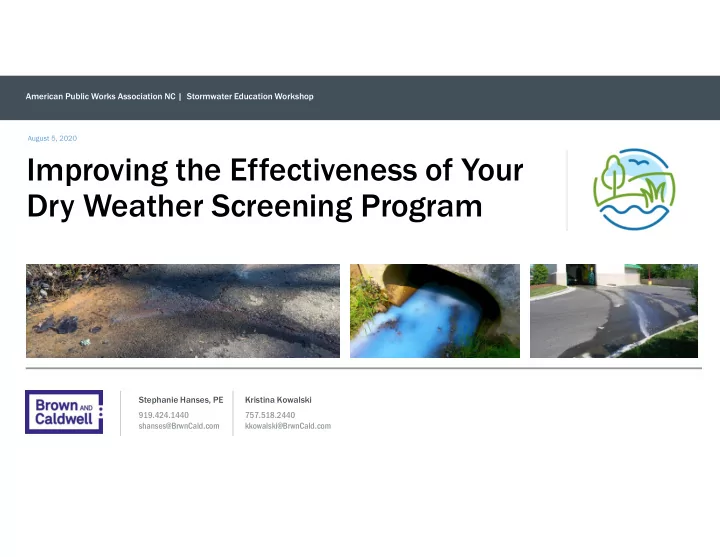
American Public Works Association NC | Stormwater Education Workshop August 5, 2020 Improving the Effectiveness of Your Dry Weather Screening Program Stephanie Hanses, PE Kristina Kowalski 919.424.1440 757.518.2440 shanses@BrwnCald.com


slide-1
SLIDE 1

Improving the Effectiveness of Your Dry Weather Screening Program

August 5, 2020

American Public Works Association NC | Stormwater Education Workshop Stephanie Hanses, PE 919.424.1440 shanses@BrwnCald.com Kristina Kowalski 757.518.2440 kkowalski@BrwnCald.com

slide-2
SLIDE 2

Outline

1 2 3 4

Purpose of the Program

2

Site Selection

3

Site Investigation

slide-3
SLIDE 3

Purpose of the Program

slide-4
SLIDE 4

 MCM 3: Illicit Discharge Detection and Elimination

MS4 Permit Compliance

 MCM 6: Pollution Prevention and Good Housekeeping for Municipal Operations

slide-5
SLIDE 5

When?

  • During “dry weather conditions”
  • At least 72 hours following >0.1-in of rain

Dry Weather Screening Investigations

What?

  • Anything other than stormwater
  • With a few permitted exceptions
slide-6
SLIDE 6

Site Selection

slide-7
SLIDE 7

Gather your data

  • MS4 Base Map
  • Major MS4 outfalls
  • Receiving waters
  • Conveyance system
  • Flow direction
  • Drainage Areas
  • Areas greater than 50 acres
  • Areas with industrial uses greater than 2 acres

7

slide-8
SLIDE 8

Establish Criteria

  • Age and use of residential areas
  • Older developments
  • Densely populated areas
  • Business type classifications
  • Auto dealers and repair shops
  • Gas stations and carwashes
  • Restaurants and catering locations
  • Shopping centers
  • Pet facilities
  • Other criteria
  • Previous illicit discharges
  • Known water quality impairments
  • New construction
  • Redevelopment/renovation projects
slide-9
SLIDE 9

Data Sources

  • Asset Inventory
  • Age of pipes and development
  • Zoning GIS data
  • Density of development
  • Industrial and Commercial zones
  • Planning Department
  • New construction sites
  • Redevelopment/renovation sites
  • Office of Revenue
  • Business licenses
  • US Census Data
  • Density of development
  • NC DEQ
  • Impaired waters
slide-10
SLIDE 10

Create a Geodatabase

slide-11
SLIDE 11

Target outfalls with high concentrations of selection criteria Additional sites can be selected

  • Upstream stations rather than
  • utfalls
  • Not all discharges may end up

at an outfall during dry weather screening

Site Selection

slide-12
SLIDE 12

A Case for Upstream Sites

slide-13
SLIDE 13

Site Investigation

slide-14
SLIDE 14

When you conduct the field visit

  • Evaluate physical indicators
  • Chemical analysis for specified parameters
  • In-field testing
  • Grab samples for lab analysis

Site Investigations

slide-15
SLIDE 15

Physical indicators

  • Discolored water
  • Dead vegetation
  • Odor

Site Investigations

slide-16
SLIDE 16

Physical indicators

  • Deposits or stains

Site Investigations

slide-17
SLIDE 17

Physical indicators

  • Floatables
  • Debris

Site Investigations

slide-18
SLIDE 18

Physical indicators

  • Benthic growth
  • White

(sewage)

  • Green (algae)
  • Orange (iron)

Site Investigations

slide-19
SLIDE 19

Physical indicators

  • Benthic growth
  • White (sewage)
  • Green

(algae)

  • Orange (iron)

Site Investigations

slide-20
SLIDE 20

Physical indicators

  • Benthic growth
  • White (sewage)
  • Green (algae)
  • Orange

(iron)

Site Investigations

slide-21
SLIDE 21

Site Investigation - Suds

  • Water with high organic matter

will foam when heavily mixed

  • Tan or brown foam
  • “Earthy” smell
  • Detergents
  • White foam
  • Perfume smell
slide-22
SLIDE 22
  • Sheen is not always

from petroleum

  • Natural

decomposition by microbes produces oil

  • Agitation test

Site Investigation – Sheen

slide-23
SLIDE 23

Parameters

  • pH
  • Turbidity
  • Temperature
  • Ammonia
  • Chlorine
  • Fluoride
  • Copper
  • Potassium

Site Investigations

slide-24
SLIDE 24

How to test the flow:

  • Colorimetric chemical analysis
  • Color wheels
  • Requires manual interpretation

Site Investigations

slide-25
SLIDE 25

How to test the flow:

  • Colorimetric chemical

analysis

  • DR900
  • Less inconsistency based
  • n user interpretation
  • “90 of the most common

testing parameters”

Site Investigations

slide-26
SLIDE 26

How to test the flow:

  • Supplementary bacteria

testing

  • Laboratory samples
  • E. coli
  • Enterococcus

Site Investigations

slide-27
SLIDE 27

Site Investigations

  • More data can make

identifying sources easier

  • Adding parameters must be

done with caution

  • “Knowing just enough to get

you into trouble”

more power?

More parameters,

slide-28
SLIDE 28

Got a “hit,” then what?

  • Source tracking
  • Upstream MS4 network
  • Tracking chemical and physical indicators
  • Above ground surveying

Site Investigations

slide-29
SLIDE 29

Thank you.

Questions?