Improving Performance We want to improve the performance of our - - PowerPoint PPT Presentation

improving performance
SMART_READER_LITE
LIVE PREVIEW

Improving Performance We want to improve the performance of our - - PowerPoint PPT Presentation

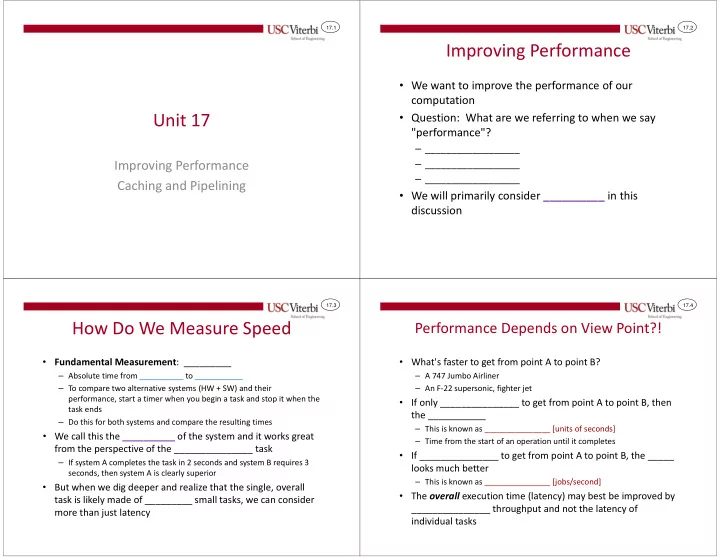
17.1 17.2 Improving Performance We want to improve the performance of our computation Unit 17 Question: What are we referring to when we say "performance"? __________________ Improving Performance __________________


slide-1
SLIDE 1

17.1

Unit 17

Improving Performance Caching and Pipelining

17.2

Improving Performance

  • We want to improve the performance of our

computation

  • Question: What are we referring to when we say

"performance"?

– __________________ – __________________ – __________________

  • We will primarily consider __________ in this

discussion

17.3

How Do We Measure Speed

  • Fundamental Measurement: _________

– Absolute time from __________ to ___________ – To compare two alternative systems (HW + SW) and their performance, start a timer when you begin a task and stop it when the task ends – Do this for both systems and compare the resulting times

  • We call this the __________ of the system and it works great

from the perspective of the _______________ task

– If system A completes the task in 2 seconds and system B requires 3 seconds, then system A is clearly superior

  • But when we dig deeper and realize that the single, overall

task is likely made of _________ small tasks, we can consider more than just latency

17.4

Performance Depends on View Point?!

  • What's faster to get from point A to point B?

– A 747 Jumbo Airliner – An F-22 supersonic, fighter jet

  • If only _______________ to get from point A to point B, then

the ___________

– This is known as _______________ [units of seconds] – Time from the start of an operation until it completes

  • If _______________ to get from point A to point B, the _____

looks much better

– This is known as _______________ [jobs/second]

  • The overall execution time (latency) may best be improved by

_______________ throughput and not the latency of individual tasks

slide-2
SLIDE 2

17.5

CACHING AND PIPELINING

Improving Latency and Throughput

17.6

Hardware Techniques

  • We can add hardware or reorganize our hardware to

improve throughput and latency of individual tasks in an effort to reduce the total latency (time) to finish the overall task

  • We will look at two examples:

– Caching: Improves ______________ – Pipelining: Improves ______________

17.7

Caching

  • Cache (def.) – "to store away in hiding or for future use"
  • Primary idea

– The ______________ you access or use something you expend the ________ amount of time to get it – However, store it someplace (i.e. in a cache) you can get it more ______________ the next time you need it – The next time you need something check if it is in the cache first – If it is in the cache, you can get it quickly; else go get it expending the full amount of time (but then __________ it in the cache)

  • Examples:

– _____________________ – _____________________ – _____________________

17.8

Cache Overview

  • Remember what register are used for?

– Quick access to copies of data – Only a _______ (32 or 64) so that we can access really quickly – Controlled by the __________________

  • Cache memory is a small-ish, (____bytes to

a few _____bytes) "_________" memory usually built onto the processor chip

  • Will hold ____________ of the

latest data & instructions accessed by the processor

  • Managed by the ____

– ____________ to the software

0x400000 0x400040 … Cache Memory

Memory (RAM) Bus

s0 Registers sf 800a5 PC ALUs ALUs

Processor Chip

slide-3
SLIDE 3

17.9

Cache Operation (1)

0x400000 0x400040 … Cache Memory

Memory (RAM) Bus

  • When processor wants data or

instructions it always _________ in the cache first

  • If it is there, ______ access
  • If not, get it from __________
  • Memory will also supply

______________ data since it is likely to be needed soon

  • Why?
  • Things like ______ & ______

(instructions) are commonly accessed sequentially

s0 Registers sf 800a5 PC ALUs ALUs

  • Proc. requests

data @ 0x400028 1 Cache does not have the data and thus requests data from memory

2 3

Memory responds not

  • nly with desired data

but surrounding data

4

Cache forwards desired data

Processor Chip

17.10

Cache Operation (2)

0x400000 0x400040 … Cache Memory

Memory (RAM) Bus

  • When processor asks for the

data again or for the next data value in the array (or instruction of the code) the cache will likely have it

  • Questions?

s0 Registers sf 800a5 PC ALUs ALUs

  • Proc. requests

data @ 0x400028 again

1 2

Cache has the data & forwards it quickly

  • Proc. requests

data @ 0x400024 again

3 4

Cache also has the nearby data

Main point: Caching reduces the latency of memory accesses which improves

  • verall program performance.

17.11

Memory Hierarchy & Caching

  • Use several levels of faster and faster memory to hide _______
  • f larger levels

Main Memory ~ 100 ns L2 Cache ~ 10ns L1 Cache ~ 1ns Registers

Faster Less Expensive Larger Slower More Expensive Smaller

Unit of Transfer:

8-64 bytes

Unit of Transfer: 8- to 64- bits

17.12

Pipelining

  • We'll now look at a hardware technique called

pipelining to improve _______________

  • The key idea is to __________ the processing
  • f multiple "items" (either data or

instructions)

slide-4
SLIDE 4

17.13

Example

  • Suppose you are asked to build dedicated hardware to

perform some operation on all 100 elements of some arrays

  • Suppose the operation (A[i]+B[i])/4 takes 10 ns to perform
  • How long would it take to process the entire arrays: ______ ns

– Can we improve?

Memory

A[i] B[i]

A: B: C: i Counter (Addr. Generator)

for(i=0; i < 100; i++) C[i] = (A[i] + B[i]) / 4;

5ns 5ns

Clock Freq. = 1/__ns = _______ MHz

(longest path from register to register) 17.14

Pipelining Example

  • Pipelining refers to insertion of registers to split

combinational logic into smaller stages that can be

  • verlapped in time (i.e. create an assembly line)

Stage 1 Stage 2 Clock Cycle 0 A[0] + B[0] Clock Cycle 1 A[1] + B[1] (A[0] + B[0]) / 4 Clock Cycle 2 A[2] + B[2] (A[1] + B[1]) / 4

Stage 1 Stage 2

for(i=0; i < 100; i++) C[i] = (A[i] + B[i]) / 4;

Time for 0th elements to complete: __________ Time between each of the remaining 99 element completing: ________ Total: ______________ Define: 1000 ______ ____ Clock freq: = _________

17.15

Need for Registers

  • Provides separation between combinational functions

– Without registers, fast signals could “catch-up” to data values in the next operation stage

Performing an

  • peration yields

signals with different paths and delays We don’t want signals from two different data values mixing. Therefore we must collect and synchronize the values from the previous operation before passing them on to the next Signal i Signal j 5 ns 2 ns CLK CLK

17.16

Pipelining Example

  • By adding more pipelined stages we can improve throughput
  • Have we affected the latency of processing individual

elements? ____________

  • Questions/Issues?

– ____________ stage delays – ___________ of registers (Not free to split stages)

  • This limits how much we can split our logic

for(i=0; i < 100; i++) C[i] = (A[i] + B[i]) / 4;

Time for 0th elements to complete: __________ Time between each of the remaining 99 element completing: ________ Total: ______________ 1000 257.5 4"

Stage 1 Stage 2 Stage 3 Stage 4

2.5ns 2.5ns 2.5ns 2.5ns

slide-5
SLIDE 5

17.17

Non-Pipelined Processors

  • Currently we know our processors execute software

1 instruction at a time

  • 3 steps/stages of work for each instruction are:

– ___________ – ___________ – ___________

  • instruc. i

F D E

  • instruc. i+1
  • instruc. i+2

time

F D E F D E

17.18

Pipelined Processors

  • By breaking our processor hardware for instruction execution

into stages we can overlap these stages of work

  • Latency for a single instruction is the _____________
  • Overall throughput, and thus total latency, are greatly

improved

  • instruc. i

F D E

  • instruc. i+1
  • instruc. i+2

time

  • instruc. i+3

17.19

More and More Stages

  • We can break the basic stages of work into

substages to get better performance

  • In doing so our clock period goes ______;

frequency goes _____

  • All kinds of interesting issues come up

though when we overlap instructions and are discussed in future CENG courses

  • instruc. i
  • instruc. i+1
  • instruc. i+2

time

  • instruc. i+3

F1F2D1D2E1E2 F1F2D1D2E1E2 F1F2D1D2E1E2 F1F2D1D2E1E2

  • instruc. i

F D E

  • instruc. i+1

F D E F D E

  • instruc. i+2

time

  • instruc. i+3

F D E

10ns 10ns 10ns

5ns 5ns5ns 5ns5ns 5ns

Clock freq. = 1/10ns = 100MHz Clock freq. = 1/__ns = ___MHz

17.20

Summary

  • By investing extra hardware we can improve the
  • verall latency of computation
  • Measures of performance:

– Latency is start to finish time – Throughput is tasks completed per unit time (measure of parallelism)

  • Caching reduces latency by holding data we will use

in the future in quickly accessible memory

  • Pipelining improves throughput by overlapping

processing of multiple items (i.e. an assembly line)