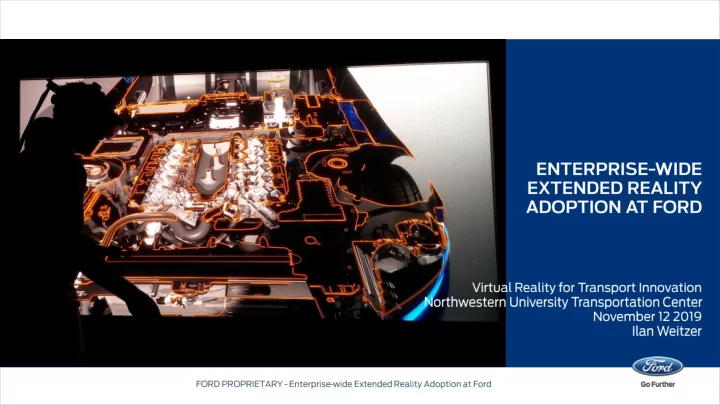
https://www.youtube.com/embed/WZQ_DQD7F3U Design Engineering - - PowerPoint PPT Presentation

https youtube com embed wzq dqd7f3u design engineering
SMART_READER_LITE
LIVE PREVIEW

https://www.youtube.com/embed/WZQ_DQD7F3U Design Engineering - - PowerPoint PPT Presentation

https://www.youtube.com/embed/WZQ_DQD7F3U Design Engineering Visualization Review character lines and other surface information Quickly and accurately overlay new designs on an existing car to evaluate changes. Save


slide-1
SLIDE 1
slide-2
SLIDE 2
slide-3
SLIDE 3
slide-4
SLIDE 4
slide-5
SLIDE 5
slide-6
SLIDE 6
slide-7
SLIDE 7
slide-8
SLIDE 8
slide-9
SLIDE 9
slide-10
SLIDE 10
slide-11
SLIDE 11
slide-12
SLIDE 12
slide-13
SLIDE 13
slide-14
SLIDE 14

https://www.youtube.com/embed/WZQ_DQD7F3U

slide-15
SLIDE 15

Design Engineering Visualization

  • Review character lines and other surface information
  • Quickly and accurately overlay new designs on an existing car to evaluate changes.
  • Save time and money by easily toggling between different designs or see a split view

to look at multiple designs at same time.

  • Allows data owner to maintain better visibility and access control for their designs

Collaboration

  • Annotations (voice or text) are created which include gaze to issue noted
  • T
  • ur mode for exploration of current vehicle status at any point in time
  • Share content with multiple virtual users (or non-users via projected view)
slide-16
SLIDE 16
slide-17
SLIDE 17

▪ ▪ ▪ ▪ ▪ ▪

slide-18
SLIDE 18
slide-19
SLIDE 19
slide-20
SLIDE 20
slide-21
SLIDE 21
slide-22
SLIDE 22
slide-23
SLIDE 23
slide-24
SLIDE 24
slide-25
SLIDE 25