HSC Queue Mode Implementation Plan ~ Stage I , II, III ~ Tae-Soo - - PowerPoint PPT Presentation

hsc queue mode
SMART_READER_LITE
LIVE PREVIEW

HSC Queue Mode Implementation Plan ~ Stage I , II, III ~ Tae-Soo - - PowerPoint PPT Presentation

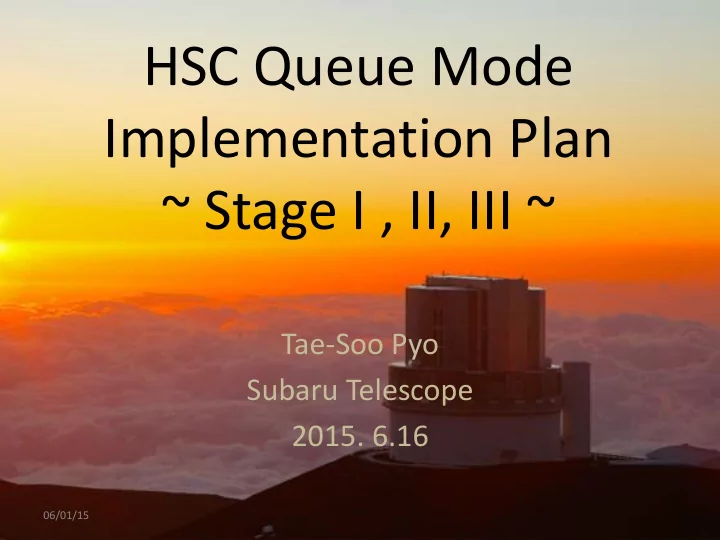
HSC Queue Mode Implementation Plan ~ Stage I , II, III ~ Tae-Soo Pyo Subaru Telescope 2015. 6.16 06/01/15 Basic Principle Start simple Satisfying users requirements Information : Logs, completion reports Feedback : Q/A staff


slide-1
SLIDE 1

HSC Queue Mode Implementation Plan ~ Stage I , II, III ~

Tae-Soo Pyo Subaru Telescope

  • 2015. 6.16

06/01/15

slide-2
SLIDE 2

Basic Principle

  • Start simple
  • Satisfying users requirements

– Information : Logs, completion reports – Feedback : Q/A staff assignment

  • Do not drop quality of operation.
  • Do not drop quality of data.

– Some parts should be checked manually at the beginning – QWG will help proactively in all STAGEs.

06/01/15

slide-3
SLIDE 3

STAGEs for Queue Implementation

STAGE I: S16 A & B (Beginning)

  • Only applicants of queue Mode in OPEN USE

STAGE II: S17 A & B (Stabilizing)

  • 50% Queue + 50% Classical in OPEN USE only

STAGE III: S18 A & B (Settle down)

  • 80% Queue + 20% Classical in both OPEN USE

and SSP

06/01/15

slide-4
SLIDE 4

STAGE I: S16A and B

  • OPEN USE (< 5 nights) + 1st and last nights of SSP +

Sukima Time

  • In CfP, open “Subaru Open Use queue mode

program” for HSC.

– Queue mode will be allocated at “Sukima” (隙間時間) in classical mode program and several queue mode nights.

  • No additional target request of classical programs.
  • In bad weather, Queue program has higher priority than back-

up programs.

  • The number of queue observation night depends on the

number of the accepted queue programs.

– Referees give science assessment for queue proposals. – SAs give technical assessment for queue proposals.

06/01/15

slide-5
SLIDE 5

STAGE I: Queue Mode Programs

  • Normal Queue Programs

– Normal Queue Program: No lower limitation of

  • bserving time = 0.14 – 5 nights (=1 - 35 hrs)
  • Filler Queue Programs (from S16B)

– Bad weather Condition – Less then 4 hrs. – Priority is lower than Normal Queue Program but it will be useful for Queue filling.

06/01/15

slide-6
SLIDE 6

STAGE I: Queue Operation Resources

  • Operation Center: Imanishi, Pyo, Nakano + FQA staff
  • With Queue planning and simulation program

Manage of Queue Schedule and Completion rate

  • SAs, SSAs, Operators, HSC Astronomers

Queue Observers

  • OCS team & CDM ( ProMS and STARS system)

Queue Software Management

  • Initial QA during observation with HSC quick look programs by SAs
  • Final QA will be done by FQA staff in the next morning.

Quality Assessment

06/01/15

slide-7
SLIDE 7

STAGE I : Software for S16 A & B

  • Input observation plan and parameters by PI
  • Make Observation block files
  • Spread Sheet Format

Phase II Tools

  • Drafting and Investigation of Queue mode schedule
  • Semester base, Each two weeks (one run) base
  • Checking and modifying Queue mode Schedule daily base
  • Update with the completeness of OBs .

Queue Planner

  • Show queue list satisfying conditions [sorted by priority]
  • Weight control system.
  • Generate HSC OPE commands from OB information
  • Marking and Commenting for OBs which were done

Queue Selection & Execution tools

  • Distribute monitoring script to find new data acquisition to PIs.
  • Observation Logs (Executed OBs)
  • Weather Information
  • Quality assessments

Data Delivery

06/01/15

slide-8
SLIDE 8

STAGE II: S17 A & B

  • Allocate Queue programs in fixed rate

– 20% Queue + 80% Classical (S17A) – 50% Queue + 50% Classical (S17B) – The allocation rate can be changed by the results of S16A & B queue observations – Increase the queue observation rate up to 50%

  • OPEN USE + 1st and last nights of SSP + Sukima Time
  • Allocate proposals to Queue mode in TAC or Sci. Div.

– High ranking proposals in referee judgment – Proposals

  • strict requirements for scientific achievement ( best seeing,

photometric sky, dark night)

  • Targets with wide spreading over the all sky area
  • Regular Queue scheduling is required

06/01/15

slide-9
SLIDE 9

STAGE II: Queue Scheduling

  • Semester and Run base scheduling check

– Before starting Semester and One week before run – Update queue filling and lists updated – Check the availability of queue list considering various environment conditions

  • Daily base scheduling with fine tuning

– Update and fine tune queue lists before the

  • bservation everyday.

06/01/15

slide-10
SLIDE 10

STAGE II: Queue Operation Resources

  • Operation Center: Nakano, Imanishi, Pyo + FQA staff

Manage of Queue Schedule and Completion rate

  • SA, SSA, Operators, HSC Astronomers

Queue Observers

  • OCS team

Queue Software Management

  • SSA + SA + HSC Astronomers
  • Run base schedule check and daily base schedule revision

Queue Scheduling

  • FQA staff
  • In the next morning, check frames commented by Queue observers with QA tools

Quality Assessment

06/01/15

slide-11
SLIDE 11

STAGE II : Software for S17A & B

Phase II Tools Queue Planner Queue Selection and Execution Tool Data Delivery

  • Gen2 log analyzer
  • Automatic Estimate and summarize times for each

execution of proposal (OB), overhead, trouble down time

Automatic Log analyzer

  • Initial QA during observation with HSC software by Queue
  • bservers
  • Final QA after observation by Queue Assessment Checker

Quality Assessment tool

06/01/15

slide-12
SLIDE 12

STAGE III: S18 A and B

  • Both Open USE and SSP

– 80% Queue + 20% Classical – Dead time of SSP will be increasing  mixing Open USE and SSP in queue mode – The policy of how to take balance OPEN USE and SSP with queue should be determined.

06/01/15

slide-13
SLIDE 13

Thanks

  • Questions and Comments ?

06/01/15