
SLIDE 1
How To: Run the ENCODE long-RNA-seq analysis pipeline
- n DNAnexus
Overview: In this exercise, we will run the ENCODE Uniform Processing Long RNA-seq Pipeline on a small test dataset containing reads from chromosome 21 sampled from an ENCODE RNA-seq experiment on a stomach tissue sample. The ENCODE Portal page for the experiment is here: (https:// www.encodeproject.org/experiments/ENCSR000AFI/) The pipeline was specified by the ENCODE RNA Working Group and implemented at the ENCODE Data Coordinating Center (DCC). Today we will run the pipeline on the DNAnexus cloud platform. Typically, full ENCODE RNA experiments run on this pipeline are whole genome 30x read depth and take around 10 hours. This demonstration dataset can be processed in about 46 minutes. The ENCODE pipeline code is open-source and lives on github at: https://github.com/ ENCODE-DCC/long-rna-seq-pipeline. The pipeline is modeled on the encode portal which provides links directly to the exact scripts that define each step: https:// www.encodeproject.org/pipelines/ENCPL002LPE/. Summary of Steps: Here is a high-level summary of what you will learn to do in this exercise.
- Find the ENCODE Uniform Processing Pipeline project on DNAnexus.
- Copy the pipeline software and files from that project to a new project in your
account.
- Complete the specification of inputs to the workflow.
- Run the pipeline workflow on the cloud.
- Monitor the run’s progress.
- Visualize the output.
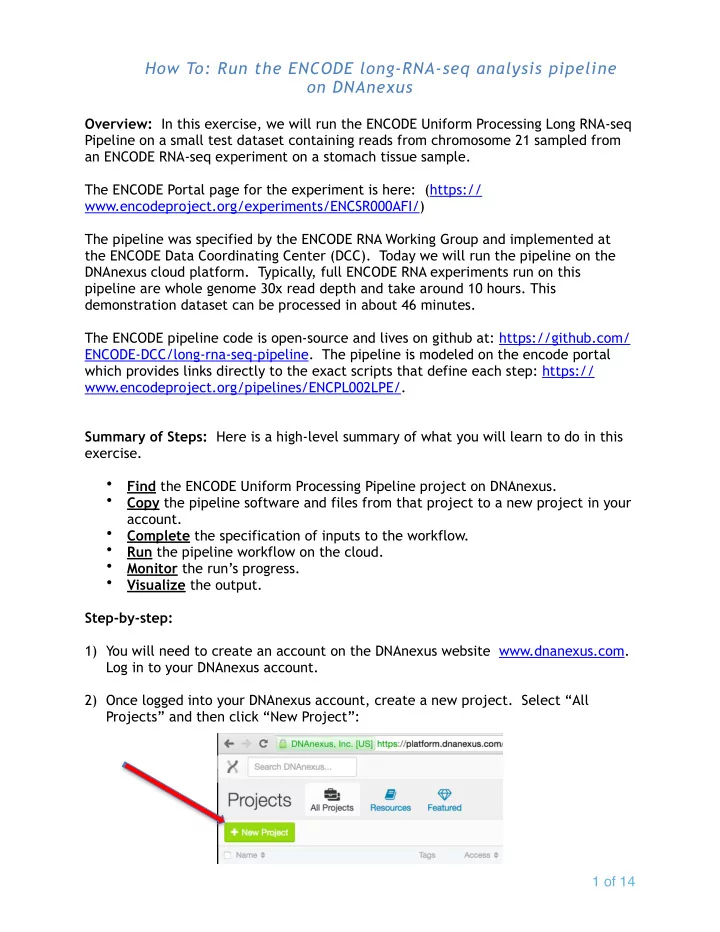
Step-by-step: 1) You will need to create an account on the DNAnexus website www.dnanexus.com. Log in to your DNAnexus account. 2) Once logged into your DNAnexus account, create a new project. Select “All Projects” and then click “New Project”:
- f