HOMEOWNER INFORMATION MEETING PROPERTY MANAGEMENT Manage common - - PowerPoint PPT Presentation

homeowner
SMART_READER_LITE
LIVE PREVIEW

HOMEOWNER INFORMATION MEETING PROPERTY MANAGEMENT Manage common - - PowerPoint PPT Presentation

HOMEOWNER INFORMATION MEETING PROPERTY MANAGEMENT Manage common elements Enforce Declaration, By-Laws and Rules as directed by Board of Directors Provide financial, administration, customer service and 24-hour emergency service


slide-1
SLIDE 1

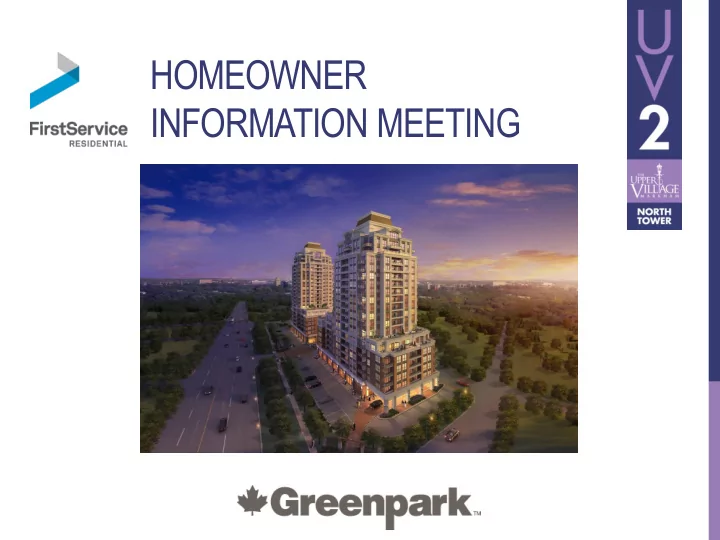
HOMEOWNER INFORMATION MEETING

slide-2
SLIDE 2

PROPERTY MANAGEMENT

  • Manage common elements
  • Enforce Declaration, By-Laws and Rules as directed

by Board of Directors

  • Provide financial, administration, customer service and

24-hour emergency service

  • Website: www.fsresidential.com
slide-3
SLIDE 3

PROPERTY MANAGER

Management Office (on-site)

  • Tel. No.:

TBD Fax No.: TBD Email: TBD On-site office is located on the 2nd floor 24-Hour Concierge

  • Tel. No.:

TBD 24-hr Resident Care line: 1.855.244.8854

slide-4
SLIDE 4

CUSTOMER SERVICE

Greenpark Customer Service:

  • Monday to Friday 9:00am to 5:00pm
  • Tel. No.:

416.661.5994 Fax No.: 905.609.0442 Email: service@greenparkhomes.com Responsible for:

  • In-suite issues
slide-5
SLIDE 5

PRE-DELIVERY INSPECTION (PDI)

  • PDI is done approximately two weeks before your confirmed
  • ccupancy date, Monday to Friday between regular business

hours as scheduled by an independent PDI company

  • Purpose of inspection:
  • Formal introduction to your new home
  • Guided room by room tour of your suite with an
  • pportunity to review the in-suite features
  • Inspect the suite for workmanship and condition of the

various finishes

slide-6
SLIDE 6

PDI CONCERNS

  • Every effort is given to correct the concerns prior to
  • ccupancy, however, should access be needed after
  • ccupancy it shall take place Monday to Friday

between 9:00am and 5:00pm

  • Items not completed should be included on the 30-day

TARION form

  • These concerns will be addressed within 120 days of

submission of the 30-day TARION form

slide-7
SLIDE 7

IN-SUITE CONCERNS

  • Provide specific details of the concern:
  • room, location in room and nature of concern
  • Customer Service will:
  • Contact the homeowner by phone or email upon

receipt of a 30-day form, Year-end form or letter of complaint

  • Schedule an appointment to complete repairs.

Homeowners are required to provide reasonable access

  • Emergencies must be reported immediately to the Builder and

FirstService Residential

slide-8
SLIDE 8

TARION WARRANTY EXCLUSIONS

TARION warranty does not cover everything, there are some items not covered:

  • Secondary damage caused by defects, such as property damage and

personal injury;

  • Normal wear and tear and normal shrinkage of materials caused by drying

after construction;

  • Damage caused by dampness or condensation due to failure by the

Homeowner to maintain adequate ventilation;

  • Damage resulting from improper homeowner maintenance;
  • Alterations, deletions or additions made to the suite by the Homeowner;
  • Surface defects in work and materials specified and accepted in writing by

the Homeowner at the date of possession.

TARION – www.tarion.com

slide-9
SLIDE 9

PROPOSED AMENITIES

PARTY ROOM PARKETTE OUTDOOR TERRACE FITNESS STUDIO

Please note that these amenities may not be ready at the time of Occupancy

slide-10
SLIDE 10

COMMON ELEMENT CONCERNS

  • Performance audit for common area concerns will be completed

after Condominium Registration

  • Performance auditor will send a questionnaire to you to identify

and report common area concerns. The questionnaires will form part of the performance audit. Suite specific concerns to be addressed via TARION statutory warranty submission process

  • Performance audit will be submitted to TARION as a claim for

warranty purposes

  • Corporation has specific 1-year, 2-year and 7-year warranty

coverage from TARION

slide-11
SLIDE 11

DECLARANT’S RIGHTS AND RESPONSIBILITIES

  • Declarant has the “right of entry” to the suites to

address concerns, Corporation responsibilities and to charge an Occupancy Fee. This Fee is comprised of:

  • Common Element Maintenance Fees
  • Tax Estimate
  • Interest on Unpaid Balance
  • Declarant has the obligation to provide services and to

repair and maintain the property before turnover

slide-12
SLIDE 12

ELEVATOR BOOKING

  • Contact FirstService Residential to book your elevator

date and time

  • Tel. No.: 1.855.244.8854
  • Your move-in date can be no sooner than the day

after your interim occupancy date

  • Deliveries must also be booked via the FirstService

Residential Head Office Monday to Friday between 9:00am and 5:00pm

slide-13
SLIDE 13

MOVE-IN PROCEDURES

7 days a week – 3 hour time limit during Interim Occupancy Monday to Friday: 11:00am to 2:00pm 2:00pm to 5:00pm 5:00pm to 8:00pm Saturday and Sunday: 8:00am to 11:00am 11:00am to 2:00pm 2:00pm to 5:00pm 5:00pm to 8:00pm Anything that can be carried without the need of a booked elevator can be taken in at any time.

slide-14
SLIDE 14

MOVE-IN PROCEDURES

  • There is a Move-In room. Moving trucks can park at the rear of

the building. Trucks/vehicles are not permitted to block roadways or fire routes

  • Owners must check-in with the Property Management staff to

ensure that the elevator is made available and to direct you to the moving area

  • Please bring photo identification
  • Ensure that all boxes are broken down and disposed of in the

garbage/recycling room, or removed by your movers or delivery people

slide-15
SLIDE 15

KEY PICKUP PROCEDURES

  • The Concierge receives notice of Interim Occupancy

closings from the Builder’s solicitor by email. Key packages cannot be released until this notice has been received

  • Suite owners are asked to schedule key package

pickups by calling or emailing the Concierge between 9:00am and 5:00pm

  • Please bring photo identification
slide-16
SLIDE 16

MAIL DELIVERY, TELEPHONE, CABLE

Canada Post will provide mail delivery to the building – the mailbox area is located by the lobby entrance. If mail delivery does not occur with your Occupancy, local post office pickup will be applicable. Please visit: www.canadapost.ca or your local post

  • ffice for details on how to change your address:

9506 Markham Road, ON L6E 0S5 Bell and Rogers are the providers for telephone, cable and internet services. Contact provider directly to arrange for account setup and hookup.

slide-17
SLIDE 17

IN-SUITE HYDRO

  • Each unit is separately metered for hydro by

PowerStream

  • Your meter will be read and invoiced directly to you

by PowerStream

  • It is your responsibility to setup a new account with

PowerStream

slide-18
SLIDE 18

LIVING IN A NEW CONDOMINIUM

  • Construction
  • Fire alarms
  • Various malfunctions
  • Ongoing construction work
  • Elevator use
  • Inaccessible amenities
  • Limited visitor parking
  • Noise – sound travels, responsible hours
slide-19
SLIDE 19

WASTE MANAGEMENT

  • Building is equipped with a waste management tri-sorter
  • Follow posted instructions for use
  • Only securely-tied bagged garbage and recycling items are to be

placed down the chute. Do not leave any material on the chute room floor

  • Large items that do not fit in the chute must be taken directly to the

garbage/recycling room

  • Flatten all boxes and take directly to the garbage/recycling room on

the ground level

  • Disposal of furniture and non-recycling items etc. must be taken

directly to a waste transfer station by the owner

  • Please do not use the chute between 10:00pm and 8:00am
slide-20
SLIDE 20

SECURITY SYSTEMS

  • There will be an electronic access system at main points of

entry

  • There will be an enter-phone at the lobby entrance
  • Recording cameras are located in the underground parking

garage, entrances and various other locations

  • Access Control Policy – each suite will receive one (1)

garage door remote for each parking space purchased, and two (2) access control fobs

  • Owners may purchase additional access fobs to a maximum
  • f one per registered resident from the Property Manager
slide-21
SLIDE 21

SECURITY

Security is everyone’s business:

  • Do not let strangers in behind you when

entering/exiting the building

  • Do not leave access fobs/keys in your car
  • Use your access fob each and every time you enter

the building

slide-22
SLIDE 22

PARKING

  • Enter and exit the parking garage with caution; do not

speed

  • You will be notified of your parking assignment at

Interim Occupancy via your solicitor

  • Please ensure that you or your visitors do not park in

the designated fire route

  • Residents/owners must park in their designated

parking space only

slide-23
SLIDE 23

VISITOR ACCESS

  • Walk-in visitors must use the enter-phone system

located in lobby vestibule

  • Visitors must park in designated visitor parking areas,

then proceed to lobby vestibule to contact the resident using the enter-phone system

  • Suite owners will require a landline or cell phone to

be called by the enter-phone system. Call Waiting feature is required to be called by the enter-phone if you are on the phone

slide-24
SLIDE 24

LOCKER/BICYCLE UNITS

  • Shall be used for the storage of a bicycle and/or other non-

hazardous materials

  • Bicycles are not to be taken into the elevator, through the

lobby or the corridors. Store your bicycle in your personal bicycle storage unit/rack

  • Please use only the locker that has been assigned to you
  • We recommend that you secure your locker unit with a lock

even if you are not using it

  • You will be notified of your locker assignment at Interim

Occupancy via your solicitor

slide-25
SLIDE 25

CONDOMINIUM LIVING

  • Living in close proximity with your neighbours require

consideration and sensitivity. Everyone deserves the enjoyment of their home. There are some “do’s and don’ts”

  • Got a question?
  • Ask Property Management
slide-26
SLIDE 26

PETS

  • Pets must be on a leash at all times when in the

common element areas

  • Pet owners must clean up after their pets and dispose
  • f the waste in their own receptacles
  • If an accident occurs in the hallway and/or on the

property, please clean up immediately

slide-27
SLIDE 27

WINDOWS, WALLS AND DOORS

  • The backing of all window coverings must be white or
  • ff white
  • No signs, wreaths etc. can be affixed, painted or

inscribed on any door or window

  • Owners cannot change the exterior glass, install

awnings, or affix anything on the exterior walls. All changes need Declarant/Board approval

  • Owners cannot change suite/unit locks on doors
slide-28
SLIDE 28

INSURANCE

  • The suite owner is responsible for obtaining

insurance from the date of Occupancy as follows:

  • Personal Property – all contents including locker
  • Betterments and Improvements
  • Liability for minimum $2,000,000
slide-29
SLIDE 29

REGISTRATION

  • The date in which the Corporation registers and becomes a

Condominium

  • The Declarant (the Builder) shall notify purchasers within 30 days of

registration

  • Final Closing – your solicitor will be notified of the closing date by the

Builder’s solicitor so be sure that the Builder has your solicitor’s contact information

  • If you have changed any of the information since you purchased your

suite (i.e. your name, current home address, home telephone number, business telephone number, cell number, email address and/or solicitor), please send written confirmation to the Builder’s solicitor

slide-30
SLIDE 30

TURNOVER OF THE CONDOMINIUM TO THE OWNERS

  • Within approximately 42 days after the majority of

closings, a Turnover Meeting is held

  • The Declarant will “turnover” to the Corporation the

Condominium’s drawings and documents

slide-31
SLIDE 31

THE BOARD OF DIRECTORS

  • The Board of Directors is elected by the owners at the

Turnover Meeting to manage the affairs of the Condominium

  • The By-Laws of the Corporation provide for 3

Directors

  • The first meeting of the newly elected Board of

Directors will be held 2 to 3 weeks after the Turnover Meeting

slide-32
SLIDE 32

OWNERS’ RESPONSIBILITIES AND OBLIGATIONS

  • Complete Owners/Residents Information form providing the

Corporation with owners’ names and/or occupants’ names and telephone numbers

  • Notify Corporation and complete appropriate form when leasing

your suite

  • Complete Special Assistance form – for assistance with

evacuation, if necessary

  • All forms are available from Property Management
slide-33
SLIDE 33

CAR SHARE PROGRAM

  • FREE two-year membership
  • FREE $35 driving credit
  • Visit booth for more information
slide-34
SLIDE 34
  • FREE Presto Card preloaded with $120.00 credit

(one card per suite)

  • Visit booth for more information

TRANSIT

slide-35
SLIDE 35

PARTICIPANTS

slide-36
SLIDE 36

LOBBY LOUNGE

We Look Forward to Meeting and Welcoming You to Your New Home!