
SLIDE 1
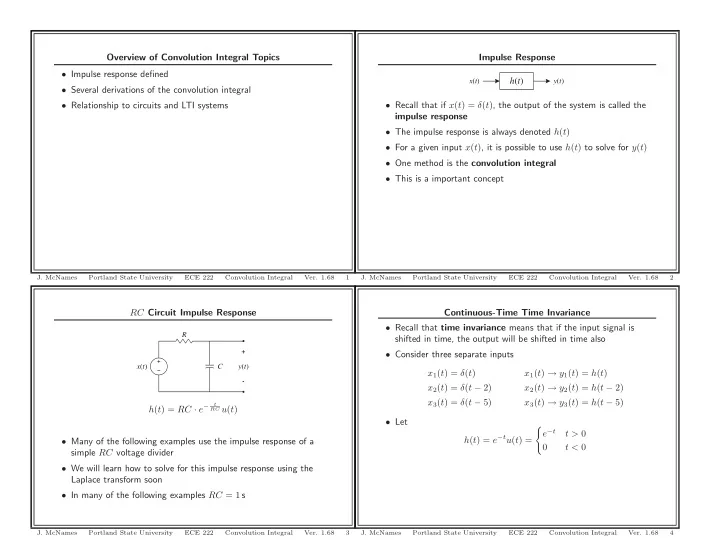
RC Circuit Impulse Response
C R
- +
x(t) y(t)
h(t) = RC · e−
t RC u(t)
- Many of the following examples use the impulse response of a
simple RC voltage divider
- We will learn how to solve for this impulse response using the
Laplace transform soon
- In many of the following examples RC = 1 s
- J. McNames
Portland State University ECE 222 Convolution Integral
- Ver. 1.68
3
Overview of Convolution Integral Topics
- Impulse response defined
- Several derivations of the convolution integral
- Relationship to circuits and LTI systems
- J. McNames
Portland State University ECE 222 Convolution Integral
- Ver. 1.68
1
Continuous-Time Time Invariance
- Recall that time invariance means that if the input signal is
shifted in time, the output will be shifted in time also
- Consider three separate inputs
x1(t) = δ(t) x1(t) → y1(t) = h(t) x2(t) = δ(t − 2) x2(t) → y2(t) = h(t − 2) x3(t) = δ(t − 5) x3(t) → y3(t) = h(t − 5)
- Let
h(t) = e−tu(t) =
- e−t
t > 0 t < 0
- J. McNames
Portland State University ECE 222 Convolution Integral
- Ver. 1.68
4
Impulse Response h(t)
x(t) y(t)
- Recall that if x(t) = δ(t), the output of the system is called the
impulse response
- The impulse response is always denoted h(t)
- For a given input x(t), it is possible to use h(t) to solve for y(t)
- One method is the convolution integral
- This is a important concept
- J. McNames
Portland State University ECE 222 Convolution Integral
- Ver. 1.68