SLIDE 1
Free Energy Calculations: Methane in Water 1/24
GROMACS Tutorial Free Energy Calculations: Methane in Water
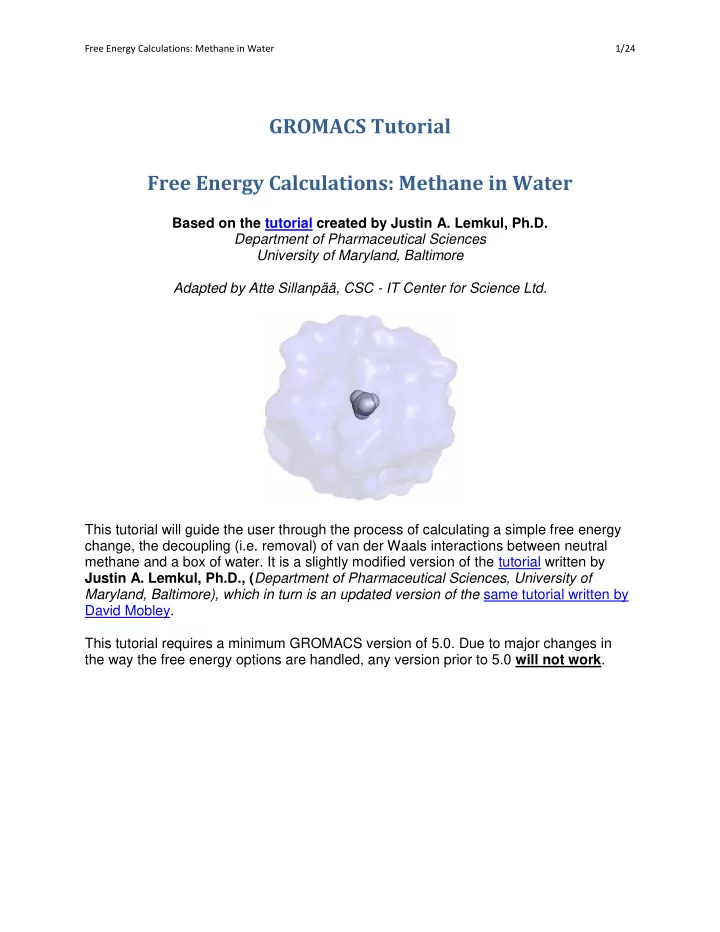
Based on the tutorial created by Justin A. Lemkul, Ph.D. Department of Pharmaceutical Sciences University of Maryland, Baltimore Adapted by Atte Sillanpää, CSC - IT Center for Science Ltd. This tutorial will guide the user through the process of calculating a simple free energy change, the decoupling (i.e. removal) of van der Waals interactions between neutral methane and a box of water. It is a slightly modified version of the tutorial written by Justin A. Lemkul, Ph.D., (Department of Pharmaceutical Sciences, University of Maryland, Baltimore), which in turn is an updated version of the same tutorial written by David Mobley. This tutorial requires a minimum GROMACS version of 5.0. Due to major changes in the way the free energy options are handled, any version prior to 5.0 will not work.
SLIDE 2 Free Energy Calculations: Methane in Water 2/24
Step One: Theory
This tutorial will assume you have a reasonable understanding of what free energy calculations are, the different types that exist, and the underlying theory of the technique. It is neither practical nor possible to provide a complete education here. Instead, I will focus this tutorial on practical aspects
- f running free energy calculations in GROMACS, highlighting relevant theoretical points as
necessary throughout the tutorial. I will provide here a list of useful papers for those who are new to free energy calculations. Do not consider this list exhaustive. It should also not supplant proper study of statistical mechanics and the many books and papers that have been written on related topics.
- 1. C. D. Christ, A. E. Mark, and W. F. van Gunsteren (2010) J. Comput. Chem. 31: 1569-1582. DOI
- 2. A. Pohorille, C. Jarzynski, and C. Chipot (2010) J. Phys. Chem. B 114: 10235-10253. DOI
- 3. A. Villa and A. E. Mark (2002) J. Comput. Chem. 23: 548-553. DOI
The objective of this tutorial is to reproduce the results of a very simple system for which an accurate free energy estimate exists. The system of choice (methane in water) is one dealt with by Shirts et al. in a systematic study of force fields and the free energies of hydration of amino acid side chain analogs. The complete publication can be found here. This tutorial will assume you have read and understood the broader points of this paper. Rather than use the thermodynamic integration approach of the Mobley tutorial (and others that exist online), the data analysis conducted here will utilize the GROMACS "bar" module, which was introduced in GROMACS version 4.5 (previously called g_bar). It uses the Bennett Acceptance Ratio (BAR, hence the name of the module) method for calculating free energy
- differences. The corresponding paper for BAR can be found here. Knowledge of this method is also
assumed and will not be discussed in great detail here. Free energy calculations have a number of practical applications, of which some of the more common ones include free energies of solvation/hydration and free energy of binding for a small molecule to some larger receptor biomolecule (usually a protein). Both of these procedures involve the need to either add (introduce/couple) or remove (decouple/annihilate) the small molecule of interest from the system and calculate the resulting free energy change. There are two types of nonbonded interactions that can be transformed during free energy calculations, Coulombic and van der Waals interactions. Bonded interactions can also be manipulated, but for simplicity, will not be addressed here. For this tutorial, we will calculate the free energy of a very simple process: turning off the Lennard-Jones interactions between the atomic sites of a molecule of interest (in this case, methane) in water. This quantity was calculated very precisely by Shirts et al. and thus it is the quantity we seek to reproduce here.
SLIDE 3
Free Energy Calculations: Methane in Water 3/24
Step Two: Examine the Topology
Look at the coordinate file (methane_water.gro) and topology (topol.top) for this system. They can be found in the Methane subfolder. These files were provided as part of David Mobley's tutorial, and are the original files (modified slightly for compatibility with recent GROMACS versions) used by Michael Shirts in the paper referenced on the previous page. The system contains a single molecule of methane (called "ALAB" in the coordinate file, for the β-carbon of alanine) in a box of 596 TIP3P water molecules. Looking into the topology, we find:
; Topology for methane in TIP3P #include "oplsaa.ff/forcefield.itp" [ moleculetype ] ; Name nrexcl Methane 3 [ atoms ] ; nr type resnr residue atom cgnr charge mass typeB chargeB massB 1 opls_138 1 ALAB CB 1 0.000 12.011 2 opls_140 1 ALAB HB1 2 0.000 1.008 3 opls_140 1 ALAB HB2 3 0.000 1.008 4 opls_140 1 ALAB HB3 4 0.000 1.008 5 opls_140 1 ALAB HB4 5 0.000 1.008 [ bonds ] ; ai aj funct c0 c1 c2 c3 1 2 1 1 3 1 1 4 1 1 5 1 [ angles ] ; ai aj ak funct c0 c1 c2 c3 2 1 3 1 2 1 4 1 2 1 5 1 3 1 4 1 3 1 5 1 4 1 5 1 ; water topology #include "oplsaa.ff/tip3p.itp"
SLIDE 4 Free Energy Calculations: Methane in Water 4/24
[ system ] ; Name Methane in water [ molecules ] ; Compound #mols Methane 1 SOL 596
You will note that all charges are set to zero. There is a practical reason behind this setup. Normally, charge interactions between the solute and water are turned off prior to the van der Waals terms. If charge interactions are left on when Lennard-Jones terms are turned off, positive and negative charges would be allowed to approach one another at infinitely close distances, resulting in a very unstable system that would probably just blow up. The procedure in this tutorial essentially assumes that charges have been properly been turned off prior to this point, and we will be turning off only van der Waals interactions between the solute and solvent. Note that in previous versions of GROMACS, the contents of the typeB, chargeB, and massB headings had to correspond to a B-state of the molecule. As of GROMACS version 4.0, topology modifications for simple (de)couplings are no longer required (hooray!), but in the case of mutating one molecule to another, wherein bonded and nonbonded terms may change, the old-style modifications (the so-called "dual topology approach") would still be required. The GROMACS manual, section 5.7.4, provides an example of such a transformation.
Step Three: The Workflow
The free energy change of transforming a system from state A to state B, ΔGAB, is a function of a coupling parameter, λ, which indicates the level of change that has taken place between states A and B, that is, the extent to which the Hamiltonian has been perturbed and the system has been
- transformed. Simulations conducted at different values of λ allow us to plot a ∂H/∂λ curve, from
which ΔGAB is derived. The first step in planning free energy calculations is how many λ points will be used to describe the transformation from state A (λ = 0) to state B (λ = 1), with the goal
- f collecting adequate data to exhaustively sample phase space and produce a reliable ∂H/∂λ
curve.
SLIDE 5 Free Energy Calculations: Methane in Water 5/24
λ = 0 λ = 0.5 λ = 1
For decoupling Coulombic interactions, which depend linearly upon λ, an equidistant λ spacing from 0 to 1 should usually suffice, with λ spacing values of of 0.05-0.1 being common. Note that this is a broad generalization, and in fact many molecules will require a great deal more finesse, such as those that interact very strongly with the surrounding environment through hydrogen bonding. In this case, λ spacing may need to be decreased, such that more points are used, perhaps even in an asymmetric fashion. For decoupling van der Waals interactions, λ spacing can be much trickier. For reasons described by Shirts et al. and elsewhere, a great deal of λ points may be necessary to properly describe the
- transformation. Clustering λ points in regions where the slope of the ∂H/∂λ curve is steep may be
- necessary. For the purposes of this tutorial, we will use equidistant λ spacing of 0.05, but in many
cases, one may need to use different spacing, especially clustering values in the range of 0.6 ≤ λ ≤ 0.8. For each value of λ, a complete workflow (energy minimization, equilibration, and data collection) must be conducted. I generally find it most efficient to run these jobs as batches, passing the output of
- ne step directly into the next. The workflow utilized here will be:
- 1. Steepest descents minimization
- 2. L-BFGS minimization
- 3. NVT equilibration
- 4. NPT equilibration
- 5. Data collection under an NPT ensemble
Two energy minimization steps are used in order to better minimize the starting structure. I have found that L-BFGS converges very prematurely, resulting in unstable systems, but when used in conjunction with steepest descents (which has its own problems finding "true" energy minima), the results are quite satisfactory.
SLIDE 6
Free Energy Calculations: Methane in Water 6/24
The template .mdp files for the different steps of the tutorial (actually for λ = 0 only) are provided in the main folder:
Steepest descents EM (em_steep.mdp)
L-BFGS EM (em_l-bfgs.mdp)
NVT equilibration (nvt.mdp)
NPT equilibration (npt.mdp)
Production MD (md.mdp)
There is one accessory Perl script, write_mdp.pl that you can use to very quickly produce all of the input files for one lambda value which are needed for running the workflow. To automate this task there is a shell script prepare_files.sh which will create the actual input files from the templates for all lambda values. There is another shell script for running these mdp files for one lambda value as a complete workflow (job.sh). The last script requires the lambda value as input. The simulations can be performed via two different mechanisms. Either running them as an i) array job through a queuing system, or ii) sequentially on the local computer. The steps in these cases are slightly different, but you need to only do one of them. There are different driver scripts for each case. Both workflows start by creating the GROMACS input files, which will be explained next. First create the energy mdp-files with the prepare_files.sh script for all lambda values (in the main folder, where you have the template mdp files listed above):
prepare_files.sh
You will receive files named em_steep_0.mdp, em_steep_1.mdp, ... em_steep_20.mdp, with the relevant values of init_lambda_state inserted into the filename. Analogously, you need to produce the rest of your .mdp files in the same way (em_l-bfgs.mdp, nvt.mdp, npt.mdp, and md.mdp). You should now have 5+21x5 mdp files in the MDP subdirectory. You can confirm that with (while you're in the directory where perl scripts are)
find ./MDP -name '*.mdp' | wc -l
Note: the complete workflow with the settings in the file takes 30-50 minutes for each lambda. If you have less time and in particular if you need to run the jobs sequentially, consider shortening the production simulation step. To do that, edit the md.mdp file before using it to create the template for each lambda value. The number of steps (nsteps) should be 500000 (1 ns) but has been shortened to 20000, which is way too short for real work, but the simulation can be extended. It will be interesting to compare if extending the simulation improves the result.
i) Run the workflow as an array job via SLURM queuing system
For this to work, you need to have access to a cluster running SLURM. If you created the files on a different computer, you need to transfer them to such a computer. (Tar up the files, scp them to the
SLIDE 7 Free Energy Calculations: Methane in Water 7/24
cluster and unpack or create them again on the target machine with the scripts.) There is a template SLURM batch script file (array.sh) you can use, but which likely requires modifications on your particular system - check the user guide. Before running complicated workflows as array jobs, it's recommended to first try with a smaller set and make sure everything works. To do that run just two lambda values first. The contents of the array.sh should be like this:
#!/bin/bash #SBATCH -J GMX-array_job #SBATCH -o out-%A-lambda-%a.txt #SBATCH -e err-%A-lambda-%a.txt #SBATCH -t 00:60:00 #SBATCH --mem-per-cpu=256 #SBATCH --array=0-1 #SBATCH -n 4 # 4 cores #SBATCH -p serial #SBATCH --reservation=chem_tue # this line is for the 2018 school only module load gromacs-env/5.1.5-snb # works in CSC environment export CORES=$SLURM_NCORES # this is needed in the job.sh script # run workflow for lambda value N ./job.sh $SLURM_ARRAY_TASK_ID
For details of the batch script syntax and particular options on taito.csc.fi you can refer to https://research.csc.fi/taito-batch-jobs or use man sbatch. The essential parts in the script above are: -
t 00:60:00 asks for 60 minutes of compute time, -n 4 asks for four tasks i.e. in this case four
compute cores, -p serial the serial queue (1-24 cores, i.e. a job that can fit in one compute node, the names of the queues/partitions are site/system dependent) and --array=0-1, which asks to run 2 jobs, with the environment variable $SLURM_ARRAY_TASK_ID taking values 0 and 1, respectively. Submit the script with
sbatch array.sh
and you can follow how it is doing with
squeue -u $USER
Using four compute cores the workflow should take about 30-40 minutes to complete. The first steps complete quickly. Go to the subdirectories of Lambda_0 to confirm that the job steps have completed without errors and once the last step (md.*) is running stable, you can submit the rest of the lambda
- values. To do that, edit the array.sh so that the line specifying the array job indices now looks like this:
#SBATCH --array=2-20
SLIDE 8
Free Energy Calculations: Methane in Water 8/24
And submit the job with
sbatch array.sh
Check with squeue -u $USER to make sure that the jobs were submitted and then you can skip ahead to section "Notes on .mdp settings"
ii) Run the workflow sequentially on a local computer
If you don't have a queuing system (and lots of resources available) you can run each lambda value workflow one at a time all in a row. To do that, edit the contents of the sequential.sh script, which will cycle through the lambda values, and run the workflows one at a time. As with array jobs, it's good to test first that everything is working. To run the first two lambda points the driver script should look like this:
#!/bin/bash start=0 # first lambda value end=1 # last lambda value for LAMBDA in `seq $start $end`; do # run workflow for lambda value $LAMBDA ./job.sh $LAMBDA done
Run the script with
./sequential
If you don't want the output on screen, you can redirect it to a file with
./sequential &> seq.out &
If everything went without errors (check!), change the lambda values to be run to 2...20 and rerun
sequential.sh
Notes on .mdp settings
Before proceeding, it is important to understand the free energy-related settings in the .mdp files (using em_steep_0.mdp as an example). They are the same for all steps in the workflow. I will assume that you are familiar with the other settings found in the .mdp file. If this is not the case, please
SLIDE 9
Free Energy Calculations: Methane in Water 9/24
refer to some more basic tutorial material before proceeding. However, in this case, the jobs are already running and we can use the time to study what we're doing.
free_energy = yes
Indicates that we are doing a free energy calculation, and that interpolation between the A and B states of the chosen molecule (defined below) will occur.
init_lambda_state = 0
In previous GROMACS versions, the "init_lambda" keyword specified a single value of λ directly. As of version 5.0, λ is now a vector that allows for transformation of bonded and nonbonded interactions. With the init_lambda_state keyword, we specify an index (starting from zero) of the vector to be utilized in the simulation (more on this later).
delta_lambda = 0
The value of λ can be incremented by some amount per timestep (i.e., δλ/δt) in a technique called "slow growth." This method can have significant errors associated with it, and thus we will make no time- dependent changes to our λ values.
fep_lambdas = (nothing)
You will note that this keyword is not specified. In previous GROMACS versions, the use of init_lambda and foreign_lambda controlled the value of λi and the additional values of λ for which energy differences would be evaluated for configurations at λi. This is no longer the case. One can explicitly set values of λ in the fep_lambdas keyword, but instead we allow the calc_lambda_neighbors keyword (see below) to automatically determine these additional values.
calc_lambda_neighbors = 1
The number of neighboring windows for which energy differences are computed with respect to λi. For instance, if init_lambda_state is set to 10, then energy differences with respect to λ states 9 and 11 are computed during the run with calc_lambda_neighbors = 1.
vdw_lambdas = ...
An array of λ values for the transformation of van der Waals
SLIDE 10 Free Energy Calculations: Methane in Water 10/24
interactions.
coul_lambdas = ...
An array of λ values for the transformation of Coulombic (electrostatic) interactions.
bonded_lambdas = ...
An array of λ values for the transformation of bonded interactions.
restraint_lambdas = ...
An array of λ values for the transformation of restraints.
mass_lambdas = ...
An array of λ values for the transformation of atomic masses; used if tranforming the chemical nature of the molecule.
temperature_lambdas = ... An array of λ values for the transformation of temperatures; used only
for simulated tempering.
sc-alpha = 0.5
The value of the α scaling factor used in the "soft-core" Lennard-Jones
- equation. See equations 4.124 - 4.126 in the GROMACS manual, section
4.5.1, for a complete description of this term, as well as the next three.
sc-coul = no
Transform Coulombic interactions linearly. This is the default behavior, but is written out for clarity.
sc-power = 1
The power for λ in the soft-core equation.
sc-sigma = 0.3
The value of σ assigned to any atom types that have C6 or C12 parameters equal to zero or σ < sc-sigma (typically H atoms). This value is used in the soft-core Lennard-Jones equation.
SLIDE 11 Free Energy Calculations: Methane in Water 11/24
couple-moltype = Methane
The name of the [moleculetype] in that will have its topology interpolated from state A to state B. Note that the name given here must match a [moleculetype] name, and not the residue name. In some cases these may be the same, but I have maintained different names for the [moleculetype] and component residue for instructive purposes.
couple-lambda0 = vdw
The types of nonbonded interactions that are present in state A between the interpolated [moleculetype] and the remainder of the
- system. The value "vdw" indicates that only van der Waals terms are
active between methane and water; there are no solute-solvent Coulombic interactions.
couple-lambda1 = none
The types of nonbonded interactions that are present in state B between the interpolated [moleculetype] and the remainder of the
- system. The value "none" indicates that both van der Waals and
Coulombic interactions are off in state B. Relative to couple-lambda0, this indicates that only van der Waals terms have been turned off.
couple-intramol = no
Do not decouple intramolecular interactions. That is, the λ factor is applied to only solute-solvent nonbonded interactions and not solute- solute nonbonded interactions. Setting "couple-intramol = yes" is useful for larger molecules that may have intramolecular interactions occuring at longer distance (e.g. peptides or other polymers). Otherwise, distal parts of the molecule will interact via explicit pair interactions in an unnaturally strong manner (since solute-solvent interactions are weakened as a function of λ, but the intramolecular terms would not be), giving rise to configurations that will incorrectly bias the resulting free energy.
nstdhdl = 10
The frequency with which ∂H/∂λ and ΔH are written to dhdl.xvg. A value
- f 100 would probably suffice, since the resulting values will be highly
correlated and the files will get very large. You may wish to increase this value to 100 for your own work.
SLIDE 12 Free Energy Calculations: Methane in Water 12/24
There are also a number of differences in the .mdp settings that will be used here (the same as used in the Lemkul's tutorial) relative to the settings used in the previous versions of the tutorial. Among these:
- 1. rlist=rcoulomb=rvdw=1.2. In order to use PME, rlist must be equal to rcoulomb, a
check that was enforced in grompp sometime after the release of version 3.3.1. The Verlet cutoff scheme introduced in version 4.6 that allows for buffered neighbor lists also requires rvdw=rcoulomb. The value of rlist will be tuned during the run for the purposes of energy conservation, thus providing the necessary buffer for the switched van der Waals interactions. The switching range (from 1.0-1.2 nm) agrees with the methods of Shirts et al. for the treatment
- f solute-solvent interactions.
- 2. Temperature coupling is handled through the use of the Langevin piston method (via the "sd"
integrator), rather than an Andersen thermostat. There is no Andersen thermostat yet implemented in GROMACS.
- 3. The temperature is set to 300 K, as in the .mdp files provided in the Mobley tutorial. The original
study conducted by Shirts et al. set the reference temperature to 298 K, the thermodynamic standard state. In the interest of reproducing the results of the original tutorial, I leave the temperature set to 300 K. The difference in the resulting free energy at 298 K should be relatively small and will be discussed later.
- 4. tau_t = 1.0. In the Mobley tutorial, the inverse friction coefficient was set to 0.1, but upon
recommendation of one of the GROMACS developers, this term has been increased to 1.0 to avoid over-damping the dynamics of water.
Let us take a moment to dissect the λ vectors a bit more closely. As an example, for
init_lambda_state = 0, that means we are specifying that the state in the transformation
corresponds to the vector with index 0 in the *_lambdas keywords, like so:
; init_lambda_state 0 1 2 3 4 ... 17 18 19 20 vdw_lambdas = 0.00 0.05 0.10 0.15 0.20 ... 0.85 0.90 0.95 1.00 coul_lambdas = 0.00 0.00 0.00 0.00 0.00 ... 0.00 0.00 0.00 0.00 bonded_lambdas = 0.00 0.00 0.00 0.00 0.00 ... 0.00 0.00 0.00 0.00 restraint_lambdas = 0.00 0.00 0.00 0.00 0.00 ... 0.00 0.00 0.00 0.00 mass_lambdas = 0.00 0.00 0.00 0.00 0.00 ... 0.00 0.00 0.00 0.00 temperature_lambdas = 0.00 0.00 0.00 0.00 0.00 ... 0.00 0.00 0.00 0.00
SLIDE 13 Free Energy Calculations: Methane in Water 13/24
Setting initial_lambda_state = 1 would correspond to the next column to the right (λ for van der Waals = 0.05), while initial_lambda_state = 20 would specify the final column (λ vector), in which the value of λ for van der Waals = 1.0. For the purposes of this tutorial, we are only transforming van der Waals interactions, leaving everything related to charges, bonded parameters, restraints, etc.
- alone. Please note that, in this example, where charges are zero in the topology and the .mdp settings
never indicate that charges should be present (neither couple-lambda0 nor couple-lambda1 include 'q'), the choice of values for coul_lambdas is irrelevant, but this is not always the case!
Step Four: Energy Minimization
The provided job.sh script runs these calculations for a specific lambda value and will create the following directory hierarchy:
Lambda_0/ Lambda_0/EM_1/ Lambda_0/EM_2/ Lambda_0/NVT/ Lambda_0/NPT/ Lambda_0/MD/
This way, all steps in the workflow are executed within a single directory for each value of
init_lambda_state. I find this to be a convenient way to organize the jobs and their output.
The script also assumes that the .mdp files are also organized hierarchically within some directory $MDP, which is set as an environment variable in the script:
$MDP/ $MDP/EM/ $MDP/NVT/ $MDP/NPT/ $MDP/MD/
As described before, energy minimization will be conducted in two phases. The first uses the steepest descent method, and the second uses L-BFGS. This combination produces a thoroughly- minimized structure suitable for starting equilibration and subsequent data collection. The pertinent lines in the job.sh script are:
mkdir Lambda_$LAMBDA cd Lambda_$LAMBDA ################################# # ENERGY MINIMIZATION 1: STEEP # ################################# echo "Starting minimization for lambda = $LAMBDA..." mkdir EM_1 cd EM_1
SLIDE 14 Free Energy Calculations: Methane in Water 14/24
# Iterative calls to grompp and mdrun to run the simulations gmx grompp -f $MDP/EM/em_steep_$LAMBDA.mdp -c \ $FREE_ENERGY/Methane/methane_water.gro \
- p $FREE_ENERGY/Methane/topol.top -o min$LAMBDA.tpr
gmx mdrun -nt $CORES -deffnm min$LAMBDA ################################# # ENERGY MINIMIZATION 2: L-BFGS # ################################# cd ../ mkdir EM_2 cd EM_2 gmx grompp -f $MDP/EM/em_l-bfgs_$LAMBDA.mdp -c ../EM_1/min$LAMBDA.gro \
- p $FREE_ENERGY/Methane/topol.top -o min$LAMBDA.tpr
# Run L-BFGS in serial (cannot be run in parallel) gmx mdrun -nt 1 -deffnm min$LAMBDA echo "Minimization complete." ...
Note that the script assumes the job is on a multi-core machine and uses multiple threads in parallel (-nt $CORES) for all runs expect for L-BFGS, which does not support parallel runs. By default 4 threads are used, but it can be changed by defining the number of available cores in the environment variable CORES as is done e.g. in array.sh. Bigger simulations (using gmx_mpi) would need a slightly different launch for mdrun.
Step Five: Equilibration
The system will be equilibrated in two phases, the first at constant volume (NVT), and the second at constant pressure (NPT).
... ##################### # NVT EQUILIBRATION # ##################### echo "Starting constant volume equilibration..." cd ../
SLIDE 15 Free Energy Calculations: Methane in Water 15/24
mkdir NVT cd NVT gmx grompp -f $MDP/NVT/nvt_$LAMBDA.mdp -c ../EM_2/min$LAMBDA.gro \
- p $FREE_ENERGY/Methane/topol.top -o nvt$LAMBDA.tpr
gmx mdrun -nt $CORES -deffnm nvt$LAMBDA echo "Constant volume equilibration complete." ##################### # NPT EQUILIBRATION # ##################### echo "Starting constant pressure equilibration..." cd ../ mkdir NPT cd NPT gmx grompp -f $MDP/NPT/npt_$LAMBDA.mdp -c ../NVT/nvt$LAMBDA.gro \
- p $FREE_ENERGY/Methane/topol.top -t ../NVT/nvt$LAMBDA.cpt -o npt$LAMBDA.tpr
gmx mdrun -nt $CORES -deffnm npt$LAMBDA echo "Constant pressure equilibration complete."
...
Step Six: Production MD
Now that the system is equilibrated, we can begin production MD simulations, during which time we will collect ∂H/∂λ data.
... ################# # PRODUCTION MD # ################# echo "Starting production MD simulation..." cd ../ mkdir MD cd MD gmx grompp -f $MDP/MD/md_$LAMBDA.mdp -c ../NPT/npt$LAMBDA.gro
- p $FREE_ENERGY/Methane/topol.top -t ../NPT/npt$LAMBDA.cpt -o md$LAMBDA.tpr
gmx mdrun -nt $CORES -deffnm md$LAMBDA
SLIDE 16 Free Energy Calculations: Methane in Water 16/24
echo "Production MD complete."
The whole workflow should take about 45 minutes to complete with four cores. Since there are many simulations to run (21 sets of λ vectors), it is best to run these jobs on clusters where more processors are available such that jobs can be run simultaneously (e.g. as an array job). Once all
- f the production simulations are complete, we can analyze the resulting data.
Step Seven: Analysis
The introduction of the gmx bar has made the calculation of ΔGAB very simple. First create a working directory (e.g. mkdir bar) and collect all of the md*.xvg files that were produced by mdrun (one for each value of λ) into the working directory (cp Lambda_*/*/md*.xvg bar) and run gmx bar:
gmx bar -f md*.xvg -o -oi -oh
The program will print lots of useful information to the screen, in addition to producing three
- utput files: bar.xvg, barint.xvg, and histogram.xvg. The screen output from gmx bar
should look something like:
Detailed results in kT (see help for explanation): lam_A lam_B DG +/- s_A +/- s_B +/- stdev +/- 0 1 0.07 0.00 0.03 0.00 0.03 0.00 0.25 0.00 1 2 0.06 0.00 0.03 0.00 0.04 0.00 0.26 0.00 2 3 0.05 0.00 0.03 0.00 0.04 0.00 0.27 0.00 3 4 0.03 0.00 0.03 0.00 0.04 0.00 0.28 0.00 4 5 0.02 0.00 0.04 0.00 0.05 0.00 0.29 0.00 5 6 -0.00 0.01 0.04 0.00 0.05 0.00 0.30 0.01 6 7 -0.02 0.01 0.05 0.01 0.06 0.01 0.32 0.00 7 8 -0.06 0.00 0.06 0.00 0.07 0.00 0.35 0.00 8 9 -0.10 0.01 0.06 0.00 0.08 0.01 0.38 0.00 9 10 -0.15 0.01 0.08 0.01 0.10 0.01 0.41 0.00 10 11 -0.23 0.01 0.10 0.01 0.13 0.01 0.47 0.00 11 12 -0.32 0.01 0.10 0.01 0.14 0.01 0.51 0.01 12 13 -0.44 0.01 0.17 0.01 0.20 0.01 0.58 0.01 13 14 -0.57 0.01 0.15 0.01 0.17 0.01 0.57 0.00 14 15 -0.60 0.02 0.11 0.01 0.11 0.01 0.47 0.00 15 16 -0.53 0.01 0.06 0.01 0.06 0.01 0.35 0.00 16 17 -0.41 0.00 0.03 0.00 0.03 0.00 0.25 0.00 17 18 -0.28 0.00 0.02 0.00 0.02 0.00 0.18 0.00 18 19 -0.16 0.00 0.01 0.00 0.01 0.00 0.13 0.00 19 20 -0.05 0.00 0.00 0.00 0.00 0.00 0.10 0.00 Final results in kJ/mol: point 0 - 1, DG 0.19 +/- 0.01 point 1 - 2, DG 0.16 +/- 0.00 point 2 - 3, DG 0.12 +/- 0.00 point 3 - 4, DG 0.09 +/- 0.00
SLIDE 17 Free Energy Calculations: Methane in Water 17/24
point 4 - 5, DG 0.04 +/- 0.00 point 5 - 6, DG -0.00 +/- 0.01 point 6 - 7, DG -0.06 +/- 0.01 point 7 - 8, DG -0.15 +/- 0.01 point 8 - 9, DG -0.26 +/- 0.02 point 9 - 10, DG -0.39 +/- 0.02 point 10 - 11, DG -0.58 +/- 0.02 point 11 - 12, DG -0.79 +/- 0.02 point 12 - 13, DG -1.11 +/- 0.02 point 13 - 14, DG -1.43 +/- 0.02 point 14 - 15, DG -1.51 +/- 0.04 point 15 - 16, DG -1.33 +/- 0.02 point 16 - 17, DG -1.02 +/- 0.01 point 17 - 18, DG -0.70 +/- 0.01 point 18 - 19, DG -0.40 +/- 0.00 point 19 - 20, DG -0.13 +/- 0.00 total 0 - 20, DG -9.25 +/- 0.15
The value of ΔGAB I obtained is -9.25 ± 0.15 kJ mol-1, or -2.21 ± 0.04 kcal mol-1. Since the process I conducted for this demonstration was the decoupling of methane, the reverse process (the introduction of uncharged methane into water, thus the actual hydration energy of the process) corresponds to a ΔGAB of 2.21 ± 0.04 kcal mol-1 (assuming reversibility), in good agreement with the value obtained by Shirts et al. of 2.24 ± 0.01 kcal mol-1 (per Table II of the Supporting Information of that paper), despite the fact that I used about half the number of λ vectors for the van der Waals transformation than the original authors did, in addition to the
- ther changes described previously.
Approximately 0.02 kJ mol-1 (roughly 0.004 kcal mol-1) of the difference can be attributed to the temperature difference alone (300 K here and in the Mobley tutorial, 298 K in the original work), so the difference in temperature does not have much of a practical impact on our result. Technically, this is all we need to do to arrive at our answer, but gmx bar also prints a number of useful output files (all of which are optional). Their contents are worth exploring here, as they provide a great level of detail into the decoupling process and the success of sampling.
Output file 1: bar.xvg
Let's take a look at the other output files that gmx bar gave us, starting with bar.xvg. This
- utput file plots the relative free energy differences for each interval of λ (i.e., between
neighboring Hamiltonians), and should look something like this (after re-plotting as a bar graph rather than the default line representation, and adding a few grid lines for perspective):
SLIDE 18 Free Energy Calculations: Methane in Water 18/24
The vertical gray lines indicate the values of λ utilized in the decoupling process conducted here. Thus, each black bar indicates the free energy difference between neighboring values of λ. In
bar.xvg, we get the first look at what calc_lambda_neighbors was doing during the
- simulations. For example, in our simulation of init_lambda_state = 0, the free energy at λ =
0.05 (the nearest neighboring window, as specified by calc_lambda_neighbors = 1) was evaluated every nstdhdl (10) steps. These "foreign" λ calculations result in energetic overlap between the values of λ, such that we have phase space overlap and adequate sampling. Interested readers should refer to the paper by Wu and Kofke cited in the gmx bar description for a discussion of this concept as well as the interpretation of the entropy values sA and sB. Thus, the free energy change from λ = 0 to λ = 1 is simply the sum of the free energy changes of each pair of neighboring λ simulations, which are plotted in bar.xvg. The values of ΔG correspond to the first half of the output printed to the screen by gmx bar. The second half of the screen output contains these same values of ΔG, converted to kJ mol-1 (1 kT = 2.494 kJ mol-1 at 300 K).
Output file 2: barint.xvg
The barint.xvg file plots the cumulative ΔG as a function of λ. In barint.xvg, the point at λ = 1 corresponds to the sum of ΔG from λ vector 0 to λ vector 1, as indicated in the screen output above:
lam_A lam_B DG +/- s_A +/- s_B +/- stdev +/- 0 1 0.07 0.00 0.03 0.00 0.03 0.00 0.25 0.00 1 2 0.06 0.00 0.03 0.00 0.04 0.00 0.26 0.00
SLIDE 19
Free Energy Calculations: Methane in Water 19/24
Therefore, the value of the cumulative ΔG in barint.xvg at λ = 0 is zero, and the value at λ = 0.1 is 0.0 + 0.07 = 0.07, and this is the value we find in barint.xvg. Below is the plot of
barint.xvg (blue) alongside the contents of bar.xvg (black, the values of ΔG between λ
values) to illustrate the cumulative ΔG. By taking the value of ΔG at λ = 20 (-3.71 kT), we can can calculate ΔG as -9.25 kJ mol-1.
Output file 3: histogram.xvg
The histogram.xvg file has a lot of information in it. If you load histogram.xvg into xmgrace, it may not make a lot of sense, and the legends will run off the screen. For ease of understanding, I show the data plotted the two types of data separately. The first plot contains distributions of ∂H/∂λ values (in kJ mol-1) for each value of λ found in the md*.xvg files. It should look something like this:
SLIDE 20
Free Energy Calculations: Methane in Water 20/24
The other component of histogram.xvg are distributions of ΔH values (where H is the Hamiltonian, not enthalpy) between neighboring (so-called "native" and "foreign") λ values. For configurations produced during trajectories generated to the "native" λ value (i.e.,
init_lambda_state in the .mdp file), the value of ΔH is calculated for this configuration at any
requested foreign λ values. The results (after scaling to a suitable axis) are as follows: Note that, due to the large number of data sets, the legend is cut off. The legends for each distribution provide the description of the quantities plotted. For instance, "N(ΔH(λ=0.05) |
SLIDE 21 Free Energy Calculations: Methane in Water 21/24
λ=0)" indicates that the distribution is for ΔH values calculated at a foreign λ value of 0.05 from configurations in the λ = 0 trajectory. For a more complete discussion of the implications of this plot, please refer to Figure 5 (and its associated discussion) in the BAR paper. So what does all of this mean? In general, histograms from MD simulations are used to indicate some kind of overlap in energies, positions, etc. much like in umbrella sampling. Here, in order to obtain a reliable estimate of ΔG, we need adequate sampling within each window (based on ∂H/∂λ distributions) and between neighboring windows (ΔH distributions). The significant
- verlap in the distributions of the data shown here and the low error estimate printed by gmx bar
indicate that we have achieved this goal. If your own calculations give you non-overlapping histograms, resulting in large error estimates, then you likely either need longer simulations, more λ states, or better parameters for whatever molecule it is you are trying to transform.
Improving sampling
If the error bars are too big, you can continue sampling by extending selected simulations. There is a script to help with that (extend.sh). It will use the the GROMACS mdrun option -nsteps to extend the simulation appending the data to the existing xvg file. You can try to extend some simulations by first editing the sequential.sh or array.sh to select some lambda values and to launch extend.sh instead of job.sh. To see the effect, copy the extended xvg files to a new working directory (e.g. bar2), and rerun the gmx bar command. You can also view the effect on errorbars with gnuplot. First create datafiles from the gmx bar command shown on the terminal. Copy/paste the last lines from the output on the screen (starting with "point" after the line "Final results in kJ/mol:") to a file, e.g. bar.out for both the original and extended xvg file outputs. You can then plot both with (if you're in the bar2 directory):
gnuplot gnuplot> plot 'bar.out' u 2:6:8 with errorbars gnuplot> replot '../bar/bar.out' u ($2+0.1):6:8 with errorbars
Do the errorbars change? Which Lambda points would still need more sampling?
Advanced Applications
One common application of calculating free energies is to determine the of ΔG of binding between a ligand and a receptor (e.g., a protein), you would need to perform (de)coupling of the ligand in complex with the receptor and in bulk solution, since ΔG is (in this case) the sum of the free energy change of complexation of the ligand and receptor (i.e. the introduction of the ligand into the binding site) and the free energy of desolvating the ligand (i.e. removing it from solution):
SLIDE 22 Free Energy Calculations: Methane in Water 22/24
ΔGbind = ΔGcomplexation + ΔGdesolvation ΔGsolvation = -ΔGdesolvation ∴ ΔGbind = ΔGcomplexation - ΔGsolvation ΔG of binding will be the difference between these two states, and can be calculated through the use of the following (somewhat simplified) thermodynamic cycle, wherein ΔG1 is ΔGsolvation and ΔG3 is ΔGcomplexation in the equations above. A particularly detailed thermodynamic cycle for this type of process can be found in Figure 1
The transformation of a fully-interacting species (e.g., the ligand) into a "dummy" (a set of atomic centers in the configuration of the ligand that does not engage in any nonbonded interactions with its surroundings) requires turning off both van der Waals interactions (as demonstrated in this tutorial) and Coulombic interactions between the solute of interest and its surrounding environment. The complete series of transformations for methane is shown below:
SLIDE 23 Free Energy Calculations: Methane in Water 23/24
Fully-interacting No charges, full LJ Dummy molecule
In the above thermodynamic cycle, ΔG1 and ΔG3 actually represent the introduction of the ligand (starting as a dummy molecule), i.e. coupling rather than decoupling. The thermodynamic cycle above is extremely basic, and does not account for considerations like
- rientational restraints, conformational changes of the protein, etc. None of this literature
will be discussed here. For most small molecules (generically named "LIG" below), the following settings might seem attractive:
couple-moltype = LIG couple-intramol = no couple-lambda0 = none couple-lambda1 = vdw-q
Special care must be taken in this case. In previous versions of GROMACS, such an approach was likely to be very unstable because removal of van der Waals terms while a system retains some charge allows oppositely-charged atoms to interact very closely (in the absence of the full effects of an electron cloud). The result would be unstable configurations and unreliable energies, even if the systems didn't collapse. Thus, it is more sound to approach the (de)coupling sequentially. In version 5.0, this is very easily done with the new λ vector capabilities:
couple-moltype = LIG couple-intramol = no couple-lambda0 = none couple-lambda1 = vdw-q init_lambda_state = 0 calc_lambda_neighbors = 1 vdw_lambdas = 0.00 0.05 0.10 ... 1.00 1.00 1.00 ... 1.00 coul_lambdas = 0.00 0.00 0.00 ... 0.00 0.05 0.10 ... 1.00
In this case, the λ value for Coulombic interactions is always zero while the λ value for
SLIDE 24 Free Energy Calculations: Methane in Water 24/24
transforming van der Waals interactions changes. Then, the van der Waals interactions are fully on (λ = 1.00) while the Coulombic interactions are gradually turned on. Keeping track
- f the states to which λ = 0 and λ = 1 correspond is key to this process. In the above case,
couple-lambda0 says interactions are off, while couple-lambda1 means interactions are
These types of transformations can be useful for calculating hydration/solvation free energies, since this quantity is often used as target data in force field parametrization.
Summary
You have now calculated the free energy change for a simple transformation that has previously been calculated with high precision, the decoupling of van der Waals interactions between a simple solute (uncharged methane) and solvent (water). Hopefully this tutorial will provide you with the understanding necessary to take on more complex systems. Happy simulating!