Good morning! Lecture will start at 10:45 (let's wait for everyone). - - PowerPoint PPT Presentation

good morning
SMART_READER_LITE
LIVE PREVIEW

Good morning! Lecture will start at 10:45 (let's wait for everyone). - - PowerPoint PPT Presentation

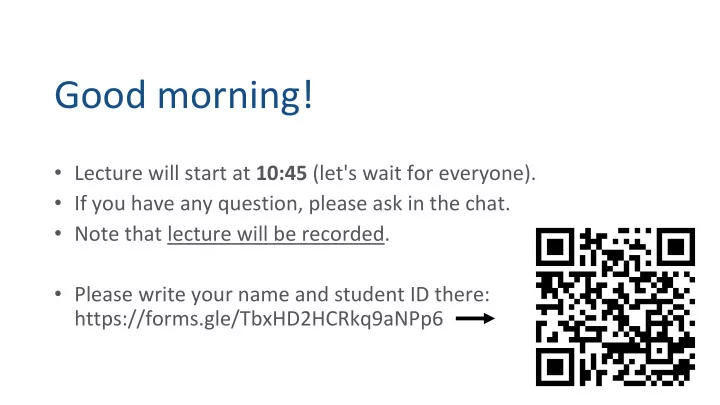
Good morning! Lecture will start at 10:45 (let's wait for everyone). If you have any question, please ask in the chat. Note that lecture will be recorded. Please write your name and student ID there:


slide-1
SLIDE 1

Good morning!

  • Lecture will start at 10:45 (let's wait for everyone).
  • If you have any question, please ask in the chat.
  • Note that lecture will be recorded.
  • Please write your name and student ID there:

https://forms.gle/TbxHD2HCRkq9aNPp6

slide-2
SLIDE 2

Email, Thunderbird (or Apple Mail)

E-mail Apple Mail Thunderbird Writing/sending emails

Information Literacy I – EN(IL1) Course

slide-3
SLIDE 3

E-mail System

Message delivery

A letter arrived from White Goat Black Goat gobbled it up unread Nothing for it but to write a letter right back I'm sorry, what was it that your letter said? The above translation is taken from the blog of by Matt Treyvaud http://no-sword.jp/blog/2009/10/goat_mail.html

“Goat Mail” (Yagi-san yuubin) is a very popular Japanese children’s song

slide-4
SLIDE 4

Electronic mail (E-mail)

A method of exchanging digital messages using digital devices. Store-and-forward system. Mainly used for communications via computer networks. Historically, one of the services available via the Internet.

slide-5
SLIDE 5

Exchanging Mails

The following 4 main steps can be identified:

  • 1. Writing and editing
  • 2. Sending
  • 3. Transmission
  • 4. Reception
slide-6
SLIDE 6

Sending, Transmitting, Receiving

Writing a message

To: Mr. Black Goat From: Mr. White Goat

Sending server Server to process the message Receiving server Receiving the message Relaying server Relaying server Relaying server

slide-7
SLIDE 7

Example of Sending Failure: Incorrect Configuration of the Sending Server

Writing a message

To: Mr. Black Goat From: Mr. White Goat

Sending server Server to process the message Receiving server Receiving the message Relaying server Relaying server Relaying server

slide-8
SLIDE 8

Writing a message I do not know this sending server! Receiving server Receiving the message Relaying server Relaying server Relaying server

To: Mr. Black Goat From: Mr. White Goat

Example of Sending Failure: Incorrect Configuration of the Sending Server

slide-9
SLIDE 9

Writing a message

To: Mr. Black Goat From: Mr. White Goat

Sending server Receiving server Receiving the message Relaying server Relaying server Relaying server

The sender is suspicious! I will deny to transmit, because (s)he did not pass authentication.

Example of Transmission Failure: Incorrect Configuration of Authentication

slide-10
SLIDE 10

Writing a message

To: Mr. Red Goat From: Mr. White Goat

Sending server Receiving server Receiving the message Relaying server Relaying server Relaying server

What? There is no Red Goat at this address!

Example of Transmission Failure: Incorrect Address

slide-11
SLIDE 11

Writing a message

Sending server Receiving server Receiving the message Relaying server Relaying server Relaying server I do not know this receiving server!

To: Mr. Black Goat From: Mr. White Goat

Example of Transmission Failure: Incorrect Configuration of the Receiving Server

slide-12
SLIDE 12

Writing a message Sending server Receiving server Receiving the message Relaying server Relaying server Relaying server

This receiver is suspicious! I will deny to transmit, because (s)he did not pass authentication.

To: Mr. Black Goat From: Mr. White Goat

Example of Reception Failure: Incorrect Configuration of the Receiving Server

slide-13
SLIDE 13

It is rare, but system failures occur as well

Writing a message Sending server Receiving server Relaying server Receiving the message Relaying server Relaying server

To: Mr. Black Goat From: Mr. White Goat

Dear customers, we are sorry to inform you that today, due to maintenance/malfunction/overload the mailing system is out of order.

slide-14
SLIDE 14

Configuring an e-mail software

Mozilla Thunderbird Thunderbird is a free e-mail software, which is available for Mac, Windows, and Linux Apple Mail Available on MacOS and iOS (available in English here in TokyoTech)

slide-15
SLIDE 15

E-mail account settings

Follow the configuration procedures very precisely, when installing Thunderbird on your personal computer. Remember that you first need to download and install the Thunderbird software on your PC.

slide-16
SLIDE 16

Configuring an e-mail software

Detailed information/tutorial available from Tokyo Tech Portal: choose “Online guides” → “Setting up e-mail applications”

Instructions available for Thunderbird, Outlook, and Mail.

slide-17
SLIDE 17

IMAP (vs POP3)

E-mail protocol IMAP

Synchronization with e-mail server (also for folders, tags, etc.) Convenient for high-speed networks, for use with smartphones

Another e-mail protocol POP3 is outdated

Do not use it! Messages are download to your computer/phone and removed from the server, Thus the messages are not available anymore from webmail or another device.  It was (maybe) good when using a single device, but not convenient anymore!

slide-18
SLIDE 18

Get your Tokyo Tech mail auth ID

Specific to TokyoTech. You do not need such ID for your private email accounts (gmail, yahoo, …)

slide-19
SLIDE 19

Configuring Apple Mail software

Select “Other Mail Account” Note: You can also use for your private email and then choose Google/Yahoo/…

slide-20
SLIDE 20

Configuring Apple Mail software

Name: Choose a meaningful name! (not a funny nickname) E-mail address: Input your TokyoTech address (In the form: ****.*.**@m.titech.ac.jp) Note: When clicking “Sign In”, there will be a warning/error. It is normal. Apple Mail does not know details about Tokyo Tech servers.

slide-21
SLIDE 21

Configuring Apple Mail software

User Name: TokyoTech mail auth ID Note: Usually username and email address is the same. But not in TokyoTech. Note: In Thunderbird, it is necessary to provide more information: port numbers

slide-22
SLIDE 22

Configuring Apple Mail software

list of messages content of message

  • From: sender
  • To: receiver
  • Cc: “copy-receiver”

...

folders to order messages

slide-23
SLIDE 23

Configuring Apple Mail software

Possible to configure many options You can check more by yourself

slide-24
SLIDE 24

Configuring Thunderbird software

Very similar to Apple Mail. Roughly same information needed, but:

  • explicit port numbers
  • explicit protocols
slide-25
SLIDE 25

Advantages of Apple Mail (or Thunderbird)

It is fast

No need to login to Tokyo Tech portal Check how fast the Inbox opens – vs Tokyo Tech Webmail

Multiple accounts can be handled (working, home, etc.) Advanced folder handling Advanced customization, including themes (skins)

slide-26
SLIDE 26

Composing Messages

slide-27
SLIDE 27

Three types of destination addresses

The message will be sent to the address(es) written in the following fields:

To – Main destination CC – Carbon Copy BCC – Blinded Carbon Copy

slide-28
SLIDE 28

Basics etiquette for e-mail communication

Typically, one receives a few dozens e-mails a day. E-mail messages are typically “long” (a few paragraphs). Use your Tokyo Tech e-mail account (also from your smartphone) when communicated to the faculty members. Remember to configure your account to show your real name.

slide-29
SLIDE 29

Basics etiquette for e-mail communication (cont)

When composing your message, add the subject that summarizes the contents and/or the topic of your letter. Always begin your message with the name of the person, whom you are referring to. When writing for the first time, state your name, the student number, the class, followed by the contents of your inquiry.

slide-30
SLIDE 30

Example of good and not-so-good emails

Thank you for all your messages!

slide-31
SLIDE 31

Example of good and not-so-good emails

Thank you for all your messages!

slide-32
SLIDE 32

Purpose of Tokyo Tech e-mail

The main purpose of your Tokyo Tech e-mail account is to support your communications on the topics related to your studies. In particular, it will be used by Tokyo Tech for:

Notifications of cancelling classes (for instance, in the case of influenza

  • utbreak)

Providing supplementary materials for classes Announcements from Student Support Division Etc.

 Check regularly, once per day

slide-33
SLIDE 33

Methods for protecting e-mail systems

IMAP + SSL/TLS POP3 + SSL/TLS SMTP + SSL/TLS IMAP (and POP3) are the protocols for incoming e-mail SMTP is the protocol for outgoing e-mail But what is SSL/TLS?

slide-34
SLIDE 34

Potential risks in Internet communications

Authentication failure: A fake mail-server may try to pose as

the Tokyo Tech mail-server to steal users’ messages.

Information leakage: The communication over the network is intercepted,

causing the leakage of username and password, so that the account may be hijacked.

Tampering: The messages sent and received by the user may be changed in the

process of transmission, and also fake messages can be inserted.

slide-35
SLIDE 35

Measures used in SSL/TLS to protect e-mail systems

Authentication: Identity of the e-mail server is certified and confirmed. Encryption: Communication with the server is encrypted. Tamper resistance: Keyed cryptographic hash functions are used as checksums.

slide-36
SLIDE 36

SSL/TLS is the fundamental technology for protection of the Internet communication

Secure communication between web browsers and web servers

Authentication (certificate verification) Confidentiality (encryption) Integrity (tampering detection)

slide-37
SLIDE 37

Security risks concerning e-mail systems

Do not trust the message header Attached files: Careful! They are potentially dangerous! Visiting malicious websites: Careful! Do not click just any link, as it may be dangerous! (Your PC may get infected by malware just by visiting a malicious website.) Automatic opening of multimedia data (photos, videos, etc.) is potentially dangerous!

slide-38
SLIDE 38

Identifying phishing

These are two recently received messages

slide-39
SLIDE 39

Suspicious or not?

This cannot be right!

slide-40
SLIDE 40

Suspicious or not?

I have never heard

  • f this service
slide-41
SLIDE 41

Suspicious or not?

If a valid digital signature is included, we can trust the message, right?

slide-42
SLIDE 42

Suspicious or not?

This is too informal for the bank!

slide-43
SLIDE 43

Suspicious or not?

These expressions look strange

slide-44
SLIDE 44

Suspicious or not?

Why are they first talking about authorization, but then suggest me to register?

slide-45
SLIDE 45

The evolution of phishing

slide-46
SLIDE 46

Phishing poses a real threat!

At the first glance, this message is from Resona Holdings, but if you just check, the link is pointing to a mysterious address www.v-i-p8.com

(a closer look shows that this is a company located outside Japan)

slide-47
SLIDE 47

Summary of key points

E-mail system – computer analogue of postal mail. Handled using e-mail software, some of which is free. (Thunderbird as an example.) Software must be (downloaded, installed), and configured prior to use. IMAP is the recommended e-mail protocol.

slide-48
SLIDE 48

Summary of key points (cont.)

Various options can be used when composing and sending messages. In particular, copies of the same message can be sent to several addresses at once (To:, Cc:, Bcc:). Basic etiquette must be followed when writing e-mails. Security settings guarantee protection against unauthorized access to your private information (SSL/TLS). On top of this, measures must be taken to prevent phishing and other illegal activities.

slide-49
SLIDE 49

1st Test – E-mail

Your answers should be submitted via the Google Form: https://forms.gle/u8wqLM7WgbLj1Ssj6 (link also on the website). To be completed by May 24, 23:59. You are allowed to submit your answers multiple time, the last submission before the deadline will be considered final. This test is mandatory – it is a part of your course evaluation. NB: Depending on the settings of your browser, some text in the above form may appear in Japanese. In any case, write your answers in English.