Good Graphics Graphs Fundamental Principal of Statistical Graphics - - PowerPoint PPT Presentation

good graphics graphs
SMART_READER_LITE
LIVE PREVIEW

Good Graphics Graphs Fundamental Principal of Statistical Graphics - - PowerPoint PPT Presentation

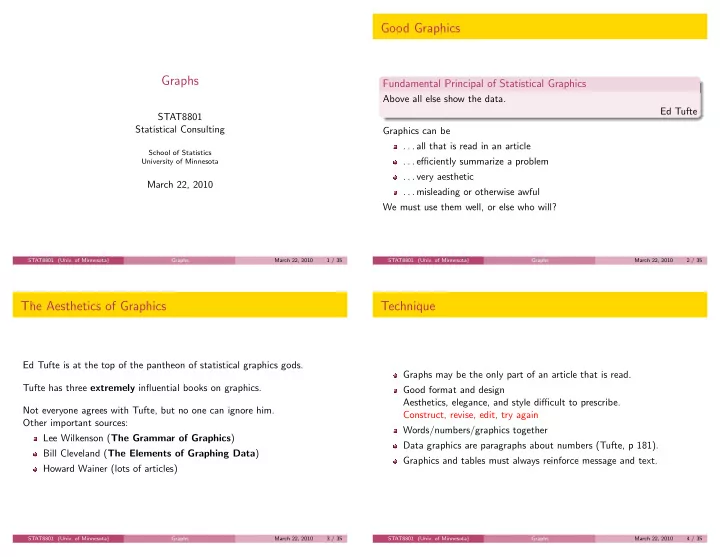
Good Graphics Graphs Fundamental Principal of Statistical Graphics Above all else show the data. Ed Tufte STAT8801 Statistical Consulting Graphics can be . . . all that is read in an article School of Statistics . . . efficiently summarize


slide-1
SLIDE 1

Graphs

STAT8801 Statistical Consulting

School of Statistics University of Minnesota

March 22, 2010

STAT8801 (Univ. of Minnesota) Graphs March 22, 2010 1 / 35

Good Graphics

Fundamental Principal of Statistical Graphics

Above all else show the data. Ed Tufte Graphics can be . . . all that is read in an article . . . efficiently summarize a problem . . . very aesthetic . . . misleading or otherwise awful We must use them well, or else who will?

STAT8801 (Univ. of Minnesota) Graphs March 22, 2010 2 / 35

The Aesthetics of Graphics

Ed Tufte is at the top of the pantheon of statistical graphics gods. Tufte has three extremely influential books on graphics. Not everyone agrees with Tufte, but no one can ignore him. Other important sources: Lee Wilkenson (The Grammar of Graphics) Bill Cleveland (The Elements of Graphing Data) Howard Wainer (lots of articles)

STAT8801 (Univ. of Minnesota) Graphs March 22, 2010 3 / 35

Technique

Graphs may be the only part of an article that is read. Good format and design Aesthetics, elegance, and style difficult to prescribe. Construct, revise, edit, try again Words/numbers/graphics together Data graphics are paragraphs about numbers (Tufte, p 181). Graphics and tables must always reinforce message and text.

STAT8801 (Univ. of Minnesota) Graphs March 22, 2010 4 / 35

slide-2
SLIDE 2

Show the right data

Show the right data Show enough data Don’t hide important data Keep data in context

STAT8801 (Univ. of Minnesota) Graphs March 22, 2010 5 / 35

The Worst Graph Ever

  • 30

40 50 60 70 80 90 1 2 3 4

Challenger data

Temperature Failures LS line

STAT8801 (Univ. of Minnesota) Graphs March 22, 2010 6 / 35

What they should have done

  • 30

40 50 60 70 80 90 1 2 3 4

Challenger data

Temperature Failures Poisson line

STAT8801 (Univ. of Minnesota) Graphs March 22, 2010 7 / 35

From Tilman, Hill and Lehman (2006) Science, p. 1598

STAT8801 (Univ. of Minnesota) Graphs March 22, 2010 8 / 35

slide-3
SLIDE 3

. . . adding prediction intervals

  • 5

10 15 100 200 300 400 500 Number of Species Average above ground Biomass, g/m^2

STAT8801 (Univ. of Minnesota) Graphs March 22, 2010 9 / 35

. . . adding species indicator

  • 5

10 15 100 200 300 400 500 Number of Species Average above ground biomass, g/m^2

  • None

Other legume Luppe

STAT8801 (Univ. of Minnesota) Graphs March 22, 2010 10 / 35

Connecticut Traffic Deaths

STAT8801 (Univ. of Minnesota) Graphs March 22, 2010 11 / 35

Correct for inflation

STAT8801 (Univ. of Minnesota) Graphs March 22, 2010 12 / 35

slide-4
SLIDE 4

Show only the data

Definition (Data ink)

Data ink is the “ink” that displays non-redundant data information.

Definition (Data ink ratio)

Proportion of a graphic’s ink devoted to the non-redundant display of data information.

1 Maximize data ink ratio, within reason 2 Erase non data ink, within reason 3 Erase redundant data ink, within reason STAT8801 (Univ. of Minnesota) Graphs March 22, 2010 13 / 35

Bad data-ink ratio

STAT8801 (Univ. of Minnesota) Graphs March 22, 2010 14 / 35

Good data-ink ratio

STAT8801 (Univ. of Minnesota) Graphs March 22, 2010 15 / 35

Zero data-ink ratio

STAT8801 (Univ. of Minnesota) Graphs March 22, 2010 16 / 35

slide-5
SLIDE 5

Maximizing data-ink ratio

p125 top and p125 bottom of Tufte

STAT8801 (Univ. of Minnesota) Graphs March 22, 2010 17 / 35

Erasable non-data ink

STAT8801 (Univ. of Minnesota) Graphs March 22, 2010 18 / 35

Erasable non-data ink

STAT8801 (Univ. of Minnesota) Graphs March 22, 2010 19 / 35

Improved non-data ink

STAT8801 (Univ. of Minnesota) Graphs March 22, 2010 20 / 35

slide-6
SLIDE 6

Show only the data

Non-data ink can be chartjunk. Could be shading, hatching, grid, etc. Get rid of it!

STAT8801 (Univ. of Minnesota) Graphs March 22, 2010 21 / 35

Content-free decoration

STAT8801 (Univ. of Minnesota) Graphs March 22, 2010 22 / 35

Moir´ e patterns

STAT8801 (Univ. of Minnesota) Graphs March 22, 2010 23 / 35

Show data, not frames

STAT8801 (Univ. of Minnesota) Graphs March 22, 2010 24 / 35

slide-7
SLIDE 7

Almost no information!

STAT8801 (Univ. of Minnesota) Graphs March 22, 2010 25 / 35

Don’t lie with graphics

Lies, damned lies, and statistics could also be Lies, damned lies, and graphics. What can we do to avoid misleading?

STAT8801 (Univ. of Minnesota) Graphs March 22, 2010 26 / 35

Data, area and dimension

The size of the representation of a number should be proportional to the number The number of information carrying dimensions should not exceed the dimension of the data.

STAT8801 (Univ. of Minnesota) Graphs March 22, 2010 27 / 35

Backward in time?

STAT8801 (Univ. of Minnesota) Graphs March 22, 2010 28 / 35

slide-8
SLIDE 8

Perspective

STAT8801 (Univ. of Minnesota) Graphs March 22, 2010 29 / 35

Change in axis meaning

STAT8801 (Univ. of Minnesota) Graphs March 22, 2010 30 / 35

Paper usage, New York Times, Feb. 10, 2008

STAT8801 (Univ. of Minnesota) Graphs March 22, 2010 31 / 35

How to Display Data Badly (Wainer)

1 Show as few data as possible. 2 Hide what data you do show. 3 Ignore the visual metaphor. 4 Only order matters. 5 Graph data out of context. 6 Change scales in mid-axis. 7 Emphasize the trivial, not the important. 8 Jiggle the baseline. 9 Austria first. 10 Label illegibly, incompletely, inaccurately, and ambiguously. STAT8801 (Univ. of Minnesota) Graphs March 22, 2010 32 / 35

slide-9
SLIDE 9

Don’t. . .

1 . . . Mislead 2 . . . Use mysterious abbreviations 3 . . . Include too much clutter (forest for the trees) 4 . . . Misuse placement of origin 5 . . . Include graphs without explanation 6 . . . Use gratuitous color/line variation 7 . . . SHOUT (use all capital letters) 8 . . . use chart junk 9 . . . use pie charts STAT8801 (Univ. of Minnesota) Graphs March 22, 2010 33 / 35

  • Do. . .

1 . . . use accessible friendly graphic 2 . . . include axis labels, titles and legends 3 . . . use sensible tick marks 4 . . . facilitate comparisons between graphs by using common scales. 5 . . . avoid unclear abbreviations. STAT8801 (Univ. of Minnesota) Graphs March 22, 2010 34 / 35

Summary

Many, many ways to do things badly. Show the data. Do not distort. Cause no pain.

STAT8801 (Univ. of Minnesota) Graphs March 22, 2010 35 / 35