
SLIDE 1
Margarita Grinvald
Gesture recognition for Smartphones/Wearables
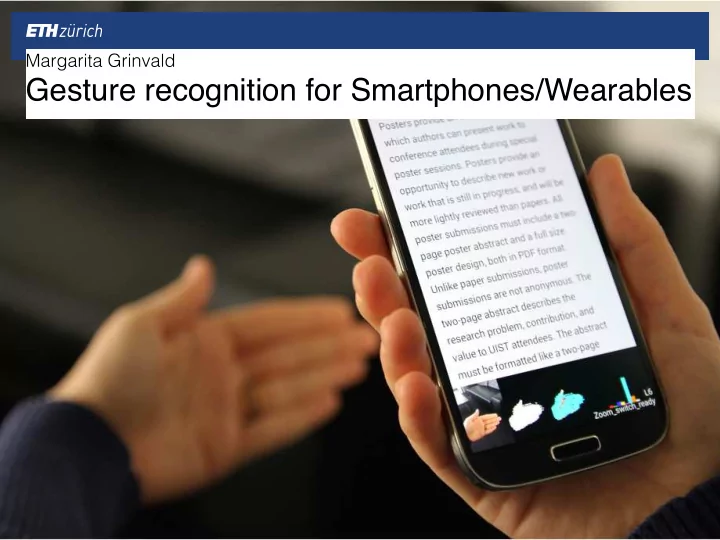
Gesture recognition for Smartphones/Wearables Gestures hands, face, - - PowerPoint PPT Presentation
Margarita Grinvald Gesture recognition for Smartphones/Wearables Gestures hands, face, body movements non-verbal communication human interaction 2 Gesture recognition interface with computers increase usability intuitive
Margarita Grinvald
Gesture recognition for Smartphones/Wearables
2
▪ hands, face, body movements ▪ non-verbal communication ▪ human interaction
3
▪ interface with computers ▪ increase usability ▪ intuitive interaction
4
▪ Contact type: ▪ Touch based ▪ Non-contact type: ▪ Device gesture ▪ Vision based ▪ Electrical Field Sensing (EFS)
▪ miniaturisation ▪ lack tactile clues ▪ no link between physical and digital interactions ▪ computational power
5
▪ augment environment with digital information
6
Sixthsense [Mistry et al. SIGGRAPH 2009] Skinput [Harrison et al. CHI 2010] OmniTouch [Harrison et al. UIST 2011]
7
▪ augment hardware
In-air typing interface for mobile devices with vibration feedback [Niikura et al. SIGGRAPH 2010] A low-cost transparent electric field sensor for 3D interaction [Le Goc et al. CHI 2014] MagGetz [Hwang et al. UIST 2013]
8
▪ combine devices
▪ efficient algorithms
In-air gestures around unmodified mobile devices [Song et al. UIST 2014] Duet: Exploring Joint interactions on a smart phone and a smart watch [Chen et al. CHI 2014]
▪ augment environment with visual information ▪ interact through natural hand gestures ▪ wearable to be truly mobile
9
10
Color markers Camera Projector Mirror Smartphone
11
12
13
▪ inability track surfaces ▪ differentiate hover and click ▪ accuracy limitations
▪ skin as input canvas ▪ wearable bio-acoustic sensor ▪ localisation of finger tap
14
15
Projector Armband
16
▪ finger tap on skin generates acoustic energy ▪ some energy becomes sound waves ▪ some energy transmitted through the arm
17
18
19
▪ array of tuned vibrations sensors ▪ sensitive only to motion perpendicular to skin ▪ two sensing arrays to disambiguate different armband positions.
20
21
Sensor packages Weights
▪ sensor data segmented into taps ▪ ML classification of location ▪ initial training stage
22
23
24
▪ lack of support of other surfaces than skin ▪ no multitouch support ▪ no touch drag movement
25
▪ appropriate on demand ad hoc surfaces ▪ depth sensing and projection wearable ▪ depth driven template matching
26
Depth Camera Projector
▪ multitouch finger tracking on arbitrary surfaces ▪ no calibration or training ▪ resolve position and distinguish hover from click
27
28
Depth map Depth map gradient
29
Candidates Tip estimation
30
Finger hovering Finger clicking
▪ expand application space with graphical feedback ▪ track surface on which rendered ▪ update interface as surface moves
31
32
33
▪ vision based 3D input interface ▪ detect keystroke action in the air ▪ provide vibration feedback
34
[Niikura et al. SIGGRAPH 2010]
35
Camera white LEDs vibration motor
▪ high frame rate camera ▪ wide angle lens needs distortion correction ▪ skin colour extraction to detect fingertip ▪ estimate fingertip translation, rotation and scale
36
▪ difference of the dominant frequency of the fingertips scale to detect keystroke ▪ tactile feedback is important ▪ vibration feedback is conveyed after a keystroke
37
38
▪ camera is rich and flexible but with limitations ▪ minimal distance between sensor and scene ▪ sensitivity to lighting changes ▪ computational overheads ▪ high power requirements
39
▪ smartphone augmented with EFS ▪ resilient to illumination changes ▪ mapping measurements to 3D finger positions.
[Le Goc et al. CHI 2014]
40
Drive electronics Electrode array
▪ microchip built-in 3D positioning has low accuracy ▪ Random Decision Forests for regression on raw signal data ▪ speed and accuracy
41
42
▪ tangible control widgets for richer tactile clues ▪ wider interaction area ▪ low cost and user configurable unpowered magnets
43
44
Magnetic fields Tangibles
▪ traditional physical input controls with magnets ▪ magnetic traces change on widget state change ▪ track physical movement of control widgets
45
46
Toggle switch Slider
47
▪ object damage by magnets ▪ magnetometer limitations
48
▪ extend interaction space with gesturing ▪ mobile devices RGB camera ▪ robust ML based algorithm
49
[Song et al. UIST 2014]
▪ detection of salient hand parts (fingertips) ▪ works without relying on highly discriminative depth data and rich computational resources ▪ no strong assumption about users environment ▪ reasonably robust to rotation and depth variation
50
▪ real time algorithm ▪ pixel labelling with random forests ▪ techniques to reduce memory footprint of classifier
51
52
RGB input Segmentation Labeling
▪ division of labor ▪ works on many devices ▪ new apps enabled just by collecting new data
53
54
55
▪ beyond usage of single device ▪ allow individual input and output ▪ joint interactions smart phone and smart watch
56
[Chen et al. CHI 2014]
▪ conversational duet ▪ foreground interaction ▪ background interaction
57
58
60
▪ ML techniques on accelerometer data ▪ handedness recognition ▪ promising accuracy
62
▪ wearables extend interaction space to everyday surfaces ▪ augmented hardware in general provides an intuitive interface ▪ no additional hardware is preferable but there are still computational limitations ▪ combination of devices may be redundant
63
▪ SixthSense: a wearable gestural interface [Mistry et al. SIGGRAPH 2009] ▪ Skinput: Appropriating the Body As an Input Surface [Harrison et al. CHI 2010] ▪ OmniTouch: Wearable Multitouch Interaction Everywhere [Harrison et al. UIST 2011] ▪ In-air typing interface for mobile devices with vibration feedback [Niikura et al. SIGGRAPH 2010] ▪ A Low-cost Transparent EF Sensor for 3D Interaction on Mobile Devices [Le Goc et al. CHI 2014] ▪ MagGetz: customizable passive tangible controllers on and around [Hwang et al. UIST 2013] ▪ In-air gestures around unmodified mobile devices mobile devices [Song et al. UIST 2014] ▪ Duet: Exploring Joint Interactions on a Smart Phone and a Smart Watch [Chen et al. CHI 2014]
64