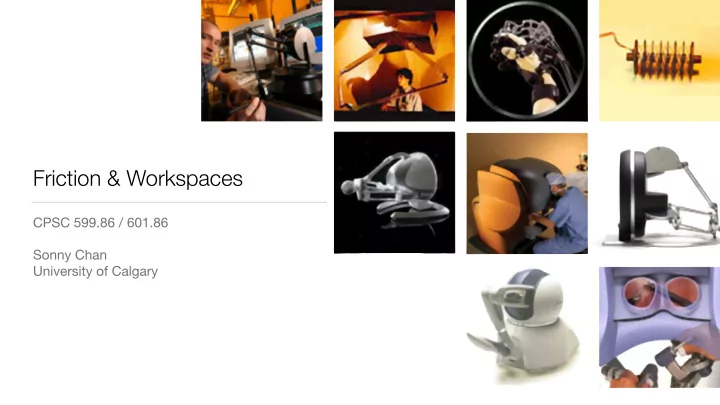
SLIDE 1
Friction & Workspaces
CPSC 599.86 / 601.86 Sonny Chan University of Calgary
SLIDE 2 Today’s Agenda
- Rendering surfaces with friction
- Exploring large virtual
environments using devices with limited workspace
[From C.-H. Ho et al., Presence 8(5), 1999.]
SLIDE 3
Coulomb Friction
What is it, and how do we render it?
SLIDE 4 Coulomb Friction
- Friction force proportional to normal force
- Static (sticking) friction:
- Kinetic (sliding) friction:
Ff = µFN Fs ≤ µsFN Fk = µkFN
SLIDE 5 Rendering Friction
avatar surface
µ = µs = µk
FN = −Fc
Fc
SLIDE 6 Rendering Friction
surface
α FN = −Fc cos α Ff = −Fc sin α
???
sin α > µ cos α tan α > µ
Move avatar if
SLIDE 7 Rendering Friction
- How far do we move the avatar?
α α = tan−1 µ
surface how far?
SLIDE 8
Friction Cone
α α = tan−1 µ
SLIDE 9
Friction Cone in 3D
device position avatar
SLIDE 10 Static & Kinetic Friction
- Case where static and kinetic
friction are distinct:
- Two different coefficients of
friction gives two friction cones:
- static friction cone
- dynamic friction cone
α = tan−1 µ β = tan−1 µk β α
µs 6= µk
SLIDE 11 Static & Kinetic Friction
β α
SLIDE 12 Static & Kinetic Friction
β α
how far?
SLIDE 13 Static & Kinetic Friction
β α
SLIDE 14 Static & Kinetic Friction
β α
SLIDE 15 Static & Kinetic Friction
β α
SLIDE 16 Static & Kinetic Friction
β α
SLIDE 17 Coulomb Friction: Summary
- Friction force is proportional to normal (contact) force
- Construct friction cone(s) from coefficients of friction
- With a proxy algorithm, we can render forces of static and kinetic friction
- In general, μs > μk
- When do we switch between static and kinetic friction cones?
- This is the crux of Assignment #2, Part II
SLIDE 18
Friction Demo
SLIDE 19
Workspace Management
SLIDE 20
Your Haptic Device
How much workspace does the Novint Falcon haptic device have?
< 10 cm
SLIDE 21
How can we deal with this limitation?
SLIDE 22 Strategy #1: Absolute Position Scale
rA = s rD/W + rW
- natural, direct mapping
- navigate large virtual
environments
- or small ones
- loss of spatial resolution
- serious adverse effects on haptic
performance and stability
PROS 🙃 CONS 🙂
SLIDE 23
How does your computer mouse interface handle this?
< 25.6”
SLIDE 24
( ) ( ) ⋅ trajectory of the avatar trajectory of the end-effector
vd
va ⎝ ⎠ ⎛ ⎞ ⋅
trajectory of the device trajectory of the avatar
[From F. Conti & O. Khatib, Proc. IEEE World Haptics Conference, 2005.]
SLIDE 25
Strategy #2: Ballistic Control
SLIDE 26 ∆rA = s(vD) ∆rD/W
Strategy #2: Ballistic Control
- adaptive spatial resolution
- span large workspaces when
moving fast
- precise control when slow
- workspace gets shifted or offset
- essentially requires “indexing” to
correct offset
- can use a button or switch on device
PROS 🙃 CONS 🙂
SLIDE 27
How about mimicking these devices?
SLIDE 28 Strategy #3: Rate Control
- infinite workspace!
- no indexing needed
- viable for Assignment #3
- cannot perform fast motions in
different directions
- scratching a rough surface
- tapping a hard object
- force feedback is awkward
PROS 🙃 CONS 🙂 vA = s rD/W
SLIDE 29 Workspace Drift Control
François Conti & Oussama Khatib, 2005 rd ra fa
workspace drift workspace drift trajectory of the avatar
SLIDE 30 Main Ideas
- Take advantage of our imprecise
proprioception
- Move the centre of the virtual
workspace to coincide with the centre of the device workspace
- Use the device operator’s own
motion to apply workspace drift
SLIDE 31 Initial condition
⎝ ⎠ ⎛ ⎞ ⋅ ⋅ ⋅
physical workspace boundaries of the device. virtual workspace avatar virtual object 2-dof haptic device graphical display
[From F. Conti & O. Khatib, Proc. IEEE World Haptics Conference, 2005.]
SLIDE 32
Motion toward object
⎝ ⎠ ⎛ ⎞ ⋅ ⋅ ⋅
[From F. Conti & O. Khatib, Proc. IEEE World Haptics Conference, 2005.]
SLIDE 33
⎝ ⎠ ⎛ ⎞ ⋅ ⋅ ⋅
velocity and direction of local interaction avatar-object
vwa
the workspace drift.
Interacting with object
Want to move workspace centre to location of interaction
[From F. Conti & O. Khatib, Proc. IEEE World Haptics Conference, 2005.]
SLIDE 34 ⎝ ⎠ ⎛ ⎞ ⋅ ⋅ ⋅
direction of hand drift.
vwa
Drifting the workspace
[From F. Conti & O. Khatib, Proc. IEEE World Haptics Conference, 2005.]
SLIDE 35 Workspace Drift Control
- Drift only occurs when the operator’s
hand is in motion
- Velocity of workspace drift is proportional
to the speed of hand motion
- Can be combined with ballistic control or
rate control if needed
vW = s kvDk rD/W
Figure 7 - Moving an avatar along a straight line during a workspace drift requires compensating for the shift by slightly moving the end-effector in the
- pposite direction of the workspace drift.
motion of the avatar motion of the hand avatar workspace drift
SLIDE 36 Workspace Management: Summary
- Many feasible strategies exist for managing a device’s limited workspace
- Absolute position scale is easy and direct, but loss of resolution is bad
- Ballistic control works well for mice, but requires “indexing” or clutching
- Rate control makes haptic interaction difficult, but can be effective when used
carefully in specific workspace regions
- Workspace drift control tries to combine the best qualities of these strategies