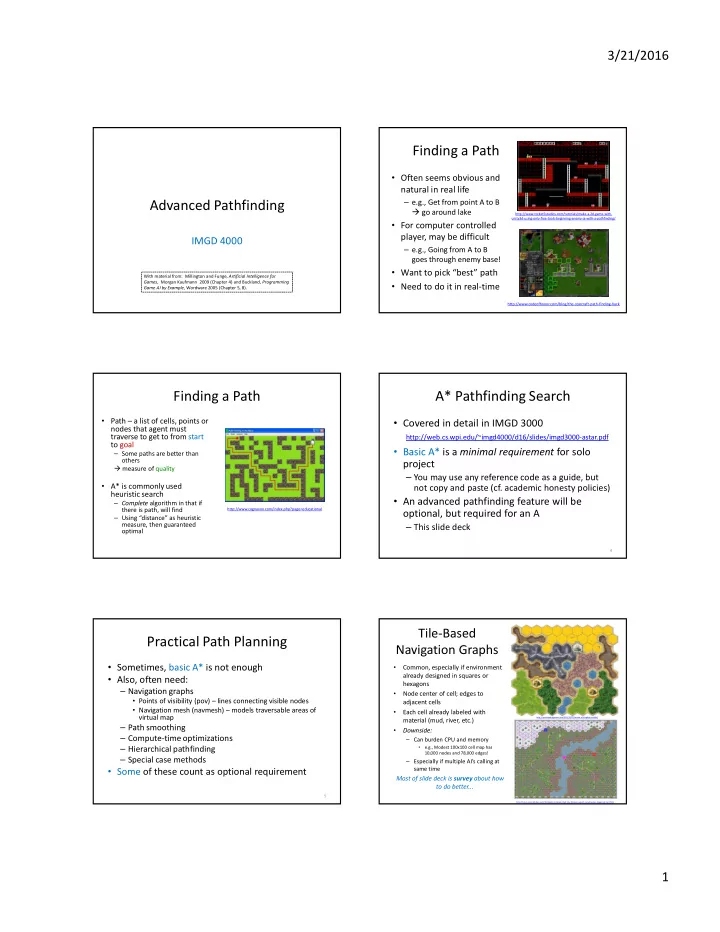
Finding a Path Often seems obvious and natural in real life - - PDF document

finding a path
SMART_READER_LITE
LIVE PREVIEW

Finding a Path Often seems obvious and natural in real life - - PDF document

3/21/2016 Finding a Path Often seems obvious and natural in real life Advanced Pathfinding e.g., Get from point A to B go around lake http://www.rocket5studios.com/tutorials/make-a-2d-game-with-


slide-1
SLIDE 1

3/21/2016 1

Advanced Pathfinding

IMGD 4000

With material from: Millington and Funge, Artificial Intelligence for Games, Morgan Kaufmann 2009 (Chapter 4) and Buckland, Programming Game AI by Example, Wordware 2005 (Chapter 5, 8).

Finding a Path

  • Often seems obvious and

natural in real life

– e.g., Get from point A to B go around lake

  • For computer controlled

player, may be difficult

– e.g., Going from A to B goes through enemy base!

  • Want to pick “best” path
  • Need to do it in real-time

http://www.rocket5studios.com/tutorials/make-a-2d-game-with- unity3d-using-only-free-tools-beginning-enemy-ai-with-a-pathfinding/ http://www.codeofhonor.com/blog/the-starcraft-path-finding-hack

Finding a Path

  • Path – a list of cells, points or

nodes that agent must traverse to get to from start to goal

– Some paths are better than

  • thers

measure of quality

  • A* is commonly used

heuristic search

– Complete algorithm in that if there is path, will find – Using “distance” as heuristic measure, then guaranteed

  • ptimal

http://www.cognaxon.com/index.php?page=educational

A* Pathfinding Search

  • Covered in detail in IMGD 3000

http://web.cs.wpi.edu/~imgd4000/d16/slides/imgd3000-astar.pdf

  • Basic A* is a minimal requirement for solo

project

– You may use any reference code as a guide, but not copy and paste (cf. academic honesty policies)

  • An advanced pathfinding feature will be
  • ptional, but required for an A

– This slide deck

4

Practical Path Planning

  • Sometimes, basic A* is not enough
  • Also, often need:

– Navigation graphs

  • Points of visibility (pov) – lines connecting visible nodes
  • Navigation mesh (navmesh) – models traversable areas of

virtual map

– Path smoothing – Compute-time optimizations – Hierarchical pathfinding – Special case methods

  • Some of these count as optional requirement

5

Tile-Based Navigation Graphs

  • Common, especially if environment

already designed in squares or hexagons

  • Node center of cell; edges to

adjacent cells

  • Each cell already labeled with

material (mud, river, etc.)

  • Downside:

– Can burden CPU and memory

  • e.g., Modest 100x100 cell map has

10,000 nodes and 78,000 edges!

– Especially if multiple AI’s calling at same time

Most of slide deck is survey about how to do better...

6

http://forum.cocos2d-objc.org/t/tilemapkit-complete-tiled-tmx-tilemap-support-including-hex-staggered-iso/17313 http://opinionatedgamers.com/2011/12/07/review-of-kingdom-builder/

slide-2
SLIDE 2

3/21/2016 2

Outline

  • Introduction

(done)

  • Navigation Graphs

(next)

  • Navigation Mesh
  • Pathfinding Tuning
  • Pathfinding in UE4

8

Point of Visibility (POV) Navigation Graph

  • Place graph nodes (usually by hand) at important

points in environment

  • Such that each node has line of sight to at least one
  • ther node

9

POV Navigation

  • Find closest visible node (a) to current location
  • Find closest visible node (b) to target location
  • Search for least cost path from (a) to (b), e.g. A*
  • Move to (a)
  • Follow path to (b)
  • Move to target location

DEMO (COARSE) Note, some “backtracking”

10

Blind Spots in POV

  • No POV point is visible from red spots!
  • Easy to fix manually in small graphs
  • A problem in larger graphs

DEMO (COARSE)

POV Navigation

  • Advantage

– Obvious how to build and expand

  • Disadvantages

– Can have “blind spots” – Can have “jerky” (backtracking) paths – Can take a lot of developer time, especially if design is rapidly evolving – Problematic for random or user generated maps

  • Solutions

1. Automatically generate POV graphs 2. Make finer grained graphs 3. Path smoothing

11 12

Automatic POV by Expanded Geometry

(A) Expand geometry

– By amount proportional to bounding radius of moving agents

(B) Connect all vertices (C) Prune non-line of sight points Avoids objects hitting edges when pathing Note: works best if bounding radius similar for all units

slide-3
SLIDE 3

3/21/2016 3

13

Finely Grained Graphs

  • Upside? Improves blind spots and path smoothness
  • Downside? Back to similar performance issues as tiled graphs
  • Upside? Can often generate automatically using “flood fill” (next slide)

Flood Fill to Produce Finely Grained Graph

  • Place “seed” in graph
  • Expand outward

– e.g., 8 directions – Making sure nodes and edges passable by bounding radius

  • Continue until covered

Produces a finely grained graph

  • Note, same algorithm

used by “paint” programs to flood fill color

14 15

Path Finding in Finely Grained Graph

  • Use A* or Dijkstra depending on whether looking for specific or

multiple general targets

– e.g., Find exit? A* typically faster than Dijkstra’s since latter is exhaustive – e.g., Find one of many rocket launchers? A* would need to be re- run for each, then chose minimum.

16

Problem: Kinky Paths

Solution? Path smoothing.

  • Simple fix to “penalize” change in direction
  • Others work better (next)

Problem: Path chosen “kinky”, not natural

17

Simple Smoothing Algorithm (1 of 2)

  • Check for “passability” between adjacent edges
  • Also known as “ray-cast” since if can cast a ray between A

and C then waypoint B is not needed

Simple Smoothing Algorithm (2 of 2)

1. Grab source E1 2. Grab destination E2 3. If agent can move between,

a) Assign destination E1 to destination E2 b) Remove E2 c) Advance E2

4. If agent cannot move

a) Assign E2 to E1 b) Advance E2

5. Repeat until destination E1

  • r destination E2 is endpoint

E1 E2 E1 E1 E2 E1

slide-4
SLIDE 4

3/21/2016 4

19

Path Smoothing Example

DEMO (SMOOTH)

E1

Outline

  • Introduction

(done)

  • Navigation Graphs

(done)

  • Navigation Mesh

(next)

  • Pathfinding Tuning
  • Pathfinding in UE4

Navigation Mesh (NavMesh)

  • Partition open space into

network of convex polygons

– Why convex? guaranteed path from any point to any point inside

  • Instead of network of

points, have network of polygons

  • Can be automatically

generated from arbitrary polygons

  • Becoming very popular

(e.g., UE4)

21

NavMesh Example (1 of 3)

(Part of Stormwind City in World of WarCraft)

Waypoint NavMesh

  • NavMesh has more

information (i.e., can walk anywhere in polygon)

http://www.ai-blog.net/archives/000152.html

NavMesh Example (2 of 3)

http://www.ai-blog.net/archives/000152.html (The town of Halaa in World of WarCraft, seen from above (slightly modified))

Waypoint NavMesh

  • Waypoint needs lots of

points

  • NavMesh needs fewer

polygons to cover same area

NavMesh Example (3 of 3)

http://www.ai-blog.net/archives/000152.html (The town of Halaa in World of WarCraft, seen from above (slightly modified))

Waypoint NavMesh

  • Plus smoothing, else

zigzag

  • Note, smoothing for

navmesh works, too

slide-5
SLIDE 5

3/21/2016 5

NavMesh Performance

  • But isn't it slower to do

pathfinding on NavMesh?

  • No. NavMesh is also a

graph, just like waypoints.

  • Difference? Navmesh has

polygon at each graph node

  • A* runs on any graph

– Square grid – Waypoint – Navmesh

(Illustration of graph (red) underlying a navigation mesh)

http://www.ai-blog.net/archives/000152.html

NavMesh with other Paths

  • NavMesh can be used

with waypoints

  • Use waypoints for

higher-order locations

– E.g.,

  • Soldiers need patrol path
  • Old man needs fishing

path

  • Cover points for hiding
  • NavMesh to get there

(Various terrain markers (AI hints) and NavMesh)

http://www.ai-blog.net/archives/000152.html

Outline

  • Introduction

(done)

  • Navigation Graphs

(done)

  • Navigation Mesh

– Generating a NavMesh (next)

  • Pathfinding Tuning
  • Pathfinding in UE4

Generating NavMesh

  • Can be generated by hand

– e.g., lay out polygons (e.g., squares) to cover terrain for map – Takes a few hours for typical FPS map

  • Can be generated automatically

– Various algorithm choices – One example [Leo14]

[Leo14] Timothy Leonard. “Procedural Generation of Navigation Meshes in Arbitrary 2D Environments”, Open Journal Systems Game Behavior, Volume 1, Number 1, 2014. Online: http://computing.derby.ac.uk/ojs/index.php/gb/article/view/13

Generating NavMesh – Walkable Area

  • Use collision grid to compute walkable area

– Prepare 2d array, one for each pixel – Sample each pixel if collide, then black else white

Base background (just for show) Walkable area (white)

Generating NavMesh – Contour

  • Run marching squares

to get contour

– “marching squares” is graphics algorithm that generates contours for 2d field – Parallelizes really well

  • Contour points used as

vertices for triangles for NavMesh

After running marching squares. Purple dots show contour of walkable area.

slide-6
SLIDE 6

3/21/2016 6 Generating NavMesh – Simplified Contour

  • Simplify contour by

removing points along same horizontal/vertical line

  • Don’t remove all

redundant points to avoid super-long edges (can produce odd navigation) in triangles

– Define max distance between points

Simplifying contour points, max distance 128

Generating NavMesh – Triangles

  • Fit squares Loop

– Find point not in mesh – Create square at point – Expand until hits edge or other square – Done when no more points

  • Split squares into

triangles

  • Connect triangle to

all other triangles in neighbor squares

  • Now have graph for

pathfinding (e.g., A*)

NavMesh generated using rectangle expansion. Red lines show neighbors.

Generating NavMesh – Path

  • Using mid-points,

path will zig-zag (see right) Solution? Path smoothing

  • A. Simple ray-cast
  • B. Funnel

Path generated using midpoints of triangles

Generating NavMesh – Path Smoothing by Ray-cast

  • Ray-cast as for

“simple” smoothing shown earlier (see right)

Path generated using ray-cast to remove unnecessary points

Generating Navmesh – Path Smoothing by Funnel

  • Smooth path from start to

goal

  • Move edges along triangle
  • If can ray-cast, then not

path “corner” so continue

  • If cannot, then found

“corner”

Outline

  • Introduction

(done)

  • Navigation Graphs

(done)

  • Navigation Mesh

(done)

  • Pathfinding Tuning

(next)

  • Pathfinding in UE4
slide-7
SLIDE 7

3/21/2016 7

Possible Pathfinding Load Spikes

  • Could be many AI agents, all moving to different

destinations

  • Each queries and computes independent paths
  • Can lead to spikes in processing time

Game loop can’t keep up!

  • Solution? Reduce CPU load by:

1) Pre-compute paths 2) Hierarchical pathfinding 3) Grouping 4) Time slice (Talk about each briefly, next)

38

Reduce CPU Overhead – Precompute

Shortest path table (next node) Path cost table If static paths, pre-generate paths and costs (e.g., using Djikstra’s) Time/space tradeoff

e.g., path A to D?

39

Reduce CPU Overhead – Hierarchical

  • Typically two levels, but can be more
  • First plan in high-level, then refine in low-level
  • E.g., Navigate (by car) Atlanta to Richmond

– States Georgia and Virginia – State navigation: Georgia South Carolina North Carolina Virginia – Fine grained pathfinding within state

Reduce CPU Overhead – Grouping

  • In many cases, individuals do not need to

independently plan path

– E.g., military has leader

  • So, only have leader plan path

– Normal A*

  • Other units then follow leader

– Using steering behaviors (later slide deck)

(Sketch of how next)

Reduce CPU Overhead – Time Slice (1 of 3)

  • Evenly divide fixed CPU pathfinding budget

between all current callers

– Must be able to divide up searches over multiple steps

  • Considerable work required!

– But can be worth it since makes pathfinding load constant

41

Reduce CPU Overhead – Time Slice (2 of 3)

  • Pathfinding generalized

– Grab next node from priority queue – Add node to shortest paths tree – Test to see if target – If not target, examine adjacent nodes, placing in tree as needed

  • Call above a “cycle”
  • Create generalized class so can call one cycle

(next slide)

42

slide-8
SLIDE 8

3/21/2016 8

Generalized Search Class

enum SearchType {Astar, Dijkstra}; enum SearchResult {found, not_found, incomplete}; class GraphSearch { private: SearchType search_type; Position target; public: GraphSearch(SearchType type, Position target); // Go through one search cycle. Indicate if found. virtual SearchResult cycleOnce()=0; virtual double getCost() const=0; // Return list if edges (path) to target. virtual std::list<PathEdge> getPath() const=0; };

  • Derive specific

search classes (A*, Dijkstra)

  • Each game loop,

PathManager calls cycleOnce()

  • (If enough time,

could call more than once)

Reduce CPU Overhead – Time Slice (2 of 3)

  • Create PathPlanner for Obj
  • Create PathManager to allocate cycles
  • PathPlanner registers with PathManager

– Gets instance of path

  • Each tick, PathManager distributes cycles among

all

  • When path complete, send message (event) to

PathPlanner, which notifies Object

  • Objects to use for pathing

44

(See example next slide)

Time Slice Example

  • Object requests path to

target

  • PathPlanner

– Provides closest node – Creates search (A*, also could be Djikstra) – Registers with PathManager

  • PathManager

– Allocates cycles among all searches – When done, returns path (or path not found)

  • PathPlanner

– Notifies Object – Object requests path

45

Reduce CPU Overhead – Time Slice (3 of 3)

  • Note “time slicing” implies that caller may have

to wait for answer

– Wait time proportional to size of graph (number of cycles needed) and number of other Objects pathing

  • What should Object do while waiting for path?

– Stand still but often looks bad (e.g., player expects unit to move) – So, start moving, preferably in “general direction” of target

  • “Seek” as behavior (see later slide deck)
  • “Wander” as behavior (ditto)

– When path returns, “smooth” to get to target (example next slide)

46

Time Slicing needs Smoothing

  • Object registers pathfinding to target
  • Starts seeking towards target
  • When path returns, Object will backtrack. Bad!
  • Solution? Simple smoothing described earlier to remove

47

Without smoothing Smoothed

DEMO (TIME-SLICING)

Time Slicing with Seek Fail

  • When waiting for path,

head “wrong” direction

– May even hit walls! – Looks stoopid

  • Alternative can be to

return path to node closer to Object

– Modify A* to return answer after X cycles/depth – Start moving along that path – Request rest of path

  • When complete path

returned, adjust

Seek heads in obvious (to player) wrong direction

Seek direction Needed direction

48

slide-9
SLIDE 9

3/21/2016 9

49

Getting Out of Stuck Situations

DEMO (STUCK)

Object pathing to C Reaches A, removes and B next Other Objects “push” Object back Object still heads to B but hits wall

50

Getting Out of Stuck Situations

  • Calculate distance to Object’s next waypoint each

update step

  • If this distance remains about same or

consistently increases

Probably stuck Replan

  • Alternatively – estimate arrival time at next

waypoint

– If takes longer, probably stuck Replan

51

Advanced Pathfinding Summary

  • Not necessar to use all techniques in one

game

  • Only use whatever game demands and no

more

  • An advanced pathfinding feature is an
  • ptional project requirement
  • For reference C++ code see

http://samples.jbpub.com/9781556220784/Buckland_SourceCode.zip

(Chapter 8 folder)

Outline

  • Introduction

(done)

  • Navigation Graphs

(done)

  • Navigation Mesh

(done)

  • Pathfinding Tuning

(done)

  • Pathfinding in UE4

(next)

Navigation in UE4

  • Has NavMesh

– Auto generated initially – Tweaked by hand

  • NavLinkProxy to allow “jumping”
  • Auto re-generates when static objects move

(More in upcoming slides)

53

UE4 NavMesh

  • Modes Panel

Create Volumes

  • Translate/scale to

encapsulate walkable area

  • Press “P” to view

– Green shows mesh

slide-10
SLIDE 10

3/21/2016 10

Automatic Update as Design Level

Move static mesh (bridge) NavMesh automatic update

55

Automatic Update at Runtime

  • Edit Project Settings Navigation Settings

Rebuild at Runtime

Unreal Engine 4 Tutorial - NavMesh Rebuild Realtime

https://www.youtube.com/watch?v=UpbaCHTcNPA 56

NavLinkProxy

  • Tell Pawns where can temporarily leave

NavMesh (e.g., to jump off edges)

57 https://docs.unrealengine.com/latest/INT/Resources/ContentExamples/NavMesh/1_2/index.html

Use NavMesh with Character

  • Setup AI Character and

AI Controller Blueprint

  • Place character in

scene

  • “Move to location”

– E.g., waypoints

  • “Move to actor”

– E.g., follow or attach character

Unreal Engine 4 Tutorial - Basic AI Navigation https://www.youtube.com/watch?v=-KDazrBx6IY

58