Final CPSC 314 Computer Graphics exam notes Jan-Apr 2013 exam - - PowerPoint PPT Presentation

final
SMART_READER_LITE
LIVE PREVIEW

Final CPSC 314 Computer Graphics exam notes Jan-Apr 2013 exam - - PowerPoint PPT Presentation

University of British Columbia Final CPSC 314 Computer Graphics exam notes Jan-Apr 2013 exam will be timed for 2.5 hours, but reserve Tamara Munzner entire 3-hour block of time just in case closed book, closed notes except for


slide-1
SLIDE 1

http://www.ugrad.cs.ubc.ca/~cs314/Vjan2013

Final Review

University of British Columbia CPSC 314 Computer Graphics Jan-Apr 2013 Tamara Munzner

2

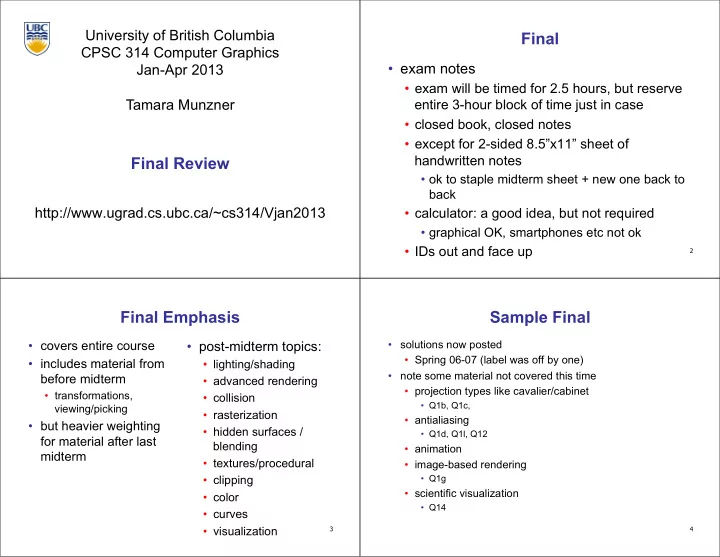
Final

  • exam notes
  • exam will be timed for 2.5 hours, but reserve

entire 3-hour block of time just in case

  • closed book, closed notes
  • except for 2-sided 8.5”x11” sheet of

handwritten notes

  • ok to staple midterm sheet + new one back to

back

  • calculator: a good idea, but not required
  • graphical OK, smartphones etc not ok
  • IDs out and face up

3

Final Emphasis

  • covers entire course
  • includes material from

before midterm

  • transformations,

viewing/picking

  • but heavier weighting

for material after last midterm

  • post-midterm topics:
  • lighting/shading
  • advanced rendering
  • collision
  • rasterization
  • hidden surfaces /

blending

  • textures/procedural
  • clipping
  • color
  • curves
  • visualization

Sample Final

  • solutions now posted
  • Spring 06-07 (label was off by one)
  • note some material not covered this time
  • projection types like cavalier/cabinet
  • Q1b, Q1c,
  • antialiasing
  • Q1d, Q1l, Q12
  • animation
  • image-based rendering
  • Q1g
  • scientific visualization
  • Q14

4

slide-2
SLIDE 2

5

Studying Advice

  • do problems!
  • work through old homeworks, exams

6

Reading from OpenGL Red Book

  • 1: Introduction to OpenGL
  • 2: State Management and Drawing Geometric Objects
  • 3: Viewing
  • 4: Display Lists
  • 5: Color
  • 6: Lighting
  • 9: Texture Mapping
  • 12: Selection and Feedback
  • 13: Now That You Know
  • only section Object Selection Using the Back Buffer
  • Appendix: Basics of GLUT (Aux in v 1.1)
  • Appendix: Homogeneous Coordinates and Transformation

Matrices

7

Reading from Shirley: Foundations of CG

  • 1: Intro *
  • 2: Misc Math *
  • 3: Raster Algs *
  • through 3.3
  • 4: Ray Tracing *
  • 5: Linear Algebra *
  • except for 5.4
  • 6: Transforms *
  • except 6.1.6
  • 7: Viewing *
  • 8: Graphics Pipeline *
  • 8.1 through 8.1.6, 8.2.3-8.2.5,

8.2.7, 8.4

  • 10: Surface Shading *
  • 11: Texture Mapping *
  • 13: More Ray Tracing *
  • only 13.1
  • 12: Data Structures *
  • only 12.2-12.4
  • 15: Curves and Surfaces *
  • 17: Computer Animation *
  • nly 17.6-17.7
  • 21: Color *
  • 22: Visual Perception *
  • only 22.2.2 and 22.2.4
  • 27: Visualization *

8

Review – Fast!!

slide-3
SLIDE 3

9

Review: Rendering Capabilities

www.siggraph.org/education/materials/HyperGraph/shutbug.htm

10

Review: Rendering Pipeline

Geometry Database Model/View Transform. Lighting Perspective Transform. Clipping Scan Conversion Depth Test Texturing Blending Frame- buffer

11

Review: OpenGL

void display() { glClearColor(0.0, 0.0, 0.0, 0.0); glClear(GL_COLOR_BUFFER_BIT); glColor3f(0.0, 1.0, 0.0); glBegin(GL_POLYGON); glVertex3f(0.25, 0.25, -0.5); glVertex3f(0.75, 0.25, -0.5); glVertex3f(0.75, 0.75, -0.5); glVertex3f(0.25, 0.75, -0.5); glEnd(); glFlush(); }

  • pipeline processing, set state as needed

12

Review: Event-Driven Programming

  • main loop not under your control
  • vs. procedural
  • control flow through event callbacks
  • redraw the window now
  • key was pressed
  • mouse moved
  • callback functions called from main loop

when events occur

  • mouse/keyboard state setting vs. redrawing
slide-4
SLIDE 4

13

Review: 2D Rotation

θ

(x, y) (x′, y′)

x′ = x cos(θ) - y sin(θ) y′ = x sin(θ) + y cos(θ)

 counterclockwise, RHS

( ) ( ) ( ) ( )

  • =
  • y

x y x

  • cos

sin sin cos ' '

14

Review: 2D Rotation From Trig Identities

x = r cos (φ) y = r sin (φ) x′ = r cos (φ + θ) y′ = r sin (φ + θ) Trig Identity… x′ = r cos(φ) cos(θ) – r sin(φ) sin(θ) y′ = r sin(φ) cos(θ) + r cos(φ) sin(θ) Substitute… x ′ = x cos(θ) - y sin(θ) y ′ = x sin(θ) + y cos(θ)

θ

(x, y) (x′, y′)

φ

15

Review: 2D Rotation: Another Derivation

  • cos

sin ' sin cos ' y x y y x x + =

  • =

x x '

x'= A B

B A

(x′,y′) (x,y)

A = xcos

θ

x

16

Review: Shear, Reflection

  • shear along x axis
  • push points to right in proportion to height
  • reflect across x axis
  • mirror

x y x y

  • +
  • =
  • 1

1 y x sh y x

x

  • +
  • =
  • 1

1 y x y x x x

slide-5
SLIDE 5

17

Review: 2D Transformations

  • =
  • +

+ =

  • +
  • '

' y x b y a x b a y x

( ) ( ) ( ) ( )

  • =
  • y

x y x

  • cos

sin sin cos ' '

  • =
  • y

x b a y x ' '

scaling matrix rotation matrix

  • =
  • '

' y x y x d c b a

translation multiplication matrix?? vector addition matrix multiplication matrix multiplication

) , ( b a

(x,y) (x′,y′)

18

Review: Linear Transformations

  • linear transformations are combinations of
  • shear
  • scale
  • rotate
  • reflect
  • properties of linear transformations
  • satisifes T(sx+ty) = s T(x) + t T(y)
  • origin maps to origin
  • lines map to lines
  • parallel lines remain parallel
  • ratios are preserved
  • closed under composition
  • =
  • y

x d c b a y x ' ' dy cx y by ax x + = + = ' '

19

Review: Affine Transformations

  • affine transforms are combinations of
  • linear transformations
  • translations
  • properties of affine transformations
  • origin does not necessarily map to origin
  • lines map to lines
  • parallel lines remain parallel
  • ratios are preserved
  • closed under composition
  • =
  • w

y x f e d c b a w y x 1 ' '

20

Review: Homogeneous Coordinates

  • homogenize to convert homog. 3D

point to cartesian 2D point:

  • divide by w to get (x/w, y/w, 1)
  • projects line to point onto w=1 plane
  • like normalizing, one dimension up
  • when w=0, consider it as direction
  • points at infinity
  • these points cannot be homogenized
  • lies on x-y plane
  • (0,0,0) is undefined

) , , ( w y x

homogeneous

) , ( w y w x

cartesian / w

x y w w=1

  • w

w y w x

  • 1

y x

slide-6
SLIDE 6

21

Review: 3D Homog Transformations

  • use 4x4 matrices for 3D transformations
  • =
  • 1

1 1 1 1 1 ' ' ' z y x c b a z y x translate(a,b,c)

  • =
  • 1

1 cos sin sin cos 1 1 ' ' ' z y x z y x

  • )

, ( Rotate

  • x
  • =
  • 1

1 1 ' ' ' z y x c b a z y x scale(a,b,c)

  • 1

cos sin 1 sin cos

  • )

, ( Rotate

  • y
  • 1

1 cos sin sin cos

  • )

, ( Rotate

  • z

22

Review: 3D Shear

  • general shear
  • "x-shear" usually means shear along x in direction of some other axis
  • correction: not shear along some axis in direction of x
  • to avoid ambiguity, always say "shear along <axis> in direction of <axis>"
  • =

1 1 1 1 ) , , , , , ( hyz hxz hzy hxy hzx hyx hzy hzx hyz hyx hxz hxy shear

shearAlongYinDirectionOfX(h) = 1 h 1 1 1

  • shearAlongYinDirectionOfZ(h) =

1 1 h 1 1

  • shearAlongXinDirectionOfY(h) =

1 h 1 1 1

  • shearAlongXinDirectionOfZ(h) =

1 h 1 1 1

  • shearAlongZinDirectionOfX(h) =

1 1 h 1 1

  • shearAlongZinDirectionOfY(h) =

1 1 h 1 1

  • 23

Review: Composing Transformations

Ta Tb = Tb Ta, but Ra Rb != Rb Ra and Ta Rb != Rb Ta

  • translations commute
  • rotations around same axis commute
  • rotations around different axes do not commute
  • rotations and translations do not commute

24

p'= TRp

Review: Composing Transformations

  • which direction to read?
  • right to left
  • interpret operations wrt fixed coordinates
  • moving object
  • left to right
  • interpret operations wrt local coordinates
  • changing coordinate system
  • OpenGL updates current matrix with postmultiply
  • glTranslatef(2,3,0);
  • glRotatef(-90,0,0,1);
  • glVertexf(1,1,1);
  • specify vector last, in final coordinate system
  • first matrix to affect it is specified second-to-last

OpenGL pipeline ordering!

slide-7
SLIDE 7

25 (2,1) (1,1) (1,1)

left to right: changing coordinate system right to left: moving object translate by (-1,0)

Review: Interpreting Transformations

  • same relative position between object and

basis vectors

intuitive? OpenGL

p'= TRp

26

Review: General Transform Composition

  • transformation of geometry into coordinate

system where operation becomes simpler

  • typically translate to origin
  • perform operation
  • transform geometry back to original

coordinate system

Review: Arbitrary Rotation

  • arbitrary rotation: change of basis
  • given two orthonormal coordinate systems XYZ and ABC
  • A’s location in the XYZ coordinate system is (ax, ay, az, 1), ...
  • transformation from one to the other is matrix R whose

columns are A,B,C:

Y Z X Y Z X (cx, cy, cz, 1) (ax, ay, az, 1) (bx, by, bz, 1)

R( X) = ax bx c x ay by c y az bz cz 1

  • 1

1

  • = (ax,ay,az,1) = A

28

Review: Transformation Hierarchies

  • transforms apply to graph nodes beneath them
  • design structure so that object doesn’t fall apart
  • instancing
slide-8
SLIDE 8

29

glPushMatrix() glPopMatrix() A B C A B C A B C C glScale3f(2,2,2) D = C scale(2,2,2) trans(1,0,0) A B C D DrawSquare() glTranslate3f(1,0,0) DrawSquare()

Review: Matrix Stacks

  • OpenGL matrix calls postmultiply matrix M onto current

matrix P, overwrite it to be PM

  • or can save intermediate states with stack
  • no need to compute inverse matrices all the time
  • modularize changes to pipeline state
  • avoids accumulation of numerical errors

30

Review: Display Lists

  • precompile/cache block of OpenGL code for reuse
  • usually more efficient than immediate mode
  • exact optimizations depend on driver
  • good for multiple instances of same object
  • but cannot change contents, not parametrizable
  • good for static objects redrawn often
  • display lists persist across multiple frames
  • interactive graphics: objects redrawn every frame from

new viewpoint from moving camera

  • can be nested hierarchically
  • snowman example
  • 3x performance improvement, 36K polys
  • http://www.lighthouse3d.com/opengl/displaylists

31

Review: Normals

  • polygon:
  • assume vertices ordered CCW when viewed

from visible side of polygon

  • normal for a vertex
  • specify polygon orientation
  • used for lighting
  • supplied by model (i.e., sphere),
  • r computed from neighboring polygons

1

P N

2

P

3

P ) ( ) (

1 3 1 2

P P P P N

  • =

N

32

Review: Transforming Normals

  • cannot transform normals using same

matrix as points

  • nonuniform scaling would cause to be not

perpendicular to desired plane!

MP P = '

P N

QN N = '

given M, what should Q be?

( )

T 1

M Q

  • =

inverse transpose of the modelling transformation

slide-9
SLIDE 9

33

Review: Camera Motion

  • rotate/translate/scale difficult to control
  • arbitrary viewing position
  • eye point, gaze/lookat direction, up vector

Peye Pref up view eye lookat y z x WCS

34

Review: Constructing Lookat

  • translate from origin to eye
  • rotate view vector (lookat – eye) to w axis
  • rotate around w to bring up into vw-plane

y z x WCS v u VCS Peye w Pref up view eye lookat

35

Review: V2W vs. W2V

  • MV2W=TR
  • we derived position of camera as object in world
  • invert for gluLookAt: go from world to camera!
  • MW2V=(MV2W)-1

=R-1T-1

T1 = 1 ex 1 ey 1 ez 1

  • R1 =

ux uy uz vx vy v z wx wy wz 1

  • T=

1 ex 1 ey 1 ez 1

  • R =

ux vx wx uy vy wy uz vz wz 1

  • =

ux uy uz ex ux +ey uy +ez uz vx vy vz ex vx +ey vy +ez vz wx wy wz ex wx +ey wy +ez wz 1

  • MW2V =

ux uy uz e•u vx vy vz e•v wx wy wz e•w 1

  • 36

Review: Graphics Cameras

  • real pinhole camera: image inverted

image plane eye point  computer graphics camera: convenient equivalent image plane eye point center of projection

slide-10
SLIDE 10

37

Review: Basic Perspective Projection

similar triangles

  • = z

y d y'

z d y y

  • =

'

z P(x,y,z) P(x’,y’,z’) z’=d y

z d x x

  • =

' d z = '

  • 1

1 1 1 d

  • d

d z y d z x / /

  • d

z z y x /

homogeneous coords

38

Review: From VCS to NDCS

x z

NDCS

y

(-1,-1,-1) (1,1,1)

  • rthographic view volume

x z VCS y x=left y=top x=right z=-far z=-near y=bottom perspective view volume x=left x=right y=top y=bottom z=-near z=-far x VCS y

  • orthographic camera
  • center of projection at

infinity

  • no perspective

convergence

39

Review: Orthographic Derivation

  • scale, translate, reflect for new coord sys

x z

VCS

y x=left y=top x=right z=-far z=-near y=bottom x z

NDCS

y

(-1,-1,-1) (1,1,1)

40

Review: Orthographic Derivation

  • scale, translate, reflect for new coord sys

P near far near far near far bot top bot top bot top left right left right left right P

  • +
  • +
  • +
  • =

1 2 2 2 '

slide-11
SLIDE 11

41

Review: Asymmetric Frusta

  • our formulation allows asymmetry
  • why bother? binocular stereo
  • view vector not perpendicular to view plane

Right Eye Left Eye

42

Review: Field-of-View Formulation

  • FOV in one direction + aspect ratio (w/h)
  • determines FOV in other direction
  • also set near, far (reasonably intuitive)
  • z

x Frustum z=-n z=-f α

fovx/2 fovy/2

h w

43

Review: Projection Normalization

  • warp perspective view volume to orthogonal

view volume

  • render all scenes with orthographic projection!
  • aka perspective warp

Z x z=α z=d Z x z=0 z=d

44

Review: Separate Warp From Homogenization

  • warp requires only standard matrix multiply
  • distort such that orthographic projection of

distorted objects is desired persp projection

  • w is changed
  • clip after warp, before divide
  • division by w: homogenization

CCS NDCS

alter w / w

VCS

projection transformation

viewing normalized device clipping

perspective division

V2C C2N

slide-12
SLIDE 12

45

x z

NDCS

y

(-1,-1,-1) (1,1,1)

x=left x=right y=top y=bottom z=-near z=-far x

VCS

y z

  • +
  • +
  • +
  • 1

2 ) ( 2 2 n f fn n f n f b t b t b t n l r l r l r n

Review: Perspective Derivation

  • shear
  • scale
  • projection-normalization

46

Review: N2D Transformation

  • +
  • +
  • +

=

  • =
  • 1

2 ) 1 ( 2 1 ) 1 ( 2 1 ) 1 ( 1 1 1 1 1 1 2 2 2 1 2 1 2 1 2 1 2 1 2 1 1

N N N N N N D D D

z depth y height x width z y x depth height width depth height width z y x

x y viewport NDC 500 300

  • 1
  • 1

1 1 height width x y reminder: NDC z range is -1 to 1 Display z range is 0 to 1. glDepthRange(n,f) can constrain further, but depth = 1 is both max and default

47

Review: Projective Rendering Pipeline

OCS - object coordinate system WCS - world coordinate system VCS - viewing coordinate system CCS - clipping coordinate system NDCS - normalized device coordinate system DCS - device coordinate system

OCS WCS VCS CCS NDCS DCS

modeling transformation viewing transformation projection transformation viewport transformation alter w / w

  • bject

world viewing device normalized device clipping

perspective division glVertex3f(x,y,z) glTranslatef(x,y,z) glRotatef(a,x,y,z) .... gluLookAt(...) glFrustum(...) glutInitWindowSize(w,h) glViewport(x,y,a,b)

O2W W2V V2C N2D C2N following pipeline from top/left to bottom/right: moving object POV

48

Review: OpenGL Example

glMatrixMode( GL_PROJECTION ); glLoadIdentity(); gluPerspective( 45, 1.0, 0.1, 200.0 ); glMatrixMode( GL_MODELVIEW ); glLoadIdentity(); glTranslatef( 0.0, 0.0, -5.0 ); glPushMatrix() glTranslate( 4, 4, 0 ); glutSolidTeapot(1); glPopMatrix(); glTranslate( 2, 2, 0); glutSolidTeapot(1);

OCS2 O2W VCS

modeling transformation viewing transformation projection transformation

  • bject

world viewing

W2V V2C WCS

  • transformations that

are applied to object first are specified last

OCS1 WCS VCS W2O W2O CCS

clipping

CCS OCS go back from end of pipeline to beginning: coord frame POV! V2W

slide-13
SLIDE 13

49

NDCS

  • bject

world viewing

OCS WCS VCS

W2V O2W

read down: transforming between coordinate frames, from frame A to frame B

V2N

DCS

normalized device display

read up: transforming points, up from frame B coords to frame A coords

V2W W2O N2V D2N N2D

Review: Coord Sys: Frame vs Point

OpenGL command order pipeline interpretation

gluLookAt(...) glViewport(x,y,a,b) glFrustum(...) glVertex3f(x,y,z) glRotatef(a,x,y,z)

50

Review: Coord Sys: Frame vs Point

  • is gluLookat viewing transformation V2W or W2V?

depends on which way you read!

  • coordinate frames: V2W
  • takes you from view to world coordinate frame
  • points/objects: W2V
  • point is transformed from world to view coords when

multiply by gluLookAt matrix

  • H2 uses the object/pipeline POV
  • Q1/4 is W2V (gluLookAt)
  • Q2/5-6 is V2N (glFrustum)
  • Q3/7 is N2D (glViewport)

51

Review: Picking Methods

  • manual ray intersection
  • bounding extents
  • backbuffer coding

x VCS y

52

Review: Select/Hit Picking

  • assign (hierarchical) integer key/name(s)
  • small region around cursor as new viewport
  • redraw in selection mode
  • equivalent to casting pick “tube”
  • store keys, depth for drawn objects in hit list
  • examine hit list
  • usually use frontmost, but up to application
slide-14
SLIDE 14

53

Review: Hit List

  • glSelectBuffer(buffersize, *buffer)
  • where to store hit list data
  • on hit, copy entire contents of name stack to output buffer.
  • hit record
  • number of names on stack
  • minimum and maximum depth of object vertices
  • depth lies in the z-buffer range [0,1]
  • multiplied by 2^32 -1 then rounded to nearest int

Post-Midterm Material

54 55

Review: Light Sources

  • directional/parallel lights
  • point at infinity: (x,y,z,0)T
  • point lights
  • finite position: (x,y,z,1)T
  • spotlights
  • position, direction, angle
  • ambient lights

56

Review: Light Source Placement

  • geometry: positions and directions
  • standard: world coordinate system
  • effect: lights fixed wrt world geometry
  • alternative: camera coordinate system
  • effect: lights attached to camera (car headlights)
slide-15
SLIDE 15

57

Review: Reflectance

  • specular: perfect mirror with no scattering
  • gloss: mixed, partial specularity
  • diffuse: all directions with equal energy

+ + =

specular + glossy + diffuse = reflectance distribution

58

Review: Reflection Equations

Idiffuse = kd Ilight (n • l)

n l θ R = 2 ( N (N · L)) – L

Ispecular = ksIlight(v•r)nshiny

l n v h

Ispecular = ksIlight(h•n)nshiny h = (l + v)/2

59

Review: Reflection Equations

full Phong lighting model

  • combine ambient, diffuse, specular components
  • Blinn-Phong lighting
  • don’t forget to normalize all lighting vectors!! n,l,r,v,h

Itotal = kaIambient + Ii(

i=1 #lights

  • kd(n•li) + ks(v•ri)nshiny )

Itotal = kaIambient + Ii(

i=1 #lights

  • kd(n•li)+ ks(h•ni)nshiny )

60

Review: Lighting

  • lighting models
  • ambient
  • normals don’t matter
  • Lambert/diffuse
  • angle between surface normal and light
  • Phong/specular
  • surface normal, light, and viewpoint
slide-16
SLIDE 16

61

Review: Shading Models

  • flat shading
  • for each polygon
  • compute Phong lighting just once
  • Gouraud shading
  • compute Phong lighting at the vertices
  • for each pixel in polygon, interpolate colors
  • Phong shading
  • for each pixel in polygon
  • interpolate normal
  • perform Phong lighting

62

Review: Non-Photorealistic Shading

  • cool-to-warm shading:
  • draw silhouettes: if , e=edge-eye vector
  • draw creases: if

(e n0)(e n1) 0

http://www.cs.utah.edu/~gooch/SIG98/paper/drawing.html

(n0 n1) threshold

standard cool-to-warm with edges/creases

kw = 1+ n l 2 ,c = kwcw + (1 kw)cc

63

Review: Specifying Normals

  • OpenGL state machine
  • uses last normal specified
  • if no normals specified, assumes all identical
  • per-vertex normals

glNormal3f(1,1,1); glVertex3f(3,4,5); glNormal3f(1,1,0); glVertex3f(10,5,2);

  • per-face normals

glNormal3f(1,1,1); glVertex3f(3,4,5); glVertex3f(10,5,2);

  • normal interpreted as direction from vertex location
  • can automatically normalize (computational cost)

glEnable(GL_NORMALIZE);

64

Review: Recursive Ray Tracing

  • ray tracing can handle
  • reflection (chrome/mirror)
  • refraction (glass)
  • shadows
  • one primary ray per pixel
  • spawn secondary rays
  • reflection, refraction
  • if another object is hit, recurse to

find its color

  • shadow
  • cast ray from intersection point to

light source, check if intersects another object

  • termination criteria
  • no intersection (ray exits scene)
  • max bounces (recursion depth)
  • attenuated below threshold

Image Plane Light Source Eye Refracted Ray Reflected Ray Shadow Rays

slide-17
SLIDE 17

65

Review: Reflection and Refraction

  • reflection: mirror effects
  • perfect specular reflection
  • refraction: at boundary
  • Snell’s Law
  • light ray bends based on

refractive indices c1, c2

2 2 1 1

sin sin

  • c

c = n

1 2

d t n

66

Review: Ray Tracing

  • issues:
  • generation of rays
  • intersection of rays with geometric primitives
  • geometric transformations
  • lighting and shading
  • efficient data structures so we don’t have to

test intersection with every object

67

Review: Radiosity

[IBM]

  • capture indirect diffuse-diffuse light exchange
  • model light transport as flow with conservation of energy until

convergence

  • view-independent, calculate for whole scene then browse from any

viewpoint

  • divide surfaces into small patches
  • loop: check for light exchange between all pairs
  • form factor: orientation of one patch wrt other patch (n x n matrix)

escience.anu.edu.au/lecture/cg/GlobalIllumination/Image/continuous.jpg escience.anu.edu.au/lecture/cg/GlobalIllumination/Image/discrete.jpg

68

Review: Subsurface Scattering

  • light enters and leaves at different

locations on the surface

  • bounces around inside
  • technical Academy Award, 2003
  • Jensen, Marschner, Hanrahan
slide-18
SLIDE 18

69

Review: Non-Photorealistic Rendering

  • simulate look of hand-drawn sketches or

paintings, using digital models

www.red3d.com/cwr/npr/

70

Review: Collision Detection

  • boundary check
  • perimeter of world vs. viewpoint or objects
  • 2D/3D absolute coordinates for bounds
  • simple point in space for viewpoint/objects
  • set of fixed barriers
  • walls in maze game
  • 2D/3D absolute coordinate system
  • set of moveable objects
  • one object against set of items
  • missile vs. several tanks
  • multiple objects against each other
  • punching game: arms and legs of players
  • room of bouncing balls

71

Review: Collision Proxy Tradeoffs

increasing complexity & tightness of fit

decreasing cost of (overlap tests + proxy update)

AABB OBB Sphere Convex Hull 6-dop

  • collision proxy (bounding volume) is piece of geometry used

to represent complex object for purposes of finding collision

  • proxies exploit facts about human perception
  • we are bad at determining collision correctness
  • especially many things happening quickly

72

Review: Spatial Data Structures

uniform grids bounding volume hierarchies

  • ctrees

BSP trees kd-trees OBB trees

72

slide-19
SLIDE 19

73

Review: Scan Conversion

  • convert continuous rendering primitives into discrete

fragments/pixels

  • given vertices in DCS, fill in the pixels
  • display coordinates required to provide scale for

discretization

74

Review: Midpoint Algorithm

  • we're moving horizontally along x direction (first octant)
  • only two choices: draw at current y value, or move up vertically

to y+1?

  • check if midpoint between two possible pixel centers above or

below line

  • candidates
  • top pixel: (x+1,y+1)
  • bottom pixel: (x+1, y)
  • midpoint: (x+1, y+.5)
  • check if midpoint above or below line
  • below: pick top pixel
  • above: pick bottom pixel
  • key idea behind Bresenham
  • reuse computation from previous step
  • integer arithmetic by doubling values

above: bottom pixel below: top pixel

75

y=y0; dx = x1-x0; dy = y1-y0; d = 2*dy-dx; incKeepY = 2*dy; incIncreaseY = 2*dy-2*dx; for (x=x0; x <= x1; x++) { draw(x,y); if (d>0) then { y = y + 1; d += incIncreaseY; } else { d += incKeepY; }

Review: Bresenham - Reuse Computation, Integer Only

76

P

Review: Flood Fill

  • simple algorithm
  • draw edges of polygon
  • use flood-fill to draw interior
slide-20
SLIDE 20

77

Review: Scanline Algorithms

  • scanline: a line of pixels in an image
  • set pixels inside polygon boundary along

horizontal lines one pixel apart vertically

  • parity test: draw pixel if edgecount is odd
  • optimization: only loop over axis-aligned

bounding box of xmin/xmax, ymin/ymax

1 2 3 4 5=0 P

78

Review: Bilinear Interpolation

  • interpolate quantity along L and R edges,

as a function of y

  • then interpolate quantity as a function of x

y P(x,y) P1 P2 P3 PL PR

79

1

P

3

P

2

P P

Review: Barycentric Coordinates

  • non-orthogonal coordinate system based on triangle

itself

  • origin: P1, basis vectors: (P2-P1) and (P3-P1)

γ=1 γ=0 β=1 β=0 α=1 α=0

P = P1 + β(P2-P1)+γ(P3-P1) P = (1-β-γ)P1 + βP2+γP3 P = αP1 + βP2+γP3

α + β+ γ = 1 0 <= α, β, γ <= 1

(α,β,γ) = (0,1,0) (α,β,γ) = (1,0,0) (α,β,γ) = (0,0,1)

80

Review: Computing Barycentric Coordinates

  • 2D triangle area
  • half of parallelogram area
  • from cross product

A = ΑP1 +ΑP2 +ΑP3

α = ΑP1 /A β = ΑP2 /A γ = ΑP3 /A

3

P

A

1

P

3

P

2

P P

(α,β,γ) = (1,0,0) (α,β,γ) = (0,1,0) (α,β,γ) = (0,0,1)

2

P

A

1

P

A weighted combination of three points

slide-21
SLIDE 21

81

Review: Painter’s Algorithm

  • draw objects from back to front
  • problems: no valid visibility order for
  • intersecting polygons
  • cycles of non-intersecting polygons possible

82

Review: BSP Trees

  • preprocess: create binary tree
  • recursive spatial partition
  • viewpoint independent

83

Review: BSP Trees

  • runtime: correctly traversing this tree enumerates
  • bjects from back to front
  • viewpoint dependent: check which side of plane

viewpoint is on at each node

  • draw far, draw object in question,

draw near

1 2 3 4 5 6 7 8 9 F N F N F N N F N F 1 2 3 4 5 6 7 8 9 F N F N F N

84

Review: Z-Buffer Algorithm

  • augment color framebuffer with Z-buffer or

depth buffer which stores Z value at each pixel

  • at frame beginning, initialize all pixel depths

to ∞

  • when rasterizing, interpolate depth (Z)

across polygon

  • check Z-buffer before storing pixel color in

framebuffer and storing depth in Z-buffer

  • don’t write pixel if its Z value is more distant

than the Z value already stored there

slide-22
SLIDE 22

85

Review: Depth Test Precision

  • reminder: perspective transformation maps

eye-space (view) z to NDC z

  • thus
  • depth buffer essentially stores 1/z
  • high precision for near, low precision for distant

E A F B C D 1

  • x

y z 1

  • =

Ex + Az Fy + Bz Cz + D z

  • =

Ex z + Az

  • Fy

z + Bz

  • C + D

z

  • 1
  • zNDC = C + D

zeye

  • 86

Review: Integer Depth Buffer

  • reminder from picking: depth stored as integer
  • depth lies in the DCS z range [0,1]
  • format: multiply by 2^n -1 then round to nearest int
  • where n = number of bits in depth buffer
  • 24 bit depth buffer = 2^24 = 16,777,216 possible

values

  • small numbers near, large numbers far
  • consider depth from VCS: (1<<N) * ( a + b / z )
  • N = number of bits of Z precision
  • a = zFar / ( zFar - zNear )
  • b = zFar * zNear / ( zNear - zFar )
  • z = distance from the eye to the object

87

Review: Object Space Algorithms

  • determine visibility on object or polygon level
  • using camera coordinates
  • resolution independent
  • explicitly compute visible portions of polygons
  • early in pipeline
  • after clipping
  • requires depth-sorting
  • painter’s algorithm
  • BSP trees

88

Review: Image Space Algorithms

  • perform visibility test for in screen coordinates
  • limited to resolution of display
  • Z-buffer: check every pixel independently
  • performed late in rendering pipeline
slide-23
SLIDE 23

89

Review: Back-face Culling

y z eye VCS NDCS eye works to cull if

>

Z

N

y z

90

Review: Invisible Primitives

  • why might a polygon be invisible?
  • polygon outside the field of view / frustum
  • solved by clipping
  • polygon is backfacing
  • solved by backface culling
  • polygon is occluded by object(s) nearer the viewpoint
  • solved by hidden surface removal

Review: Alpha and Premultiplication

  • specify opacity with alpha channel α
  • α=1: opaque, α=.5: translucent, α=0: transparent
  • how to express a pixel is half covered by a red object?
  • obvious way: store color independent from transparency (r,g,b,α)
  • intuition: alpha as transparent colored glass
  • 100% transparency can be represented with many different RGB values
  • pixel value is (1,0,0,.5)
  • upside: easy to change opacity of image, very intuitive
  • downside: compositing calculations are more difficult - not associative
  • elegant way: premultiply by α so store (αr, αg, αb,α)
  • intuition: alpha as screen/mesh
  • RGB specifies how much color object contributes to scene
  • alpha specifies how much object obscures whatever is behind it (coverage)
  • alpha of .5 means half the pixel is covered by the color, half completely transparent
  • only one 4-tuple represents 100% transparency: (0,0,0,0)
  • pixel value is (.5, 0, 0, .5)
  • upside: compositing calculations easy (& additive blending for glowing!)
  • downside: less intuitive

91 92

Review: Complex Compositing

  • foreground color A, background color B
  • how might you combine multiple elements?
  • Compositing Digital Images, Porter and Duff, Siggraph '84
  • pre-multiplied alpha allows all cases to be handled simply
slide-24
SLIDE 24

93

Review: Texture Coordinates

  • texture image: 2D array of color values (texels)
  • assigning texture coordinates (s,t) at vertex with
  • bject coordinates (x,y,z,w)
  • use interpolated (s,t) for texel lookup at each pixel
  • use value to modify a polygon’s color
  • or other surface property
  • specified by programmer or artist

glTexCoord2f(s,t) glVertexf(x,y,z,w)

94

glTexCoord2d(1, 1); glVertex3d (x, y, z); (1,0) (0,0) (0,1) (1,1)

Review: Tiled Texture Map

glTexCoord2d(4, 4); glVertex3d (x, y, z); (4,4) (0,4) (4,0) (0,0)

95

Review: Fractional Texture Coordinates

(0,0) (1,0) (0,1) (1,1) (0,0) (.25,0) (0,.5) (.25,.5) texture image

96

Review: Texture

  • action when s or t is outside [0…1] interval
  • tiling
  • clamping
  • functions
  • replace/decal
  • modulate
  • blend
  • texture matrix stack

glMatrixMode( GL_TEXTURE );

slide-25
SLIDE 25

97

Review: MIPmapping

  • image pyramid, precompute averaged versions

Without MIP-mapping With MIP-mapping

98

Review: Bump Mapping: Normals As Texture

  • create illusion of complex

geometry model

  • control shape effect by

locally perturbing surface normal

99

Review: Environment Mapping

  • cheap way to achieve reflective effect
  • generate image of surrounding
  • map to object as texture
  • sphere mapping: texture is distorted fisheye view
  • point camera at mirrored sphere
  • use spherical texture coordinates

100

Review: Perlin Noise: Procedural Textures

function marble(point) x = point.x + turbulence(point); return marble_color(sin(x))

slide-26
SLIDE 26

101

Review: Perlin Noise

  • coherency: smooth not abrupt changes
  • turbulence: multiple feature sizes

102

Review: Procedural Modeling

  • textures, geometry
  • nonprocedural: explicitly stored in memory
  • procedural approach
  • compute something on the fly
  • not load from disk
  • often less memory cost
  • visual richness
  • adaptable precision
  • noise, fractals, particle systems

103

Review: Language-Based Generation

  • L-Systems
  • F: forward, R: right, L: left
  • Koch snowflake:

F = FLFRRFLF

  • Mariano’s Bush:

F=FF-[-F+F+F]+[+F-F-F]

  • angle 16

http://spanky.triumf.ca/www/fractint/lsys/plants.html

104

Review: Fractal Terrain

  • 1D: midpoint displacement
  • divide in half, randomly displace
  • scale variance by half
  • 2D: diamond-square
  • generate new value at midpoint
  • average corner values + random displacement
  • scale variance by half each time

http://www.gameprogrammer.com/fractal.html

slide-27
SLIDE 27

105

Review: Particle Systems

  • changeable/fluid stuff
  • fire, steam, smoke, water, grass, hair, dust,

waterfalls, fireworks, explosions, flocks

  • life cycle
  • generation, dynamics, death
  • rendering tricks
  • avoid hidden surface computations

106

Review: Clipping

  • analytically calculating the portions of

primitives within the viewport

107

Review: Clipping Lines To Viewport

  • combining trivial accepts/rejects
  • trivially accept lines with both endpoints inside all edges
  • f the viewport
  • trivially reject lines with both endpoints outside the same

edge of the viewport

  • otherwise, reduce to trivial cases by splitting into two

segments

108

Review: Cohen-Sutherland Line Clipping

  • outcodes
  • 4 flags encoding position of a point relative to

top, bottom, left, and right boundary

x=xmin x=xmax y=ymin y=ymax 0000 1010 1000 1001 0010 0001 0110 0100 0101 p1 p2 p3

  • OC(p1)== 0 &&

OC(p2)==0

  • trivial accept
  • (OC(p1) &

OC(p2))!= 0

  • trivial reject
slide-28
SLIDE 28

109

Review: Polygon Clipping

  • not just clipping all boundary lines
  • may have to introduce new line segments

110

Review: Sutherland-Hodgeman Clipping

  • for each viewport edge
  • clip the polygon against the edge equation for new vertex list
  • after doing all edges, the polygon is fully clipped
  • for each polygon vertex
  • decide what to do based on 4 possibilities
  • is vertex inside or outside?
  • is previous vertex inside or outside?

111

Review: Sutherland-Hodgeman Clipping

  • edge from p[i-1] to p[i] has four cases
  • decide what to add to output vertex list

inside

  • utside

p[i]

p[i] output

inside

  • utside

no output

inside

  • utside

i output

inside

  • utside

i output p[i] output

p[i] p[i] p[i] p[i-1] p[i-1] p[i-1] p[i-1]

112

Review: RGB Component Color

  • simple model of color using RGB triples
  • component-wise multiplication
  • (a0,a1,a2) * (b0,b1,b2) = (a0*b0, a1*b1, a2*b2)
  • why does this work?
  • must dive into light, human vision, color spaces
slide-29
SLIDE 29

113

Review: Trichromacy and Metamers

  • three types of cones
  • color is combination
  • f cone stimuli
  • metamer: identically

perceived color caused by very different spectra

114

Review: Measured vs. CIE Color Spaces

  • measured basis
  • monochromatic lights
  • physical observations
  • negative lobes
  • transformed basis
  • “imaginary” lights
  • all positive, unit area
  • Y is luminance

115

Review: Chromaticity Diagram and Gamuts

  • plane of equal brightness showing chromaticity
  • gamut is polygon, device primaries at corners
  • defines reproducible color range

116

Review: RGB Color Space (Color Cube)

  • define colors with (r, g, b)

amounts of red, green, and blue

  • used by OpenGL
  • hardware-centric
  • RGB color cube sits within CIE

color space

  • subset of perceivable colors
  • scale, rotate, shear cube
slide-30
SLIDE 30

117

Review: HSV Color Space

  • hue: dominant wavelength, “color”
  • saturation: how far from grey
  • value/brightness: how far from black/

white

  • cannot convert to RGB with matrix

alone

118

S =1 min(R,G,B) I Review: HSI/HSV and RGB

  • HSV/HSI conversion from RGB
  • hue same in both
  • value is max, intensity is average

3 B G R I + + =

[ ]

  • +
  • +
  • =
  • )

)( ( ) ( ) ( ) ( 2 1 cos

2 1

B G B R G R B R G R H

V = max(R,G,B) S =1 min(R,G,B) V

  • HSI:
  • HSV:

if (B > G), H = 360 H

119

Review: YIQ Color Space

  • color model used for color TV
  • Y is luminance (same as CIE)
  • I & Q are color (not same I as HSI!)
  • using Y backwards compatible for B/W TVs
  • conversion from RGB is linear
  • green is much lighter than red, and red lighter

than blue

  • =
  • B

G R Q I Y 31 . 52 . 21 . 32 . 28 . 60 . 11 . 59 . 30 .

Q I

120

Review: Color Constancy

  • automatic “white balance” from change in

illumination

  • vast amount of processing behind the scenes!
  • colorimetry vs. perception
slide-31
SLIDE 31

121

Review: Splines

  • spline is parametric

curve defined by control points

  • knots: control points

that lie on curve

  • engineering drawing:

spline was flexible wood, control points were physical weights

A Duck (weight) Ducks trace out curve

122

Review: Hermite Spline

  • user provides
  • endpoints
  • derivatives at endpoints

123

Review: Bézier Curves

  • four control points, two of which are knots
  • more intuitive definition than derivatives
  • curve will always remain within convex hull

(bounding region) defined by control points

124

Review: Basis Functions

  • point on curve obtained by multiplying each control

point by some basis function and summing

  • 0.4
  • 0.2
0.2 0.4 0.6 0.8 1 1.2

x1 x0 x'1 x'0

slide-32
SLIDE 32

125

Review: Comparing Hermite and Bézier

0.2 0.4 0.6 0.8 1 1.2 B0 B1 B2 B3

  • 0.4
  • 0.2
0.2 0.4 0.6 0.8 1 1.2

x1 x0 x'1 x'0

Bézier Hermite

126

Review: Sub-Dividing Bézier Curves

  • find the midpoint of the line joining M012, M123.

call it M0123

P0 P1 P2 P3 M01 M12 M23 M012 M123 M0123

127

Review: de Casteljau’s Algorithm

  • can find the point on Bézier curve for any parameter

value t with similar algorithm

  • for t=0.25, instead of taking midpoints take points 0.25 of the

way

P0 P1 P2 P3 M01 M12 M23 t=0.25

demo: www.saltire.com/applets/advanced_geometry/spline/spline.htm

128

Review: Continuity

  • continuity definitions
  • C0: share join point
  • C1: share continuous derivatives
  • C2: share continuous second derivatives
  • piecewise Bézier: no continuity guarantees
slide-33
SLIDE 33

129

Review: B-Spline

  • C0, C1, and C2 continuous
  • piecewise: locality of control point influence

130

Semiology of Graphics. Jacques Bertin, Gauthier-Villars 1967, EHESS 1998

position size grey level texture color shape

  • rientation

points lines areas marks: geometric primitives attributes

Review: Visual Encoding

  • attributes
  • parameters

control mark appearance

  • separable

channels flowing from retina to brain

131

Review: Channel Ranking By Data Type

[Mackinlay, Automating the Design of Graphical Presentations of Relational Information, ACM

132

Review: Integral vs. Separable Channels

  • not all channels separable

[Colin Ware, Information Visualization: Perception for Design. Morgan Kaufmann 1999.]

color location color motion color shape size

  • rientation

x-size y-size red-green yellow-blue

slide-34
SLIDE 34

133

Review: Preattentive Visual Channels

  • color alone, shape alone: preattentive
  • combined color and shape: requires attention
  • search speed linear with distractor count

[Christopher Healey, [www.csc.ncsu.edu/faculty/healey/PP/PP.html]

Review: InfoVis Techniques

  • 3D often worse then 2D for abstract data
  • perspective distortion, occlusion
  • transform, use linked views
  • animation often worse than small multiples
  • aggregation and filtering
  • focus+context
  • dimensionality reduction
  • parallel coordinates

134 135

Beyond 314: Other Graphics Courses

  • 424: Geometric Modelling
  • was offered this year
  • 426: Computer Animation
  • will be offered next year
  • 514: Image-Based Rendering - Heidrich
  • 526: Algorithmic Animation - van de Panne
  • 530P: Sensorimotor Computation - Pai
  • 533A: Digital Geometry – Sheffer
  • 547: Information Visualization - Munzner