
SLIDE 1
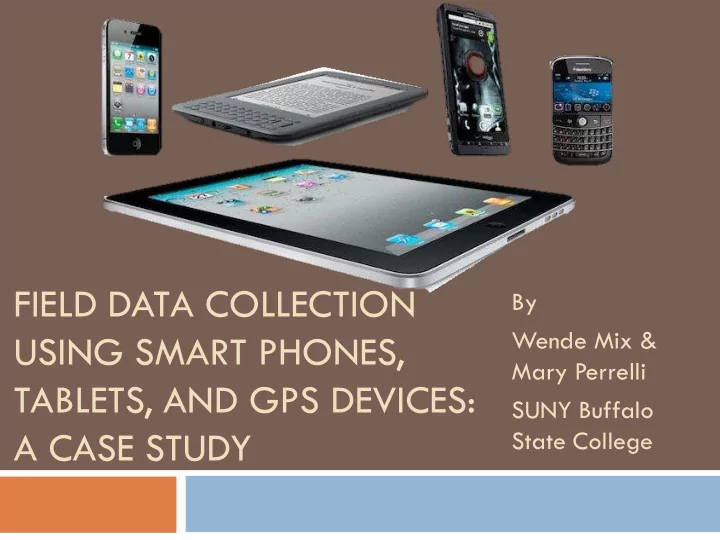
FIELD DATA COLLECTION By Wende Mix & USING SMART PHONES, Mary - - PowerPoint PPT Presentation
FIELD DATA COLLECTION By Wende Mix & USING SMART PHONES, Mary Perrelli TABLETS, AND GPS DEVICES: SUNY Buffalo A CASE STUDY State College Outline Research Question Methodology Results Summary Research Question Do
Research Question Methodology Results Summary
Do different mobile spatial data collection devices
The focus of this study is to address the question on
Cost?
Type of features
Visibility on satellite imagery (digital ortho-imagery)
Accessibility of and Familiarity with Technology Online v Offline applications
ArcGIS Online (subscription)
Build a separate application for each data collection
WiFi connection required
MiFi for off-campus data collection Verizon Jetpack 4G LTE Tablet : IPad, Android Tablet IPod, SmartPhone
Geodatabase with multiple Domains Zoom in upon touch
Geodatabase with Subtypes Keypad Text Entry
World Imagery provides one meter or better satellite and aerial imagery
in many parts of the world and lower resolution satellite imagery
resolution imagery at small scales (above 1:1,000,000), i-cubed 15m eSAT imagery at medium-to-large scales (down to 1:70,000) for the world, and USGS 15m Landsat imagery for Antarctica. The map features 0.3m resolution imagery in the continental United States and 0.6m resolution imagery in parts of Western Europe from Digital Globe. In other parts of the world, 1 meter resolution imagery is available from GeoEye IKONOS, i- cubed Nationwide Prime, Getmapping, AeroGRID, IGN Spain, and IGP
contributed by the GIS User Community. For more information on this map, including the terms of use, visit us online at http://goto.arcgisonline.com/maps/World_Imagery
Credits Source: Esri, DigitalGlobe, GeoEye, i-cubed, USDA, USGS, AEX,
Getmapping, Aerogrid, IGN, IGP , swisstopo, and the GIS User Community
CURRENCY ISSUES
2 classes of students taking GEG 325 Maps and Mapmaking using GIS
10 locations on campus
1. American flag pole in the Union quad 2. Sign with the campus map on the south side of Bacon Hall 3. Tree #22 - 6th tree west of Elmwood in row closest to Rockwell Hall 4. Streetlight H2 - north side of Rockwell Rd on the center of Ketchum Hall 5. Stop sign in the westbound direction at the intersection of Rockwell and the entrance to
C lot
6. Pine tree at the southeast corner of Newman Hall 7. Fire hydrant at the southwest corner of Newman Hall 8. Furthest east F-1 lot sign near Technology Bldg construction fencing 9. Streetlight G38A - Bengal walk on the exterior of the circle near the arena 10. Tree-like sculpture near northwest door of Cassety Hall
Tablet or smartphone, and GPS
Tablet Methods: Device GPS and Manual
Known feature locations collected
manually using an IPod and using a Trimble GeoXT GPS
Mean distance between Manual and
GPS = 2.6 m.
IPod GPS Satellite button GPS Stylus
Known Points Sample Size Manual GPS Method Manual 160 8.1m 9.2 m Device GPS 137 30.1m 30.5 m Garmin GPS 153 14 m 14.4 m Known Points Sample Size Manual GPS Method Manual 155 5.4 m 6.6 m Device GPS 128 26.6 m 27.3 m Garmin GPS 148 10.9 m 11.3 m Nearest point Correct point
Method z Z crit p Manual 1.04 1.96 0.30 Device GPS 0.22 1.96 0.83 Garmin GPS 0.23 1.96 0.77 Method Manual Device GPS Garmin GPS Manual 9.45, 1.96, 0 4.15, 1.96, 3.33E-05 Device GPS 6.69, 1.96, 2.24E-11 Garmin GPS Ho: Mean Manual = Mean GPS Ha: Mean Manual / Mean GPS Ho: Mean Manual Method(1) = Mean Manual Method(2) Ha: Mean Manual Method(1) / Mean Manual Method(2) Fail to Reject Ho: Means are equal Reject Ho: Means are equal
30,440 records
http://arcgis.com
2 points in COB data No points in COB data
12 of the 73 points collected using a tablet are
Mean distance between
82% are within 3.5
49 points captured in 30 minutes without leaving
Average distance
Maximum = 18 m 19% within 3 m 64% within 6 m
Manual method using tablets and smart phones
May depend on skill/experience of data collector
Device GPS only reliable to get you within the
Handheld GPS also subject to human error.
Wende Mix, Ph.D.
mixwa@buffalostate.edu 716 – 878-3027
Mary Perrelli
perrelmf@buffalostate.edu 716 – 878-3699