TVCUC, Connecting Your World
Fellowship Hall Wi-Fi Network Access SSID: - - PowerPoint PPT Presentation
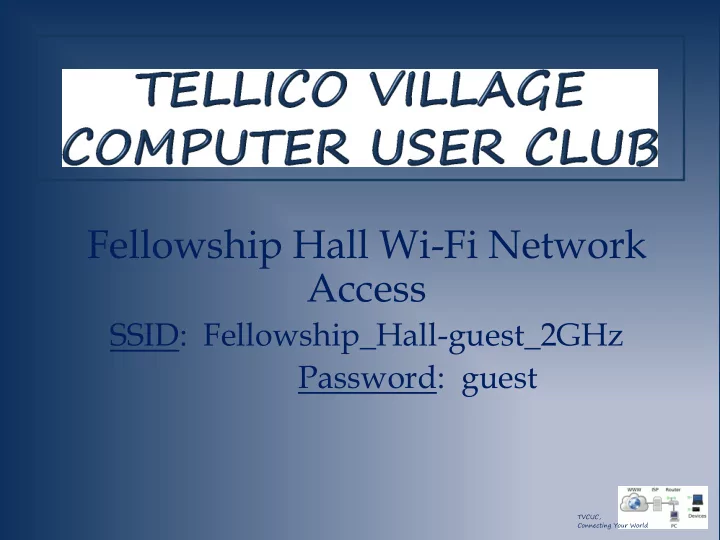
Fellowship Hall Wi-Fi Network Access SSID: Fellowship_Hall-guest_2GHz Password: guest TVCUC, Connecting Your World TVCUC, Connecting Your World Welcome and Opening Comments Bylaws Change Review & Vote New Member Welcome
TVCUC, Connecting Your World
- Welcome and Opening Comments
- Bylaws Change – Review & Vote
- New Member Welcome
- Logo Contest Winner
- Committee Reports
- Tonight’s Program:
⁻ Cyber Security – Part 1
- Door Prizes
TVCUC, Connecting Your World
Is Tellico Village Computer Users Club Going to Have to Shut Down?
Do I have your attention? Please read that again. This Club is run by Volunteers plain and simple. No Volunteers – No Club.
We have been asking for people to step up and volunteer for years, but, all we have heard is silence or something like: “I don’t know about computers”. Stepping up to do a Board position or a Committee position takes no more “computer” skills than an Office job. Just basic organization skills. We can teach the skills. It takes two other things: Caring about helping others and about 6-8 hours a month of your time. We have to fill the position of Vice President and the position of Secretary or we will not have a Board of Directors as required by law which will force this Club to shut down.
TVCUC, Connecting Your World
Section 2. Dues
Membership is effective upon submission of a membership application listing all proposed household members and payment of dues. Annual dues shall be payable in advance, between October 1 and December 31. Members whose dues are delinquent will have their Membership
- canceled. Membership may be reinstated after December 31 by payment
- f full annual dues which will be valid through the current calendar year.
This change eliminates the Jan 1 to Mar 31 “Grace Period”.
TVCUC, Connecting Your World
Note:
David is working with our Web Master, Jim Watson, to create our new website.
TVCUC, Connecting Your World
TellicoLife user
TVCUC, Connecting Your World
Month Program
February AT&T @Tellico Village March MasterCraft Boats April Backup Strategies May Wil Davenport - More Than Memories June Annual Picnic July No Meeting August FLS September Caitlin Darras - McGhee Tyson Airport October Cyber Security – A Joint Education Presentation
By TVCUC & Neighborhood Watch
November Annual Meeting – Meeting date changed to Tuesday, November 13th December TBD – Cutting The Cord?
TVCUC, Connecting Your World
2018 Members – 1446 (New and Renewals) 2019 Membership Begins 10/1/2018
Use TellicoLife (www.tellicolife.org) to Join or Renew
Log on: With your ID and Password, then select TAB – “Clubs & Org” Pay Dues: 2 Methods:
1.
Credit Card (preferred) – $20.00 – 25% Discount = $15.00
2.
Check/Cash – $20.00 (Requires TellicoLife invoice submitted)
TVCUC, Connecting Your World
1156 (New and Renewals)
Proton Labs – October 20, 9:00AM – 10:30PM
−
Reservations, contact Bob Kutschera at: bkkutch@yahoo.com
Volkswagen - In Chattanooga – VW has cancelled tours until further notice.
−
Retooling factory for new model
−
No information on when tours will be resumed
−
We will try to get this rescheduled
Oak Ridge National Laboratory (ORNL) – Tours Cancelled
−
The type of tours we have done have been cancelled due to budget cuts and layoffs
- f tour guides for this type of tour.
−
We are working to try and get this type of tour scheduled again
TVCUC, Connecting Your World
- ------- Forwarded Message --------
Subject:NSEFU.ORG PUBLIC SERVICE ANNOUNCEMENT
Date:Tue, 25 Sep 2018 19:58:52 +0000
From:Pandora Vreeland <buckrunne@hotmail.com>To:TAP <tap@tvcuc.org> To: Warren Sanders and the Incredible Members of the Tellico Village Computer Club
GREAT NEWS! Check out the very first Public Service Announcement for NSEFU Wildlife
- Conservation. Please click on the Youtube (below) to see how NSEFU is
fighting poaching from several angles. The enthusiastic school children are learning about saving these endangered animals while studying in the new school that NSEFU built. NSEFU is teaching beekeeping as a way to teach villagers a valuable skill and a way to raise money for NSEFU and their anti-poaching efforts. The new sewing school, also built by NSEFU, is teaching skills to the villagers so their families can earn money from sewing instead of their men resorting to poaching. It is a 360 degree approach and they are making a BIG difference! The very brave NSEFU Rangers have destroyed over three thousand animal snares in only three years and many poachers have been caught-in-the-act and
- JAILED. One of your Tellico Computer Club laptops is shown being presented by my sister
to the staff at the new school in the video. She said the school staff looked at her like she had just given them the Holy Grail. Thank you all for helping in this desperate
- fight. [fyi-My sister, Coe Lewis, is a full-time Rock & Roll disc jockey in San Diego, CA on
station WKGB. She is one of the hard-driving co-founders of NSEFU and narrates this video.]
With respect and gratitude to each of you,
Pandora Vreeland
Pandora Vreeland
buckrunne@hotmail.com
https://www.youtube.com/watch?v=ZNw-qdglVmw
TVCUC, Connecting Your World
“Members FLS Support Hot Line:
(865) 408-8223 8223
Members can leave a message and a FLS volunteer will contact you as soon as possible
Meet with First Level Support
Once a month, volunteers from FLS will meet with TVCUC members to discuss computer related problems, issues, and solutions on a first come, first served basis.
The October FLS Support Day will be 10/30 at 3:00pm in Chota “D”
CALL US BEFORE YOU GET SO FRUSTRATED THAT YOU WANT TO DO THIS!
FLS available for Windows, Apple OS, Smart phones/Tablets -- iOS & Android
TVCUC, Connecting Your World
September Hot Line calls: 51 Members 25th FLS Day: 9 Members
Top Issues:
Software Updates with Win 10
Slow Running Computers
Malware
Network Connections after Update
As always write down and safely store Passwords
Protecting Your Personal Information:
- Cyber Security
Joint Education Presentation by
HOA
What we plan to cover today
- What exactly is ‘Cyber Security’?
- How big is this issue? Who is affected?
- Tips to reduce computer threats
– Home Wi-Fi Network – Passwords – Virtual Private Network (VPN) – Requests for personal information
- Financial
– Credit bureaus – Accessing Financial sites – Note: This presentation will be made available on-line on the Neighborhood Watch and TVCUC websites.
Some Definitions
- What is “Cyber” or “Digital”?
- “Cyber” is a term used to define all electronic
communications and computer based activities both personally and business.
- “Digital” is a term often used in place of “Cyber” because
computers and communications use a system of digits (numbers) instead of letters and words.
- “Cyber” is used with other terms:
- Cyber Space: Basically that is the Internet.
- Cyber Crime: Attacks on computers - personal or business
- Cyber Security: Protecting from attacks.
So, Who is Affected?
- EVERYONE!
- WE ARE ALL JUST FLOATING IN THE CYBER
SEA – EVEN IF WE DO NOT USE A COMPUTER OR SMART PHONE, OUR BANKS, THE GOVERNMENT, PLACES WE SHOP, MEDICAL RECORDS, WHEN WE BUY A HOME – ALL THE TRANSACTIONS ARE DONE IN CYBERSPACE WHICH PUTS US IN CYBER SPACE.
How Connected Are We?
Just How Big A Problem?
- Us Director of National Intelligence (Jan 2014) ranks
cybercrime as the top national security threat
- Global cost of cybercrime estimated to be $445B-
$575B in 2013.
- U.S. cybercrime
hit was ≈$100B That would be the world’s 27th largest economy if cybercrime were a country
Who is Targeting You?
Does this apply to anyone here?
- #1 Use Passwords
– REAL ONES!! – Keep updated. EVERYWHERE!!
- Make sure the Password
is a Strong Password.
- Consider Password
keeper software.
So How do you Protect Yourself?
No Joke…. People do Use these:
- Recent password breaches at sites like Adobe have shown how insecure many of our
passwords are. Here is a list of the most common passwords that turned up in the Adobe
- breach. It probably goes without saying: Avoid using these passwords.
- 123456
- 123456789
- password
- admin
- 12345678
- qwerty
- 1234567
- 111111
- photoshop
- 123123
- 1234567890
- 000000
- abc123
- 1234
- adobe1
- macromedia
- azerty
- iloveyou
- aaaaaa
- 654321
So what is a strong password?
- The only secure password is one that you can't
remember, but there are times when you can't use a password manager and need to rely on your memory.
- The longer the password, the harder it is to
- crack. Consider a 12-character password or
longer.
- Avoid names, places, and dictionary words.
- Mix it up. Use variations on capitalization,
spelling, numbers, and punctuation.
Password Ideas
Take a sentence and turn it into a password. The sentence can be anything personal and memorable for you. Take the words from the sentence, then abbreviate and combine them in unique ways to form a password. Here are six sample sentences:
- WOO!TEwontSB = Woohoo! The Eagles won the Super Bowl!
- IltpPBedotw@TV =I like to play pickleball every day of the
week at Tellico Village.
- PPupmoarT@O@tgs = Please pick up more Toasty O's at the
grocery store.
- W?ow?imp::ohth3r = Where oh where is my pear? Oh, there.
- L!veFour2d@y = Live for today.
- 1L%veM0m$Pi! = I Love Moms Pie!
Where do you keep your Passwords?
Consider a Password Keeper instead……
Password Keepers
Password Keeper Software Can generate random passwords and fill them in with your username – you
- nly need to remember the
Master Password
So Again the Question: How do you Protect Yourself?
- #1 Use Strong Passwords – REAL ONES!! –
Keep updated.
- Have a safe strategy for keeping Passwords.
- Consider Password Keeper Software.
Some new vocabulary
- Phishing
- Cryptojacking
- Ransomware
- The Dark Web
Phishing
- Phishing is a cyber attack that uses disguised email as a weapon.
The goal is to trick the email recipient into believing that the message is something they want or need — a request from their bank, for instance, or a note from someone in their company — and to click a link or download an attachment.
- What really distinguishes phishing is the form the message takes:
the attackers masquerade as a trusted entity of some kind, often a real or plausibly real person, or a company the victim might do business with. It's one of the oldest types of cyberattacks, dating back to the 1990s, and it's still one of the most widespread and pernicious, with phishing messages and techniques becoming increasingly sophisticated.
Phishing Examples
What to do about Phishing
- NEVER follow an e-mail Link or a Phone Call, or Text.
- If notified by e-mail of a problem or request for information, go to
the website (such as your bank) or call the customer service and ask if they sent you a message and what it is about. They have you information and will only ask for verification like the last 4 digits of your SS Number or birth date, this is done to make sure they are speaking to the proper person.
COMPUTER THREAT – YES, EVEN APPLE PRODUCTS CAN BE ATTACKED
- If you get a message that you computer has been attacked and you have only
some few seconds to respond to a phone number to fix it:
- SHUT YOUR COMPUTER DOWN COMPLETELY AND WAIT FOR AT LEAST 30
SECONDS TO RE-BOOT.
- DO NOT JUST DO A “RESTART” – THIS DOES NOT COMPLETELY CLEAR THE
MEMORY.
- These messages frighten people into letting strangers take control of your
computer and charge you to fix them, allowing them to lock you out or steal information – and your money. Most likely your computer will be trashed.
- Install, keep updated and use Anti-Virus programs. Yes, you can get some for free,
but consider the benefits of a subscription and if it offers more protection.
- Install, keep updated and use Malware programs. Yes, you can get some for free,
but consider the benefits of a subscription and if it offers more protection.
- Install, keep updated and use Anti-Ransom Ware programs. You can get some for
free, some are being included in Anti-Virus programs as part of a subscription.
How many have heard of Cryptojacking??
- Cryptojacking is defined as the secret use of your computing device to
mine cryptocurrency.
- How does in-browser cryptojacking work?
- In-browser cryptojacking uses JavaScript on a web page to mine for
cryptocurrencies.
- JavaScript runs on just about every website you visit, so the JavaScript
code responsible for in-browser mining doesn’t need to be installed.
- You load the page, and the in-browser mining code just runs. No need to
install, and no need to opt-in.
- Cryptojacking blocker
- The simplest way to protect yourself from cryptojacking is to install a
cryptojacking blocker.
https://hackerbits.com/programming/what-is-cryptojacking/
Ransomware - Malware
https://us.norton.com/internetsecurity- malware-ransomware-5-dos-and- donts.htmlhttps://us.norton.com/internetsec urity-malware-ransomware-5-dos-and- donts.html
Ransomware
- For more long-term prevention of ransomware attacks, follow these ransomware
tips for businesses and consumers:
- New ransomware variants appear on a regular basis. Always keep your security
software up to date to protect yourself against them.
- Keep your operating system and other software updated. Software updates will
frequently include patches for newly discovered security vulnerabilities that could be exploited by ransomware attackers.
- Email is one of the main infection methods. Be wary of unexpected emails,
especially if they contain links and/or attachments.
- Be especially wary of any Microsoft Office email attachment that advises you to
enable macros to view its content. Unless you are absolutely sure that this is a genuine email from a trusted source, do not enable macros and instead immediately delete the email.
- Backing up important data is the single most effective way of combating
ransomware infection. Attackers have leverage over their victims by encrypting valuable files and leaving them inaccessible. If the victim has backup copies, they can restore their files once the infection has been cleaned up. However,
- rganizations should ensure that backups are appropriately protected or stored
- ffline so that attackers can’t delete them.
- Using cloud services could help mitigate ransomware infection, since many retain
previous versions of files, allowing you to “roll back” to the unencrypted form. https://us.norton.com/internetsecurity-malware-ransomware-5-dos-and- donts.html
SMART PHONE THREATS
- A Smart Phone is a computer. Messages or links like those
sent to a computer will pop up and cannot be dismissed.
- SHUT YOUR PHONE DOWN COMPLETELY AND WAIT FOR
AT LEAST 30 SECONDS TO RE-BOOT.
- DO NOT JUST DO A “RESTART” – THIS DOES NOT
COMPLETELY CLEAR THE MEMORY.
- Use many of the same types of protective programs and
cautions as a computer to shield you.
- Process Updates as soon as available!!!!!!!
Financial Matters This is where “The Dark Web” thrives
- Targets of The
Dark Web:
- Banking
- Credit & Debit
Cards
- Credit
Monitoring
- Social Security
- ID Theft
The Dark Web
- The Web or Internet most everyone uses is an open, easily
searched network of people, places and information. We just “Google” it, and there, whatever we want is on our screen.
- The “Deep Web” is special part of the internet that
businesses like Banks, PayPal, Social Security, and government use to transact business and only by knowing some exact address can someone access those who use it. A “Google” search won’t find anything.
- The “Dark Web” is like the “Deep Web” in that special
software is needed to gain access, but unlike the “Deep Web” it is filled with hackers and thieves. They set up shop like an
- pen air Bazaar selling your full ID (SSN, mother’s maiden
name, full history) for as low as: $2.95 Your whole life is worth $2.95. (bitcoin – no traceable dollars) Guns, drugs, children, you name it - all for sale in the Dark Web.
https://www.aarp.org/money/scams-fraud/info-2018/what-is-the-dark-web.html
Banking
- Check your accounts regularly – at least weekly.
- If your Bank offers alert monitoring – enable it
so you know when there is a posting and can react promptly.
Credit Cards and Debit Cards
- Set up Alert monitoring. Setting the alert
amount to $0.00 will alert you to every charge
- Inform Credit Card companies before you
travel – especially International.
Credit Bureaus
- Credit bureaus, also called credit
reporting agencies, are companies that collect and maintain consumer credit information then resell it to
- ther businesses in the form of a
credit report.
- In the United States, there are three major credit bureaus:
Equifax, Experian, and TransUnion. When creditors and lenders check your credit, they'll very likely to check your credit with one or all three of these credit bureaus.
- All three of the major credit bureaus are publicly-traded, for-
profit companies—they're not owned by the government. The government does, however, have legislation—the Fair Credit Reporting Act (FCRA)—that regulates how these and other credit bureaus can and must operate.
What do they get from Credit Bureaus
- Your most personal
information — home address, Social Security number, etc. — has likely been hacked as one of the 143 million American consumers whose Equifax credit files were breached.
What the Credit Reporting Agencies Do...and What They Don't Do
- The major credit bureaus receive credit-related information from
companies that you do business with. They also pull relevant public records, like tax liens or bankruptcy information, from state and local courts and include this in your credit report.
- Credit bureaus collect and hold consumer credit information then
sell it to businesses who have a legally valid reason for reviewing it. For example, a company with whom you've applied for credit with would have a valid need to look at your credit history. Your information can also be sold to companies that want to prescreen you for their products and services.
- Credit reporting agencies can only provide information and
analytical tools to help businesses make decisions about whether to
- ffer you credit and what sort of interest rate they should charge
- you. The bureaus themselves don't make those decisions.
Suggestions
- Check your Credit Bureaus
Frequently for activity these are “Soft Pulls” and don’t usually affect credit scores.
- Consider placing a “Lock” or
a “Freeze” in all 3 Bureaus.
- LOCK: Allows for placing or
removing a lock on your Credit Bureaus – each is separate – so that new credit cannot be made without your consent. This can be done using mobile devices to aid obtaining credit, for example a new car, as needed then shut off.
- FREEZE: Freezing shuts of the ability to add a new account until the Freeze is lifted
- n all Credit Bureaus. A Freeze can be placed free of charge. It is fast to place a
freeze, but can take time to Un-Freeze. “On the fly” like a Lock is not possible.
- Which One? Both shut off credit to protect, but the FREEZE has additional state
mandated rules while the Lock is regulated by the Bureaus.
- Request annually your free credit report and review carefully.
When You Need to Contact the Credit Bureaus
- You have a right to view your credit reports
and you're entitled to order a free report from each of the major credit reporting agencies
- nce each year.
- Just visit AnnualCreditReport.com to make the
- request. You can also get a copy of your report
at no charge if you've been turned down for credit, but you have to make the request within 60 days.
Medicare
- This year Medicare will be mailing new Medicare cards to everyone
with Medicare. The new card will have a new Medicare Number that’s unique to each person instead of their Social Security Number.
- Watch out for scams
- Medicare will never call you uninvited and ask you to give personal or
private information to get your new Medicare Number and card.
- Scam artists may try to get personal information (like your current
Medicare Number) by contacting you about your new card.
- If someone asks you for your information,
for money, or threatens to cancel your health benefits if you don't share your personal information, hang up and call 1-800-MEDICARE (1-800-633-4227).
- For more information about new cards
and other Medicare information - check out Medicare.gov or log into your MyMedicare.gov account.
The Dark Web & Basic Safeguards
- Freeze you Credit Bureaus so no new credit
can be opened without you knowing. This also limits credit checks. This puts YOU in control.
- Monitor ALL your accounts so you know when
and what transactions are taking place. This puts YOU in control.
- Use a Password Manager this is the easiest
way to create a unique, random password for each site. If someone does get a password, it will only be to a single site. This puts YOU in control.
Are Any Devices “Safer” than Others? No, not really, it is most often us who let the hacker in
Tips for Securing Your Wireless Home Network
- Refrain from giving out the network password. As paranoid as it may make you seem, refusing to give out your network's
password lowers the chances of people who you don't trust finding out your network's password. Instead of giving out the password, offer to sign in friends and family when they visit rather than allowing them to sign into the Wi-Fi themselves.
- Place your router in the middle of your home. In addition to making your router coverage more balanced, doing this will
limit the router's reach beyond your home's walls. This means that would-be network intruders won't be able to sit outside
- f your home and still connect to the network.[1]Your home's size and layout may make this impossible; if so, just try to keep
your router well-away from windows and external doorways.
- Disconnect the router when it's not in use. If you plan on leaving your home for a weekend or more, unplug your router
and/or modem. This is more of a safety precaution than an active security measure, but it will prevent any potential attackers from connecting to your Internet while you're powerless to stop it.Even if you're going to be gone for a standard 8-
- r 9-hour work day, disconnecting your router will prevent any chances of your network being compromised while you're
gone.
- Use a boring network name. It may sound stupid, but changing your clever Wi-Fi network name to a boring one will
decrease the odds of it being picked out as a potential target.[2]For example, using the router's manufacturer and its number (e.g., "Belkin-3030") as the name will make the network stand out less than if its name is "Bill Wi the Science Fi" or something similar.
- Disable your computer's network sharing. Network sharing allows your computer to share files and information with other
computers on the network, but it also makes your computer a weak point in the network's security.
- Use a VPN. Virtual Private Networks, or VPNs, direct your network traffic through one or more abnormal servers, hiding your
network's activity in the process. VPNs don't necessarily secure your network so much as they hide it, but that's usually enough to prevent attacks as well as reduce the likelihood of future attacks.
- Replace your router when it becomes obsolete. As with any technology, routers lose their value after a few years, especially
in the security department. Since online threats are constantly updating and evolving, a brand-new router will be much better equipped for security than will a three- or four-year-old one.
Virtual Private Network
- Consider using a VPN (Virtual Private
Network) which masks your computer’s address and creates an encrypted “Tunnel” in the internet between your computer and where you are connecting to. This to shield you from hackers, even a Government. There is a subscription fee to cover the cost of all the servers used and there is a bit of slowing.
VPNs and cost (CNET)
- NordVPN – 5 / 5 - best plan is 1-year subscription plan: $6.99 ($83.88). While their
monthly price of $11.95, their yearly price of $83.88
- STRONGVPN – 5 / 5 - monthly price of $10 is in the middle of the pack, but their
yearly price of $69.99
- IPVanish VPN – 4.5 / 5 - $7.50/month and $58.49 for a year,
- PureVPN – 4.5 / 5 - Pricing is middle-of-the-road,at $10.95 per month and $69.00
for three year's service.
- ExpressVPN – 4 / 5 - Their best plan is priced at just $6.67per month for an annual
package which includes 3 extra months free.
- Hide My Ass – 4 / 5 - monthly pricing of $11.52 is at the high end of the spectrum,
their yearly pricing is competitive at $78.66 for a full year.
- Buffered VPN – 4/5 At $12.99 per month and $99.00 for a year of service
- Goose VPN – 4.5 / 5. monthly fee for unlimited bandwidth is a middle-of-the-road
$12.99/month, but if you spend $59.88 for a year's service,
- https://www.cnet.com/best-vpn-services-directory/
What is “https” and Why Do I care?
Hyper Text Transfer Protocol Secure (HTTPS) is the secure version of HTTP, the protocol over which data is sent between your browser and the website that you are connected to. The 'S' at the end of HTTPS stands for 'Secure'. It means all communications between your browser and the website are encrypted. helps to prevent hacker attacks that are based on eavesdropping
Anti-Virus, Anti-Malware, Anti-Ransomware
Each is a different type of attack – some just to cause trouble, some to steal information, some to steal “YOU”. It is important to constantly update the anti-virus, anti-malware and anti-ransomware software on a computer because computers are regularly threatened by new types of attacks. These updates contain the latest files needed to combat new attacks and protect your computer.
Conclusion YOU need to Help Keep YOU Safe
- Guard your Personal Information
- Strong Passwords - Consider Password Keeper
- Be careful on-line – Be cautious of posting Information on Social
Media
- Be careful when info requested – others are trying to get you to
give them information
- Follow safe “computer” use methods – up to date software
- Note: This presentation will be made available on-line on the
Neighborhood Watch and Computer Club websites.
TVCUC, Connecting Your World
Thanks For Coming!
Welcome to our new members tonight, thanks for joining us. And now:
The Door Prize Drawing – Tickets in Hand?