Evidence Preservation in Trucking Injury Cases Crafting Spoliation - - PowerPoint PPT Presentation

evidence preservation in trucking injury cases
SMART_READER_LITE
LIVE PREVIEW

Evidence Preservation in Trucking Injury Cases Crafting Spoliation - - PowerPoint PPT Presentation

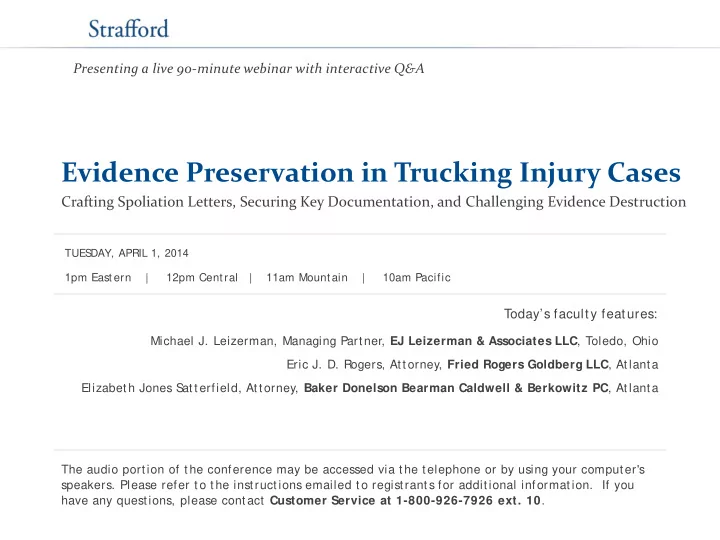
Presenting a live 90-minute webinar with interactive Q&A Evidence Preservation in Trucking Injury Cases Crafting Spoliation Letters, Securing Key Documentation, and Challenging Evidence Destruction TUES DAY, APRIL 1, 2014 1pm East ern |


slide-1
SLIDE 1

Evidence Preservation in Trucking Injury Cases

Crafting Spoliation Letters, Securing Key Documentation, and Challenging Evidence Destruction

Today’s faculty features:

1pm East ern | 12pm Cent ral | 11am Mount ain | 10am Pacific

The audio portion of the conference may be accessed via the telephone or by using your computer's

  • speakers. Please refer to the instructions emailed to registrants for additional information. If you

have any questions, please contact Customer Service at 1-800-926-7926 ext. 10.

TUES DAY, APRIL 1, 2014

Presenting a live 90-minute webinar with interactive Q&A

Michael J. Leizerman, Managing Partner, EJ Leizerman & Associates LLC, Toledo, Ohio Eric J. D. Rogers, Attorney, Fried Rogers Goldberg LLC, Atlanta Elizabeth Jones S atterfield, Attorney, Baker Donelson Bearman Caldwell & Berkowitz PC, Atlanta

slide-2
SLIDE 2

Tips for Optimal Quality

S

  • und Qualit y

If you are listening via your computer speakers, please note that the quality

  • f your sound will vary depending on the speed and quality of your internet

connection. If the sound quality is not satisfactory, you may listen via the phone: dial 1-866-869-6667 and enter your PIN when prompted. Otherwise, please send us a chat or e-mail sound@ straffordpub.com immediately so we can address the problem. If you dialed in and have any difficulties during the call, press *0 for assistance. Viewing Qualit y To maximize your screen, press the F11 key on your keyboard. To exit full screen, press the F11 key again.

FOR LIVE EVENT ONLY

slide-3
SLIDE 3

Continuing Education Credits

For CLE purposes, please let us know how many people are listening at your location by completing each of the following steps:

  • In the chat box, type (1) your company name and (2) the number of

attendees at your location

  • Click the S

END button beside the box If you have purchased S trafford CLE processing services, you must confirm your participation by completing and submitting an Official Record of Attendance (CLE Form). Y

  • u may obtain your CLE form by going to the program page and selecting the

appropriate form in the PROGRAM MATERIALS box at the top right corner. If you'd like to purchase CLE credit processing, it is available for a fee. For additional information about CLE credit processing, go to our website or call us at 1-800-926-7926 ext. 35.

FOR LIVE EVENT ONLY

slide-4
SLIDE 4

Program Materials

If you have not printed the conference materials for this program, please complete the following steps:

  • Click on the ^ symbol next to “ Conference Materials” in the middle of the left -

hand column on your screen.

  • Click on the tab labeled “ Handouts” that appears, and there you will see a

PDF of the slides for today's program.

  • Double click on the PDF and a separate page will open.
  • Print the slides by clicking on the printer icon.

FOR LIVE EVENT ONLY

slide-5
SLIDE 5
  • Federal Motor Carrier Safety Regulations
  • Document Retention Timelines
  • Department of Transportation
  • Multiple Defendants
  • Technology and Government Databases
  • Third Party Vendors

5

slide-6
SLIDE 6
  • Regulations that pertain to all Interstate

motor carriers operating in the USA

  • State the minimum documents that a

company must maintain in order to operate

  • State the minimum time specific documents

must be kept

  • SIZE DOESN’T MATTER!

6

slide-7
SLIDE 7
  • Logs, daily inspection sheets: 6 Months
  • Maintenance records: 1 year
  • Driver Qualification File: 3 years after last

date of employment

  • Qualcomm, GPS, ECM: None

7

slide-8
SLIDE 8

 Driver  Motor Carrier  Tractor Owner  Trailer Owner  3rd Party Maint./Repair  Yard Owner  Loader/unloader  Broker  Shipper  Freight Forwarder  Consignee  Logistics Company  Insurer

They Can All Have Independent Liability and Evidence

8

slide-9
SLIDE 9

9

slide-10
SLIDE 10

10

slide-11
SLIDE 11

11

slide-12
SLIDE 12

12

slide-13
SLIDE 13

13

slide-14
SLIDE 14

14

slide-15
SLIDE 15

15

slide-16
SLIDE 16

16

slide-17
SLIDE 17

17

slide-18
SLIDE 18

18

slide-19
SLIDE 19

19

slide-20
SLIDE 20

20

slide-21
SLIDE 21

 Get Safersys and CSA data early  Broker Liability – negligent retention of motor carrier.

How does Safersys and CSA come into play?

21

slide-22
SLIDE 22
  • Eg.: QualComm, Log Audits, GPS Tracking, Fuel

Monitoring, VORAD

  • Trucking companies use outside vendors to help run

their companies

  • Information created by these vendors is not always

stored on company servers

  • You don’t know who the trucking company uses, but

they do.

  • No requirements to maintain this information by law

22

slide-23
SLIDE 23

 Qualcomm  Blackbox – ECM and ABS  Vorad  EOBR – Electronic logging  Onboard Video  GPS  Combined Systems

23

slide-24
SLIDE 24

 Most large truck engines have ECM responsible for monitoring

and controlling important engine and vehicle parameters such as speed, throttle, and braking.

 Most record data for rapid deceleration  Many can record speed, clutch & brake status, & throttle position  Some record “last stop” data  Depends on the engine make, model and year.  When in doubt, call dealer.

24

slide-25
SLIDE 25

 Since 1987, the most popular engine for Class 8 trucks is

the Detroit Diesel Series 60.

 Fallen off a bit since 2001, but still very popular  Most Freightliner trucks  Prior to 1998 – DDEC III – did not store any data without

add on module

 Post 1998 – Data recorded  Gets better with each release  DDEC is most advanced ECM

25

slide-26
SLIDE 26

 The last stop record - triggered when truck is stopped for

more than x length of time – factory set at 15 secs.

 When triggered, will record activity from 1 minute 45

seconds before the stop through 15 sec after stop.

 When the vehicle is moved again, this data is

  • verwritten and lost forever.

 Do you want to move the vehicle after the crash?

26

slide-27
SLIDE 27

 Hard brake report - triggered when tractor decelerates at

  • r above a certain preprogrammed rate.

 The factory default is 7 mph/second.  Once triggered, the ECM will record activity for 1 minute

before and 15 seconds after the threshold is met.

 Usually the last 2 hard brakes are recorded  Diagnostics and engine run time reports – Show serious

faults

27

slide-28
SLIDE 28

 How is this useful to you?  Last Stop and Hard Brake Reports capture the following

data in 1 second intervals:

 Wheel speed (mph)  Engine speed (rpm)  Engine load (percent)  Throttle position (percent)  Brake status (on/off)  Clutch status (on/off)  Cruise control status (on/off)

28

slide-29
SLIDE 29

29

slide-30
SLIDE 30

30

slide-31
SLIDE 31

31

slide-32
SLIDE 32

32

slide-33
SLIDE 33

33

slide-34
SLIDE 34

34

slide-35
SLIDE 35

35

slide-36
SLIDE 36

FRIED ROGERS GOLDBERG LLC www.thetruckingattorneys.com

36

slide-37
SLIDE 37

 Used in Peterbilt, Kenworth & International tractors.  Caterpillar engine ECMs have been able to record sudden

decelerations (“quick stops”) since 1995, but the factory default is set to not record any such data.

 no way to know if data is there without downloading the

box

 Starting in 2007 the engines started being shipped with

“quick stop” function set to “on.”

 Records 45 sec of data before trigger and 15 seconds of

data after trigger.

37

slide-38
SLIDE 38

 The Quick Stop records:  Wheel speed (mph)  Engine load (percent)  Service brake status (on/off)  Clutch status (on/off)  Cruise control status (on/off)  Other parameters defined by end-user  Snapshot Report – critical fault – 9 seconds before and 3

seconds after – good if mechanical issue is suspected

38

slide-39
SLIDE 39

 Used in Peterbilt, Kenworth and International tractors.  Before late 2005, little data unless optional “Road Relay”

module – Most did not have it

 Now - must Cummins engines do contain EDR data as

follows in 1 second intervals:

Wheel speed (mph)

Engine speed (rpm)

Engine load (percent

Throttle position (percent)

Brake status (on/off)

Clutch status (on/off)

Cruise control status (on/off)

Lamp status (on/off)

39

slide-40
SLIDE 40

 You need two separate software set ups to download a

Cummins engine ECM.

 Insight –downloads engine settings/maintenance data  Powerspec- downloads the sudden deceleration data  panic stop report -triggered when deceleration meets or

exceeds a pre-set threshold.

 The factory default is usually 9 mph/second.  Records 1 minute before and 15 seconds after trigger  Up to three panic stops can be recorded.

40

slide-41
SLIDE 41

41

slide-42
SLIDE 42

 Makes own engines  Since 1998 EDR called V-Mack

 Records 2 incidents  Threshold 10mph/sec decel

 Late Model records one Braking and one Last Stop  Records 16 seconds before and after, usually in 0.2

second intervals. Speed is rounded to nearest mph.

42

slide-43
SLIDE 43

 Mack incident report records:

 Wheel speed (mph)  Engine speed (rpm)  Up to 8 switches usually including

 Brake status (on/off)  Clutch status (on/off)  Cruise control status (on/off)  Key switch (on/off)

 Mack has not made its software publically available. To

  • btain a download, the ECU must be removed and sent

to one of two authorized third parties:

 East Coast: Time Cheek, PE, www.deltavinc.com  West Coast: John Steiner, www.levaeng.com

43

slide-44
SLIDE 44

 Makes own engines but sometimes uses Cummins  Before 2007 – no useful info  By some reports, engines built in 2007 have an incident

report capabilities similar to those in Mack trucks, but this information has not been verified.

44

slide-45
SLIDE 45

 Trucking company is notified immediately and

activates well-oiled plan to defend

 1 hour response  Immediate Response Teams  Lawyer Directed Investigation – is it privileged?

 Police are usually not trucking experts  Evidence can be lost

 ECM  Logs and support  Documents are how you build additional theories of

liability

45

slide-46
SLIDE 46

 Act immediately to preserve what can be preserved:

 Activate your Immediate Response Team  Secure all scene evidence  Secure vehicles and ECM evidence

 Write Spoliation Letter for everything else

 What’s good for the goose…

46

slide-47
SLIDE 47

 Do not be a hypocrite  Preserve your vehicle. Give Defense an opportunity

to inspect your vehicle

 What other evidence do you have control of that

you can preserve?

 When going before the judge, you need to be the

most fair person.

47

slide-48
SLIDE 48

Spoliation Letters

A spoliation letter should be sent as soon as possible to the driver, trucking company and insurer requesting the preservation of evidence.

  • Trucking companies have routine document destruction policies.
  • Describe items of evidence and explain to the other side that this evidence

is crucial to your case.

  • Remember to request that the company preserve the Electronic Control

Module (ECM)

  • Ethical considerations require that you give no legal advice.
  • The purpose of the spoliation letter is to ensure the most severe sanctions

available.

48

slide-49
SLIDE 49

 Two Competing Theories

 General Topics:

 Pros:

 Provides specific items that you can cite later in brief  No confusion in what you are asking for  Can list as many items as you want

 Cons

 You don’t know their business  Can be viewed as over burdensome  Gives the defense an excuse for not preserving relevant evidence

Send by certified mail!

49

slide-50
SLIDE 50

 Two Competing Theories

 Detailed list of items to preserve

 Pros:

 Puts the Burden on trucking company to know what relevant documents there are  Company knows their internal procedures better than you  Looks more reasonable

 Cons

 Not a common practice, so unsure how companies will respond  Defense will argue that additional claims were unexpected  Didn’t know evidence was going to be relevant

Send by certified mail!

50

slide-51
SLIDE 51

 Anticipation of Litigation  Control Over Evidence  Evidence Not Available  Plaintiff Prejudiced  Evidence Relevant to Claims

51

slide-52
SLIDE 52

 Anticipation of Litigation

 Knowledge of an accident not enough  Must show they had reason to believe claim would be filed

 Proof of service of spoliation letter  Knowledge of insurance company not enough  Depose person who received letter to prepare for motion

52

slide-53
SLIDE 53

 Control over evidence

 Must show they had the ability to preserve the evidence

 Owner-Operators control their tractor-trailer, not the company  DOT and Police may take evidence from company  Must show they had control or possession of evidence at the time they received

notice of potential claim.

 Destroying evidence prior to required retention time can be grounds for sanctions without notice of claim 53

slide-54
SLIDE 54

 Evidence not available

 Documents or evidence must not be available for you to inspect

 Cannot force a company to store a vehicle indefinitely (unreasonable)  Can evidence be obtained from another source?  Must show that evidence actually existed at one time

 What would the ECM show if we could have downloaded it? 54

slide-55
SLIDE 55

 Plaintiff Prejudiced

 Plaintiff must be prejudiced in the prosecution of their case by lack of

evidence

 What would the evidence have proved?  Can you prove this another way?  Could skid marks show speed without ECM?  Could GPS data show time driving if logs are gone?

55

slide-56
SLIDE 56

 Evidence Relevant

 Evidence must be relevant to the reasons the accident happened

 What are all your theories of negligence?  Who are your Defendants?  What do you need to prove to support these claims?  How would this evidence have helped me?  Is there other evidence that supports my position?

  • Eg. Driver said he was tired at the scene could support claim he was over hours, so log books would be

relevant. 56

slide-57
SLIDE 57

 Sanctions against offending party in underlying

negligence action

 Most Popular: A negative inference that evidence would have harmed

the spoliating party.

 Most states have this sanction  Inference given is based on destroyed evidence

 Exclusion of Expert Testimony

 If material reconstruction evidence is destroyed, then offending party cannot have

expert testimony about cause of accident. (Can be as bad a striking answer)  Exclusion of other evidence  Striking of Pleading (Most severe)

 This can be the striking of an Answer or Dismissing a Complaint  Bad Faith Requirement in some jurisdictions

57

slide-58
SLIDE 58

 Independent Cause of Action:

 Must prove the same elements of a discovery sanction  Who was the party that had control?  Was it intentional or negligent?  What were your damages?

58

slide-59
SLIDE 59

THE WORST CASE SCENARIO

EVIDENCE INVOLVED IN THE BATTLE:

  • DRIVER

QUALIFICATION FILE

  • LEASE AGREEMENT
  • PLACARDS

 PN EXPRESS v. ZEGEL  Vicarious Liability  Missing Documents  Jury Instruction  Applied Statutory Employment  The absence of evidence WAS

the evidence

59

slide-60
SLIDE 60

EVIDENCE INVOLVED IN THE BATTLE:

 SILLMAN v. ASSOC.

BELLMEADE

 “Contemplated or Pending”

Litigation

 Notice of Representation  Preservation Letter  NOT anticipation of litigation  How does this relate to trucking

cases?

 ECM v. Logs

60

slide-61
SLIDE 61

DEFENSE APPROACH: HOW TO AVOID SPOLIATION FMCSA REGULATIONS RE: RETENTION VS DOT PRESERVATION/SPOLIATION

 “I’m not required to keep that by

law”

 “The insurance company is taking

care of this”

 “Why do we need to do this?”  Attorneys should do their own

verification of the search

 Save documents in house. Do not

rely on others.

61

slide-62
SLIDE 62

 Have a document retention policy and FOLLOW IT  Get legal counsel involved early  Don’t rely on the insurance company to “take care of

it”-you have responsibility

 Take preservation demands seriously  Go on the offensive

62

slide-63
SLIDE 63

63

Eric J.D. Rogers Michael J. Leizerman Fried Rogers Goldberg LLC E.J. Leizerman & Associates LLC Atlanta, GA Toledo, OH 877-591-1801 800-628-4500 eric@frg-law.com michael@leizerman.com Elizabeth J. Satterfield Baker Donelson Bearman Caldwell & Berkowitz PC Atlanta, GA 404-589-3410 esatterfield@bakerdonelson.com