EVC Computer Vision U it 3 I Unit 3: Image Acquisition A i iti - - PowerPoint PPT Presentation

evc computer vision
SMART_READER_LITE
LIVE PREVIEW

EVC Computer Vision U it 3 I Unit 3: Image Acquisition A i iti - - PowerPoint PPT Presentation

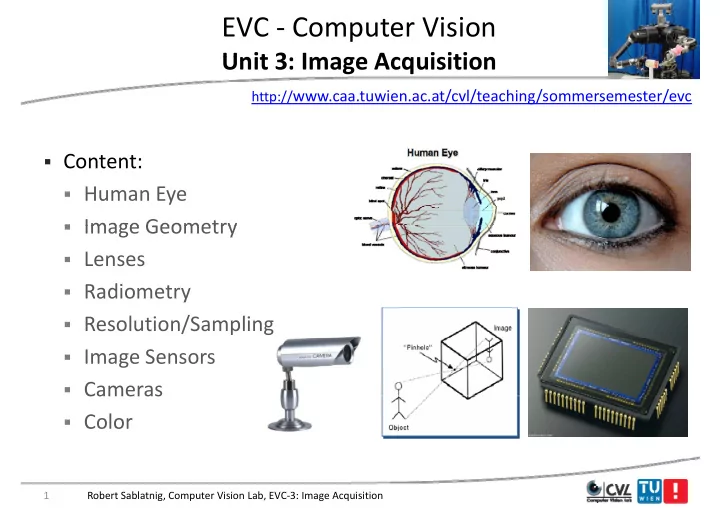
EVC Computer Vision U it 3 I Unit 3: Image Acquisition A i iti http:// www.caa.tuwien.ac.at/cvl/teaching/sommersemester/evc Content: Human Eye Image Geometry Image Geometry Lenses Radiometry Resolution/Sampling


slide-1
SLIDE 1

EVC ‐ Computer Vision

U it 3 I A i iti Unit 3: Image Acquisition

http://www.caa.tuwien.ac.at/cvl/teaching/sommersemester/evc

  • Content:
  • Human Eye
  • Image Geometry
  • Image Geometry
  • Lenses
  • Radiometry
  • Resolution/Sampling
  • Image Sensors
  • Cameras

Cameras

  • Color

1 Robert Sablatnig, Computer Vision Lab, EVC‐3: Image Acquisition

slide-2
SLIDE 2

Image Formation g

  • Input in Human Vision:
  • Eye
  • Eye

I t i C t Vi i

  • Input in Computer Vision:
  • Image
  • Role model: Human eye
  • Replica: CCD camera

p

  • Furthermore: Scanner, 3d

Scanner, …. Scanner, ….

2 Robert Sablatnig, Computer Vision Lab, EVC‐3: Image Acquisition

slide-3
SLIDE 3

Human Eye vs. Camera y

  • We make cameras that act “similar” to the human eye

3 Robert Sablatnig, Computer Vision Lab, EVC‐3: Image Acquisition

slide-4
SLIDE 4

Human Eye ‐ History y y

  • Pythagoras

Pythagoras (500 BC): Eye is sending out rays – by touching objects the seeing y y g j g process is initiated (Range Finder Principle) p )

  • Keppler

Keppler (1604 AD): discovers vision

  • Keppler

Keppler (1604 AD): discovers vision process in human eye. On the retina an upside‐down image of the world is upside down image of the world is sensed, which is assembled in the visual center into a 3d image. visual center into a 3d image.

Robert Sablatnig, Computer Vision Lab, EVC‐3: Image Acquisition 4

slide-5
SLIDE 5

Human Eye y

5 Robert Sablatnig, Computer Vision Lab, EVC‐3: Image Acquisition

slide-6
SLIDE 6

Human Eye ‐ Components y p

  • Cornea + Lens:
  • Light fraction
  • Light fraction
  • Iris:

i bl t

  • variable aperture
  • Retina: Image Detector
  • (ca. 100 Mio.

Photoreceptors)

6 Robert Sablatnig, Computer Vision Lab, EVC‐3: Image Acquisition

slide-7
SLIDE 7

Human Eye ‐ Accomodation y

  • Is the process by which the

vertebrate eye changes optical y g p power to maintain a clear image (focus) on an object as g ( ) j its distance varies.

  • The image of the world is

represented exactly on the represented exactly on the

  • retina. Objects too far forward
  • r too far back to be mapped
  • r too far back to be mapped

are blurred.

Robert Sablatnig, Computer Vision Lab, EVC‐3: Image Acquisition 7

slide-8
SLIDE 8

Accommodation

  • Changes the focal length of the lens:

h t f l l th

Robert Sablatnig, Computer Vision Lab, EVC‐3: Image Acquisition 8

shorter focal length

slide-9
SLIDE 9

Retina

  • Light

Light‐sensitive tissue sensitive tissue lining

inner surface of the eye.

  • Light striking the retina initiates a
  • Light striking the retina initiates a

cascade of chemical and

chemical and electrical events electrical events that trigger

i l nerve impulses.

  • Retina ‐> optic nerve ‐> visual

centers centers

  • Fovea:
  • sharp central vision
  • high concentration of

photoreceptors

  • approximately 50% of the
  • approximately 50% of the

nerve fibers in optic nerve carry information from fovea

Robert Sablatnig, Computer Vision Lab, EVC‐3: Image Acquisition 9

slide-10
SLIDE 10

Retina

  • Rods:

Monochrome

  • Cones:

Color (RGB)

  • Cones:

Color (RGB)

  • Fovea:

Cones only N b 6 Mi C

  • Number:

6 Mio. Cones 120 Mio. Rods

  • But only 1 Mio. nerve fibers

1 Mio. nerve fibers in

  • ptic nerve => intelligent

intelligent ! sensor sensor!

Robert Sablatnig, Computer Vision Lab, EVC‐3: Image Acquisition 10

slide-11
SLIDE 11

Blind Spot in Eye p y

l h d l k d l h “ ” Close your right eye and look directly at the “+”

11 Robert Sablatnig, Computer Vision Lab, EVC‐3: Image Acquisition

slide-12
SLIDE 12

Cells of Retina

  • Rods
  • Cones
  • Cones
  • Filter cells

H i t l

  • Horizontal
  • Bipolar
  • Amacrine

12 Robert Sablatnig, Computer Vision Lab, EVC‐3: Image Acquisition

slide-13
SLIDE 13

Afterimages g

13 Robert Sablatnig, Computer Vision Lab, EVC‐3: Image Acquisition

slide-14
SLIDE 14

„Movement“ in Static Images „ g

14 Robert Sablatnig, Computer Vision Lab, EVC‐3: Image Acquisition

slide-15
SLIDE 15

Color Constancy

15 Robert Sablatnig, Computer Vision Lab, EVC‐3: Image Acquisition

slide-16
SLIDE 16

Color Constancy

The white squares inside the shadow are the same grey as the DARK squares outside the h d ! shadow!

Edward H. Adelson

16 Robert Sablatnig, Computer Vision Lab, EVC‐3: Image Acquisition

Edward H. Adelson

slide-17
SLIDE 17

Image Geometry g y

  • Simplest Model: Pinhole camera

p

  • Has a very small hole

(Aperture = ∞), Light is led (Aperture ), Light is led through the hole and forms an image at the back of the g box (upside down and side‐ inverted)

17 Robert Sablatnig, Computer Vision Lab, EVC‐3: Image Acquisition

slide-18
SLIDE 18

Earliest Surviving Photograph g g p

  • First photograph on record, “la table service” by Nicephore

Niepce in 1822.

18 Robert Sablatnig, Computer Vision Lab, EVC‐3: Image Acquisition

slide-19
SLIDE 19

A Brief History of Images

1568

y g

1837

Still Life, Louis Jaques Mande Daguerre, 1837

19 Robert Sablatnig, Computer Vision Lab, EVC‐3: Image Acquisition

slide-20
SLIDE 20

A Brief History of Images

1568

y g

1840?

Abraham Lincoln?

20 Robert Sablatnig, Computer Vision Lab, EVC‐3: Image Acquisition

slide-21
SLIDE 21

A Brief History of Images

1568

y g

1837

Silicon Image Detector, 1970

1970

21 Robert Sablatnig, Computer Vision Lab, EVC‐3: Image Acquisition

slide-22
SLIDE 22

A Brief History of Images

1568

y g

1837 1970 1995

Digital Cameras g

22 Robert Sablatnig, Computer Vision Lab, EVC‐3: Image Acquisition

slide-23
SLIDE 23

A Brief History of Images y g

1568 1837 1970 1995

Nikon D3x, 24,5 MPix

2012 2012

23 Robert Sablatnig, Computer Vision Lab, EVC‐3: Image Acquisition

slide-24
SLIDE 24

Image Formation

slide-25
SLIDE 25

Image Formation g

  • Images are two‐

dimensional patterns of p brightness values.

  • They are formed by the

They are formed by the projection of 3D objects.

25 Robert Sablatnig, Computer Vision Lab, EVC‐3: Image Acquisition

slide-26
SLIDE 26

Image Geometry g y

  • Perspective Projection (Central projection)
  • Is the projection of the 3d world onto a 2d plane by rays passing
  • Is the projection of the 3d world onto a 2d plane by rays passing

through a common point the center of projection.

  • => models image formation by a pinhole camera
  • => models image formation by a pinhole camera

26 Robert Sablatnig, Computer Vision Lab, EVC‐3: Image Acquisition

slide-27
SLIDE 27

Equations of the perspective projection q p p p j

f f x X Z f x  Z f X x  Y f y  f y  Y Z y Z Y

  • Perspective projection is non‐linear !

27 Robert Sablatnig, Computer Vision Lab, EVC‐3: Image Acquisition

slide-28
SLIDE 28

Recap: Limits of Pinhole Cameras p

  • A picture of a filament taken with a pinhole camera. In the image
  • n the left, the hole was too big (blurring), and in the image on

, g ( g), g the right, the hole was too small (diffraction).

Ruechardt, 1958

28 Robert Sablatnig, Computer Vision Lab, EVC‐3: Image Acquisition

slide-29
SLIDE 29

Cameras with Lenses

29 Robert Sablatnig, Computer Vision Lab, EVC‐3: Image Acquisition

slide-30
SLIDE 30

Simple Lens Parameters p

u v u v

30 Robert Sablatnig, Computer Vision Lab, EVC‐3: Image Acquisition

slide-31
SLIDE 31

Lenses

Pi h l ll A t f li ht

  • Pin has no lens => small Aperture => few light
  • „thin" lenses: small Aperture but much light
  • Thin lens law:

u y  v yi  f y  f v yi  

31 Robert Sablatnig, Computer Vision Lab, EVC‐3: Image Acquisition

slide-32
SLIDE 32

Lenses

  • f: focal length = distance of the point on

the optical axis where all rays emerging p y g g from infinity meet to the lens plane ( = all rays are parallel to the optical axis) y p p )

  • if u = ∞ then v = f
  • Rays going through the optical center of
  • Rays going through the optical center of

the lens are not diffracted

  • Field of view: area that is recorded by a

1 1 1

  • Field of view: area that is recorded by a

camera: Th bi f th ll th th t i

f v u 1 1 1  

  • The bigger f the smaller the area that is

imaged d l ll f l f

f

  • Wide‐angle ‐ small f; Zoom ‐ large f

32 Robert Sablatnig, Computer Vision Lab, EVC‐3: Image Acquisition

slide-33
SLIDE 33

Depth of Field p

Same F/stop setting was used on all three lenses. Note the difference in depth of field.

33 Robert Sablatnig, Computer Vision Lab, EVC‐3: Image Acquisition

slide-34
SLIDE 34

Depth of Field p

  • Only objects in a certain distance are imaged sharply at the image

plane, all other distances are blurred because of blur circles. p ,

  • The bigger the aperture, the bigger the blur circles
  • The smaller the aperture the sharper is the image
  • The smaller the aperture, the sharper is the image

 The bigger the depth of

field the darker the image

 Large Aperture = small

depth of field p

34 Robert Sablatnig, Computer Vision Lab, EVC‐3: Image Acquisition

slide-35
SLIDE 35

Depth of Field p

35 Robert Sablatnig, Computer Vision Lab, EVC‐3: Image Acquisition

slide-36
SLIDE 36

Image Generation

slide-37
SLIDE 37

Radiometry

The radiometric relation between the world and its projection is formed by:

  • Amount of light that is reflected by a surface point = Radiance

Radiance

  • Amount of light that is projected from this point onto the image

g p j p g = Irradiance Irradiance

  • measured in watts per square meter (W/m²),

p q ( / ), Smouth Surface Rough Surface

37 Robert Sablatnig, Computer Vision Lab, EVC‐3: Image Acquisition

slide-38
SLIDE 38

Radiometric Resolution

  • Number of digital values (“gray levels”) that a sensor can use to

express variability of signal (“brightness”) within the data p y g ( g )

  • Determines the information content of the image
  • The more digital values the more detail can be expressed
  • The more digital values, the more detail can be expressed
  • Determined by the number of bits of within which the digital

information is encoded information is encoded 21 = 2 levels (0,1) 2² = 4 levels (0,1,2,3) 28 = 256 levels (0‐255) 212 = 4096 levels (0‐4095)

38 Robert Sablatnig, Computer Vision Lab, EVC‐3: Image Acquisition

slide-39
SLIDE 39

Different numbers of Gray Levels y

39 Robert Sablatnig, Computer Vision Lab, EVC‐3: Image Acquisition

slide-40
SLIDE 40

How many gray levels are required? y g y q

  • Contouring is most visible for a ramp
  • Digital images typically are quantized to 256 gray levels.
slide-41
SLIDE 41

Continuous Image Function g

41 Robert Sablatnig, Computer Vision Lab, EVC‐3: Image Acquisition

slide-42
SLIDE 42

Transition to a Digital Image g g

42 Robert Sablatnig, Computer Vision Lab, EVC‐3: Image Acquisition

slide-43
SLIDE 43

Transition to a Digital Image ‐ 1 g g

43 Robert Sablatnig, Computer Vision Lab, EVC‐3: Image Acquisition

slide-44
SLIDE 44

Transition to a Digital Image ‐ 2 g g

44 Robert Sablatnig, Computer Vision Lab, EVC‐3: Image Acquisition

slide-45
SLIDE 45

Spatial Sampling p p g

45 Robert Sablatnig, Computer Vision Lab, EVC‐3: Image Acquisition

slide-46
SLIDE 46

Image Size and Resolution g

  • These images were produced by simply picking every n‐th sample

horizontally and vertically and replicating that value nxn times: y y p g

46 Robert Sablatnig, Computer Vision Lab, EVC‐3: Image Acquisition

slide-47
SLIDE 47

47 Robert Sablatnig, Computer Vision Lab, EVC‐3: Image Acquisition

slide-48
SLIDE 48

Spatial “Resolution” of a Sensor System p y

  • Spatial density

Spatial density = Number of sensor elements (horizontal/vertical) ( / )

  • Optical resolution

Optical resolution = Quality of the Optical resolution Optical resolution Quality of the

  • ptical system
  • Spatial resolution

Spatial resolution = Relation pixel –

  • bject size (ppi)

j (pp )

  • Effective resolution:

Effective resolution: Spatial density + Effective resolution: Effective resolution: Spatial density + Optical resolution (spatial resolution)

48 Robert Sablatnig, Computer Vision Lab, EVC‐3: Image Acquisition

slide-49
SLIDE 49

Signal generation g g

Transformation of the optical image into an „electrical“:

  • Dependent on the wavelength:
  • Dependent on the wavelength:



  dt d t t s t y x Irrad y x E     ) ( ) ( ) , , , ( ) , (



y y ) ( ) ( ) , , , ( ) , (

s( s() = Spectral sensitivity of the sensor (t) (t) = timeframe of the acquisition at t = 0

49 Robert Sablatnig, Computer Vision Lab, EVC‐3: Image Acquisition

slide-50
SLIDE 50

Sampling Theorem p g

h h h h i f i i Shannon Theorem Shannon Theorem: Exact reconstruction of a continuous‐time baseband signal from its samples is possible if the signal is b dli it d d th li f li f i t th t th t i t i bandlimited and the sampling frequency sampling frequency is greater than greater than twice twice the signal bandwidth the signal bandwidth.

y y x y x Abtastsignal x abzutastendes Signal abzutastendes Signal abgetastetes Signal

50 Robert Sablatnig, Computer Vision Lab, EVC‐3: Image Acquisition

slide-51
SLIDE 51

Sampling Theorem p g

  • Is always valid!
  • Space
  • Space
  • Greylevel / Color

Ti

  • Time

Robert Sablatnig, Computer Vision Lab, Medical Image Processing, L3 51

slide-52
SLIDE 52

Sensors

slide-53
SLIDE 53

Image Representation g p

Robert Sablatnig, Computer Vision Lab, EVC‐3: Image Acquisition 53

slide-54
SLIDE 54

Cameras

  • Mainly used class: CCD Cameras
  • CCD = Charge Coupled Device

g p

  • MOS Transistors, that charge themselves while light is projected

54 Robert Sablatnig, Computer Vision Lab, EVC‐3: Image Acquisition

slide-55
SLIDE 55

Image Scanning g g

  • Path from the transistor of the camera to the A/D converter
  • Image is read out line by line
  • Image is read out line by line

55 Robert Sablatnig, Computer Vision Lab, EVC‐3: Image Acquisition

slide-56
SLIDE 56

Image Scanning g g

56 Robert Sablatnig, Computer Vision Lab, EVC‐3: Image Acquisition

slide-57
SLIDE 57

Image Sensors g

  • Convert light into electric charge

CCD (charge coupled device) CMOS (complementary metal CCD (charge coupled device) Higher dynamic range High uniformity CMOS (complementary metal

Oxide semiconductor)

Lower voltage High uniformity Lower noise g Higher speed Lower system complexity y p y

57 Robert Sablatnig, Computer Vision Lab, EVC‐3: Image Acquisition

slide-58
SLIDE 58

Charging Models g g

  • CCD Cameras work integrative
  • CMOS Cameras non‐linear
  • CMOS Cameras non linear

Integrative/linear Non linear Integrative/linear Non-linear

58 Robert Sablatnig, Computer Vision Lab, EVC‐3: Image Acquisition

slide-59
SLIDE 59

Example p

Fuga 1000 Sensor Image: log.Char.!!

Robert Sablatnig, Computer Vision Lab, EVC‐3: Image Acquisition 59

slide-60
SLIDE 60

Pros and Cons

CCD CMOS

  • Needs extra circuitry to

convert to digital signal

  • Higher cost to develop

O hi l di i l

  • High dynamic range of

lighting

  • On‐chip analog‐to‐digital

conversion lighting

  • Less noise due to less on‐chip
  • Lower complexity on the

sensor leading to faster image p circuitry g g capture

  • Integrative
  • Reduced power consumption
  • Non Linear

60 Robert Sablatnig, Computer Vision Lab, EVC‐3: Image Acquisition

slide-61
SLIDE 61

Types of Cameras yp

Robert Sablatnig, Computer Vision Lab, EVC‐3: Image Acquisition 61

slide-62
SLIDE 62

Camera Principles p

62 Robert Sablatnig, Computer Vision Lab, EVC‐3: Image Acquisition

slide-63
SLIDE 63

Common CCD Sizes

63 Robert Sablatnig, Computer Vision Lab, EVC‐3: Image Acquisition

slide-64
SLIDE 64

Problems with Real Cameras

slide-65
SLIDE 65

Lens Glare

  • Stray interreflections of light within the optical lens system.

Stray interreflections of light within the optical lens system.

  • Happens when very bright sources are present in the scene.

65 Robert Sablatnig, Computer Vision Lab, EVC‐3: Image Acquisition

slide-66
SLIDE 66

Vignetting g g

B L3 L1 L2 A

  • More light passes through lens L3 for scene point A than scene

point B

  • Results in spatially non‐uniform brightness (in the periphery of

the image)

66 Robert Sablatnig, Computer Vision Lab, EVC‐3: Image Acquisition

slide-67
SLIDE 67

Vignetting g g

photo by Robert Johnes

67 Robert Sablatnig, Computer Vision Lab, EVC‐3: Image Acquisition

slide-68
SLIDE 68

Chromatic Aberration

longitudinal chromatic aberration transverse chromatic aberration (axial) (lateral)

68 Robert Sablatnig, Computer Vision Lab, EVC‐3: Image Acquisition

slide-69
SLIDE 69

Chromatic Aberrations

longitudinal chromatic aberration transverse chromatic aberration (axial) (lateral)

69 Robert Sablatnig, Computer Vision Lab, EVC‐3: Image Acquisition

slide-70
SLIDE 70

Spherical Aberration p

  • Effect: sharp image

superimposed by a blurred one

  • Caused by spherical lens

surfaces (manufacturing)

  • Parallel rays are focused in one

point only if they are close to h i l i the optical axis

  • Can be avoided by using

h i l l ith aspherical lenses with parabolic surfaces

70 Robert Sablatnig, Computer Vision Lab, EVC‐3: Image Acquisition

slide-71
SLIDE 71

Geometric Lens Distortions

Radial distortion Tangential distortion

Photo by Helmut Dersch

Both due to lens imperfection

Photo by Helmut Dersch

71 Robert Sablatnig, Computer Vision Lab, EVC‐3: Image Acquisition

slide-72
SLIDE 72

Radial Lens Distortions

No Distortion Barrel Distortion Pincushion Distortion

  • Radial distance from Image Center:

ru = rd + k1 rd

3

72 Robert Sablatnig, Computer Vision Lab, EVC‐3: Image Acquisition

slide-73
SLIDE 73

Color in Cameras

slide-74
SLIDE 74

How CCDs Record Color

Robert Sablatnig, Computer Vision Lab, EVC‐3: Image Acquisition 74

slide-75
SLIDE 75

Field Sequential q

75 Robert Sablatnig, Computer Vision Lab, EVC‐3: Image Acquisition

slide-76
SLIDE 76

Prokudin‐Gorskii (early 1900’s) ( y )

76 Robert Sablatnig, Computer Vision Lab, EVC‐3: Image Acquisition

slide-77
SLIDE 77

Prokudin‐Gorskii (early 1900’s) ( y )

77 Robert Sablatnig, Computer Vision Lab, EVC‐3: Image Acquisition

slide-78
SLIDE 78

3‐Chip Camera p

  • Accurate color per pixel
  • Expensive
  • Expensive
  • 1/3 light per chip

N DSLR

  • No DSLR cameras

Sony DXC‐D55PL

78 Robert Sablatnig, Computer Vision Lab, EVC‐3: Image Acquisition

slide-79
SLIDE 79

How CCDs Record Color

  • Each CCD cell in CCD array

d i l i l l l produces single single value value independent independent of

  • f color

color.

  • To make color images, CCD

cells are organized in groups groups g g p g p

  • f four cells
  • f four cells and color filters

are placed on top of the group to allow red blue and group to allow red, blue and green light to hit one of the

  • ne of the

four cells. four cells.

79 Robert Sablatnig, Computer Vision Lab, EVC‐3: Image Acquisition

slide-80
SLIDE 80

Bayer Filter y

S ifi t S ifi t f l filt h t d t

  • Specific arrangement

Specific arrangement of a color filter array on a photo sensor due to

  • B. E. Bayer.
  • Color pattern has 50% green

50% green elements 25% red and 25% blue also

  • Color pattern has 50% green

50% green elements, 25% red and 25% blue, also referred to as RGBG or GRGB.

  • Human eye has greater resolving power with green light.

y g g p g g

  • Demosaicing

Demosaicing algorithms algorithms convert from Bayer color pattern to RGB by interpolating neighboring values.

80 Robert Sablatnig, Computer Vision Lab, EVC‐3: Image Acquisition

slide-81
SLIDE 81

Bayer Filter y

81 Robert Sablatnig, Computer Vision Lab, EVC‐3: Image Acquisition

slide-82
SLIDE 82

Foveon X3 sensor

  • Light penetrates to different depths for different wavelengths
  • Multilayer CMOS

Multilayer CMOS sensor gets 3 different spectral sensitivities

  • Multilayer CMOS

Multilayer CMOS sensor gets 3 different spectral sensitivities

82 Robert Sablatnig, Computer Vision Lab, EVC‐3: Image Acquisition

slide-83
SLIDE 83

Foveon X3

83 Robert Sablatnig, Computer Vision Lab, EVC‐3: Image Acquisition

slide-84
SLIDE 84

Foveon X3 sensor

84 Robert Sablatnig, Computer Vision Lab, EVC‐3: Image Acquisition

slide-85
SLIDE 85

Cameras with X3

85 Robert Sablatnig, Computer Vision Lab, EVC‐3: Image Acquisition