Evaluations Getting Help Project 4 Grading CPSC 314 Computer - - PowerPoint PPT Presentation

evaluations getting help project 4 grading
SMART_READER_LITE
LIVE PREVIEW

Evaluations Getting Help Project 4 Grading CPSC 314 Computer - - PowerPoint PPT Presentation

University of British Columbia Evaluations Getting Help Project 4 Grading CPSC 314 Computer Graphics UBC form extra TA office hours in lab for hw/project project 4 grading slots signup Jan-Apr 2007 Q&A my custom form


slide-1
SLIDE 1

University of British Columbia CPSC 314 Computer Graphics Jan-Apr 2007 Tamara Munzner http://www.ugrad.cs.ubc.ca/~cs314/Vjan2007

Final Review Week 13, Wed Apr 11

2

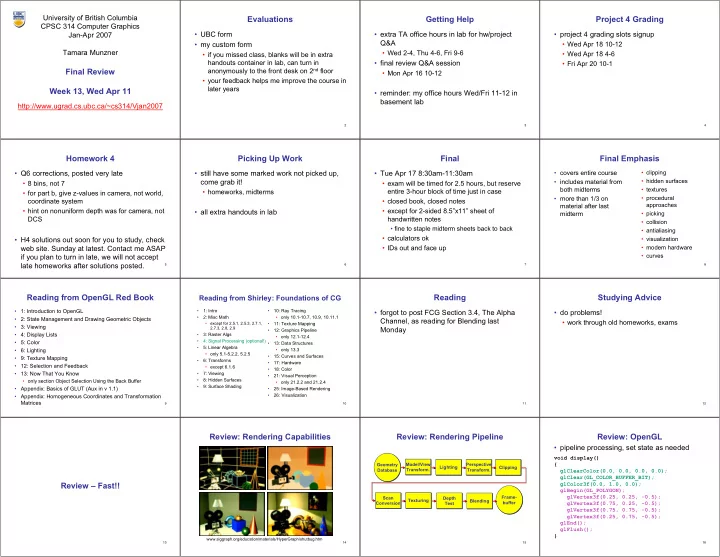
Evaluations

  • UBC form
  • my custom form
  • if you missed class, blanks will be in extra

handouts container in lab, can turn in anonymously to the front desk on 2nd floor

  • your feedback helps me improve the course in

later years

3

Getting Help

  • extra TA office hours in lab for hw/project

Q&A

  • Wed 2-4, Thu 4-6, Fri 9-6
  • final review Q&A session
  • Mon Apr 16 10-12
  • reminder: my office hours Wed/Fri 11-12 in

basement lab

4

Project 4 Grading

  • project 4 grading slots signup
  • Wed Apr 18 10-12
  • Wed Apr 18 4-6
  • Fri Apr 20 10-1

5

Homework 4

  • Q6 corrections, posted very late
  • 8 bins, not 7
  • for part b, give z-values in camera, not world,

coordinate system

  • hint on nonuniform depth was for camera, not

DCS

  • H4 solutions out soon for you to study, check

web site. Sunday at latest. Contact me ASAP if you plan to turn in late, we will not accept late homeworks after solutions posted.

6

Picking Up Work

  • still have some marked work not picked up,

come grab it!

  • homeworks, midterms
  • all extra handouts in lab

7

Final

  • Tue Apr 17 8:30am-11:30am
  • exam will be timed for 2.5 hours, but reserve

entire 3-hour block of time just in case

  • closed book, closed notes
  • except for 2-sided 8.5”x11” sheet of

handwritten notes

  • fine to staple midterm sheets back to back
  • calculators ok
  • IDs out and face up

8

Final Emphasis

  • covers entire course
  • includes material from

both midterms

  • more than 1/3 on

material after last midterm

  • clipping
  • hidden surfaces
  • textures
  • procedural

approaches

  • picking
  • collision
  • antialiasing
  • visualization
  • modern hardware
  • curves

9

Reading from OpenGL Red Book

  • 1: Introduction to OpenGL
  • 2: State Management and Drawing Geometric Objects
  • 3: Viewing
  • 4: Display Lists
  • 5: Color
  • 6: Lighting
  • 9: Texture Mapping
  • 12: Selection and Feedback
  • 13: Now That You Know
  • only section Object Selection Using the Back Buffer
  • Appendix: Basics of GLUT (Aux in v 1.1)
  • Appendix: Homogeneous Coordinates and Transformation

Matrices

10

Reading from Shirley: Foundations of CG

  • 1: Intro
  • 2: Misc Math
  • except for 2.5.1, 2.5.3, 2.7.1,

2.7.3, 2.8, 2.9

  • 3: Raster Algs
  • 4: Signal Processing (optional!)
  • 5: Linear Algebra
  • only 5.1-5.2.2, 5.2.5
  • 6: Transforms
  • except 6.1.6
  • 7: Viewing
  • 8: Hidden Surfaces
  • 9: Surface Shading
  • 10: Ray Tracing
  • only 10.1-10.7, 10.9, 10.11.1
  • 11: Texture Mapping
  • 12: Graphics Pipeline
  • only 12.1-12.4
  • 13: Data Structures
  • only 13.3
  • 15: Curves and Surfaces
  • 17: Hardware
  • 18: Color
  • 21: Visual Perception
  • only 21.2.2 and 21.2.4
  • 25: Image-Based Rendering
  • 26: Visualization

11

Reading

  • forgot to post FCG Section 3.4, The Alpha

Channel, as reading for Blending last Monday

12

Studying Advice

  • do problems!
  • work through old homeworks, exams

13

Review – Fast!!

14

Review: Rendering Capabilities

www.siggraph.org/education/materials/HyperGraph/shutbug.htm

15

Review: Rendering Pipeline

Geometry Database Geometry Database Model/View Transform. Model/View Transform. Lighting Lighting Perspective Transform. Perspective Transform. Clipping Clipping Scan Conversion Scan Conversion Depth Test Depth Test Texturing Texturing Blending Blending Frame- buffer Frame- buffer

16

Review: OpenGL

void display() { glClearColor(0.0, 0.0, 0.0, 0.0); glClear(GL_COLOR_BUFFER_BIT); glColor3f(0.0, 1.0, 0.0); glBegin(GL_POLYGON); glVertex3f(0.25, 0.25, -0.5); glVertex3f(0.75, 0.25, -0.5); glVertex3f(0.75, 0.75, -0.5); glVertex3f(0.25, 0.75, -0.5); glEnd(); glFlush(); }

  • pipeline processing, set state as needed
slide-2
SLIDE 2

17

Review: Event-Driven Programming

  • main loop not under your control
  • vs. procedural
  • control flow through event callbacks
  • redraw the window now
  • key was pressed
  • mouse moved
  • callback functions called from main loop

when events occur

  • mouse/keyboard state setting vs. redrawing

18

Review: 2D Rotation

θ

(x, y) (x_, y_)

x_ = x cos(θ) - y sin(θ) y_ = x sin(θ) + y cos(θ)

ν counterclockwise, RHS

( ) ( ) ( ) ( )

            − =       y x y x θ θ θ θ cos sin sin cos ' '

19

Review: 2D Rotation From Trig Identities

x = r cos (φ) y = r sin (φ) x_ = r cos (φ + θ) y_ = r sin (φ + θ) Trig Identity… x_ = r cos(φ) cos(θ) – r sin(φ) sin(θ) y_ = r sin(φ) cos(θ) + r cos(φ) sin(θ) Substitute… x _ = x cos(θ) - y sin(θ) y _ = x sin(θ) + y cos(θ)

θ

(x, y) (x_, y_)

φ

20

Review: 2D Rotation: Another Derivation

θ θ θ θ cos sin ' sin cos ' y x y y x x + = − =

x x x x'

x'= A − B

B B A A

(x_,y _) (x,y)

A = xcosθ

θ θ

x x

21

Review: Shear, Reflection

  • shear along x axis
  • push points to right in proportion to height
  • reflect across x axis
  • mirror

x y x y       +             =       ′ ′ 1 1 y x sh y x

x

      +             − =       ′ ′ 1 1 y x y x x x

22

Review: 2D Transformations

      =       + + =       +       ' ' y x b y a x b a y x

( ) ( ) ( ) ( )

            − =       y x y x θ θ θ θ cos sin sin cos ' '             =       y x b a y x ' ' scaling matrix rotation matrix       =             ' ' y x y x d c b a translation multiplication matrix?? vector addition matrix multiplication matrix multiplication

) , ( b a

(x,y) (x_,y _)

23

Review: Linear Transformations

  • linear transformations are combinations of
  • shear
  • scale
  • rotate
  • reflect
  • properties of linear transformations
  • satisifes T(sx+ty) = s T(x) + t T(y)
  • origin maps to origin
  • lines map to lines
  • parallel lines remain parallel
  • ratios are preserved
  • closed under composition

            =       y x d c b a y x ' ' dy cx y by ax x + = + = ' '

24

Review: 3D Homog Transformations

  • use 4x4 matrices for 3D transformations

                        =             1 1 1 1 1 1 ' ' ' z y x c b a z y x translate(a,b,c) translate(a,b,c)

                        − =             1 1 cos sin sin cos 1 1 ' ' ' z y x z y x θ θ θ θ

) , ( Rotate θ x

                        =             1 1 1 ' ' ' z y x c b a z y x scale(a,b,c) scale(a,b,c)             − 1 cos sin 1 sin cos θ θ θ θ

) , ( Rotate θ y

            − 1 1 cos sin sin cos θ θ θ θ

) , ( Rotate θ z

25

Final Correction: 3D Shear

  • general shear
  • "x-shear" usually means shear along x in direction of some other axis
  • correction: not shear along some axis in direction of x
  • to avoid ambiguity, always say "shear along <axis> in direction of <axis>"

            = 1 1 1 1 ) , , , , , ( hyz hxz hzy hxy hzx hyx hzy hzx hyz hyx hxz hxy shear

shearAlongYinDirectionOfX(h) = 1 h 1 1 1             shearAlongYinDirectionOfZ(h) = 1 1 h 1 1             shearAlongXinDirectionOfY(h) = 1 h 1 1 1             shearAlongXinDirectionOfZ(h) = 1 h 1 1 1             shearAlongZinDirectionOfX(h) = 1 1 h 1 1             shearAlongZinDirectionOfY(h) = 1 1 h 1 1             26

Review: Affine Transformations

  • affine transforms are combinations of
  • linear transformations
  • translations
  • properties of affine transformations
  • origin does not necessarily map to origin
  • lines map to lines
  • parallel lines remain parallel
  • ratios are preserved
  • closed under composition

                    =           w y x f e d c b a w y x 1 ' '

27

Review: Composing Transformations

Ta Tb = Tb Ta, but Ra Ta Tb = Tb Ta, but Ra Rb Rb != != Rb Rb Ra and Ta Ra and Ta Rb Rb != != Rb Rb Ta Ta

  • rotations around different axes do not commute

28

p'= TRp Review: Composing Transformations

  • which direction to read?
  • right to left
  • interpret operations wrt fixed coordinates
  • moving object
  • left to right
  • interpret operations wrt local coordinates
  • changing coordinate system
  • OpenGL updates current matrix with postmultiply
  • glTranslatef(2,3,0);
  • glRotatef(-90,0,0,1);
  • glVertexf(1,1,1);
  • specify vector last, in final coordinate system
  • first matrix to affect it is specified second-to-last

OpenGL pipeline ordering!

29 (2,1) (1,1) (1,1)

left to right: changing coordinate system right to left: moving object translate by (-1,0)

Review: Interpreting Transformations

  • same relative position between object and

basis vectors

intuitive? OpenGL

p'= TRp Review: Arbitrary Rotation

  • arbitrary rotation: change of basis
  • given two orthonormal coordinate systems XYZ and ABC
  • A’s location in the XYZ coordinate system is (ax, ay, az, 1), ...
  • transformation from one to the other is matrix R whose

columns are A,B,C:

Y Z X B C A Y Z X B C A (cx, cy, cz, 1) (ax, ay, az, 1) (bx, by, bz, 1)

                        = 1 1 1 ) (

z z z y y y x x x

c b a c b a c b a X R A a a a

z y x

= = ) 1 , , , (

31

Review: Transformation Hierarchies

  • transforms apply to graph nodes beneath them
  • design structure so that object doesn’t fall apart
  • instancing

32

glPushMatrix glPushMatrix() () glPopMatrix glPopMatrix() () A A B B C C A A B B C C A A B B C C C C glScale3f(2,2,2) glScale3f(2,2,2) D = C scale(2,2,2) trans(1,0,0) D = C scale(2,2,2) trans(1,0,0) A A B B C C D D DrawSquare DrawSquare() () glTranslate3f(1,0,0) glTranslate3f(1,0,0) DrawSquare DrawSquare() ()

Review: Matrix Stacks

  • OpenGL matrix calls postmultiply matrix M onto current

matrix P, overwrite it to be PM

  • or can save intermediate states with stack
  • no need to compute inverse matrices all the time
  • modularize changes to pipeline state
  • avoids accumulation of numerical errors
slide-3
SLIDE 3

33

Review: Display Lists

  • precompile/cache block of OpenGL code for reuse
  • usually more efficient than immediate mode
  • exact optimizations depend on driver
  • good for multiple instances of same object
  • but cannot change contents, not parametrizable
  • good for static objects redrawn often
  • display lists persist across multiple frames
  • interactive graphics: objects redrawn every frame from

new viewpoint from moving camera

  • can be nested hierarchically
  • snowman example: 3x performance improvement,

36K polys

34

Review: Normals

  • polygon:
  • assume vertices ordered CCW when viewed

from visible side of polygon

  • normal for a vertex
  • specify polygon orientation
  • used for lighting
  • supplied by model (i.e., sphere),
  • r computed from neighboring polygons

1

P N

2

P

3

P ) ( ) (

1 3 1 2

P P P P N − × − = N

35

Review: Transforming Normals

  • cannot transform normals using same

matrix as points

  • nonuniform scaling would cause to be not

perpendicular to desired plane!

MP P = '

P N

QN N = '

given M, given M, what should Q be? what should Q be?

( )

T 1

M Q

=

inverse transpose of the modelling transformation

36

Review: Camera Motion

  • rotate/translate/scale difficult to control
  • arbitrary viewing position
  • eye point, gaze/lookat direction, up vector

Peye Pref up view eye lookat y z x WCS

37

Review: World to View Coordinates

  • translate eye to origin
  • rotate view vector (lookat – eye) to w axis
  • rotate around w to bring up into vw-plane

y z x WCS v u VCS Peye w Pref up view eye lookat            

= 1 2 e w e v e u M

z y x z y x z y x

w w w v v v u u u v w

38

Review: Moving Camera or World?

  • two equivalent operations
  • move camera one way vs. move world other way
  • example
  • initial OpenGL camera: at origin, looking along -z axis
  • create a unit square parallel to camera at z = -10
  • translate in z by 3 possible in two ways
  • camera moves to z = -3
  • Note OpenGL models viewing in left-hand coordinates
  • camera stays put, but world moves to -7
  • resulting image same either way
  • possible difference: are lights specified in world or view

coordinates?

39

Review: Graphics Cameras

  • real pinhole camera: image inverted

image image plane plane eye eye point point ν computer graphics camera: convenient equivalent image image plane plane eye eye point point center of center of projection projection

40

Review: Basic Perspective Projection

similar triangles similar triangles

→ = z y d y' z d y y ⋅ = '

z z P(x,y,z) P(x,y,z) P( P(x x’ ’,y ,y’ ’, ,z z’ ’) ) z z’ ’=d =d y y

z d x x ⋅ = ' d z = '

          1 1 1 1 d

                  d d z y d z x / /

          d z z y x /

homogeneous homogeneous coords coords

41

Review: Orthographic Cameras

  • center of projection at infinity
  • no perspective convergence
  • just throw away z values

                        =             1 1 1 1 1 z y x z y x

p p p

42

Review: Transforming View Volumes

x z

NDCS

y

(-1,-1,-1) (1,1,1)

  • rthographic view volume
  • rthographic view volume

x z VCS y x=left y=top x=right z=-far z=-near y=bottom perspective view volume perspective view volume x=left x=right y=top y=bottom z=-near z=-far x VCS y

43

Review: Orthographic Derivation

  • scale, translate, reflect for new coord sys

x z

VCS

y x=left y=top x=right z=-far z=-near y=bottom x z

NDCS

y

(-1,-1,-1) (1,1,1)

44

Review: Orthographic Derivation

  • scale, translate, reflect for new coord sys

P near far near far near far bot top bot top bot top left right left right left right P                         − + − − − − + − − − + − − = 1 2 2 2 '

45

Review: Asymmetric Frusta

  • our formulation allows asymmetry
  • why bother? binocular stereo
  • view vector not perpendicular to view plane

Right Eye Right Eye Left Eye Left Eye

46

Review: Field-of-View Formulation

  • FOV in one direction + aspect ratio (w/h)
  • determines FOV in other direction
  • also set near, far (reasonably intuitive)
  • z
  • z

x x Frustum Frustum z=-n z=-n z=-f z=-f α α

fovx fovx/2 /2 fovy fovy/2 /2

h h w w

47

Review: Projection Normalization

  • warp perspective view volume to orthogonal

view volume

  • render all scenes with orthographic projection!
  • aka perspective warp

Z x z=α z=d Z x z=0 z=d

48

Review: Separate Warp From Homogenization

  • warp requires only standard matrix multiply
  • distort such that orthographic projection of

distorted objects is desired persp projection

  • w is changed
  • clip after warp, before divide
  • division by w: homogenization

CCS CCS NDCS NDCS

alter w alter w / w / w

VCS VCS

projection projection transformation transformation

viewing normalized device clipping

perspective perspective division division

V2C V2C C2N C2N

slide-4
SLIDE 4

49

x z

NDCS

y

(-1,-1,-1) (1,1,1)

x=left x=right y=top y=bottom z=-near z=-far x

VCS

y z                   − − − − + − − + − − + − 1 2 ) ( 2 2 n f fn n f n f b t b t b t n l r l r l r n

Review: Perspective Derivation

  • shear
  • scale
  • projection-normalization

50

Review: N2D Transformation

                  + − + − − + =                         −                                     − − =             1 2 ) 1 ( 2 1 ) 1 ( 2 1 ) 1 ( 1 1 1 1 1 1 2 2 2 1 2 1 2 1 2 1 2 1 2 1 1

N N N N N N D D D

z depth y height x width z y x depth height width depth height width z y x

x x y y viewport viewport NDC NDC 500 300

  • 1

1 1

  • 1

height width x x y y

51

Review: OpenGL Example

glMatrixMode( GL_PROJECTION ); glLoadIdentity(); gluPerspective( 45, 1.0, 0.1, 200.0 ); glMatrixMode( GL_MODELVIEW ); glLoadIdentity(); glTranslatef( 0.0, 0.0, -5.0 ); glPushMatrix() glTranslate( 4, 4, 0 ); glutSolidTeapot(1); glPopMatrix(); glTranslate( 2, 2, 0); glutSolidTeapot(1);

OCS2 OCS2 O2W O2W VCS VCS

modeling modeling transformation transformation viewing viewing transformation transformation projection projection transformation transformation

  • bject

world viewing W2V W2V V2C V2C WCS WCS

  • transformations that

are applied first are specified last

OCS1 OCS1 WCS WCS VCS VCS W2O W2O W2O W2O CCS CCS clipping CCS CCS OCS OCS

52

Review: Projection Taxonomy

planar planar projections projections perspective: perspective: 1,2,3-point 1,2,3-point parallel parallel

  • blique
  • blique
  • rthographic
  • rthographic

cabinet cabinet cavalier cavalier top, top, front, front, side side axonometric: axonometric: isometric isometric dimetric dimetric trimetric trimetric

http://ceprofs.tamu.edu/tkramer/ENGR%20111/5.1/20

  • perspective: projectors converge
  • orthographic, axonometric:

projectors parallel and perpendicular to projection plane

  • oblique: projectors parallel, but not

perpendicular to projection plane

53

Review: RGB Component Color

  • simple model of color using RGB triples
  • component-wise multiplication
  • (a0,a1,a2) * (b0,b1,b2) = (a0*b0, a1*b1, a2*b2)
  • why does this work?
  • must dive into light, human vision, color spaces

54

Review: Trichromacy and Metamers

  • three types of cones
  • color is combination
  • f cone stimuli
  • metamer: identically

perceived color caused by very different spectra

55

Review: Measured vs. CIE Color Spaces

  • measured basis
  • monochromatic lights
  • physical observations
  • negative lobes
  • transformed basis
  • “imaginary” lights
  • all positive, unit area
  • Y is luminance

56

Review: Chromaticity Diagram and Gamuts

  • plane of equal brightness showing chromaticity
  • gamut is polygon, device primaries at corners
  • defines reproducible color range

57

Review: RGB Color Space (Color Cube)

  • define colors with (r, g, b)

amounts of red, green, and blue

  • used by OpenGL
  • hardware-centric
  • RGB color cube sits within CIE

color space

  • subset of perceivable colors
  • scale, rotate, shear cube

58

Review: HSV Color Space

  • hue: dominant wavelength, “color”
  • saturation: how far from grey
  • value/brightness: how far from

black/white

  • cannot convert to RGB with matrix

alone

59

S =1− min(R,G,B) I Correction: HSI/HSV and RGB

  • HSV/HSI conversion from RGB
  • hue same in both
  • value is max, intensity is average

3 B G R I + + =

[ ]

          − − + − − + − =

) )( ( ) ( ) ( ) ( 2 1 cos

2 1

B G B R G R B R G R H

V = max(R,G,B) S =1− min(R,G,B) V

  • HSI:
  • HSV:

if (B > G), H = 360 − H

60

Review: YIQ Color Space

  • color model used for color TV
  • Y is luminance (same as CIE)
  • I & Q are color (not same I as HSI!)
  • using Y backwards compatible for B/W TVs
  • conversion from RGB is linear
  • green is much lighter than red, and red lighter

than blue

                    − − − =           B G R Q I Y 31 . 52 . 21 . 32 . 28 . 60 . 11 . 59 . 30 .

Q I

61

Review: Color Constancy

  • automatic “white balance” from change in

illumination

  • vast amount of processing behind the scenes!
  • colorimetry vs. perception

62

Review: Scan Conversion

  • convert continuous rendering primitives into

discrete fragments/pixels

  • given vertices in DCS, fill in the pixels
  • display coordinates required to provide scale for

discretization

63

Review: Midpoint Algorithm

  • we're moving horizontally along x direction (first octant)
  • only two choices: draw at current y value, or move up vertically

to y+1?

  • check if midpoint between two possible pixel centers above or

below line

  • candidates
  • top pixel: (x+1,y+1)
  • bottom pixel: (x+1, y)
  • midpoint: (x+1, y+.5)
  • check if midpoint above or below line
  • below: pick top pixel
  • above: pick bottom pixel
  • key idea behind Bresenham
  • reuse computation from previous step
  • integer arithmetic by doubling values

above: bottom pixel below: top pixel

64

y=y0 2d = 2*(y0-y1)(x0+1) + (x1-x0)(2y0+1) + 2x0y1 - 2x1y0 for (x=x0; x <= x1; x++) { draw(x,y); if (d<0) then { y = y + 1; d = d + 2(x1 - x0) + 2(y0 - y1) } else { d = d + 2(y0 - y1) }

Bresenham’s Line Rasterization Algorithm

  • use error term, integer only
slide-5
SLIDE 5

65

P

Review: Flood Fill

  • simple algorithm
  • draw edges of polygon
  • use flood-fill to draw interior

66

Review: Scanline Algorithms

  • scanline: a line of pixels in an image
  • set pixels inside polygon boundary along

horizontal lines one pixel apart vertically

  • parity test: draw pixel if edgecount is odd
  • optimization: only loop over axis-aligned

bounding box of xmin/xmax, ymin/ymax

1 2 3 4 5=0 P

67

Review: Bilinear Interpolation

  • interpolate quantity along L and R edges,

as a function of y

  • then interpolate quantity as a function of x

y y P(x,y) P(x,y) P P1

1

P P2

2

P P3

3

P PL

L

P PR

R 68

1

P

3

P

2

P P

Review: Barycentric Coordinates

  • non-orthogonal coordinate system based on

triangle itself

  • origin: P1, basis vectors: (P2-P1) and (P3-P1)

γ=1 γ=0 β=1 β=0 α=1 α=0

P = P1 + β(P2-P1)+γ(P3-P1) P = (1-β−γ)P1 + βP2+γP3 P = αP1 + βP2+γP3

α + β+ γ = 1 0 <= α, β, γ <= 1

( (α,β,γ α,β,γ) = ) = (0,1,0) (0,1,0) ( (α,β,γ α,β,γ) = ) = (1,0,0) (1,0,0) ( (α,β,γ α,β,γ) = ) = (0,0,1) (0,0,1)

69

Review: Computing Barycentric Coordinates

  • 2D triangle area
  • half of parallelogram area
  • from cross product

A = ΑP1 +ΑP2 +ΑP3 α = ΑP1 /A β = ΑP2 /A γ = ΑP3 /A

3

P

A

1

P

3

P

2

P P

( (α,β,γ α,β,γ) = ) = (1,0,0) (1,0,0) ( (α,β,γ α,β,γ) = ) = (0,1,0) (0,1,0) ( (α,β,γ α,β,γ) = ) = (0,0,1) (0,0,1)

2

P

A

1

P

A weighted combination of three points [demo]

70

Review: Light Sources

  • directional/parallel lights
  • point at infinity: (x,y,z,0)T
  • point lights
  • finite position: (x,y,z,1)T
  • spotlights
  • position, direction, angle
  • ambient lights

71

Review: Light Source Placement

  • geometry: positions and directions
  • standard: world coordinate system
  • effect: lights fixed wrt world geometry
  • alternative: camera coordinate system
  • effect: lights attached to camera (car headlights)

72

Review: Reflectance

  • specular: perfect mirror with no scattering
  • gloss: mixed, partial specularity
  • diffuse: all directions with equal energy

+ + = specular + glossy + diffuse = reflectance distribution

73

Review: Reflection Equations

Idiffuse = kd Ilight (n • l)

n l θ 2 ( N (N · L)) – L = R

Ispecular = ksIlight(v•r)nshiny

74

Review: Reflection Equations

  • Blinn improvement
  • full Phong lighting model
  • combine ambient, diffuse, specular components
  • don’t forget to normalize all vectors: n,l,r,v,h

l l n n v v h h

Itotal = kaIambient + Ii(

i=1 #lights

kd(n•li) + ks(v•ri)nshiny ) Ispecular = ksIlight(h•n)nshiny h = (l + v)/2

75

Review: Lighting

  • lighting models
  • ambient
  • normals don’t matter
  • Lambert/diffuse
  • angle between surface normal and light
  • Phong/specular
  • surface normal, light, and viewpoint

76

Review: Shading Models

  • flat shading
  • compute Phong lighting once for entire

polygon

  • Gouraud shading
  • compute Phong lighting at the vertices and

interpolate lighting values across polygon

  • Phong shading
  • compute averaged vertex normals
  • interpolate normals across polygon and

perform Phong lighting across polygon

77

Review: Specifying Normals

  • OpenGL state machine
  • uses last normal specified
  • if no normals specified, assumes all identical
  • per-vertex normals

glNormal3f(1,1,1); glVertex3f(3,4,5); glNormal3f(1,1,0); glVertex3f(10,5,2);

  • per-face normals

glNormal3f(1,1,1); glVertex3f(3,4,5); glVertex3f(10,5,2);

  • normal interpreted as direction from vertex location
  • can automatically normalize (computational cost)

glEnable(GL_NORMALIZE);

78

Review: Recursive Ray Tracing

  • ray tracing can handle
  • reflection (chrome/mirror)
  • refraction (glass)
  • shadows
  • one primary ray per pixel
  • spawn secondary rays
  • reflection, refraction
  • if another object is hit, recurse to

find its color

  • shadow
  • cast ray from intersection point to

light source, check if intersects another object

  • termination criteria
  • no intersection (ray exits scene)
  • max bounces (recursion depth)
  • attenuated below threshold

Image Plane Light Source Eye Refracted Ray Reflected Ray Shadow Rays

79

Review: Reflection and Refraction

  • refraction: mirror effects
  • perfect specular reflection
  • refraction: at boundary
  • Snell’s Law
  • light ray bends based on

refractive indices c1, c2

2 2 1 1

sin sin θ θ c c = n

θ 1 θ 2

d t n

θ θ

80

Review: Ray Tracing

  • issues:
  • generation of rays
  • intersection of rays with geometric primitives
  • geometric transformations
  • lighting and shading
  • efficient data structures so we don’t have to

test intersection with every object

slide-6
SLIDE 6

81

Review: Radiosity

[IBM] [IBM]

  • capture indirect diffuse-diffuse light exchange
  • model light transport as flow with conservation of energy until

convergence

  • view-independent, calculate for whole scene then browse from any

viewpoint

  • divide surfaces into small patches
  • loop: check for light exchange between all pairs
  • form factor: orientation of one patch wrt other patch (n x n matrix)

escience.anu.edu.au/lecture/cg/GlobalIllumination/Image/continuous.jpg escience.anu.edu.au/lecture/cg/GlobalIllumination/Image/discrete.jpg

82

Review: Subsurface Scattering

  • light enters and leaves at different

locations on the surface

  • bounces around inside
  • technical Academy Award, 2003
  • Jensen, Marschner, Hanrahan

83

Review: Non-Photorealistic Rendering

  • simulate look of hand-drawn sketches or

paintings, using digital models

www.red3d.com/cwr/npr/

84

Review: Non-Photorealistic Shading

  • cool-to-warm shading:
  • draw silhouettes: if , e=edge-eye vector
  • draw creases: if

(e⋅ n0)(e⋅ n1) ≤ 0

http://www.cs.utah.edu/~gooch/SIG98/paper/drawing.html

(n0 ⋅ n1) ≤ threshold

standard cool-to-warm with edges/creases

kw = 1+ n⋅ l 2 ,c = kwcw + (1− kw)cc

85

Review: Image-Based Modelling / Rendering

  • store and access only pixels
  • no geometry, no light simulation, ...
  • input: set of images
  • output: image from new viewpoint
  • surprisingly large set of possible new viewpoints
  • display time not tied to scene complexity
  • expensive rendering or real photographs
  • convergence of graphics, vision, photography
  • computational photography

86

Review: Clipping

  • analytically calculating the portions of

primitives within the viewport

87

Review: Clipping Lines To Viewport

  • combining trivial accepts/rejects
  • trivially accept lines with both endpoints inside all edges
  • f the viewport
  • trivially reject lines with both endpoints outside the same

edge of the viewport

  • otherwise, reduce to trivial cases by splitting into two

segments

88

Review: Cohen-Sutherland Line Clipping

  • outcodes
  • 4 flags encoding position of a point relative to

top, bottom, left, and right boundary

x= x=x xmin

min

x= x=x xmax

max

y= y=y ymin

min

y= y=y ymax

max

0000 0000 1010 1010 1000 1000 1001 1001 0010 0010 0001 0001 0110 0110 0100 0100 0101 0101 p1 p1 p2 p2 p3 p3

  • OC(p1)== 0 &&

OC(p2)==0

  • trivial accept
  • (OC(p1) &

OC(p2))!= 0

  • trivial reject

89

Review: Polygon Clipping

  • not just clipping all boundary lines
  • may have to introduce new line segments

90

Review: Sutherland-Hodgeman Clipping

  • for each viewport edge
  • clip the polygon against the edge equation for new vertex list
  • after doing all edges, the polygon is fully clipped
  • for each polygon vertex
  • decide what to do based on 4 possibilities
  • is vertex inside or outside?
  • is previous vertex inside or outside?

91

Review: Sutherland-Hodgeman Clipping

  • edge from p[i-1] to p[i] has four cases
  • decide what to add to output vertex list

inside

  • utside

p[i]

p[i] output

inside

  • utside

no output

inside

  • utside

i output

inside

  • utside

i output p[i] output

p[i] p[i] p[i] p[i-1] p[i-1] p[i-1] p[i-1]

92

Review: Painter’s Algorithm

  • draw objects from back to front
  • problems: no valid visibility order for
  • intersecting polygons
  • cycles of non-intersecting polygons possible

93

Review: BSP Trees

  • preprocess: create binary tree
  • recursive spatial partition
  • viewpoint independent

94

Review: BSP Trees

  • runtime: correctly traversing this tree enumerates
  • bjects from back to front
  • viewpoint dependent: check which side of plane

viewpoint is on at each node

  • draw far, draw object in question,

draw near

1 2 3 4 5 6 7 8 9 F N F N F N N F N F 1 2 3 4 5 6 7 8 9 F N F N F N

95

Review: Z-Buffer Algorithm

  • augment color framebuffer with Z-buffer or

depth buffer which stores Z value at each pixel

  • at frame beginning, initialize all pixel depths

to ∞

  • when rasterizing, interpolate depth (Z)

across polygon

  • check Z-buffer before storing pixel color in

framebuffer and storing depth in Z-buffer

  • don’t write pixel if its Z value is more distant

than the Z value already stored there

96

Review: Back-face Culling

y y z z eye eye VCS VCS NDCS NDCS eye eye works to cull if works to cull if

>

Z

N

y y z z

slide-7
SLIDE 7

97

Review: Invisible Primitives

  • why might a polygon be invisible?
  • polygon outside the field of view / frustum
  • solved by clipping
  • polygon is backfacing
  • solved by backface culling
  • polygon is occluded by object(s) nearer the viewpoint
  • solved by hidden surface removal

98

Review: Texture Coordinates

  • texture image: 2D array of color values (texels)
  • assigning texture coordinates (s,t) at vertex with
  • bject coordinates (x,y,z,w)
  • use interpolated (s,t) for texel lookup at each pixel
  • use value to modify a polygon’s color
  • or other surface property
  • specified by programmer or artist

glTexCoord2f(s,t) glVertexf(x,y,z,w)

99

glTexCoord2d(1, 1); glVertex3d (x, y, z); (1,0) (0,0) (0,1) (1,1)

Review: Tiled Texture Map

glTexCoord2d(4, 4); glVertex3d (x, y, z); (4,4) (0,4) (4,0) (0,0)

100

Review: Fractional Texture Coordinates

(0,0) (1,0) (0,1) (1,1) (0,0) (.25,0) (0,.5) (.25,.5) texture image

101

Review: Texture

  • action when s or t is outside [0…1] interval
  • tiling
  • clamping
  • functions
  • replace/decal
  • modulate
  • blend
  • texture matrix stack

glMatrixMode( GL_TEXTURE );

102

Review: Perspective Correct Interpolation

  • screen space interpolation incorrect

P1(x,y,z) V0(x’,y’) V1(x’,y’) P0(x,y,z)

2 1 2 2 1 1

/ / / / / / w w w w s w s w s s γ β α γ β α + + ⋅ + ⋅ + ⋅ =

103

Review: Reconstruction

  • how to deal with:
  • pixels that are much larger than texels?
  • apply filtering, “averaging”
  • pixels that are much smaller than texels ?
  • interpolate

104

Review: MIPmapping

  • image pyramid, precompute averaged versions

Without MIP-mapping Without MIP-mapping With MIP-mapping With MIP-mapping

105

Review: Bump Mapping: Normals As Texture

  • create illusion of complex

geometry model

  • control shape effect by

locally perturbing surface normal

106

Review: Environment Mapping

  • cheap way to achieve reflective effect
  • generate image of surrounding
  • map to object as texture
  • sphere mapping: texture is distorted fisheye view
  • point camera at mirrored sphere
  • use spherical texture coordinates

107

Review: Perlin Noise: Procedural Textures

function marble(point) x = point.x + turbulence(point); return marble_color(sin(x))

108

Review: Perlin Noise

  • coherency: smooth not abrupt changes
  • turbulence: multiple feature sizes

109

Review: Procedural Modeling

  • textures, geometry
  • nonprocedural: explicitly stored in memory
  • procedural approach
  • compute something on the fly
  • not load from disk
  • often less memory cost
  • visual richness
  • adaptable precision
  • noise, fractals, particle systems

110

Review: Language-Based Generation

  • L-Systems
  • F: forward, R: right, L: left
  • Koch snowflake:

F = FLFRRFLF

  • Mariano’s Bush:

F=FF-[-F+F+F]+[+F-F-F]

  • angle 16

http://spanky.triumf.ca/www/fractint/lsys/plants.html

111

Review: Fractal Terrain

  • 1D: midpoint displacement
  • divide in half, randomly displace
  • scale variance by half
  • 2D: diamond-square
  • generate new value at midpoint
  • average corner values + random displacement
  • scale variance by half each time

http://www.gameprogrammer.com/fractal.html

112

Review: Particle Systems

  • changeable/fluid stuff
  • fire, steam, smoke, water, grass, hair, dust,

waterfalls, fireworks, explosions, flocks

  • life cycle
  • generation, dynamics, death
  • rendering tricks
  • avoid hidden surface computations
slide-8
SLIDE 8

113

Review: Picking Methods

  • manual ray intersection
  • bounding extents
  • backbuffer coding

x VCS y

114

Review: Select/Hit Picking

  • assign (hierarchical) integer key/name(s)
  • small region around cursor as new viewport
  • redraw in selection mode
  • equivalent to casting pick “tube”
  • store keys, depth for drawn objects in hit list
  • examine hit list
  • usually use frontmost, but up to application

115

Review: Hit List

  • glSelectBuffer(buffersize, *buffer)
  • where to store hit list data
  • on hit, copy entire contents of name stack to output

buffer.

  • hit record
  • number of names on stack
  • minimum and maximum depth of object vertices
  • depth lies in the z-buffer range [0,1]
  • multiplied by 2^32 -1 then rounded to nearest int

116

Review: Collision Detection

  • boundary check
  • perimeter of world vs. viewpoint or objects
  • 2D/3D absolute coordinates for bounds
  • simple point in space for viewpoint/objects
  • set of fixed barriers
  • walls in maze game
  • 2D/3D absolute coordinate system
  • set of moveable objects
  • one object against set of items
  • missile vs. several tanks
  • multiple objects against each other
  • punching game: arms and legs of players
  • room of bouncing balls

117

Review: Collision Proxy Tradeoffs

increasing complexity & tightness of fit decreasing cost of (overlap tests + proxy update) AABB OBB Sphere Convex Hull 6-dop

  • collision proxy (bounding volume) is piece of geometry used

to represent complex object for purposes of finding collision

  • proxies exploit facts about human perception
  • we are bad at determining collision correctness
  • especially many things happening quickly

118

Review: Spatial Data Structures

uniform grids bounding volume hierarchies

  • ctrees

BSP trees kd-trees OBB trees

119

Review: Aliasing

  • incorrect appearance of high frequencies as

low frequencies

  • to avoid: antialiasing
  • supersample
  • sample at higher frequency
  • low pass filtering
  • remove high frequency function parts
  • aka prefiltering, band-limiting

120

Review: Supersample and Average

  • supersample: create image at higher resolution
  • e.g. 768x768 instead of 256x256
  • shade pixels wrt area covered by thick line/rectangle
  • average across many pixels
  • e.g. 3x3 small pixel block to find value for 1 big pixel
  • rough approximation divides each pixel into a finer grid of pixels

6/9 9/9 5/9 9/9 0/9 4/9

121

Review: Image As Signal

  • 1D slice of raster image
  • discrete sampling of 1D spatial signal
  • theorem
  • any signal can be represented as an (infinite)

sum of sine waves at different frequencies

Examples from Foley, van Dam, Feiner, and Hughes

Pixel position across scanline

Intensity

122

Review: Sampling Theorem and Nyquist Rate

  • Shannon Sampling Theorem
  • continuous signal can be completely recovered from

its samples iff sampling rate greater than twice maximum frequency present in signal

  • sample past Nyquist Rate to avoid aliasing
  • twice the highest frequency component in the

image’s spectrum

123

Review: Low-Pass Filtering

124

Review: Volume Graphics

  • for some data, difficult to create polygonal mesh
  • voxels: discrete representation of 3D object
  • volume rendering: create 2D image from 3D object
  • translate raw densities into colors and

transparencies

  • different aspects of the dataset can be emphasized

via changes in transfer functions

125

Review: Isosurfaces

  • 2D scalar fields: isolines
  • contour plots, level sets
  • topographic maps
  • 3D scalar fields: isosurfaces

126

Review: Isosurface Extraction

  • array of discrete point

samples at grid points

  • 3D array: voxels
  • find contours
  • closed, continuous
  • determined by iso-value
  • several methods
  • marching cubes is most

common

1 2 3 4 3 2 7 8 6 2 3 7 9 7 3 1 3 6 6 3 1 1 3 2 Iso-value = 5

127

Review: Marching Cubes

  • create cube
  • classify each voxel
  • binary labeling of each voxel to create

index

  • use in array storing edge list
  • all 256 cases can be derived from

15 base cases

  • interpolate triangle vertex
  • calculate the normal at each cube

vertex

  • render by standard methods

11110100

128

Review: Direct Volume Rendering Pipeline

Classify Shade Interpolate Composite

  • do not compute surface
slide-9
SLIDE 9

129

Review: Transfer Functions To Classify

  • map data value to color and opacity
  • can be difficult, unintuitive, and slow

f α f α f α f α

Gordon Kindlmann

130

Review: Compositing

131

Review: Premultiplying Colors

  • specify opacity with alpha channel: (r,g,b,α)
  • α=1: opaque, α=.5: translucent, α=0: transparent
  • A over B
  • C = αA + (1-α)B
  • premultiplying by alpha
  • C’ = γ C, B’ = βB, A’ = αA
  • C’ = B’ + A’ - αB’
  • γ = β + α – αβ
  • 1 multiply to find C, same equations for alpha and RGB

132

Review: Rendering Pipeline

  • so far rendering pipeline as a specific set of stages

with fixed functionality

  • modern graphics hardware more flexible
  • programmable “vertex shaders” replace several

geometry processing stages

  • programmable “fragment/pixel shaders” replace

texture mapping stage

  • hardware with these features now called Graphics

Processing Unit (GPU)

  • program shading hardware with assembly language

analog, or high level shading language

133

Review: Vertex Shaders

  • replace model/view transformation, lighting,

perspective projection

  • a little assembly-style program is executed on every

individual vertex independently

  • it sees:
  • vertex attributes that change per vertex:
  • position, color, texture coordinates…
  • registers that are constant for all vertices (changes

are expensive):

  • matrices, light position and color, …
  • temporary registers
  • output registers for position, color, tex coords…

134

Review: Fragment Shaders

  • fragment shaders operate on fragments in place of

texturing hardware

  • after rasterization
  • before any fragment tests or blending
  • input: fragment, with screen position, depth, color,

and set of texture coordinates

  • access to textures, some constant data, registers
  • compute RGBA values for fragment, and depth
  • can also kill a fragment (throw it away)

135

Review: GPGPU Programming

  • General Purpose GPU
  • use graphics card as SIMD parallel processor
  • textures as arrays
  • computation: render large quadrilateral
  • multiple rendering passes

136

Review: Splines

  • spline is parametric

curve defined by control points

  • knots: control points

that lie on curve

  • engineering drawing:

spline was flexible wood, control points were physical weights

A Duck (weight) Ducks trace out curve

137

Review: Hermite Spline

  • user provides
  • endpoints
  • derivatives at endpoints

138

Review: Bézier Curves

  • four control points, two of which are knots
  • more intuitive definition than derivatives
  • curve will always remain within convex hull

(bounding region) defined by control points

139

Review: Basis Functions

  • point on curve obtained by multiplying each control

point by some basis function and summing

  • 0.4
  • 0.2
0.2 0.4 0.6 0.8 1 1.2

x1 x0 x'1 x'0 140

Review: Comparing Hermite and Bézier

0.2 0.4 0.6 0.8 1 1.2 B0 B1 B2 B3

  • 0.4
  • 0.2
0.2 0.4 0.6 0.8 1 1.2

x1 x0 x'1 x'0

Bézier Hermite

141

Review: Sub-Dividing Bézier Curves

  • find the midpoint of the line joining M012, M123.

call it M0123

P0 P1 P2 P3 M01 M12 M23 M012 M123 M0123

142

Review: de Casteljau’s Algorithm

  • can find the point on Bézier curve for any parameter

value t with similar algorithm

  • for t=0.25, instead of taking midpoints take points 0.25 of the

way

P0 P1 P2 P3 M01 M12 M23 t=0.25

demo: www.saltire.com/applets/advanced_geometry/spline/spline.htm

143

Review: Continuity

  • continuity definitions
  • C0: share join point
  • C1: share continuous derivatives
  • C2: share continuous second derivatives
  • piecewise Bézier: no continuity guarantees

144

Review: B-Spline

  • C0, C1, and C2 continuous
  • piecewise: locality of control point influence
slide-10
SLIDE 10

145

Beyond 314: Other Graphics Courses

  • 424: Geometric Modelling
  • was offered this year
  • 426: Computer Animation
  • will be offered next year
  • 514: Image-Based Rendering - Heidrich
  • 526: Algorithmic Animation - van de Panne
  • 533A: Digital Geometry - Sheffer
  • 533B: Animation Physics - Bridson
  • 533C: Information Visualization - Munzner