ELIGIBILITY DETAILS Is your organisation (or the organisation - - PDF document

eligibility details
SMART_READER_LITE
LIVE PREVIEW

ELIGIBILITY DETAILS Is your organisation (or the organisation - - PDF document

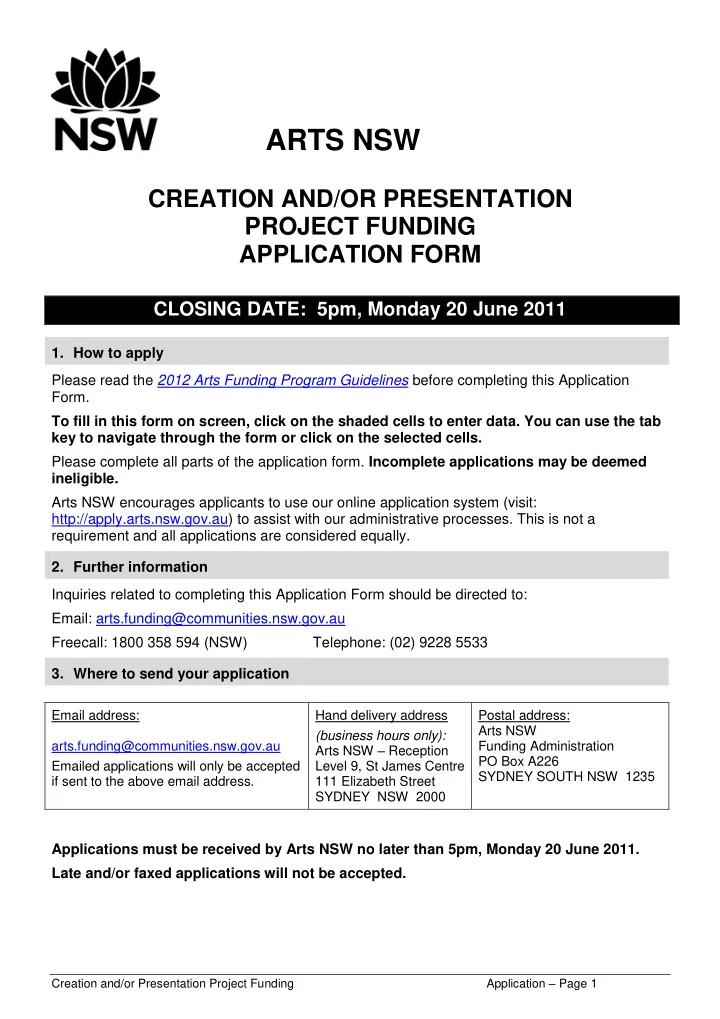
ARTS NSW CREATION AND/OR PRESENTATION PROJECT FUNDING APPLICATION FORM CLOSING DATE: 5pm, Monday 20 June 2011 1. How to apply Please read the 2012 Arts Funding Program Guidelines before completing this Application Form. To fill in this form


slide-1
SLIDE 1

ARTS NSW Creation and/or Presentation Project Funding Application – Page 1

CREATION AND/OR PRESENTATION PROJECT FUNDING APPLICATION FORM

CLOSING DATE: 5pm, Monday 20 June 2011

  • 1. How to apply

Please read the 2012 Arts Funding Program Guidelines before completing this Application Form. To fill in this form on screen, click on the shaded cells to enter data. You can use the tab key to navigate through the form or click on the selected cells. Please complete all parts of the application form. Incomplete applications may be deemed ineligible. Arts NSW encourages applicants to use our online application system (visit: http://apply.arts.nsw.gov.au) to assist with our administrative processes. This is not a requirement and all applications are considered equally.

  • 2. Further information

Inquiries related to completing this Application Form should be directed to: Email: arts.funding@communities.nsw.gov.au Freecall: 1800 358 594 (NSW) Telephone: (02) 9228 5533

  • 3. Where to send your application

Email address: arts.funding@communities.nsw.gov.au Emailed applications will only be accepted if sent to the above email address. Hand delivery address (business hours only): Arts NSW – Reception Level 9, St James Centre 111 Elizabeth Street SYDNEY NSW 2000 Postal address: Arts NSW Funding Administration PO Box A226 SYDNEY SOUTH NSW 1235

Applications must be received by Arts NSW no later than 5pm, Monday 20 June 2011. Late and/or faxed applications will not be accepted.

slide-2
SLIDE 2

Applicant name: Creation and/or Presentation Project Funding Application – Page 2

ELIGIBILITY DETAILS

Is your organisation (or the organisation auspicing this application) legally constituted? Yes No

(If you answered ‘No’ to the above question, you are ineligible to apply.)

Please identify which of the following best describes your organisation (or the organisation auspicing this application): Not for profit incorporated body Co-operative or trust Local government authority Tertiary education facility

(If your organisation or the organisation auspicing this application is not one of the above, you are ineligible to apply.)

slide-3
SLIDE 3

Applicant name: Creation and/or Presentation Project Funding Application – Page 3

Part 1: APPLICANT INFORMATION

Are you acting as an auspicor* for an individual, partnership, group or unincorporated

  • rganisation?

Yes No

* An auspicor is an incorporated organisation which is the recipient of funding on behalf of an individual, partnership, group

  • r unincorporated organisation, and is responsible for ensuring that the project or activity for which the funds have been

granted is completed and the funds are accounted for and acquitted.

If ‘Yes’ provide your organisation’s details at 1.1 – 1.4 (as relevant) and the auspicee’s details at 1.5. If ‘No’ provide your organisation’s details at 1.1 – 1.4 (as relevant). 1.1 Applicant details Organisation’s full legal name: Street address of organisation (NOT the address of the Gallery, Museum etc): Postal address (if different from above): Phone: Email address: Website address: Australian Business Number:

(If you do not have an ABN, Arts NSW must withhold 48.5% of funds.)

Is your organisation registered for GST? Yes No Local Government Area:

(Refer to the Glossary and Explanatory Notes document on the Arts NSW website for detail.)

Is your organisation required by law to be audited? Yes No Does your organisation report and operate

  • n a:

Calendar Year Financial Year

slide-4
SLIDE 4

Applicant name: Creation and/or Presentation Project Funding Application – Page 4

1.2 For business units of local government and tertiary institutions (e.g. museums, galleries) Trading name of business unit : Street address of business unit: Postal address (if different from above): Phone: Email address: Website address: 1.3 Head of organisation (e.g. Chairperson, President, General Manager of local government or tertiary institution)

(Note: This person will be notified of the outcome of the application and will be required to sign the Funding Agreement if the application is successful.)

Full name (including title): Position held in organisation: Contact phone: Contact email address: 1.4 Contact person for this application:

(Note: This person will be notified of the outcome of the application and may be contacted to obtain further information about the application.)

Full name (including title): Position held in organisation: Contact phone: Contact email address:

slide-5
SLIDE 5

Applicant name: Creation and/or Presentation Project Funding Application – Page 5

1.5 Details of auspicee (if applicable): The auspicee is an: individual partnership or group unincorporated organisation Full name of individual, partnership / group

  • r unincorporated organisation:

Contact name, including title (if applicable): Position held (if applicable): Contact phone: Contact email address:

slide-6
SLIDE 6

Applicant name: Creation and/or Presentation Project Funding Application – Page 6

Part 2: PROJECT SUMMARY

2.1 Amount requested from Arts NSW:

These two fields will be automatically populated when you fill in your budget at Part 7.

Total estimated cost of the project: Project start date: Project finish date:

(must be between 01/01/2012 and 31/12/2012)

This project involves a (select one only): Creative development Public presentation Creative development AND public presentation Complete this sentence to create the title of your project (up to 20 words): If successful, the funding will be used towards.........

(Please DO NOT use first person language such as I or my as this will be used for publicity purposes.)

2.2 Provide a brief description of your project which we can use for publicity purposes if your application is successful (up to 100 words):

(Please DO NOT use first person language such as I or my as this will be used for publicity purposes.)

$ 0.00 $ 0.00

slide-7
SLIDE 7

Applicant name: Creation and/or Presentation Project Funding Application – Page 7

The following questions 2.3 – 2.5 are to collect data for reporting purposes only.

(Refer to the Glossary and Explanatory Notes document on the Arts NSW website for detail.)

2.3 What is the main place of activity for this application? (select one only) Central Coast Murray Sydney (excl. Western Sydney) Central West Murrumbidgee Western Sydney Far West North Western Multi-regions Hunter Northern Other (please specify): Illawarra Richmond-Tweed Mid-North Coast South Eastern 2.4 What is the primary type of activity for this applicaton? (select one only) Community partnerships Multimedia Performing Arts Venue (upgrade,

maintenance and management)

Dance Multi-artforms Physical Theatre and Circus Design Museum (including

Aboriginal keeping places)

Theatre (excluding Physical Theatre and

Circus)

History Music (excluding Opera and

Music Theatre)

Visual arts and craft - Public Gallery Literature Opera and Music Theatre Visual arts and craft – Other Other Venues (Including arts centres,

community, multipurpose and converged facilities)

Other Activities Please specify: Please specify: 2.5 Does your activity have a specific target audience? If not, you do not need to respond to this question. Audience: Age range: Aboriginal people Children (less than 15 years) CALD (Culturally & Linguistically Diverse) Youth (15 to 24 years) People with a disability Adults (25 to 64 years) Senior Citizens (65 years and over)

slide-8
SLIDE 8

Applicant name: Creation and/or Presentation Project Funding Application – Page 8

2.6 Please provide the estimated additional employment figures that will result from this funding.

(Please include estimated employment by organisations other than the applicant if it is a direct result of the funding. For example: venues.)

No of people employed to deliver this project Average no

  • f hours

per week per person Average no

  • f weeks

per year per person Total hours Artist(s) / employee(s) Full time 0.00 Part time 0.00 Others Casuals 0.00 Contractors 0.00 Consultants 0.00 Volunteers 0.00

slide-9
SLIDE 9

Applicant name: Creation and/or Presentation Project Funding Application – Page 9

Part 3: PROJECT INFORMATION

Describe your project, including its rationale, location/s and any partnership arrangements. Note: questions regarding key personnel, targeted audience, milestones and performance indicators are included at a later stage of the application.

slide-10
SLIDE 10

Applicant name: Creation and/or Presentation Project Funding Application – Page 10

Part 4: AUDIENCE DEVELOPMENT AND PARTICIPATION

What is the demand for your project and what strategies are in place (or will you implement) to: build audiences build community engagement build appreciation of your artform/s How will you know if these strategies have been successful?

(Refer to Sections 1.2.5 and 1.5 of the 2012 Arts Funding Program Guidelines for further information.)

slide-11
SLIDE 11

Applicant name: Creation and/or Presentation Project Funding Application – Page 11

Part 5: BENEFITS

How does your project contribute to one or more of the following benefits? The development of a vibrant and accessible cultural environment which nurtures creativity and supports the development of artists. Opportunities for access to arts and cultural activities as creators, participants and audiences for one or more of the following:

  • Aboriginal people
  • people from culturally and linguistically diverse (CALD) backgrounds
  • young people
  • people with a disability
  • people living and/or working in Western Sydney or regional NSW.

Improves industry capacity and sustainability.

(Refer to Sections 1.2.4 and 1.5 of the 2012 Arts Funding Program Guidelines for further information.)

slide-12
SLIDE 12

Applicant name: Creation and/or Presentation Project Funding Application – Page 12

Part 6: DELIVERY PLAN

Please refer to the Sample Delivery Plans on the Arts NSW website as a guide. 6.1 Who will deliver the project?

Note: You may need to arrange your list into key groups in order to fit them into the available rows. Name of key individuals / groups WHO Description of the individual’s/group’s role Relevant experience and key achievements Confirmed? Yes No Yes No Yes No Yes No Yes No Yes No

slide-13
SLIDE 13

Applicant name: Creation and/or Presentation Project Funding Application – Page 13

6.1 Who will deliver the project? (Continued, if required.)

Name of key individuals / groups WHO Description of the individual’s/group’s role Relevant experience and key achievements Confirmed? Yes No Yes No Yes No Yes No Yes No Yes No

slide-14
SLIDE 14

Applicant name: Creation and/or Presentation Project Funding Application – Page 14

6.2 What are the Key Milestones?

Note: You may need to arrange the list into key groups in order to fit them into the available rows. Key activities WHAT Key deliverables and milestones HOW Date or Timeframe WHEN Target Audience (if relevant)

slide-15
SLIDE 15

Applicant name: Creation and/or Presentation Project Funding Application – Page 15

6.2 What are the Key Milestones? (Continued, if required.)

Key activities WHAT Key deliverables and milestones HOW Date or Timeframe WHEN Target Audience (if relevant)

slide-16
SLIDE 16

Applicant name: Creation and/or Presentation Project Funding Application – Page 16

6.3 What are the Key Performance Indicators (KPIs) you will use to measure the project’s performance? With the exception of those projects that do not include a public presentation and/or performance at least one audience development and participation indicator must be provided.

(Refer to the Glossary and Explanatory Notes document on the Arts NSW website for details on KPIs.)

(Legend for Key Performance Area: ADP = Audience development and participation, ACA = Arts and cultural activity.)

Note: Target and Current Level can be expressed as a number or percentage. Key Performance Area Intended Results GOALS Key Performance Indicator (KPI) MEASURE Current Level (if relevant) Target

slide-17
SLIDE 17

Applicant name: Creation and/or Presentation Project Funding Application – Page 17

6.3 What are the Key Performance Indicators? (Continued, if required)

(Refer to the Glossary and Explanatory Notes document on the Arts NSW website for details on KPIs.)

(Legend for Key Performance Area: ADP = Audience development and participation, ACA = Arts and cultural activity.)

Note: Target and Current Level can be expressed as a number or percentage. Key Performance Area Intended Results GOALS Key Performance Indicator (KPI) MEASURE Current Level (if relevant) Target

slide-18
SLIDE 18

Applicant name: Creation and/or Presentation Project Funding Application – Page 18

Part 7: PROJECT BUDGET

Include the entire budget for your project, NOT just how the Arts NSW funding will be spent. Identify a separate contingency and include other sources of income (e.g. other State Government funding, sponsorship, own contribution). Refer to the Glossary and Explanatory Notes document on the Arts NSW website for further details on income and expenditure categories. If your organisation is GST-registered - exclude GST. If your organisation is not GST-registered - include GST. Your budget should balance. If it does not it might be that you have not indicated your

  • wn contribution to the project. You should not have a surplus or deficit result unless

there are exceptional circumstances. Remember to explain any surplus/deficit results at 7.3. It is also important to check your budget carefully to ensure it is accurate before submitting your application.

slide-19
SLIDE 19

Applicant name: Creation and/or Presentation Project Funding Application – Page 19

7.1 Please complete the following budget template for your project. Remember to include the entire budget for your project, NOT just how the Arts NSW funding will be spent. INCOME TOTAL BUDGET Earned income Event and audience sales Contract fees Box office Entry fees Other (Please specify): Fees and services Merchandising and retail sales Other (Please specify): Total earned income $ 0.00 Sponsorship and fundraising Sponsorship – cash (Please specify): Sponsorship – in-kind (Please specify): Fundraising and donations Total sponsorship and fundraising $ 0.00 Other Own Contribution – cash (Please specify): Own Contribution – in-kind (Please specify): Total other $ 0.00 Grants and subsidies Agency name/type of funding

Confirmed?

Other Arts NSW Funding

Yes No Yes No

Local Government Authorities

Yes No Yes No

Australia Council

Yes No

Other Commonwealth Agencies

Yes No Yes No

Other State Government Departments (e.g. Events NSW, Arts Vic)

Yes No Yes No

Non-government (e.g. Regional Arts NSW)

Yes No Yes No

Total grants and subsidies $ 0.00 Amount sought from Arts NSW excl. GST $ 0.00 TOTAL INCOME $ 0.00 $ 0.00 $ 0.00 $ 0.00 $ 0.00 $ 0.00

slide-20
SLIDE 20

Applicant name: Creation and/or Presentation Project Funding Application – Page 20

EXPENDITURE BUDGET Salaries/fees Total Salaries/fees $ 0.00 Program/production/exhibition costs Total Program/production/exhibition costs $ 0.00 Touring travel costs Total Travel costs $ 0.00 Promotion/marketing costs Total Promotion/marketing costs $ 0.00 Administration costs Insurance Contingency for entire project Total Administration costs $ 0.00 TOTAL EXPENDITURE $ 0.00 NET SURPLUS/(DEFICIT) $ 0.00 $ 0.00 $ 0.00 $ 0.00 $ 0.00 $ 0.00 $ 0.00 $ 0.00

slide-21
SLIDE 21

Applicant name: Creation and/or Presentation Project Funding Application – Page 21

7.2 If your application includes a performing arts public presentation, complete the following table:

Note: If you select Contract Fee – you can enter the fee directly into the Earned Income column without completing the Est. avg. ticket price and Budgeted capacity columns. Note: You may need to arrange your list into key groups in order to fit it into the available rows. Venue Presenter Category

  • No. of

events

  • Max. seat

capacity

  • Est. avg.

ticket price Budgeted capacity % Earned Income $ 0.00 $ 0.00 $ 0.00 $ 0.00 $ 0.00 $ 0.00 $ 0.00 $ 0.00 $ 0.00 $ 0.00 $ 0.00 Total $ 0.00

7.3 Explanatory notes to the budget, if required. Note: You must explain surplus/deficit results here and provide clarification for figures that require further explanation.

$ 0.00 $ 0.00 $ 0.00 $ 0.00 $ 0.00 $ 0.00 $ 0.00 $ 0.00 $ 0.00 $ 0.00 $ 0.00 $ 0.00

slide-22
SLIDE 22

Applicant name: Creation and/or Presentation Project Funding Application – Page 22

Part 8: ORGANISATIONAL CAPACITY

(Refer to Sections 1.2.3 and 1.5 of the 2012 Arts Funding Program Guidelines for further information on

  • rganisational capacity.)

8.1 Please briefly describe your organisation’s core business, main aims and objectives (and the auspicee’s details if applicable)? 8.2 What is your organisation’s experience and expertise as it relates to the project (include the scale of activities previously undertaken e.g. audience and participation numbers, performance/exhibition numbers)?

Note: If your organisation is the auspicor, please outline the services you will provide to the auspicee and your assessment of their experience and expertise as it relates to the project.

slide-23
SLIDE 23

Applicant name: Creation and/or Presentation Project Funding Application – Page 23

8.3 Who are the members of your governing body/committee?

Note: Local government and tertiary institutions must provide this information for the relevant business unit. If this is an auspiced application, please provide the auspicor’s details here. You may need to arrange your list into key groups in order to fit them into the available rows.

Name Position held on governing body/committee Briefly list relevant experience

slide-24
SLIDE 24

Applicant name: Creation and/or Presentation Project Funding Application – Page 24

8.4 Financial Statement 2010 data must be consistent with your organisation’s audited financial statement or your statement of income and expenditure (certified by the Chairperson) as relevant. Note: Local government and tertiary institutions must complete this table for the relevant business unit. FINANCIAL STATEMENT 2010 (actual) 2011 (estimate) Revenue Earned Income Government Grants

  • Arts NSW
  • Other

Sponsorship and Fundraising Other Total Income $ 0 $ 0 Expense Salaries/Fees Program/Production/Exhibition costs Touring Travel costs Promotion/Marketing costs Administration Overheads Total Expenses $ 0 $ 0 Net Surplus/(Deficit) $ 0 $ 0 Assets Current Assets – Cash Current Assets – Other Non-current Assets Total Assets $ 0 $ 0 Liabilities Current Liabilities Non-current Liabilities Total Liabilities $ 0 $ 0 Working Capital (Current Assets less Current Liabilities) $ 0 $ 0 Net Assets (Total Assets less Total Liabilities) $ 0 $ 0 $ 0.00 $ 0.00 $ 0.00 $ 0.00 $ 0.00 $ 0.00 $ 0.00 $ 0.00 $ 0.00 $ 0.00 $ 0.00 $ 0.00 $ 0.00 $ 0.00

slide-25
SLIDE 25

Applicant name: Creation and/or Presentation Project Funding Application – Page 25

Part 9: SUPPORT MATERIAL

Please read the following instructions for submitting support material: For emailed applications The completed application form and all support material must be attached to one email

  • nly.

There is a limit of 4 support material files (i.e. attachments). You may need to combine two or more documents into one .pdf attachment. It is preferable that support material attached to emailed applications be in .pdf format where possible. No more than 12MB of electronic support material will be accepted. DO NOT send links to large files or file download websites. For postal and hand delivered applications 2 copies of all support material must be provided (one copy attached to each copy of your application). Provide only single-sided documents packaged using a removable clip. Do not staple, bind, or enclose documents in a folder. Support material will not be returned. Please do not submit originals. For postal and hand delivered applications with electronic support material: Submit 2 copies of all your support material electronically (i.e. 2 CDs, DVDs or USBs clearly marked with your name and the name of the funding category) with 2 printed copies of your application form. No more than 12MB of electronic support material will be accepted.

slide-26
SLIDE 26

Applicant name: Creation and/or Presentation Project Funding Application – Page 26

Select the support material you have included with this application: Required Support Material Proof of your organisation’s legal status

Required: If not previously submitted or your details have changed.

Other documents Number provided Letter/s of support/confirmation

Including: support for your work, other funding confirmations, confirmation letters from schools you’ve invited to participate, letters of support or agreement from Aboriginal artists and/or communities (refer to the Aboriginal Arts Protocols on the Arts NSW website). Limit: 5

  • No. of letters

provided: Written material

Including: reviews, magazine and journal articles, excerpts of written work.

Limit: up to 5 pages

  • No. of pages

provided: Still images

Limit: 10 images

  • No. of images

provided: Video recording

Limit: 5 minutes Electronic Format only: .mp4 / .mpg / QuickTime

  • No. of video

recordings provided: Audio recording

Limit: 5 minutes Electronic Format only: .mp3

  • No. of audio

recordings provided:

slide-27
SLIDE 27

Applicant name: Creation and/or Presentation Project Funding Application – Page 27

Part 10: DECLARATION

If this application is auspiced, the declaration must be signed by a representative from the auspicing organisation AND the auspicee. I have read the 2012 Arts Funding Program Guidelines. I certify that, to the best of my knowledge: the information provided on this form is correct all eligibility requirements have been met this application has been approved by the Board of Directors or equivalent body I have the delegated authority to sign this application. I acknowledge that Arts NSW has the right to withdraw the offer of funding or demand the return

  • f funds already paid if it is discovered that any of the information provided is false.

If you are submitting this application by email: Please type your name in the signature field below to certify the information. Typing your name will be taken to be as binding as a signature. Applicant / Auspicor: Signature: Name (Please print): Position held in

  • rganisation:

Date: (format dd/mm/yy) Auspicee: Signature: Name (Please print): Position held in

  • rganisation:

Date: (format dd/mm/yy)

slide-28
SLIDE 28

Applicant name: Creation and/or Presentation Project Funding Application – Page 28

PART 11: CHECKLIST

Complete the following checklist before sending your application. For all applications ensure you have: Read the Guidelines carefully. Completed all questions. Incomplete applications will not be accepted. Provided support material in accordance with the instructions in Part 9. Signed the Declaration by Applicant (Part 10). Kept a copy of the completed application form for your records. For emailed applications ensure you have: Attached your application form as a single .pdf file labelled: Application Form. Provided no more than 4 support material files/attachments in the accepted formats. Clearly labelled your support material files/attachments. Attached all your support material to the same email as your application form. For postal and hand delivered applications ensure you have: Enclosed 2 copies of your entire application including support material (one original application form and one duplicate). Provided only single-sided documents packaged using a removable clip. Do not staple, bind,

  • r enclose documents in a folder.

Enclosed only copies of your support material in the accepted format. Originals will not be returned.