Drizzling Dithered WFPC2 ImagesA Demonstration Max Mutchler and - - PDF document

drizzling dithered wfpc2 images a demonstration
SMART_READER_LITE
LIVE PREVIEW

Drizzling Dithered WFPC2 ImagesA Demonstration Max Mutchler and - - PDF document

1997 HST Calibration Workshop Space Telescope Science Institute, 1997 S. Casertano, et al., eds. Drizzling Dithered WFPC2 ImagesA Demonstration Max Mutchler and Andrew Fruchter Space Telescope Science Institute, 3700 San Martin Drive,


slide-1
SLIDE 1

1997 HST Calibration Workshop Space Telescope Science Institute, 1997

  • S. Casertano, et al., eds.

Drizzling Dithered WFPC2 Images—A Demonstration

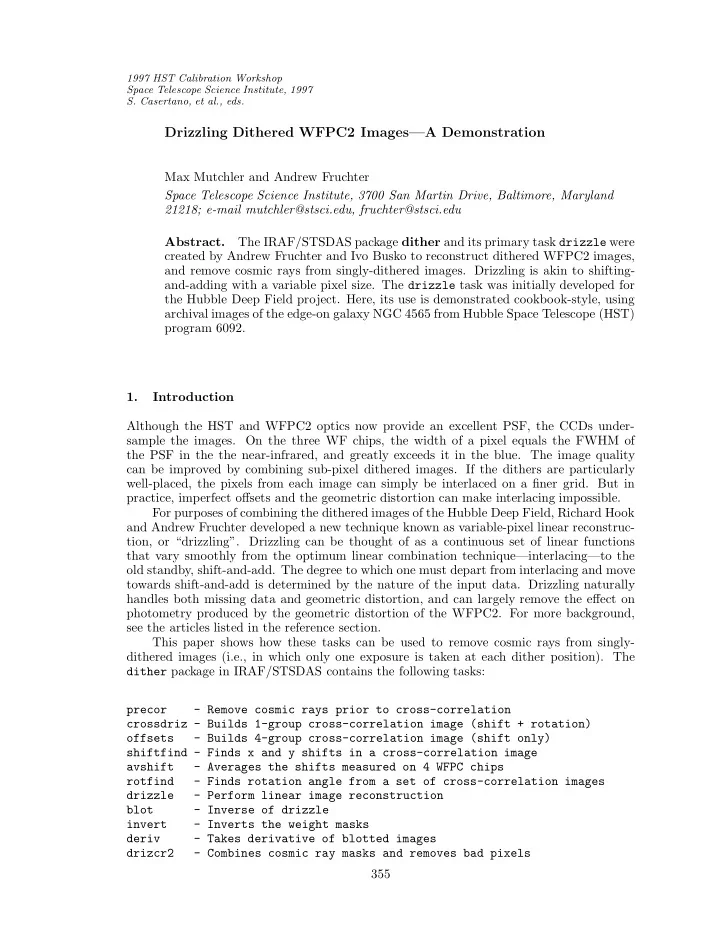
Max Mutchler and Andrew Fruchter Space Telescope Science Institute, 3700 San Martin Drive, Baltimore, Maryland 21218; e-mail mutchler@stsci.edu, fruchter@stsci.edu Abstract. The IRAF/STSDAS package dither and its primary task drizzle were created by Andrew Fruchter and Ivo Busko to reconstruct dithered WFPC2 images, and remove cosmic rays from singly-dithered images. Drizzling is akin to shifting- and-adding with a variable pixel size. The drizzle task was initially developed for the Hubble Deep Field project. Here, its use is demonstrated cookbook-style, using archival images of the edge-on galaxy NGC 4565 from Hubble Space Telescope (HST) program 6092. 1. Introduction Although the HST and WFPC2 optics now provide an excellent PSF, the CCDs under- sample the images. On the three WF chips, the width of a pixel equals the FWHM of the PSF in the the near-infrared, and greatly exceeds it in the blue. The image quality can be improved by combining sub-pixel dithered images. If the dithers are particularly well-placed, the pixels from each image can simply be interlaced on a finer grid. But in practice, imperfect offsets and the geometric distortion can make interlacing impossible. For purposes of combining the dithered images of the Hubble Deep Field, Richard Hook and Andrew Fruchter developed a new technique known as variable-pixel linear reconstruc- tion, or “drizzling”. Drizzling can be thought of as a continuous set of linear functions that vary smoothly from the optimum linear combination technique—interlacing—to the

  • ld standby, shift-and-add. The degree to which one must depart from interlacing and move

towards shift-and-add is determined by the nature of the input data. Drizzling naturally handles both missing data and geometric distortion, and can largely remove the effect on photometry produced by the geometric distortion of the WFPC2. For more background, see the articles listed in the reference section. This paper shows how these tasks can be used to remove cosmic rays from singly- dithered images (i.e., in which only one exposure is taken at each dither position). The dither package in IRAF/STSDAS contains the following tasks: precor

  • Remove cosmic rays prior to cross-correlation

crossdriz - Builds 1-group cross-correlation image (shift + rotation)

  • ffsets
  • Builds 4-group cross-correlation image (shift only)

shiftfind - Finds x and y shifts in a cross-correlation image avshift

  • Averages the shifts measured on 4 WFPC chips

rotfind

  • Finds rotation angle from a set of cross-correlation images

drizzle

  • Perform linear image reconstruction

blot

  • Inverse of drizzle

invert

  • Inverts the weight masks

deriv

  • Takes derivative of blotted images

drizcr2

  • Combines cosmic ray masks and removes bad pixels

355

slide-2
SLIDE 2

356 Mutchler and Fruchter Figure 1. Mosaicked F814W image of NGC 4565 prior to drizzling—note the abundance of cosmic ray contamination. We will process only the WF2 chip in this example. Note that the last three tasks listed above will not be available in IRAF/STSDAS until the next release. Also, the scripts cosmic.calc and cosmic2.calc must reside in your working directory for use by drizcr2. Scripts named run*.cl were used to ensure proper parameter settings at critical steps. 2. Measuring Shifts Between Dithered Images The drizzling process is very sensitive to the accuracy of the shifts used, so we begin by carefully measuring the shifts between the dithered exposures. Our sample dataset is three singly-dithered WFPC2 images of the edge-on galaxy NGC 4565 from HST program 6092 by Keith Ashman (archival rootnames U31S0101T, U31S0102T, and U31S0103T). We will

  • nly work on the WF2 part of the image here.

2.1. Clean the Input Images The measurement of shifts is often improved if some attempt to remove cosmic rays from the input images is made. Remove cosmic rays from the input images with precor. The clean images produced by precor should be used only for creating the cross-correlation images and measuring shifts, and NOT used as the input images in later stages. di> precor *.hhh

slide-3
SLIDE 3

Drizzling Dithered WFPC2 Images 357 2.2. Cross-correlate the Dithered Input Images Create cross correlation images with the crossdriz task. We will use the first image as our reference image, and cross-correlate it with the 2nd and 3rd images: cl> cl < runcrossdriz.cl crossdriz.coeffs ="drizzle$coeffs/trauger" crossdriz.lambda=814 crossdriz ../102[2] ../101[2] 2x1 crossdriz ../103[2] ../101[2] 3x1 If we were measuring shifts for all four WFPC2 groups at the same time, the offsets task would be used instead of crossdriz. 2.3. Measure the Shifts Using the Cross-correlation Images Use shiftfind to measure the shifts using the cross-correlation images (*x1.hhh). The

  • utput is written to a file named shifts.out. The shifts must be used consistently while

running the drizzle and blot tasks later in this procedure: cl> shiftfind *x1.hhh shifts.out cl> more shifts.out 2x1.hhh 4.9714 0.0326 5.0206 0.0253 3x1.hhh

  • 5.0258 0.0330
  • 5.0148 0.0257

x shift y shift In this example, we are measuring the shifts between WF2 images only. If we were measuring shifts on all four WFPC2 chips, we would run the avshift task at this point to average the shifts measured over all four chips: cl> avshift shifts.out 0 > avshifts.out 3. Begin the Drizzling Procedure Now that we have measured accurate shifts, we can begin drizzling. Create a subdirectory where we will work on one group (WF2 in this case) at a time. Then we drizzle the input images onto a finer grid, and unshift them. The output drizzled images are named *p1.hhh here to indicate that they were drizzled with pixfrac=1.0 and to distinguish them from the final drizzled image (which will have pixfrac=0.6 and be named *p06.hhh). Remember to set stdimage=imt2048 to display the drizzled images on their new finer grid: cl> cl < rundriz1.cl drizzle.lambda=814 drizzle.wt_scl="exptime" drizzle.expkey="exptime" drizzle.pixfrac=1.0 drizzle.scale=0.5 drizzle.outnx=1600 drizzle.outny=1600 drizzle.coeffs="" drizzle ../101.hhh[2] 101_p1 outweig=101_p1w xsh=0.0 ysh=0.0 drizzle ../102.hhh[2] 102_p1 outweig=102_p1w xsh=4.971 ysh=5.021 drizzle ../103.hhh[2] 103_p1 outweig=103_p1w xsh=-5.026 ysh=-5.015

slide-4
SLIDE 4

358 Mutchler and Fruchter 4. Create a Median Image to Remove Cosmic Rays Now we will combine the unshifted images from the previous step such that the median pixel value is used. The highest pixel values will be rejected, thereby removing cosmic rays. 4.1. Invert the Weight Images Before we can combine the images, we must invert the output weighting images produced by drizzle (*p1w.hhh), since gcombine expects pixel values where good=0 and bad=1: cl> invert Mask(s) to be inverted: *p1w.hhh 4.2. Combine the Images Use gcombine to create the median image from the WF2 I images (wf2i med.hhh) using the inverted weight masks (*p1w inv.hhh): fo> gcombine *p1.hhh wf2i_med groups=1 masks=*p1w_inv.hhh reject=minmax combine=median weight=none scale=exposure expname=EXPTIME nlow=1 nhigh=1 rdnoise=5.2 gain=7.5 5. Blot the Median Image Back to the Input Plane Use blot to make copies of the median image that are shifted back to the positions of the

  • riginal input images. The output blotted images will be scaled to the input image exposure

times and named *bl.hhh: cl> cl < runblot.cl blot.lambda=814 blot.scale=0.5 blot.outnx=800 blot.outny=800 blot.expout=600 blot.coeffs="" blot wf2i_med 101_bl xsh=0.0 ysh=0.0 blot wf2i_med 102_bl xsh=4.971 ysh=5.021 blot wf2i_med 103_bl xsh=-5.026 ysh=-5.015 5.1. Take the Derivative of the Blotted Images Take the spatial derivative of each of the blotted images in preparation for the following

  • step. Make sure you have loaded ALL the tasks called by deriv.

di> deriv Image(s) for cosmic ray cleaning (@inlist-deriv): *_bl.hhh

slide-5
SLIDE 5

Drizzling Dithered WFPC2 Images 359 Figure 2. A section of one of the three dithered F814W images of NGC 4565 with cosmic rays (above), and the final drizzled image with cosmic rays removed (below).

slide-6
SLIDE 6

360 Mutchler and Fruchter 6. Combine Cosmic Ray Masks and Remove Bad Pixels The drizcr2 task compares the original images to their blotted counterparts. Any pixels that show a significant difference are flagged as bad pixels in the mask it creates. This task iterates to find bad pixels adjacent to others it has already found, since most cosmic ray hits invlove many adjacent pixels. It uses the files cosmic.calc and cosmic2.calc, which must reside in your working directory. Compare the original images with their corresponding

  • utput masks to check that only truly bad pixels are being flagged:

cl> more cosmic.calc if (abs(im1-im2) .gt. 0.4*im3+3.5*sqrt(7*abs(im2)+(7*2)*(7*2))/7) then 0 else 1 cl> more cosmic2.calc if (im4 .lt. 9) then 0 else 1 cl> drizcr2 Image(s) for cosmic ray cleaning: ../10*.hhh Group being cleaned: 2 7. Final Drizzling of the Input Images Finally, re-drizzle the input images with the masks you have created, with a smaller pixfrac

  • n a finer grid, with the geometric distortion coefficients applied:

cl> cl < rundriz2.cl drizzle.lambda=814 drizzle.wt_scl="exptime" drizzle.expkey="exptime" drizzle.pixfrac=0.6 drizzle.scale=0.5 drizzle.coeffs="drizzle$coeffs/wf2-trauger" drizzle.fillval=0 drizzle.outnx=1600 drizzle.outny=1600 drizzle ../101.hhh[2] wf2i_p06 outweig=wf2i_p06w in_mask=101_cr xsh=0.0 ysh=0.0 drizzle ../102.hhh[2] wf2i_p06 outweig=wf2i_p06w in_mask=102_cr xsh=4.971 ysh=5.021 drizzle ../103.hhh[2] wf2i_p06 outweig=wf2i_p06w in_mask=103_cr xsh=-5.026 ysh=-5.015 The final output image is then wf2i p06.hhh—the WF2 part of the F814W (I) image drizzled with a pixel fraction of 0.6. The process described here could now be repeated for each CCD and each color. References Adorf, H., 1995, ST-ECF Newsletter, 23, 19 Dickinson, M., & Fosbury, R., 1995, ST-ECF Newsletter, 22, 14 Hook, R., & Fruchter, A., 1997, ST-ECF Newsletter, 24, 9 Leitherer, C. (ed.), 1995, HST Data Handbook, version 2.0, Ch. 41, 520