Download this page onto your computer. Also download the template - - PDF document

download this page onto your computer also download the
SMART_READER_LITE
LIVE PREVIEW

Download this page onto your computer. Also download the template - - PDF document

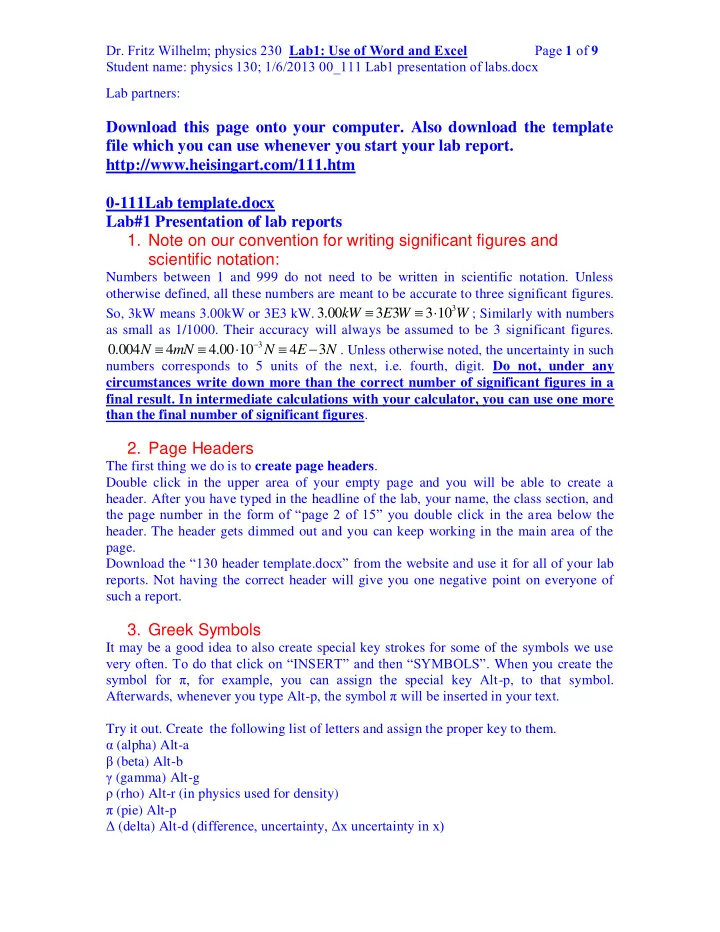
Dr. Fritz Wilhelm; physics 230 Lab1: Use of Word and Excel Page 1 of 9 Student name: physics 130; 1/6/2013 00_111 Lab1 presentation of labs.docx Lab partners: Download this page onto your computer. Also download the template file which you can


slide-1
SLIDE 1
  • Dr. Fritz Wilhelm; physics 230 Lab1: Use of Word and Excel Page 1 of 9

Student name: physics 130; 1/6/2013 00_111 Lab1 presentation of labs.docx Lab partners:

Download this page onto your computer. Also download the template file which you can use whenever you start your lab report. http://www.heisingart.com/111.htm 0-111Lab template.docx Lab#1 Presentation of lab reports

  • 1. Note on our convention for writing significant figures and

scientific notation:

Numbers between 1 and 999 do not need to be written in scientific notation. Unless

  • therwise defined, all these numbers are meant to be accurate to three significant figures.

So, 3kW means 3.00kW or 3E3 kW.

3

3.00 3 3 3 10 kW E W W   

; Similarly with numbers as small as 1/1000. Their accuracy will always be assumed to be 3 significant figures.

3

0.004 4 4.00 10 4 3 N mN N E N

    

. Unless otherwise noted, the uncertainty in such numbers corresponds to 5 units of the next, i.e. fourth, digit. Do not, under any circumstances write down more than the correct number of significant figures in a final result. In intermediate calculations with your calculator, you can use one more than the final number of significant figures.

  • 2. Page Headers

The first thing we do is to create page headers. Double click in the upper area of your empty page and you will be able to create a

  • header. After you have typed in the headline of the lab, your name, the class section, and

the page number in the form of “page 2 of 15” you double click in the area below the

  • header. The header gets dimmed out and you can keep working in the main area of the

page. Download the “130 header template.docx” from the website and use it for all of your lab

  • reports. Not having the correct header will give you one negative point on everyone of

such a report.

  • 3. Greek Symbols

It may be a good idea to also create special key strokes for some of the symbols we use very often. To do that click on “INSERT” and then “SYMBOLS”. When you create the symbol for π, for example, you can assign the special key Alt-p, to that symbol. Afterwards, whenever you type Alt-p, the symbol π will be inserted in your text. Try it out. Create the following list of letters and assign the proper key to them. α (alpha) Alt-a β (beta) Alt-b γ (gamma) Alt-g ρ (rho) Alt-r (in physics used for density) π (pie) Alt-p Δ (delta) Alt-d (difference, uncertainty, Δx uncertainty in x)

slide-2
SLIDE 2
  • Dr. Fritz Wilhelm; physics 230 Lab1: Use of Word and Excel Page 2 of 9

Student name: physics 130; 1/6/2013 00_111 Lab1 presentation of labs.docx ω (omega) Alt-o (angular velocity or angular frequency)

  • 4. Writing equations in Word.

When it comes to typing formulas, we use the equation editor or Mathtype Download it from here: DESSCI,COM Make sure you download it for the correct operating system. Make sure you use the student discount. You can also use the equation editor built into Word: Click on the menu item “INSERT” and then click on the icon showing π with the text Equation below. Click on “Equation” and a whole new menu bar show at the top with symbols to the left and equation tools to the right. Try to type the formula: As today’s practice with Mathtype create the following formulas: sin sin cos tan cos

  • ppositeside

a hypotenuse c adjacent side b a hypotenuse c b            Then try the following formulas: first in the regular editor: circumference of a circle C=2πr = 2 r  area of a circle A=πr2 Many of the simpler formulas you can also create by using subscripts and super scripts which are part of the “HOME” tab. “FILE”, “OPTIONS”, “COSTUMIZE RIBBONS”. This allows you to add and show additional command icons to the ribbons. They are part

  • f the font ribbon.

For example, when you type the formula for the volume of a sphere and you don’t want to use the equation editor to write r3 , you can type “r”, then select the superscript icon x2, which gets highlighted. Everything you type from there on will show as superscript until you click on the superscript icon x2 again

  • 5. Using Mathtype

Mathtype uses different fonts for formulas and regular text; here are the rules:

3 2

Ctrl-shft-e will put you in text mode, Ctrl+ will put you in math mode. 4 The volume of a sphere is V= r 3 The volume of a cylinder is , where h is the height of the cylinder.

c

V r h   

slide-3
SLIDE 3
  • Dr. Fritz Wilhelm; physics 230 Lab1: Use of Word and Excel Page 3 of 9

Student name: physics 130; 1/6/2013 00_111 Lab1 presentation of labs.docx When you leave Mathtype by clicking on x (upper right corner) the text will appear in your Word file. To edit a formula in Word, just double-click on the Mathtype formula. In physics we have the kinematic equations which describe the motion of an object under constant acceleration a. For example, the constant acceleration due to the attractive force

  • f the earth is called g, and has the value of 9.80 m/s2 =32 feet/ s2. Whenever you want to

drag (move) a formula from one part of the report to another, select it by double-clicking

  • n a word, or by passing the mouse cursor over it (click and hold down). Then let go,

click again and drag the object where you want it to be. If you want to copy the object, which means you want to leave it where it is, but create another similar object somewhere else, you drag while holding down the ctrl key. This is useful for copying complicated formulas. Some of the kinematic formulas are:

2

1 ( ) the location of a point particle at the time t is given by this formula, which we read as 2 "x of t equals one half a t squared." x t at  Now, type Heisenberg’s uncertainty relationship: 2 x p    Let us use subscripts:

2 1

x x x    We have our own computer room (110) in which you can work from 9 to 6 every day. There are printers inside, so you can also print your reports.

  • 6. Use of Excel

Many times we also use Excel to do our calculations. Excel is a spreadsheet, which performs its calculations in cells named like A1, C5 etc, where the letter corresponds to the column, and the integer to the row.

  • a. Entering data:

C5 is the cell located at the intersection of the fifth row with column C. Open Excel and see for yourself. It may be a good idea to have both your Word and your Excel file open side by side. Locate cell C3 in your spreadsheet and type in Numbers. In C4 we want to put the number 1, in C5 3, in C6 5, and so on, that is, we add the number 2 to every previous number in the column. The elegant way to do this is by putting your mouse pointer into C5, then click = and enter c4+2, click enter and the number 3 appears in C5. Now we need to copy the formula in cell C5 all the way down to C25. Select C5 by double clicking on it.

A B C D E 1 2 1 3 3 4 5 5 7

slide-4
SLIDE 4
  • Dr. Fritz Wilhelm; physics 230 Lab1: Use of Word and Excel Page 4 of 9

Student name: physics 130; 1/6/2013 00_111 Lab1 presentation of labs.docx

6 9 7 11 8 13 9 15 10 17 11 19 12 21 13 23 14 25 15 16

  • b. Copying Data (Ctrl-c, ctrl-v)

When a little black cross appears at the lower right end of the cell, just drag it all the way down to cell C25 while holding down the ctrl-key, and let go. The last number in C25 should be 45. You can achieve the same thing by selecting cell C5, then copying the cell content into memory by Ctrl-c. Then highlight all the cells from C6 to C25 by sweeping over it with the mouse pointer, holding down the left key. Then paste by clicking Ctrl-V. Both copying and pasting could also be done by using the Edit key on the tool bar. Click on Edit.

  • c. Copy, paste, paste special

When you open the Edit icon, you find that there is also a paste special key, which allows you to paste formulas, values, formatting separately. You would paste values only for example if you don’t want to copy the formula. You can copy your data and graphs from Excel into Word and maintain the connection between the two applications. If you change something in Excel it will be reflected in Word.

  • d. Using data in a column (like C) and create new data in (D)

Now let us take the square root of the numbers in column C. For that, first type Square root into cell D3. The word will probably not fit. Move the mouse cursor all the way up into the gray top bar with the letters A, B, C in them. When you move the mouse cursor over a vertical dividing line a double sided arrow

  • appears. Hold down the left key and drag the dividing line to the right until the column

has the right size. Now go to D4 and select the cell by clicking. Type =sqrt(c4). (If your data are in a different cell-location use that correct reference!) Instead of typing c4 you can also click on c4. Then copy this formula =sqrt(c4) all the way down to D25 by any of the methods we just learnt. Excel automatically fills in the correct cell row-number. Once you are done, all the square roots appear. You can double check that the square root of 25 is 5, as expected.

  • e. Useful and important stuff:

Excel interprets the following symbols as follows:

slide-5
SLIDE 5
  • Dr. Fritz Wilhelm; physics 230 Lab1: Use of Word and Excel Page 5 of 9

Student name: physics 130; 1/6/2013 00_111 Lab1 presentation of labs.docx + plus, - minus, * multiply, / divide, ^5 raise to the power of 5, pi() number π E-6 is 10-6 Excel will interpret letters as functions only if they are preceded by an = sign. =sqrt(5) or =sqrt(c10) which will result in the calculation of the square-root of the number in c10. A function must contain the argument or reference enclosed in parentheses (…). Once you open the first parenthesis, you can insert the cell by clicking on it. Many mathematical functions have their intuitive names, but can always be found in the tool bar, by clicking on the icon fx If you want to open a new work sheet, click on INSERT in the toolbar, and then click on

  • Worksheet. You can rename your worksheets by right-clicking on their label at the

bottom of the page.

  • f. Correct number of significant figures:

The results may show 7 or eight significant figures. If the number does not fit into your cell, move the mouse cursor to the upper boundary between column D and E. A horizontal double arrow appears by means of which you can expand the width of the column to the desired value. We generally do not want more than 3 or four significant figures. Now, let us reduce the number of decimals in the square root column to 3 significant figures. Select cells D4 to D25. Click on format, cells, number, scientific, decimal places, 2. All values now show up in scientific notation with three significant figures. An important note on significant figures: If not otherwise specified, use three significant figures for your calculations by formatting the cells to scientific notation with two significant

  • figures. To format them with one significant figure, use scientific notation with 0

decimals. Sometimes, when you put a fraction into a cell like1/60 Excel interprets this as a date. In that case, select the column, click on format, cells, number, scientific, decimal places, 2. This will format the numbers in the selected area correctly. You can also choose format, cells, number, fraction. Reenter your number 1/60 etc. and you will see the expected number displayed in Excel.

  • g. Other formatting

Let us now make the header columns a bit nicer. Move the mouse cursor to the left-most gray column with the number 3 in it. Click, and an arrow pointing to the whole right row 3 appears. We want to format this row. Click on Format, then cells., font, size 14, color red, or which ever formatting style you like.

  • h. Moving stuff between Excel and Word

Let us call the values in column C, x. Type an x into the top cell, click on B for bold in the toolbar, then increase the font to 14, then center the cell.

slide-6
SLIDE 6
  • Dr. Fritz Wilhelm; physics 230 Lab1: Use of Word and Excel Page 6 of 9

Student name: physics 130; 1/6/2013 00_111 Lab1 presentation of labs.docx If we want to create a formula for use in Excel, like x , type the formula in Word, using Mathtype (or equation editor) and copy (Ctrl-c) from Word, and paste (Ctrl-V) in Excel. Have both programs open and move between them by Alt-tab. Alternative method: In Excel click on Insert, Object, equation editor. Now, let us move the whole area C3 to D25 from Excel into Word. Select that area with your mouse cursor (click in the upper left corner, sweep to the lower right corner while holding down the button; let go and the whole area now shows with a selected frame around it), type Ctrl-c, move to Word by Alt-tab, position the cursor where you want the table to appear and click ctrl-v. Alternatively, you can choose edit on the toolbar. Under paste special choose paste as Excel spreadsheet. To tell word how to position the picture or spreadsheet, right-click on a general area and then click on table

  • properties. You can tell Word to allow text to show on any side of the table. You need to

experiment with these options.

  • i. Graphing a function

To graph a function, select two or more columns. Select the first column which is always the column containing the values for the variable (t or x), then hold down the ctrl key and select the other column(s). Double check that the x or t values actually show up

  • n the horizontal axis.

(You can plot several graphs simultaneously, if they have the same x values. To graph the linear function, I have inserted the x-values in the column to the left of the function

  • values. Select both columns and click on the “INSERT” tab.
  • a. In the charts ribbon click on “scatter plot”, click on the first option
  • box. The graph will appear and the ribbon will change to Charts Tools.

Chart Type, Data, Layouts, and Styles.

  • b. Check that the x values appear on the horizontal axis of the graph. On

top of the page in the “Data” ribbon you can switch the columns if necessary.

  • c. Under “Chart Layouts” in

the menu ribbon choose the box to the very left of the row. Then assign the labels for the graph and the axes, by clicking on “Axis Title” below the x axis and to the left of the y axis.

  • d. After that, choose right

click on a data point and select add trend-

  • line. Make sure you choose either linear,
  • r polynomial, depending on what you
  • expect. In our first case choose linear

(first option). Under “options” select Display equation on chart, and display squared value on chart.

x X^2 y=2x+5

1 1.00E+00 1 7.00E+00 3 1.73E+00 9 5 2.24E+00 25 7 2.65E+00 49 9 3.00E+00 81 11 3.32E+00 121 13 3.61E+00 169 15 3.87E+00 225 17 4.12E+00 289 19 4.36E+00 361 21 4.58E+00 441 23 4.80E+00 529 25 5.00E+00 625

slide-7
SLIDE 7
  • Dr. Fritz Wilhelm; physics 230 Lab1: Use of Word and Excel Page 7 of 9

Student name: physics 130; 1/6/2013 00_111 Lab1 presentation of labs.docx You can make a graph larger or smaller by clicking on a general area in the graph and dragging the corner points diagonally. If you right click on the graph, a formatting menu will appear.

  • j. Graphing a function when the columns are not adjacent to

eachother.

Below you see a graph for a quadratic function with the data points chosen from the values above in the first and third column. To graph the function select the x column data points (without the top cell with the name x in it) by mousing over them, then hold down the CTRL key and select the data in the square column. You need to do this whenever the x- and y-values are not side by

  • side. When you release the mouse key, both columns must be highlighted.

From here on proceed with 9a above. Click on the “INSERT” ribbon graph icon on the tool bar, choose scatter plot, first option, and proceed. If you want to modify your graph layout, labels, formats, go back to Excel and right-click

  • n

the general graph area. If you want to add a trend-line right-click

  • n a graph data

point, and follow the instructions.

  • k. Equation and R2 values.

The equation on the graph is the best regression fit for the data points. When you have a set of experimental points, for example, the x values at the times t, these values will never lie on an exact line. Some points will lie slightly to the left and some to the right of a straight line. Excel uses a mathematical algorithm to find the best possible fit for all the data points. The R2 value will be closer to 1/000 the better the data are correlated. This is a statistical value. Roughly speaking To repeat: To insert a graph or column from an Excel=file into a Word-file use copy (Ctrl-c) and paste (Ctrl-v). It is helpful to have both files open. In that case you can move from one file to the other by using the key Alt-tab.

  • l. Creating and Using Names

Create a column in which you write the letters a, b, pi.

y = x2 R² = 1 500 1000 1500 2000 2500 3000 3500 4000 4500 20 40 60 80 y x Squared function

slide-8
SLIDE 8
  • Dr. Fritz Wilhelm; physics 230 Lab1: Use of Word and Excel Page 8 of 9

Student name: physics 130; 1/6/2013 00_111 Lab1 presentation of labs.docx To the right of this column write the values 5, 7 and =pi(). see below:

  • a. Formatting Cells

The last entry is a formula which creates the value for π up to the number of decimals specified in the “Format Cells” “Numbers” command. To get to these commands select

  • ne or more cells and “Right Click” (Option Click on a MAC); alternatively, click on the

“Format” icon on the right hand side of the ribbon “Home” “Cells”. Then click on “Format Cells”, select “Number”. Set the “number of decimal places” box to 3. There are two other choices under the “Number” click, namely “Percentage” and “Scientific Notation”. Highlight the 6 cells by selecting them, then click on the ribbon for “Formulas”. Click on “Create from selection”, “ok” whatever choice comes up, in our case the box “left column” should already be checked. Once, you have created such a name you can use the letters (names) in any formula. From now on wherever you use the letter b in a formula, it will mean 7. When you change the number 7 to 7.5 b will be replaced by 7.5. Try to write in any cell, =b/a*pi and you will see the number 4.39823, possibly with fewer or more decimals depending on how your cells are formatted, You can also create names for whole columns of values. In our examples above let us create the names x and y for the values in the columns below these letters. Proceed like before and select the x and y columns including the cells with the names x and y in them. click on the ribbon for “Formulas”. Click on “Create from selection”, ok whatever choice comes up, in our case the box “top rows” should already be checked. Now let us create a new column to the right of the y column, call it z=ax + by. Enter the formula below the header by typing =a*x + b*y. Note that while you are typing the letter “a” its value gets outlined with a colored box the same for the whole column x, and so on. If you use a letter in a formula without having it first created as a name, you will see the word “value?” appear or another error mark. After you have created the formula for ax+by, drag the formula down the whole column to the last value for x and y. (Note that when you need to create the formula for ax+by you must use the multiplication sign * between a and x, b and y.) Graph this function like we have done earlier. Create a linear trendline and display the equation on the graph. The lab report for next week consists in creating a report with the correct header as indicated at the beginning of the class. It must contain data and graphs for the following x-values: from 0 to 20 with 0.5 increments: linear graph y=ax + b, (a=0.5, b=2) and a quadratic graph z=ax2+bx+2, and the graph for the 9 data points below. (Three graphs altogether.) Each graph must include a trend-line, the equation of the graph, R2 value. The lab number is 1a. Its title is: Creating a graph with Excel. In addition, copy this current file to your disk, Print it out to keep as a reference.

slide-9
SLIDE 9
  • Dr. Fritz Wilhelm; physics 230 Lab1: Use of Word and Excel Page 9 of 9

Student name: physics 130; 1/6/2013 00_111 Lab1 presentation of labs.docx

2.478E+01 3.231E+00 2.541E+01 4.479E+00 2.573E+01 5.128E+00 2.615E+01 5.969E+00 2.738E+01 8.425E+00 2.799E+01 9.641E+00 2.869E+01 1.104E+01 2.913E+01 1.194E+01 2.941E+01 1.248E+01

The left column represents the x-values, the right column, the y-values. Use linear trend-line and show equation on graph and R2 to determine the slope and the intercept of these data points. Study your results and comment on the equations for the trend-lines. You can copy and paste these numbers into Excel, or you can type them directly into Excel. Note that 2.478E+01 is equal to 24.78 and 3.231E+00 stands for 3.231. The two columns are shown formatted in Scientific Notation, where Ea stands for 10a. Test this by typing in a cell of Excel the number 365.25 in scientific notation as 3.6525E2