Documentatio ion, , testin ing and debugg gging docstring - - PowerPoint PPT Presentation

documentatio ion testin ing and debugg gging
SMART_READER_LITE
LIVE PREVIEW

Documentatio ion, , testin ing and debugg gging docstring - - PowerPoint PPT Presentation

Documentatio ion, , testin ing and debugg gging docstring defensive programming assert test driven developement assertions testing unittest debugger static type checking (mypy) Ensuring good quality code ?


slide-1
SLIDE 1

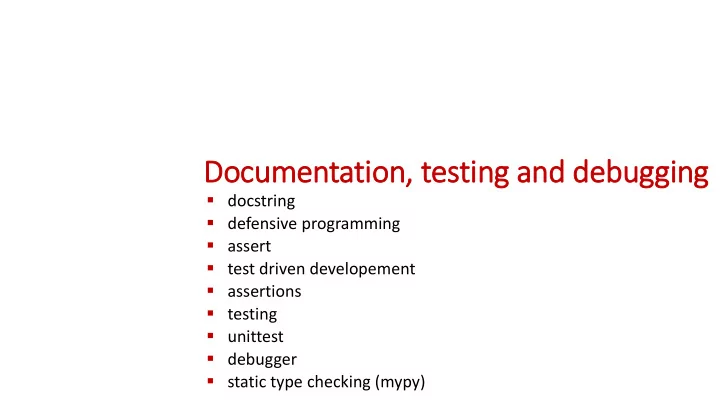
Documentatio ion, , testin ing and debugg gging

  • docstring
  • defensive programming
  • assert
  • test driven developement
  • assertions
  • testing
  • unittest
  • debugger
  • static type checking (mypy)
slide-2
SLIDE 2

Ensuring good quality code ?

Idea

Development Usage Design phase

Coding User runs program Fix bug Find bug Testing

success Goal

  • Develop programs that

work correctly

  • Tools and techniques

runs forever / crash / incorrect output / explosion / ...

(hopefully) correct program

slide-3
SLIDE 3

What is is good code ?

  • Readability
  • well-structured
  • documentation
  • comments
  • follow some standard structure (easy to recognize, follow PEP8 Style Guide)
  • Correctness
  • outputs the correct answer on valid input
  • eventually stops with an answer on valid input (should not go in infinite loop)
  • Reusable...
slide-4
SLIDE 4

Why ?

Documentation

  • specification of

functionality

  • docstring
  • for users of the code
  • modules
  • methods
  • classes
  • comments
  • for readers of the code

Testing

  • Correct

implementation ?

  • Try to predict

behavior on unknown input ?

  • Performance

guarantees ? Debugging

  • Where is the #!¤$

bug ?

”Program testing can be used to show the presence of bugs, but never to show their absence” ̶ Edsger W. Dijkstra

slide-5
SLIDE 5

BaseException +-- SystemExit +-- KeyboardInterrupt +-- GeneratorExit +-- Exception +-- StopIteration +-- StopAsyncIteration +-- ArithmeticError | +-- FloatingPointError | +-- OverflowError | +-- ZeroDivisionError +-- AssertionError +-- AttributeError +-- BufferError +-- EOFError +-- ImportError | +-- ModuleNotFoundError +-- LookupError | +-- IndexError | +-- KeyError +-- MemoryError +-- NameError | +-- UnboundLocalError +-- TypeError +-- ValueError | +-- UnicodeError | +-- UnicodeDecodeError | +-- UnicodeEncodeError | +-- UnicodeTranslateError | +-- OSError | +-- BlockingIOError | +-- ChildProcessError | +-- ConnectionError | | +-- BrokenPipeError | | +-- ConnectionAbortedError | | +-- ConnectionRefusedError | | +-- ConnectionResetError | +-- FileExistsError | +-- FileNotFoundError | +-- InterruptedError | +-- IsADirectoryError | +-- NotADirectoryError | +-- PermissionError | +-- ProcessLookupError | +-- TimeoutError +-- ReferenceError +-- RuntimeError | +-- NotImplementedError | +-- RecursionError +-- SyntaxError | +-- IndentationError | +-- TabError +-- SystemError +-- Warning +-- DeprecationWarning +-- PendingDeprecationWarning +-- RuntimeWarning +-- SyntaxWarning +-- UserWarning +-- FutureWarning +-- ImportWarning +-- UnicodeWarning +-- BytesWarning +-- ResourceWarning

Built-in exceptio ions (class hierarchy)

docs.python.org/3/library/exceptions.html

slide-6
SLIDE 6

Testin ing for unexpected behaviour ?

infinite-recursion1.py def f(depth): f(depth + 1) # infinite recursion f(0) Python shell

| RecursionError: maximum recursion depth exceeded

infinite-recursion2.py def f(depth): if depth > 100: print("runaway recursion???") raise SystemExit # raise built-in exception f(depth + 1) f(0) Python shell

| runaway recursion???

infinite-recursion3.py import sys def f(depth): if depth > 100: print("runaway recursion???") sys.exit() # system function f(depth + 1) f(0) Python shell

| runaway recursion???

raises SystemExit

  • let the program eventually fail
  • check and raise exceptions
  • check and call sys.exit
slide-7
SLIDE 7

Catching unexpected behaviour – assert

infinite-recursion4.py def f(depth): assert depth <= 100 # raise exception if False f(depth + 1) f(0) Python shell

| File "...\infinite-recursion4.py", line 2, in f |

assert depth <= 100

| AssertionError

infinite-recursion5.py def f(depth): assert depth <= 100, "runaway recursion???" f(depth + 1) f(0) Python shell

| File ".../infinite-recursion5.py", line 2, in f |

assert depth <= 100, "runaway recursion???"

| AssertionError: runaway recursion???

  • keyword assert checks if

boolean expression is true, if not, raises exception AssertionError

  • optional second parameter

passed to the constructor of the exception

slide-8
SLIDE 8

Dis isabling assert statements

  • assert statements are

good to help check correctness of program – but can slow down program

  • invoking Python with option

–O disables all assertions (by setting __debug__ to False)

docs.python.org/3/reference/simple_stmts.html#assert

slide-9
SLIDE 9

Example

slide-10
SLIDE 10

Fir irst try ry... (seriously,

, the bugs were not on purpose)

intsqrt_buggy.py def int_sqrt(x): low = 0 high = x while low < high - 1: mid = (low + high) / 2 if mid ** 2 <= x: low = mid else: high = mid return low Python shell > int_sqrt(10)

| 3.125

# 3.125 ** 2 = 9.765625 > int_sqrt(-10)

| 0 # what should the answer be ?

slide-11
SLIDE 11

Let u us add a specificatio ion...

intsqrt.py def int_sqrt(x): """Compute the integer square root of an integer x. Assumes that x is an integer and x >= 0 Returns integer floor(sqrt(x))""" ... Python shell > help(int_sqrt)

| Help on function int_sqrt in module __main__: | | int_sqrt(x) |

Compute the integer square root of an integer x.

|

Assumes that x is an integer and x >= 0

|

Returns integer floor(sqrt(x)) PEP 257 -- Docstring Conventions www.python.org/dev/peps/pep-0257/ input requirements

  • utput

guarantees docstring

  • all methods, classes, and

modules can have a docstring (ideally have) as a specification

  • for methods: summarize

purpose in first line, followed by input requirements and ouput guarantees

  • the docstring is assigned

to the object’s __doc__ attribute

slide-12
SLIDE 12

Let u us check in input requirements...

intsqrt.py def int_sqrt(x): """Compute the integer square root of an integer x. Assumes that x is an integer and x >= 0 Returns integer floor(sqrt(x))""" assert isinstance(x, int) assert 0 <= x ... Python shell > int_sqrt(-10)

|

File "...\int_sqrt.py", line 7, in int_sqrt

|

assert 0 <= x

| AssertionError

check input requirements

  • doing explicit checks for

valid input arguments is part of defensive programming and helps spotting errors early (instead of continuing using likely wrong values... resulting in a final meaningless error)

slide-13
SLIDE 13

Let u us check if if output correct...

intsqrt.py def int_sqrt(x): """Compute the integer square root of an integer x. Assumes that x is an integer and x >= 0 Returns integer floor(sqrt(x))""" assert isinstance(x, int) assert 0 <= x ... assert isinstance(result, int) assert result ** 2 <= x < (result + 1) ** 2 return result Python shell > int_sqrt(10)

|

File "...\int_sqrt.py", line 20, in int_sqrt

|

assert isinstance(result, int)

| AssertionError

check

  • utput
  • output check identifies

the error

mid = (low+high) / 2

  • should have been

mid = (low+high) // 2

  • The output check helps

us to ensure that functions specification is guaranteed in applications

slide-14
SLIDE 14

Let u us test s some in input valu lues...

intsqrt.py def int_sqrt(x): ... assert int_sqrt(0) == 0 assert int_sqrt(1) == 1 assert int_sqrt(2) == 1 assert int_sqrt(3) == 1 assert int_sqrt(4) == 2 assert int_sqrt(5) == 2 assert int_sqrt(200) == 14 Python shell

| Traceback (most recent call last): |

File "...\int_sqrt.py", line 28, in <module>

|

assert int_sqrt(1) == 1

|

File "...\int_sqrt.py", line 21, in int_sqrt

|

assert result ** 2 <= x < (result + 1) ** 2

| AssertionError

  • test identifies

wrong output for x = 1

slide-15
SLIDE 15

Let u us check progress of alg lgorithm...

intsqrt.py ... low, high = 0, x while low < high - 1: assert low ** 2 <= x < high ** 2 mid = (low + high) / 2 if mid ** 2 <= x: low = mid else: high = mid result = low ... Python shell

| Traceback (most recent call last): |

File "...\int_sqrt.py", line 28, in <module>

|

assert int_sqrt(1) == 1

|

File "...\int_sqrt.py", line 21, in int_sqrt

|

assert result ** 2 <= x < (result + 1) ** 2

| AssertionError

  • test identifies wrong
  • utput for x = 1
  • but invariant apparently

correct ???

  • problem

low == result == 0 high == 1

implies loop never entered

  • output check identifies the

error

high = x

  • should have been

high = x + 1 check invariant for loop

slide-16
SLIDE 16

intsqrt.py def int_sqrt(x): """Compute the integer square root of an integer x. Assumes that x is an integer and x >= 0 Returns the integer floor(sqrt(x))""" assert isinstance(x, int) assert 0 <= x low, high = 0, x + 1 while low < high - 1: assert low ** 2 <= x < high ** 2 mid = (low + high) // 2 if mid ** 2 <= x: low = mid else: high = mid result = low assert isinstance(result, int) assert result ** 2 <= x < (result + 1) ** 2 return result assert int_sqrt(0) == 0 assert int_sqrt(1) == 1 assert int_sqrt(2) == 1 assert int_sqrt(3) == 1 assert int_sqrt(4) == 2 assert int_sqrt(5) == 2 assert int_sqrt(200) == 14

Fin inal program

We have used assertions to:

  • Test if input arguments / usage is

valid (defensive programming)

  • Test if computed result is correct
  • Test if an internal invariant in the

computation is satisfied

  • Perform a final test for a set of

test cases (should be run whenever we change anything in the implementation)

slide-17
SLIDE 17

Which checks would you add to the below code?

binary-search.py def binary_search(x, L): """Binary search for x in sorted list L Assumes x is an integer, and L a non-decreasing list of integers Returns index i, -1 <= i < len(L), where L[i] <= x < L[i+1], assuming L[-1] = -infty and L[len(L)] = +infty""" low, high = -1, len(L) while low + 1 < high: mid = (low + high) // 2 if x < L[mid]: high = mid else: low = mid result = low return result

slide-18
SLIDE 18

binary-search-assertions.py def binary_search(x, L): """Binary search for x in sorted list L Assumes x is an integer, and L a non-decreasing list of integers Returns index i, -1 <= i < len(L), where L[i] <= x < L[i+1], assuming L[-1] = -infty and L[len(L)] = +infty""" assert isinstance(x, int) assert isinstance(L, list) assert all([isinstance(e, int) for e in L]) assert all([L[i] <= L[i + 1] for i in range(len(L) - 1)]) low, high = -1, len(L) while low + 1 < high: assert (low == -1 or L[low] <= x) and (high == len(L) or x < L[high]) mid = (low + high) // 2 if x < L[mid]: high = mid else: low = mid result = low assert ((result == -1 and (len(L) == 0 or x < L[0]))

  • r (result == len(L) - 1 and x >= L[-1])
  • r (0 <= result < len(L) - 1 and L[result] <= x < L[result + 1]))

return result assert binary_search(42, []) == -1 assert binary_search(42, [7]) == 0 assert binary_search(7, [42]) == -1 assert binary_search(7, [42,42,42]) == -1 assert binary_search(42, [7,7,7]) == 2 assert binary_search(42, [7,7,7,56,81]) == 2 assert binary_search(8, [1,3,5,7,9]) == 3

inefficient test cases

  • utput

input loop

slide-19
SLIDE 19

Testin ing – how ?

  • Run set of test cases
  • test all cases in input/output specification (black box testing)
  • test all special cases (black box testing)
  • set of tests should force all lines of code to be tested (glass box testing)
  • Visual test
  • Automatic testing
  • Systematically / randomly generate input instances
  • Create function to validate if output is correct (hopefully easier than finding

the solution)

  • Formal verification
  • Use computer programs to do formal proofs of correctness, like using Coq
slide-20
SLIDE 20

Vis isual testin ing – Convex hull computatio ion

Correct Bug ! (not convex)

slide-21
SLIDE 21

binary-search-doctest.py Python shell def binary_search(x, L): """Binary search for x in sorted list L Examples: >>> binary_search(42, [])

  • 1

>>> binary_search(42, [7]) >>> binary_search(42, [7,7,7,56,81]) 2 >>> binary_search(8, [1,3,5,7,9]) 3 """ low, high = -1, len(L) while low + 1 < high: mid = (low + high) // 2 if x < L[mid]: high = mid else: low = mid return low import doctest doctest.testmod(verbose=True)

|

Trying:

|

binary_search(42, [])

|

Expecting:

|

  • 1

|

  • k

|

Trying:

|

binary_search(42, [7])

|

Expecting:

| |

  • k

|

Trying:

|

binary_search(42, [7,7,7,56,81])

|

Expecting:

|

2

|

  • k

|

Trying:

|

binary_search(8, [1,3,5,7,9])

|

Expecting:

|

3

|

  • k

|

1 items had no tests:

|

__main__

|

1 items passed all tests:

|

4 tests in __main__.binary_search

|

4 tests in 2 items.

|

4 passed and 0 failed.

|

Test passed.

doctest

docs.python.org/3/library/doctest.html

  • Python module
  • Test instances (pairs of

input and corresponding

  • utput) are written in the

doc strings, formatted as in an interactive Python session
slide-22
SLIDE 22

binary-search-pytest.py def binary_search(x, L): """Binary search for x in sorted list L""" low, high = -1, len(L) while low + 1 < high: mid = (low + high) // 2 if x < L[mid]: high = mid else: low = mid return low def test_binary_search(): assert binary_search(42, []) == -1 assert binary_search(42, [7]) == 0 assert binary_search(42, [7,7,7,56,81]) == 2 assert binary_search(8, [1,3,5,7,9]) == 3 import pytest def test_types(): with pytest.raises(TypeError): _ = binary_search(5, ['a', 'b', 'c']) Shell

>

pytest binary-search-pytest.py

| ============= test session starts ============= | platform win32 -- Python 3.7.2, pytest-4.3.1, ... 0.9.0 | collected 2 items | binary-search-pytest.py .. [100%] | ============= 2 passed in 0.06 seconds =============

pytest

  • Run all tests stored in

functions prefixed by test

  • r test prefixed test

functions or methods inside Test prefixed test classes

  • pip install pytest
  • Run the pytest program

from a shell

pytest.org

slide-23
SLIDE 23

unittest

docs.python.org/3/library/unittest.html

binary-search-unittest.py def binary_search(x, L): """Binary search for x in sorted list L""" low, high = -1, len(L) while low + 1 < high: mid = (low + high) // 2 if x < L[mid]: high = mid else: low = mid return low import unittest class TestBinarySearch(unittest.TestCase): def test_search(self): self.assertEqual(binary_search(42, []), -1) self.assertEqual(binary_search(42, [7]), 0) self.assertEqual(binary_search(42, [7,7,7,56,81]), 2) self.assertEqual(binary_search(8, [1,3,5,7,9]), 3) def test_types(self): self.assertRaises(TypeError, binary_search, 5, ['a', 'b', 'c']) unittest.main(verbosity=2) Python shell

|

test_search (__main__.TestBinarySearch) ... ok

|

test_types (__main__.TestBinarySearch) ... ok

|

  • |

Ran 2 tests in 0.051s

|

OK

  • Python module
  • A comprehensive object-oriented

test framework, inspired by the corresponding JUnit test framework for Java

slide-24
SLIDE 24

Debugg gger (ID IDLE)

  • When an exception has stopped the program, you can examine the

state of the variables using Debug > Stack Viewer in the Python shell

slide-25
SLIDE 25

Stepping through a program (ID IDLE debugg gger)

  • Debug > Debugger in the Python shell opens Debug Control window
  • Right click on a code line in editor to set a “breakpoint” in your code
  • Debug Control: Go  run until next breakpoint is encountered;

Step  execute one line of code; Over  run function call without details; Out  finish current function call; Quit  Stop program;

slide-26
SLIDE 26

Concluding remarks

  • Simple debugging: add print statements
  • Test driven development  Strategy for code development, where

tests are written before the code

  • Defensive programming  add tests (assertions) to check if

input/arguments are valid according to specification

  • When designing tests, ensure coverage

(the set of test cases should make sure all code lines get executed)

  • Python testing frameworks: doctest, unittest, pytest, ...
slide-27
SLIDE 27

Mypy – a static ic type checker for Pyt ython

  • Static type checking tries to

analyze a program for potential type errors without executing the program

  • Installing:

pip install mypy

  • Running Python will cause an error

during execution, whereas using mypy the error will be found without executing the program

  • Standard (and required) in statically

typed languages like Java, C, C++

Experimental

mypy-simple.py print("start") print(42 + "abc") # error print("end") Shell > python mypy-simple.py

| start | TypeError: unsupported operand type(s)

for +: 'int' and 'str' > mypy mypy-simple.py

| mypy-simple.py:2: error: Unsupported

  • perand types for + ("int" and "str")

mypy-lang.org PEP 484 - Type Hints

slide-28
SLIDE 28

Type hints (PEP 484)

  • Python allows type hints in

programs

  • They are ignored at run-time by

Python, but useful for static type analysis (mypy)

  • Syntax

variable : type variable : type = value

mypy-basic-types.py x : int # type hint x = 42 x = "abc" # type error y : int = 42 # type hint y = "abc" # type error z = 42 z = "abc" # type changed from int to str print(x, y, z) Shell > python mypy-basic-types.py

| abc abc abc

> mypy mypy-basic-types.py

| mypy-basic-types.py:3: error: Incompatible

types in assignment (expression has type "str", variable has type "int")

| mypy-basic-types.py:6: error: ... | mypy-basic-types.py:9: error: ...

slide-29
SLIDE 29

Type hints – functions

Syntax def name(variable : type, ...) -> return type

  • Note: for functions and methods function.__annotations__ is a dictionary with the annotation

mypy-function.py Shell def f(x: int, units: str) -> str: return str(x) + " " + units def g(x, units: str) -> str: return str(x) + " " + units print(f(3, "cm")) print(f("one", "meter")) print(g(3, "cm")) print(g("one", "meter")) > python mypy-function.py

| 3 cm | one meter | 3 cm | one meter

> mypy mypy-function.py

| mypy-function.py:8: error: Argument 1

to "f" has incompatible type "str"; expected "int"

slide-30
SLIDE 30

Type hints – objects

mypy-classes.py class A: pass class B(A): pass class C: pass a : A b : B c : C

a = A() a = B() # valid, B subclass of A a = C() # error b = A() # error b = B() b = C() # error c = A() # error c = B() # error c = C()

Shell

> mypy mypy-classes.py

|

mypy-classes.py:15: error: Incompatible types in assignment (expression has type "C", variable has type "A")

|

mypy-classes.py:16: error: Incompatible types in assignment (expression has type "A", variable has type "B")

|

mypy-classes.py:18: error: Incompatible types in assignment (expression has type "C", variable has type "B")

|

mypy-classes.py:19: error: Incompatible types in assignment (expression has type "A", variable has type "C")

|

mypy-classes.py:20: error: Incompatible types in assignment (expression has type "B", variable has type "C")

slide-31
SLIDE 31

More type hints... see PEP 484 for even more...

mypy-typing.py from typing import Mapping, Set, List, Tuple, Union, Optional S : Set = {} # error {} dictionary S2 : Set[int] = {1, 2, "abc"} # error "abc" is not int D : Mapping[int, int] = {1: 42, 'a': 1} # error 'a' is not int T : Tuple[int, str] = (42, 7) # error 7 is not str L : List[Union[int, str]] = [42, 'a', None] # list can only contain int and str L2 : List[Optional[str]] = ['abc', None, 42] # list can only contain str og None Shell > mypy mypy-function.py

| mypy-typing.py:3: error: Incompatible types in assignment (expression has type "Dict[<nothing>,

<nothing>]", variable has type "Set[Any]")

| mypy-typing.py:4: error: Argument 3 to <set> has incompatible type "str"; expected "int" | mypy-typing.py:5: error: Dict entry 1 has incompatible type "str": "int"; expected "int": "int" | mypy-typing.py:6: error: Incompatible types in assignment (expression has type "Tuple[int, int]",

variable has type "Tuple[int, str]")

| mypy-typing.py:7: error: List item 2 has incompatible type "None"; expected "Union[int, str]" | mypy-typing.py:8: error: List item 2 has incompatible type "int"; expected "Optional[str]"

PEP 484 - Type Hints