Do-It-Yourself Mobile Apps: Where to Start? Kristen Lineberger - - PowerPoint PPT Presentation

do it yourself mobile apps where to start
SMART_READER_LITE
LIVE PREVIEW

Do-It-Yourself Mobile Apps: Where to Start? Kristen Lineberger - - PowerPoint PPT Presentation

Do-It-Yourself Mobile Apps: Where to Start? Kristen Lineberger Product Specialist, MobileSmith April 18, 2013 Who is MobileSmith: DIY mobile app development platform Cloud-based app management Full app lifecycle from cradle to


slide-1
SLIDE 1

Kristen Lineberger

Product Specialist, MobileSmith

April 18, 2013
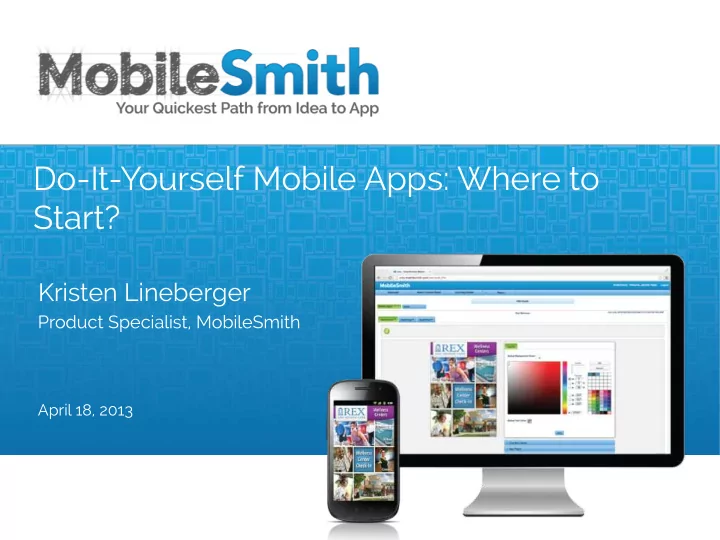
Do-It-Yourself Mobile Apps: Where to Start?

slide-2
SLIDE 2

Who is MobileSmith:

  • DIY mobile app development

platform

  • Cloud-based app management
  • Full app lifecycle – from cradle to

cradle

Who is Drew:

  • Head of Product Team at MobileSmith
  • 5 years of experience creating custom

mobile apps for iOS and Android

  • Recognized industry expert on best

practice standards in mobile application development and mobile strategy

1 ¡

slide-3
SLIDE 3

Who is MobileSmith:

  • DIY mobile app development

platform

  • Cloud-based app management
  • Full app lifecycle – from cradle to

cradle

Who is Kristen:

  • Product Specialist at MobileSmith
  • 3 years of experience creating custom

mobile apps for iOS and Android

  • Expert on best practice standards in

mobile application development and strategy

1 ¡

slide-4
SLIDE 4

Today We Will Explore:

  • The step-by-step process

from Idea to App

  • Best practices of app

storyboarding and wireframing

  • Your app looks great;

what next?

2 ¡

slide-5
SLIDE 5

q Necessity

q Nice to have q Website is enough Poll: is a mobile app a necessity for your organization?

3 ¡

slide-6
SLIDE 6

Key Steps of App Creation

3 ¡

Idea ¡

Requirements ¡ Dump ¡

Wireframe ¡

Mockup ¡

Development ¡

Tes:ng ¡

Good ¡planning ¡ ¡ ¡ ¡ ¡ ¡great ¡app ¡ And ¡vice ¡versa! ¡

slide-7
SLIDE 7

7 ¡

USER EXPERIENCE: FUNCTIONALITY:

50% ¡ 50% ¡

slide-8
SLIDE 8

Step 1: Idea!

4 ¡

  • Check in the app stores: are there any apps

already doing it?

q NO I may have a great app idea! q Yes Can I improve the way they’re doing it?

  • Could my idea be accomplished via a

mobile website?

  • Your app could be denied by Apple
  • Not a good use of resources ¡
  • Will the app connect to any data sources?
  • May require involvement of IT dept.

Yes! ¡ Yes ¡

slide-9
SLIDE 9

Step 2: Requirements Dump

5 ¡

  • Put down everything you want

in your app, in bullet points

  • Group similar bullet points; whittle them down

to make sense

  • Pick out 1-2 key features to be

the centerpiece of your app

  • Pick 2-3 secondary features
  • Dump the rest!
slide-10
SLIDE 10

Something to consider during Steps 1-2:

One or Several Apps?

6 ¡

  • What audience am I trying to

reach with my app?

  • Could it be too broad?
  • Any there too many

features in my app?

  • Diluted apps are not user-

friendly.

slide-11
SLIDE 11

Step 3: Storyboarding

7 ¡

  • Sketch your requirements as pages (views):
  • Start with the root view (Home page)
  • List all the generic views
  • NO workflow; NO interfaces at this point!
  • Get a clear view of all the pages:

10 or 100 pages? - Too many or too few?

HOME ¡

Ar:cle ¡ Input ¡ ¡ ¡ List ¡of ¡ Ar:cles ¡ ¡ ¡ Blog ¡ Ar:cle ¡ Gallery ¡ Share ¡

  • n ¡FB ¡
  • Etc. ¡
slide-12
SLIDE 12

Step 4: Wireframing

8 ¡

Tools we use:

  • Pencil & paper
  • Visio, Paper 53,

Balsamiq, Pop.

Draw the screens

  • f your app:
  • Page layouts
  • Navigation

elements

  • App flow
  • Detailed notes
slide-13
SLIDE 13

Wireframing: Best Practices

9 ¡

  • Lay out each page from your storyboard:

buttons, nav bar, tabs, maps, images, media…

  • Write in notes and arrows for page

transitions

  • Describe everything in detail!
  • Use graphic designer and developer to

ensure feasibility

  • Review wireframes with people on your

team least familiar with mobile

slide-14
SLIDE 14

Avoid these common UX pitfalls:

10 ¡

  • Lengthy tutorials (90% will be forgotten

immediately)

  • Forcing user signup too early, before

showing value

  • Ignoring iOS and Android

UI conventions

  • Flashy visual elements

without context or purpose

  • Lengthy forms
slide-15
SLIDE 15

Ensuring the Best User Experience

11 ¡

  • Keep in mind the user goals of your app

(see your 1-2 key features)

  • Tap through your wireframe:

ü Can the user achieve each goal in 4-5 taps? ü Do I have all the necessary screens and buttons? ü Do all screens/elements have a purpose? ü Can the user navigate home easily? ü Easy ways to view & input data

slide-16
SLIDE 16

Step 5: Mockup

12 ¡

  • Your designer creates first page

in Photoshop using defined color scheme

  • You approve design: colors,

shapes, images, font etc.

  • Secondary pages are created

and approved

  • MobileSmith has built-in

design best practices for iOS and Android

SAVES 50% OF TIME!

slide-17
SLIDE 17

Step 6: Prototype & Review

13 ¡

  • Option 1: review screenshots
  • Option 2: review prototype
  • n your device:
  • “Build for testing” on MobileSmith
  • Send the prototype OTA to your

colleagues or clients

  • Review; change design/layout;

rebuild; test again!

  • Refine the UI/UX at minimum cost
  • Forge your App!
slide-18
SLIDE 18

Develop, Submit, Manage

14 ¡

slide-19
SLIDE 19

Where MobileSmith Fits:

15 ¡

C R E A T I V I T Y

template based app

CUSTOMIZATION

p u r e c u s t

  • m

a p p d e v e l

  • p

m e n t

  • Most Expensive Option
  • Requires Development Team
  • Long Term Cost is High
  • Slow Development Time
  • Lack of Involvement in Creative Delivery

Pure Custom App Development

  • You Own the Entire Process Through Completion
  • Rapid Development and Prototyping
  • Ability to Set Custom Product at Much Lower Price
  • Build Mulitple Apps Instead of Just One
  • Minimal Long Term Cost

MobileSmith

  • Low Level Creativity
  • Limited Functionality
  • Lowest Common Denominator
  • No Opportunity to Create Brand

Template Based App

App Development Continuum

MobileSmith

slide-20
SLIDE 20

6 ‘Musts’ of a Truly Useful App

16 ¡

  • Custom-developed for your

target audience

  • Works on major platforms
  • Secure and reliable
  • Easy to manage
  • Easy to update or redesign
  • Fun to use!

. .

slide-21
SLIDE 21

17 ¡

Request a Live Demo Today And Start Building!

919.237.4218 ¡ ¡

Questions?