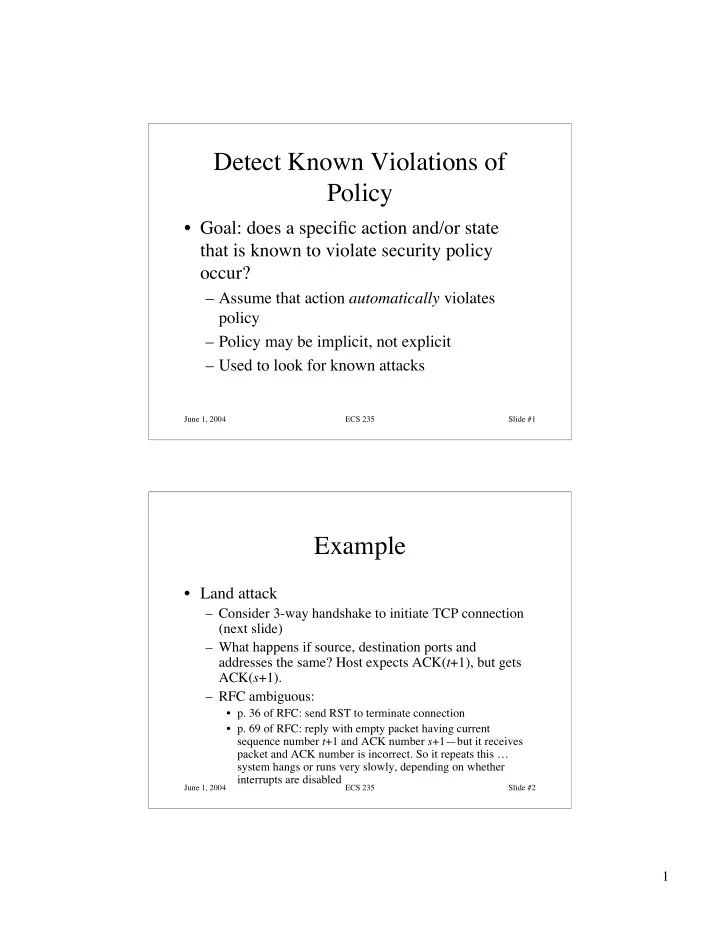
Detect Known Violations of Policy Goal: does a specific action - - PDF document

detect known violations of policy
SMART_READER_LITE
LIVE PREVIEW

Detect Known Violations of Policy Goal: does a specific action - - PDF document

Detect Known Violations of Policy Goal: does a specific action and/or state that is known to violate security policy occur? Assume that action automatically violates policy Policy may be implicit, not explicit Used to look for


slide-1
SLIDE 1

1

June 1, 2004 ECS 235 Slide #1

Detect Known Violations of Policy

  • Goal: does a specific action and/or state

that is known to violate security policy

  • ccur?

– Assume that action automatically violates policy – Policy may be implicit, not explicit – Used to look for known attacks

June 1, 2004 ECS 235 Slide #2

Example

  • Land attack

– Consider 3-way handshake to initiate TCP connection (next slide) – What happens if source, destination ports and addresses the same? Host expects ACK(t+1), but gets ACK(s+1). – RFC ambiguous:

  • p. 36 of RFC: send RST to terminate connection
  • p. 69 of RFC: reply with empty packet having current

sequence number t+1 and ACK number s+1—but it receives packet and ACK number is incorrect. So it repeats this … system hangs or runs very slowly, depending on whether interrupts are disabled

slide-2
SLIDE 2

2

June 1, 2004 ECS 235 Slide #3

3-Way Handshake and Land

Normal: 1. srcseq = s, expects ACK s+1 2. destseq = t, expects ACK t+1; src gets ACK s+1 3. srcseq = s+1, destseq = t+1; dest gets ACK t+1 Land: 1. srcseq = destseq = s, expects ACK s+1 2. srcseq = destseq = t, expects ACK t+1 but gets ACK s+1 3. Never reached; recovery from error in 2 attempted

Source Destination SYN(s) SYN(t)ACK(s + 1) ACK(t + 1)

June 1, 2004 ECS 235 Slide #4

Detection

  • Must spot initial Land packet with source, destination

addresses the same

  • Logging requirement:

– source port number, IP address – destination port number, IP address

  • Auditing requirement:

– If source port number = destination port number and source IP address = destination IP address, packet is part of a Land attack

slide-3
SLIDE 3

3

June 1, 2004 ECS 235 Slide #5

Auditing Mechanisms

  • Systems use different mechanisms

– Most common is to log all events by default, allow sysadmin to disable logging that is unnecessary

  • Two examples

– One audit system designed for a secure system – One audit system designed for non-secure system

June 1, 2004 ECS 235 Slide #6

Secure Systems

  • Auditing mechanisms integrated into system

design and implementation

  • Security officer can configure reporting and

logging:

– To report specific events – To monitor accesses by a subject – To monitor accesses to an object

  • Controlled at audit subsystem

– Irrelevant accesses, actions not logged

slide-4
SLIDE 4

4

June 1, 2004 ECS 235 Slide #7

Example 1: VAX VMM

  • Designed to be a secure production system

– Audit mechanism had to have minimal impact – Audit mechanism had to be very reliable

  • Kernel is layered

– Logging done where events of interest occur – Each layer audits accesses to objects it controls

  • Audit subsystem processes results of logging

from mechanisms in kernel

– Audit subsystem manages system log – Invoked by mechanisms in kernel

June 1, 2004 ECS 235 Slide #8

VAX VMM Audit Subsystem

  • Calls provide data to be logged

– Identification of event, result – Auxiliary data depending on event – Caller’s name

  • Subsystem checks criteria for logging

– If request matches, data is logged – Criteria are subject or object named in audit table, and severity level (derived from result) – Adds date and time, other information

slide-5
SLIDE 5

5

June 1, 2004 ECS 235 Slide #9

Other Issues

  • Always logged

– Programmer can request event be logged – Any attempt to violate policy

  • Protection violations, login failures logged when they occur

repeatedly

  • Use of covert channels also logged
  • Log filling up

– Audit logging process signaled to archive log when log is 75% full – If not possible, system stops

June 1, 2004 ECS 235 Slide #10

Example 2: CMW

  • Compartmented Mode Workstation designed to

allow processing at different levels of sensitivity

– Auditing subsystem keeps table of auditable events – Entries indicate whether logging is turned on, what type of logging to use – User level command chaud allows user to control auditing and what is audited

  • If changes affect subjects, objects currently being logged, the

logging completes and then the auditable events are changed

slide-6
SLIDE 6

6

June 1, 2004 ECS 235 Slide #11

CMW Process Control

  • System calls allow process to control

auditing

– audit_on turns logging on, names log file – audit_write validates log entry given as parameter, logs entry if logging for that entry is turned on – audit_suspend suspends logging temporarily – audit_resume resumes logging after suspension – audit_off turns logging off for that process

June 1, 2004 ECS 235 Slide #12

System Calls

  • On system call, if auditing on:

– System call recorded – First 3 parameters recorded (but pointers not followed)

  • How audit_write works

– If room in log, append new entry – Otherwise halt system, discard new entry, or disable event that caused logging

  • Continue to try to log other events
slide-7
SLIDE 7

7

June 1, 2004 ECS 235 Slide #13

Other Ways to Log

  • Problem: some processes want to log

higher-level abstractions (application logging)

– Window manager creates, writes high-level events to log – Difficult to map low-level events into high- level ones – Disables low-level logging for window manager as unnecessary

June 1, 2004 ECS 235 Slide #14

CMW Auditing

  • Tool (redux) to analyze logged events
  • Converts binary logs to printable format
  • Redux allows user to constrain printing

based on several criteria

– Users – Objects – Security levels – Events

slide-8
SLIDE 8

8

June 1, 2004 ECS 235 Slide #15

Non-Secure Systems

  • Have some limited logging capabilities

– Log accounting data, or data for non-security purposes – Possibly limited security data like failed logins

  • Auditing subsystems focusing on security

usually added after system completed

– May not be able to log all events, especially if limited kernel modifications to support audit subsystem

June 1, 2004 ECS 235 Slide #16

Example: Basic Security Module

  • BSM enhances SunOS, Solaris security

– Logs composed of records made up of tokens

  • Token contains information about event: user

identity, groups, file system information, network, system call and result, etc. as appropriate

slide-9
SLIDE 9

9

June 1, 2004 ECS 235 Slide #17

More About Records

  • Records refer to auditable events

– Kernel events: opening a file – Application events: failure to authenticate when logging in

  • Grouped into audit event classes based on events

causing record generation

– Before log created: tell system what to generate records for – After log created: defined classes control which records given to analysis tools

June 1, 2004 ECS 235 Slide #18

Example Record

  • Logs are binary; this is from praudit

header,35,AUE_EXIT,Wed Sep 18 11:35:28 1991, + 570000 msec, process,bishop,root,root,daemon,1234, return,Error 0,5 trailer,35

slide-10
SLIDE 10

10

June 1, 2004 ECS 235 Slide #19

Auditing File Systems

  • Network File System (NFS)

– Industry standard – Server exports file system; client imports it – Root of tree being exported called server mount point; place in client file tree where exported file system imported called client mount point

  • Logging and Auditing File System (LAFS)

– Built on NFS

June 1, 2004 ECS 235 Slide #20

NFS Version 2

  • Mounting protocol

– Client kernel contacts server’s mount daemon – Daemon checks client is authorized to mount file system – Daemon returns file handle pointing to server mount point – Client creates entry in client file system corresponding to file handle – Access restrictions enforced

  • On client side: server not aware of these
  • On server side: client not aware of these
slide-11
SLIDE 11

11

June 1, 2004 ECS 235 Slide #21

File Access Protocol

  • Process tries to open file as if it were local
  • Client kernel sends file handle for element of path

referring to remote file to server’s NFS server using LOOKUP request

  • If file handle valid, server replies with appropriate file

handle

  • Client requests attributes with GETATTR

– Client then determines if access allowed; if not, denies

  • Iterate above three steps until handle obtained for

requested file

– Or access denied by client

June 1, 2004 ECS 235 Slide #22

Other Important Details

  • NFS stateless

– Server has no idea which files are being accessed and by whom

  • NFS access control

– Most servers require requests to come from privileged programs

  • Check that source port is 1023 or less

– Underlying messages identify user

  • To some degree of certainty …
slide-12
SLIDE 12

12

June 1, 2004 ECS 235 Slide #23

Site Policy

  • 1. NFS servers respond only to authorized

clients

  • 2. UNIX access controls regulate access to

server’s exported file system

  • 3. No client host can access a nonexported

file system

June 1, 2004 ECS 235 Slide #24

Resulting Constraints

  • 1. File access granted ⇒ client authorized to import

file system, user can search all parent directories, user can access file as requested, file is descendent of server’s file system mount point

  • From P1, P2, P3
  • 2. Device file created or file type changed to device

⇒ user’s UID is 0

  • From P2; only UID 0 can do these actions
slide-13
SLIDE 13

13

June 1, 2004 ECS 235 Slide #25

More Constraints

  • 3. Possession of file handle ⇒ file handle issued to

user

  • From P1, P2; otherwise unauthorized client could

access files in forbidden ways

  • 4. Operation succeeds ⇒ similar local operation

would succeed

  • From P2; mount should fail if requester UID not 0

June 1, 2004 ECS 235 Slide #26

NFS Operations

  • Transitions from secure to nonsecure state

can occur only when NFS command occurs

  • Example commands:

– MOUNT filesystem

  • Mount the named file system on the requesting

client, if allowed

– LOOKUP dir_handle file_name

  • Search in directory with handle dir_handle for file

named file_name; return file handle for file_name

slide-14
SLIDE 14

14

June 1, 2004 ECS 235 Slide #27

Logging Requirements

1.When file handle issued, server records handle, UID and GID of user requesting it, client host making request

  • Similar to allocating file descriptor when file
  • pened; allows validation of later requests

2.When file handle used as parameter, server records UID, GID of user

  • Was user using file handle issued that file

handle—useful for detecting spoofs

June 1, 2004 ECS 235 Slide #28

Logging Requirements

  • 3. When file handle issued, server records

relevant attributes of containing object

  • On LOOKUP, attributes of containing

directory show whether it can be searched

  • 4. Record results of each operation
  • Lets auditor determine result
  • 5. Record file names used as arguments
  • Reconstruct path names, purpose of commands
slide-15
SLIDE 15

15

June 1, 2004 ECS 235 Slide #29

Audit Criteria: MOUNT

  • MOUNT

– Check that MOUNT server denies all requests by unauthorized clients to import file system that host exports

  • Obtained from constraints 1, 4
  • Log requirements 1 (who requests it), 3 (access

attributes—to whom can it be exported), 4 (result)

June 1, 2004 ECS 235 Slide #30

Audit Criteria: LOOKUP

  • 2. Check file handle comes from client, user to

which it was issued

  • Obtained from constraint 3
  • Log requirement 1 (who issued to), 2 (who is using)
  • 3. Check that directory has file system mount point

as ancestor and user has search permission on directory

  • Obtained from constraint 1
  • Log requirements 2 (who is using handle), 3 (owner,

group, type, permissions of object), 4 (result), 5 (reconstruct path name)

slide-16
SLIDE 16

16

June 1, 2004 ECS 235 Slide #31

LAFS

  • File system that records user level activities
  • Uses policy-based language to automate

checks for violation of policies

  • Implemented as extension to NFS

– You create directory with lmkdir and attach policy with lattach:

lmkdir /usr/home/xyzzy/project policy lattach /usr/home/xyzzy/project /lafs/xyzzy/project

June 1, 2004 ECS 235 Slide #32

LAFS Components

  • Name server
  • File manager
  • Configuration assistant

– Sets up required protection modes; interacts with name server, underlying file protection mechanisms

  • Audit logger

– Logs file accesses; invoked whenever process accesses file

  • Policy checker

– Validates policies, checks logs conform to policy

slide-17
SLIDE 17

17

June 1, 2004 ECS 235 Slide #33

How It Works

  • No changes to applications
  • Each file has 3 associated virtual files

– file%log: all accesses to file – file%policy: access control policy for file – file%audit: when accessed, triggers audit in which accesses are compared to policy for file

  • Virtual files not shown in listing

– LAFS knows the extensions and handles them properly

June 1, 2004 ECS 235 Slide #34

Example Policies

prohibit:0900–1700:*:*:wumpus:exec

– No-one can execute wumpus between 9AM and 5PM

allow:*:Makefile:*:make:read allow:*:Makefile:Owner:makedepend:write allow:*:*.o,*.out:Owner,Group:gcc,ld:write allow:-010929:*.c,*.h:Owner:emacs,vi,ed:write

– Program make can read Makefile – Owner can change Makefile using makedepend – Owner, group member can create .o, .out files using gcc and ld – Owner can modify .c, .h files using named editors up to

  • Sep. 29, 2001
slide-18
SLIDE 18

18

June 1, 2004 ECS 235 Slide #35

Comparison

  • Security policy controls access

– Goal is to detect, report violations – Auditing mechanisms built in

  • LAFS “stacked” onto NFS

– If you access files not through LAFS, access not recorded

  • NFS auditing at lower layer

– So if you use NFS, accesses recorded

June 1, 2004 ECS 235 Slide #36

Comparison

  • Users can specify policies in LAFS

– Use %policy file

  • NFS policy embedded, not easily changed

– It would be set by site, not users

  • Which is better?

– Depends on goal; LAFS is more flexible but easier to evade. Use both together, perhaps?

slide-19
SLIDE 19

19

June 1, 2004 ECS 235 Slide #37

Audit Browsing

  • Goal of browser: present log information in a

form easy to understand and use

  • Several reasons to do this:

– Audit mechanisms may miss problems that auditors will spot – Mechanisms may be unsophisticated or make invalid assumptions about log format or meaning – Logs usually not integrated; often different formats, syntax, etc.

June 1, 2004 ECS 235 Slide #38

Browsing Techniques

  • Text display

– Does not indicate relationships between events

  • Hypertext display

– Indicates local relationships between events – Does not indicate global relationships clearly

  • Relational database browsing

– DBMS performs correlations, so auditor need not know in advance what associations are of interest – Preprocessing required, and may limit the associations DBMS can make

slide-20
SLIDE 20

20

June 1, 2004 ECS 235 Slide #39

More Browsing Techniques

  • Replay

– Shows events occurring in order; if multiple logs, intermingles entries

  • Graphing

– Nodes are entities, edges relationships – Often too cluttered to show everything, so graphing selects subsets of events

  • Slicing

– Show minimum set of log events affecting object – Focuses on local relationships, not global ones

June 1, 2004 ECS 235 Slide #40

Example: Visual Audit Browser

  • Frame Visualizer

– Generates graphical representation of logs

  • Movie Maker

– Generates sequence of graphs, each event creating a new graph suitably modified

  • Hypertext Generator

– Produces page per user, page per modified file, summary and index pages

  • Focused Audit Browser

– Enter node name, displays node, incident edges, and nodes at end of edges

slide-21
SLIDE 21

21

June 1, 2004 ECS 235 Slide #41

Example Use

  • File changed

– Use focused audit browser

  • Changed file is initial focus
  • Edges show which processes have altered file

– Focus on suspicious process

  • Iterate through nodes until method used to gain

access to system determined

  • Question: is masquerade occurring?

– Auditor knows audit UID of attacker

June 1, 2004 ECS 235 Slide #42

Tracking Attacker

  • Use hypertext generator to get all audit records

with that UID

– Now examine them for irregular activity – Frame visualizer may help here – Once found, work forward to reconstruct activity

  • For non-technical people, use movie maker to

show what happened

– Helpful for law enforcement authorities especially!

slide-22
SLIDE 22

22

June 1, 2004 ECS 235 Slide #43

Example: MieLog

  • Computes counts of single words, word pairs

– Auditor defines “threshold count” – MieLog colors data with counts higher than threshold

  • Display uses graphics and text together

– Tag appearance frequency area: colored based on frequency (e.g., red is rare) – Time information area: bar graph showing number of log entries in that period of time; click to get entries – Outline of message area: outline of log messages, colored to match tag appearance frequency area – Message in text area: displays log entry under study

June 1, 2004 ECS 235 Slide #44

Example Use

  • Auditor notices unexpected gap in time

information area

– No log entries during that time!?!?

  • Auditor focuses on log entries before, after gap

– Wants to know why logging turned off, then turned back on

  • Color of words in entries helps auditor find

similar entries elsewhere and reconstruct patterns

slide-23
SLIDE 23

23

June 1, 2004 ECS 235 Slide #45

Key Points

  • Logging is collection and recording; audit is

analysis

  • Need to have clear goals when designing an audit

system

  • Auditing should be designed into system, not

patched into system after it is implemented

  • Browsing through logs helps auditors determine

completeness of audit (and effectiveness of audit mechanisms!)

June 1, 2004 ECS 235 Slide #46

Intrusion Detection

  • Principles
  • Basics
  • Models of Intrusion Detection
  • Architecture of an IDS
  • Organization
  • Incident Response
slide-24
SLIDE 24

24

June 1, 2004 ECS 235 Slide #47

Principles of Intrusion Detection

  • Characteristics of systems not under attack

– User, process actions conform to statistically predictable pattern – User, process actions do not include sequences of actions that subvert the security policy – Process actions correspond to a set of specifications describing what the processes are allowed to do

  • Systems under attack do not meet at least one of these

June 1, 2004 ECS 235 Slide #48

Example

  • Goal: insert a back door into a system

– Intruder will modify system configuration file or program – Requires privilege; attacker enters system as an unprivileged user and must acquire privilege

  • Nonprivileged user may not normally acquire privilege

(violates #1)

  • Attacker may break in using sequence of commands that

violate security policy (violates #2)

  • Attacker may cause program to act in ways that violate

program’s specification (violates #3)

slide-25
SLIDE 25

25

June 1, 2004 ECS 235 Slide #49

Basic Intrusion Detection

  • Attack tool is automated script designed to

violate a security policy

  • Example: rootkit

– Includes password sniffer – Designed to hide itself using Trojaned versions

  • f various programs (ps, ls, find, netstat, etc.)

– Adds back doors (login, telnetd, etc.) – Has tools to clean up log entries (zapper, etc.)

June 1, 2004 ECS 235 Slide #50

Detection

  • Rootkit configuration files cause ls, du, etc.

to hide information

– ls lists all files in a directory

  • Except those hidden by configuration file

– dirdump (local program to list directory entries) lists them too

  • Run both and compare counts
  • If they differ, ls is doctored
  • Other approaches possible
slide-26
SLIDE 26

26

June 1, 2004 ECS 235 Slide #51

Key Point

  • Rootkit does not alter kernel or file

structures to conceal files, processes, and network connections

– It alters the programs or system calls that interpret those structures – Find some entry point for interpretation that rootkit did not alter – The inconsistency is an anomaly (violates #1)

June 1, 2004 ECS 235 Slide #52

Denning’s Model

  • Hypothesis: exploiting vulnerabilities

requires abnormal use of normal commands

  • r instructions

– Includes deviation from usual actions – Includes execution of actions leading to break- ins – Includes actions inconsistent with specifications of privileged programs

slide-27
SLIDE 27

27

June 1, 2004 ECS 235 Slide #53

Goals of IDS

  • Detect wide variety of intrusions

– Previously known and unknown attacks – Suggests need to learn/adapt to new attacks or changes in behavior

  • Detect intrusions in timely fashion

– May need to be be real-time, especially when system responds to intrusion

  • Problem: analyzing commands may impact response time of system

– May suffice to report intrusion occurred a few minutes or hours ago

June 1, 2004 ECS 235 Slide #54

Goals of IDS

  • Present analysis in simple, easy-to-understand

format

– Ideally a binary indicator – Usually more complex, allowing analyst to examine suspected attack – User interface critical, especially when monitoring many systems

  • Be accurate

– Minimize false positives, false negatives – Minimize time spent verifying attacks, looking for them