
SLIDE 1
DATA REPRESENTATION
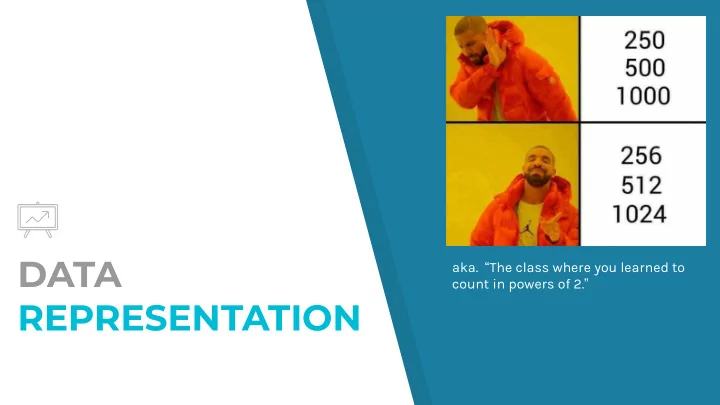
- aka. “The class where you learned to
count in powers of 2.”
DATA aka. The class where you learned to count in powers of 2. - - PowerPoint PPT Presentation
DATA aka. The class where you learned to count in powers of 2. REPRESENTATION 321 ...in decimal (That is, Base 10) How did we get these? x100 x10 x1 Therefore, base 10 10 2 10 1 10 0
DATA REPRESENTATION
count in powers of 2.”
2
...in decimal (That is, “Base 10”) ↑
x100
↑
x10
↑
x1
↑
102
↑
101
↑
100
↑
3x100
↑
2x10
↑
1x1
← How did we get these? ← Therefore, base “10” ← Positions denote powers of 10 Symbols 0-9 denote value of position
3
One-Hundred Million and One? Actually… 321… in “binary” (that is, “base 2”) Why do we use binary? Computers use binary (bits) to store all information
4
0V 5V
1 0 1 0 0 0 1
5
↑
x256
↑
x128
↑
x64
↑
x32
↑
x16
↑
x8
↑
x4
↑
x2
↑
x1
↑
28
↑
27
↑
26
↑
25
↑
24
↑
23
↑
22
↑
21
↑
20
↑
+256
↑
+0
↑
+64
↑
+0
↑
+0
↑
+0
↑
+0
↑
+0
↑
+1
= 321
Positions denote powers of 2. Symbols “0” and “1” denote position values.
Find decimal values of the binary numbers below. What are the decimal values of:
x-y x+y
What is the binary representation of:
x-y x+y PARTNER ACTIVITY
6
16 8 4 2 1
x = 1 1 1 y = 1 1
7
141 … in decimal? Actually… 321… in “hexadecimal” (that is, “base 16”) Why do we use hexadecimal? Recall the binary for “decimal 321”
101000001
8
101000001 1 0100 0001 0001 0100 0001
↑
1
↑
4
↑
1
9
...in hexadecimal (That is, “Base 16”) ↑
x256
↑
x16
↑
x1
↑
162
↑
161
↑
160
↑
1x256
↑
4x16
↑
1x1
← How did we get these? ← Therefore, base “16” ← Positions denote powers of 16 However, we need 16 symbols to denote possible values.
0x
= 256 + 64 + 1 = 321
Binary (Base 2) ▸ 0, 1 Decimal (Base 10) ▸ 0, 1, 2, 3, 4, 5, 6, 7, 8 , 9 Hexadecimal (Base 16) ▸ 0, 1, 2, 3, 4, 5, 6, 7, 8 , 9, A, B, C, D, E, F
SYMBOLS TO COUNT WITH
10
Hexadecimal Decimal Binary 0000 1 1 0001 2 2 0010 3 3 0011 4 4 0100 5 5 0101 6 6 0110 7 7 0111 8 8 1000 9 9 1001 A 10 1010 B 11 1011 C 12 1100 D 13 1101 E 14 1110 F 15 1111
11
↑
x256
↑
x16
↑
x1
↑
162
↑
161
↑
160
↑
0x256
↑
12x16
↑
13x1 = 0 + 192 + 13 = 205
HEXADECIMAL EXAMPLE
Hexa- decimal Decimal Binary 0000 1 1 0001 2 2 0010 3 3 0011 4 4 0100 5 5 0101 6 6 0110 7 7 0111 8 8 1000 9 9 1001 A 10 1010 B 11 1011 C 12 1100 D 13 1101 E 14 1110 F 15 1111
12
↑
x256
↑
x16
↑
x1
↑
162
↑
161
↑
160
↑
1x256
↑
10x16
↑
15x1 = 256 + 160 + 15 = 431
PARTNER ACTIVITY
Hexa- decimal Decimal Binary 0000 1 1 0001 2 2 0010 3 3 0011 4 4 0100 5 5 0101 6 6 0110 7 7 0111 8 8 1000 9 9 1001 A 10 1010 B 11 1011 C 12 1100 D 13 1101 E 14 1110 F 15 1111
From “Base 10” to other bases ▸ Find largest power x of base less than number n ▸ Find largest base digit b where b*x < n ▸ Recursively repeat using n-(b*x)
CONVERTING BASES
13
Convert 1521310 to Base 16 (Hexadecimal) Powers of 16 = 65536 4096 256 16 1 ▸ Find the highest base less than 15213 = 4096 ▹ Largest b where b*4096 < 15213 = 3 ▹ 15213 – 3*4096 = 2925 ▸ Find the highest base less than 2925 = 256 ▹ Largest b where b*256 < 2925 = 11 or B ▹ 2925 – 11*256 = 109 ▸ Find the highest base less than 109 = 16 ▹ Largest b where b*16 < 109 = 6 ▹ 109 – 6*16 = 13 ▸ Find the highest base less than 13 = 1 ▹ b = 13 or D ▸ 1521310 = 03B6D16 ▹ 3B6D16 = 3*163 + 11*162 + 6*161 + 13*160 ▹ Written in C as 0x3b6d
EXAMPLE - DECIMAL TO HEXADECIMAL
14
Convert the following to the specified bases: ▸ 101101112 to Base 10 ▸ 110110012 to Base 16 ▸ 0x2AE to Base 2 ▸ 0x13E to Base 10 ▸ 15010 to Base 2 ▸ 30110 to Base 16
PARTNER ACTIVITY
15
Base 2 128 64 32 16 8 4 2 1 Base 16
268435456 16777216 1048576
65536 4096 256 16 1
16
3,355,185 … in decimal? Actually… “321” in American Standard Code for Information Interchange (that is, “ASCII”)
Humans encode characters in pairs of hexadecimal digits: ▸ Each pair of hex digits is 8 bits or 1 byte ▸ Bytes are the smallest unit of data for computers
ASCII TABLE
17
Convert the following hex code (encoded in ASCII), to readable, English text:
▸ Line 1: 54 68 65 72 65 20 61 72 65 20 31 30 20 74 79 70 65 73 20 6f 66 ▸ Line 2: 70 65 6f 70 6c 65 20 69 6e 20 74 68 69 73 20 77 6f 72 6c 64 2e ▸ Line 3: 54 68 6f 73 65 20 77 68 6f 20 63 61 6e 20 63 6f 75 6e 74 20 69 6e ▸ Line 4: 62 69 6e 61 72 79 2c 20 61 6e 64 20 74 68 6f 73 65 20 77 68 6f 20 63 61 6e 27 74 2e
PARTNER ACTIVITY
18
Convert the following hex code (encoded in ASCII), to readable, English text:
▸ Line 1: There are 10 types of ▸ Line 2: 70 65 6f 70 6c 65 20 69 6e 20 74 68 69 73 20 77 6f 72 6c 64 2e ▸ Line 3: 54 68 6f 73 65 20 77 68 6f 20 63 61 6e 20 63 6f 75 6e 74 20 69 6e ▸ Line 4: 62 69 6e 61 72 79 2c 20 61 6e 64 20 74 68 6f 73 65 20 77 68 6f 20 63 61 6e 27 74 2e
PARTNER ACTIVITY
19
Convert the following hex code (encoded in ASCII), to readable, English text:
▸ Line 1: There are 10 types of ▸ Line 2: people in this world. ▸ Line 3: 54 68 6f 73 65 20 77 68 6f 20 63 61 6e 20 63 6f 75 6e 74 20 69 6e ▸ Line 4: 62 69 6e 61 72 79 2c 20 61 6e 64 20 74 68 6f 73 65 20 77 68 6f 20 63 61 6e 27 74 2e
PARTNER ACTIVITY
20
Convert the following hex code (encoded in ASCII), to readable, English text:
▸ Line 1: There are 10 types of ▸ Line 2: people in this world. ▸ Line 3: Those who can count in ▸ Line 4: 62 69 6e 61 72 79 2c 20 61 6e 64 20 74 68 6f 73 65 20 77 68 6f 20 63 61 6e 27 74 2e
PARTNER ACTIVITY
21
Convert the following hex code (encoded in ASCII), to readable, English text:
▸ Line 1: There are 10 types of ▸ Line 2: people in this world. ▸ Line 3: Those who can count in ▸ Line 4: binary, and those who can’t.
PARTNER ACTIVITY
22
Memory is organized as an array of bytes ▸ Addressable unit of memory is called a byte ▸ 1 Byte = 8 Bits ▸ An “address” is an index in the array ▸ Recall, a system provides private address spaces to each “process”
DATA IN MEMORY
23
0000 0001 0002 . . . FFFD FFFE FFFF . . . Binary
0000 00002 to 1111 11112
Decimal
010 to 25510
Hexadecimal
0016 to FF16
Any given computer has a “word size” ▸ Nominal size of pointers (addresses) ▸ For IA32, word size was 32-bits (that is, 4 bytes) ▹ Limits addresses to 4 GB (232 bytes) ▸ With x64, word sizes are 64-bit (that is, 8 bytes) ▹ Potentially up to 18 PB (petabytes) of addressable memory ▹ That’s 18.4 x 1015 bytes of memory!
MACHINE WORDS
24
Words stored over contiguous byte locations ▸ Address of word specifies the lowest address ▸ E.g. int x with address 0x4 is stored in bytes 0x4, 0x5, 0x6, 0x7. ▸ Addresses of successive words differ by 4 (32-bit) or 8 (64-bit)
WORDS ORGANIZATION
25
Which way should you store the 4 byte integer “x”? ▸ Assume that &x is 0x100 ▸ Assume that: int x = 0x01234567;
BYTE ORDERING
26
Data
... 01 23 45 67 ... ...
Address
... 0x100 0x101 0x102 0x103 ... ... Ordering 1
Data
... 67 45 23 01 ... ...
Address
... 0x100 0x101 0x102 0x103 ... ... Ordering 2
Which way should you store the 4 byte integer “x”? ▸ Assume that &x is 0x100 ▸ Assume that: int x = 0x01234567;
BYTE ORDERING
27
Data
... 01 23 45 67 ... ...
Address
... 0x100 0x101 0x102 0x103 ... ... Big Endian
Data
... 67 45 23 01 ... ...
Address
... 0x100 0x101 0x102 0x103 ... ... Little Endian
How are bytes in multi-byte words (short, int, long, any pointers) be ordered in memory? ▸ Sun, PowerPC Macs, Internet protocols are “Big Endian” ▹ Least significant byte has highest address ▸ x86 (PC/Mac), ARM (Android/iOS) are “Little Endian” ▹ Least significant byte has lowest address
ENDIANNESS
28
01 23 45 67 0x100 0x101 0x102 0x103 67 45 23 01 0x100 0x101 0x102 0x103
Recall a pointer is a variable containing a memory address of an object of a particular data type ▸ Contains a “reference” or address for data
char* cp; /* Declares cp to be a pointer to a character */ int* ip; /* Declares ip to be a pointer to an integer */
▸ On x86-64, how many bytes is cp? ▸ On x86-64, how many bytes is ip?
REPRESENTING POINTERS
29
Given the following code on an x64 (little endian) system ▸ Contains a “reference” or address for data
int main() { int B = -15213; int* P = &B; return 0; }
Suppose: ▸ The address of B is 0x7fffffff8d8 ▸ The address of P is 0x7fffffff8d0 At the end of main, write the value of each byte of P in order as it appears in memory.
POINTERS IN MEMORY
30
Strings in C ▸ Represented by array of characters ▸ Each character encoded in ASCII format ▹ Standard 7-bit encoding of character set ▸ Must be null-terminated ▹ Final character = 0 Compatibility ▸ Endian is not an issue ▹ Data are single byte quantities ▸ Text files generally platform independent ▹ Except for different conventions of line termination character(s)!
REPRESENTING STRINGS
31
Simple program from the book (show_bytes)
#include <stdio.h> #include <string.h> typedef unsigned char *byte_pointer; void show_bytes(byte_pointer start, int len) { int i; for (i = 0; i < len; i++) printf(" %.2x", start[i]); printf("\n"); } void show_int(int x) { show_bytes((byte_pointer) &x, sizeof(int)); } void show_float(float x) { show_bytes((byte_pointer) &x, sizeof(float)); } void show_pointer(void *x) { show_bytes((byte_pointer) &x, sizeof(void*)); }
TESTING DATA IN MEMORY
32
int main() { int i=0x01020304; float f=2345.6; int *ip=&i; char *s = "ABCDEF"; show_int(i); show_float(f); show_pointer(ip); show_bytes(s,strlen(s)); } Output: 04 03 02 01 9a 99 12 45 28 61 61 63 fc 7f 00 00 41 42 43 44 45 46
unsigned int i; // unsigned integer printf("%u\n",i);
▸ 32-bit value encodes 0 to (232 – 1) (i.e. 0 to 4,294,967,295) ▸ Exactly as described in binary number slides
int i; // signed integer in 2’s complement format (default) printf("%d\n",i);
▸ Encodes –231 to (231-1) ▸
REPRESENTING INTEGERS
33
short int x = 15213; short int y = -15213;
TWOS-COMPLEMENT ENCODING
34
Decimal Hex Binary x 15213 3B 6D 00111011 01101101 y
C4 93 11000100 10010011
Notice a pattern?
Given a word size of 4, write the following numbers in Two’s Complement format: ▸
▸
▸
PARTNER ACTIVITY
35
4 2 1
NUMERIC RANGES
36
Binary Representation Unsigned Value Signed Value 0000 0001 1 1 0010 2 2 0011 3 3 0100 4 4 0101 5 5 0110 6 6 0111 7 7 1000 8
1001 9
1010 10
1011 11
1100 12
1101 13
1110 14
1111 15
For 16 bit signed numbers (w=16), write the greatest positive value and the least negative value, in hex and decimal. What does –1 look like?
EXERCISE
37
Greatest positive number ▸ 0x7FFF ▸ 0111 1111 1111 1111 Most negative number ▸ 0x8000 ▸ 1000 0000 0000 0000 Negative 1 ▸ 0xFFFF ▸ 1111 1111 1111 1111
NUMERIC RANGES
38
RANGES FOR DIFFERENT WORD SIZES
39
Word Size 8 16 32 64 Unsigned Max 255 65,535 4,294,967,295 18,446,744,073,709,551,615 Signed Max 127 32,767 2,147,483,647 9,223,372,036,854,775,807 Signed Min
Be careful not to overflow/underflow!
C allows for conversions from signed to unsigned values
short int x = 15213; unsigned short int ux = (unsigned short) x; short int y = -15213; unsigned short int uy = (unsigned short) y;
Resulting Value ▸ No change in bit representation ▸ Non-negative values unchanged ux = 15213 ▸ Negative values change into (large) positive values uy = 50323
CASTING SIGNED TO UNSIGNED
40
short int x => 11000100 10010011
SIGNED VS UNSIGNED EXAMPLE
41
Constants ▸ By default are considered to be signed integers ▸ Unsigned if have “U” as suffix 0U, 4294967259U Casting ▸ Explicit casting between signed & unsigned int tx, ty; unsigned ux, uy; tx = (int) ux; uy = (unsigned) ty;
▸
Implicit casting also occurs via assignments and procedure calls tx = ux; uy = ty
SIGNED VS UNSIGNED IN C
42
Expression Evaluation ▸ When mixing unsigned and signed in an expression, signed values are implicitly cast to unsigned ▸ Including comparison operations <, >, ==, <=, >= ▸ Examples for int (TMIN = -2,147,483,648 , TMAX = 2,147,483,647)
CASTING SURPRISES IN C
43
Constant 1 Constant 2 Relation Evaluation 0U == unsigned
< signed
0U > unsigned 2147483647
> signed 2147483647U
< unsigned
> signed (unsigned) -1
> unsigned 2147483647 2147483648U < unsigned 2147483647 (int) 2147483648U > signed
Expression Evaluation ▸ Mixing unsigned and signed in an expression, signed values implicitly cast to unsigned ▸ Including comparison operations <, >, ==, <=, >= ▸ Examples for int (TMIN = -2,147,483,648 , TMAX = 2,147,483,647)
CASTING SURPRISES IN C
44
Constant 1 Constant 2 Relation Evaluation 0U == unsigned
< signed
0U > unsigned 2147483647
> signed 2147483647U
< unsigned
> signed (unsigned) -1
> unsigned 2147483647 2147483648U < unsigned 2147483647 (int) 2147483648U > signed
C makes it easy to code mistakes
unsigned int i; int a[CNT]; for (i = CNT-2; i >= 0; i--) a[i] += a[i+1];
Errors can be very subtle!
#define DELTA sizeof(int) int i; for (i = CNT; i-DELTA >= 0; i-= DELTA)
CASTING ERRORS
45
Given a w-bit signed integer x ▸ Convert it to a w + k-bit integer with the same value Rule ▸ Make k copies of the sign bit:
CASTING WITH DIFFERENT INTEGER SIZES
46
short int x = 15213; short int y = -15213; Int ix = (int) x; int iy = (int) y;
When converting from a smaller to larger integer data type, C automatically performs sign extension.
SIGN EXTENSION
47
Decimal Hex Binary x 15213 3B 6D 00111011 01101101 ix 15213 00 00 3B 6D 00000000 00000000 00111011 01101101 y
C4 93 11000100 10010011 iy
FF FF C4 93 11111111 11111111 11000100 10010011
Calculate the hex value of -5 for word size of 4 Calculate the hex value of -5 for word size of 8 Calculate the hex value of -5 for word size of 16
SIGN EXTENSION EXERCISES
48
What would the output of the following code be? int main () { char c = 0xff; unsigned int i; i = (unsigned int) c; printf("%u\n",i); }
INTEGER PROMOTION
49
$ ./a.out 4294967295
In C, integers of smaller types (char, short) are automatically promoted to integers before evaluated!
What would the output of the following code be?
int main() { char a = 0xfb; unsigned char b = 0xfb; printf("a = %x", a); printf("\nb = %x", b); if (a == b) printf("\nSame"); else printf("\nNot Same"); }
INTEGER PROMOTION
50
$ ./a.out a = fffffffb b = fb Not Same
In C, integers of smaller types (char, short) are automatically promoted to integers before evaluated!