CSE1720 We will employ encapsulation: Week 04, Lecture 08; Week 05 - - PowerPoint PPT Presentation

cse1720
SMART_READER_LITE
LIVE PREVIEW

CSE1720 We will employ encapsulation: Week 04, Lecture 08; Week 05 - - PowerPoint PPT Presentation

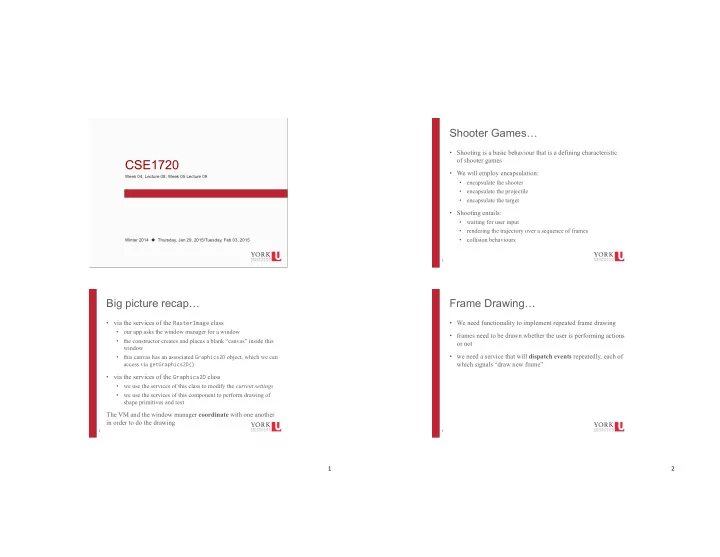
Shooter Games Shooting is a basic behaviour that is a defining characteristic of shooter games CSE1720 We will employ encapsulation: Week 04, Lecture 08; Week 05 Lecture 09 Click to edit Master text styles encapsulate the shooter


slide-1
SLIDE 1

1"

1

Click to edit Master text styles Second level Third level Fourth level Fifth level

CSE1720

Week 04, Lecture 08; Week 05 Lecture 09 Winter 2014 ! Thursday, Jan 29, 2015/Tuesday, Feb 03, 2015

2

Big picture recap…

  • via the services of the RasterImage class
  • our app asks the window manager for a window
  • the constructor creates and places a blank “canvas” inside this

window

  • this canvas has an associated Graphics2D object, which we can

access via getGraphics2D()

  • via the services of the Graphics2D class
  • we use the services of this class to modify the current settings
  • we use the services of this component to perform drawing of

shape primitives and text

The VM and the window manager coordinate with one another in order to do the drawing 2"

3

Shooter Games…

  • Shooting is a basic behaviour that is a defining characteristic
  • f shooter games
  • We will employ encapsulation:
  • encapsulate the shooter
  • encapsulate the projectile
  • encapsulate the target
  • Shooting entails:
  • waiting for user input
  • rendering the trajectory over a sequence of frames
  • collision behaviours

4

Frame Drawing…

  • We need functionality to implement repeated frame drawing
  • frames need to be drawn whether the user is performing actions
  • r not
  • we need a service that will dispatch events repeatedly, each of

which signals “draw new frame”

slide-2
SLIDE 2

3"

5

Suspension of Disbelief

  • Humans will suspend judgment about the implausibility of

a narrative in order to engage with the material

  • this alternative is that human does not suspend judgment,

disengages and rejects premise of the material

  • Video games require suspension of disbelief
  • game mechanics are unrealistic (by design or by

technological limitation)

  • Designs seek to support suspension of disbelief and try to

remove aspects that interfere with suspension of disbelief

  • uncanny valley interferes with suspension of disbelief
  • high motion interferes with suspension of disbelief

6

Motion Perception

  • High motion:
  • when moving images do not blur or strobe even when

tracked closely by the eye

  • is the characteristic of video or film footage displayed

possessing a sufficiently high frame rate

4"

7

Motion Perception

  • how do a a succession of still images give the illusion of a

motion?

  • why do we not see the "blanks" in between successive

still images?

8

Motion Perception

  • we don't see the "blanks" in between successive still

images because of persistence of vision

  • the afterimage persists on the retina for a small period of

time (like 40 msec)

  • fireworks leave what we perceive to be trails of light; there

is no trail, it is a creation of the mind, which retains a perception of the light stimulus for a fraction of a second longer

slide-3
SLIDE 3

5"

9

Motion Perception

  • how do a a succession of still images give the illusion of a

motion?

  • apparent motion: when an object is perceived as moving

when, in fact, a series of stationary images is being presented

  • this is the "beta movement" percept
  • illusory "object": something is perceived, but it is an illusion
  • ur brains fill in the gap with something
  • the phi phenomena
  • the two percepts are often confused and conflated

http://www1.psych.purdue.edu/Magniphi/PhiIsNotBeta/phi2.html http://blog.production-now.com/2008/08/phi-vs-beta.html http://en.wikipedia.org/wiki/File:Lilac-Chaser.gif

10

Frame Rate

  • The speed at which frames are drawn is called the

frame rate

  • TV: 60 fps
  • Movies: 24 fps
  • The Hobbit 3D experiment: 48 fps
  • Lower threshold : 10-12 fps, phi phenomenon
  • Upper threshold : ~66 fps

6"

11

How can we implement frames?

  • let's start with a simple example
  • we want to animate a dot moving in a diagonal
  • start with the dot at the origin:

private final int DIA = 10; Point p = new Point(0, 0); for each frame, draw the dot at the current anchor point Ellipse2D.Double dot = new Ellipse2D.Double(p.x, p.y, DIA, DIA); also update the anchor point (for the next frame) p = new Point(p.x + 1, p.y + 1);

12

Separation of Concerns

there are two tasks here:

  • 1. triggering the new frame
  • 2. specifying what is to be drawn on the frame

We want to delegate each of these tasks to different services

slide-4
SLIDE 4

7"

13

How can we implement frames?

  • We will have two “players” here
  • Dude#1: says when it is time to redraw
  • Dude#2: says what happens to the drawing surface when it

is time to draw a frame

Dude, redraw the frame Hey Graphics2D – here’s what we’re gonna do…

14

How we implement frames

  • Dude #2: says what happens to the drawing surface when it is

time to draw a frame

for each frame, draw the dot at the current anchor point Ellipse2D.Double dot = new Ellipse2D.Double(p.x, p.y, DIA, DIA); graphics.draw(dot); theCanvas.repaint(); update the anchor point (for the next frame) p = new Point(p.x + 1, p.y + 1);

Hey Graphics2D – here’s what we’re gonna do… Dude, redraw the frame

8"

15

How we implement frames

  • Dude#1: says when it is time to redraw
  • we need to define the inter-frame interval (x msec)
  • we need to launch a thread for Dude#1 so he can start

running his process

  • every x msec Dude#1 will announce it is time for a new

frame

  • we need to set up Dude#2 to listen to Dude#1

Dude, redraw the frame Hey Graphics2D – here’s what we’re gonna do…

16

How we implement frames

  • we need to set up Dude#2 to listen to Dude#1
  • Dude#2 is the observer, Dude#1 is the observee
  • Dude#1 can make announcements till the cows come

home; if no one is listening, nothing will happen

  • it's like broadcasting a radio station; the listening public has

to tune their radio to the right station

Dude, redraw the frame Hey Graphics2D – here’s what we’re gonna do…

slide-5
SLIDE 5

9"

17

How to set things up…

  • 1. Identify the observee component
  • this is the component that is dispatching events

that you care about

  • 2. Create an observer component
  • this will be a component that is capable of

“listening” to those types of events

  • this is like “tuning” to the station
  • 3. Use the services of the observee to tell it

that it has an observer

18

The Observee component

10"

19

The Observer component

20

How we implement frames

  • Dude#1: says when it is time to redraw
  • dude#1 is encapsulated by the Observee class definition
  • we specify the number of frames per second
  • services the class provides:
  • derives the the inter-frame interval (msec)
  • instantiates a Timer object, which in turn launches a new

thread

  • constructor of a Timer object requires a listener
  • the thread fires events at the specified

inter-frame interval

Dude, redraw the frame Hey Graphics2D – here’s what we’re gonna do…

slide-6
SLIDE 6

11"

21

How we implement frames

  • Dude #2: says what happens to the drawing surface when it is

time to draw a frame

  • dude#2 is encapsulated by the Observer class definition
  • services the class provides:
  • sets up the RasterImage, initializes values
  • implements an actionPerformed(ActionEvent) method
  • the body of the actionPerformed(ActionEvent) method is

invoked each time an event is dispatched by this object's

  • bservee
  • the body of the actionPerformed(ActionEvent) specifies

each frame to be drawn

Hey Graphics2D – here’s what we’re gonna do… Dude, redraw the frame

22

Interfaces

  • Examine the API for the Observer class, notice the

following

  • the implements keyword is important
  • it signals that objects of type Observer can be

treated as though they are of the type ActionListener

  • constructor creates objects that have two types,

both at the same time!!!

  • review code example L09_Ex2

12"

23

What services does the ActionEvent class provide?

  • Events are objects that encapsulate some sort of

“happening”

  • Examples include:
  • the user did something
  • e.g., performed a mouse or keyboard action
  • the window manager did something
  • e.g., opened a window, shifted focus
  • ActionEvent provides the most basic services to

represent any sort of action with respect to any sort

  • f component within a window

24

Event vs Exception

  • Events are sorta like Exceptions
  • Exceptions
  • encapsulate some sort of happening
  • The term exception is shorthand for the phrase

"exceptional event."

  • can be thrown/caught
  • Events
  • encapsulate some sort of happening
  • many different types of happenings (mouse events,

keyboard events, window events, etc, etc)

  • cannot be thrown/caught
  • instead, are passed as parameters to

methods

slide-7
SLIDE 7

13"

25

Event vs Exception

  • Exceptions
  • encapsulate some sort of happening
  • The term exception is shorthand for the phrase

"exceptional event."

  • can be thrown/caught
  • Exception classes are defined in a hierarchy
  • Exceptions
  • encapsulate some sort of happening
  • many different types of happenings (mouse events,

keyboard events, window events, etc, etc)

  • cannot be thrown/caught
  • instead, are passed as parameters to

methods

  • Event classes are defined in a hierarchy

26

Java’s Event Class Hierarchy

EventObject AWTEvent ActionEvent ComponentEvent InputEvent WindowEvent MouseEvent KeyEvent

A"subset"of"Java’s"Event"Class" Hierarchy"is"shown"here9 9 See"Java"API"for"full"hierarchy9

14"

27

Attributes of ActionEvent objects

  • Objects of type ActionEvent have the following

attributes:

  • which component was the source of the event (e.g.,

which keyboard button, which GUI element, etc)

  • when the event was triggered (the timestamp)
  • the command that is associated with the event
  • for instance an on-screen button may be labeled

"beep", and the associated command would be "play beep"

  • which modifiers were used (e.g., alt, control, shift

keys)

28

Are Attributes Even that Important?

  • sometimes the client doesn't care about an

ActionEvent's attributes

  • A client may only care that an action event occurred,

as opposed to any of the details about the event that

  • ccurred
  • For instance, dude #1 uses ActionEvent to

encapsulate "it is time to advance the frame"

  • dude #2 receives those events and reacts; dude #2

doesn't care much about the who/what/when

slide-8
SLIDE 8

15"

29

The actionPerformed(ActionEvent) method

  • review code example L09_Ex3

30

The Event Dispatching Thread

  • code example L09_Ex3 can drive our animation, but

it is not a correct implementation

  • why not? because all event-handling code should be

executed on the event dispatching thread, not the initial thread.

16"

31

Threads & Concurrency

  • We take it for granted that our systems can do more

than one thing at a time.

  • e.g., continue to work in a word processor, while
  • ther applications download files, manage the print

queue, and stream audio.

  • e.g., word processor is always be ready to respond to

keyboard and mouse events, no matter how busy it is reformatting text or updating the display.

  • Software that can do such things is known as

concurrent software.

source: Concurrency Lesson, The Java™ Tutorials

32

Threads & Concurrency

  • A thread is a basic unit of execution; code is executed
  • n a thread
  • An app may have several active threads; If so, the app

can perform several operations concurrently

  • Example of tasks an app may need to perform

concurrently:

  • respond to keyboard and mouse events
  • updating its graphical display
  • performs calculations
  • perform read/write to the file system

source: Concurrency Lesson, The Java™ Tutorials

slide-9
SLIDE 9

17"

33

GUI Apps

  • Typically have at least two threads
  • the main thread
  • the thread that executes the initial application code
  • the event dispatching thread
  • the thread that executes the code the responds to events
  • (optional) additional worker/background threads
  • the thread(s) that execute code the performs time-

consuming tasks

  • perform calculations
  • perform read/write to the file system
  • managing network connections
  • etc…

source: Concurrency Lesson, The Java™ Tutorials

34

GUI Apps

  • What services does the Timer constructor provide?
  • instantiate a Timer object
  • takes the second parameter (an ActionListener) and sets

it up so that it is listening for any events that the Timer

  • bject may be dispatching
  • launches code the recurrently dispatches events
  • this code runs on the event dispatching thread
  • In L09_Ex3, our action listener object is launched on

the main thread

  • this means that event handling is taking place on the

main thread, not the event dispatching thread

  • in the next version of our code base, this problem will

be fixed.

18"

35

Tasks

  • slow down the projectile to have a slower

trajectory

  • make the projectile expire before it reaches the

edge of the screen

  • make the projectile wrap around the screen
  • introduce random movement