
SLIDE 1
CSc 337
LECTURE 12: THE FETCH API AND AJAX
CSc 337 LECTURE 12: THE FETCH API AND AJAX Synchronous web - - PowerPoint PPT Presentation
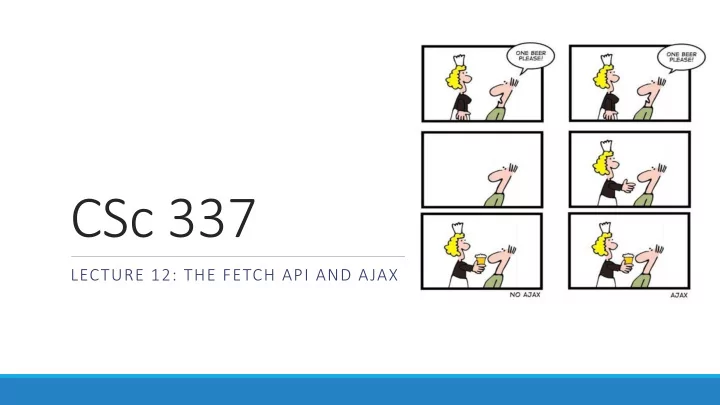
CSc 337 LECTURE 12: THE FETCH API AND AJAX Synchronous web communication synchronous : user must wait while new pages load the typical communication pattern used in web pages (click, wait, refresh) Asynchronous web communication
LECTURE 12: THE FETCH API AND AJAX
before proceeding
download is completed
very large or slow to transfer)
Promise: A JS object that executes some code that has an uncertain outcome
Promises have three states:
Example: “I promise to post homework 4” Pending: Not yet posted Fulfilled: Homework 4 posted Rejected: Wrong homework posted, or not posted in time
function callAjax(){ var url = ..... // put url string here fetch(url) .then(checkStatus) .then(function(responseText) { //success: do something with the responseText }) .catch(function(error) { //error: do something with error }); }
function checkStatus(response) { if (response.status >= 200 && response.status < 300) { return response.text(); } else { return Promise.reject(new Error(response.status+": "+response.statusText)); } }
response, errors
We will be using node.js to run our server code (The code that generates what your fetch requests get) Download node.js: https://nodejs.org/en/ Double click on the downloaded file and follow the instructions to install it.
You will need a command line to run node.js Window: you can use the built in command prompt, PowerShell (recommended), or download a command line like Cygwin Mac: there is a nice built in command line. Just search for "console" Linux: there is a nice built in command line
Open up your command line and type the following: node -v The version number of node on your machine should be output. If nothing is output or if there is an error node didn't install correctly.
Run the following to install Express: npm install express
Copy the following code into a file and name it server1.js // CSC 337 hello world server const express = require("express"); const app = express(); app.use(express.static('public')); app.get('/', function (req, res) { res.header("Access-Control-Allow-Origin", "*"); res.send('Hello World!'); }) app.listen(3000);
You will need to navigate to the directory containing the file you created from the code on the last slide. To move between directories you can use: cd <directory> cd will move you into the directory specified. If you want to move into the parent directory, use .. as the directory name. If you want to see what directories exists in the directory you are in use ls to list them
Once you have gotten to the directory that contains your server code, you can run it with the following command: node service1.js You will not see anything appear on the command line. To see it running open your browser and type the following in the address bar: http://localhost:3000/
Write HTML and JavaScript to, when a button on the page is clicked, fetch data from the web server and inject that data into the page.