SLIDE 1
SLIDE 2 personas, scenarios, & storyboards
June 29, 2015 Valkyrie Savage
cs160. valkyriesavage.com cs160. valkyriesavage.com
SLIDE 3
you made it through PRG01 and DES01!
SLIDE 4
PRG01 and DES01
we are grading as quickly as possible THIS ONE TIME I will accept slightly late uploaded/emailed submissions, provided they got to me before 2:00am DO NOT email the TAs : they are not in charge of that decision DO NOT email me in the future
SLIDE 5 issues with hackster .io
uploads don’t work at the same time as text modifications (wait for uploads to finish, then save changes to text) you can only submit once! source code : I recommend you use github rather than hackster for source control
- ther issues, and how did you solve?
SLIDE 6
for future assignments submitted via hackster , you will get 1 pt extra credit for submitting >=1 day early
SLIDE 7
last time?
SLIDE 8 Design Cycle Over
Project Lifespan
Design Process
- 1. Acceptance
- 2. Analysis
- 3. Definition
- 4. Ideation
- 5. Idea selection
- 6. Implementation
- 7. Evaluation
SLIDE 9 Personas
nnova on flickr
SLIDE 10
Personas (from Cooper)
“Hypothetical Archetypes” Archetype: An original model or type after which other similar things are patterned; a prototype An ideal example of a type; quintessence A precise description of user in terms of: Capabilities, inclinations, background Goals (not tasks)
SLIDE 11 Persona Examples
Brad Colbow (http://carsonified.com/blog/design/how-to-understand-your-users-with-personas/)
SLIDE 12 Why Personas?
http://simpsons.wikia.com/wiki/File:TheHomer.png
SLIDE 13
SLIDE 14
Why Personas?
It’s hard to reason about users in aggregate, and impossible to please everyone. General users have too many conflicting goals.
SLIDE 15 Why Personas?
It’s easier to reason about specific fictional people.
- Specific personas have clear, well-
articulated goals
SLIDE 16 Defining Personas
Identify major clusters from multiple user interviews/ inquiries Based on real-world
Interviews Information supplied by stakeholders and area experts Market research Data from literature Direct user observations are best! Give them names
SLIDE 17
Defining Personas
Personas represent a class or type of user but should be used as an individual Types of users are a range not an average Not a stereotype – which are usually based on assumptions not factual data Reuse personas Personas must have motivations / goals
SLIDE 18
Persona Goals
Experience goals – simple, universal, and personal …how someone wants to feel while using a product “feel smart or in control” “have fun” “feel cool or hip or relaxed” “remain focused and alert”
SLIDE 19
Persona Goals
End goals – users motivation for performing the task associated with product …when you open an app you usually have a desired goal “get the best price” “get home on time” “stay connected to friends” “be aware of problems before they become critical”
SLIDE 20
Persona Goals
Life goals – personal aspirations of the user beyond the product design designed…usually long term “live a healthy life” “be a connoisseur of …” “be attractive, popular, or respected by my peers” “live off the grid”
SLIDE 21 Persona Goals
Run in a variety of browsers Safeguard data integrity
Social applications Parents Teacher – student Nanny – child – parent
SLIDE 22
Persona Goals
Business goals Increase profit Retain customers Organization goals Educate the public Raise enough money to cover overhead
SLIDE 23
Persona Goals
Customers Primary Secondary Customer – rather than end user Negative – who is this not built for
SLIDE 24
Persona Goals
Synthesize their goals Check for completeness and specificity Specificity prevents “elastic user” – design team stretches user to fit needs Try them out by developing narrative
SLIDE 25 Using Personas
Will Julie want to perform this operation often?
- Will she ever?
- Can help prioritize functions with improved clarity
SLIDE 26
SLIDE 27
SLIDE 28
scenarios
SLIDE 29 Scenarios
Narrative as a design tool Scenario should be simple and focused Contain detailed rather than abstract points
(2pm Chem 1A class in LeConte Hall not “attend class”) Use personas in scenarios – how does it serve their needs? Context scenarios – day in the life scenario Unboxing scenario – first usage and setup
SLIDE 30 Scenarios
In what setting(s) will the product be used? .. Will it be used for extended amounts
.. Is the persona frequently interrupted? .. Are there multiple users on a single workstation or device? .. With what other products will it be used? .. What primary activities does the persona need to perform to meet her goals? .. What is the expected end result of using the product? .. How much complexity is permissible, based on persona skill and frequency
SLIDE 31
Scenarios
Motivation What prompted the persona to embark on the scenario? Context Where is the person while the scenario is taking place. Does it change? Who else and where else is involved?
Distractions What kinds of distractions or interruptions typically occur and how does the persona deal with them? Goal What is the persona’s goal? Information seeking? An artifact? An emotion?
SLIDE 32 Storyboards
melissamaples on flickr
SLIDE 33
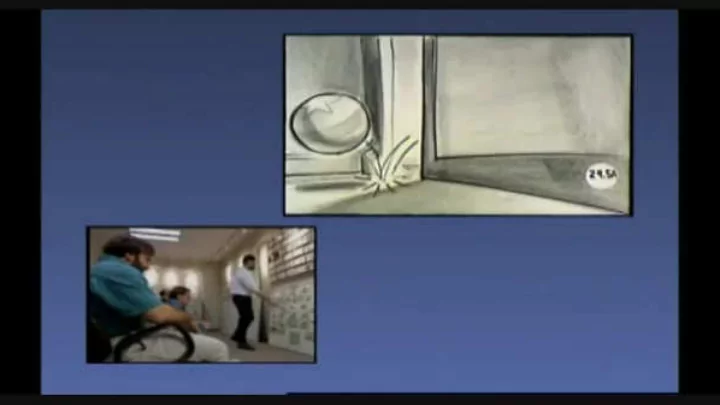
Storyboard for Disney’s Melody: Adventures in Music (1953) Source: Michael Sporn Animation
SLIDE 34
SLIDE 35
SLIDE 36 Storyboards for UI Design
Goal: Understand how your product/ app fits into a larger context. Shows a single scenario / tells a single story Start by setting the stage: Who? What? Where? Why? When? Then show key interactions with your application Zoom back out and show the consequences of using the application Could be satisfaction, but also think about errors
SLIDE 37
setting the scene
SLIDE 38
dialogue/relationships
SLIDE 39
character
SLIDE 40
SLIDE 41 Critique this storyboard in two ways:
- Formally (i.e., how well does the
storyboard itself convey the idea)
- Content (i.e., critique the application
idea itself)
SLIDE 42
SLIDE 43
SLIDE 44 Hama Rikyu Park, Tokyo
yoshikazut on flickr
SLIDE 45
SLIDE 46
SLIDE 47
SLIDE 48
SLIDE 49 Scott McCloud
Understanding Comics, …
SLIDE 50
Summary
Personas Specific archetype of target user Build based on contextual inquiries/interviews Scenarios Use of narrative, persona, and context Storyboards How action and narrative is framed around interaction
SLIDE 51
assignments!
collegedegrees360 on flickr
SLIDE 52
SLIDE 53
don’t forget reading responses!
SLIDE 54
could use improvement. how do we know you read the text? much better! obvious that you did the reading, and thought about it.
SLIDE 55 assignment: excitement documentation
build a photo documentation/ annotation app that spans phone and watch. due next Friday.
- we recommend that by Monday
you have watch communication & sensor emulation running (we won’t help you with those after that)
SLIDE 56
SLIDE 57
Dropping the course after today will cause problems. Don’t do it.
SLIDE 58
GROUP BRAINSTORM tomorrow!
SLIDE 59
experience of *retrieving information* was the key principle user experience affected by how users control their personal flow of information sensor data based on user context and information accessibility smartwatch interface predicted to replace smart phone for *simple* tasks (i.e., viewing short text and accessing sensory data) UI with watch involving flexible input and rapid text entry are vital
SLIDE 60
smartwatch UI insights
tap on talk to watch touch gestures and shortcuts messages vibration!
SLIDE 61
SLIDE 62
SLIDE 63 personas, scenarios, & storyboards
June 29, 2015 Valkyrie Savage
cs160. valkyriesavage.com cs160. valkyriesavage.com