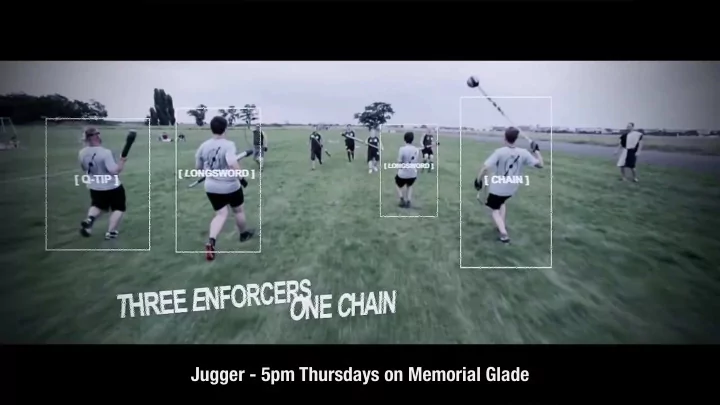
SLIDE 1
Jugger - 5pm Thursdays on Memorial Glade
SLIDE 2 task analysis & contextual inquiry
July 01, 2015 Valkyrie Savage
cs160. valkyriesavage.com cs160. valkyriesavage.com
SLIDE 3 –Yogi Berra
“Y
- u can observe a lot just by watching.”
SLIDE 4 main points of today’s lecture
- Don’t just trust your intuition to make design decisions
- Observe target users in context to inform your design
SLIDE 5 task analysis
adactio on flickr
SLIDE 6
SLIDE 7 Xerox, ca. 1983…
Existing copiers judged as “too complicated” by customers. But why?
(UC Berkeley grad – Anthropology) at Xerox PARC suggests videotaping interactions.
SLIDE 8
SLIDE 9
About those “average” users…
Allen Newell (a founder of AI, ACM Turing Award Winner) Ron Kaplan (ACM Fellow, Distinguished Scientist at Nuance, former Chief Scientist at Bing) Observation showed that difficulties were not due to lack of sophistication of users, but due to problems “reading” (making sense of) an unfamiliar artifact.
SLIDE 10
Many varieties of observation techniques:
Ethnography / Ethnomethodology Task Analysis Contextual Inquiry Cultural Probes Diary Studies Experience Sampling methods (ESM) Prompted “pager” studies
SLIDE 11
Many varieties of observation techniques:
Ethnography / Ethnomethodology Task Analysis Contextual Inquiry Cultural Probes Diary Studies Experience Sampling methods (ESM) Prompted “pager” studies Goal: Understand user’s activities in context to inform (re-)design of information technology.
SLIDE 12 Task Analysis: BART
koopa on flickr
SLIDE 13 BART
Ticket Machine
Goals: Buy new ticket Add value to ticket Pay with:
Debit, Credit, Cash
SLIDE 14
Problems?
SLIDE 15
How To Improve Design?
Understand users’ tasks Designers must think about … Who are the users? What tasks they would want to carry out? Observe existing practices Create scenarios of actual use
SLIDE 16 Task Analysis Questions
- 1. Who is going to use system?
- 2. What tasks do they now perform?
- 3. What tasks are desired?
- 4. How are the tasks learned?
- 5. Where are the tasks performed?
- 6. What’s the relationship between user & data?
- 7. What other tools does the user have?
- 8. How do users communicate with each other?
- 9. How often are the tasks performed?
- 10. What are the time constraints on the tasks?
- 11. What happens when things go wrong?
SLIDE 17 Task Analysis Questions
- 1. Who is going to use system?
- 2. What tasks do they now perform?
- 3. What tasks are desired?
- 4. How are the tasks learned?
- 5. Where are the tasks performed?
- 6. What’s the relationship between user & data?
- 7. What other tools does the user have?
- 8. How do users communicate with each other?
- 9. How often are the tasks performed?
- 10. What are the time constraints on the tasks?
- 11. What happens when things go wrong?
SLIDE 18
Who is going to use it?
Identity Need several typical users for broad product Background/Skills Knowledge users already have and rely on to perform task Values, Likes/Dislikes Personal characteristics Education Literacy Physical traits, abilities/ disabilities Age
SLIDE 19 Who (BART)?
Identity Tourists and visitors from elsewhere Regular BART riders Business people, students, disabled, elderly, etc. Background/Skills Have an ATM card or credit card? Experience with other public transit?
SLIDE 20
Who (BART)?
Personal characteristics Education, Physical abilities, Age, etc
SLIDE 21
Who (BART)?
Personal characteristics Mostly educated, fluent in English (other languages important, too) Varying heights: don’t make it too high or too low! Mixture of ages, a few disabled users (e.g. wheelchairs) Some bike users (make interface one-handed?)
SLIDE 22 We just did it wrong.
Don’t guess – Observe!
- Go out and find who uses the artifact you are replacing or redesigning!
SLIDE 23 Talk to Them
Find some real users
Find out what they do now How would your system fit in? More on this a bit later
Buy their time t-shirts, coffee mugs, etc.
SLIDE 24 Task Analysis Questions
- 1. Who is going to use system?
- 2. What tasks do they now perform?
- 3. What tasks are desired?
- 4. How are the tasks learned?
- 5. Where are the tasks performed?
- 6. What’s the relationship between user & data?
- 7. What other tools does the user have?
- 8. How do users communicate with each other?
- 9. How often are the tasks performed?
- 10. What are the time constraints on the tasks?
- 11. What happens when things go wrong?
SLIDE 25 Task Analysis Questions
- 1. Who is going to use system?
- 2. What tasks do they now perform?
- 3. What tasks are desired?
- 4. How are the tasks learned?
- 5. Where are the tasks performed?
- 6. What’s the relationship between user & data?
- 7. What other tools does the user have?
- 8. How do users communicate with each other?
- 9. How often are the tasks performed?
- 10. What are the time constraints on the tasks?
- 11. What happens when things go wrong?
SLIDE 26 Old and New Tasks
- ld - the way people do things now
new - the way you anticipate them doing things in future
pick the most important tasks
SLIDE 27
What Tasks (BART)?
Old Use cash, credit or debit to buy new ticket with $x stored on it Add fare to existing ticket New Use cash, credit or debit to buy new ticket Add fare to existing ticket Get pricing information for destination Buy “destination” tickets level of detail for tasks can vary based on goals of analysis
SLIDE 28 Task Analysis Questions
- 1. Who is going to use system?
- 2. What tasks do they now perform?
- 3. What tasks are desired?
- 4. How are the tasks learned?
- 5. Where are the tasks performed?
- 6. What’s the relationship between user & data?
- 7. What other tools does the user have?
- 8. How do users communicate with each other?
- 9. How often are the tasks performed?
- 10. What are the time constraints on the tasks?
- 11. What happens when things go wrong?
SLIDE 29
How are Tasks Learned?
What does the user need to know? Do they need training? Book/manual information General knowledge / skills Special instruction / training Experience, level of education and literacy 8th grade is often reasonable in broad design contexts
SLIDE 30
Learning Tasks (BART)
What does the user need to know? Walk up & use system Can’t assume much background/ training Do they need training? Too time consuming Experience, level of education and literacy Must be simple & similar to existing systems Vending machines ATM machines
SLIDE 31
Where is the Task Performed?
Office, laboratory, point of sale, home? Effects of environment on users? Lighting, sound, comfort, interruptions, water Social influence of environment Rituals, sacred places Effects of other people (bystanders)? Rushing, safety, privacy
SLIDE 32
Where (BART)? Train Station
SLIDE 33 Where (BART)? Train Station
Loud Voice I/O not a good idea Privacy Others can look over shoulder PIN must be confidential Don’t confirm with sound
SLIDE 34 Where (BART)? Train Station
Lighting is dim Make sure messages are readable Rituals Panhandlers, musicians,
reading the paper, mobile phones
SLIDE 35 Task Analysis Questions
- 1. Who is going to use system?
- 2. What tasks do they now perform?
- 3. What tasks are desired?
- 4. How are the tasks learned?
- 5. Where are the tasks performed?
- 6. What’s the relationship between user & data?
- 7. What other tools does the user have?
- 8. How do users communicate with each other?
- 9. How often are the tasks performed?
- 10. What are the time constraints on the tasks?
- 11. What happens when things go wrong?
SLIDE 36
Data Relationships
Personal data Privacy Always accessed at same machine? Do users move between machines? Access to data restricted? Common data Handling and processing Used concurrently? Passed sequentially between users? Remote access required?
SLIDE 37
Data Relationships (BART)
Personal data Users may use any machine Store info on BART card Access to data restricted? Only you can use your ATM or credit card Common data Fare rules (e.g., how much for BART Plus) Used concurrently No need for remote access
SLIDE 38
Other Tools
Users work with collection of tools Smartphone Home PC Printed schedules Maps Can we use other tools to facilitate interaction?
SLIDE 39
Other Tools (BART)
Credit, debit cards (today) E-wallet in cell phone or watch (very soon) Real-time train info on the web/phone Could provide auditing for them? Phone/Watch apps to for BART delay alerts?
SLIDE 40 Task Analysis Questions
- 1. Who is going to use system?
- 2. What tasks do they now perform?
- 3. What tasks are desired?
- 4. How are the tasks learned?
- 5. Where are the tasks performed?
- 6. What’s the relationship between user & data?
- 7. What other tools does the user have?
- 8. How do users communicate with each other?
- 9. How often are the tasks performed?
- 10. What are the time constraints on the tasks?
- 11. What happens when things go wrong?
SLIDE 41
How do users communicate?
Who communicates with whom? About what? Follow lines of the organization? Against it? Example: assistant to manager Installation of computers changes communication
between them People would rather change their computer usage
than their relationship
SLIDE 42
How often are the tasks performed?
Frequent users remember more details Infrequent users may need more help But don’t make it tedious Which function is performed Most frequently? By which customers? Optimize system for these tasks will improve perception of good performance MAKE COMMON CASE FAST… UNCOMMON CASE POSSIBLE
SLIDE 43
–Alan Perlis (Epigrams on Programming, 1982)
“Beware of the Turing tar-pit in which everything is possible but
nothing of interest is easy ..”
SLIDE 44 Frequency (BART)?
Varying frequency of customers Some (most) take BART every day Some take it only occasionally (depends on station!)
How to find out for sure? Observe and interview customers!
Varying frequency of tasks Might do add fare or buy new ticket every day Novices: Just one set of detailed instructions Experienced Users: Provide
SLIDE 45 Task Analysis Questions
- 1. Who is going to use system?
- 2. What tasks do they now perform?
- 3. What tasks are desired?
- 4. How are the tasks learned?
- 5. Where are the tasks performed?
- 6. What’s the relationship between user & data?
- 7. What other tools does the user have?
- 8. How do users communicate with each other?
- 9. How often are the tasks performed?
- 10. What are the time constraints on the tasks?
- 11. What happens when things go wrong?
SLIDE 46
Time Constraints
What functions will customers be in a hurry for? Which can wait? Is there a timing relationship between tasks?
SLIDE 47
Time Constraints (BART)?
we notice: Customers almost always in a hurry Lines form possible design considerations: Take less than 1 minute/transaction Be able to do any task in any order
SLIDE 48 When Things Go Wrong
How do people deal with Errors? Practical difficulties? Catastrophes?
- Is there a backup strategy?
SLIDE 49 When Things Go Wrong (BART)
Confusion/errors on task “Start over” button Practical difficulty Generated ticket with too much
Catastrophe Machine eats card - swipe instead
Backup strategy Use cash in regular machines (and provide ATM)
SLIDE 50 When Things Go Wrong (BART)
afagen on flickr
SLIDE 51
SLIDE 52
break!
SLIDE 53 Identifying Tasks for Y
Real tasks users have faced Collect any necessary materials Should provide reasonable coverage Compare check list of functions to tasks Mixture of simple & complex tasks Easy task (common or introductory) Moderate task Difficult task (infrequent or for power users)
SLIDE 54
What Should Tasks Look Like?
Say what user wants to do, not how user would do it Allows comparing different design alternatives
SLIDE 55
What Should Tasks Look Like?
Often very specific Forces us to fill out description with relevant details Say who the users are (use personas) Design can really differ depending on the target user Name names (allows getting more info as necessary) Characteristics of the users (job, expertise, etc.)
SLIDE 56
What Should Tasks Look Like?
Some describe a complete job Forces us to consider how features work together
SLIDE 57
Using Tasks in Design
Write up a description of the tasks Produce scenarios covering each task Rough out an interface design and storyboard
SLIDE 58
Using Tasks in Design
Write up a description of tasks Formally or informally Run by users and rest of the design team Get more information where needed
SLIDE 59 Using Tasks in Design
Produce scenarios covering each task Task-based scenario example: Jill is traveling to Seattle for her job next week and she wants to check
- n the amount she can be reimbursed for meals and other expenses.
SLIDE 60
Using Tasks in Design
Produce scenarios covering each task It's Friday afternoon and Joe is flying to Sydney. He doesn't have enough money for a taxi to the airport, and he's running late.
He goes to the local ATM and identifies himself.
He specifies that he wants $100 from his savings account. He'd like the money in $20 notes so that he can give the taxi driver the correct change.
He doesn't want a paper receipt, as he doesn't bother tracking transactions.
SLIDE 61
Using Tasks in Design
Rough out an interface design Discard features that don’t support your tasks (or add a real task that exercises that feature) Sketch major screens & functions (not too detailed)
SLIDE 62 Contextual Inquiry
magdalenaroeseler on flickr
SLIDE 63 Contextual Inquiry
Method: “Go where the customer works, observe the customer as she works, and talk to the customer about their work” [Holtzblatt]
Get inside the user’s head See their tasks the way they do A middle ground between pure observation and pure interview
SLIDE 64
Master-Apprentice Model
Allows user to teach us what they do: Skill knowledge is usually tacit Sometimes literal apprenticeship is best
Matsushita Home Bakery – First automatic bread maker to have twist/stretch motion [Nonaka 95]
SLIDE 65
Principles of Contextual Inquiry
1.Context 2.Partnership 3.Interpretation 4.Focus
SLIDE 66
Principle: Context
Go where the work is:
Conduct inquiry in a normal work environment People summarize, but we want details Keep it concrete when people start to abstract “We usually get reports by email”, ask “Can I see one?” Look for skipped steps, ask user to fill them in.
SLIDE 67
Principle: Partnership
Master / Apprentice + intermittent probing Alternative models (what’s wrong with them?)
Interviewer / Interviewee
Expert / Novice
Guest / Host
SLIDE 68
Why not just do interviews?
Master / Apprentice + intermittent probing Alternative models (what’s wrong with them?)
Interviewer / Interviewee
Expert / Novice
Guest / Host
SLIDE 69
SLIDE 70 Principle: Interpretation
Good facts only the starting point Design is ultimately based on interpretations
Check interpretations with user Be committed to hearing what the user is really saying
SLIDE 71 Principle: Focus
You need data about specific tasks Steer conversation to stay on useful topics
- Respect “intrapersonal triggers”
(flags to change understanding and focus) “Why would they do that?” Admit your ignorance
SLIDE 72 Thoughts on Inquiries
Establish rapport before diving in This is key for most types of user study
Notebooks, tape recorders, still & video cameras
- Master/Apprentice can be hard
Staying in role — it’s a lot like acting Don’t correct! It’s not a lesson! It’s hard not designing on the fly
SLIDE 73 Summary
Task analysis Understand users and their tasks Real tasks with reasonable functionality coverage Do your best to anticipate new tasks
Helps answer the task analysis questions Hybrid between interview and observation Use master-apprentice model to get them to teach you
SLIDE 74 assignments!
collegedegrees360 on flickr
SLIDE 75
https://vimeo.com/131844849
SLIDE 76
SLIDE 77
assignment: excitement documentation
build a photo documentation/upload app that spans phone and watch. due next Friday, i.e. July 10.
SLIDE 78
SLIDE 79
group brainstorm & team plan
brainstorm 50 ideas, sketch 10 choose 3 of the best do a quick analysis of each idea plan how to work with your group! due Monday
SLIDE 80
tomorrow : group brainstorm work time
SLIDE 81 task analysis & contextual inquiry
July 01, 2015 Valkyrie Savage
cs160. valkyriesavage.com cs160. valkyriesavage.com