CPS 108, Fall 1997 Software Design and Implementation Object - - PowerPoint PPT Presentation

cps 108 fall 1997 software design and implementation
SMART_READER_LITE
LIVE PREVIEW

CPS 108, Fall 1997 Software Design and Implementation Object - - PowerPoint PPT Presentation

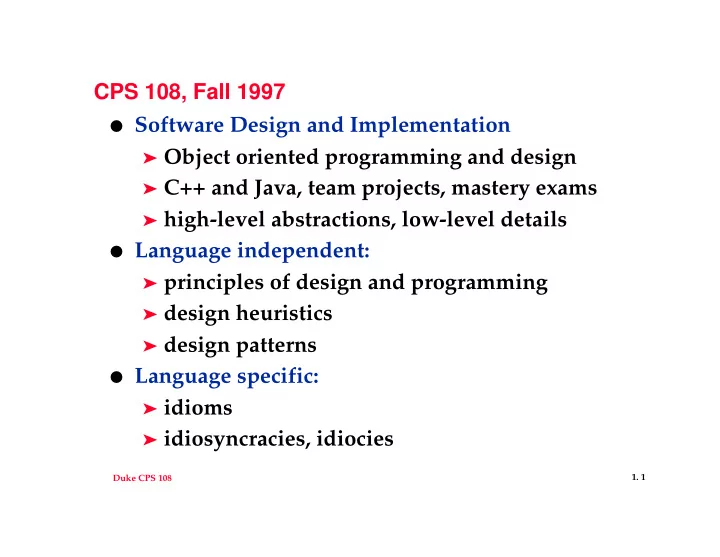
CPS 108, Fall 1997 Software Design and Implementation Object oriented programming and design C++ and Java, team projects, mastery exams high-level abstractions, low-level details Language independent: principles of design and


slide-1
SLIDE 1

Duke CPS 108

  • 1. 1

CPS 108, Fall 1997

  • Software Design and Implementation

➤ Object oriented programming and design ➤ C++ and Java, team projects, mastery exams ➤ high-level abstractions, low-level details

  • Language independent:

➤ principles of design and programming ➤ design heuristics ➤ design patterns

  • Language specific:

➤ idioms ➤ idiosyncracies, idiocies

slide-2
SLIDE 2

Duke CPS 108

  • 1. 2

Administrivia

  • check website and news regularly

http://www.cs.duke.edu/~ola/courses/cps108.html duke.cs.cps108

  • Grading (see web pages)

➤ group projects: small, medium, large ➤ mastery programs (solo endeavors) ➤ tests

  • Evaluating team projects, role of TA, UTA,

consultants

  • Compiling, tools, environments, Linux
slide-3
SLIDE 3

Duke CPS 108

  • 1. 3

C++ idioms/general concepts

  • templates

➤ generic functions/container classes

  • inheritance

➤ design guidelines, benefits, drawbacks

  • low-level structures

➤ C-style arrays and strings compared to standard:

STL, Tapestry

  • from C to C++

➤ function pointers, function objects

  • build on generalities, transition to Java
slide-4
SLIDE 4

Duke CPS 108

  • 1. 4

Design Criteria Good design comes from experience, experience comes from bad design

Fred Brooks (or Henry Petroski)

  • Design with goals:

➤ ease of use ➤ portability ➤ ease of re-use ➤ efficiency ➤ first to market ➤ ?????

slide-5
SLIDE 5

Duke CPS 108

  • 1. 5

How to code

  • Coding/Implementation goals:

➤ Make it run ➤ Make it right ➤ Make it fast ➤ Make it small

  • spiral design (or RAD or waterfall or ...)

specification design implementation

slide-6
SLIDE 6

Duke CPS 108

  • 1. 6

Design Heuristics: class and program rules-of-thumb

(see text by Arthur Riel)

  • Coupling

➤ classes/modules are independent of each other ➤ goal: minimal, loose coupling ➤ do classes collaborate and/or communicate?

  • Cohesion

➤ classes/modules capture one abstraction/model ➤ keep things as simple as possible, but no simpler ➤ goal: strong cohesion (avoid kitchen sink)

slide-7
SLIDE 7

Duke CPS 108

  • 1. 7

Design patterns

“... describes a problem which occurs over and over again in our environment, and then describes the core of the solution to that problem, in such a way that you can use this solution a million times over, without ever doing it the same way twice”

Christopher Alexander, quoted in GOF

  • Example: iterator (257)

➤ sequentially access elements of aggregate

without exposing representation/implementation

➤ see DirEntry (scandir), List class, Map class

(from CPS 100)

➤ heavily used in STL, with pointer like syntax

slide-8
SLIDE 8

Duke CPS 108

  • 1. 8

Pattern Essentials

  • Name

➤ good name provides a handle for the pattern,

makes it easy to remember and use: vocabulary

  • Problem

➤ when the pattern is applicable, context, criteria

to be met, design goals

  • Solution

➤ design, collaborations, responsibilities, and

relationships of the classes/design elements

  • Consequences

➤ trade-offs, problems, results from applying

pattern: help in evaluating applicability

slide-9
SLIDE 9

Duke CPS 108

  • 1. 9

hyperWAG

  • hypertext version of week-at-a-glance, see web page

for complete details

➤ read file in wagalang

m 9,12 sleep th 9,10 cps 110 w 9,10 breakfast f 9,10 running mtwhf 12,13 lunch wf 10,12 cps 108 t 10,12 breakfast

➤ produce HTML table

  • classes? problems? issues? groups? ideas?
  • C++ questions, design questions
slide-10
SLIDE 10

Duke CPS 108

  • 1. 10

larger group/company issues

see McCarthy, Dynamics of Software Development

  • establish a shared vision

➤ what is hyperWAG? what can we add? ➤ harmonious sense of purpose

  • develop a creative environment

➤ the more ideas the better, ideas are infectious ➤ don’t flip the BOZO bit

  • scout the future

➤ what’s coming, what’s the next project ➤ what new technologies will affect this project