Postprocessing The final stage of the Rendering Post-processing - - PDF document

postprocessing
SMART_READER_LITE
LIVE PREVIEW

Postprocessing The final stage of the Rendering Post-processing - - PDF document

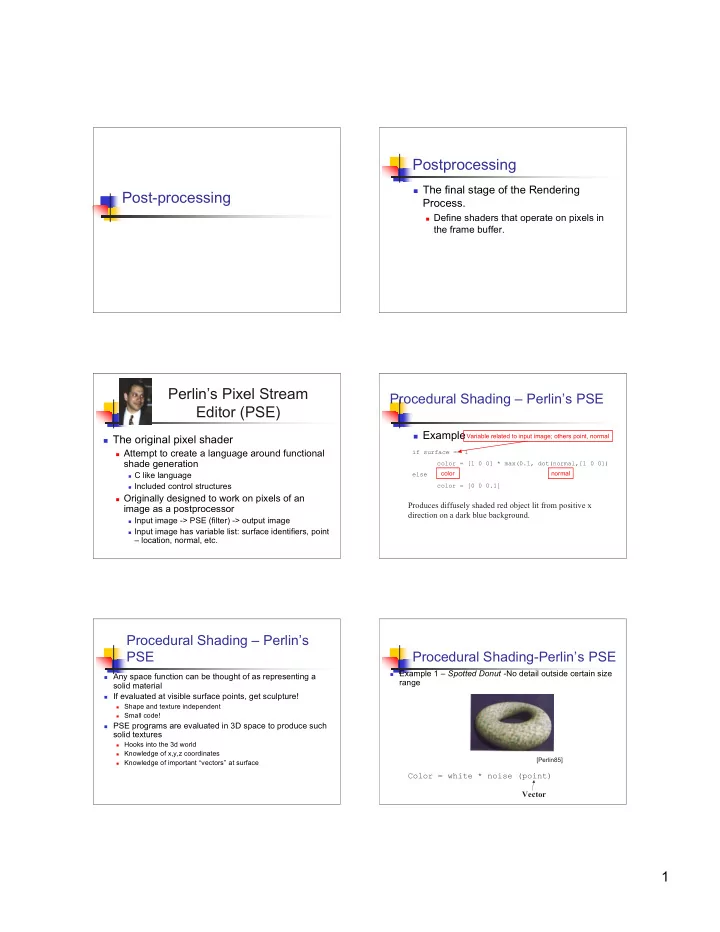
Postprocessing The final stage of the Rendering Post-processing Process. Define shaders that operate on pixels in the frame buffer. Perlins Pixel Stream Procedural Shading Perlins PSE Editor (PSE) Example Variable


slide-1
SLIDE 1

1

Post-processing Postprocessing

 The final stage of the Rendering

Process.

 Define shaders that operate on pixels in

the frame buffer.

 The original pixel shader

 Attempt to create a language around functional

shade generation

 C like language  Included control structures

 Originally designed to work on pixels of an

image as a postprocessor

 Input image -> PSE (filter) -> output image  Input image has variable list: surface identifiers, point

– location, normal, etc.

Perlin’s Pixel Stream Editor (PSE)

Procedural Shading – Perlin’s PSE

 Example if surface == 1 color = [1 0 0] * max(0.1, dot(normal,[1 0 0]) else color = [0 0 0.1]

Produces diffusely shaded red object lit from positive x direction on a dark blue background.

color normal Variable related to input image; others point, normal

Procedural Shading – Perlin’s PSE

 Any space function can be thought of as representing a

solid material

 If evaluated at visible surface points, get sculpture!

 Shape and texture independent  Small code!

 PSE programs are evaluated in 3D space to produce such

solid textures

 Hooks into the 3d world  Knowledge of x,y,z coordinates  Knowledge of important “vectors” at surface

Procedural Shading-Perlin’s PSE

 Example 1 – Spotted Donut -No detail outside certain size

range Color = white * noise (point)

[Perlin85]

Vector

slide-2
SLIDE 2

2 Procedural Shading-Perlin’s PSE

 Example 2 – Bozo’s Donut

Color = Colorful(noise (k*point))

[Perlin85]

Constant multiplier

Procedural Shading-Perlin’s PSE

 Dnoise – Vector valued differential of

noise signal, i.e., gradiant/derivative of noise function

 Dnoise (x,y,z) = (dNoise/dx, dNoise/dy,

dNoise/dz)

 Good for modifying normal vector

(bump mapping)

Procedural Shading-Perlin’s PSE

 Dnoise example – Bumpy Donut

Normal += Dnoise (point)

[Perlin85]

Creating Wrinkles

 Adding successive noise at different but

regular frequencies

 1/f, self-similar quality (Fractal-like…more

  • n fractals later)

= =

=

N-1 i i i i x

x a ) b Noise( ) NOISE(

Creating Wrinkles

 Perlin example: Wrinkled Donut [Perlin85]

Procedural Shading - Perlin’s PSE

 Perlin - turbulence example Function marble(point) x = point[1] + turbulence (point) return marble_color(sin x) [Perlin85] Perturbs the layer

slide-3
SLIDE 3

3

RenderMan imager shader

 Manipulates a final pixel color after all of

the geometric and shading processing has concluded.

 In the context of an imager shader, P is

the position of the surface closest to the camera in that pixel (i.e. the viewing ray intersection or the Z-buffer entry).

RenderMan imager shaders

 Global variables

 P point Surface position  Ci color Pixel color  Oi color Pixel opacity  alpha float Fractional pixel coverage  ncomps Number of color components  time Current shutter time

 Ci color varying

Output pixel color

 Oi color varying

Output pixel opacity

RenderMan imager shader

 Use of imager shader is not in vogue

 Evidence by fact that prman does not

support it.

 Use tool optimized for image manipulation:

 Photoshop  GIMP, etc.

“imager shaders” in GLSL

 GLSL knows only about vertices and

fragments.

 “imager shading” can be done by fragment

shader

 Needs access to frame buffer.  Achieved via in memory textures  Fragment shader take texture as parameter.  Texture coords set up to verticies of frame buffer

 Pass thru to fragment phase

Frame buffer access

 Render to texture

 Aka copy-to-texture (CTT)  Render as usual  Copy framebuffer to texture

 glCopyTexSubImage*()

 Shader writes back into frame buffer  Pixel copies done in video memory

Frame buffer access

 Pbuffers

 Advanced feature  Rendering to an off-screen buffer.

 Pbuffer look and act like the frame buffer.

 Can be passed in as a texture to a shader  Need context switch to get back to screen

frame buffer

slide-4
SLIDE 4

4

Frame buffer access

 Frame Buffer Object (FBO) extension

 Introduced by nVidia in 2005  Easy management of “in memory textures”  Requires a single rendering context  http://www.gamedev.net/reference/articles/

article2331.asp

Chaining fragment shaders Example

 Raun Krisch

 M.S -- C.S. RIT  Real-time Photographic Tone Reproduction

for Video Games.

Demo1 Why use pixel shaders?

 Non-photorealistic rendering

Katsuaki HIRAMITSU using BMRT

HDRI and Tone Mapping

 high dynamic range imaging is a set

  • f techniques that allow a far greater

dynamic range of exposures than normal digital imaging techniques.

 The intention is to accurately represent

the wide range of intensity levels found in real scenes, ranging from direct sunlight to the deepest shadows.

Wikipedia

slide-5
SLIDE 5

5

Tone mapping / tone reproduction

 Compresses HDR of scene to LDR of

display, for optimal viewing

 Why photography was invented.

HDR in computer graphics

[Ward 2001]

HDR in Computer Graphics

 Photosphere Example

 http://www.anyhere.com  Greg Ward’s software company

[Debevec 1998]

HDR in Computer Graphics

http://www.debevec.org/RNL/

HDR in Games

Adam Lake and Cody Northrop http://www.gamedev.net/reference/articles/article2208.asp

HDR and Bloom

 http://www.gamespot.com/features/614

7127/p-4.html

slide-6
SLIDE 6

6

Media Based Framework

Camera Media Presentation Device

Image Appearance

HDR Image

simulation color management

Output device

HDR and You

 Techniques / software available today to

create HDR images from digital cameras

 Exposure series  Photography of the future?

 In CG, can simulate lighting to create HDR.  Will always need tone mapping

 Will always need “imager” shaders

About the Lab

 Problematic

 Imager Shader support

 prman doesn’t have it  Aqsis does (but new version will be released

tomorrow!)

 GLSL

 FBO extension required.

Questions?

 One last order of business

 Note on official course evaluations.

 Ways to improve the course  Written comments welcomed.