
SLIDE 1
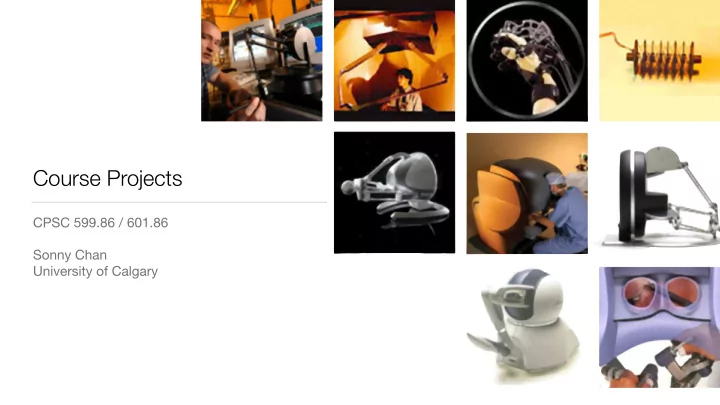
Course Projects CPSC 599.86 / 601.86 Sonny Chan University of - - PowerPoint PPT Presentation
Course Projects CPSC 599.86 / 601.86 Sonny Chan University of Calgary Course Project Requirements Final project is worth 40% (40 points) Project proposal: March 15 (Friday) - 5 points - Project milestone/presentation: March 29 (Friday) -
CS277: Experimental Haptics – Stanford University 30 May 2014
Introduction
This project is an attempt to simu- late a bow and arrow game with a haptic interface. For the purposes
and haptically rendered the game- play, allowing the player to shoot at a virtual target with a virtual bow and arrow. We created this game with the hope to enable the user to accurately aim at a target and feel the stretching of the bow string. The game is played using two fal- con (haptic) devices placed in a line, one behind the other. The front device controls the position of the bow and allows the player to toggle the camera view. The device
tion of the bow. As in any bow and arrow game, the score increments when the player manages to hit the target. The player has a five chances to hit the target before he or she loses.
Methods
To realize archery game in a real and stable way, we used different models for the bow for haptics and graphics. The haptics force generated by the bow is modeled as a simple linear spring force, as shown in above image. Graphically the bow is modeled using the sphere-link deformable
model with five spheres (nodes), two linear springs on the string of the bow, and two angle springs for the upper and the lower limbs. When player pulls the handle of the Falcon device, the relative displacement is calculated and mapped to an output force that represents the force created by the
scaled-down factor is then applied to the nodes at the nocking point. By calculating the dynamics of the five nodes and four spring system, the graphical bow can be bent accordingly. Tuning the parameters (mass and damping of nodes, elongation and flexion of springs, etc.) can be
proportional to the force the player creates, the damping of the system should be big enough. To simulate actual bow reaction when player releases the bow, the damping of the system should be small
these two requirements is to change damping at the time the user grabs or releases the bow. This method creates a very nice and realistic simulation. The arrow follows a 3D projectile motion, with orientation consistent with the direction of its velocity. Hitting the target is determined by simple geometry.
Results
After incorporating the gameplay described in the introduction and the implementation strategy laid out in the method section, we were able to successfully simulate a bow and arrow game. The game engine also obeys the laws of physics, including those that govern gravity, string and spring extension and rotation, thereby enhancing the user’s expe- rience. The player starts by adjusting the position and the orientation of the bow, pulling the nearer haptic han- dle to extend the bow string. While the bow string is being the stretched, the front haptic device also exerts a force to simulate hold- ing a bow uptight. Finally, we were also able to inte- grate the graphics with haptics
models for the bow and arrow mod- ified accordingly. The contribution of all these factors makes the gameplay haptically re- alistic.
Wanxi Liu & Nishith Khandwala
CS277: Experimental Haptics – Stanford University 30 May 2014
Introduction
Haptic devices and chai3d have
haptic simulations. In order to high- light the range of this pairing, we decided to implement a haptic cleaning simulation. The goal was to simulate the contact between cleaning tools and surfaces with different textures. The project ex- plores haptic rendering for surface- surface interaction as well as en- hancing haptic experience with the help of graphics and other illusions. For our implementation, we utilized the built-in tools in chai3d, made some modifications to existing li- braries, and implemented a fully functioning cloth simulation.
Methods
The figure below shows our model for cloth simulation. The model ex- tends the simple mass-spring de- formable object model by adding shear springs and bending springs, in order to achieve a rigidly de- formable effect close to a piece of
also a haptic point that fully inter- acts with the virtual world. A cClothTool class extends cHap- ticTool by embedding a cloth ob-
additional set of springs attached between a sample of the mass points and the device position. At each time step, the external forces and internal forces for each mass point are summed up and the posi- tion of the mass point gets updat-
aged the contact forces at sample haptic points on the cloth, and ren- dered it to the haptic device. Graphics is important in the project, as it is an essential part of the hap- tic experience. Each object has two textures, one for clean and one for
cloth get into contact with the sur- face, the texture for display is modi- fied as a blend between the two
ing on the magnitude of contact force as well as the time of contact to model the blending of textures. In addition, we wanted to distin- guish the haptic feedback between wiping over a clean surface and wiping over a dirty surface. In order to do this, we implemented a map- ping similar to a texture map. We update this friction map dynamical- ly as the surface gets cleaned up. This allowed us to have linearly varying friction over clean points and dirty points, thus simulating a more greasy feedback over dirty surfaces than clean surfaces.
Results
The final product achieves the goals we set out to complete. Visu- ally, it is clear that the cloth tool brushes over the dirty surface and reveals the clean surface. Our mul- tiple scenes demonstrate the feels
subtle haptic feedback difference of clean and dirty surfaces through varying friction. The cloth tool achieves a satisfactory haptic ren- dering rate with 8 by 8 points con- trolling the dynamic simulation of cloth while detecting collisions with the plane.
Tianye Lu & Mohammad Khalil
CS277: Experimental Haptics – Stanford University 30 May 2014
Introduction
This project is an attempt to simu- late a bow and arrow game with a haptic interface. For the purposes
and haptically rendered the game- play, allowing the player to shoot at a virtual target with a virtual bow and arrow. We created this game with the hope to enable the user to accurately aim at a target and feel the stretching of the bow string. The game is played using two fal- con (haptic) devices placed in a line, one behind the other. The front device controls the position of the bow and allows the player to toggle the camera view. The device
tion of the bow. As in any bow and arrow game, the score increments when the player manages to hit the target. The player has a five chances to hit the target before he or she loses.
Methods
To realize archery game in a real and stable way, we used different models for the bow for haptics and graphics. The haptics force generated by the bow is modeled as a simple linear spring force, as shown in above image. Graphically the bow is modeled using the sphere-link deformable
model with five spheres (nodes), two linear springs on the string of the bow, and two angle springs for the upper and the lower limbs. When player pulls the handle of the Falcon device, the relative displacement is calculated and mapped to an output force that represents the force created by the
scaled-down factor is then applied to the nodes at the nocking point. By calculating the dynamics of the five nodes and four spring system, the graphical bow can be bent accordingly. Tuning the parameters (mass and damping of nodes, elongation and flexion of springs, etc.) can be
proportional to the force the player creates, the damping of the system should be big enough. To simulate actual bow reaction when player releases the bow, the damping of the system should be small
these two requirements is to change damping at the time the user grabs or releases the bow. This method creates a very nice and realistic simulation. The arrow follows a 3D projectile motion, with orientation consistent with the direction of its velocity. Hitting the target is determined by simple geometry.
Results
After incorporating the gameplay described in the introduction and the implementation strategy laid out in the method section, we were able to successfully simulate a bow and arrow game. The game engine also obeys the laws of physics, including those that govern gravity, string and spring extension and rotation, thereby enhancing the user’s expe- rience. The player starts by adjusting the position and the orientation of the bow, pulling the nearer haptic han- dle to extend the bow string. While the bow string is being the stretched, the front haptic device also exerts a force to simulate hold- ing a bow uptight. Finally, we were also able to inte- grate the graphics with haptics
models for the bow and arrow mod- ified accordingly. The contribution of all these factors makes the gameplay haptically re- alistic.
Wanxi Liu & Nishith Khandwala
CS277: Experimental Haptics – Stanford University 30 May 2014
Introduction
Haptic devices and chai3d have
haptic simulations. In order to high- light the range of this pairing, we decided to implement a haptic cleaning simulation. The goal was to simulate the contact between cleaning tools and surfaces with different textures. The project ex- plores haptic rendering for surface- surface interaction as well as en- hancing haptic experience with the help of graphics and other illusions. For our implementation, we utilized the built-in tools in chai3d, made some modifications to existing li- braries, and implemented a fully functioning cloth simulation.
Methods
The figure below shows our model for cloth simulation. The model ex- tends the simple mass-spring de- formable object model by adding shear springs and bending springs, in order to achieve a rigidly de- formable effect close to a piece of
also a haptic point that fully inter- acts with the virtual world. A cClothTool class extends cHap- ticTool by embedding a cloth ob-
additional set of springs attached between a sample of the mass points and the device position. At each time step, the external forces and internal forces for each mass point are summed up and the posi- tion of the mass point gets updat-
aged the contact forces at sample haptic points on the cloth, and ren- dered it to the haptic device. Graphics is important in the project, as it is an essential part of the hap- tic experience. Each object has two textures, one for clean and one for
cloth get into contact with the sur- face, the texture for display is modi- fied as a blend between the two
ing on the magnitude of contact force as well as the time of contact to model the blending of textures. In addition, we wanted to distin- guish the haptic feedback between wiping over a clean surface and wiping over a dirty surface. In order to do this, we implemented a map- ping similar to a texture map. We update this friction map dynamical- ly as the surface gets cleaned up. This allowed us to have linearly varying friction over clean points and dirty points, thus simulating a more greasy feedback over dirty surfaces than clean surfaces.
Results
The final product achieves the goals we set out to complete. Visu- ally, it is clear that the cloth tool brushes over the dirty surface and reveals the clean surface. Our mul- tiple scenes demonstrate the feels
subtle haptic feedback difference of clean and dirty surfaces through varying friction. The cloth tool achieves a satisfactory haptic ren- dering rate with 8 by 8 points con- trolling the dynamic simulation of cloth while detecting collisions with the plane.
Tianye Lu & Mohammad Khalil
CS277: Experimental Haptics – Stanford University 30 May 2014
Haptic Control for Humanoid Robots
Gerald Brantner & Martina Troesch
CS277: Experimental Haptics – Stanford University 30 May 2014
Introduction Feeling when a fish is on the oth- er end of the line is an important part of fishing. The goal of our project was to create a fishing game that displays the forces one would feel when holding a fishing
simulate the feeling of holding a flexible rod that has a mass ca- pable of exerting forces attached to the end with a string. The user should have an intuitive sense of when a fish is on the line, which way the fish is pulling, and whether there is slack in the fish- ing line from the haptic feedback. Methods The main components of the fish- ing game are the rod, the line, and the fish. Initially, the rod was going to be modeled as a series
tional springs. The force from the fishing line was supposed to trav- el through the spring torques and then be felt by the user as a force at the handle. This proved prob- lematic to simulate compellingly while maintaining stability, so a different model was chosen. The model selected was a single rigid cylinder allowed to rotate about one end fixed in space, similar to a spherical pen-
fishing line, air damping, and the user’s hand, modeled as a spring connected to the falcon handle, are applied to the rod. Moments around the pivot point are then calculated and the equations of motion solved. The virtual spring force acting on the falcon handle is used for the haptic feedback to the player. The fishing line is modeled as a spring applying a force to the end of the rod when it is taut, and applying no force when it is slack. The fishing line will break if the tension exceeds a certain value. The fish is controlled by specifying its speed and direction. The resulting velocity vector is integrated at every time step to calculate its position. It swims randomly until it comes near the hook, which it then quickly bites. If the tension in the line exceeds a certain value, the fish is pulled toward you at a set speed. If the tension is not high enough, the fish moves away from you. The fish stamina bar starts to deplete if the tension is high enough. Once depleted, the fish can be reeled in using one of the falcon buttons. Results It turned out that our initial plan to model the rod using many cylin- ders attached together with springs was more complex than it needed to be. We were able to achieve a compelling effect by modeling the dynamics with one cylinder while visually showing the rod bending. While the forces rendered are quite simple, they, along with some helpful visuals, are enough to give the sense of feeling the magnitude and direc- tion of the force exerted by the fish transmitted through the fish- ing line and rod.
Figure 2 Successfully Catching the Fish
Sungjune Jang & Chris Ploch
Figure 1Visual Environment of the Game
CS277: Experimental Haptics – Stanford University 30 May 2014
Haptic Control for Humanoid Robots
Gerald Brantner & Martina Troesch
CS277: Experimental Haptics – Stanford University 30 May 2014
Introduction Feeling when a fish is on the oth- er end of the line is an important part of fishing. The goal of our project was to create a fishing game that displays the forces one would feel when holding a fishing
simulate the feeling of holding a flexible rod that has a mass ca- pable of exerting forces attached to the end with a string. The user should have an intuitive sense of when a fish is on the line, which way the fish is pulling, and whether there is slack in the fish- ing line from the haptic feedback. Methods The main components of the fish- ing game are the rod, the line, and the fish. Initially, the rod was going to be modeled as a series
tional springs. The force from the fishing line was supposed to trav- el through the spring torques and then be felt by the user as a force at the handle. This proved prob- lematic to simulate compellingly while maintaining stability, so a different model was chosen. The model selected was a single rigid cylinder allowed to rotate about one end fixed in space, similar to a spherical pen-
fishing line, air damping, and the user’s hand, modeled as a spring connected to the falcon handle, are applied to the rod. Moments around the pivot point are then calculated and the equations of motion solved. The virtual spring force acting on the falcon handle is used for the haptic feedback to the player. The fishing line is modeled as a spring applying a force to the end of the rod when it is taut, and applying no force when it is slack. The fishing line will break if the tension exceeds a certain value. The fish is controlled by specifying its speed and direction. The resulting velocity vector is integrated at every time step to calculate its position. It swims randomly until it comes near the hook, which it then quickly bites. If the tension in the line exceeds a certain value, the fish is pulled toward you at a set speed. If the tension is not high enough, the fish moves away from you. The fish stamina bar starts to deplete if the tension is high enough. Once depleted, the fish can be reeled in using one of the falcon buttons. Results It turned out that our initial plan to model the rod using many cylin- ders attached together with springs was more complex than it needed to be. We were able to achieve a compelling effect by modeling the dynamics with one cylinder while visually showing the rod bending. While the forces rendered are quite simple, they, along with some helpful visuals, are enough to give the sense of feeling the magnitude and direc- tion of the force exerted by the fish transmitted through the fish- ing line and rod.
Figure 2 Successfully Catching the Fish
Sungjune Jang & Chris Ploch
Figure 1Visual Environment of the Game
CS277: Experimental Haptics – Stanford University 30 May 2014
Introduction
Hapticraft: The Awakening Touch is a haptic-based video game built in the Unity3d game engine. The game features the adventures of Major Tom as he navigates a world filled with zombies in a mission to recover his lost items and his lost
that allows him to kill zombies and a drill that allows him to dig into the ground in search of his buried
jor Tom using two Novint Falcon haptic devices, one which controls Major Tom's walking and jumping, and the other which allows the player to rotate, swing the sword and drill into the ground.
Methods
Our first set was developing an efficient method of integrating hap- tics into the Unity game engine. Unity is a closed-source but zero cost game engine that is easy to use and efficient for developing modern PC games. Unity allows developers to easily place objects, configure scripts and build portable user interfaces. Developing a method to implement haptics in Unity could allow a much wider range of developers to take ad- vantage of the capabilities of haptic
many complications to this howev- er: Unity's build environment is quite unfriendly to Chai3d's. Also, Unity's physics rate is not high enough for haptics. The approach we took was to make use of networked event-based hap-
signed to run at approximately 30Hz-60Hz while the haptic system needs to operate at 1000Hz. Thus, we developed a separate applica- tion called “HaptiServ” that runs locally and runs at 1000Hz. This application receives events for a few effects every Unity frame and responds with the position and but- ton states of the haptic device. The server connects over TCP which in
testing results in sub- millisecond round-trip times for in- terprocess communication. This server simultaneously overcame both the build problems and the issues of obtaining correct update rates, and is reusable for other sim- ilar environments. We developed three main effects
simple force via a linear spring to fixed location in the haptic work-
added force opposing velocity at a specific damping coefficient. Final- ly, the drill effect caused the device to oscillate at a fixed frequency as it moved away from a workspace
tion is quadratic with distance and in the directions perpendicular to the line to the center point. While these effects were simple, they could be composed together easily to create complex behaviors, which turned out to be enough to create a convincing game. Terrain carving (“drilling”) was im- plemented by using a Voxel Grid terrain for the physical/visual effect and a combination of damping, force, and drill effects. Sword fighting was implemented using Unity collision detection and the force and damping effects. All other features were implemented using Unity scripting and leveraged the features of Unity.
Results
We developed a method for easily integrating haptics into any game engine and successfully developed a feature-rich (both haptically and non-haptically) video game. The ease at which we added features proves the viability of the use of commercially available game en- gines for haptic systems as well as haptic games. We hope that we can develop a method to share HaptiServ and the Unity bridge with the world. At the very least we hope you enjoy Hapticraft.
Matt Vitelli & Tony Pratkanis
CS277: Experimental Haptics – Stanford University 30 May 2014
Introduction
The goal of this project is to recreate the dynamics, feel, and sound of a piano in a virtual envi-
the keys are rendered through a commercial haptic interface such that the user can play one key at a time. To make the illusion of the virtual piano even more immersive, we integrated the Oculus Rift head- mounted display into the control of the graphics environment. While wearing the Oculus Rift, the virtual camera in the graphic rendering moves with the user’s head. Thus, the user can look up and down the full keyboard by naturally turning his or her head as would be done in real life. The user can also use the computer keyboard to move within the environment. Furthermore, we added sound to the simulation to provide auditory feedback to match the striking of the string by the hammer for each key in the virtual piano.
Methods
We developed our dynamic model
Gillespie et al. who presented a number of simplified models of a piano key for virtual rendering [1]. We chose to implement their sim- plified rigid body dynamics model that consists of a key and a ham- mer coupled with a unilateral con- straint, as shown in the figure be- low: Under a small angles assumption, the equations of motion for this pi- ano key simplify to a pair of linear second-order ordinary differential equations (1 and 2) shown below: 1) 𝑟̈ =
𝑙𝑚3 𝐽ℎ (𝑚2𝑡 + 𝑚3𝑟) − 𝑛ℎ𝑚4 𝐽ℎ
2) 𝐺 =
𝐽𝑙 𝑚1 𝑡̈ − 𝑙𝑚2 𝑚1 (𝑚2𝑡 + 𝑚3𝑟) + 𝑛𝑙𝑚5 𝑚1
3) 𝑙(𝑚2𝑡 + 𝑚3𝑟) < 0 This model also assumes that the spring between the key and the hammer acts only in compression and not in tension, which is verified by the satisfaction of the inequality in Equation 3. When the key is pressed with enough force, the hammer swings freely into the string above it. They dynamics are updated via Euler integration in each haptic rendering loop at about 1 kHz. We created our own Pi- anoKey class so that the key could easily be replicated to fill a full key- board of 88 keys. When the hammer strikes the virtual string, a note is played with volume to match how hard the user pressed the key. This is accom- plished using a customized MIDI library with adjustable amplitude
The sensor fusion output of the Oculus provides the roll, pitch, and yaw of the user’s head, which are then applied to the camera ro- tation matrix. The user can move using the A, S, D, and W keys cor- responding to the directions in the reference frame of the camera. The stereo output of CHAI3D is adjust- ed to match the optics parameters
Results
From the dynamic model imple- mented in our virtual piano the user receives not only audio feedback to match the strength of their key strikes but also haptic feedback to feel the inertia of the hammer swinging into the string, creating a haptic illusion more compelling than the feeling of the keys in typi- cal electronic synthesizer key-
al, audio, and haptic feedback serve to create a more immersive simulation by allowing the combina- tion of multiple sensory stimuli to help mask the shortcomings of any individual part of the experience.
References
[1] R. Gillespie, "The Virtual Piano Action: Design and Implementa- tion," in Proceedings of the Interna- tional Computer Music Conference, Aahus, Denmark, 1994.
Andrew Stanley & Alice Wu
CS277: Experimental Haptics – Stanford University 30 May 2014
Introduction
Hapticraft: The Awakening Touch is a haptic-based video game built in the Unity3d game engine. The game features the adventures of Major Tom as he navigates a world filled with zombies in a mission to recover his lost items and his lost
that allows him to kill zombies and a drill that allows him to dig into the ground in search of his buried
jor Tom using two Novint Falcon haptic devices, one which controls Major Tom's walking and jumping, and the other which allows the player to rotate, swing the sword and drill into the ground.
Methods
Our first set was developing an efficient method of integrating hap- tics into the Unity game engine. Unity is a closed-source but zero cost game engine that is easy to use and efficient for developing modern PC games. Unity allows developers to easily place objects, configure scripts and build portable user interfaces. Developing a method to implement haptics in Unity could allow a much wider range of developers to take ad- vantage of the capabilities of haptic
many complications to this howev- er: Unity's build environment is quite unfriendly to Chai3d's. Also, Unity's physics rate is not high enough for haptics. The approach we took was to make use of networked event-based hap-
signed to run at approximately 30Hz-60Hz while the haptic system needs to operate at 1000Hz. Thus, we developed a separate applica- tion called “HaptiServ” that runs locally and runs at 1000Hz. This application receives events for a few effects every Unity frame and responds with the position and but- ton states of the haptic device. The server connects over TCP which in
testing results in sub- millisecond round-trip times for in- terprocess communication. This server simultaneously overcame both the build problems and the issues of obtaining correct update rates, and is reusable for other sim- ilar environments. We developed three main effects
simple force via a linear spring to fixed location in the haptic work-
added force opposing velocity at a specific damping coefficient. Final- ly, the drill effect caused the device to oscillate at a fixed frequency as it moved away from a workspace
tion is quadratic with distance and in the directions perpendicular to the line to the center point. While these effects were simple, they could be composed together easily to create complex behaviors, which turned out to be enough to create a convincing game. Terrain carving (“drilling”) was im- plemented by using a Voxel Grid terrain for the physical/visual effect and a combination of damping, force, and drill effects. Sword fighting was implemented using Unity collision detection and the force and damping effects. All other features were implemented using Unity scripting and leveraged the features of Unity.
Results
We developed a method for easily integrating haptics into any game engine and successfully developed a feature-rich (both haptically and non-haptically) video game. The ease at which we added features proves the viability of the use of commercially available game en- gines for haptic systems as well as haptic games. We hope that we can develop a method to share HaptiServ and the Unity bridge with the world. At the very least we hope you enjoy Hapticraft.
Matt Vitelli & Tony Pratkanis
CS277: Experimental Haptics – Stanford University 30 May 2014
Introduction
The goal of this project is to recreate the dynamics, feel, and sound of a piano in a virtual envi-
the keys are rendered through a commercial haptic interface such that the user can play one key at a time. To make the illusion of the virtual piano even more immersive, we integrated the Oculus Rift head- mounted display into the control of the graphics environment. While wearing the Oculus Rift, the virtual camera in the graphic rendering moves with the user’s head. Thus, the user can look up and down the full keyboard by naturally turning his or her head as would be done in real life. The user can also use the computer keyboard to move within the environment. Furthermore, we added sound to the simulation to provide auditory feedback to match the striking of the string by the hammer for each key in the virtual piano.
Methods
We developed our dynamic model
Gillespie et al. who presented a number of simplified models of a piano key for virtual rendering [1]. We chose to implement their sim- plified rigid body dynamics model that consists of a key and a ham- mer coupled with a unilateral con- straint, as shown in the figure be- low: Under a small angles assumption, the equations of motion for this pi- ano key simplify to a pair of linear second-order ordinary differential equations (1 and 2) shown below: 1) 𝑟̈ =
𝑙𝑚3 𝐽ℎ (𝑚2𝑡 + 𝑚3𝑟) − 𝑛ℎ𝑚4 𝐽ℎ
2) 𝐺 =
𝐽𝑙 𝑚1 𝑡̈ − 𝑙𝑚2 𝑚1 (𝑚2𝑡 + 𝑚3𝑟) + 𝑛𝑙𝑚5 𝑚1
3) 𝑙(𝑚2𝑡 + 𝑚3𝑟) < 0 This model also assumes that the spring between the key and the hammer acts only in compression and not in tension, which is verified by the satisfaction of the inequality in Equation 3. When the key is pressed with enough force, the hammer swings freely into the string above it. They dynamics are updated via Euler integration in each haptic rendering loop at about 1 kHz. We created our own Pi- anoKey class so that the key could easily be replicated to fill a full key- board of 88 keys. When the hammer strikes the virtual string, a note is played with volume to match how hard the user pressed the key. This is accom- plished using a customized MIDI library with adjustable amplitude
The sensor fusion output of the Oculus provides the roll, pitch, and yaw of the user’s head, which are then applied to the camera ro- tation matrix. The user can move using the A, S, D, and W keys cor- responding to the directions in the reference frame of the camera. The stereo output of CHAI3D is adjust- ed to match the optics parameters
Results
From the dynamic model imple- mented in our virtual piano the user receives not only audio feedback to match the strength of their key strikes but also haptic feedback to feel the inertia of the hammer swinging into the string, creating a haptic illusion more compelling than the feeling of the keys in typi- cal electronic synthesizer key-
al, audio, and haptic feedback serve to create a more immersive simulation by allowing the combina- tion of multiple sensory stimuli to help mask the shortcomings of any individual part of the experience.
References
[1] R. Gillespie, "The Virtual Piano Action: Design and Implementa- tion," in Proceedings of the Interna- tional Computer Music Conference, Aahus, Denmark, 1994.
Andrew Stanley & Alice Wu
Haptic'Pool'
By Yingnan Hao and Ifueko Igbinedion
Introduction
The purpose of this project is to simulate a haptic pool game using Falcon haptic device and Chai3d C++
world and there are few 3D pool games in the market. Therefore, it is believed that the potential market for 3D pool game is increasing. 3D pool game is limited by the degree of freedoms of the control device. With 3 degree of freedoms, Falcon haptic device can easily control the pool stick in the 3D world. In addition, the force interaction between the Falcon device and the haptic world helps user get a more realistic feeling about the game. Different forces in the haptic pool game includes contact force, friction force and gravity force.
Methods
The backbone of the simulation was the ODE module. The balls and table were created as ODE objects. All
were not part of the libraries were made in SolidWorks, and textures were added with blender. Our table model was quite thin, so to prevent the tool popping through we added a thick, invisible plane underneath the table. Within the simulation, we made many design choices to make the game user-friendly and easy to play. The tool, stick, and camera were connected to make walking around the table to shoot easy. When the cue ball falls off the table and into a pocket, one can press a button to reset the cue ball onto the table. To make shooting easier, we added a magnetic line between the cue ball and the stick that is activated when the ball device is in a locked position, activated by one of the buttons on the falcon. The force is also centered on the ball to prevent slipping off the ball as you hit it. Lastly, we used the fmod module to play the background music and and the sound of the stick hitting the cue ball.
Results
The haptic rendering in this simulation is similar to the real world pool game. Since this project is mainly focusing on the force rendering, less effort is made into the graphic rendering. There are still possible extension for the simulation. One of these is using two falcons for two players’ game. Another one is to include better texture in the graphic rendering. In addition, animations of the scoring system can be added into the game.
CS277: Experimental Haptics – Stanford University 30 May 2014
Introduction
Our project was born out of a par- ticularly stressful office hour session for CS277, Experimental Haptics. In RAGE QUIT, the user can touch, smash and throw objects that shat- ter when struck with enough force, providing a satisfying form of stress
ideas of haptics and graphics, the key ones being event-based haptics, a robust dynamics engine, and frac- turing of meshes.
Event-based Haptics
Given that our project is largely about smashing objects, it was im- portant to get the feeling of touch- ing and shattering correct. We in- troduced event-based haptics, forc- es that are time-dependent instead
nusoid summed with a fixed-width pulse like so: Where r(t) is the rectangular pulse. Note that the coefficient is de- pendent on the force initially striking the object (
). Then our total out-
put force would simply be the sum: We have two different types of events – a tap event (a gentle touch
(smashing an object. Each event generates a force in the same model as above, simply different coeffi-
arbitrarily and hand-tuned. While working with this model, we ran into stability issues where the added force would oscillate in-
ing a tolerance distance that the tool would have to exceed before the event was triggered again.
Dynamics
We used NVIDIA’s PhysX engine since it is a well-known solution and
ics engine. We initially evaluated Open Dynamics Engine, which was already integrated with chai3D, but found that the simulation of a large number of particles was unstable. Creating a chai3D-PhysX bridge took longer than expected because of documentation issues.
Fracturing
We attempted to add fracturing using NVIDIA’s APEX Destruction extension for PhysX. However, we ran into some issues with the pro- vided runtime libraries. In the inter- est of time, we decided to write our
each object, we precompute the fractured pieces by looping through its constituent triangles and forming a tetrahedron out of the ones whose surface area are above a chosen
with its precomputed children. The advantage of this approach is that it works with all object for- mats based on triangle meshes. However, for best results, it requires a well-tessellated mesh where pla- nar regions are subdivided into smaller triangles. If not provided, such tessellation can be done using graphics techniques like Loop subdi- vision.
Mindy Huang Ben-han Sung
Haptic'Pool'
By Yingnan Hao and Ifueko Igbinedion
Introduction
The purpose of this project is to simulate a haptic pool game using Falcon haptic device and Chai3d C++
world and there are few 3D pool games in the market. Therefore, it is believed that the potential market for 3D pool game is increasing. 3D pool game is limited by the degree of freedoms of the control device. With 3 degree of freedoms, Falcon haptic device can easily control the pool stick in the 3D world. In addition, the force interaction between the Falcon device and the haptic world helps user get a more realistic feeling about the game. Different forces in the haptic pool game includes contact force, friction force and gravity force.
Methods
The backbone of the simulation was the ODE module. The balls and table were created as ODE objects. All
were not part of the libraries were made in SolidWorks, and textures were added with blender. Our table model was quite thin, so to prevent the tool popping through we added a thick, invisible plane underneath the table. Within the simulation, we made many design choices to make the game user-friendly and easy to play. The tool, stick, and camera were connected to make walking around the table to shoot easy. When the cue ball falls off the table and into a pocket, one can press a button to reset the cue ball onto the table. To make shooting easier, we added a magnetic line between the cue ball and the stick that is activated when the ball device is in a locked position, activated by one of the buttons on the falcon. The force is also centered on the ball to prevent slipping off the ball as you hit it. Lastly, we used the fmod module to play the background music and and the sound of the stick hitting the cue ball.
Results
The haptic rendering in this simulation is similar to the real world pool game. Since this project is mainly focusing on the force rendering, less effort is made into the graphic rendering. There are still possible extension for the simulation. One of these is using two falcons for two players’ game. Another one is to include better texture in the graphic rendering. In addition, animations of the scoring system can be added into the game.
CS277: Experimental Haptics – Stanford University 30 May 2014
Introduction
Our project was born out of a par- ticularly stressful office hour session for CS277, Experimental Haptics. In RAGE QUIT, the user can touch, smash and throw objects that shat- ter when struck with enough force, providing a satisfying form of stress
ideas of haptics and graphics, the key ones being event-based haptics, a robust dynamics engine, and frac- turing of meshes.
Event-based Haptics
Given that our project is largely about smashing objects, it was im- portant to get the feeling of touch- ing and shattering correct. We in- troduced event-based haptics, forc- es that are time-dependent instead
nusoid summed with a fixed-width pulse like so: Where r(t) is the rectangular pulse. Note that the coefficient is de- pendent on the force initially striking the object (
). Then our total out-
put force would simply be the sum: We have two different types of events – a tap event (a gentle touch
(smashing an object. Each event generates a force in the same model as above, simply different coeffi-
arbitrarily and hand-tuned. While working with this model, we ran into stability issues where the added force would oscillate in-
ing a tolerance distance that the tool would have to exceed before the event was triggered again.
Dynamics
We used NVIDIA’s PhysX engine since it is a well-known solution and
ics engine. We initially evaluated Open Dynamics Engine, which was already integrated with chai3D, but found that the simulation of a large number of particles was unstable. Creating a chai3D-PhysX bridge took longer than expected because of documentation issues.
Fracturing
We attempted to add fracturing using NVIDIA’s APEX Destruction extension for PhysX. However, we ran into some issues with the pro- vided runtime libraries. In the inter- est of time, we decided to write our
each object, we precompute the fractured pieces by looping through its constituent triangles and forming a tetrahedron out of the ones whose surface area are above a chosen
with its precomputed children. The advantage of this approach is that it works with all object for- mats based on triangle meshes. However, for best results, it requires a well-tessellated mesh where pla- nar regions are subdivided into smaller triangles. If not provided, such tessellation can be done using graphics techniques like Loop subdi- vision.
Mindy Huang Ben-han Sung
Introduction
Haptic devices and computer screens allow users to feel and see virtual objects. Adding auditory feedback allows user to hear virtual
immersive user experience. In this project, we propose a new model for describing an object’s audio properties as well as a method for generating sound caused by inter- action between the haptic device and virtual objects. We create a virtual scene that consists of vari-
ers hear different kind of sounds.
Methods
Sound is caused by vibrations in
sound of objects thus requires simulation at the atomic level, which is computationally expensive and not suitable for using with hap- tic devices. In order to generate sound as realistic as possible while maintaining the simplicity of the calculation, we use pre-recorded sounds and vary the gain, pitch, and duration of the sounds accord- ing to our sound model. ! The sound model is as fol-
ate two types of sounds: collision sound and friction sound. Collision sound is caused by the contact of two objects, while friction sound is caused by two objects rubbing against each other. ! We play the collision sound immediately once two objects are in contact with each other. We play it only once during the course of
sound is as follows: gain = k1 * |FN|max where k1 is a constant and |FN|max is the maximum of the magnitude
! The friction sound is played immediately once two objects are in contact and is looped until the
pitch are calculated as follows: gain = k2 * μ * |FN| where k2 is a constant, μ is a coef- ficient of friction, and FN is the nor- mal force. pitch = k3 * |vT| + k4 where k3 and k4 are constants, and vT is the velocity along the surface. ! We use the finger proxy algo- rithm to calculate forces from colli- sion and friction. We also make use
make the scene feel realistic.
Results
We implemented the project using the CHAI 3D haptics library, OpenGL, and OpenAL on Mac OS
tively low latency and its flexibility in adjusting gain and pitch of
plastic, and paper. ! We found that the result sounds enhanced the user experi- ence by adding auditory feedback to the virtual scene. The sounds made the scene more engaging and invited the users to try touching various objects in the scene. ! Further improvements for this project could be adding 3D audio effect to the scene, i.e. taking into consideration the position of the listener and the object that gener- ates sounds, and other sound ef- fects such as echo and reverbera- tion. CS277: Experimental Haptics – Stanford University 30 May 2014
Sukolsak Sakshuwong
Introduction
This past summer, Fabian Gerlin- ghaus developed a method for 6- DOF control and 3-DOF haptic feedback of a KUKA Lightweight
an OMEGA-6 haptic device to control the position and orientation
A JR3 sensor was attached to the end-e!ector, and the forces sen- sed were filtered and transmitted to the haptic device. Our goal for this project was to further develop this process to provide 6-DOF haptic feedback during teleoperation. We extended the feedback to not only render moments from single-point contact but multi-point contact as well. In the course of this project, we implemented 4 different me- thods for haptic control. We tested the first two on the KUKA, giving us a feeling for the task. The second two methods were implemented to solve the problems of the former problems.
Methods
We applied a moment scaled pro- portionally to the error between a desired orientation and the current
We filtered the noisy moments measured by the JR3 sensor and transmit them to the haptic device. Additional damping was added to increase stability.
The third method is a variant of the metaballs algorithm. We keep track
each point to obtain a force and
used to generate an implicit sur- face for the environment.
Our final method also used a point cloud but focused more on tracking the overall object rather than indi- vidual points. The object is decom- posed into a number of linked points, and its position and orienta- tion are computed based on the constraints in the environment.
Results
Although the torsional spring me- thod was simple to implement, it does not reproduce the forces and moments felt by the robot with high
track perfectly (due to inaccuracies in the model e.g. friction), its end- effector orientation does not always match the desired orientation. The resulting error creates significant moments in free-space which greatly decreases haptic transpa- rency. The augmented metaballs algorithm produces instability when the haptically controlled object sweeps across the surface. The moment tends to be unstable. In
quires significant damping and tu- ning, which hard to implement and scale to different objects. One main difference between the first two methods and our two point cloud methods is the fact that the first two require feedback from the robot, which induces greater latency and instability. The two point cloud methods allow us to decouple the haptic rendering from the teleoperation. CS277: Experimental Haptics – Stanford University 30 May 2014
6-DOF Teleoperation and Haptic Feedback with Point Clouds
Kenji Hata & Keegan Go
Introduction
Haptic devices and computer screens allow users to feel and see virtual objects. Adding auditory feedback allows user to hear virtual
immersive user experience. In this project, we propose a new model for describing an object’s audio properties as well as a method for generating sound caused by inter- action between the haptic device and virtual objects. We create a virtual scene that consists of vari-
ers hear different kind of sounds.
Methods
Sound is caused by vibrations in
sound of objects thus requires simulation at the atomic level, which is computationally expensive and not suitable for using with hap- tic devices. In order to generate sound as realistic as possible while maintaining the simplicity of the calculation, we use pre-recorded sounds and vary the gain, pitch, and duration of the sounds accord- ing to our sound model. ! The sound model is as fol-
ate two types of sounds: collision sound and friction sound. Collision sound is caused by the contact of two objects, while friction sound is caused by two objects rubbing against each other. ! We play the collision sound immediately once two objects are in contact with each other. We play it only once during the course of
sound is as follows: gain = k1 * |FN|max where k1 is a constant and |FN|max is the maximum of the magnitude
! The friction sound is played immediately once two objects are in contact and is looped until the
pitch are calculated as follows: gain = k2 * μ * |FN| where k2 is a constant, μ is a coef- ficient of friction, and FN is the nor- mal force. pitch = k3 * |vT| + k4 where k3 and k4 are constants, and vT is the velocity along the surface. ! We use the finger proxy algo- rithm to calculate forces from colli- sion and friction. We also make use
make the scene feel realistic.
Results
We implemented the project using the CHAI 3D haptics library, OpenGL, and OpenAL on Mac OS
tively low latency and its flexibility in adjusting gain and pitch of
plastic, and paper. ! We found that the result sounds enhanced the user experi- ence by adding auditory feedback to the virtual scene. The sounds made the scene more engaging and invited the users to try touching various objects in the scene. ! Further improvements for this project could be adding 3D audio effect to the scene, i.e. taking into consideration the position of the listener and the object that gener- ates sounds, and other sound ef- fects such as echo and reverbera- tion. CS277: Experimental Haptics – Stanford University 30 May 2014
Sukolsak Sakshuwong
Introduction
This past summer, Fabian Gerlin- ghaus developed a method for 6- DOF control and 3-DOF haptic feedback of a KUKA Lightweight
an OMEGA-6 haptic device to control the position and orientation
A JR3 sensor was attached to the end-e!ector, and the forces sen- sed were filtered and transmitted to the haptic device. Our goal for this project was to further develop this process to provide 6-DOF haptic feedback during teleoperation. We extended the feedback to not only render moments from single-point contact but multi-point contact as well. In the course of this project, we implemented 4 different me- thods for haptic control. We tested the first two on the KUKA, giving us a feeling for the task. The second two methods were implemented to solve the problems of the former problems.
Methods
We applied a moment scaled pro- portionally to the error between a desired orientation and the current
We filtered the noisy moments measured by the JR3 sensor and transmit them to the haptic device. Additional damping was added to increase stability.
The third method is a variant of the metaballs algorithm. We keep track
each point to obtain a force and
used to generate an implicit sur- face for the environment.
Our final method also used a point cloud but focused more on tracking the overall object rather than indi- vidual points. The object is decom- posed into a number of linked points, and its position and orienta- tion are computed based on the constraints in the environment.
Results
Although the torsional spring me- thod was simple to implement, it does not reproduce the forces and moments felt by the robot with high
track perfectly (due to inaccuracies in the model e.g. friction), its end- effector orientation does not always match the desired orientation. The resulting error creates significant moments in free-space which greatly decreases haptic transpa- rency. The augmented metaballs algorithm produces instability when the haptically controlled object sweeps across the surface. The moment tends to be unstable. In
quires significant damping and tu- ning, which hard to implement and scale to different objects. One main difference between the first two methods and our two point cloud methods is the fact that the first two require feedback from the robot, which induces greater latency and instability. The two point cloud methods allow us to decouple the haptic rendering from the teleoperation. CS277: Experimental Haptics – Stanford University 30 May 2014
6-DOF Teleoperation and Haptic Feedback with Point Clouds
Kenji Hata & Keegan Go
CS277: Experimental Haptics – Stanford University 30 May 2014
Introduction
Haptic Violin is the virtual experi- ence of playing the violin for those without the physical instrument. Our simulation offers pure sound quality and accurate note play, eliminating two of the most difficult aspects of playing a real violin for beginners. Haptic Violin consists of four virtual violin strings (E, A, D, G) and a virtual bow, rendered as lines for simplicity and sleekness.
Rendering Forces
In the physical simulation, both the bow and violin strings are modeled as strings with different amounts of tension – specifically, the bow has much less tension than the strings. Interactions between two strings poses a challenge due to the inter- dependence of the forces each exert on each other. To make the simulation stable, rather than mod- eling the strings as dynamic objects with mass and acceleration, we chose to directly calculate the equi- librium point at each frame and set the strings’ positions to this. We used the following equation for the force exerted by an elastic string: F = T*sinΘ Where Θ is the angle at which the string is displaced from its resting position at its point of interaction. Note that this model is reasonable
When the bow interacts with multi- ple strings at once, calculating the equilibrium points under this model quickly becomes intractable, and so we chose to calculate only the approximate equilibrium points. In addition, we rendered the friction felt between the violin bow and strings, using the usual friction- rendering algorithm.
User Control
Our simulation is somewhat con- strained by the 3 degrees of free- dom present in the Falcon device, as the rotation of the bow is im- portant as well as its position. When playing a violin, the user switches between two basic modes
keeping the rotation of the bow constant, and changing strings by changing the bow’s rotation. We allow the user to switch be- tween these modes by holding down the center Falcon button to “unlock” the rotation of the bow, allowing her to bow a single string, press the button and move the de- vice to rotate the bow, then release the button and bow a different string.
Sound
Our violin ranges a little over 2 oc- taves, from the open G on the G- string to the B on the E-string, al- lowing a user to play any of the 4 fingerings on all strings. Our sound clips were produced by recording each note played on a real violin. We calculated the volume in terms
string and the force down on string. The FMOD audio library was used to play sound.
Discussion
Our simulation has some limitations – most notably, its control system is not fully representative of the true experience of violin playing. Also, the physical simulation begins to break down or become unstable under extreme conditions (such as large forces that would damage a real violin).
Gabe Alvarez & Lucy Wang
CS277: Experimental Haptics – Stanford University 30 May 2014
Introduction
For our project, we implemented a haptic painting simulation. We experimented with a variety of methods that render the look and feel of various painting utensils and
haptic feedback for the user, the program draws the simulated paint- ing on the user’s canvas to visually support the simulation.
Methods
2.1 Utensils In our simulation, the user has the option of switching between a wide-brimmed brush, a pencil, a thin paintbrush, and a marker. For the wide-brimmed brush, the user expects to feel fairly stiff “bristles”. Furthermore, the user expects that the utensil will bend more in the intended painting axis than in the sideways direction. We found that this experience was best simulated using a GEL membrane. To maintain a form, the membrane had nodes along its length (5) and tight spring values between the nodes. With the pencil, the user ex- pects practically no deformation upon impact and that the texture is felt very strongly. Consequently, the pencil was implemented as simply a small haptic sphere as the pencil tip. For the thin paintbrush, we connected a grid of spheres to- gether with springs in order to mim- ic the look and feel of paintbrush
nated location in the 3 dimensional grid, and we used 4 springs to keep the sphere in that specific location (two above and below the sphere, and two to the left, and to the right
close to the tip of the brush, the “grid springs” used on the spheres would have smaller spring constant
springs between adjacent spheres that were part of the same bristle (no springs were attached between spheres on different bristles). In the case of the marker, we used the same 3 dimensional grid structure as used in the thin paint-
a single bristle, and we had to sig- nificantly alter the spring forces within the grid. 2.2 Textures In order to provide haptic feedback for the various textures (canvas, crumpled paper, wood, bricks, etc.), we first attached a cAlgorithmFingerProxy to each of the spheres that formed the utensil head. This method, however, result- ed in an unstable system and was computationally expensive. Con- sequently, we simulated textures by calculating the normal direction
force in that direction. To further simulate the feel of painting, we added a friction force to each of the utensils. To calcu- late the friction force, we looked at the penetration depth of the utensil into the canvas. We then calculat- ed the direction in which the haptic is was moving, and applied the fric- tion force opposite that direction. Finally, we added a few small heu- ristics to ensure a smooth transition from static to dynamic friction. 2.3 Painting Graphics To simulate the graphics for painting, we used the same algo- rithm presented in the Paint exam- ple in the chai library. Essentially, the algorithm loops over neighbor- ing pixel and applies the paint color with an intensity relative to the dis- tance of the pixel away from the interaction point. We modified the algorithm slightly so that it performs a similar operation but accounting for multiple points (the different bristles of the brush).
Results
We found that the widebrush had good haptic feedback and res- ponded to pressure very well. However, the biggest issue is that it is still difficult to paint back and forth because the bristles don’t al- ways “flip” like a normal brush. The pencil has great haptic feed- back and allows users to feel the textures very well. However, it can become unstable in spots corres- ponding to strong changes in tex- ture (as in with the wooden boards texture). The thin paintbrush presents the most compelling graphics for the user because of the presence
paint some visual texture. Howe- ver, we struggled to present suffi- cient force feedback and to make the springs on the bristles tight enough because doing so made the simulation unstable. With the marker, we found that haptic feedback is generally
vement would be to increase the static friction while maintaining a strong transition from static to ki- netic friction. We tried to accom- plish this but found that with a higher static friction the simulation would often become unstable.
Diego Canales & Will Harvey
CS277: Experimental Haptics – Stanford University 30 May 2014
Introduction
Haptic Violin is the virtual experi- ence of playing the violin for those without the physical instrument. Our simulation offers pure sound quality and accurate note play, eliminating two of the most difficult aspects of playing a real violin for beginners. Haptic Violin consists of four virtual violin strings (E, A, D, G) and a virtual bow, rendered as lines for simplicity and sleekness.
Rendering Forces
In the physical simulation, both the bow and violin strings are modeled as strings with different amounts of tension – specifically, the bow has much less tension than the strings. Interactions between two strings poses a challenge due to the inter- dependence of the forces each exert on each other. To make the simulation stable, rather than mod- eling the strings as dynamic objects with mass and acceleration, we chose to directly calculate the equi- librium point at each frame and set the strings’ positions to this. We used the following equation for the force exerted by an elastic string: F = T*sinΘ Where Θ is the angle at which the string is displaced from its resting position at its point of interaction. Note that this model is reasonable
When the bow interacts with multi- ple strings at once, calculating the equilibrium points under this model quickly becomes intractable, and so we chose to calculate only the approximate equilibrium points. In addition, we rendered the friction felt between the violin bow and strings, using the usual friction- rendering algorithm.
User Control
Our simulation is somewhat con- strained by the 3 degrees of free- dom present in the Falcon device, as the rotation of the bow is im- portant as well as its position. When playing a violin, the user switches between two basic modes
keeping the rotation of the bow constant, and changing strings by changing the bow’s rotation. We allow the user to switch be- tween these modes by holding down the center Falcon button to “unlock” the rotation of the bow, allowing her to bow a single string, press the button and move the de- vice to rotate the bow, then release the button and bow a different string.
Sound
Our violin ranges a little over 2 oc- taves, from the open G on the G- string to the B on the E-string, al- lowing a user to play any of the 4 fingerings on all strings. Our sound clips were produced by recording each note played on a real violin. We calculated the volume in terms
string and the force down on string. The FMOD audio library was used to play sound.
Discussion
Our simulation has some limitations – most notably, its control system is not fully representative of the true experience of violin playing. Also, the physical simulation begins to break down or become unstable under extreme conditions (such as large forces that would damage a real violin).
Gabe Alvarez & Lucy Wang
CS277: Experimental Haptics – Stanford University 30 May 2014
Introduction
For our project, we implemented a haptic painting simulation. We experimented with a variety of methods that render the look and feel of various painting utensils and
haptic feedback for the user, the program draws the simulated paint- ing on the user’s canvas to visually support the simulation.
Methods
2.1 Utensils In our simulation, the user has the option of switching between a wide-brimmed brush, a pencil, a thin paintbrush, and a marker. For the wide-brimmed brush, the user expects to feel fairly stiff “bristles”. Furthermore, the user expects that the utensil will bend more in the intended painting axis than in the sideways direction. We found that this experience was best simulated using a GEL membrane. To maintain a form, the membrane had nodes along its length (5) and tight spring values between the nodes. With the pencil, the user ex- pects practically no deformation upon impact and that the texture is felt very strongly. Consequently, the pencil was implemented as simply a small haptic sphere as the pencil tip. For the thin paintbrush, we connected a grid of spheres to- gether with springs in order to mim- ic the look and feel of paintbrush
nated location in the 3 dimensional grid, and we used 4 springs to keep the sphere in that specific location (two above and below the sphere, and two to the left, and to the right
close to the tip of the brush, the “grid springs” used on the spheres would have smaller spring constant
springs between adjacent spheres that were part of the same bristle (no springs were attached between spheres on different bristles). In the case of the marker, we used the same 3 dimensional grid structure as used in the thin paint-
a single bristle, and we had to sig- nificantly alter the spring forces within the grid. 2.2 Textures In order to provide haptic feedback for the various textures (canvas, crumpled paper, wood, bricks, etc.), we first attached a cAlgorithmFingerProxy to each of the spheres that formed the utensil head. This method, however, result- ed in an unstable system and was computationally expensive. Con- sequently, we simulated textures by calculating the normal direction
force in that direction. To further simulate the feel of painting, we added a friction force to each of the utensils. To calcu- late the friction force, we looked at the penetration depth of the utensil into the canvas. We then calculat- ed the direction in which the haptic is was moving, and applied the fric- tion force opposite that direction. Finally, we added a few small heu- ristics to ensure a smooth transition from static to dynamic friction. 2.3 Painting Graphics To simulate the graphics for painting, we used the same algo- rithm presented in the Paint exam- ple in the chai library. Essentially, the algorithm loops over neighbor- ing pixel and applies the paint color with an intensity relative to the dis- tance of the pixel away from the interaction point. We modified the algorithm slightly so that it performs a similar operation but accounting for multiple points (the different bristles of the brush).
Results
We found that the widebrush had good haptic feedback and res- ponded to pressure very well. However, the biggest issue is that it is still difficult to paint back and forth because the bristles don’t al- ways “flip” like a normal brush. The pencil has great haptic feed- back and allows users to feel the textures very well. However, it can become unstable in spots corres- ponding to strong changes in tex- ture (as in with the wooden boards texture). The thin paintbrush presents the most compelling graphics for the user because of the presence
paint some visual texture. Howe- ver, we struggled to present suffi- cient force feedback and to make the springs on the bristles tight enough because doing so made the simulation unstable. With the marker, we found that haptic feedback is generally
vement would be to increase the static friction while maintaining a strong transition from static to ki- netic friction. We tried to accom- plish this but found that with a higher static friction the simulation would often become unstable.
Diego Canales & Will Harvey