Cothority 1 Introduction Collective Certificate Management (CCM) - - PowerPoint PPT Presentation

cothority
SMART_READER_LITE
LIVE PREVIEW

Cothority 1 Introduction Collective Certificate Management (CCM) - - PowerPoint PPT Presentation

INTEGRATE COLLECTIVE CERTIFICATE MANAGEMENT ON SKIPCHAINS AND ON CROSS PLATFORM MOBILE APPLICATION CLAUDIO LOUREIRO RESPONSIBLE SUPERVISOR PROF. BRYAN FORD MASTER SEMESTER PROJECT LINUS GASSER DEDIS/EPFL DECENTRALIZED AND DISTRIBUTED


slide-1
SLIDE 1

INTEGRATE COLLECTIVE CERTIFICATE MANAGEMENT ON SKIPCHAINS AND ON CROSS PLATFORM MOBILE APPLICATION

RESPONSIBLE

CLAUDIO LOUREIRO

SUPERVISOR

  • PROF. BRYAN FORD

MASTER SEMESTER PROJECT LINUS GASSER DEDIS/EPFL DECENTRALIZED AND DISTRIBUTED SYSTEMS LAB DEDIS/EPFL

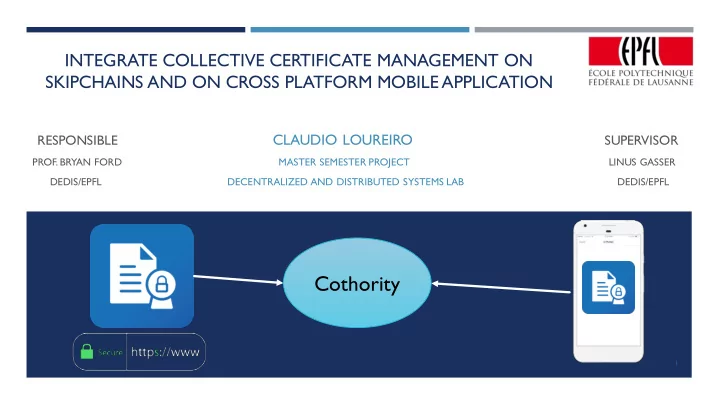
Cothority

1

slide-2
SLIDE 2

SUMMARY

Introduction Collective Certificate Management (CCM) Cross Platform Mobile Application for Cothority (CPMAC) Future work Conclusion and demo

2

slide-3
SLIDE 3

INTRODUCTION

Introduction

  • Background
  • Problem statement
  • Solutions and motivations

3

slide-4
SLIDE 4

BACKGROUND - COTHORITY

 Cothority framework

 Protocols between conodes  Apps (PoP, Cisc…)  Services, (CoSi, Status,…)

4

Conode #1 Conode #3 Conode #2

slide-5
SLIDE 5

BACKGROUND - CISC

Application providing a simple way to store data

Storing based on blockchain principle (Skipchains)

System of cryptographic vote

New data needs to be accepted by a threshold of devices

Proposal list for data to be voted on

If accepted a new block is added to the Skipchain

Data storage

Key/value pairs

SSH public keys

Webpages

Certificates

5

Cothority CISC Skipchain Devices Fetch data Propose data Vote data Refuse data

slide-6
SLIDE 6

BACKGROUND - SKIPCHAIN

6

Genesis block

Cert1 Cert1 Cert2 Cert1 Cert2 Cert3 Cert1 … CertN

Skipchain structure

slide-7
SLIDE 7

PROBLEM STATEMENT

 Problem

 Certification Authority can validate or give fake certificates (even intentionally)

 WoSign incident in 2015 [1]  Trustwave incident in 2012 [1]

 Consequences  Impersonation of web server  Man-in-the-middle : spying communications or stealing valuable information

7

[1] https://www.enisa.europa.eu/publications/info-notes/certificate-authorities-the-weak-link-of-internet-security

slide-8
SLIDE 8

SOLUTION

Using our Skipchains to store and vote on certificates

Multiple entities decide together if certificates are considered valid

Accepted certificates are stored in the Skipchain

Any modification on the certificate should be collectively approved

8

Devices vote on the certificate

Skipchain If accepted

slide-9
SLIDE 9

MOTIVATIONS AND GOALS

 Integration of Collective certificate management on Skipchains (Command Line

Interface)

 Previous implementation not supported by multiple Skipchains  Commands robustness improved

 Integration of this functionality on the Cross Platform Mobile Application (CPMAC)

 Command line interface is not a user-friendly interface  Offers a better visualization and interaction with the certificates stored

9

slide-10
SLIDE 10

COLLECTIVE CERTIFICATE MANAGEMENT

Collective Certificate management

  • Overview
  • Improvement and changes

10

slide-11
SLIDE 11

OVERVIEW

 Cisc commands (CLI)

Request : Request a certificate from Let’s Encrypt and add it to the Skipchain if the proposition is accepted

Add : Add an existing certificate to the list proposal

List : Display the stored certificates

Retrieve : Retrieve the physical certificate

Renew : Renew the certificate

Revoke : Revoke a certificate by deleting it from the Skipchain if the proposition is accepted

11

Web server Let’s encrypt

  • 1. Ask to perform the challenge
  • 2. Control the challenge

Web server Let’s encrypt

  • 3. Request a certificate
  • 4. Retrieve signed certificate

Request procedure

slide-12
SLIDE 12

IMPROVEMENTS AND CHANGES

 Skipchain ID has to be given together with the commands if multiple Skipchains

available

 Improved robustness and clarity of the Cisc certificate commands

 Code cleaning  Paths to directories have to be given more often (avoiding storing private keys in public folder) and to

control where the core data is stored in the device

 When listing certificates more information is shown  Renew certificate automatically replaces the old certificate (locally and in the Skipchain)

12

slide-13
SLIDE 13

ROBUSTNESS IMPROVEMENT

 Before Cisc request takes only the domain as argument (keys and certificates are stored locally in the

current folder)

 Problem private keys could be stored accidentally public folder  After Cisc request takes as arguments

 Requested domains (cothority.net)  Certificate path (cert)  Public folder (www)

13

slide-14
SLIDE 14

CROSS PLATFORM MOBILE APPLICATION FOR COTHORITY (CPMAC)

Cross Platform Mobile Application for Cothority

  • General Improvements
  • Integration of Collective

Certificate Management

14

slide-15
SLIDE 15

GENERAL IMPROVEMENTS

 Multiple Skipchains compatibility

All the Skipchains listed in the Cisc home page

Add button to join an existing Skipchain

 Settings update

User name is no longer bound to a Skipchain

15

slide-16
SLIDE 16

INTEGRATION OF COLLECTIVE CERTIFICATE MANAGEMENT

 Cert tab added  Lists stored certificates with their names  Clicking on a certificate shows additional

information

 Possibility to verify the clicked certificate

Check the validity

Check it was signed by its parent

Check certificate issuer name matches the parent’s subject name

16

slide-17
SLIDE 17

FUTURE WORK

Future work

17

slide-18
SLIDE 18

FUTURE WORK

  • Automated voting and renew system

Collective Certificate Management

  • At the moment a certificate can only be requested

with the command line interface Cisc user CPMAC

  • Adding a plugin to the browser to verify if the

certificate is on the Skipchain Other features

18

slide-19
SLIDE 19

CONCLUSION AND DEMO Conclusion and Demo

19

slide-20
SLIDE 20

CONCLUSION AND DEMO

Multiple attacks have

  • ccurred against CA’s

decentralized protocols could be the solution Creation of certificate management in the CLI (including adding it to the Skipchain) CLI is not user-friendly, a front-end application is needed Integration of this feature in a mobile application offers a nice user friendliness

20