SLIDE 1
COSC 1020 Yves Lesp´ erance Lecture Notes Week 7 — Testing & File I/O
Recommended Readings: Horstmann: Ch. 8 Sec. 1 to 3 & Sec. 6.4.2 Lewis & Loftus: Ch. 10 Sec. 1 & Ch. 4 Sec. 6
The StringTokenizer Class
Allows you to easily extract tokens/components from a String. e.g.
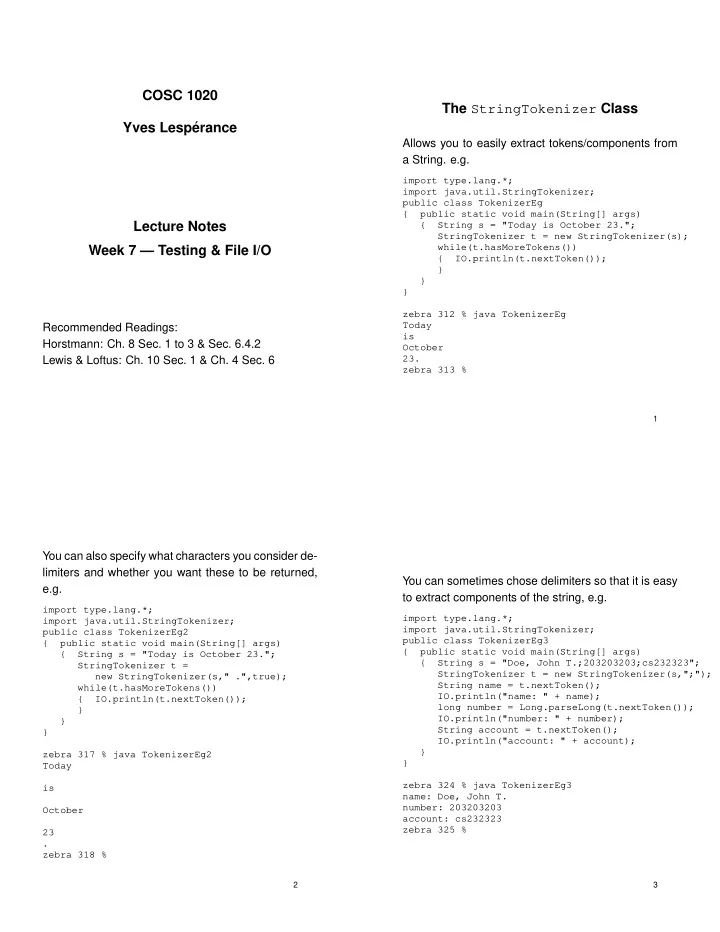
import type.lang.*; import java.util.StringTokenizer; public class TokenizerEg { public static void main(String[] args) { String s = "Today is October 23."; StringTokenizer t = new StringTokenizer(s); while(t.hasMoreTokens()) { IO.println(t.nextToken()); } } } zebra 312 % java TokenizerEg Today is October 23. zebra 313 %
1
You can also specify what characters you consider de- limiters and whether you want these to be returned, e.g.
import type.lang.*; import java.util.StringTokenizer; public class TokenizerEg2 { public static void main(String[] args) { String s = "Today is October 23."; StringTokenizer t = new StringTokenizer(s," .",true); while(t.hasMoreTokens()) { IO.println(t.nextToken()); } } } zebra 317 % java TokenizerEg2 Today is October 23 . zebra 318 %
2
You can sometimes chose delimiters so that it is easy to extract components of the string, e.g.
import type.lang.*; import java.util.StringTokenizer; public class TokenizerEg3 { public static void main(String[] args) { String s = "Doe, John T.;203203203;cs232323"; StringTokenizer t = new StringTokenizer(s,";"); String name = t.nextToken(); IO.println("name: " + name); long number = Long.parseLong(t.nextToken()); IO.println("number: " + number); String account = t.nextToken(); IO.println("account: " + account); } } zebra 324 % java TokenizerEg3 name: Doe, John T. number: 203203203 account: cs232323 zebra 325 %
3
SLIDE 2 E.g. Capitalizing “java” in a text file
zebra 365 % more infile.txt The java programming language was developped in the ’90s; it is good for programming web applications. You must learn java! zebra 366 % java CapJava zebra 367 % more outfile.txt The Java programming language was developped in the ’90s;it is good for programming web applications. You must learn Java! zebra 368 %
4
import type.lang.*; import java.util.StringTokenizer; public class CapJava { public static void main(String[] args) { final String INFILENAME = "infile.txt"; final String OUTFILENAME = "outfile.txt"; UniReader myReader = new UniReader(INFILENAME); UniWriter myWriter = new UniWriter(OUTFILENAME); while(true) { String inline = myReader.readLine(); if(myReader.eof()) break; String outline = ""; StringTokenizer st = new StringTokenizer(inline," .,;:?!",true); while(st.hasMoreTokens()) { String tok = st.nextToken(); if(tok.equals("java")) { tok = "Java"; }
} myWriter.println(outline); } myReader.close(); myWriter.close(); } }
5
The switch Statement
Java provides another control structure for selecting among alternatives depending on the value of an ex- pression of an ordinal type such as int or char, the switch statement.
switch (expression) {case value1 : statements1 break; case value2 : statements2 break; . . . case valueN : statementsN break; default : // optional statementsOtherwise } // end switch
statementsK are executed when expression has
- valueK. statementsOtherwise are performed when
expression has a value different from all of the cases.
6
Problem: Given a letter grade letGrade, assign the numerical grade equivalent to numGrade.
char letGrade; int numGrade; ... // determine numerical grade switch (letGrade) {case ’A’ : numGrade = 9; break; case ’B’ : numGrade = 7; break; case ’C’ : numGrade = 6; break; case ’D’ : numGrade = 5; break; case ’F’ : numGrade = 4; break; default : IO.println("Error: bad letter grade"); numGrade = 0; }
7
SLIDE 3 Note also that cases requiring the same actions can grouped together. Problem: Print store hours depending on weekday.
final int SUNDAY = 0; final int MONDAY = 1; final int TUESDAY = 2; final int WEDNESDAY = 3; final int THURSDAY = 4; final int FRIDAY = 5; final int SATURDAY = 6; int weekday; ... // assign weekday switch (weekday) {case MONDAY : case TUESDAY : case WEDNESDAY : case SATURDAY : IO.println("Hours are 10am - 6pm"); break; case THURSDAY : case FRIDAY : IO.println("Hours are 10am - 9pm"); break; case SUNDAY : IO.println("Hours are 12am - 5pm"); break; default : IO.println("Error: bad weekday"); }
8
Another Loop E.g.
Problem: write a program that reads the marks from a class and produces a histogram showing the distri- bution of the marks; the marks are integers and are
- ut of 100; the end of input is indicated by a sentinel,
a negative integer. E.g.
tiger 62 % more marks.txt 72 89 76 65 75 34 95
tiger 62 % java MarksHistogram < marks.txt Marks Histogram A: ** B: *** C: * D: F: *
9
Two main subtasks: read marks and calculate distribution print histogram First subtask: To store the distribution, can use a counter for each marks category. Reading the marks is a repetitive task. Don’t know in advance how many rep- etitions, so use conditional loop. Exit loop when input is negative. Algorithm:
initialize counters noAs, noBs, noCs, noDs, and noFs to 0 loop { read mark if mark < 0 exit loop if mark >= 80 increment noAs else if mark >= 70 increment noBs else if mark >= 60 increment noCs else if mark >= 50 increment noDs else increment noFs }
10
Second subtask, printing the histogram: print header print line for As print line for Bs . . . print line for Fs Printing lines is repetitive, but must use different counter each time; so can’t use a loop. Subtask “print line for category
c with count n”:
print label
c:
print
n stars
skip to next line Subtask “print
n stars”:
Number of stars varies, so must repeatedly print one star
n times. Know how many repetitions at beginning
- f loop, so use for loop. Loop counter should go from
1 to
for i from 1 to
n incrementing by 1
{ print a star }
11
SLIDE 4
Code
import york.*; public class MarksHistogram { public static void main(String[] args) { int mark; int noAs = 0; int noBs = 0; int noCs = 0; int noDs = 0; int noFs = 0; while(true) { mark = IO.readInt(); if (mark < 0) break; if (mark >= 80) noAs++; else if (mark >= 70) noBs++; else if (mark >= 60) noCs++; else if (mark >= 50) noDs++; else noFs++; }
12
IO.println("Marks Histogram\n"); IO.print("A: "); for (int i = 1; i <= noAs; i++) IO.print("*"); IO.println(""); IO.print("B: "); for (int i = 1; i <= noBs; i++) IO.print("*"); IO.println(""); IO.print("C: "); for (int i = 1; i <= noCs; i++) IO.print("*"); IO.println(""); IO.print("D: "); for (int i = 1; i <= noDs; i++) IO.print("*"); IO.println(""); IO.print("F: "); for (int i = 1; i <= noFs; i++) IO.print("*"); IO.println(""); } }
13
Testing
Testing is the process of discovering errors/bugs by executing a method in a class or an app with some test data. We try to break the method or app. Should test each unit (method) individually. Design test suite; data can be hand picked and/or ran- domly generated; can keep in a file. Write harness to feed test data to method, get results, and produce report. Use oracle to check results; sometimes there is a sim- ple way to check, e.g. Equation; in other cases, have file of known results.
14
Black-Box Testing Generate test cases based on the specification the class/method/app you are checking. No access to im- plementation code. Check boundary conditions. White-Box Testing Have access to implementation code. Generate test cases to check that unit works for every possible code flow or branch. The more branches are tested, the better the test coverage. Regression Testing Fixing one bug can introduce addditional errors. Need to ensure that tests done earlier can still be passed. Best to rerun all tests after each modification.
15
SLIDE 5
Limits of Testing
Testing can only ensure correctness when there is a finite number of possible inputs and all are checked. Use design-by-contract to ensure you have a precise specification of what unit should do. Also helps in gen- eration of test cases. Extreme programming: write test cases first. Can try to do formal verification. It ensures correct- ness, assuming that proof is correct. But often cost is prohibitive.
16