Conveying Complex Geologic and Subsurface Concepts Through the Use - - PowerPoint PPT Presentation

conveying complex geologic and subsurface concepts
SMART_READER_LITE
LIVE PREVIEW

Conveying Complex Geologic and Subsurface Concepts Through the Use - - PowerPoint PPT Presentation

Conveying Complex Geologic and Subsurface Concepts Through the Use of 3D Modeling and Visualization Software Brian A. Congiu RE3 Conference Atlantic City, NJ November 13, 2012 Outline What is 3D Visualization? What Do We use It For?

slide-1
SLIDE 1

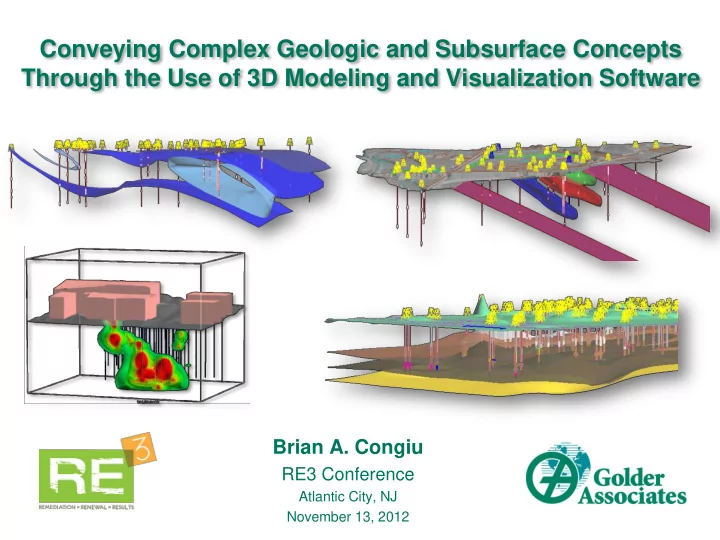
Conveying Complex Geologic and Subsurface Concepts Through the Use of 3D Modeling and Visualization Software

Brian A. Congiu

RE3 Conference

Atlantic City, NJ November 13, 2012

slide-2
SLIDE 2

Outline

December 4, 2012 2

  • What is 3D Visualization?
  • What Do We use It For?
  • Why Do We Use It?
  • How Are We Applying It?
  • Project Examples
slide-3
SLIDE 3

What is 3D Visualization?

October 17, 2011 3

Used in many industries Widely used in oil, gas, & mining Limited environmental applications – emerging

  • Modeling site conditions & understanding subsurface characteristics

Technology advancing – becoming more cost effective & feasible

Three-dimensional representation of objects, settings, & scenarios

  • Physical models
  • Computer modeling software
  • 3D printing
slide-4
SLIDE 4

Creating 3D representations of sites - computer models Common application: Conceptual Site Model Development

December 4, 2012 4

What Do We Use It For?

How? Integration of typical environmental site data into 3D space

  • Golder: strong emphasis on CSM work
  • Development of good CSM  Saves time & $$$
  • Recent Focus: Bringing the CSM into 3D

Faster – Easier – Cost Efficient – High Visual Impact

slide-5
SLIDE 5

5

regional references borehole logs cross-sections structural contours fractures/faults site mapping historical maps, photos, aerial images, sanborn maps, records, past operations

Hydrogeology

hydro testing water levels/contours regional references GW modeling

Chemistry

maps/ logs , testing results, cross-sections , surface/DH sampling results tables/graphs contours cross-sections 3D Model CSM site maps well locations utilities topography as-built drawings

slide-6
SLIDE 6

December 4, 2012 6

Why Are We Using It?

Tradition al CSM 3D Model CSM Traditional CSM

slide-7
SLIDE 7

Traditional 2D representations  3D Models

slide-8
SLIDE 8

December 4, 2012 8

How Are We Applying It?

  • 1. Data Repository
  • Compile, store & view various data together in central location
  • Import/export data between software
  • Integrate new data over time
  • 2. Visualization, Analysis, & Interpretation
  • To view, understand, interpret various data types
  • Perform analyses: interpolation, geostats, queries
  • Make informed interpretations: freedom to manipulate
  • 3. Field Verification & Decision-Making
  • Model (to scale) created in real-world coordinate system
  • Plan borings & investigations, identify data gaps
  • 4. Communication
  • Effectively convey site setting & quickly illustrate complex concepts
  • Frequently used in presentations to clients & regulators
slide-9
SLIDE 9

December 4, 2012 9

How Are We Applying It?

Employ multiple types of software: “Many tools in the tool belt”

  • Geologic modeling
  • Chemistry modeling
  • GIS CADD
  • Fracture modeling
  • GW modeling
  • 3D design

Deliverables

  • Presentations
  • Videos
  • Figures
  • 3D PDF

Variety of project types

  • large & small
  • simple  complex
slide-10
SLIDE 10

Project Examples

slide-11
SLIDE 11

December 4, 2012

Large Industrial Site CSM

Background: 400 borings, large site, complex geology & groundwater model Problem: Compile, view, interpret large datasets & GW model for CSM Approach: Used 3D model to manage/display data & construct CSM

Project Video

slide-12
SLIDE 12

December 4, 2012

Hydro Investigation

Background: Investigate hydro stratigraphy & local GW flow Problem: Boring placement & hydro unit targets Approach: Modeled geology & hydro data; used drill hole designer & cross- section tools

Project Video

slide-13
SLIDE 13

December 4, 2012

MIP Investigation

Background: Former industrial site - solvents in groundwater Delineated plume via MIP (Membrane Interface Probe) Investigation Problem: Use MIP data to understand contamination & geology Approach: 3D interpolation of MIP data (EC & ECD) & iso-shell creation Visualize zones of impacts & low permeability

Project Video

slide-14
SLIDE 14

December 4, 2012

Excavation Volumes

Background: Industrial site: proposed excavation Problem: Determine volume of clean/contaminated material Approach: Modeled geology & excavation (created space-filling model), used soil chemistry --queries & volume calculations

Project Video

slide-15
SLIDE 15

December 4, 2012 15

Summary

  • Combination of software tools to build 3D models
  • Useful application for environmental work
  • Powerful for visualization, analysis, & communication
  • Increases productivity, time savings, cost savings
  • Well received both internally & externally
  • Golder is expanding its use to more projects

& exploring new applications

slide-16
SLIDE 16

Acknowledgements

December 4, 2012 16

Thank You!

For more information: Golder Associates Booth #11

Florin Gheorghiu, Michael Borda, Bill Decker, Lisa Congiu, Andrew Madison, Teresa Lewis, Charlie Lawrence

Questions?

TV presentation of more 3D examples