Control Structures Termination s = 0 while True: x = - - PowerPoint PPT Presentation

control structures
SMART_READER_LITE
LIVE PREVIEW

Control Structures Termination s = 0 while True: x = - - PowerPoint PPT Presentation

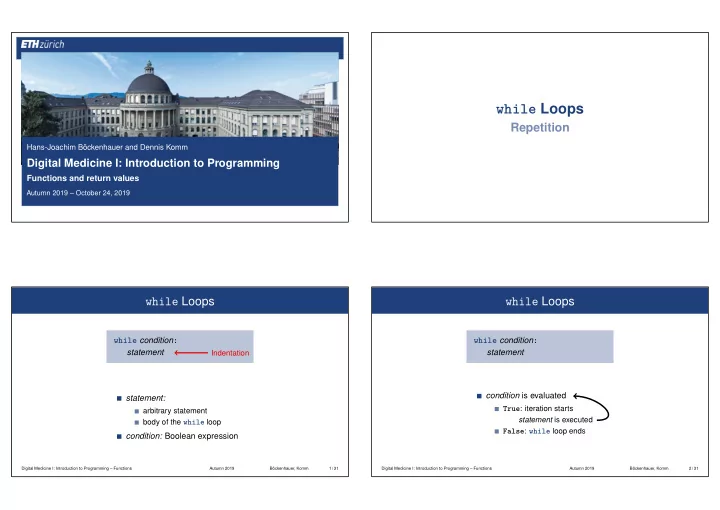
while Loops Repetition Hans-Joachim Bckenhauer and Dennis Komm Digital Medicine I: Introduction to Programming Functions and return values Autumn 2019 October 24, 2019 while Loops while Loops while condition : while condition : statement


slide-1
SLIDE 1

Hans-Joachim Böckenhauer and Dennis Komm

Digital Medicine I: Introduction to Programming

Functions and return values

Autumn 2019 – October 24, 2019

while Loops

Repetition

while Loops

while condition:

statement

Indentation

statement:

arbitrary statement body of the while loop

condition: Boolean expression

Digital Medicine I: Introduction to Programming – Functions Autumn 2019 Böckenhauer, Komm 1 / 31

while Loops

while condition:

statement condition is evaluated True: iteration starts

statement is executed False: while loop ends

Digital Medicine I: Introduction to Programming – Functions Autumn 2019 Böckenhauer, Komm 2 / 31

slide-2
SLIDE 2

while Loops

s = 0 i = 1 while i <= 2: s = s + i i = i + 1 i

condition

s i = 1

true

s = 1 i = 2

true

s = 3 i = 3

false

s = 3

Digital Medicine I: Introduction to Programming – Functions Autumn 2019 Böckenhauer, Komm 3 / 31

Incrementation of Variables

Use simplified syntax for changing values of variables

n = n + 1 is written as n += 1 n = n + i is written as n += i n = n - 15 is written as n -= 15 n = n * j is written as n *= j n = n ** 4 is written as n **= 4

. . .

Digital Medicine I: Introduction to Programming – Functions Autumn 2019 Böckenhauer, Komm 4 / 31

The Jump Statements break

break

Immediately leave the enclosing loop Useful in order to be able to break a loop “in the middle”

s = 0 while True: x = int(input("Enter a positive number, abort with 0: ")) if x == 0: break s += x print(s)

Digital Medicine I: Introduction to Programming – Functions Autumn 2019 Böckenhauer, Komm 5 / 31

Control Structures

Termination

slide-3
SLIDE 3

Termination

i = 1 while i <= n: s += i i += 1

Here and commonly statement changes its value that appears in condition After a finite number of iterations condition becomes false

➯ Termination

Digital Medicine I: Introduction to Programming – Functions Autumn 2019 Böckenhauer, Komm 6 / 31

Infinite Loops

Infinite loops are easy to generate

while True: print("0") while not False: print("1") while 2 > 1: print("2")

. . . but can in general not be automatically detected

Digital Medicine I: Introduction to Programming – Functions Autumn 2019 Böckenhauer, Komm 7 / 31

Halting Problem

Undecidability of the Halting Problem

[Alan Turing, 1936]

There is no Python program that can determine, for each Python program P and each input I, whether P terminates with the input I This means that the termination of programs can in general not be automatically checked Theoretical questions of this kind were the main motivation for Turing to design his computing machine

Alan Turing [Wikimedia] Digital Medicine I: Introduction to Programming – Functions Autumn 2019 Böckenhauer, Komm 8 / 31

The Collatz Sequence

Sequence of natural numbers n0, n1, n2, n3, n4, n5, . . .

n0 = n

for every i ≥ 1, ni =

  

ni−1/2

if ni−1 even

3 · ni−1 + 1

if ni−1 odd Example for n = 5 5, 16, 8, 4, 2, 1, 4, 2, 1, . . . (repetition at 1)

Digital Medicine I: Introduction to Programming – Functions Autumn 2019 Böckenhauer, Komm 9 / 31

slide-4
SLIDE 4

Exercise – The Collatz Sequence

Write a program that takes an integer n as input

  • utputs the Collatz sequence using

n0 = n and

ni =

  

ni−1/2 if ni−1 even 3 · ni−1 + 1 if ni−1 odd

Digital Medicine I: Introduction to Programming – Functions Autumn 2019 Böckenhauer, Komm 10 / 31

Exercise – The Collatz Sequence

n = int(input("Compute the Collatz sequence for n = ")) while n > 1: # stop when 1 is reached if n % 2 == 0: # n is even n //= 2 else: # n is odd n = 3 * n + 1 print(n, end=" ")

Digital Medicine I: Introduction to Programming – Functions Autumn 2019 Böckenhauer, Komm 11 / 31

The Collatz Sequence

Example for n = 27

27 82 41 124 62 31 94 47 142 71 214 107 322 161 484 242 121 364 182 91 274 137 412 206 103 310 155 466 233 700 350 175 526 263 790 395 1186 593 1780 890 445 1336 668 334 167 502 251 754 377 1132 566 283 850 425 1276 638 319 958 479 1438 719 2158 1079 3238 1619 4858 2429 7288 3644 1822 911 2734 1367 4102 2051 6154 3077 9232 4616 2308 1154 577 1732 866 433 1300 650 325 976 488 244 122 61 184 92 46 23 70 35 106 53 160 80 40 20 10 5 16 8 4 2 1

Digital Medicine I: Introduction to Programming – Functions Autumn 2019 Böckenhauer, Komm 12 / 31

The Collatz Sequence

The Collatz Concecture [Lothar Collatz, 1937] For every n ≥ 1, 1 will occur in the sequence Nobody could prove the conjecture so far If it is wrong, then the while loop for computing the Collatz sequence can be an endless loop for some n as input

Lothar Collatz [Wikimedia] Digital Medicine I: Introduction to Programming – Functions Autumn 2019 Böckenhauer, Komm 13 / 31

slide-5
SLIDE 5

Control Structures

Control Flow Control Flow – if

Order of the (repeated) execution of statements generally from top to bottom. . . . . . except in selection and iteration statements condition statement

true

false

if condition:

statement

Digital Medicine I: Introduction to Programming – Functions Autumn 2019 Böckenhauer, Komm 14 / 31

Control Flow – if-else

condition statement1 statement2

true

false

if condition:

statement1

else:

statement2

Digital Medicine I: Introduction to Programming – Functions Autumn 2019 Böckenhauer, Komm 15 / 31

Control Flow – while

condition statement

true

false

while condition:

statement

Digital Medicine I: Introduction to Programming – Functions Autumn 2019 Böckenhauer, Komm 16 / 31

slide-6
SLIDE 6

Kontrollfluss break in while-Schleife

condition statement break

Digital Medicine I: Introduction to Programming – Functions Autumn 2019 Böckenhauer, Komm 17 / 31

Functions

Functions

So far. . . One algorithm per file Statements are processed sequentially Usage of loops and control structures Group related code as function

def welcome(): date = "October 24, 2019" print("Hello", username, "!") print("Welcome to the lecture on", date) welcome()

Definition of a function Optional list of parameters

Digital Medicine I: Introduction to Programming – Functions Autumn 2019 Böckenhauer, Komm 18 / 31

Analogy to Natural Languages

Python “understands” some specific words These are called keywords: def, if, while, etc. Basic stock of functions: print(), range(), input(), etc.

def f(): ⇐ ⇒ Python “learns” new word f

From Merriam-Webster dictionary re·frig·er·a·tor A room or appliance for keeping food or other items cool

Digital Medicine I: Introduction to Programming – Functions Autumn 2019 Böckenhauer, Komm 19 / 31

slide-7
SLIDE 7

Analogy to Natural Languages

def welcome(): date = "October 24, 2019" print("Hello", username, "!") print("Welcome to the lecture on", date) username = input("Enter username:") if username == "hjb" or username == "dkomm": welcome() ... else: print("Username not found.") ... date = "October 24, 2019" print("Hello", username, "!") print("Welcome to the lecture on", date)

Digital Medicine I: Introduction to Programming – Functions Autumn 2019 Böckenhauer, Komm 20 / 31

Analogy to Mathematical Functions

f(x) = 2 · x + 1

Functions in Python Parameter x is passed to function Value is passed back using return

def f(x): y = 2 * x + 1 return y def f(x): return 2 * x + 1

return without argument is used to simply end the function call

Digital Medicine I: Introduction to Programming – Functions Autumn 2019 Böckenhauer, Komm 21 / 31

Analogy to Mathematical Functions

def f(x): return 2 * x + 1

By using return, the function call represents the corresponding value

print(f(5)) results in output 11 z = f(6) assigns z the value 13 z = 3 * f(2) + f(4) assigns z the value 24 b = (f(10) > 20) assigns b the Boolean value True

Digital Medicine I: Introduction to Programming – Functions Autumn 2019 Böckenhauer, Komm 22 / 31

Functions with Parameters

def checkuser(givenname): validnames = [ "ffrei", "jkaufmann", "lfritschi", "skamp", "spiasko" ] if givenname in validnames: return True else: return False username = input("Enter username:") if checkuser(username) == True: print("Welcome", username) password = input("Enter your password:") ... else: print("Username not found.")

Digital Medicine I: Introduction to Programming – Functions Autumn 2019 Böckenhauer, Komm 23 / 31
slide-8
SLIDE 8

Functions with Parameters

username = input(”Enter username:”) Enter username: dkomm username = dkomm if checkuser( dkomm ) == True:

def checkuser(dkomm): validnames = [ ”ffrei”, ”jkaufmann”, ”lfritschi”, ”skamp”, ”spiasko” ] if dkomm in validnames: return True else: return False

if False == True: Username not found.

Digital Medicine I: Introduction to Programming – Functions Autumn 2019 Böckenhauer, Komm 24 / 31

Definition of Functions

Function has to be defined before it can be used

def f(x): return 2 * x + 1 print(f(2))

works, but not. . .

print(f(2)) def f(x): return 2 * x + 1

NameError: name ’f’ is not defined

Digital Medicine I: Introduction to Programming – Functions Autumn 2019 Böckenhauer, Komm 25 / 31

Functions

Example – Cookie Calculator Example – Cookie Calculator

children = int(input("Number of children:")) cookies = int(input("Number of cookies:")) print("Every child receives", cookies // children, "cookies") print("Dad receives", cookies % children, "cookies")

We want to make sure that children is positive and that each child gets at least one cookie

Digital Medicine I: Introduction to Programming – Functions Autumn 2019 Böckenhauer, Komm 26 / 31

slide-9
SLIDE 9

Cookie Calculator – Check Input

From this . . .

children = int(input("Number of children:"))

. . . we go to this

while True: children = int(input("Number of children:")) if children >= 1: break else: print("Value needs to be at least 1")

Analogously, we have to check that cookies >= children

Digital Medicine I: Introduction to Programming – Functions Autumn 2019 Böckenhauer, Komm 27 / 31

Cookie Calculator – Getting Complicated

while True: children = int(input("Number of children:")) if children >= 1: break else: print("Value needs to be at least 1") while True: cookies = int(input("Number of cookies:")) if cookies >= children: break else: print("Value needs to be at least", children) print("Every child receives", cookies // cookies, "cookies") print("Dad receives", cookies % children, "cookies")

Read and check number of children Read and check number of cookies

Digital Medicine I: Introduction to Programming – Functions Autumn 2019 Böckenhauer, Komm 28 / 31

Cookie Calculator – Takeaway

The two code fragments are nearly identical The following aspects are different:

The prompt, i.e., "children:" vs. "cookies:" The minimum, i.e., 1 vs. children

We can outsource the code fragment into a function and thus feature reuse We have to parameterize the different aspects

Digital Medicine I: Introduction to Programming – Functions Autumn 2019 Böckenhauer, Komm 29 / 31

Exercise – Cookie Calculator

Write a function that gets two parameters prompt and minimum asks the user for an integer input returns the input using return if it is at least

minimum

  • therwise asks for a new input

Use the function in the cookie calculator

Digital Medicine I: Introduction to Programming – Functions Autumn 2019 Böckenhauer, Komm 30 / 31

slide-10
SLIDE 10

Exercise – Cookie Calculator

def checkinput(prompt, minimum): while True: x = int(input(prompt)) if x >= minimum: return x else: print("Value needs to be at least", minimum) children = checkinput("Number of children:", 1) cookies = checkinput("Number of cookies:", children) print("Every child receives", cookies // cookies, "cookies") print("Dad receives", cookies % children, "cookies")

Digital Medicine I: Introduction to Programming – Functions Autumn 2019 Böckenhauer, Komm 31 / 31