
SLIDE 1
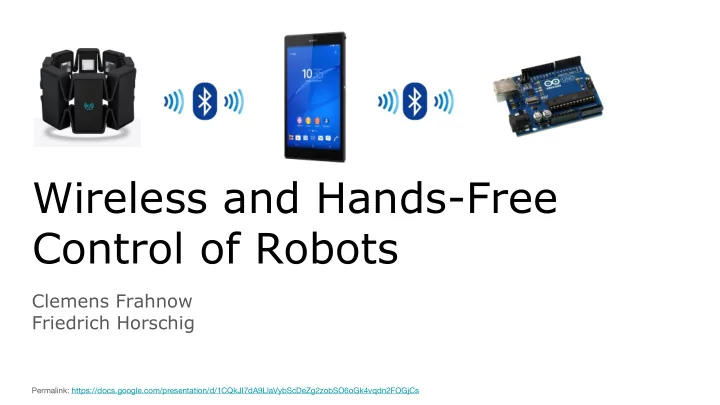
Wireless and Hands-Free Control of Robots
Clemens Frahnow Friedrich Horschig
Permalink: https://docs.google.com/presentation/d/1CQkJI7dA9LlaVybScDeZg2zobSO6oGk4vqdn2FOGjCs
Control of Robots Clemens Frahnow Friedrich Horschig Permalink: - - PowerPoint PPT Presentation
Wireless and Hands-Free Control of Robots Clemens Frahnow Friedrich Horschig Permalink: https://docs.google.com/presentation/d/1CQkJI7dA9LlaVybScDeZg2zobSO6oGk4vqdn2FOGjCs Agenda 1. What works? 2. What was hard to get working? 3. What will
Clemens Frahnow Friedrich Horschig
Permalink: https://docs.google.com/presentation/d/1CQkJI7dA9LlaVybScDeZg2zobSO6oGk4vqdn2FOGjCs
❏ Own Android app ❏ Bluetooth connection to Myo ❏ Gesture Parsing
❏ Connection to Bluetooth shielded Arduino ❏ Setting pins with open source vendor app ❏ Control servo motor and read light sensor
Problem: Myo Android SDK reached version 0.10.0 ⇒ Problems with gradle (building from maven) ⇒ Doesn’t build with Android SDK Version 23 (latest) Solution: Manually assembling complete android project, build files and libraries.
Github: https://github.com/FHorschig/MyoRobotArm
Problem: RustyRobots “Greifarm” not existent anymore (and template seems to be flawed) Solution: Prototype a simple replacement with lego. (Also: free gears)
Problem: Make weak servo motors move heavier arm. Solution: Gears ⇒ Worm drive to huge rack-wheel (If Power doesn’t suffice: 9V Block can power servo using an h bridge)
❏ Connect myo-phone-app and phone-arduino-app ❏ Wire robotic arm up with motors ❏ Add (pressure) sensors to arm ⇒ stop autonomously
❏ Connection myo to phone ❏ Connection phone to arduino ❏ Connection myo to phone to arduino ❏ Electronic works ❏ Robotic arm works ❏ Electronics attached to arm ❏ Reaction to pressure
Project works according to time plan?