Contents Slide 1-1 Some DSP Chip History Slide 1-2 Other DSP - - PDF document

contents
SMART_READER_LITE
LIVE PREVIEW

Contents Slide 1-1 Some DSP Chip History Slide 1-2 Other DSP - - PDF document

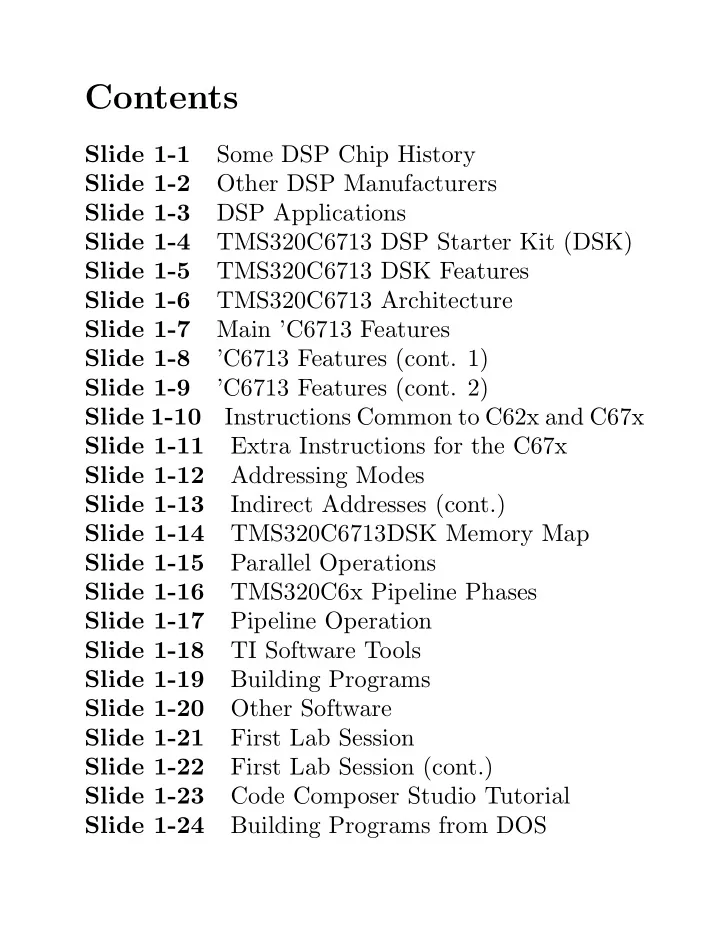
Contents Slide 1-1 Some DSP Chip History Slide 1-2 Other DSP Manufacturers Slide 1-3 DSP Applications Slide 1-4 TMS320C6713 DSP Starter Kit (DSK) Slide 1-5 TMS320C6713 DSK Features Slide 1-6 TMS320C6713 Architecture Slide 1-7 Main


slide-1
SLIDE 1

Contents

Slide 1-1 Some DSP Chip History Slide 1-2 Other DSP Manufacturers Slide 1-3 DSP Applications Slide 1-4 TMS320C6713 DSP Starter Kit (DSK) Slide 1-5 TMS320C6713 DSK Features Slide 1-6 TMS320C6713 Architecture Slide 1-7 Main ’C6713 Features Slide 1-8 ’C6713 Features (cont. 1) Slide 1-9 ’C6713 Features (cont. 2) Slide 1-10 Instructions Common to C62x and C67x Slide 1-11 Extra Instructions for the C67x Slide 1-12 Addressing Modes Slide 1-13 Indirect Addresses (cont.) Slide 1-14 TMS320C6713DSK Memory Map Slide 1-15 Parallel Operations Slide 1-16 TMS320C6x Pipeline Phases Slide 1-17 Pipeline Operation Slide 1-18 TI Software Tools Slide 1-19 Building Programs Slide 1-20 Other Software Slide 1-21 First Lab Session Slide 1-22 First Lab Session (cont.) Slide 1-23 Code Composer Studio Tutorial Slide 1-24 Building Programs from DOS

slide-2
SLIDE 2

Slide 1-25 Hardware and Software References 1-0-1

slide-3
SLIDE 3

✬ ✫ ✩ ✪ Some DSP Chip History First Commercial DSP’s

  • 1982 – NEC µPD7720
  • 1982 – TMS 32010

These chips initially cost around $600. Now cost less than $1. Texas Instruments (TI) DSP Family

  • Low Cost, Fixed-Point, 16-Bit Word length

Motor control, disk head positioning, control TMS320C1x, ’C2x, ’C20x, ’C24x

  • Power Efficient, Fixed-Point, 16-Bit Words

Wireless phones, modems, VoIP ’C5x, ’C54x, ’C55x

  • High Performance DSP’s

Comm Infrastructure, xDSL, Imaging, Video ’C62x, ’C64x (16-bit fixed-point) ’C3x, ’C4x, ’C67x (32-bit floating-point)

1-1

slide-4
SLIDE 4

✬ ✫ ✩ ✪ Other DSP Manufacturers Lucent, Motorola, Analog Devices, Rockwell, Thomson, Fujitsu Fixed vs. Floating-Point DSP’s

  • Fixed-point DSP’s are cheaper and use less

power but care must be taken with scaling to avoid over and underflow.

  • Floating-point DSP’s are easier to program.

Numbers are automatically scaled. They are more complicated and expensive. Advantages of DSP’s over Analog Circuits

  • Can implement complex linear or nonlinear

algorithms.

  • Can modify easily by changing software.
  • Reduced parts count makes fabrication easier.
  • High reliability

1-2

slide-5
SLIDE 5

✬ ✫ ✩ ✪

DSP Applications

  • Telecommunications: telephone line modems, FAX,

cellular telephones, wireless networks, speaker phones, answering machines

  • Voice/Speech: speech digitization and compression,

voice mail, speaker verification, and speech synthesis

  • Automotive: engine control, antilock brakes, active

suspension, airbag control, and system diagnosis

  • Control Systems: head positioning servo systems in

disk drives, laser printer control, robot control, engine and motor control, and numerical control of automatic machine tools

  • Military: radar and sonar signal processing,

navigation systems, missile guidance, HF radio frequency modems, secure spread spectrum radios, and secure voice

  • Medical: hearing aids, MRI imaging, ultrasound

imaging, and patient monitoring

  • Instrumentation: spectrum analysis, transient

analysis, signal generators

  • Image Processing: HDTV, image enhancement,

image compression and transmission, 3-D rotation, and animation

1-3

slide-6
SLIDE 6

TMS320C6713 DSP Starter Kit (DSK) Block Diagram

reduce time to market. The DSK comes with a full compliment of on-board devices that suit a wide variety of Figure 1-1, Block Diagram C6713 DSK Ext. JTAG AIC23 Codec Host Port Int MUX MUX

MIC IN LINE OUT HP OUT LINE IN

Peripheral Exp LED DIP EMIF HPI McBSPs JTAG

0 1 2 3 0 1 2 3

CPLD Memory Exp PWR USB Embedded JTAG

JP1 1.26V JP2 3.3V ENDIAN BOOTM 1 BOOTM 0

6713 DSP

SDRAM

32 8

Flash

8 1 3 2 Config SW3 32 HPI_EN 4

Voltage Reg

JP4 5V

1-4

slide-7
SLIDE 7

✬ ✫ ✩ ✪ TMS320C6713 DSK Features

  • A TMS320C6713 DSP operating at 225 MHz.
  • An AIC23 stereo codec with Line In, Line

Out, MIC, and headphone stereo jacks

  • 16 Mbytes of synchronous DRAM
  • 512 Kbytes of non-volatile Flash memory

(256 Kbytes usable in default configuration)

  • 4 user accessible LEDs and DIP switches
  • Software board configuration through

registers implemented in CPLD

  • Configurable boot options
  • Expansion connectors for daughter cards
  • JTAG emulation through on-board JTAG

emulator with USB host interface or external emulator

1-5

slide-8
SLIDE 8

✬ ✫ ✩ ✪

TMS320C6713 Architecture

functional block and CPU (DSP core) diagram

Test C67x CPU Data Path B B Register File Instruction Fetch Instruction Dispatch Instruction Decode Data Path A A Register File Power-Down Logic .L1† .S1† .M1† .D1 .D2 .M2† .S2† .L2† L1P Cache Direct Mapped 4K Bytes Total Control Registers Control Logic L1D Cache 2-Way Set Associative 4K Bytes In-Circuit Emulation Interrupt Control

C6713 Digital Signal Processor † In addition to fixed-point instructions, these functional units execute floating-point instructions.

Enhanced DMA Controller (16 channel) L2 Cache/ Memory 4 Banks 64K Bytes Total (up to 4-Way) Clock Generator, Oscillator, and PLL x4 through x25 Multiplier /1 through /32 Dividers L2 Memory 192K Bytes EMIF McASP1 McASP0 McBSP1 McBSP0 I2C1 I2C0 Timer 1 Timer 0 GPIO HPI

Pin Multiplexing McBSPs interface to: –SPI Control Port –High-Speed TDM Codecs –AC97 Codecs –Serial EEPROM EMIF interfaces to: –SDRAM –SBSRAM –SRAM, –ROM/Flash, and –I/O devices McASPs interface to: –I2S Multichannel ADC, DAC, Codec, DIR –DIT: Multiple Outputs

32 16

TMS320C6713, TMS320C6713B Floating-Point Digital Signal Processor, SPRS186I, p. 12.

1-6

slide-9
SLIDE 9

✬ ✫ ✩ ✪

Main ’C6713 Features

  • VelociTI Very Long Instruction Word

(VLIW) CPU Core Fetches eight 32-bit instructions at once – Eight Independent functional units ∗ Four ALUs (fixed and floating-point) ∗ Two ALUs (fixed-point) ∗ Two multipliers (fixed and floating-point) 32 × 32 bit integer multiply with 32 or 64-bit result – Load-store architecture with 32 32-bit general purpose registers

  • Instruction Set Features

– Hardware support for IEEE single and double precision floating-point operations – 8, 16, and 32-bit addressable – 8-bit overflow protection and saturation – Bit-field extract, set, clear; bit-counting; normalization

1-7

slide-10
SLIDE 10

✬ ✫ ✩ ✪

’C6713 Features (cont. 1)

  • L1/L2 Memory Architecture

– 4K-Byte L1P Program Cache (Direct-Mapped) – 4K-Byte L1D Data Cache (2-Way) – 256K-Byte L2 Memory Total; 64K-Byte L2 Unified Cache/Mapped RAM and 192K-Byte Additional L2 Mapped RAM

  • Device Configuration

– Boot Mode: HPI, 8-, 16-, 32-Bit ROM Boot – Little Endian and Big Endian

  • 32-bit External Memory Interface (EMIF)

– Glueless interface to SDRAM, Flash, SBSRAM, SRAM, and EPROM – 512M-byte Total Addressable External Memory Space

1-8

slide-11
SLIDE 11

✬ ✫ ✩ ✪

’C6713 Features (cont. 2)

  • Enhanced Direct-Memory-Access (EDMA)

Controller (16 Independent Channels)

  • 16-Bit Host-Port Interface (HPI)
  • Two Inter-Integrated Circuit Bus (I2C Bus)

Multi-Master and Slave Interfaces

  • Two Multichannel Audio Serial Ports

(McASPs)

  • Two Multichannel Buffered Serial Ports

(McBSPs)

  • Two 32-Bit General Purpose Timers
  • Dedicated GPIO Module with 16 pins
  • Flexible Phase-Locked-Loop (PLL) Based

Clock Generator Module

  • IEEE-1149.1 JTAG Boundary Scan

1-9

slide-12
SLIDE 12

Instructions Common to C62x and C67x

.L unit .M Unit .S Unit .D Unit ABS MPY ADD SET ADD STB (15-bit offset)2 ADD MPYU ADDK SHL ADDAB STH (15-bit offset)2 ADDU MPYUS ADD2 SHR ADDAH STW (15-bit offset)2 AND MPYSU AND SHRU ADDAW SUB CMPEQ MPYH B disp SSHL LDB SUBAB CMPGT MPYHU B IRP1 SUB LDBU SUBAH CMPGTU MPYHUS B NRP1 SUBU LDH SUBAW CMPLT MPYHSU B reg SUB2 LDHU ZERO CMPLTU MPYHL CLR XOR LDW LMBD MPHLU EXT ZERO LDB (15-bit offset)2 MV MPYHULS EXTU LDBU (15-bit offset)2 NEG MPYHSLU MV LDH (15-bit offset)2 NORM MPYLH MVC1 LDHU (15-bit offset)2 NOT MPYLHU MVK LDW (15-bit offset)2 OR MPYLUHS MVKH MV SADD MPYLSHU MVKLH STB SAT SMPY NEG STH SSUB SMPYHL NOT STW SUB SMPYLH OR SUBU SMPYH SUBC XOR ZERO See TMS320C6000 CPU and Instruction Set, Reference Guide, SPRU189F for complete descriptions of instructions.

1-10

slide-13
SLIDE 13

✬ ✫ ✩ ✪ Extra Instructions for the C67x

.L unit .M Unit .S Unit .D Unit ADDDP MPYDP ABSDP ADDAD ADDSP MPYI ABSSP LDDW DPINT MPYID CMPEQDP DPSP MPYSP CMPEQSP DPTRUNC CMPGTDP INTDP CMPGTSP INTDPU CMPLTDP INTSP CMPLTSP INTSPU RCPDP SPINT RCPSP SPTRUNC RSQRDP SUBDP RSQRSP SUBSP SPDP

See TMS320C6000 CPU and Instruction Set, Reference Guide, SPRU189F for complete descriptions of instructions.

1-11

slide-14
SLIDE 14

✬ ✫ ✩ ✪

Addressing Modes

  • Linear Addressing – with all registers
  • Circular Addressing – with registers A4–A7

and B4–B7

Forms for Indirect Addresses

  • Register Indirect

No Modification *R Preincrement of *++R Predecrement of * −−R Postincrement of *R++ Postdecrement of *R−−

  • Register Relative

No Modification *±R[ucst5] Preincrement of *++R[ucst5][ucst5] Predecrement of * −−R[ucst5] Postincrement of *R++[ucst5] Postdecrement of *R−−[ucst5]

1-12

slide-15
SLIDE 15

✬ ✫ ✩ ✪ Forms for Indirect Addresses (cont.)

  • Register Relative with 15-bit Constant Offset

No Modification *+B14/B15[ucst15]

  • Base + Index

No Modification *±R[offsetR] Preincrement of *++R[offsetR] Predecrement of * −−R[offsetR] Postincrement of *R++[offsetR] Postdecrement of *R−−[offsetR] Notes: ucst5 = 5-bit unsigned integer constant ucst15 = 15-bit unsigned integer constant R = base register

  • ffsetR = index register

Example: LDW .D1 *++A4[9], A1 Load a 32-bit word using functional unit D1 into register A1 from the memory byte address: contents of (A4) + 4 × 9

1-13

slide-16
SLIDE 16

✬ ✫ ✩ ✪ TMS320C6713DSK Memory Map

C67x Family Address Memory Type C6713DSK 0x00000000 Internal Memory Internal Memory 0x00030000 Reserved Space Reserved

  • r
  • r

Peripheral Regs Peripheral 0x80000000 EMIF CE0 SDRAM 0x90000000 EMIF CE1 Flash 0x90080000 CPLD 0xA0000000 EMIF CE2 Daughter Card 0xB0000000 EMIF CE3

1-14

slide-17
SLIDE 17

✬ ✫ ✩ ✪

Parallel Operations

  • The instruction word for each functional unit

is 32 bits long.

  • Instructions are fetched 8 at a time consisting
  • f 8 × 32 = 256 bits. The group is called a

fetch packet. Fetch packets must start at an address that is a multiple of 8 32-bit words.

  • Up to 8 instructions can be executed in
  • parallel. Each must use a different functional
  • unit. Each group of parallel instructions is

called an execute packet.

  • The p-bit (bit 0) determines if an instruction

executes in parallel with another. The instructions are scanned from the lowest address to the highest. If the p-bit of instruction i is 1, then instruction i + 1 is executed in parallel with instruction i. If it is 0, instruction i + 1 is executed one cycle after instruction i.

1-15

slide-18
SLIDE 18

✬ ✫ ✩ ✪

TMS320C6x Pipeline Phases

Stage Phase Symbol Program Program Address PG Fetch Generation Program Address PS Sent Program PW Wait Program PR Data Receive Program Dispatch DP Decode Decode DC Execute Execute 1 E1 . . . . . . Execute 10 E10

See TMS320C6000 CPU and Instruction Set Reference Guide, SPRU189F, Table 7-1, pp. 7-7 to 7-9, for details of pipeline phases.

1-16

slide-19
SLIDE 19

✬ ✫ ✩ ✪

Pipeline Operation Asuming One Execute Packet per Fetch Packet

Clock Fetch Packet Cycle n n + 1 n + 2 n + 3 n + 4 n + 5 n + 6 n + 7 n + 8 n + 9 n + 10 1 PG 2 PS PG 3 PW PS PG 4 PR PW PS PG 5 DP PR PW PS PG 6 DC DP PR PW PS PG 7 E1 DC DP PR PW PS PG 8 E2 E1 DC DP PR PW PS PG 9 E3 E2 E1 DC DP PR PW PS PG 10 E4 E3 E2 E1 DC DP PR PW PS PG 11 E5 E4 E3 E2 E1 DC DP PR PW PS PG 12 E6 E5 E4 E3 E2 E1 DC DP PR PW PS 13 E7 E6 E5 E4 E3 E2 E1 DC DP PR PW 14 E8 E7 E6 E5 E4 E3 E2 E1 DC DP PR 15 E9 E8 E7 E6 E5 E4 E3 E2 E1 DC DP 16 E10 E9 E8 E7 E6 E5 E4 E3 E2 E1 DC 17 E10 E9 E8 E7 E6 E5 E4 E3 E2 E1

Need for NOP’s

  • Different instruction types require from 1 to 10

execution phases. Therefore, NOP instructions must be added to make sure results of one instruction are needed by another.

  • NOP’s can be added manually in hand coded

assembly (hard), in linear assembly by the assembler (easier), or by the C compiler (easiest).

1-17

slide-20
SLIDE 20

✬ ✫ ✩ ✪

TI Software Tools

Code Composer Studio

  • Create and edit source code
  • Compile (cl6x.exe), assemble (asm6x.exe),

and link (lnk6x.exe) programs using project “.pjt” files. (Actually, cl6x.exe is a shell program that can compile, assemble and link.)

  • Build libraries with ar6x.exe
  • Include a real-time operating system,

DSP/BIOS, in the DSP code with real-time data transfer (RTDX) between the PC and DSP

  • Load programs into DSP, run programs,

single step, break points, read memory and registers, profile running programs, etc.

1-18

slide-21
SLIDE 21

✬ ✫ ✩ ✪

Building Programs

Assembler Linker Macro library Library of

  • bject

files Assembler source COFF

  • bject

files Archiver Macro source files Archiver C/C++ compiler Library-build utility Run-Time- support library C/C++ source files Executable COFF file Assembly-

  • ptimized

file Assembly

  • ptimizer

Linear assembly TMS320C6000 Optimizing Compiler User’s Guide (SPRU187I, April 2001, Figure 1-1, p. 1-2)

1-19

slide-22
SLIDE 22

✬ ✫ ✩ ✪

Other Software

  • Microsoft Visual C++
  • MATLAB
  • Freeware Digital Filter Design

Programs – WINDOW.EXE – REMEZ87.EXE – IIR.EXE – RASCOS.EXE – SQRTRACO.EXE

  • Plotting program GNUPLOT
  • Standard MS Windows Programs like

MS Word and Excel

  • SSH Terminal Program (PUTTY) and

SSH File Transfer Program (WINSCP)

1-20

slide-23
SLIDE 23

✬ ✫ ✩ ✪ First Lab Session

The software utility you will use to generate and edit source code, build executable DSP programs, and load these programs into the ’C6713 DSK is called Code Composer Studio. For your first lab period:

  • 1. Check out the hardware. The DSK has been

installed inside the PC case to keep it secure and allow you access to the lab outside of regular class

  • hours. The important DSK connectors have been

brought out to the side of the PC case. The DSK is connected to a USB port on the motherboard and the power supply has been brought out to an external plug. Find the stereo connectors for the A/D and D/A converters on the case. Notice that the connectors are labeled MIC IN, LINE IN, LINE OUT, and

  • HEADPHONE. The MIC IN input is for low

voltage signals. For ENEE 428 you should use

  • nly the LINE IN and LINE OUT connectors.

1-21

slide-24
SLIDE 24

✬ ✫ ✩ ✪ First Lab Session (cont.)

  • 2. Work through the Code Composer tutorial to

learn how to build a project, run programs, do file I/O, and display signal graphs. If you finish these items, do more of the tutorial. You should also browse through the online manuals for the CPU, peripherals, and software development tools. These tasks as well as getting key card access and computer accounts should fill up the first lab session. Remember that this class is not a race and you should work carefully and understand exactly what you are doing at each step. No lab report is required for this experiment.

1-22

slide-25
SLIDE 25

✬ ✫ ✩ ✪ Code Composer Studio Tutorial

Please do not modify or work in the C:\CCStudio v3.1 or C:\c6713 directories. Use a directory in your workspace on the PC or network server.

  • 1. Double click on the Code Composer icon named

C6713 DSK CCStudio

  • n the desktop.

You will probably see a message from CCS that no target is connected. Click on Debug on the menu bar and then on Connect.

  • 2. Click on Help on the CC menu bar.
  • 3. Select Tutorial and then Code Composer Studio

IDE.

  • 4. Work through as much of the tutorial as you can

during lab. Be sure to learn how to

  • create a project file
  • build and run a program
  • use break points and watch windows
  • do file I/O and display graphs

1-23

slide-26
SLIDE 26

✬ ✫ ✩ ✪ Building Programs from DOS If you do not like to use the Code Composer project environment, you can use the TI code development tools from a DOS window. The shell program, CL6X.EXE, compiles, assembles, and links programs. The general format for invoking this shell is cl6x [-compiler options] [filenames] [-z [link options]] See the TMS320C6000 Floating-Point DSP Optimizing Compiler User’s Guide (SPRU1871) for details. The entry [filenames] is a list of source filenames. Filenames that have no extension are automatically considered to have the .c extension and to be C source code. Filenames with the .asm extension are considered to be assembly language source code and are

  • assembled. Everything to the right of the -z
  • ption applies only to the linker.

1-24

slide-27
SLIDE 27

✬ ✫ ✩ ✪

Hardware and Software References

Many TI documents describing the TMS320C6713 DSK, Code Composer Studio, the TMS320C6000 DSP series, and TI C compiler tools were loaded on the PC’s C drive when the DSK software was installed. You can access these manuals by starting Code Composer and clicking

  • n the Help button and choosing the desired
  • ption. In particular, you will find the following

documents very useful:

  • 1. TMS320C6000 CPU and Instruction Set

Reference Guide, SPRU189F, October 2000.

  • 2. TMS320C6000 Periperals Reference Guide,

SPRU190D, March 2001.

  • 3. TMS320C6000 Chip Support Library API

Reference Guide, SPRU401b, April 2001.

  • 4. TMS320C6000 Optimizing Compiler User’s

Guide, SPRU187I, April 2001

1-25