Computer Science & Engineering 150A Problem Solving Using - - PDF document

computer science engineering 150a problem solving using
SMART_READER_LITE
LIVE PREVIEW

Computer Science & Engineering 150A Problem Solving Using - - PDF document

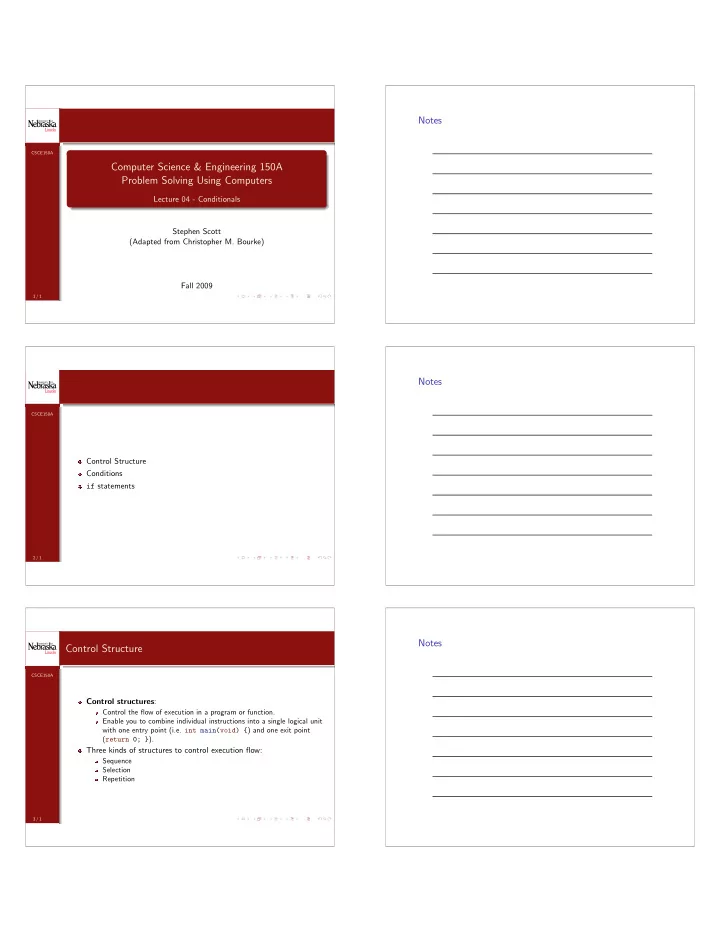
Notes CSCE150A Computer Science & Engineering 150A Problem Solving Using Computers Lecture 04 - Conditionals Stephen Scott (Adapted from Christopher M. Bourke) Fall 2009 1 / 1 Notes CSCE150A Control Structure Conditions if statements


slide-1
SLIDE 1 CSCE150A

Computer Science & Engineering 150A Problem Solving Using Computers

Lecture 04 - Conditionals Stephen Scott (Adapted from Christopher M. Bourke) Fall 2009

1 / 1

Notes

CSCE150A

Control Structure Conditions if statements

2 / 1

Notes

CSCE150A

Control Structure

Control structures:

Control the flow of execution in a program or function. Enable you to combine individual instructions into a single logical unit with one entry point (i.e. int main(void) {) and one exit point (return 0; }).

Three kinds of structures to control execution flow:

Sequence Selection Repetition

3 / 1

Notes

slide-2
SLIDE 2 CSCE150A

Sequential Flow

Compound statement: Written as a group of statements Bracketed by { and } Used to specify sequential flow All statements are unconditionally executed Order is important

Statement01; Statement02; Statement03; . . .

4 / 1

Notes

CSCE150A

Selection Flow

Selection control structure: Evaluates criteria to determine which alternative “path” to follow. A control structure determines which statement(s) to execute Statements are mutually exclusive

Selection Control Structure Statement01; Statement02; . . .

5 / 1

Notes

CSCE150A

Selection Flow – Conditions

Definition

A condition is an expression that is either true or false. A program chooses alternative paths of computation by testing one or more conditions. (ConditionEval == 1) → true, (ConditionEval == 0) → false. The resting heart rate is a good indicator of health if (resting heart rate < 75) then you are in good health.

if resting heart rate is 80, ConditionEval is false. if resting heart rate is 50, ConditionEval is true. if resting heart rate is 75, what is ConditionEval?

6 / 1

Notes

slide-3
SLIDE 3 CSCE150A

Relational and Equality Operators

Operator Meaning Type < less than relational > greater than relational <= less than or equal to relational >= greater than or equal to relational == equal to equality != not equal to equality

Table: Relational and Equality Operators in C

7 / 1

Notes

CSCE150A

Relational and Equality Operators

Conditions come in four forms: variable relational-operator variable Example: if(numberOfStudents > numberOfSeats) variable relational-operator CONSTANT Example: if(numberOfStudents < 5) variable equality-operator variable Example: if(numberOfStudents == numberOfSeats) variable equality-operator CONSTANT Example: if(averageGrade == 75.0) What about more than one condition? (Example: 0 ≤ x ≤ 10)

8 / 1

Notes

CSCE150A

Logical Operators

Logical Operators: Operators that can combine conditions to make more complicated selection statements. C Syntax Meaning True When && logical And Both are true || logical Or Either is true ! logical Not (negation) False

Table: Logical Operators in C

9 / 1

Notes

slide-4
SLIDE 4 CSCE150A

Logical Operators

Logical Expressions - expressions that involve conditional statement(s) and logical operator(s). Examples: (x >= 0 && x <=10) (temperature > 90.0 && humidity > 0.90) !(x >= 0 && x <=10) What about the following: Are we going to go or not? (go || !go)

10 / 1

Notes

CSCE150A

Tautologies & Contradictions

A tautology is a logical expression that is always true

Any non-zero constant (1, 1.5, 8, etc.) An expression that, when simplified, always ends up being true

(go || !go) is always true

A contradiction is a logical expression that is always false

The zero constant (0) An expression that, when simplified, always ends up being false

(go && !go) is always false

11 / 1

Notes

CSCE150A

Distributivity

The logical And can be distributed over a logical expression just as multiplication can be over an algebraic expression.

a(b + c) = ab + ac a && (b || c) is same as (a && b) || (a && c)

(Here, a, b, and c are relations like x < 5)

When distributing the logical Not, And and Or are reversed! Example:

!(x >= 0 && x <=10) (!(x >= 0) || !(x <=10)) ((x < 0) || (x > 10))

Best to simplify logical expressions as much as possible, but more important to keep code readable.

12 / 1

Notes

slide-5
SLIDE 5 CSCE150A

True and False

C Convention

For convenience when writing we identify zero with false and one with true C does not recognize the words true, false C has no built-in Boolean type! Instead, zero is identified with false Any non-zero value is identified with true Example: -1, 0.01, 386 are all true

13 / 1

Notes

CSCE150A

Operator Tables

Logical And

The result of taking a logical And with two operands is true if and only if both operands are true. Otherwise it is false. Operand A Operand B Result 1 1 1 1 1

14 / 1

Notes

CSCE150A

Operator Tables

Logical And

The result of taking a logical Or with two operands is true if and only if at least one of the operands is true. Otherwise it is false. Operand A Operand B Result 1 1 1 1 1 1 1

15 / 1

Notes

slide-6
SLIDE 6 CSCE150A

Operator Tables

Logical And

You can only apply a logical Not to a single operand. The result is that true gets flipped to false and vice versa. Operand Result 1 1

16 / 1

Notes

CSCE150A

Operator Precedence

Order of precedence for operators Precedence Operator High Function calls ! +

  • &

(unary) * / % +

  • (binary)

< <= >= > == != && || Low =

Table: Order of Precedence for Operators

17 / 1

Notes

CSCE150A

Short-Circuiting

If the first operand of a logical Or is true, the whole expression is true regardless of the second operand. Similarly, if the first operand of a logical And is false, the whole expression is false regardless of the second operand.

(true || anything) is true (false && anything) is false

By convention, in either case C does not bother to evaluate the second operand. This is known as short-circuiting

18 / 1

Notes

slide-7
SLIDE 7 CSCE150A

Programming Tip

Writing pseudocode will help you to write logical expressions in plain English. Translate the expressions into valid C syntax Be sure that the original and the translation are logically equivalent You can use a int type to store true/false: int someBoolean = 0;

19 / 1

Notes

CSCE150A

Comparing Characters

Recall that C uses partially weak typing C treats characters as integers in the range [0, 255] Thus, it makes sense that we can compare characters using relational and equality operators. Comparisons are based on the values used to encode letters (typically ASCII; Appendix A) Example: ’a’ < ’e’ is true since (in ASCII) 97 < 101

20 / 1

Notes

CSCE150A

Comparing Characters

Exercise

Assuming ASCII encoding, what are the values of the following character comparisons?

1 ’B’ <= ’A’ 2 ’Z’ == ’z’ 3 ’A’ < ’a’ 4 ’5’ <= ’7’

Answer:

21 / 1

Notes

slide-8
SLIDE 8 CSCE150A

Comparing Characters

Exercise

Assuming ASCII encoding, what are the values of the following character comparisons?

1 ’B’ <= ’A’ 2 ’Z’ == ’z’ 3 ’A’ < ’a’ 4 ’5’ <= ’7’

Answer:

1 false since 66 > 65 21 / 1

Notes

CSCE150A

Comparing Characters

Exercise

Assuming ASCII encoding, what are the values of the following character comparisons?

1 ’B’ <= ’A’ 2 ’Z’ == ’z’ 3 ’A’ < ’a’ 4 ’5’ <= ’7’

Answer:

1 false since 66 > 65 2 false since 90 = 122 21 / 1

Notes

CSCE150A

Comparing Characters

Exercise

Assuming ASCII encoding, what are the values of the following character comparisons?

1 ’B’ <= ’A’ 2 ’Z’ == ’z’ 3 ’A’ < ’a’ 4 ’5’ <= ’7’

Answer:

1 false since 66 > 65 2 false since 90 = 122 3 true since 65 < 97 21 / 1

Notes

slide-9
SLIDE 9 CSCE150A

Comparing Characters

Exercise

Assuming ASCII encoding, what are the values of the following character comparisons?

1 ’B’ <= ’A’ 2 ’Z’ == ’z’ 3 ’A’ < ’a’ 4 ’5’ <= ’7’

Answer:

1 false since 66 > 65 2 false since 90 = 122 3 true since 65 < 97 4 true since 53 ≤ 55 21 / 1

Notes

CSCE150A

Comparing Characters

ASCII stands for American Standard Code for Information Interchange The ASCII character set was designed to preserve alpha-numeric

  • rder, so e.g. ’a’ is strictly less than ’b’

Capital letters are less than lower-case letters

22 / 1

Notes

CSCE150A

The if Statement

if Statement with Two Alternatives (If-Then-Else) if Statement with One Alternative A Comparison of One and Two Alternative if Statements Programming Style

23 / 1

Notes

slide-10
SLIDE 10 CSCE150A

If-Then-Else Statement

Conditions are used to assign boolean (T,F) values to variables Example: senior_citizen = (age >= 65) 0 or 1 is assigned to senior_citizen depending on the value of age More often, conditions are used to make a choice between alternatives, through the if statement. If the condition is true, one statement is executed, otherwise, another statement is executed. 1 if (! senior_citizen ) 2 printf("Your hamburger is $3 .50\n"); 3 else 4 printf("Your hamburger is $2 .50\n");

24 / 1

Notes

CSCE150A

if Statement with One Alternative

It is not necessary to specify an alternative (else statement) An if statement can determine to execute a statement or not 1 if(senior_citizen ) 2 price = price - 1.0;

25 / 1

Notes

CSCE150A

Programming Tip

Recall that division by zero is undefined (and dangerous) You can use an if statement to avoid such errors 1 if(x != 0) 2 quotient = quotient / x;

26 / 1

Notes

slide-11
SLIDE 11 CSCE150A

Program Style

Statements following the if statements should be indented else statement is at the same indentation as the if statement Statements following the else statements should be indented

27 / 1

Notes

CSCE150A

Programming Tip

Pitfall: Do not end an if statement with a semi-colon: 1 if(price < 0); 2 printf("The product is free !\n"); Syntactically correct; program will compile Essentially like if(price<0){}; Will not give expected results The if statement is ended by the semicolon Thus, “The product is free!” will be printed regardless of the value of price

28 / 1

Notes

CSCE150A

if Statement with Compound Statements

In previous slides, if and else statements have performed only one

  • peration

C always assumes that each if or else statement will be followed by

  • ne operation

If more than one statement needs to be done for an if or else, we use {} to group a set of statements into one compound statement

29 / 1

Notes

slide-12
SLIDE 12 CSCE150A

if Statement with Compound Statements

1 if(pop_today > pop_yesterday ) 2 { 3 growth = pop_today - pop_yesterday ; 4 growth_pct = 100.0 * growth / pop_yesterday ; 5 printf("Growth percentage = %.2f.\n", growth_pct ); 6 }

30 / 1

Notes

CSCE150A

Another Example

1 if ( crash_test_rating_index <= MAX_SAFE_CTRI) 2 { 3 printf("Car #%d: safe\n", auto_id ); 4 numOfSafeCars = numOfSafeCars + 1; 5 } 6 else 7 { 8 printf("Car #%d: unsafe\n", auto_id ); 9 numOfUnsafeCars = numOfUnsafeCars + 1; 10 } If you omit the braces, what happens?

31 / 1

Notes

CSCE150A

Tracing an if Statement

Verifying the correctness of a C statement before running the program Catching logical errors will save a lot of time in debugging. A hand trace or desk check is a step-by-step simulation of each step

  • f the program, as well as how the values of the variables change at

each step.

32 / 1

Notes

slide-13
SLIDE 13 CSCE150A

Nested if Statements and Multiple-Alternative Decisions

No decisions: Sequential program One decision: if-then (One alternative)

if(cond) statement;

Decision between two alternatives: if-then-else (Two alternative statements)

if(cond) statement; else statement2;

Decisions between many alternatives

School level

33 / 1

Notes

CSCE150A

Nested if Statements and Multiple-Alternative Decisions

1 if (x <= 0) 2 pre_school = pre_school + 1; 3 else 4 if (x <= 12) 5 public_school = public_school + 1; 6 else 7 univ = univ + 1;

34 / 1

Notes

CSCE150A

Nested ifs vs. Sequence of ifs I

Can instead use a sequence of if statements 1 if(x <= 0) 2 pre_school = pre_school + 1; 3 if(x <= 12 && x > 0) 4 public_school = public_school + 1; 5 if(x > 12) 6 univ = univ + 1;

35 / 1

Notes

slide-14
SLIDE 14 CSCE150A

Nested ifs vs. Sequence of ifs II

Not as readable: since the sequence does not clearly show that exactly one of the three assignment statements is executed for a particular x. Less efficient because all three of the conditions are always tested. In the nested if statement, only the first condition is tested when x is not positive. Can lead to logical errors

36 / 1

Notes

CSCE150A

Nested ifs vs. Sequence of ifs III

1 if(score >= 90) 2 grade = ’A’; 3 if(score >= 80) 4 grade = ’B’; 5 if(score >= 70) 6 grade = ’C’; What happens when score = 95?

37 / 1

Notes

CSCE150A

if-else-if Statement

Better solution: the if-else-if statement 1 if ( condition_1 ) 2 statement_1 3 else if ( condition_2 ) 4 statement_2 5 . 6 . 7 else if ( condition_n ) 8 statement_n 9 else 10 statement_e

38 / 1

Notes

slide-15
SLIDE 15 CSCE150A

Example

Range Elimination

We want to describe noise loudness measured in decibels with the effect

  • f the noise. The following table shows the relationship between noise

level and human perceptions of noises. Loudness in Decibels (db) Perception 50 or lower quiet 51 - 70 intrusive 71 - 90 annoying 91 - 110 very annoying above 110 uncomfortable

Table:

39 / 1

Notes

CSCE150A

Example in C code

1 if ( loudness <= 50 ) 2 printf("quiet"); 3 else if ( loudness <= 70 ) 4 printf("intrusive"); 5 else if ( loudness <= 90 ) 6 printf("annoying"); 7 else if ( loudness <= 110 ) 8 printf("very annoying"); 9 else 10 printf("uncomfortable");

40 / 1

Notes

CSCE150A

Multiple-Alternative if, Order of Conditions

With if-else-if statements, one and only one statement is ever executed Moreover the first satisfied condition is the one that is executed The order of the conditions can affect the outcome The order of conditions also affect program efficiency The most common cases (if known) should be checked first

If loud noises are much more likely, it is more efficient to test first for noise levels above 110 db, then for levels between 91 and 110 db, and so on.

41 / 1

Notes

slide-16
SLIDE 16 CSCE150A

Code Exercise

Exercise

The Department of Defense would like a program that identifies single males between the ages of 18 and 26, inclusive. Design a logical expression that captures this.

42 / 1

Notes

CSCE150A

Answer

1 /* Print a message if all criteria are met.*/ 2 if ( marital_status == ’S’ ) 3 if ( gender == ’M’ ) 4 if ( age >= 18 && age <= 26 ) 5 printf("All criteria are met.\n"); Can this be improved?

43 / 1

Notes

CSCE150A

Better Solution

1 if ( maritial_status == ’S’ && 2 gender == ’M’ && 3 age >= 18 && 4 age <= 26 ) 5 printf("All criteria are met.\n"); Avoids overhead of executing the “then” part of each if statement in previous solution

44 / 1

Notes

slide-17
SLIDE 17 CSCE150A

Switch

The switch statement is similar to a multiple-alternative if statement, but can be used only for type char or type int expressions. Useful when the selection depends on the value of a single variable (called the controlling variable) Expressions in the switch statement must cover all possible values

  • f the controlling variable.

Each viable expression → case statement All other values → fall-through (default:) statement.

45 / 1

Notes

CSCE150A

Switch Example

1 #include <stdio.h> 2 int main(void) 3 { 4 char class; 5 scanf("%c", &class ); 6 switch (class) 7 { 8 case ’B’: 9 case ’b’: 10 printf(" Battleship \n"); 11 break; 12 case ’C’: 13 case ’c’: 14 printf("Cruiser\n"); 15 break; 16 default: 17 printf("Unknown ship class%c\n", class ); 18 } 19 return 0; 20 }

46 / 1

Notes

CSCE150A

Common Errors

You cannot use a string such as "Cruiser" or "Frigate" as a case label. The omission of the break statement at the end of an alternative causes the execution to “fall through” into the next alternative. Forgetting the closing brace of the switch statement body.

47 / 1

Notes

slide-18
SLIDE 18 CSCE150A

Nested if versus switch

A nested if is more general then a switch statement

if: Can check any number of any data type variables vs. one value for int or char data type.

if: Can use a range of values, such as < 100 switch: More readable switch: Can not compare strings or double types switch: Can not handle a range of values in one case label Use the switch whenever there are ten or fewer case labels Use the default label whenever possible

48 / 1

Notes

CSCE150A

Common Programming Errors I

(0 <= x <= 4) is always true

Associativity: first 0 <= x is evaluated (true or false) Thus, it evaluates to either 1 or and 0 In either case, both are less than 4 Thus the entire expression is true regardless of the value of x

if(x = 10) is always true: the assignment operator is evaluated and x is given a value of 10, which is true

49 / 1

Notes

CSCE150A

Common Programming Errors II

Don’t forget to parenthesize the condition. Don’t forget the opening and closing brackets, { } if they are needed. When doing nested if statement, try to select conditions so that you can use the range-elimination multiple-alternative format. C matches each else with the closest unmatched if, so be careful so that you get the correct pairings of if and else statements.

Can insert curly braces to get the desired behavior

50 / 1

Notes

slide-19
SLIDE 19 CSCE150A

Common Programming Errors III

In switch statements, make sure the controlling expression and case labels are of the same permitted type. Remember to include the default case for switch statements. Don’t forget the opening and closing brackets, { } for the switch statement. Don’t forget the break statement.

51 / 1

Notes

CSCE150A

Conditionals: Review I

1 if (x == 0) 2 statement_T; 3 4 if (x == 0) 5 statement_T; 6 else 7 statement_F; 8 9 if (x == 0) { 10 statements_T; 11 } 12 13

52 / 1

Notes

CSCE150A

Conditionals: Review II

14 15 if (x == 0) { 16 statements_T 17 } 18 else { 19 statements_F 20 } 21 22

53 / 1

Notes

slide-20
SLIDE 20 CSCE150A

Conditionals: Review III

23 24 if (x >= 0) 25 if (x == 0) 26 statement_TT 27 else 28 statement_TF 29 else 30 statement_F 31 32

54 / 1

Notes

CSCE150A

Conditionals: Review IV

33 34 switch (x) { case 1: 35 true if x == 1 statement 36 break; 37 case 2: 38 true if x == 2 statement 39 break; 40 default: 41 always true 42 }

55 / 1

Notes

CSCE150A

Questions?

56 / 1

Notes