Computer Graphics 1 Ludwig-Maximilians-Universitt Mnchen Summer - - PowerPoint PPT Presentation

computer graphics 1
SMART_READER_LITE
LIVE PREVIEW

Computer Graphics 1 Ludwig-Maximilians-Universitt Mnchen Summer - - PowerPoint PPT Presentation

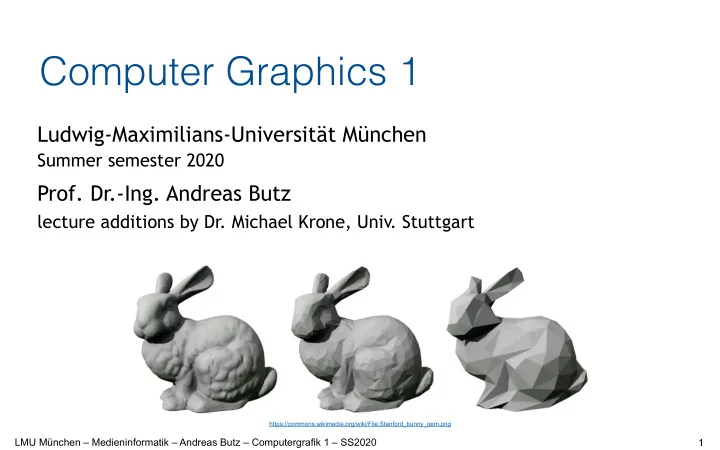
Computer Graphics 1 Ludwig-Maximilians-Universitt Mnchen Summer semester 2020 Prof. Dr.-Ing. Andreas Butz lecture additions by Dr. Michael Krone, Univ. Stuttgart https://commons.wikimedia.org/wiki/File:Stanford_bunny_qem.png 1 LMU


slide-1
SLIDE 1

LMU München – Medieninformatik – Andreas Butz – Computergrafik 1 – SS2020 1

Ludwig-Maximilians-Universität München

Summer semester 2020

  • Prof. Dr.-Ing. Andreas Butz

lecture additions by Dr. Michael Krone, Univ. Stuttgart

Computer Graphics 1

https://commons.wikimedia.org/wiki/File:Stanford_bunny_qem.png

slide-2
SLIDE 2

LMU München – Medieninformatik – Andreas Butz – Computergrafik 1 – SS2020

Sources

  • This lecture was introduced by Michael Krone and is based on the

slides of Filip Sadlo for the lecture „Visualization in Science an Engineering“

  • Course slides make use of selective contributions from
  • Thomas Ertl
  • Daniel Weiskopf
  • Carsten Dachsbacher
  • Oliver Deussen
  • Rüdiger Westermann
  • Stefan Gumbold
  • Dirk Bartz
  • Torsten Möller
  • Ronald Peikert

2

slide-3
SLIDE 3

LMU München – Medieninformatik – Andreas Butz – Computergrafik 1 – SS2020

Chapter 10 – Volume Rendering & Scalar Field Visualization

  • Basic strategies
  • Function plots and height fields
  • Isolines
  • Color coding
  • Volume data
  • Overview of volume visualization approaches
  • Slicing
  • Indirect volume visualization
  • Direct volume rendering
  • Classification and segmentation

4

slide-4
SLIDE 4

LMU München – Medieninformatik – Andreas Butz – Computergrafik 1 – SS2020

Basic Strategies

  • Visualization of 1D, 2D, or 3D scalar fields
  • 1D scalar field:
  • 2D scalar field:
  • 3D scalar field:

→ Volume visualization

R I R I → ⊂ Ω R I R I → ⊂ Ω

2

R I R I → ⊂ Ω

3

5

slide-5
SLIDE 5

LMU München – Medieninformatik – Andreas Butz – Computergrafik 1 – SS2020

Basic Strategies

  • Mapping to geometry
  • Function plots
  • Height fields
  • Isolines and isosurfaces
  • Color coding
  • Specific techniques for 3D data
  • Indirect volume visualization
  • Direct volume visualization

gVisualization method depends heavily on dimensionality of domain

6

slide-6
SLIDE 6

LMU München – Medieninformatik – Andreas Butz – Computergrafik 1 – SS2020

Function Plots and Height Fields

  • Function plot for a 1D scalar field
  • Points
  • 1D manifold: line
  • Error bars possible

} R I s s f s ∈ | )) ( , {(

Gnuplot example

7

slide-7
SLIDE 7

LMU München – Medieninformatik – Andreas Butz – Computergrafik 1 – SS2020

Function Plots and Height Fields

  • Function plot for a 2D scalar field
  • Points
  • 2D manifold: surface
  • Surface representations
  • Wireframe
  • Hidden lines
  • Shaded surface

}

2

) , ( | ) , ( , , {( R I t s t s f t s ∈

8

slide-8
SLIDE 8

LMU München – Medieninformatik – Andreas Butz – Computergrafik 1 – SS2020

Isolines

R I

  • R

I c ∈ } ) , ( | ) , {( c y x f y x =

  • Visualization of 2D scalar

fields

  • Given a scalar function

and a scalar value (isovalue)

  • Isoline consists of points
  • If f() is differentiable and

grad(f) ≠ 0, 
 then isolines are curves

  • Contour lines

9

f Ω :

slide-9
SLIDE 9

LMU München – Medieninformatik – Andreas Butz – Computergrafik 1 – SS2020

Isolines

10

slide-10
SLIDE 10

LMU München – Medieninformatik – Andreas Butz – Computergrafik 1 – SS2020

Isolines: Pixel-by-Pixel Contouring

  • Straightforward approach: 


scanning all pixels for equivalence with isovalue

  • Input
  • f : (1,...,xmax) x (1,...,ymax) à R
  • Isovalues I1,..., In and isocolors c1,...,cn
  • Algorithm

for all (x,y) ∈ (1,...,xmax) x (1,...,ymax) do for all k∈ { 1,...,n } do if |f(x,y)-Ik| < ε then draw(x,y,ck)

  • Problem: Isoline can be missed if the gradient of f() is too large

(despite range ε)

11

slide-11
SLIDE 11

LMU München – Medieninformatik – Andreas Butz – Computergrafik 1 – SS2020

Isolines: Marching Squares

  • Representation of the scalar function on a uniform or rectilinear grid
  • Scalar values are given at each vertex f↔fij
  • Take into account the interpolation within cells
  • Consider cells independently of each other

12

slide-12
SLIDE 12

LMU München – Medieninformatik – Andreas Butz – Computergrafik 1 – SS2020

Isolines: Marching Squares

  • Which cells will be intersected ?
  • Initially mark all vertices by + or – , depending on the 


conditions fij ≥ c , fij < c

  • No isoline passes through cells (=rectangles) which have the same sign at

all four vertices

  • So we only have to determine the edges with different signs
  • And find the intersection point by linear interpolation

+ + + + + + + + + + + + – – – – + –

f1,x1 f2,x2 c,xc

xc= [(f2-c )x1 + (c-f1 )x2] / (f2-f1 ) x y x f(x)

13

slide-13
SLIDE 13

LMU München – Medieninformatik – Andreas Butz – Computergrafik 1 – SS2020

Color Coding

  • Easy to apply to 1D and 2D scalar

fields

  • Map color to each pixel on 1D or 2D

image

14

3 2

R I R I → ⊂ Ω

slide-14
SLIDE 14

LMU München – Medieninformatik – Andreas Butz – Computergrafik 1 – SS2020

Color Coding

  • Example: Medical images
  • Special color table to visualize the brain tissue
  • Special color table to visualize the bone structure

Original Brain Tissue

15

slide-15
SLIDE 15

LMU München – Medieninformatik – Andreas Butz – Computergrafik 1 – SS2020

Chapter 10 – Volume Rendering & Scalar Field Visualization

  • Basic strategies
  • Function plots and height fields
  • Isolines
  • Color coding
  • Volume data
  • Overview of volume visualization approaches
  • Slicing
  • Indirect volume visualization
  • Direct volume rendering
  • Classification and segmentation

16

slide-16
SLIDE 16

LMU München – Medieninformatik – Andreas Butz – Computergrafik 1 – SS2020

Volume Data

  • Simple case: regular, rectilinear 3D grid with cubic cells
  • Stores one or more values per grid cell
  • Grid cell = voxel (volume pixel)
  • Data sources (examples)
  • Measurements, e.g., medical imaging (CT

, MRT , 3D ultrasound…)

  • Simulation, e.g., fluid simulations (water, smoke, fog…)
  • Voxelization of 3D models, e.g., write closest distance to a surface to each voxel
  • Mathematical function

17

slide-17
SLIDE 17

LMU München – Medieninformatik – Andreas Butz – Computergrafik 1 – SS2020

Volume Visualization

  • Scalar volume data
  • Medical Applications:
  • CT

, MRI, confocal micros-
 copy, ultrasound, etc.

R I R I → ⊂ Ω

3

18

slide-18
SLIDE 18

LMU München – Medieninformatik – Andreas Butz – Computergrafik 1 – SS2020

Volume Visualization

19

slide-19
SLIDE 19

LMU München – Medieninformatik – Andreas Butz – Computergrafik 1 – SS2020

Volume Visualization

20

slide-20
SLIDE 20

LMU München – Medieninformatik – Andreas Butz – Computergrafik 1 – SS2020

Volume Visualization Approaches

  • Techniques for 2D scalar fields
  • Transform 3D data set to 2D
  • Then apply 2D methods
  • Indirect volume rendering techniques (e.g. surface fitting)
  • Convert/reduce volume data to an intermediate representation (surface

representation), which can be rendered with traditional techniques

  • Direct volume rendering
  • Consider the data as a semi-transparent gel with physical properties and

directly get a 3D representation of it

21

slide-21
SLIDE 21

LMU München – Medieninformatik – Andreas Butz – Computergrafik 1 – SS2020

Volume Visualization Approaches

  • Slicing: 


Display the volume data, mapped 
 to colors, on a slice plane

  • Isosurfacing: 


Generate opaque/semi-transparent 
 surfaces

  • Transparency effects: 


Volume material attenuates 
 reflected or emitted light

Slice Semi-transparent
 material Isosurface

22

slide-22
SLIDE 22

LMU München – Medieninformatik – Andreas Butz – Computergrafik 1 – SS2020

Volume Visualization Approaches

  • 2D visualization


slice images
 (or multi-planar 
 reformatting: MPR)

  • Indirect


3D visualization
 isosurfaces
 (or surface-shaded
 display: SSD)

  • Direct 


3D visualization
 (direct volume 
 rendering: DVR)

23

slide-23
SLIDE 23

LMU München – Medieninformatik – Andreas Butz – Computergrafik 1 – SS2020

Volume Visualization by Slicing

  • 2D visualization


slice images
 (or multi-planar 
 reformatting: MPR)

  • Indirect


3D visualization
 isosurfaces
 (or surface-shaded
 display: SSD)

  • Direct 


3D visualization
 (direct volume 
 rendering: DVR)

24

slide-24
SLIDE 24

LMU München – Medieninformatik – Andreas Butz – Computergrafik 1 – SS2020

Volume Visualization by Slicing

  • 2D approach: Orthogonal slicing
  • Interactively resample the data on slices perpendicular to the x-,y-, z-axis
  • Use visualization techniques for 2D scalar fields
  • Color coding
  • Isolines
  • Height fields

Slice 20 30 40 50 60 CT data set

25

slide-25
SLIDE 25

LMU München – Medieninformatik – Andreas Butz – Computergrafik 1 – SS2020

Volume Visualization by Slicing

  • Alternative: Oblique slicing (MPR multiplanar reformating)
  • Resample the data on arbitrarily oriented slices
  • Resampling (interpolation)
  • e.g., exploit 3D texture mapping functionality 

  • f OpenGL/Direct3D…
  • …or compute trilinear interpolation manually

26

Image source: wikipedia

slide-26
SLIDE 26

LMU München – Medieninformatik – Andreas Butz – Computergrafik 1 – SS2020

Volume Visualization by Slicing

  • 2D visualization


slice images
 (or multi-planar 
 reformatting: MPR)

  • Indirect


3D visualization
 isosurfaces
 (or surface-shaded
 display: SSD)

  • Direct 


3D visualization
 (direct volume 
 rendering: DVR)

27

slide-27
SLIDE 27

LMU München – Medieninformatik – Andreas Butz – Computergrafik 1 – SS2020

Isosurfaces: Examples

28

slide-28
SLIDE 28

LMU München – Medieninformatik – Andreas Butz – Computergrafik 1 – SS2020

Marching Cubes

  • Isosurface extraction by the Marching-Cubes (MC) algorithm

[Lorensen, Cline 1987] g one of the most cited papers in the CG field (>12,000)

  • Works on the original data
  • Approximates the surface by a triangle mesh
  • Surface is found by linear interpolation along cell edges
  • THE standard geometry-based isosurface extraction algorithm
  • Extension of Marching Squares to 3D
  • Assumes a uniform or rectilinear grid

gSimilar for general hexahedral grids gRelated Marching algorithms for unstructured grids

29

slide-29
SLIDE 29

LMU München – Medieninformatik – Andreas Butz – Computergrafik 1 – SS2020

Marching Cubes: Algorithm

  • The core Marching-Cubes algorithm
  • Cell (cube) consists of 8 grid values:


(i+[01], j+[01], k+[01])


  • 1. Consider a cell
  • 2. Classify each vertex as inside or outside
  • 3. Build an index
  • 4. Get edge list from table[index]
  • 5. Interpolate the edge location
  • 6. Compute gradients
  • 7. Consider ambiguous cases
  • 7. Go to next cell

30

Image source: wikipedia

slide-30
SLIDE 30

LMU München – Medieninformatik – Andreas Butz – Computergrafik 1 – SS2020

Marching Cubes: Algorithm

  • Step 1: Consider a cell defined by eight data values

(i,j,k) (i+1,j,k) (i,j+1,k) (i,j,k+1) (i,j+1,k+1) (i+1,j+1,k+1) (i+1,j+1,k) (i+1,j,k+1)

31

slide-31
SLIDE 31

LMU München – Medieninformatik – Andreas Butz – Computergrafik 1 – SS2020

Marching Cubes: Algorithm

  • Step 2: Classify each cell according to whether it lies
  • Outside the surface (value > isosurface value)
  • Inside the surface (value <= isosurface value)

8

iso = 7

8 8 5 5 10 10 10

iso = 9 = inside = outside

32

slide-32
SLIDE 32

LMU München – Medieninformatik – Andreas Butz – Computergrafik 1 – SS2020

Marching Cubes: Algorithm

  • Step 3: Use the binary labeling of each cell to create an index

v1 v2 v6 v3 v4 v7 v8 v5

inside =1

  • utside=0

11110100 00110000 Index:

v1 v2 v3 v4 v5 v6 v7 v8

Binary index number = integer

33

slide-33
SLIDE 33

LMU München – Medieninformatik – Andreas Butz – Computergrafik 1 – SS2020

Marching Cubes: Algorithm

  • Step 4: For a given index, access an array storing a list of edges
  • All 256 cases can be derived from 1 + 14 = 15 base cases due to symmetries
  • Each case creates at most 5 triangles (dual cases for inverted signs)

34

slide-34
SLIDE 34

LMU München – Medieninformatik – Andreas Butz – Computergrafik 1 – SS2020

Marching Cubes: Algorithm

  • Step 4 cont.: Get edge list from table
  • Example:


 Index = 10110001
 triangle 1 = e4,e7,e11
 triangle 2 = e1, e7, e4
 triangle 3 = e1, e6, e7
 triangle 4 = e1, e10, e6

  • Face normals encoded implicitly by

  • rder of vertices
  • Normal points to higher (or lower)


values of the field g inside/outside

  • Vertex normals can be computed by 


averaging all surrounding face normals

e1 e10 e6 e7 e11 e4

35

slide-35
SLIDE 35

LMU München – Medieninformatik – Andreas Butz – Computergrafik 1 – SS2020

Marching Cubes: Algorithm

  • Step 5: For each triangle edge, find the vertex location along the edge

using linear interpolation

if all edge lengths = 1

  • therwise

= 10 = 0 i i+1 x c = 8 c = 3 x = [(v[i+1] – c )x[i] + (c – v[i] )x[i+1]] / (v[i+1] – v[i]) x = i + (c – v[i]) / (v[i+1] – v[i])

36

slide-36
SLIDE 36

LMU München – Medieninformatik – Andreas Butz – Computergrafik 1 – SS2020

Marching Cubes: Examples

  • Possibly overlay of several isosurfaces

1 Isosurface 2 Isosurfaces 3 Isosurfaces

37

slide-37
SLIDE 37

LMU München – Medieninformatik – Andreas Butz – Computergrafik 1 – SS2020

Marching Cubes: Examples

  • Nvidia Cascades Demo for Geforce 8800 (~2008)
  • Real-time generation of volumetric terrain on GPU
  • Marching Cubes isosurface extraction in Geometry Shader

38

slide-38
SLIDE 38

LMU München – Medieninformatik – Andreas Butz – Computergrafik 1 – SS2020

Volume Visualization by Slicing

  • 2D visualization


slice images
 (or multi-planar 
 reformatting: MPR)

  • Indirect


3D visualization
 isosurfaces
 (or surface-shaded
 display: SSD)

  • Direct 


3D visualization
 (direct volume 
 rendering: DVR)

39

slide-39
SLIDE 39

LMU München – Medieninformatik – Andreas Butz – Computergrafik 1 – SS2020

Direct Volume Rendering

  • Directly get a 3D representation of the volume data
  • The data is considered to represent a semi-transparent light-emitting

medium

  • Approaches are based on the laws of physics 


(emission, absorption, scattering)

  • The volume data is used as a whole


(look inside, see all interior structures)

40

slide-40
SLIDE 40

LMU München – Medieninformatik – Andreas Butz – Computergrafik 1 – SS2020

Direct Volume Rendering

  • Optical model:


volume rendering integral

  • Integral approximated by sum


along virtual light rays

  • Compositing (accumulation of


color and opacity) depends on

  • Incoming light (RGB)
  • Opacity (A = alpha = 1-transparency)

s0 D Δx

41

slide-41
SLIDE 41

LMU München – Medieninformatik – Andreas Butz – Computergrafik 1 – SS2020

Ray Casting

  • Similar to ray tracing in surface-based computer graphics
  • In volume rendering we usually only deal with primary rays;

hence: ray casting (or ray marching)

  • Natural image-order technique
  • Performed pixel-by-pixel

42

slide-42
SLIDE 42

LMU München – Medieninformatik – Andreas Butz – Computergrafik 1 – SS2020

Compositing along Rays

  • Front-to-back compositing
  • Combine (sorted) color and opacity values along a ray
  • Most often used in ray casting
  • Allows for early ray termination
  • Compositing equation:


Cout = Cin +(1 - αin) C α C(i)in = C(i-1)out
 αout = αin +(1 - αin) α α(i)in = α(i-1)out

Cin, αin Cout , αout C, α Ci, αi C(N)out α(N)out C(0)in = α(0)in = 0

43

slide-43
SLIDE 43

LMU München – Medieninformatik – Andreas Butz – Computergrafik 1 – SS2020

Problem: Classification

  • Missing link so far between
  • Scalar values of the data set and…
  • …color & opacity (RGBA) for volume rendering
  • Goals and issues
  • Empowers user to select “structures”
  • Extract important features of the data set
  • Classification is non trivial
  • Histogram can be a useful hint
  • Standard approach: Transfer function
  • Color table for volume visualization
  • Maps raw scalar value into presentable entities: 


color, intensity, opacity, etc.

44

Histogram

Image source: best-excel-tutorial.com

slide-44
SLIDE 44

LMU München – Medieninformatik – Andreas Butz – Computergrafik 1 – SS2020

Classification: Transfer Function

  • Examples of different


transfer functions

45

slide-45
SLIDE 45

LMU München – Medieninformatik – Andreas Butz – Computergrafik 1 – SS2020

Classification: Transfer Function

  • Most widely used approach for transfer functions:
  • Assign to each scalar value a different color value
  • Assignment via transfer function T

T : scalarvalue → colorvalue

  • Common choice for color representation: RGBA
  • Code color values into a color lookup table

Scalar ∈(0,1)

RiGiBiAi (0,1) → (0,N-1)

255

46

slide-46
SLIDE 46

LMU München – Medieninformatik – Andreas Butz – Computergrafik 1 – SS2020

Classification: Example

47

slide-47
SLIDE 47

LMU München – Medieninformatik – Andreas Butz – Computergrafik 1 – SS2020

Classification: Example

48

slide-48
SLIDE 48

LMU München – Medieninformatik – Andreas Butz – Computergrafik 1 – SS2020

Classification in Medical Imaging

  • Heuristic approach, based on measurements of many data sets

air fat tissue bone CT number histogram constituents’ distributions air fat tissue bone material assignment % CT

49

slide-49
SLIDE 49

LMU München – Medieninformatik – Andreas Butz – Computergrafik 1 – SS2020

LMU München – Medieninformatik – Michael Krone – Computergrafik 1 – SS2017 – Kapitel 10

Problem: Segmentation

  • Different features with same value
  • Example CT: different organs have similar X-ray absorption
  • Classification cannot be distinguished
  • Label grid cells (or grid points) indicating a type
  • Segmentation = pre-processing
  • Semi-automatic process

gVast body of literature in medical imaging, image processing, etc.

Air Fat Tissue Bone

50

slide-50
SLIDE 50

LMU München – Medieninformatik – Andreas Butz – Computergrafik 1 – SS2020

Segmentation

Anatomic atlas

51

slide-51
SLIDE 51

LMU München – Medieninformatik – Andreas Butz – Computergrafik 1 – SS2020

Volume Rendering: Examples

  • Smoke, fire, clouds, fluid effects etc.

52

slide-52
SLIDE 52

LMU München – Medieninformatik – Andreas Butz – Computergrafik 1 – SS2020

Volume Rendering – Wrap-up

53

Image source: D. Jönsson et al., CGF 33(19), 2014.

  • Direct volume rendering can be implemented on the GPU
  • Ray traversal in fragment shader
  • Efficient scalar value retrieval using 3D textures
  • Volume illumination
  • Use e.g. Phong illumination model or secondary rays
  • Often needs normals g gradient of the scalar field